Safari 7.0.3 Brings New Notifications Preference, Support for Generic Top-Level Domains, Fixes

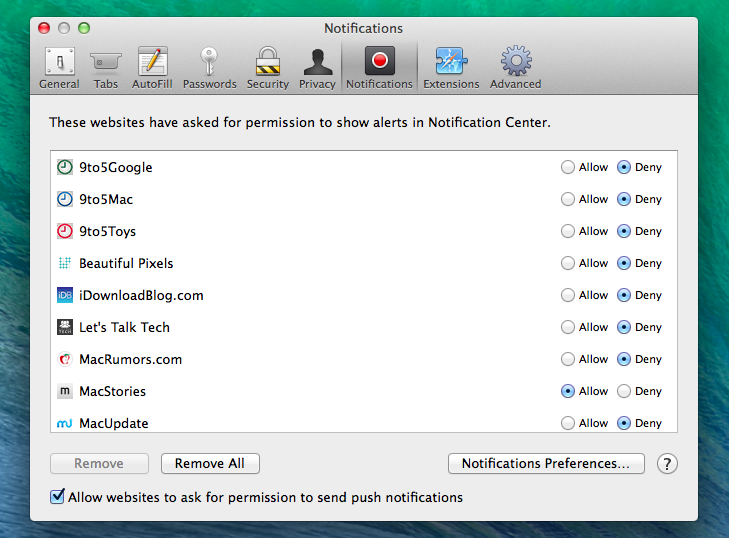
Following the rollout of updates to iWork for iOS, OS X, and iCloud.com, Apple released version 7.0.3 of its Safari browser today. The update, available in Software Update through the Mac App Store, brings a new preference in the app’s Notifications settings that allows users to turn off prompts for website notifications (Note: MacStories uses Safari push notifications). In previous versions of Safari, users could only allow or deny notifications after interacting with a prompt that asked for permissions to display push notifications; now, Safari can skip that prompt entirely if the preference is turned off.

Version 7.0.3 also adds support for new generic top-level domains (which include new entries such as .ceo, .sexy, and .shop) that are loaded as websites by Safari; previously, Safari couldn’t recognize the recently launched generic top-level domains, and redirected them to standard web searches.

In terms of bug fixes, Safari 7.0.3 improves credit card autofill, fixes a bug that could stop website notifications from being displayed, and resolves an address bar bug that loaded webpages or web searches before pressing the Return key.

Safari 7.0.3 is available in Software Update.

Day One for iPad Gets Publish Support

Day One for iOS was updated to version 1.14 earlier today, which, alongside bug fixes and the ability to insert photos copied in the clipboard, adds support for the Publish service to the iPad app. Day One introduced Publish in March, allowing iPhone users to publish their journal entries on a public webpage directly from the app; on the iPad, Publish works in the same way, but the larger screen makes it easier to assemble longer entries spanning multiple paragraphs.

Day One 1.14 is available on the App Store.

Permalink

Apple Updates iWork Suite with Design Tweaks, New Features, Sharing Improvements

In a series of updates rolled out today across iCloud.com, the App Store, and the Mac App Store, Apple updated its iWork suite of apps with design changes in the document editor, new templates, improved Retina display support, and several individual enhancements to Pages, Numbers, and Keynote.

On iCloud.com, the three web apps (which were last updated in January) have all received improved Retina display support and the possibility of opening documents directly from links in iCloud Mail. The document editor’s design has been refreshed, and documents shared from iCloud.com can now be set to a view-only mode that won’t allow recipients to edit them; previously, shared documents could always be edited by multiple users with access to a document’s link.

Apple brought specific changes to each web app as well, such as improved popup menu support in Numbers and new templates, better text wrap, and the possibility to edit charts in imported documents in Pages. Read more


Installing Custom Fonts On iOS

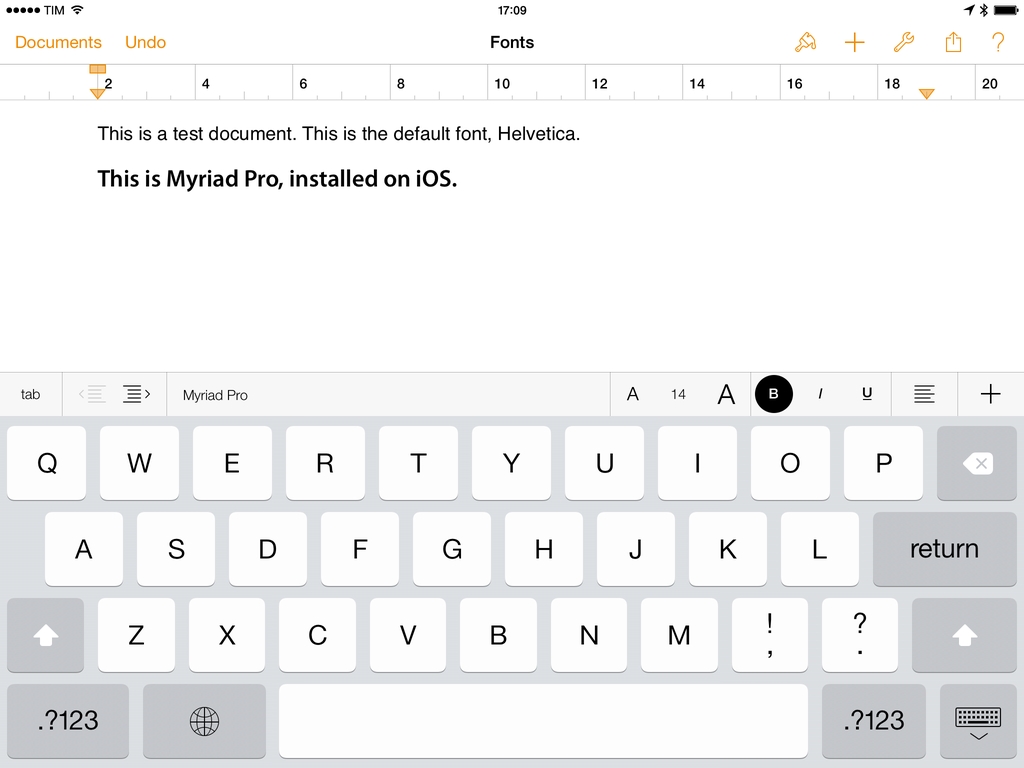
A new app called AnyFont and developed by Florian Schimanke allows you to install custom fonts on iOS. By leveraging iOS 7’s capability of installing fonts through a configuration profile (Apple’s documentation here), AnyFont can take fonts as standard TTF and OTF files from the app’s own storage and install them on iOS so other apps such as Apple’s iWork suite will be able to use them in the font picker.

I was able to test the app (which was first covered by TUAW in early March) and talk to Schimanke, who confirmed that AnyFont “does exactly what you could do on a Mac with the Apple Configurator”; while installing a custom configuration profile may raise security concerns, he added that it’s possible to look at the contents of the profile and see that the one created by AnyFont contains only font files that the user wants to install.

Read more


Tuning into the Curious Design Decisions of iTunes Radio

Last week, I listened to Jared Leto from Thirty Seconds to Mars talk about his hometown of Los Angeles. He talked about, and then played, the songs that remind him of the City of Angels and other songs that have inspired him as a musical artist. It was great to listen to, not just as a big fan of Thirty Seconds to Mars but as someone who has just spent over two months living, studying, and working in Los Angeles.

So where did I listen to Leto and these songs? iTunes Radio.

Read more


Apple Announces Q2 2014 Conference Call For April 23

Apple’s second quarter earnings report and conference call will take place on April 23rd, 2014, according to an Investor Relations update on Apple’s website first noted by setteBIT. Apple will provide a live audio webcast of the event.

Apple plans to conduct a conference call to discuss financial results of its second fiscal quarter on Wednesday, April 23, 2014 at 2:00 p.m. PT / 5:00 p.m. ET.

In the first quarter of 2014, Apple posted revenue of $57.6 billion and sold 26 million iPads, 51 million iPhones, and 4.8 million Macs, earning a quarterly net profit of $13.1 billion.

For Q2 2014, Apple set its guidance at revenue between $42 billion and $44 billion, with gross margin between 37 percent and 38 percent. Apple didn’t release major new products in the second quarter, with the company expected to roll out new entries in the iPhone and iPad lines later this year. The second quarter will provide insight into the company’s post-holiday sales following a record-breaking first quarter; in early March, Apple announced that CFO Peter Oppenheimer will retire at the end of September 2014. During the quarter, Apple launched a cheaper version of the iPhone 5c in selected markets, retired the iPad 2, and relaunched the iPad 4 with a Lightning connector. Apple also released the first major update to iOS 7, iOS 7.1, six months after the OS’ debut.

In the year-ago quarter, Apple posted revenue of $43.6 billion. The company sold 19.5 million iPads, 37.4 million iPhones, and ”just under” 4 million Macs, earning a quarterly net profit of $9.5 billion.

We will provide live updates from the conference call on our site’s homepage on April 23rd starting at 2 PM PT.


Sketch 3 Coming Soon, Will Integrate iOS 7 GUI Template

I don’t use Bohemian Coding’s Sketch for Mac, but a lot of designers I know love the app and rely on it for their work. Version 3 is coming soon and the developers have launched a teaser page.

Khoi Vinh tried a beta of Sketch 3 and he was positively impressed by the new features:

Several weeks ago, I was lucky enough to get access to the Sketch 3.0 beta and much to my delight, it prominently includes a symbols feature. The new version brings with it an upgraded file format which is not backwards compatible (that is, Sketch 3 will open files created with its predecessor, but not vice versa), so I haven’t moved over the majority of my workflow to it yet. But I have used it extensively for a few other, more isolated projects, and it’s been fantastic. Sketch’s symbols are as intuitive and powerful as I had hoped they would be; make a change to one symbol, and almost before you can blink, every other instance of that symbol is instantly changed, across every artboard in your document.

And today, Geoff Teehan of Teehan+Lax has announced that their popular iOS 7 GUI template will be pre-installed in Sketch 3:

I’m really excited today to share the news that our iOS 7 GUI template is going to ship natively in Sketch 3 (Sketch 2 shown above). No longer will you need to Google ‘iOS GUI Sketch’ and download the file from our site. You can just open Sketch 3, select our iOS 7 template and starting building out your next iOS app.

To stay updated on Sketch 3 news, check out the teaser page here.

Permalink

Google Turns Google Maps App Into Pokémon Catcher for April Fools’ Day

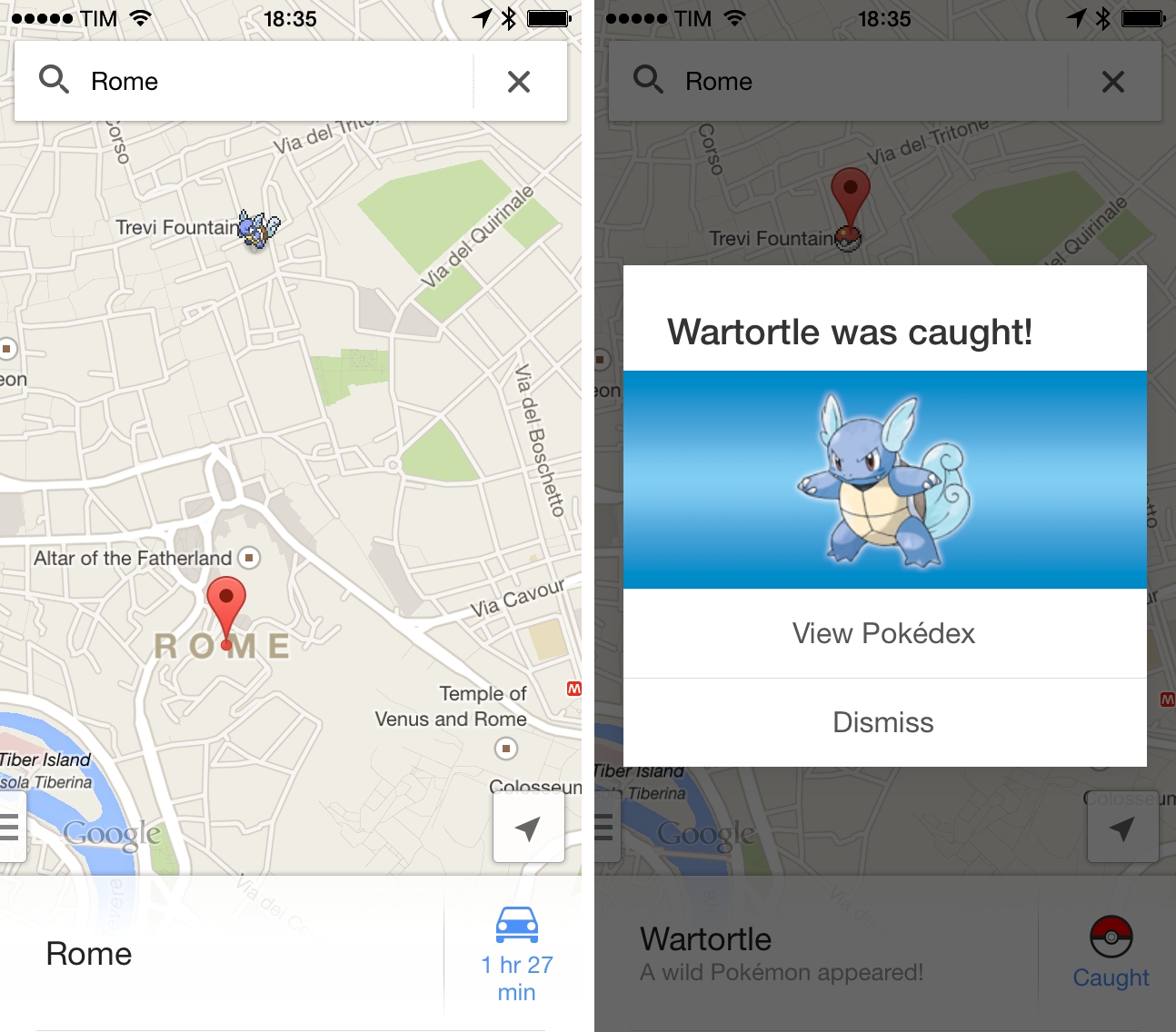
For this year’s April Fools’ Day, Google has decided to turn its Google Maps app for iOS and Android into a Pokémon experience by letting users catch 150 Pokémon to become Pokémon Masters and complete a Pokédex inside the app. The feature, called Pokémon Challenge and announced in a promo video that shows augmented reality functionalities and virtual monsters captured using a phone’s camera, is actually based on Pokémon characters laid on top of Google Maps’ traditional view.

Dozens of wild Pokémon have taken up residence on streets, amidst forests and atop mountains throughout Google Maps.

To catch ‘em all, grab your Poké Ball and the newest version of Google Maps for iPhone or Android. Then tap the search bar, “press start,” and begin your quest.

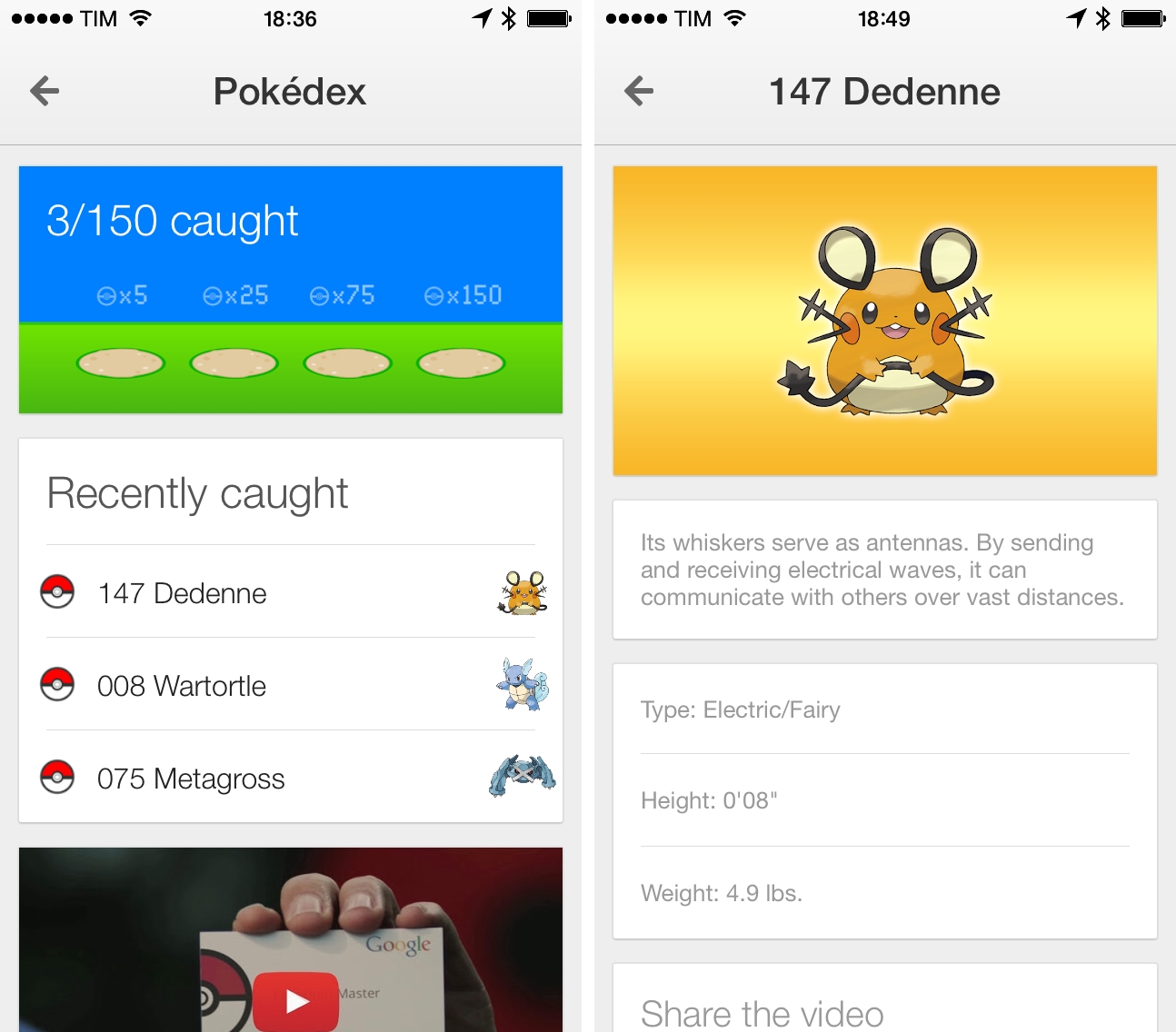
Once enabled, the Pokémon Challenge will turn the app into a an experience aimed at exploring maps to find Nintendo’s monsters scattered across the globe. The locations of Pokémon aren’t documented anywhere yet, and the app will keep track of a user’s progress in catching Pokémon with a built-in Pokédex that displays additional details for each creature.

Google’s April Fools’ joke goes as far as having a Pokémon Lab available at the CERN in Geneva (and others at Google Japan and Mountain View) and Poké balls (the tools used to catch monsters in Nintendo’s franchise) laid on top of maps in the location where a Pokémon was previously caught.

Google isn’t new to April Fools’ jokes, but this year the company hasn’t simply released a fake announcement or promo video – rather, the Pokémon Challenge is a full mini-game available inside the Maps app for iOS and Android with information about Pokémon and sharing features for players.

The Pokémon Challenge is available in Google Maps for iOS, and it doesn’t require an app update from the App Store.

Read more


Nebulous Notes Updated for iOS 7

Nebulous Notes, a Dropbox-enabled text editor with a macro system, has been updated for iOS 7 with a design refresh and fixes for iOS 7.1 (via Macdrifter).

Nebulous Notes is the app that kickstarted my interest in automating tasks on iOS thanks to its macros, and while I’ve switched to Editorial for my daily writing, Nebulous Notes is still a great choice on the iPhone. Combined with Byword for publishing, Nebulous Notes lets you speed up writing on the iPhone to assemble posts on the go; the macros that I published in October 2012 still work today, and some additions to the macro system were brought with version 6.1 released in November 2012.

Nebulous Notes is available at $4.99 on the App Store.

Permalink