I think in outlines. I suppose that’s because it’s what I was trained to do. You see, when I was in law school, we would make elaborate outlines of the subjects we studied to prepare for exams. So over time, I developed a knack for breaking down topics into their component ideas and imposing a hierarchy on them. Nowadays, I still make outlines, but they are usually simple ones that I create while taking notes or brainstorming ideas. I discovered OutlineEdit from Robin Schnaidt recently, and it immediately stuck with me. The speed with which I can get ideas out of my head, into an outline, and then move them around has made it a go-to tool when I’m working on my Mac.
OutlineEdit Packs Power Into a Simple Outliner
Hazel 4 Adds Rule Previewing, Sync, and More
Hazel is one of the first utilities that I install when I get a new Mac. Judging from the Noodlesoft forums, there are many people who use Hazel far more heavily than I do, but it is no less important to my Mac setup. By automating what would otherwise be repetitive file management tasks, Hazel helps keep me focused on more important tasks. Today, Hazel 4 was released with new features and refinements that bring new power and convenience to an already exceptional app.
A Watch That Makes You Wait
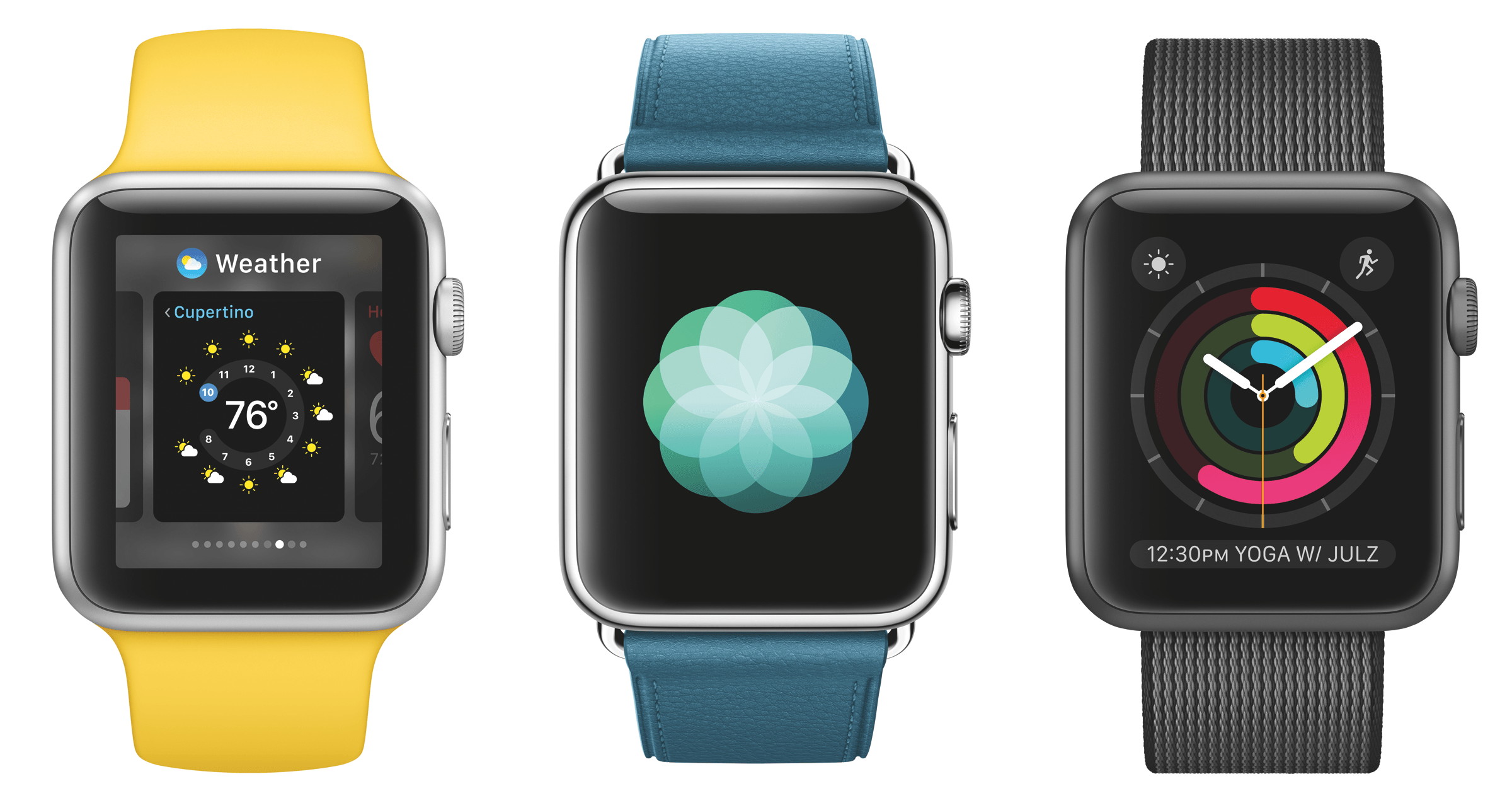
It’s hard for me to disagree with the premise of Nilay Patel’s piece on Circuit Breaker about the Apple Watch: it’s slow.
If Apple believes the Watch is indeed destined to become that computer, it needs to radically increase the raw power of the Watch’s processor, while maintaining its just-almost-acceptable battery life. And it needs to do that while all of the other computers around us keep getting faster themselves.
I know what you’re thinking – you’re using the Apple Watch primarily for notifications and workouts, and it works well. I get that. But when something is presented as the next major app platform for developers and then every single app I try takes seconds to load (if it loads at all), you can understand why enthusiasm is not high on my list of Apple Watch feelings.
I didn’t buy the Watch for notifications. I bought it with the belief that in the future we’re going to have computers on our wrist. Patel is right here: the slowness of the Apple Watch is undeniable and it dampens the excitement for the Watch as the next big Apple platform.
I disagree, however, with his idea for another “choice” for Apple:
The other choice is to pare the Watch down, to reduce its ambitions, and make it less of a computer and more of a clever extension of your phone. Most of the people I see with smartwatches use them as a convenient way to get notifications and perhaps some health tracking, not for anything else. (And health tracking is pretty specialized; Fitbit seems to be doing just fine serving a devoted customer base.)
I’ve seen similar comments elsewhere lately. Even with the flaws of the first model, I think you’d be seriously misguided to think Apple would backtrack and decide to make the Apple Watch 2 a fancier Fitbit.
I still believe that, a few years from now, a tiny computer on our wrist will be the primary device we use to quickly interact with the outside world, stay in touch, glance at information, and stay active. All of these aspects are negatively impacted by the Watch 1.0’s hardware today. Looking ahead, though, what’s more likely – that Apple shipped a product a bit too early and then iterated on it, or that the entire idea of the Apple Watch is flawed and Apple should have made a dumber fitness tracker instead?
If anything, Apple’s only choice is to continue to iterate on the original Watch idea: your most personal device. Faster, more sensors, faster apps, smarter apps, a lot more customization options. Gradually and then suddenly, we’ll realize the change has been dramatic.
That, of course, doesn’t soften my disappointment for the state of the Apple Watch as an app platform today. But knowing how Apple rolls, it makes me optimistic for its future.
Spotify Brings Back the Tab Bar on iOS
As I mentioned on Connected earlier today, I’ve been using both Spotify and Apple Music for the past few months. I prefer how discovery is more skewed towards indie artists and songs I don’t know in Spotify, but I keep Apple Music around because of its exclusives, colorful interface, and system integrations. I’ll write about this eventually.
One of the design decisions I couldn’t stand in the Spotify app for iPhone was its hamburger button and hidden menu that required far too many swipes and taps to navigate in the app. Interacting with the menu was slow, getting search to open quickly never worked, and it epitomized many of the reasons why several companies (including Apple) have been advising against using a hamburger menu with navigation hidden by default.
The good news today is that the classic tab bar is back in style at Spotify. Starting today, the company is rolling out a redesigned navigation experience on the iPhone (pictured above) with five tabs across the bottom – Home, Browse, Radio, Library, and Search in the middle.
There’s nothing exceptionally inventive about this design – it’s the good old tab bar you’ve known since the iPhone debuted nine years ago, with a docked mini player that’s highly reminiscent of Apple Music.
Everything old is new again, and, I have to say, I was looking forward to Spotify rolling out this design since I saw screenshots of an A/B test they ran a few weeks ago. While it was fun to experiment with various spins on the hamburger button for the past few years, I’ve seen several apps go back to a traditional tab bar design with navigation elements always shown. As it turns out, the tab bar is faster, it’s more intuitive, and it’s just more comfortable to reach on large displays.
The same applies for Spotify: navigating across sections is faster, and resetting a view to its initial state takes only a couple of taps (tap the tab bar icon to change view, and tap it again to go back to the initial screen). There are some instances in which a hamburger button with side menu makes sense, but I’m glad Spotify has gone back to a tab bar.
You can get the latest version of Spotify from the App Store. If you don’t see the tab bar yet and you’re based in one of the supported countries (I have an American Spotify account), try force-quitting and re-opening Spotify. That did the trick for me.
Overcast 2.5.2 with Quicksync→
Marco Arment on the latest update to Overcast:
In the last few Overcast releases, I’ve been optimizing the sync protocol and decreasing the burden of each sync to both sides (my servers and your iPhones). In 2.5.2, we’ll reap some of the benefits with the first version of what I’ve been informally calling “quicksync”.
In short, syncing Overcast between multiple devices — say, an iPhone and an iPad — is now much faster and more accurate, making multi-device usage much more practical and compelling.
“I’ve been testing this for a few weeks…”, the saying goes, but it’s true. In my tests during the beta, quicksync made switching between podcast episodes on two devices faster and less annoying than before.
Quicksync worked well in my typical use case: I’m washing dishes and Overcast is playing through the iPad Pro’s speakers, which are louder; then, I have to go out and connect my iPhone to my car’s audio, resuming Overcast to the same episode. With quicksync, I no longer have to skip ahead to catch up with the iPad’s progress. Marco did good work here and I hope the servers hold up well.
My Tablet Has Stickers→
Great piece by Steven Sinofsky, who has replaced his laptop with an iPad Pro. There are several quotable passages, but I particularly liked this one:
Most problems are solved by not doing it the old way. The most important thing to keep in mind is that when you switch to a new way of doing things, there will be a lot of flows that can be accomplished but are remarkably difficult or seem like you’re fighting the system the whole time. If that is the case, the best thing to do is step back and realize that maybe you don’t need to do that anymore or even better you don’t need a special way of doing that. When the web came along, a lot of programmers worked very hard to turn “screens” (client-server front-ends) into web pages. People wanted PF-function keys and client-side field validation added to forms. It was crazy and those web sites were horrible because the whole of the metaphor was different (and better). The best way to adapt to change is to avoid trying to turn the old thing into the new things.
This paragraph encapsulates what I went through for the past two years since I switched to the iPad as my primary computer. To this day, I still get comments from a few people who think “I’m fighting the system”. And we don’t have to look too far back in our past to find the opinions of those who thought the iPad Pro was a platform for people who “jump through more hoops than a circus elephant”.
I’ve been enjoying the wave of iPad enthusiasm that the iPad Pro caused, and I still believe we’re just getting started.
What Happened to Google Maps?→
Fascinating study by Justin O’Beirne on how Google Maps changed from 2010 to 2016 – fewer cities, more roads, and not a lot of balance between them on a map at the same zoom level.
He writes:
Unfortunately, these “optimizations” only served to exacerbate the longstanding imbalances already in the maps. As is often the case with cartography: less isn’t more. Less is just less. And that’s certainly the case here.
As O’Beirne also notes, the changes were likely made to provide a more pleasant viewing experience on mobile devices.
I understand his point of view – the included examples really make a solid case – but I can also see why Google may consider the average user (looking up points of interest nearby, starting navigation on their phone) and think that most users don’t want that kind of cartographic detail anymore.
It’d be interesting to see the same comparisons between Apple and Google, as well as between old Apple Maps and Apple Maps today.
Apple Releases ‘Moms’ TV Ad→
Having a good camera won’t make you a better photographer, but having a good camera with you all the time means you have a chance to capture something special when the opportunity presents itself. That’s the power of Apple’s Shot on iPhone series.
Today, Apple released a special 30 second Shot on iPhone television advertisement called ‘Mother’s Day.’ The ad features photographs of mothers and their children, including three short video clips. Each photo also lists the first name and last initial of the photographer who took it.
Customize Your Hard Drive Icons in OS X
A few weeks ago on the Accidental Tech Podcast, Casey reminded me that it’s possible to customize the icons shown for hard drives. I knew this, but hadn’t done it in a long time. John chided Casey for not continuing this habit, but I felt just as guilty. I enjoy it, it’s easy to do, so why not do it?