Remaster, Episode 38: SNES Classic

Have Nintendo learned from their previous foray in to tiny nostalgia?

On this week’s episode of Remaster, we talk about Nintendo’s recently announced SNES Classic Mini, the games it’ll offer, and the company’s strategy for the Virtual Console. You can listen here.

Sponsored by:

  • Casper: Because everyone deserves a great night sleep. Get $50 off with the code ‘REMASTER’
Permalink

Red Sweater’s MarsEdit 4.0 Public Beta Released

Today, Red Sweater Software’s Daniel Jalkut released a public beta of his macOS blog publishing app, MarsEdit. According to Jalkut,

It’s been over 7 years since MarsEdit 3 was released. Typically I would like to maintain a schedule of releasing major upgrades every two to three years. This time, a variety of unexpected challenges led to a longer and longer delay.

The good news? MarsEdit 4 is finally shaping up. I plan to release the update later this year.

Because the update contains many new features that my patient users have been waiting to get their hands on, I want to give folks the option of trying it out early.

MarsEdit 4 includes a long list of features including:

  • Visual formatting bar for applying common formatting options;
  • Typewriter scrolling mode;
  • Support for MultiMarkdown; and
  • WordPress-specific features like faster refresh times and Featured Image, Post Format, and Per-Post Author support.

If you want to to try the beta yourself, there’s a link in the Red Sweater blog post. The beta is free to use by anyone who has a license for MarsEdit 3 that was purchased directly from MarsEdit on the web. Also, anyone who buys a copy of MarsEdit 3 now will receive a free upgrade to MarsEdit 4 when it is released later this year.

Permalink

Google Photos Launches Advanced Sharing Features

First announced last month at Google I/O, Google Photos for iOS has now been updated to include several new sharing features, including suggested sharing and shared libraries.

The suggested sharing feature brings with it a new dedicated navigation tab labeled ‘Sharing.’ Here you’ll find a listing of all prior sharing activity, as well as suggestions of photos you haven’t shared yet but may want to. These suggestions are made for one of two reasons: either the photos in question appear similar to images you’ve shared in the past with certain people, so Google thinks you may want to share them, or the photos contain people that Google knows are in your contacts, and thus you may want to share them.

If a Google Photos user shares images with another Google Photos user, and the sharing recipient appears to have photos from the same time and place, Google will suggest adding those images to the shared album. This can be used most effectively when sharing photos around a certain event, like a wedding or vacation. One person may initiate the sharing, but Google Photos makes it easy for the other people who attended the event to improve the shared album by seamlessly adding their own captured memories to it.

The new library sharing features are accessed from the sidebar menu’s ‘Share your library’ option, not the ‘Sharing’ tab. After you’ve selected one or more people to share with, there are a couple settings you can adjust. You can choose to share your entire library, or only photos of specific people. You can also set a time period from which the library sharing should begin – for example, you can set sharing to only happen with all photos from this day on, or from six months ago on, etc.

Google Photos was already an excellent service, but today’s updates make it even better. The automatic library sharing in particular has been on my wish list for Apple Photos for a long time. At the time these features were announced, details about iOS 11 were still unknown, but now that the WWDC unveiling has come and gone without any announced improvements to sharing in Apple Photos, Google Photos is more tempting than ever.


Connected, Episode 148: The Grand Scheme of Screens

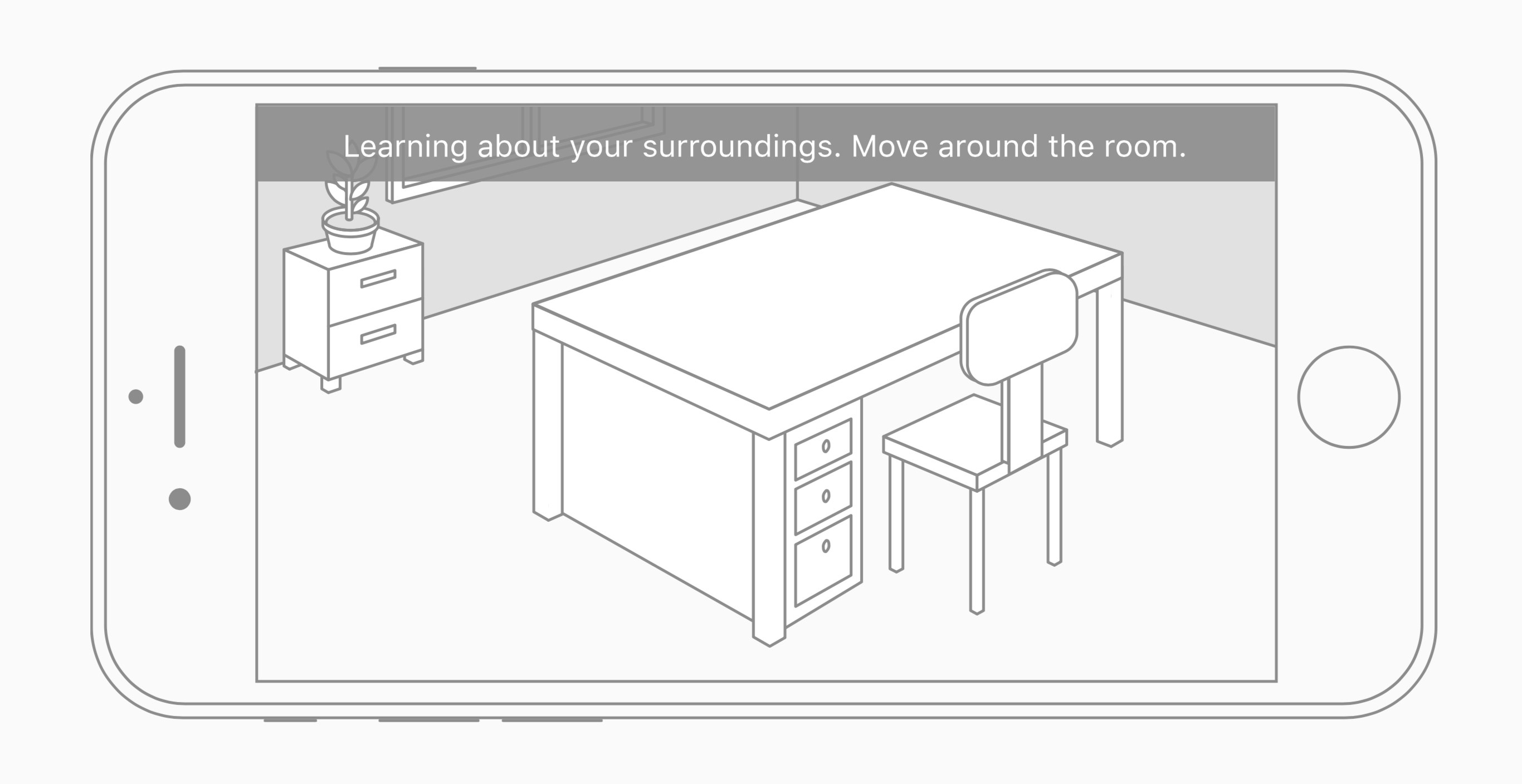
The Prompt Curse strikes again! Find out what has been struck down, as Myke and Federico discuss the current state of iOS 11, Ticci’s keyboard woes, reviews of the Echo Show, and ARKit.

A fun episode of Connected this week with more thoughts on the iOS 11 beta and a discussion on ARKit and the potential of AR apps for iOS. You can listen here.

Sponsored by:

  • Pingdom: Start monitoring your websites and servers today. Use offer CONNECTED to get 20% off.
  • Away: Travel smarter with the suitcase that charges your phone. Get $20 off with the code ‘connected’.
  • Igloo: A digital workplace platform Free for up to 10 people.
Permalink

AppStories, Episode 11 – iOS 11’s Impact on Third-Party Apps

On this week’s episode of AppStories, we consider the effect on third-party apps of PDFKit, the system Markup extension, changes to Notes, and password AutoFill for apps.

Sponsored by:

  • Zapier - Connect your apps and automate your workflows.
  • Clear - Tasks, Reminders & To-Do Lists.
AppStories+ Deeper into the world of apps

AppStories Episode 11 - iOS 11’s Impact on Third-Party Apps

0:00
36:52

AppStories+ Deeper into the world of apps

Permalink

Apple Music’s New ‘My Chill Mix’

Apple Music is rolling out a new automatically-generated playlist called ‘My Chill Mix’ to subscribers. The music streaming service already includes a ‘My Favorites Mix’ and a ‘My New Music Mix,’ which show up every Wednesday and Friday respectively.

‘My Chill Mix,’ which will be added to subscribers’ ‘For You’ tab and updated every Sunday, features slower tempo music based on your Apple Music listening habits. According to Matthew Panzarino at TechCrunch, ‘a small number of test users got the new playlist yesterday evening.’ Other Apple Music subscribers will have to wait a little while longer. Apple told Jim Dalrymple of The Loop that:

…the new mix will not be available to everyone immediately, but it will show up over time.

It’s good to see that Apple is continuing to experiment with computer-generated playlists, one of the strongest selling points of Spotify, which includes an excellent Discovery Mix and a Daily Mix that debuted last fall. In addition to adding playlists like an up-tempo workouts mix and genre-specific mixes, I would like Apple Music to allow me to tweak its algorithm’s variables to create playlists myself, dialing in the exact balance of genres and favorites versus new music that I want to hear at any particular time.


Sputnik Eyes Review: Puzzles in Space

I’m going to let you in on a couple prevailing facts about Sputnik Eyes, a “homemade” game by Shelly Alon.

The first is that the story, at least in my eyes, makes little sense. It includes – but is not limited to – robots, space, planets, constellations, exploration, Earth, scorpions, hearts, and a rocket ship. It’s a hodgepodge of an idea, one that I immediately misunderstood and hardly plays any role in the overall game.

But the second fact is that Sputnik Eyes is one of the most enjoyable puzzle games I’ve played in a while, and one I can’t seem to stop playing. Equal parts charming and challenging, Sputnik Eyes feels exactly like what a puzzler should in 2017: clean, fun, and to the point.

Move Along, Robot Friend

When you start a level of Sputnik Eyes, you’ll find yourself accompanied by a grid and your robot pals. Each stage has a unique pattern, a series of connected lines that form points, sat on by the bots of varying colors. Take a look at the examples below:

Effectively, Sputnik Eyes is a matching game, one that requires you to pair the robot to its respective colored spot on the map. While it sounds easy in theory, the game throws interesting obstacles in your way, like one-way lines and paths that can only be traveled by a certain color. The more you play, the more complex Sputnik Eyes becomes; eventually, each puzzle seems more crowded than the one before it.

From there, the game can be played in a variety of ways. At the most basic level, you only need to complete the level to move on. However, finish the level in a limited set of moves or within the time period and you’ll receive badges signifying your accomplishments. Although badges have no in-game value, they’re a completionist’s symbol of pride.

Carefully Crafted, Wonderfully Executed

I normally like to weave in comments about a game’s design into a review, but much of what makes Sputnik Eyes so endearing is some of its aesthetic choices. One of the best examples is the game’s framing – instead of the game taking up the full screen, it rounds off its corners to give it a distinct look.

Throughout the gameplay and menu navigation, you’ll see carefully crafted animations, character models, and level designs. Motion is utilized exceptionally in Sputnik Eyes, adding touches that make the atmosphere more alive and vivid. And behind it all lies a soundtrack that shifts between ambient and thought-provoking, unafraid to take your attention but simple enough to fade into the background when you’re thinking hard about a puzzle.

All of this is to say that Sputnik Eyes feels created in a way that makes you, the player, feel cared for. When playing, I felt like each piece of the game was built for me to notice, appreciate, and consider as part of the overall experience.

Conclusion

$1.99 and many levels later, I’m thrilled by Sputnik Eyes. Had it been in the earlier days of the App Store, I think it’d be considered a touchstone of the puzzle genre; now, despite the App Store’s continuous growth in its biggest category, Sputnik Eyes still stands out as a must-have for puzzle fans.

If you’d like to pick up Sputnik Eyes, you can do so for $1.99 in the App Store (Universal).


Apple Opens iOS 11 Public Beta

Apple has released the first public beta of iOS 11. The first developer beta of iOS 11 was released at WWDC on June 5, 2017. iOS 11 includes many new features such as a new Files app that makes navigating files on iOS devices easier than in the past and adds several iPad-only features like drag & drop, an app Dock, and enhanced multitasking.

You can sign up for the beta program here, but be sure to follow the instructions, which include backing up your iOS device, because it’s still early in the iOS 11 beta release cycle. There will be bugs and running a beta always runs the risk of data loss.

Permalink

Clean Up Your Inbox Today (and Keep It That Way Forever) with SaneBox [Sponsor]

What if you had someone who would sort through your email and find only the important messages? That is exactly what SaneBox does. After you set it up, SaneBox leaves your important messages in your inbox and moves the rest to a SaneLater folder for reviewing later. That initial inbox purge is powerful because it reduces your inbox to a manageable number of messages. With additional training to tell SaneBox what’s important to you, it only gets better at dealing with the daily deluge of messages.

There’s much more to SaneBox than shuffling unimportant messages into a designated folder, though. If there’s something you never want to see ever again, send it to the SaneBlackHole, which is much easier than unsubscribing to unwanted messages.

You can also set up SaneReminders by sending messages to an address that sends a reminder to you at a later date if the recipient of your message hasn’t responded after a certain amount of time. Or forward messages to SaneReminders to have it pop back into your inbox at a later date when you are ready to deal with it.

SaneBox works on top of your existing email setup. There’s no app to download or new email account to set up. It all works server-side so you can use any email client you want.

Sign up today for a free 14-day SaneBox trial to take back control of your email. MacStories readers can receive a special $25 credit automatically by using this link to sign up.

Our thanks to SaneBox for sponsoring MacStories this week.