macOS High Sierra: The MacStories Review

Since Mac OS X 10.5 Leopard was released in 2007, Apple has periodically paused to release updates to what is now known as macOS that are more a refinement of their predecessors than major upgrades. Apple signals each refinement release by picking a name that relates to the one immediately before it. In 2009, that meant Leopard was followed by Snow Leopard; in 2012, Mountain Lion followed Lion. It’s been a while, and Apple has moved from big cats to California landmarks and adopted the macOS moniker, but the company is back with another operating system update that predominantly focuses on under-the-hood features by following last year’s macOS 10.12 Sierra with macOS 10.13 High Sierra.

For a foundational release, High Sierra goes about as low as you can go by introducing an entirely new filesystem for the first time in almost twenty years. Apple File System, also known as APFS, is a modern filesystem developed by Apple to accommodate the needs of each of its platforms in ways that HFS+ couldn’t manage. If there’s a theme to each of the core technologies introduced with High Sierra, it’s laying the groundwork for the future across Apple’s product line. New video compression technology, Metal 2, and VR are all part of a new bedrock being laid to prepare for the future.

That’s not to say that there are no goodies in High Sierra though. Photos has received several new features, and although not individually as significant, changes to Mail, Notes, Safari, Siri, Spotlight, and other apps all add up to a solid collection of refinements that make the Mac more efficient than before. Even so, High Sierra won’t be remembered for revolutionary user-facing features. Instead, along with new iMac Pros and Mac Pros on the horizon, it shows that Apple still cares about the Mac, but is also taking a broader view, building the infrastructure for the next chapter in computing across all of its present and future products.

Read more


Replacing Bing, Google Will Now Power Siri and Spotlight Web Search Results

Matthew Panzarino, reporting for TechCrunch:

Apple is switching the default provider of its web searches from Siri, Search inside iOS (formerly called Spotlight) and Spotlight on the Mac. So, for instance, if Siri falls back to a web search on iOS when you ask it a question, you’re now going to get Google results instead of Bing.

“Switching to Google as the web search provider for Siri, Search within iOS and Spotlight on Mac will allow these services to have a consistent web search experience with the default in Safari,” reads an Apple statement sent this morning.

As pointed out by Zac Hall of 9to5Mac, the timing of this change coincides well with Apple’s upcoming HomePod. Though the details of Google search’s implementation for HomePod are unclear, it’s possible that this switch will enable HomePod to provide the same answers to common web queries that its competing home speaker, Google Home, offers. Even if support doesn’t extend that far, with this change Siri should at least be able to supply the type of reliable search results Google users expect.

Permalink


Balance Is a Wallet For the World’s Currencies [Sponsor]

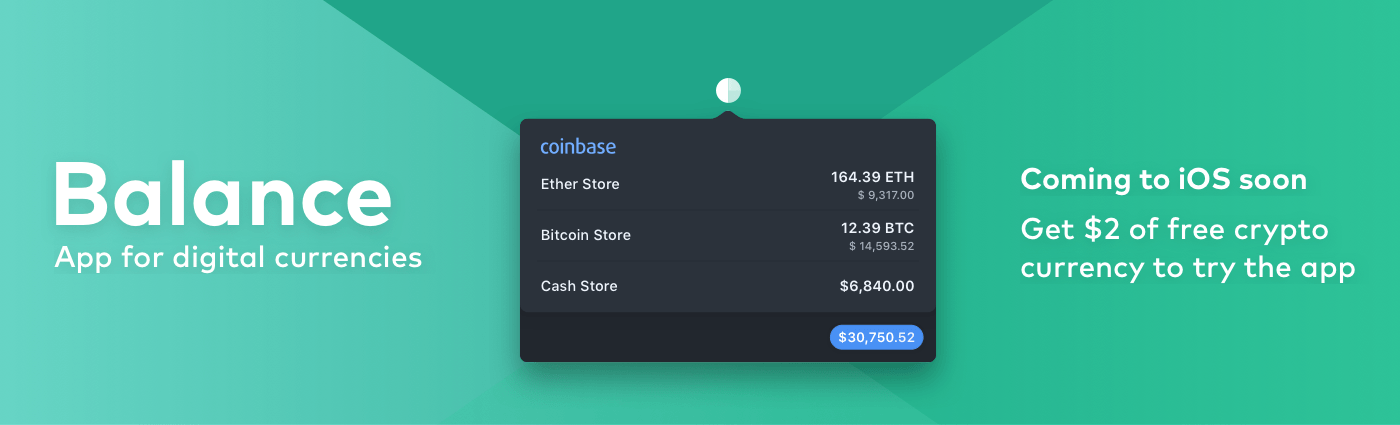
The world is on the cusp of a financial revolution fueled by crypto-currencies and Balance makes it easy for anyone to get involved. You’ve probably heard of Bitcoin, one of the earliest crypto-currencies, but there are others including Ethereum. Balance connects to the most popular crypto-currency exchanges like Coinbase along with traditional financial institutions bridging the legacy financial world with the future.

Balance is a macOS app that sits in your menu bar and is available on the Mac App Store that connects with crypto-currency exchanges as well as traditional bank accounts, investment accounts, credit cards, and online services like PayPal. It does this using Plaid, a super-secure platform that interfaces with financial institutions around the world.

Once you set up accounts in Balance, the app automatically updates them periodically with new transactions, so you’re always up to date. You can click through its tabs to view balances, transactions, notifications and gain insights about your spending. Soon, Balance will release an iOS version of their app too.

Balance is ready for the future too. The current financial system is based on outdated, legacy software. Blockchains are the bedrock of a more secure and open financial system based on cryptocurrencies, but not many people are using them yet. Balance is poised to change that by becoming a single destination for traditional financial accounts and crypto-currency exchanges.

Balance has a great offer for MacStories readers who want to see what crypto-currencies are all about. Just go to bal.money/macstories and you’ll get $2 worth of Ether in a Coinbase account that you can link to Balance and track with its menu bar app. It’s a great way to see for yourself what the financial world’s future looks like.

Our thanks to Balance for sponsoring MacStories this week.



Dropbox Integrates with iOS 11’s Files App in Latest Update

Fulfilling its recent promise of integrating with iOS 11’s Files app during the OS’s launch week, Dropbox today released an updated iOS app that does just that. It is now a full-fledged file provider in Files, allowing you to access and manage all of your Dropbox files directly from the Files app.

Adding Files support means Dropbox files can now live alongside files from iCloud Drive and other file providers. This enables things like copying files between cloud services with ease, organizing files from different providers with the same tags, and of course, using drag and drop to rearrange files (on either iPhone or iPad), or to move files to other apps (iPad only). Not all functionality from the main Dropbox app has made its way to Files, but there’s surprisingly little missing here. You can still download files on demand, and you can even share files without needing to open the Dropbox app – simply long-press the file you’d like to share and hit the Copy Link button. For me personally at least, I don’t see any reason I would need to open Dropbox anymore.

Several major cloud services pledged to support Files back in June following WWDC, and it’s great to see that, at least for one of them, that support came swiftly. Here’s hoping the rest will follow soon.


Reliving that Snow Leopard Magic

Enthusiasts of all types always have that one special obsession. For muscle car people, maybe it’s one particular year of Ford Mustang. Photographers always have a favorite lens, while baseball players may have a favored bat or glove.

Ask almost any macOS fan, and they’ll tell you that Snow Leopard is their favorite version of all time.

There are a bunch of good reasons for that, beyond pure nostalgia.

Read more


Apple’s Quest to Transform Photography

John Paczkowski of BuzzFeed conducted a fascinating interview with Apple’s Senior Vice President of Worldwide Marketing Phil Schiller and Johnnie Manzari of Apple’s Human Interface Team about the iPhone’s camera. Much of the discussion is focused on the new Portrait Lighting feature available in the 8 Plus and X. As Paczkowski explains,

The camera’s effects don’t rely on filters. They’re the result of Apple’s new dual camera system working in concert with machine learning to sense a scene, map it for depth, and then change lighting contours over the subject. It’s all done in real time, and you can even preview the results thanks to the company’s enormously powerful new A11 Bionic chip. The result, when applied to Apple scale, has the power to be transformative for modern photography, with millions of amateur shots suddenly professionalized.

Manzari described the extensive process that went into creating Portrait Lighting:

“We spent a lot of time shining light on people and moving them around — a lot of time,” Manzari says. “We had some engineers trying to understand the contours of a face and how we could apply lighting to them through software, and we had other silicon engineers just working to make the process super-fast. We really did a lot of work.”

BuzzFeed’s article is worth a close read because it’s about more than just the camera in Apple’s new and upcoming iPhones. The behind-the-scenes peek at the development process of the many functions that the iPhone’s camera serves is the best example of one of Apple’s biggest competitive advantages: the fusion of hardware and software.

Permalink

AppStories, Episode 23 – The Apps Behind Federico’s iOS 11 Review

On this week’s episode of AppStories, we lift the curtain on some of the special events at MacStories and Club MacStories surrounding the release of iOS 11, discuss the removal of the App Store from iTunes on macOS, and dive into the apps Federico used to plan, research, write, and produce his iOS 11 review.

Sponsored by:

AppStories+ Deeper into the world of apps

AppStories Episode 23 - The Apps Behind Federico’s iOS 11 Review

0:00
44:39

AppStories+ Deeper into the world of apps

Permalink