Apple Privately Advocates for Developer Adoption of Subscriptions

Kif Leswing reports for Business Insider on a meeting Apple held with select app developers last year where the subscription model was pushed:

An Apple representative said at the meeting that paid apps represent 15% of total app sales and is on the decline, according to a person who was there who did not want to be identified to maintain their relationship with Apple.
[…]
The message was clear: successful apps now focus on getting regular engagement from their users, not one-time sales. For developers, that meant embracing the subscription model.

If you focus on paid apps, instead of subscriptions, Apple warned, your business will eventually hit a cap.

This report comes hot on the heels of Apple’s recent quarterly earnings report, during which Tim Cook shared, “Paid subscriptions from Apple and third parties have now surpassed 300 million, an increase of more than 60 percent in the past year alone.”

That increase is fairly staggering to consider. Two years ago when Apple opened up subscriptions to all app types, many users and developers feared the potential for subscription fatigue. It looks like that hasn’t prevented significant growth from happening – at least for now. I’ll be curious to see if growth like this, and a further shift toward subscriptions over paid apps, is sustainable in the long-term.

Permalink

‘Unlock 1Password’ Is the Latest Training Course from The Sweet Setup

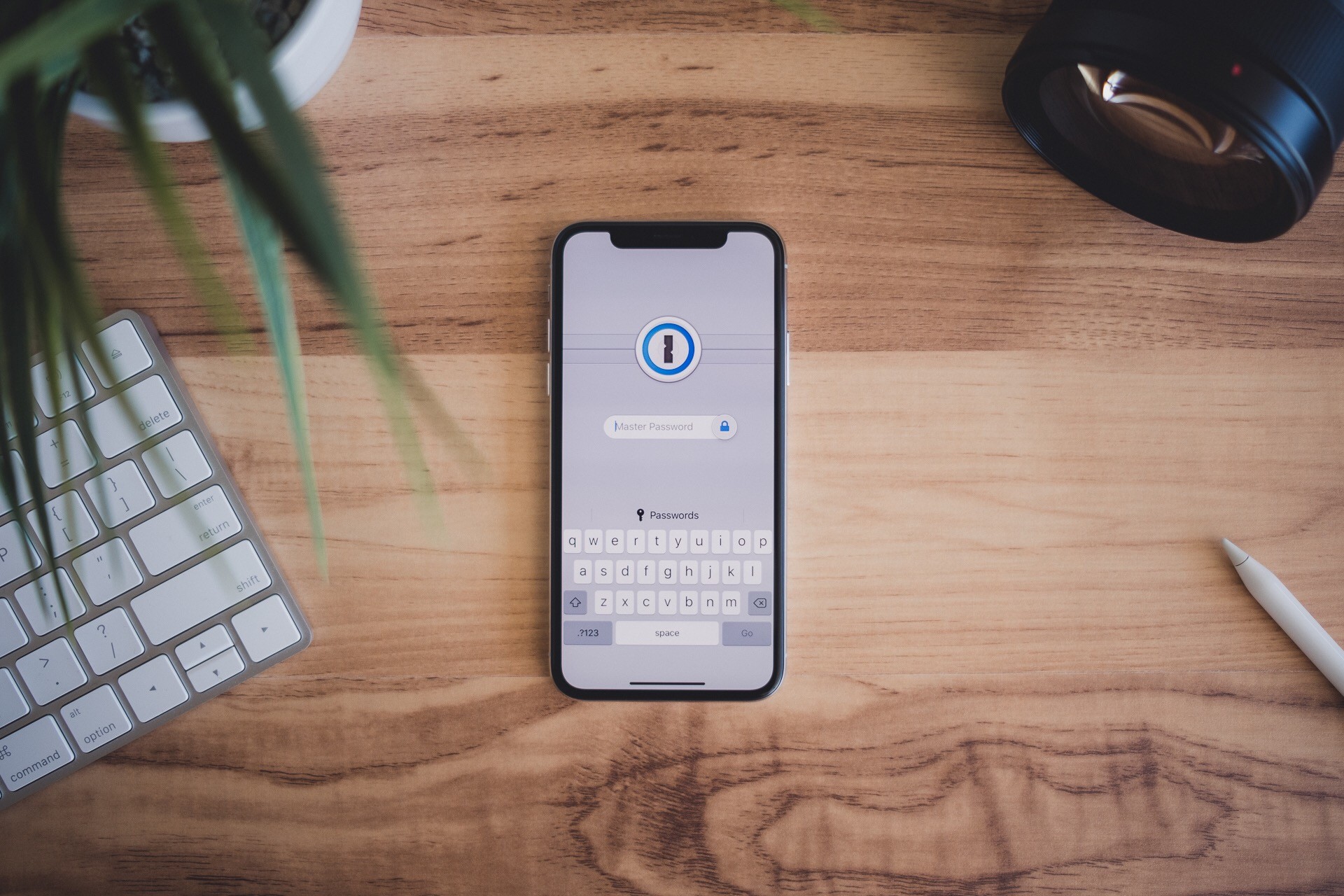
The Sweet Setup has been on a roll lately with developing video training courses for some of the best iOS and Mac apps the App Store has to offer. Following similar deep dives into Things, Day One, and Ulysses, today they’re launching a new course called ‘Unlock 1Password.’

1Password has long been considered the premier password management solution on Apple platforms, but many users may only scratch the surface of what it can do, or they’re simply hesitant to trust it with their most secure data. ‘Unlock 1Password’ takes users of varying experience levels into account, covering key features of the app, an overview of the product’s security levels, ways it can be used alongside iCloud’s own Keychain feature, and more.

In total, the course includes a whopping 14 videos, all of which can be downloaded for offline viewing if you’d like.

  1. Overview of 1Password for Mac
  2. Overview of 1Password for iOS
  3. Why You Can Trust 1Password
  4. Which Version is Right for You?
  5. Installation and Setup
  6. All the Things You Can Store in 1Password
  7. Working with Vaults
  8. Using the Browser Extension
  9. How to Perform a Security Audit
  10. Using 2-Factor Authentication
  11. 1Password for Families and/or Teams
  12. Using 1Password Alongside iCloud Keychain
  13. How to Sync 1Password Across All Your Devices
  14. Understanding Backups

I’ve relied on 1Password for years, but there were still things I learned from the course, such as how family and team plans work, and the process for setting up 1Password as a two-factor authentication tool. This is one of the things I especially appreciate about The Sweet Setup’s courses: even when they cover apps that already have an important place in my life, I benefit from finding even more ways to put those apps to use.

As with the recent video courses from The Sweet Setup, ‘Unlock 1Password’ is launching at a special introductory price of $23, which will increase to $29 after a week. You can purchase the course here.


AppStories, Episode 74 – Fixing John’s Mixed Up, Messed Up, Broken Home Screen

On this week’s episode of AppStories, John is joined by Alex Cox in an attempt to fix his messy iPhone screens.

Sponsored by:

  • Freshbooks: Online invoicing made easy.
  • Linode: High performance SSD Linux servers for all of your infrastructure needs. Get a $20 credit with promo code ‘appstories2018’
AppStories+ Deeper into the world of apps

AppStories Episode 74 - Fixing John’s Mixed Up, Messed Up, Broken Home Screen

0:00
35:54

AppStories+ Deeper into the world of apps

Permalink

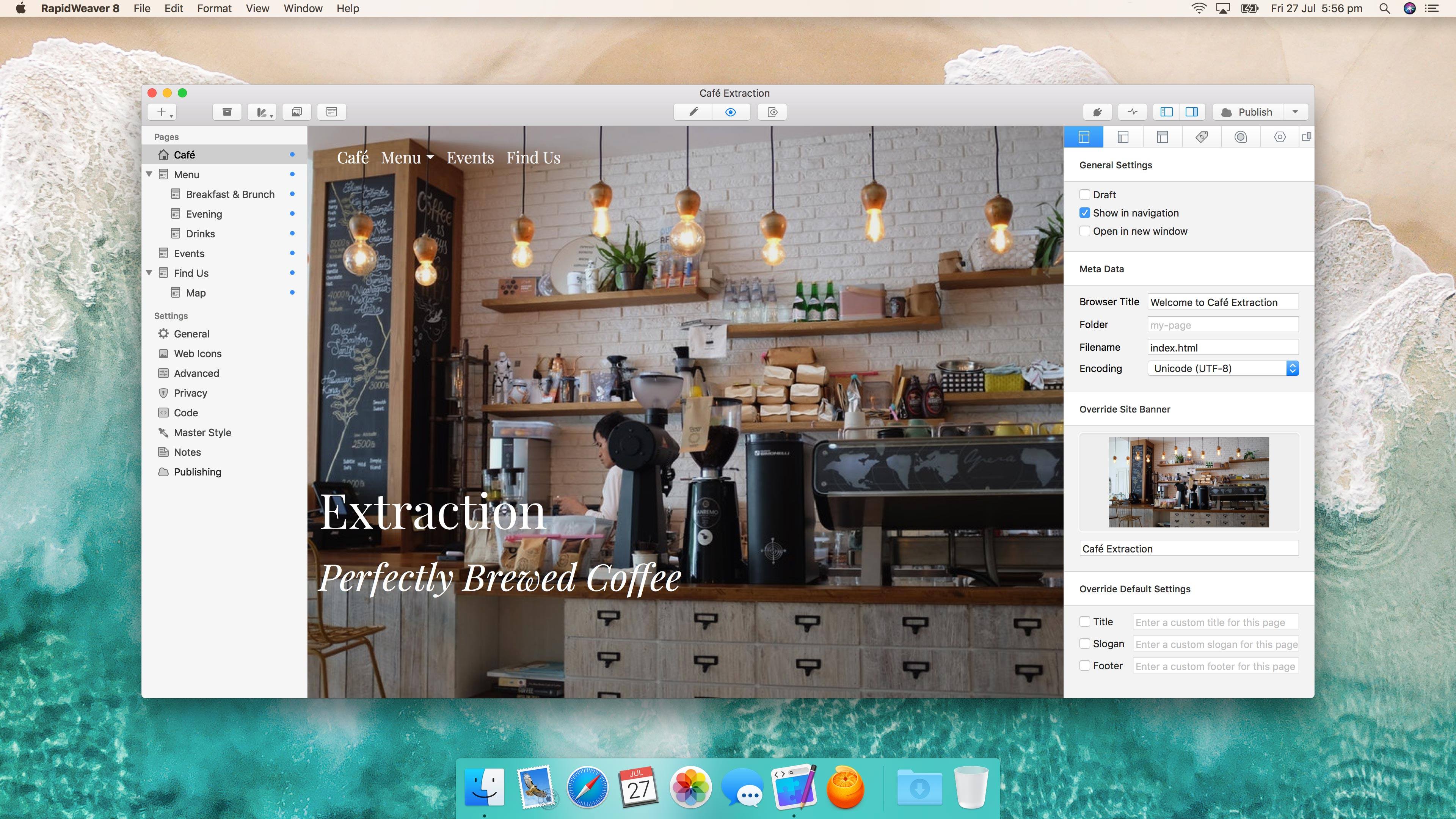
RapidWeaver 8 Debuts Redesign, New Responsive Themes, Unsplash Support, and Improved Plug-In Management

RapidWeaver by Realmac Software got a significant update today. Starting from scratch or with one of over 50 Themes, RapidWeaver allows users to create highly-customized websites by offering a wide array of tools and properties that can be tweaked. The app also supports third-party plug-ins and Themes that can be used to extend the app even further.

RapidWeaver may remind you a little of iWeb, but the similarities end with the drag and drop, template-driven approach. The depth of RapidWeaver goes well beyond what iWeb could do before Apple discontinued it.

Read more


Apple Removes iOS 12 Beta 7 Over-the-Air Update

Close on the heels of reports that Apple had pulled Group FaceTime from iOS 12 beta 7, complaints about the beta’s sluggish performance began to surface. One of the first was from Guilherme Rambo who posted a short video on Twitter demonstrating how slowly the App Store app launched under the beta:

Rambo also predicted Apple might remove the beta, which it did a short time later:

The latest iOS 12 beta is no longer available as an over-the-air update via the Software Update section of the iOS Settings app. However, IPSW files for the beta, which can be installed via iTunes on a Mac, are still available from Apple’s developer portal. In light of the issues reported with the beta 7, if you haven’t already installed beta 7, it’s probably best to not download and install the IPSW files, until a more reliable version is released.


Group FaceTime Pulled from Initial iOS 12 Release

Apple has removed Group FaceTime chat from the latest iOS 12 developer beta. The feature, which was debuted at WWDC and described as being able to handle up to 32 simultaneous users will come later this fall according to Apple’s beta release notes:

Group FaceTime has been removed from the initial release of iOS 12 and will ship in a future software update later this fall.

This delay isn’t the first time that a feature announced at WWDC has been moved to a later point release of a major iOS update. Last year, AirPlay 2, Messages in iCloud, and Apple Pay Cash all missed the initial release of iOS 11.

I’m not surprised Group FaceTime needs more time. I haven’t used it extensively, but in a late July test with four participants, it was clear that it had a long way to go before it was ready for release.


Serial Reader Adapts Books for the Smartphone Age

Our Internet-driven society has seen a decline in book reading, though not necessarily a decline in reading altogether. Despite book readers being less common than in past decades, we all do a fair amount of reading each day on our smartphones – reading messages from friends, or tweets, emails, Facebook posts, notifications, articles, and so on.

Personally, I’ve always enjoyed reading books, and I continue to read them regularly – though not as much as I’d like. However, I also read an abundance of emails, tweets, messages, and articles every day. A day may pass with me not reading a book, but that never happens with the likes of email and messages. Part of the reason my Internet-driven reading habits are more consistent than my book reading habits is that I have to read those things to do my job. But there’s another reason too: email and Slack demand my attention each day via push notifications, while books do not. Add to that, emails and messages come in bite-sized quantities, whereas books are much longer, and thus more intimidating.

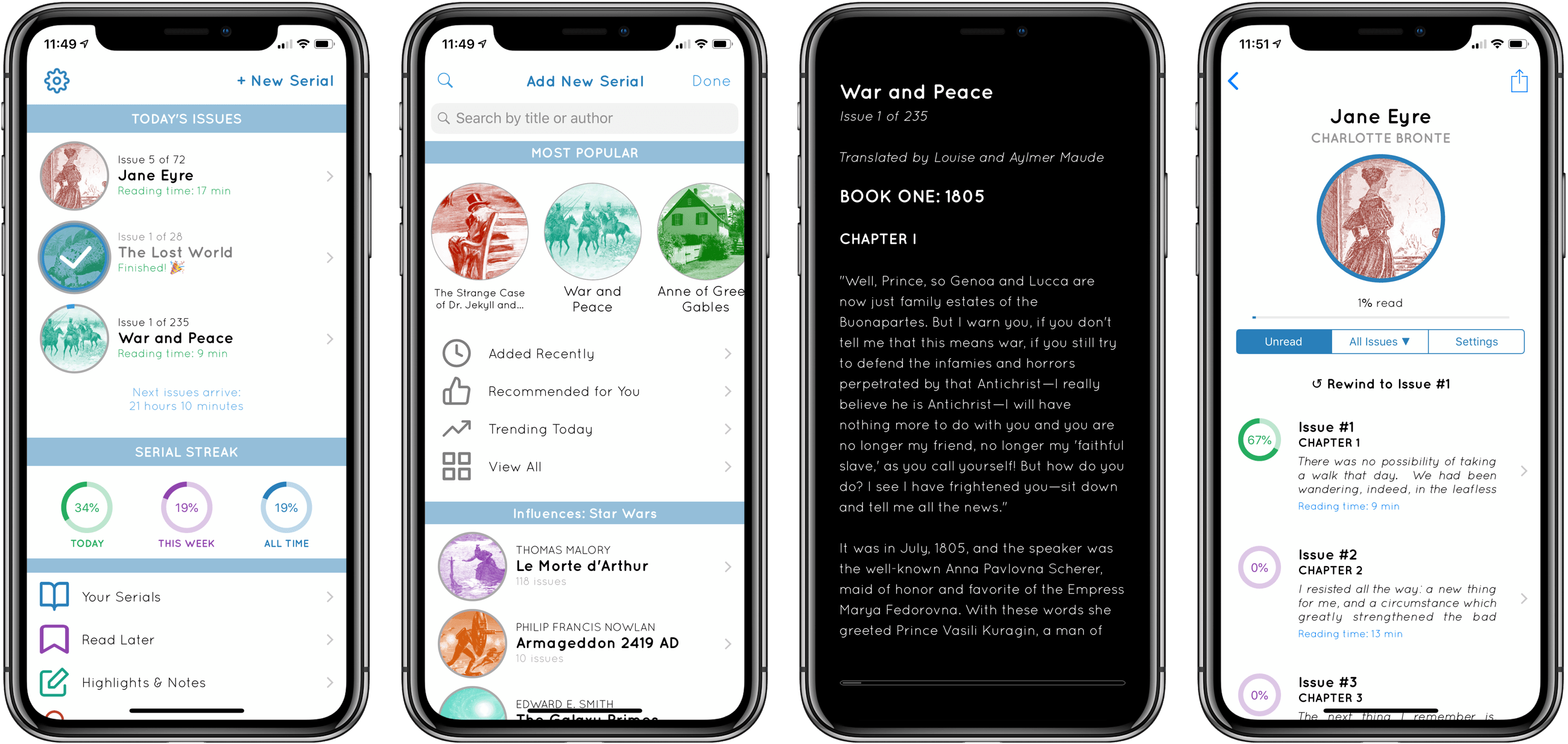
Serial Reader aims to fix that.

No stranger to the App Store, Serial Reader has been around for several years, but I recently gave it a try for the first time. The premise of the app is simple: it contains a collection of over 550 classic books that can be delivered to you in bite-size chunks. At a time of your choosing, Serial Reader will send a daily notification informing you that your latest issue of, say, War and Peace, is available to read. Each issue is compiled with an estimated reading time under 20 minutes, though most I’ve seen are around 10 minutes – very easy to digest. We all receive regular interruptions from Internet services that take 10 minutes out of our day at a time, and with Serial Reader you can plan those interruptions in a way that helps you read more books.

By offering up small helpings of a book each day, and delivering that book’s latest “issue” through a notification, Serial Reader fixes key barriers to book reading. While I wish I could use it with my own collection of books, the public domain classics included in the app offer a wealth of quality options.

If you want to read more books, Serial Reader offers a clever, convenient way to do that. And there’s no better time than the present to give the app a try – it just received a big update to version 3.5, with a new multi-column reading mode for iPad, curated book collections, alternate app icons, and a design refresh.

Serial Reader is available on the App Store.


Turn Touch: Beautiful Control [Sponsor]

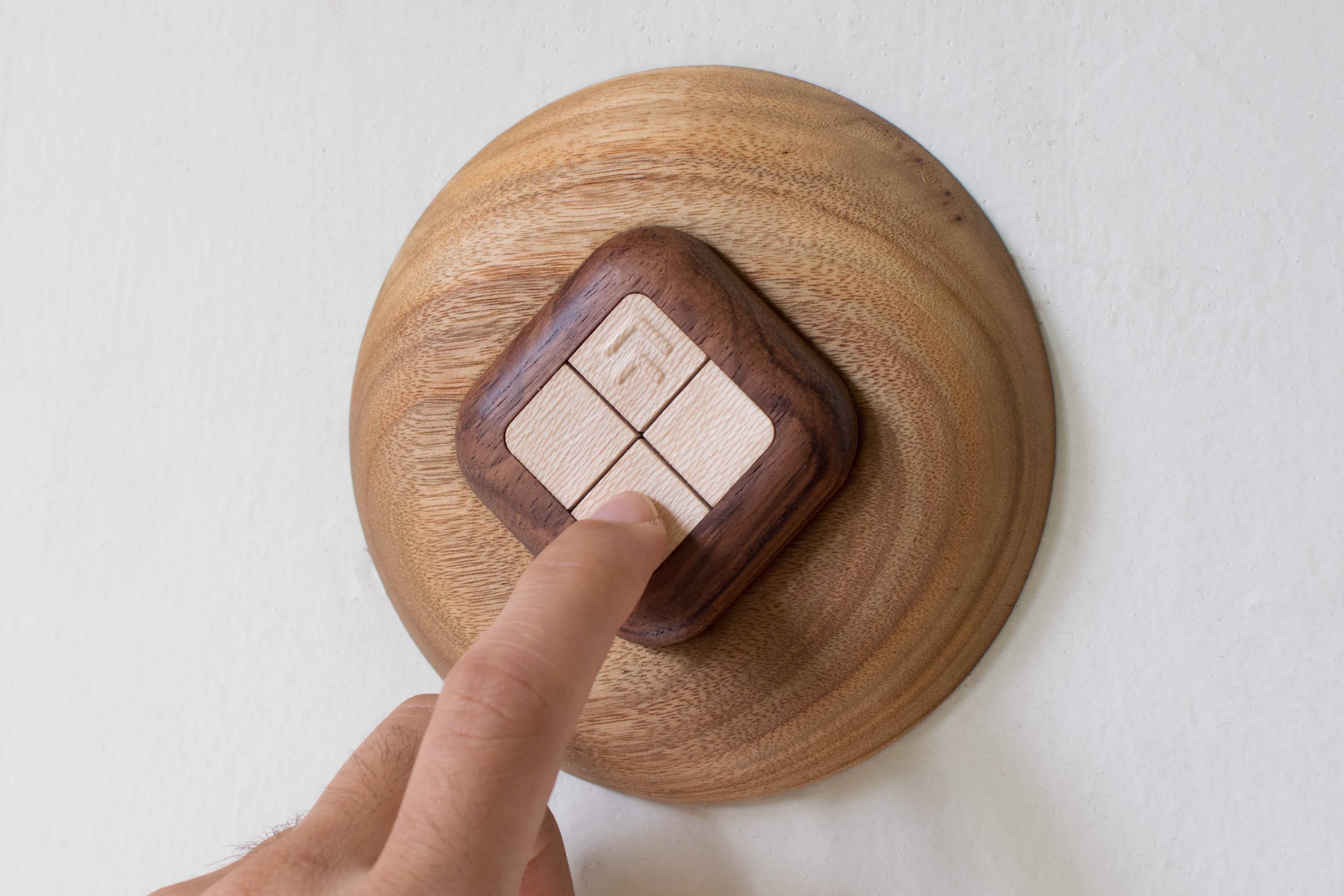
Simplify your smart home with a gorgeous wooden remote control. The Turn Touch combines natural mahogany and rosewood, a simple, elegant design, and sophisticated control of your smart home devices that is as good-looking in your home as it is useful.

The Turn Touch features just four buttons, but with taps, double taps, and tap-and-hold, the device puts an astonishing range of control at your fingertips. The Turn Touch is tough too. It’s constructed from dense, durable woods that stand up to shocks, drops, and dirt. What’s more, the Turn Touch is always on, ready to make the most of your smart home devices.

The Turn Touch works with a long list of smart devices. Control your Mac or iOS devices, Hue lights, Sonos speakers, WeMo devices, smart thermostats, and much more. Configuring the Turn Touch is simple from an iOS device or Mac, and once it’s set up, the Touch Touch’s battery lasts about a year ensuring that it’s there when you need it.

The Turn Touch Pedestal, which is sold separately, makes a perfect home base for the Turn Touch too. Rest it on a table or mount it on the wall to use it as a smart wall switch. The Turn Touch is held in place with cleverly-hidden magnets.

For a limited time, MacStories readers can purchase the Turn Touch Pedestal for 25% off at checkout by using the coupon code PEDESTAL25.

Smart devices don’t have to be made of cheap, ugly plastic. Check out Turn Touch today to learn more, and bring beautiful control to your smart home.

Our thanks to Turn Touch for sponsoring MacStories this week.


Signify Introduces New Indoor and Outdoor Lighting Options

Signify (formerly Philips Lighting) has been steadily expanding its Hue lineup of smart lighting products for some time now. Best known for its LED light bulbs, which support HomeKit and other home automation systems, the company also offers a wide range of lamps and light fixtures designed to accommodate a wide range of environments. As previewed for The Verge, the most recent expansion of its product line expands its smart lighting options both inside and outside the home.

Outdoors, Signify announced weatherproof light strips that come in 7-foot and 16-foot models for $89.99 and $159.99. Inside, Signify has added the Ascend collection, which incorporates Hue bulbs and a uniformly-shaped light cover that is offered as a tabletop lamp ($129.99), pendant fixture ($179.99), sconce ($99.99), and floor lamp ($179.99). In addition, Signify introduced the Being pendent ($249.99), a ring-shaped ceiling fixture, the simple Enchant pendent light ($99.99), and a circular, lighted mirror ($249.99) and ceiling light ($179.99) designed for bathrooms.

Most of the new lighting options will be available in October, but the Enchant pendant light and bathroom lights will go on sale August 20th.

Permalink