Hands-On with Guest User Mode in visionOS 2.4

The Apple Vision Pro is a device that begs to be shared with others. Sure, mirroring your view to a TV or iPhone via AirPlay is a decent way to give people a glimpse into the experience, but so much about visionOS – the windows floating in real-world spaces, immersive videos, 3D environments, spatial photos, and more – can only be truly understood by seeing them with your own eyes. That’s why Guest User mode is so vital to the platform.

Guest User was included in the very first version of visionOS, and Apple has iterated on the feature over time, most notably by adding the option to save a guest’s hand and eye data for 30 days in visionOS 2.0 to speed up repeat sessions. With this week’s release of visionOS 2.4, Guest User has received another major update, one that I think Vision Pro users will be very happy about.

Read more

Access Extra Content and Perks

Founded in 2015, Club MacStories has delivered exclusive content every week for nearly a decade.

What started with weekly and monthly email newsletters has blossomed into a family of memberships designed for every MacStories fan.

Learn more here and from our Club FAQs.

Club MacStories: Weekly and monthly newsletters via email and the web that are brimming with apps, tips, automation workflows, longform writing, early access to the MacStories Unwind podcast, periodic giveaways, and more;

Club MacStories+: Everything that Club MacStories offers, plus an active Discord community, advanced search and custom RSS features for exploring the Club’s entire back catalog, bonus columns, and dozens of app discounts;

Club Premier: All of the above and AppStories+, an extended version of our flagship podcast that’s delivered early, ad-free, and in high-bitrate audio.

Learn more here and from our Club FAQs.


Using Simon Willison’s LLM CLI to Process YouTube Transcripts in Shortcuts with Claude and Gemini

Video Processor.

Video Processor.

I’ve been experimenting with different automations and command line utilities to handle audio and video transcripts lately. In particular, I’ve been working with Simon Willison’s LLM command line utility as a way to interact with cloud-based large language models (primarily Claude and Gemini) directly from the macOS terminal.

For those unfamiliar, Willison’s LLM CLI tool is a command line utility that lets you communicate with services like ChatGPT, Gemini, and Claude using shell commands and dedicated plugins. The llm command is extremely flexible when it comes to input and output; it supports multiple modalities like audio and video attachments for certain models, and it offers custom schemas to return structured output from an API. Even for someone like me – not exactly a Terminal power user – the different llm commands and options are easy to understand and tweak.

Today, I want to share a shortcut I created on my Mac that takes long transcripts of YouTube videos and:

  1. reformats them for clarity with proper paragraphs and punctuation, without altering the original text,
  2. extracts key points and highlights from the transcript, and
  3. organizes highlights by theme or idea.

I created this shortcut because I wanted a better system for linking to YouTube videos, along with interesting passages from them, on MacStories. Initially, I thought I could use an app I recently mentioned on AppStories and Connected to handle this sort of task: AI Actions by Sindre Sorhus. However, when I started experimenting with long transcripts (such as this one with 8,000 words from Theo about Electron), I immediately ran into limitations with native Shortcuts actions. Those actions were running out of memory and randomly stopping the shortcut.

I figured that invoking a shell script using macOS’ built-in ‘Run Shell Script’ action would be more reliable. Typically, Apple’s built-in system actions (especially on macOS) aren’t bound to the same memory constraints as third-party ones. My early tests indicated that I was right, which is why I decided to build the shortcut around Willison’s llm tool.

Read more

Access Extra Content and Perks

Founded in 2015, Club MacStories has delivered exclusive content every week for nearly a decade.

What started with weekly and monthly email newsletters has blossomed into a family of memberships designed for every MacStories fan.

Learn more here and from our Club FAQs.

Club MacStories: Weekly and monthly newsletters via email and the web that are brimming with apps, tips, automation workflows, longform writing, early access to the MacStories Unwind podcast, periodic giveaways, and more;

Club MacStories+: Everything that Club MacStories offers, plus an active Discord community, advanced search and custom RSS features for exploring the Club’s entire back catalog, bonus columns, and dozens of app discounts;

Club Premier: All of the above and AppStories+, an extended version of our flagship podcast that’s delivered early, ad-free, and in high-bitrate audio.

Learn more here and from our Club FAQs.


AI Adds a New Dimension to DEVONthink 4

DEVONthink is a difficult app to review because its flexibility means it can serve a wide variety of purposes. I’ve been using it for the past few weeks as an archive and research companion that houses thousands of plain text files, but the app is capable of effectively replacing your Mac’s file system, storing and cataloging all sorts of files. With lightning-fast search, tagging, and a plethora of other organization methods, DEVONthink 3 has a well-earned reputation as a premier tool for researchers working with lots of files. However, DEVONthink’s capabilities are so varied that it can also serve as a text editor, an RSS reader, a read-later app, and a lot more.

Today, DEVONtechnologies is releasing a public beta of DEVONthink 4, a big update with a focus on AI, but with other new features and refinements to existing capabilities, too. Which of these features matters most to you will depend in large measure on how you use the app. I’m going to focus on the new AI tools because those are the additions that have had the greatest impact on the way I use DEVONthink, but it’s worth keeping in mind that the app offers many other tools that may suit your needs better.

Read more

Access Extra Content and Perks

Founded in 2015, Club MacStories has delivered exclusive content every week for nearly a decade.

What started with weekly and monthly email newsletters has blossomed into a family of memberships designed for every MacStories fan.

Learn more here and from our Club FAQs.

Club MacStories: Weekly and monthly newsletters via email and the web that are brimming with apps, tips, automation workflows, longform writing, early access to the MacStories Unwind podcast, periodic giveaways, and more;

Club MacStories+: Everything that Club MacStories offers, plus an active Discord community, advanced search and custom RSS features for exploring the Club’s entire back catalog, bonus columns, and dozens of app discounts;

Club Premier: All of the above and AppStories+, an extended version of our flagship podcast that’s delivered early, ad-free, and in high-bitrate audio.

Learn more here and from our Club FAQs.


Podcast Rewind: Automation, Nintendo Today and Virtual Game Cards, Fanta, and Games

Enjoy the latest episodes from MacStories’ family of podcasts:

AppStories

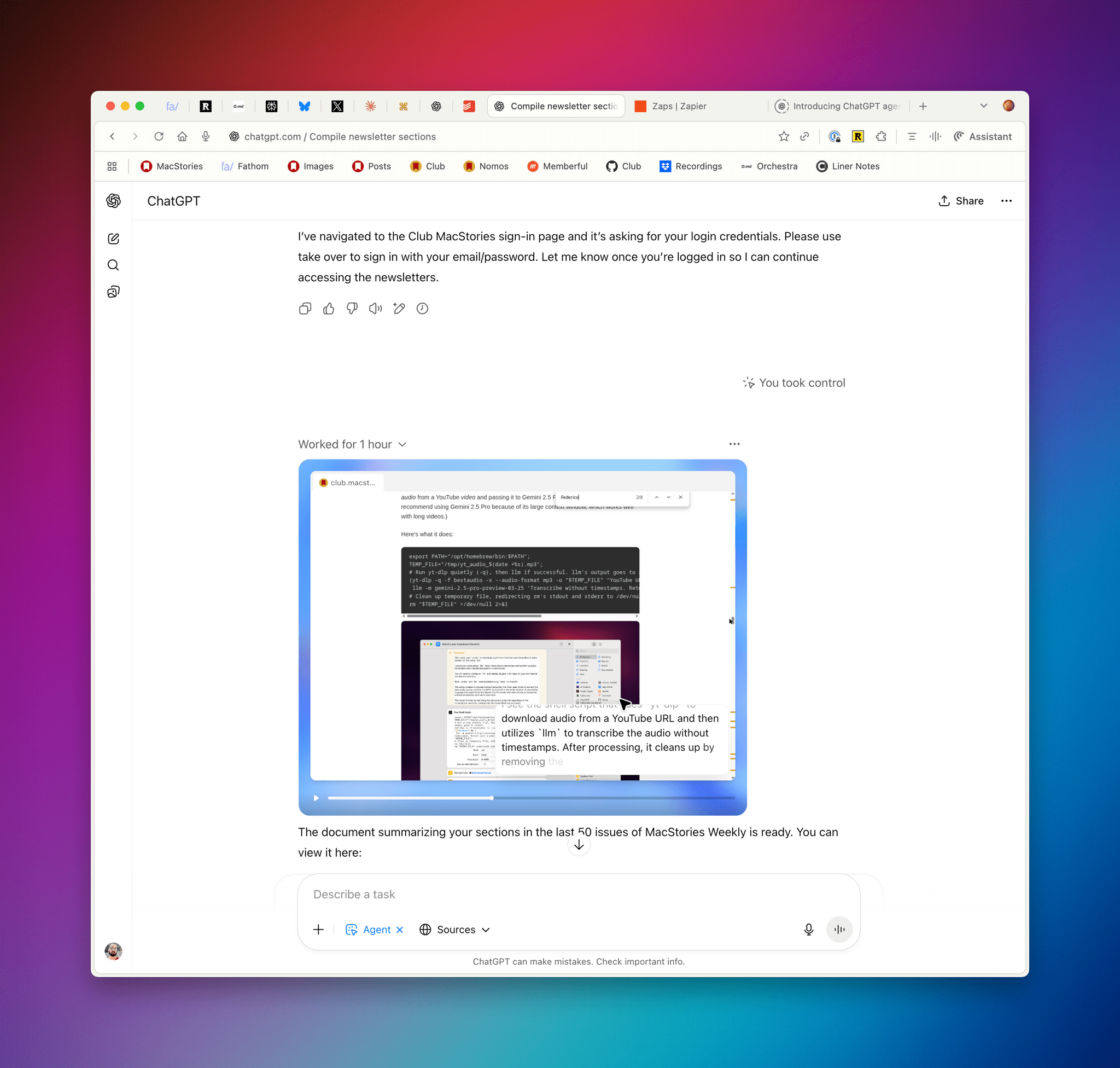
This week, Federico and I take listeners on a tour of the wide variety of automations they’ve been working on so far this year, including shortcuts, Claude projects, and Zapier zaps.

This episode is sponsored by:


NPC: Next Portable Console

This week, Brendon, Federico and I analyze the latest Nintendo Direct and what it reveals about the Switch 2’s rumored June launch. Then, we dissect the many questions that Nintendo’s upcoming Virtual Game Cards system raises, explores the features of the Nintendo Today app, and debate the reported three-phase launch strategy for the next console. In the latest handheld news, we also cover an EmuDeck update, AYA NEO’s confounding mini PC, and an intriguing foldable from Huawei that’s perfect for DS emulation.

NPC XL

This week, Brendon and I share our first impressions of the 8BitDo Ultimate Controller 2, Brendon has additional thoughts about the Ayn Odin 2 Portal as a streaming device and details his living room docking setup, and I take the Mechanism gaming pillow plunge.


Ruminate

Robb brings a huge bag of snacks while I considers signature drinks, then we discus a gaming and stationery collab, followed by some Switch 2 hopes and dreams.

Read more

Access Extra Content and Perks

Founded in 2015, Club MacStories has delivered exclusive content every week for nearly a decade.

What started with weekly and monthly email newsletters has blossomed into a family of memberships designed for every MacStories fan.

Learn more here and from our Club FAQs.

Club MacStories: Weekly and monthly newsletters via email and the web that are brimming with apps, tips, automation workflows, longform writing, early access to the MacStories Unwind podcast, periodic giveaways, and more;

Club MacStories+: Everything that Club MacStories offers, plus an active Discord community, advanced search and custom RSS features for exploring the Club’s entire back catalog, bonus columns, and dozens of app discounts;

Club Premier: All of the above and AppStories+, an extended version of our flagship podcast that’s delivered early, ad-free, and in high-bitrate audio.

Learn more here and from our Club FAQs.


Twenty Thousand Hertz Explores Apple’s Accessibility History

Source: Twenty Thousand Hertz.

Source: Twenty Thousand Hertz.

The Twenty Thousand Hertz podcast’s latest episode celebrates the 40th anniversary of Apple’s accessibility efforts. Through a series of interviews with Apple’s Sarah Herrlinger, Ron Huang, Deidre Caldbeck, and Erick Treski, host Dallas Taylor explores the history of accessibility features in Apple products. It’s an excellent oral history that weaves historical insights and present-day technological advancements in a fascinating way.

Beyond the tech of it all, though, what really comes through is the importance of the accessibly work that goes into Apple’s hardware and the impact it has on so many lives:

[Dallas Taylor, Show Host:] For years now, I’ve been talking about how hearable technology was eventually gonna combine headphones, earplugs, hearing aids, virtual assistants, and more into one earbud-like device that we can theoretically leave in all day. This is the kind of technology that I’m most passionate about because it goes so far beyond just convenience or entertainment. It’s the stuff that literally changes people’s lives and helps people connect with each other through sound.

[Deidre Caldbeck, Apple’s senior director of product marketing for Apple Watch and Health] For me, when I started to work on Apple Watch and then soon after Health, to be able to hear some of these stories we’ve been sharing today, I just felt very fortunate that this was my actual job. This is my profession, that I get to work with these brilliant people that come up with these features that anyone can use and anyone has the potential of having their lives changed.

[Dallas Taylor, Show Host:] Now, designing for accessibility comes with a lot of challenges, but when you approach those challenges with empathy and creativity, the result is often a better product for everyone.

[Sara Herrlinger, Apple’s senior director of global accessibility policy and initiatives:]: We’re all unique in the world, and accessibility features may be life hacks to one person and they may be necessities to another, but we’re always just trying to make sure that we have features that work for everyone.

You can listen to the full episode on Apple Podcasts, Spotify, and the Twenty Thousand Hertz website.

Access Extra Content and Perks

Founded in 2015, Club MacStories has delivered exclusive content every week for nearly a decade.

What started with weekly and monthly email newsletters has blossomed into a family of memberships designed for every MacStories fan.

Learn more here and from our Club FAQs.

Club MacStories: Weekly and monthly newsletters via email and the web that are brimming with apps, tips, automation workflows, longform writing, early access to the MacStories Unwind podcast, periodic giveaways, and more;

Club MacStories+: Everything that Club MacStories offers, plus an active Discord community, advanced search and custom RSS features for exploring the Club’s entire back catalog, bonus columns, and dozens of app discounts;

Club Premier: All of the above and AppStories+, an extended version of our flagship podcast that’s delivered early, ad-free, and in high-bitrate audio.

Learn more here and from our Club FAQs.


Apple Updates Its OSes with Mail Parity Across Platforms, Recipes in News, Apple Intelligence on visionOS, and More

Categories in Mail for macOS.

Categories in Mail for macOS.

Today, Apple released iOS 18.4, iPadOS 18.4, macOS 15.4, visionOS 2.4, tvOS 18.4, and watchOS 11.4. These releases represent an eclectic mix of new and updated features along with smaller changes scattered across each of the OSes.

One of the biggest changes is that the automatic message categorization feature added to iOS’ Mail app in December is now available on the iPad and Mac, although the Categories view can be switched back to List view if you prefer the old style. The updates to Mail on the Mac and iPad also include a digest view that combines multiple messages from one sender into a unified thread as well as sender contact photos.

Priority notifications have arrived on iOS, iPadOS, and macOS, too. The feature is designed to surface important alerts. In my experience, the feature works fairly well but has a more expansive definition of what a priority message is than I do.

Read more

Access Extra Content and Perks

Founded in 2015, Club MacStories has delivered exclusive content every week for nearly a decade.

What started with weekly and monthly email newsletters has blossomed into a family of memberships designed for every MacStories fan.

Learn more here and from our Club FAQs.

Club MacStories: Weekly and monthly newsletters via email and the web that are brimming with apps, tips, automation workflows, longform writing, early access to the MacStories Unwind podcast, periodic giveaways, and more;

Club MacStories+: Everything that Club MacStories offers, plus an active Discord community, advanced search and custom RSS features for exploring the Club’s entire back catalog, bonus columns, and dozens of app discounts;

Club Premier: All of the above and AppStories+, an extended version of our flagship podcast that’s delivered early, ad-free, and in high-bitrate audio.

Learn more here and from our Club FAQs.


Podcast Rewind: Task Managers, E-Ink Toys, Kombucha, Twitter, The Studio, and Severance

Enjoy the latest episodes from MacStories’ family of podcasts:

Comfort Zone

Niléane insists she’s not bringing another task manager, Chris has a new e-ink toy he loves, and the whole crew finds interesting ways to add some more text expansion to their lives.


MacStories Unwind

This week, Federico and I each share a couple of drink discoveries and I have an update on my video recording and gaming setups, before we share a TV show, documentary, and movie deal.

  • Fello AI – All-In-One AI Chat Client for macOS. Download it on the App Store today.

Magic Rays of Light

Sigmund and Devon highlight the premiere of Seth Rogan-led Apple Original comedy The Studio and recap the captivating second season of Severance.


Read more

Access Extra Content and Perks

Founded in 2015, Club MacStories has delivered exclusive content every week for nearly a decade.

What started with weekly and monthly email newsletters has blossomed into a family of memberships designed for every MacStories fan.

Learn more here and from our Club FAQs.

Club MacStories: Weekly and monthly newsletters via email and the web that are brimming with apps, tips, automation workflows, longform writing, early access to the MacStories Unwind podcast, periodic giveaways, and more;

Club MacStories+: Everything that Club MacStories offers, plus an active Discord community, advanced search and custom RSS features for exploring the Club’s entire back catalog, bonus columns, and dozens of app discounts;

Club Premier: All of the above and AppStories+, an extended version of our flagship podcast that’s delivered early, ad-free, and in high-bitrate audio.

Learn more here and from our Club FAQs.