CleanMyMac X: Your Mac, As Good As New [Sponsor]

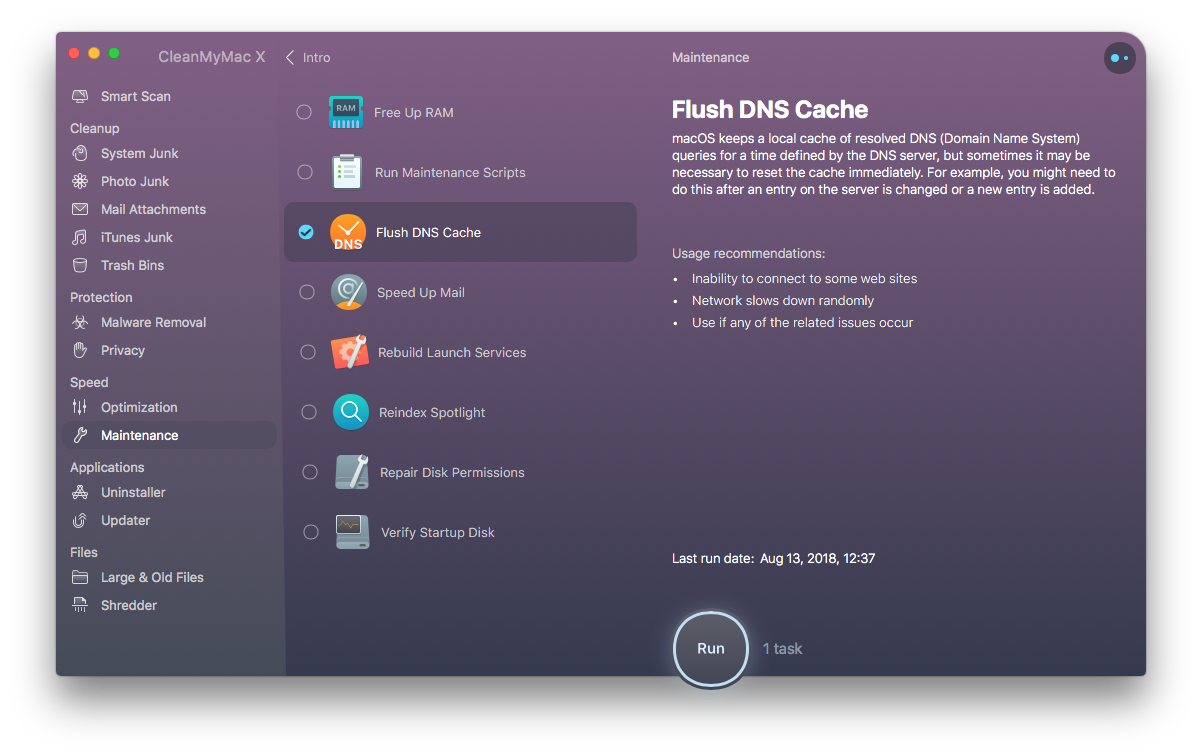
CleanMyMac X by MacPaw is your complete Mac maintenance solution. Redesigned with a beautiful new interface that makes it a pleasure to use, CleanMyMac X frees up wasted storage space, protects against malware, optimizes your Mac’s performance, and more.

It all starts with Smart Scan, the all-in-one center for analyzing, optimizing, and protecting your Mac. Here you’ll find sections to clean up unwanted and unnecessary files that are cluttering up your Mac’s drive. CleanMyMac also scans for malware, protecting your Mac against malicious third-party code and vulnerabilities. There’s an optimization section that can free up RAM and manage login items, launch agents, and memory-hungry apps too.

At each step of the process, you’ll have CleanMyMac Assistant at your side. It’s an intelligent advisor providing explanations of everything CleanMyMac does and recommending courses of action. CleanMyMac X is faster too. MacPaw tests show that it’s up to three times faster than version 3 of the app.

CleanMyMac X has added an app update module that scans your installed apps for available updates too. It’s a fantastic, centralized way to see all the apps on your Mac that have updates whether or not you bought them on the Mac App Store.

Whether you’re prepping your Mac to install Mojave, or want to optimize it after updating, you owe it to yourself to make sure your Mac is running smoothly and safely with enough storage to get your work done. So, don’t wait. Go check out CleanMyMac X today. There’s a free trial waiting to help you get make your Mac as good as new.

Our thanks to CleanMyMac X for sponsoring MacStories this week.


iOS 12’s Adoption Rate

In my iOS 12 review from last month, here’s what I wrote about iOS 11’s slow adoption rate as it related to its performance:

While iOS 11 may go down in Apple software history as the touchstone of the iPad’s maturity, it will also be remembered as one of the company’s most taxing releases for its users. You don’t have to look far into the iOS 11 cycle for headlines lamenting its poor stability on older hardware, plethora of design inconsistencies (which were noted time and time again), and general sense of sluggishness – issues that may have contributed to a slower adoption rate than 2016’s iOS 10.
[…]
With iOS 12, Apple wants to rectify iOS’ performance woes, proving to their customers that iOS updates should never induce digital regret.

It sounds like at least part of Apple’s plan to focus on performance to entice upgrades to iOS 12 is working. Here’s Benjamin Mayo, writing for 9to5Mac last week:

Apple launched iOS 12 with much fanfare earlier this month but early adoption appeared sluggish. However, in the following weeks, iOS 12 adoption has actually outpaced iOS 11 now, according to data from Mixpanel.

iOS 12 is now installed on more than 50% of active iPhones, iPads and iPod touch devices. It took iOS 11 a month to reach this milestone; iOS 12 has achieved it in under twenty days.

The numbers have since been confirmed by Apple on its Developer site.

Anecdotally speaking, I’ve yet to hear of any friends or family members who updated to iOS 12 and regretted it. It’s almost as if Apple was able to somewhat slow down and ship a higher-quality iOS release that more users can enjoy and recommend to others. Or maybe it’s just the Memoji.

Permalink

Genius Enters New Partnership with Apple Music

Today Genius, the online music encyclopedia, shared word of a new partnership it has formed with Apple – more specifically, with Apple Music. From the company’s announcement post:

Starting today, Apple Music subscribers who visit Genius will be able to play any song in full right from the song page, simply by signing into their Apple Music account.

Genius is a great place to find historical information about a song, so the ability to play any track without leaving Genius makes for a great user experience. Embedded Apple Music tracks is only one half of this partnership though. Even if you’ve never used Genius, you’re bound to benefit from this agreement because of a second piece of news. The announcement post continues:

Genius has the world’s best lyrics database and now it’s available on Apple Music. Genius will provide lyrics to thousands of hit songs on the service—bringing world-class accuracy and timeliness powered by Genius’s global community of artists and fans.

It’s unclear at this time whether the addition of Genius lyrics to Apple Music will bring lyrics to songs that previously didn’t have any, or simply more accurate lyrics to songs that already have them. Hopefully both benefits are in store for Apple Music users.

In the first couple years of Apple Music’s life, the service didn’t strike very many partnerships with third-party businesses. That appears to be changing this year, with the recently completed acquisition of Shazam, free service offers for Verizon wireless customers, and now Genius integrations, Apple is extending its service in new ways to better compete with Spotify.

Permalink

RECaf Review: Effortless Caffeine Tracking

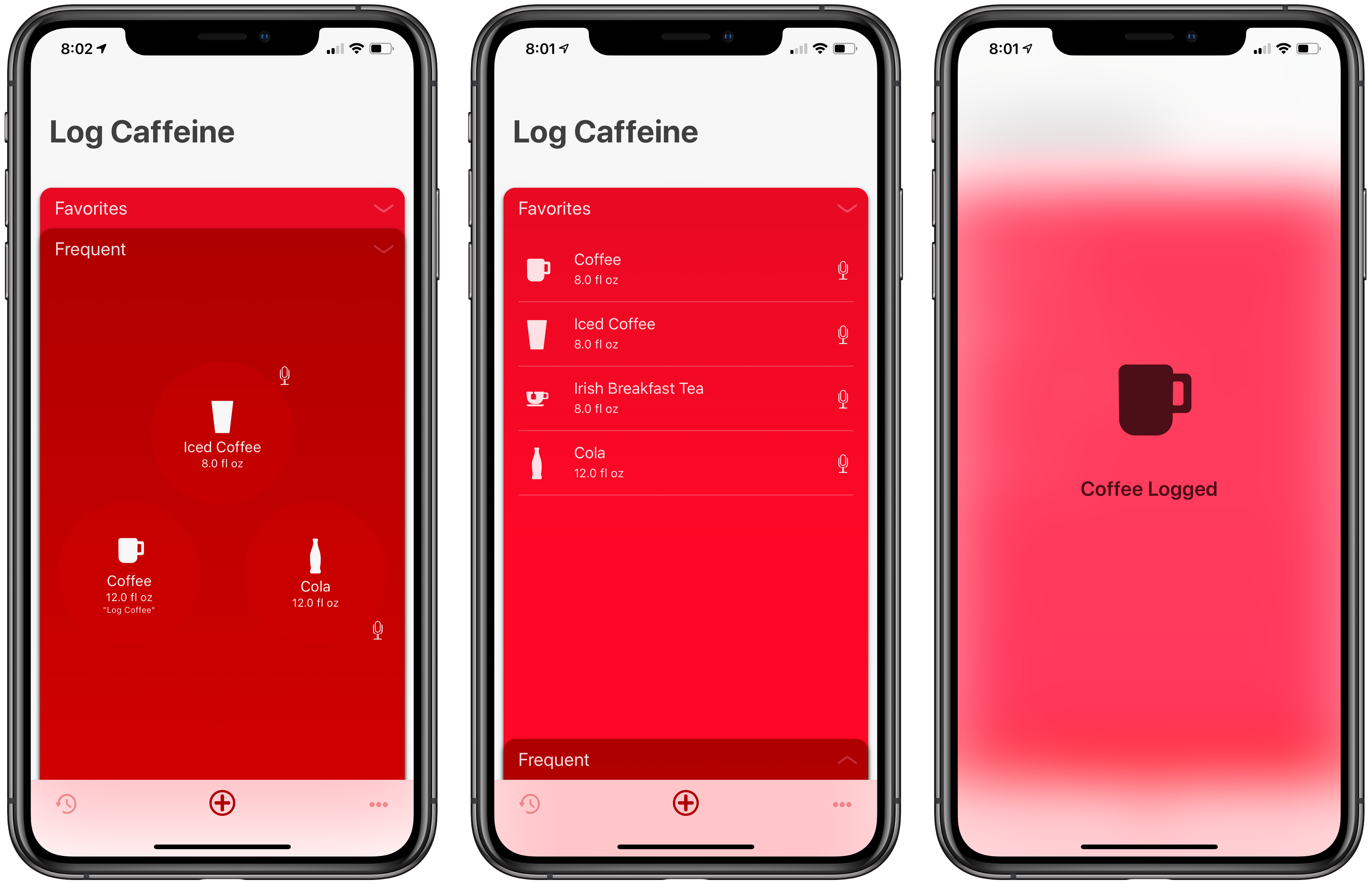
RECaf is a brand-new caffeine-tracking app by Joe Cieplinski. The app does a remarkable job wringing the friction out of tracking caffeine, making it an excellent example of the benefits of using a narrowly-focused utility to get the best possible user experience.

Tracking anything is hard. It’s easy to forget to do and an interruption of the thing you’re trying to track. As a result, entering data is often sporadic or abandoned entirely. Cieplinski gets this and has built an app that is unusually sticky.

Read more


Apple Frames: A Shortcut for Framing Screenshots from Every Apple Device

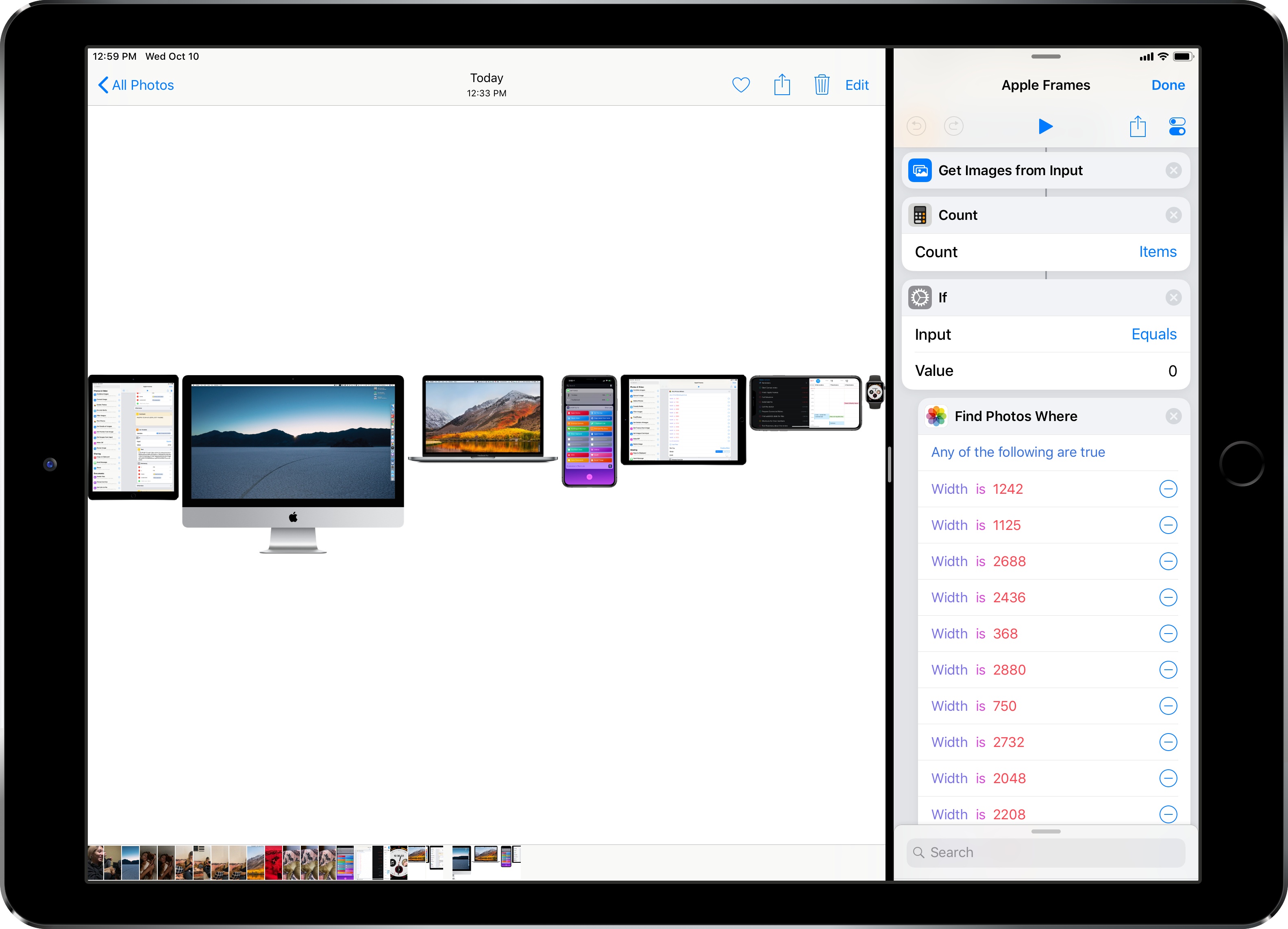
When I published my iPhone XS Frames shortcut two weeks ago, I noted that my goal was to eventually support screenshots and device templates from other Apple devices, starting with the Apple Watch and MacBook Pro. After two weeks spent rebuilding the shortcut and asking Silvia to prepare several more templates, I’m happy to re-introduce my shortcut as the new and improved Apple Frames – a comprehensive custom shortcut to frame screenshots taken on every Apple device. Well, at least most of the current ones that the company is still selling.

Read more


Apple Watch Face Legibility

In a post on Marco.org, Overcast developer Marco Arment critiques the design of many of the current Apple Watch faces. Using a variety of analog watches as references, Arment highlights the design elements that make them legible, few of which are followed by Apple’s faces:

Across a wide variety of brands, styles, and price points, a few key design principles are clear:

  • The hour markers for 12 (and often 3/6/9) are more prominent.
  • The hour indices are much larger than the minute markings.
  • The hour hands nearly touch the hour indices.

These all improve legibility by making it as fast and easy as possible to know which hour is being indicated (and minimize the chance of an off-by-one error), first by orienting your eyes to the current rotation with the 12 marker, then by minimizing the distance between the hour hand and the indices it’s between.

Arment is especially critical of the Infograph face, which is so hard to read that many people have resorted to using a digital time complication with it. He concludes that it’s time for Apple to allow third parties to create watch faces.

We covered our Apple Watch faces on AppStories this week, and both Federico and I noted that we use a digital time complication with the Infograph watch face because the hands are so hard to read. As Arment’s piece points out, that isn’t uncommon, but it shouldn’t be necessary and is a pretty clear indication that the design is flawed. I’ve been happy with the Series 4 Watch’s support for more complications, but I also want more face options and flexibility across watch faces. It’s time for Apple to re-evaluate its current watch faces and reconsider letting developers create faces of their own.

Permalink


AppStories, Episode 82 – Our Apple Watch Faces, Complications, and Docks

On this week’s episode of AppStories, we talk about how we’ve set up our new Series 4 Apple Watches including the complications we use, new apps we are trying, and what’s in our Watch docks.

Sponsored by:

  • Linode - High performance SSD Linux servers for all of your infrastructure needs. Get a $20 credit with promo code ‘appstories2018’
  • Freshbooks: Online invoicing made easy.
AppStories+ Deeper into the world of apps

AppStories Episode 82 - Our Apple Watch Faces, Complications, and Docks

0:00
38:25

AppStories+ Deeper into the world of apps

Permalink