Game Day: Rolando Rolls Back Onto the App Store

Today, HandCircus, the creator of Rolando, has released an excellent remastered version of the classic iOS game called Rolando: Royal Edition.

If you were playing iOS games in the early days of the App Store, you are probably familiar with Rolando. The game wasn’t on the Store day one but came a few months later at the end of 2008.

Rolando was one of the early break-out hits on the App Store. The game was downloaded by millions of fans worldwide who loved its colorful, round characters. Rolando was also one of the first games to incorporate the iPhone’s accelerometer into its gameplay in a way that was tightly integrated with the game instead of feeling gimmicky.

However, the original game was a victim of Apple’s 2017 transition to a 64-bit architecture. Although many cherished classics were updated in time, a large number of games fell by the wayside. Until today, one of the most beloved of those titles was Rolando.

Read more


Apple Spotlights the Use of Its Products at Work in ‘The Underdog’

The Caffè Macs pizza box was already something of a legend, but now it has its own Apple video too.

Earlier today, Apple posted a three-minute video title ‘The Underdogs’ which tells the story of a group of co-workers who stumble into the opportunity to pitch their idea for a round pizza box to their bosses. One of the group is rear-ended in a company parking lot at the start of the day. To make amends, a meeting to pitch the box is arranged.

The quartet of co-workers gets to work turning a simple sketch of a round pizza box into a finished product in a few days’ time. They use a combination of Macs, iPhones, iPad Pros, and the Apple Watch running a variety of apps including Microsoft Office apps like Excel, a 3D-design tool, and an AR app to get the job done. The video closes with the tag line ‘This is Apple at Work’ as the group jumps into an elevator on their way to make their presentation.

The video is nicely done capturing the frantic pace of a the group as they try to make the most of the opportunity presented to them. As Cabel Sasser of Panic notes though, what’s even better about the video is that the pizza box they design is the same pizza box that Apple patented and uses at its Caffè Macs cafeteria at One Infinite Loop in Cupertino.

Apple’s patented pizza box has been featured before including in a 2017 feature onThe Outline.

‘This is Apple at Work’ is featured on a special Apple at Work webpage on Apple.com that showcases how its products can be used in a collaborative work environment. The page walks through each stage of the design of the pizza box and the tools the team in the video uses to create it. The six-part feature even includes a downloadable USDZ augmented reality file of the pizza box featured in the video.

I like this video a lot. It does a great job of telling a compelling story in just a few minutes that’s relatable to a wide audience and demonstrates how Apple believes its products can help solve everyday problems faced by people at work. Whether or not the lives of this quartet of co-workers parallels yours, this is a video worth watching for its sheer comedic entertainment value.


AppStories, Episode 105 – Pro iPad Apps and Where iOS Holds Them Back

On this week’s episode of AppStories, we cover pro iOS audio, photography, video, and art apps that stretch the platform and discuss where the OS is holding them back.

Sponsored by:

  • Linode: High-performance SSD Linux servers for all of your infrastructure needs. Get a $20 credit.
  • KiwiCo: Hands on learning and experience-based play. Get your first crate free.

AppStories+ Deeper into the world of apps

AppStories Episode 105 - Pro iPad Apps and Where iOS Holds Them Back

0:00
33:42

AppStories+ Deeper into the world of apps

Permalink

The New TV App: Our Hands-On with Channels, the Redesign, and More

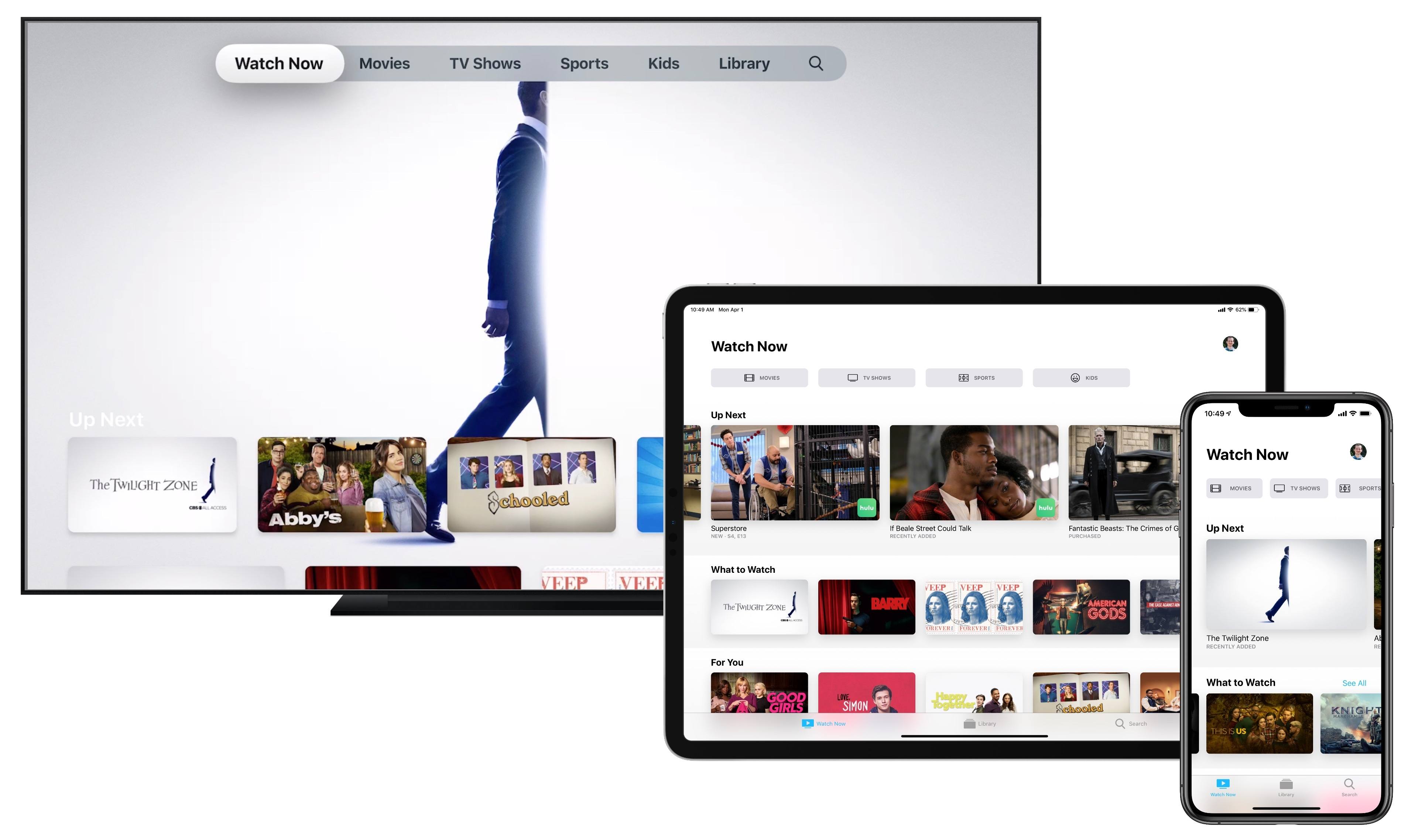
Apple’s TV app is getting a makeover, and just in time for its expansion to smart TVs and third-party streaming devices. The new app is coming first, of course, to Apple’s own hardware: the Apple TV, iPhone, and iPad will be updated in May with the new TV experience; the Mac will follow this fall.

I’ve used Apple’s TV app as my primary video hub since it launched in late 2016, so I was eager to get my hands on the updated app. Fortunately, I didn’t have to wait long – an early version of the new TV app is available now as part of the iOS 12.3 and tvOS 12.3 beta releases. Here are full details on all the ways it’s new and improved.

Read more


Toggl: The Simplest Time Tracker to Help You Get Things Done [Sponsor]

Your time is your most valuable resource, but it’s also one of the easiest to squander. Time tracking is a great way to get a handle on how you’re spending your time whether you need to bill it to a client or simply want to work on what matters to you the most.

The key to successful time tracking though is consistency, which is where Toggl comes in. Toggl combines powerful tools, sync, and an ease of use that makes it simple to track and analyze your time so you can get things done.

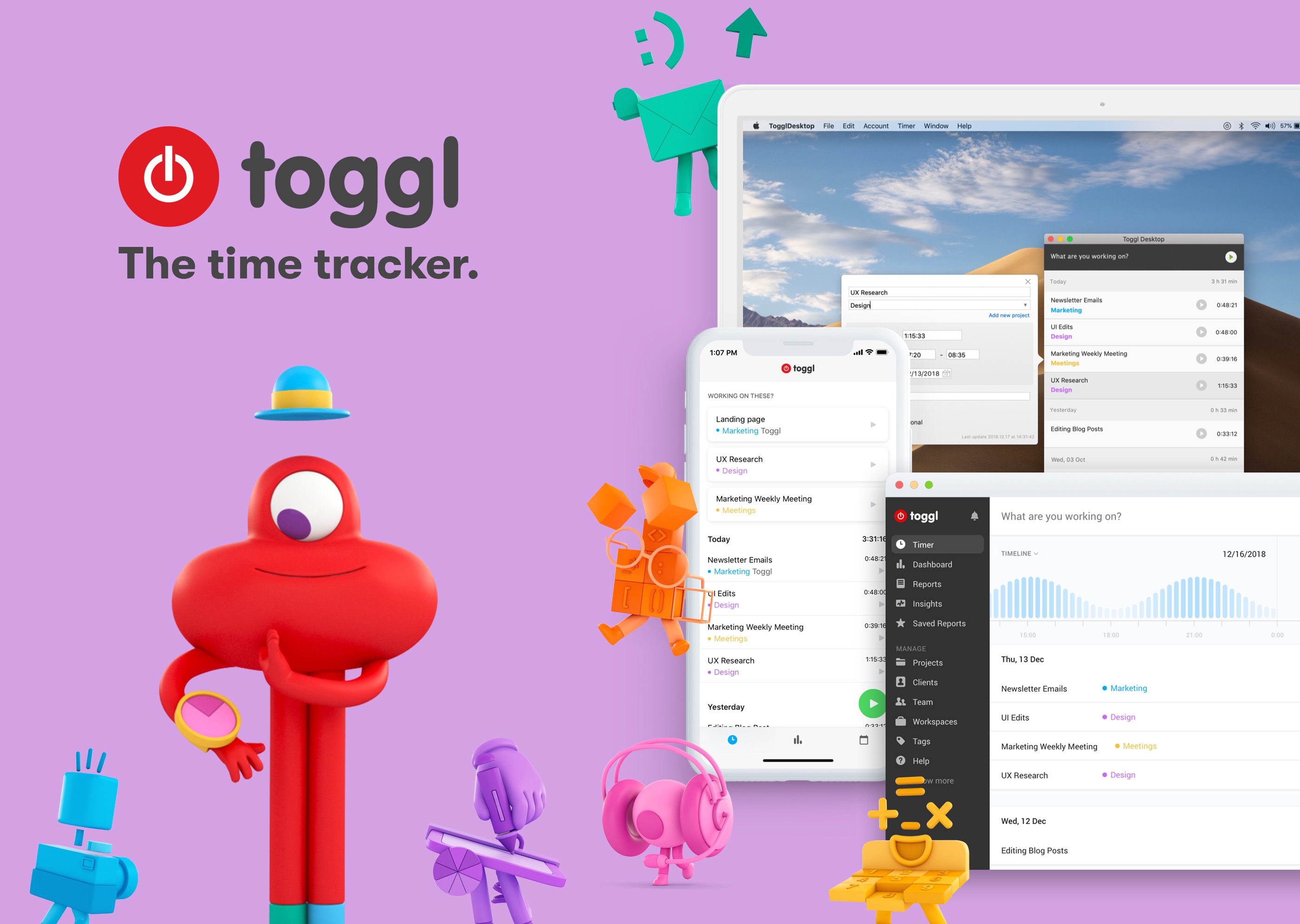
Toggl works on the iPhone, the Mac, and the web making it easy to start and stop timers whenever and wherever you’re working. With a single click or tap you can start a timer, then add a description, projects, and tags if you want. Toggl integrates seamlessly with your existing workflows including services like Basecamp, Asana, Evernote, Github, Trello, Google Drive, Zapier, and many, many more.

On iOS, the Toggl app is free. There are no ads and sync between platforms is included as part of its generous free plan. Toggl works with your calendar and features Siri shortcut integration for hands-free operation too.

On the Mac, Toggl can automatically record every website and app you use for longer than 10 seconds. Toggl can also notify you when you’ve been away from your keyboard so you can decide whether to log the time, discard it, or make it a new entry. The app can even set Pomodoro timers to remind you to take breaks and can send you tracking notifications.

Tracking only gets you so far though. That’s why Toggl generates colorful, detailed reports too that provide valuable insights into how you spend your time.

Time tracking doesn’t need to be difficult. Download Toggl today for the Mac and iOS to get a handle on where your time goes, so you can focus on getting things done.

Our thanks to Toggl for sponsoring MacStories this week.


Matthew Panzarino Explains How the Apple Card Will Work

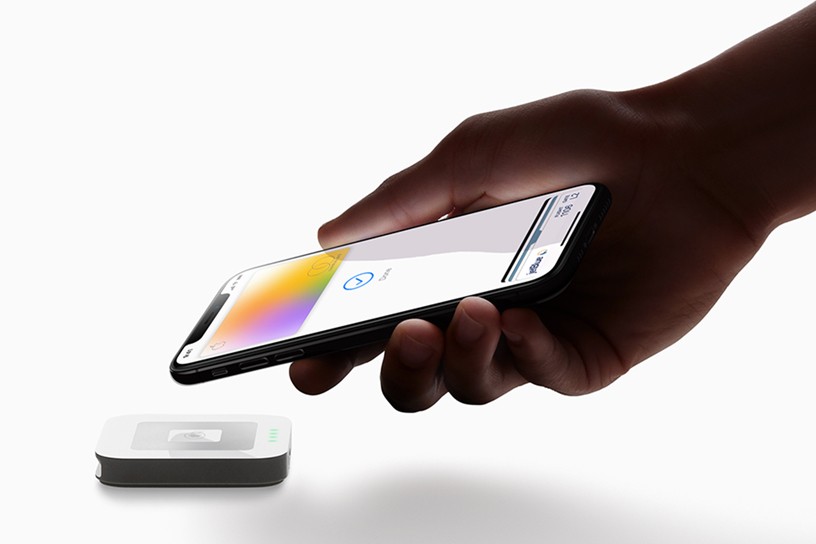
The Apple Card has been the subject of a lot of attention and speculation since it was announced at Monday’s Apple event. The US-only card won’t be out until this summer, but Matthew Panzarino, TechCrunch’s Editor-in-Chief, has details on exactly how the card will work that weren’t covered during the keynote.

Panzarino sums up the card’s benefits nicely:

Overall the Apple Card has some relatively unique and interesting takes on data transparency for users, who are getting what appears to be an information rich but easy to interpret interface that rivals the best apps (like the AMEX app) out there for consumer cards. It’s also got a solid set of security features that are missing only a couple of small improvements like per-merchant or per-transaction numbers that would make them the best offering in the industry.

The security and financial tracking the card will enable is attractive and the cash benefits are competitive, but there are limitations that may be an issue for some potential customers. For instance, the Apple Card is a single-user card, which means multiple family members cannot use the same account.

Panzarino’s piece clears up misinformation that has spread since the keynote and uncovers other tidbits that make it easier to compare the new card side-by-side with competing offerings. If what you’ve heard about the Apple Card interests you, Panzarino’s article is an excellent one-stop destination to learn more.

Permalink

Connected, Episode 236: Rosencrantz Says

After announcing tickets for their live WWDC show and judging their predictions for Apple’s media event and breaking a score between Stephen and Myke, the guys share their impressions of the new AirPods, Apple News+ and more.

On this week’s episode of Connected, we grade our predictions for Apple’s media event and discuss some of the news related to services and AirPods. You can listen here.

Sponsored by:

  • Luna Display: The only hardware solution that turns your iPad into a wireless display for your Mac. Use promo code CONNECTED at checkout for 10% off.
  • Away: Travel smarter with the suitcase that charges your phone. Get $20 off with the code ‘connected’.
  • Squarespace: Make your next move. Enter offer code CONNECTED at checkout to get 10% off your first purchase.
Permalink