This week on AppStories, we explore the third-party apps enabled by Apple’s latest hardware and developer frameworks.

AppStories Episode 191 - New Apps Enabled by Apple Hardware and OS Advances
0:00
36:02
36:02







Microsoft’s suite of productivity apps, Word, Excel, and PowerPoint are being updated on a rolling basis over the next couple of weeks to add pointer support to the iPad versions of the apps. According to a Microsoft blog post, the update will:
give iPad users using a mouse or Apple’s new Magic Keyboard easy cursor control, fluid navigation, and precise adjustments. When moving a finger across the built-in trackpad of Magic Keyboard, the cursor transforms into the tool you need depending on the content you’re pointing to.
Microsoft is also updating the start screens and ribbon of each of its apps and mentioned that it has further updates planned in the upcoming months, including contextual menus and offline support for documents stored in the cloud.
I don’t have the new features announced yet, but I’m glad to see Microsoft adopting iPad pointer support. Especially with apps like Excel, the ability to use a precise pointer is useful when selecting cells in a large spreadsheet.
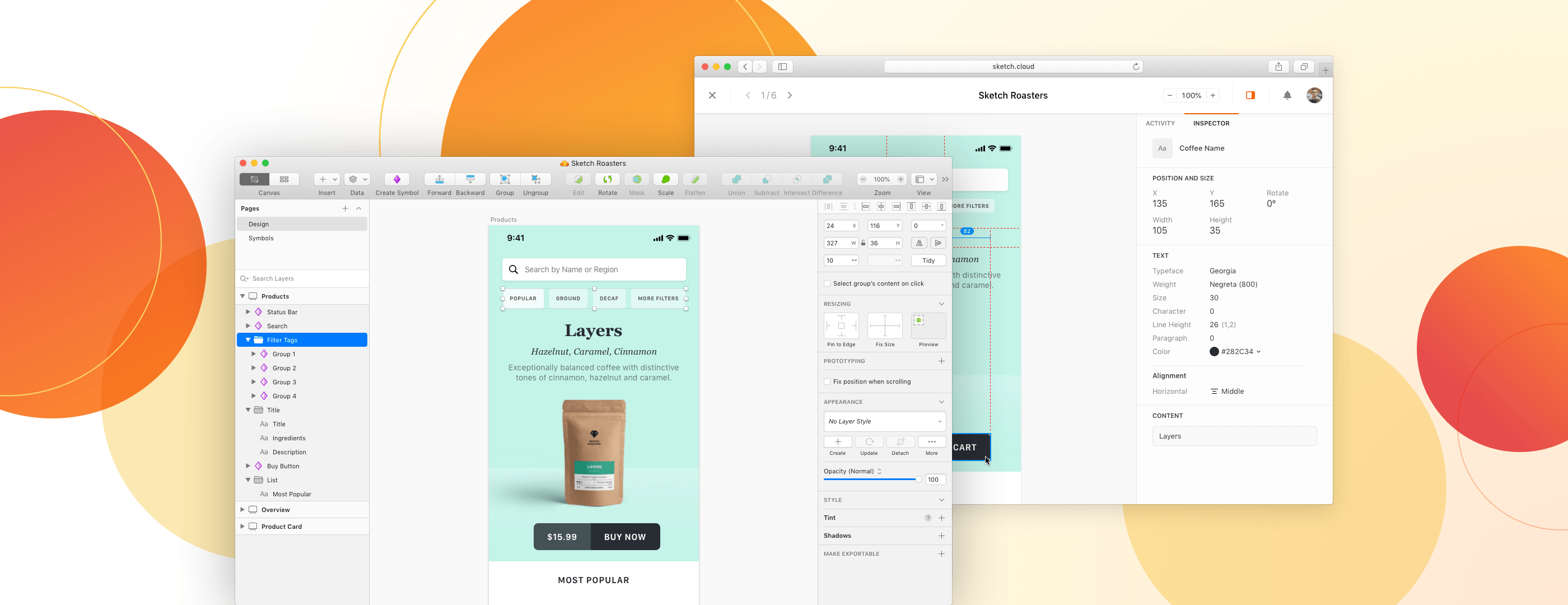
Sketch is a design platform that combines an award-winning native Mac app with powerful, cloud-based collaboration tools. Since it first launched in 2010, Sketch has become the go-to toolkit for over one million people — from freelancers and solo app developers, to the world’s largest design teams.
From the very beginning, Sketch have proudly called the Mac their home — and it shows with their app. It combines thoughtful features, an intuitive interface, and the best of native macOS technologies.
With Sketch, you get all the things you’d expect from a great Mac app — from a native UI with dark mode support, to custom shortcuts and great integration with Apple’s hardware.
Whether you’re a complete beginner or a long-time Mac user, Sketch feels instantly familiar. Controls and tools work just the way you’d expect them to, making it easy to turn your ideas into fully-polished designs and prototypes.
When you’re working with others, you can save designs to Sketch’s Cloud platform and share them with a link. Collaborators and teammates can view them and leave feedback in any web browser, on any platform. Developers can even inspect files and download production-ready assets when it’s time for handoff, all at no extra cost.
Sketch have some exciting updates coming up too — with an all-new UI for macOS Big Sur and real-time collaboration with other designers, right inside the Mac app. And with a 30-day free trial to get you started, there’s never been a better time to check it out.
Our thanks to Sketch for sponsoring MacStories this week.
Sponsored by: SaneBox – Organize Your Inbox (and Never Waste Time on Email Again) With SaneBox
This week on MacStories Unwind:
 MacStories Weekly: Issue 245
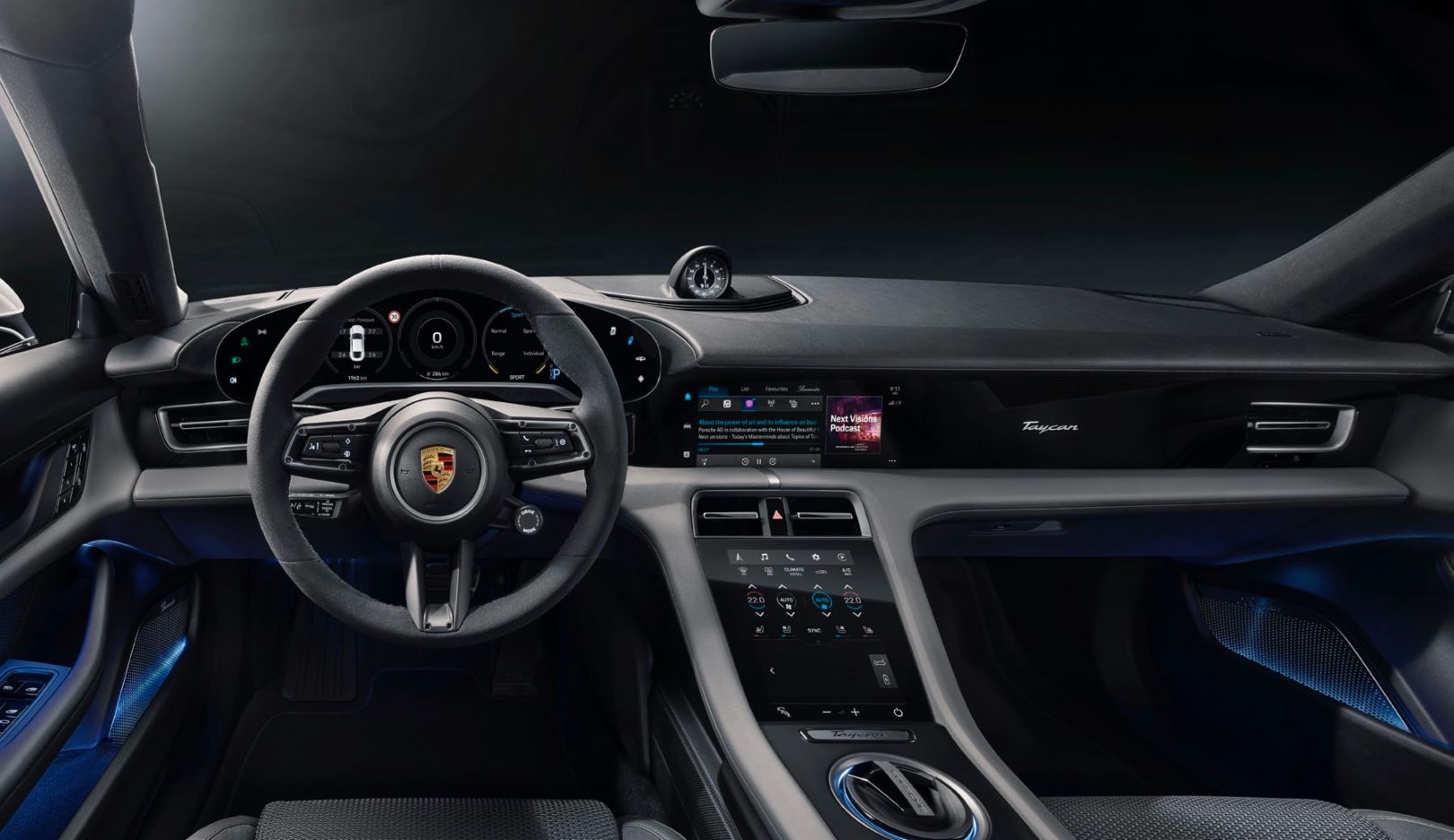
 Last year, we reported Porsche’s partnership with Apple to directly support Apple Music as part of its Taycan entertainment system. Yesterday, Porsche announced that it’s expanding the relationship to include the Apple Podcasts app and expanded Apple Music support.
According to a press release from Porsche:
From the touchscreen display of the Porsche Advanced Cockpit, drivers can stream over 1.5 million shows from Apple Podcasts, the world’s leading podcast platform. This is the first-ever full integration of Apple Podcasts in any vehicle, and it includes the entire catalog-of-record with programming in 100 languages plus Top Charts for shows and episodes.
Porsche also revealed that its Apple Music integration would add support for Time-Synced Lyrics on the Taycan’s passenger-side display. The new features are already available for new Taycan owners. However, existing customers will have to wait until January for the new functionality.
Although the features announced by Porsche are limited to just one vehicle made by one manufacturer, it’s good to see because if it’s successful, Porsche’s early adoption will likely lead to other carmakers jumping on board.
This week on AppStories, John interviews Federico about the all-new iPad Air. Federico explains why the new iPad Air is Apple’s most forward-looking iPad that stands at the intersection of the iPad Pro line and the rest of the company’s other iPads, and covers every aspect of the hardware, design, and differences compared to other models, along with practical advice on who should consider buying the new iPad Air.
iPhone photography has come a long way in the past 13 years. The original iPhone had a 2 MP camera that produced images that were 1600 x 1200 pixels. Today, the wide-angle camera on an iPhone 12 Pro has a 12 MP camera that can take shots that are 4032 x 3024 pixels.
Hardware advancements have played a big role in iPhone photography, but so has software. The size of an iPhone and physics limit hardware advances, resulting in diminishing returns year-over-year. Consequently, Apple and other mobile phone makers have turned to computational photography to bring the power of modern SoCs to bear, improving the quality of images produced by iPhones with software.
Computational photography has advanced rapidly, pushed forward by the increasingly powerful chips that power our iPhones. Every time you take a photo with your iPhone, it’s actually taking several, stitching them together, using AI to compute adjustments to make the image look better, and presenting you with a final product. The process feels instantaneous, but it’s the result of many steps that begin even before you press the shutter button.
However, the simplicity and efficiency of computational photography come with a tradeoff. That pipeline from the point you press the Camera app’s shutter button until you see the image you took involves a long series of steps. In turn, each of those steps involves a series of judgment calls and the application of someone else’s taste about how the photo should look.
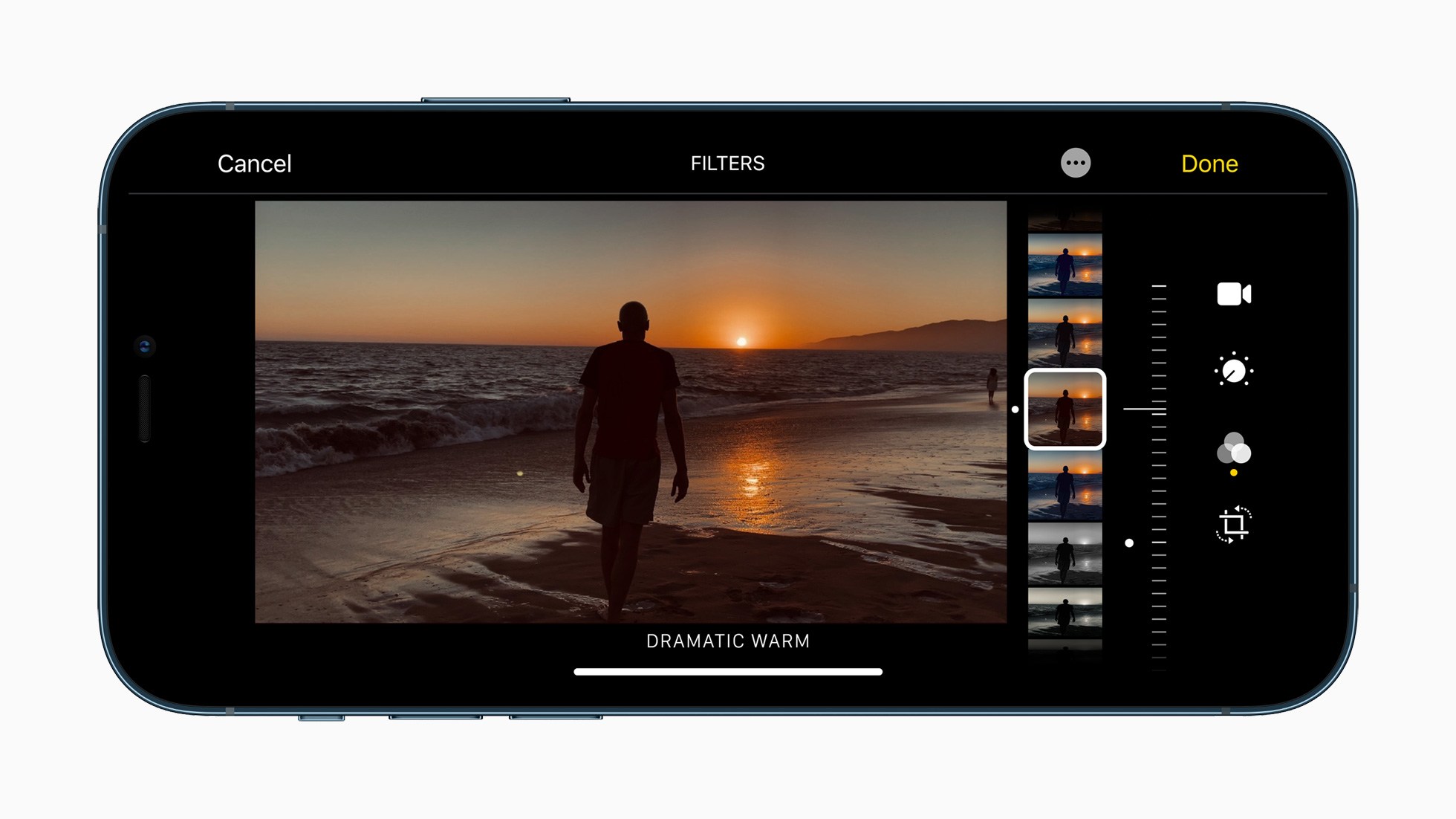
Apple has made great strides in computational photography in recent years, but it also means someone else’s taste is being applied to your images. Source: Apple.
In many circumstances, the editorial choices made by the Camera app result in great photos, but not always, and the trouble is, your ability to tweak the images you take in compressed file formats is limited. A more flexible alternative is to shoot in a RAW file format that preserves more data, allowing for a greater range in editing options, but often, the friction of editing RAW images isn’t worth it. The Camera app is good enough most of the time, so we tolerate the shots that don’t look great.
However, what if you could have the best of both worlds? What if you could capture a lightweight, automatically-adjusted photo and an editing-friendly RAW image at the same time, allowing you to pick the right one for each image you take? If you like the JPEG or HEIC image produced by Apple’s computational photography workflow, you could keep it, but you could always fall back to the RAW version if you want more editing latitude. That way, you could rely on the editorial choices baked into iOS where you like the results but retain control for those times when you don’t like them.
That’s what Halide Mark II by Lux sets out to accomplish. Halide is a MacStories favorite that we’ve covered many times in the past, but Mark II is something special. The latest update is an ambitious reimagining of what was already a premier camera app, building on what came before but with a simpler and easier to learn UI. Halide Mark II puts more control than ever into the hands of photographers, while also making it easy to achieve beautiful results with minimal effort. Halide also seeks to educate through a combination of design and upcoming in-app photography lessons.
By and large, Halide succeeds. Photography is a notoriously jargon-heavy, complex area. It’s still possible to get bogged down, fretting over which settings are best in what circumstances. However, Halide provides the most effective bridge from point-and-shoot photography to something far more sophisticated than any camera app I’ve used. The result is a camera app that gives iPhone photographers control over the images they shoot in an app that’s a pleasure to use and encourages them to learn more and grow as a photographer.
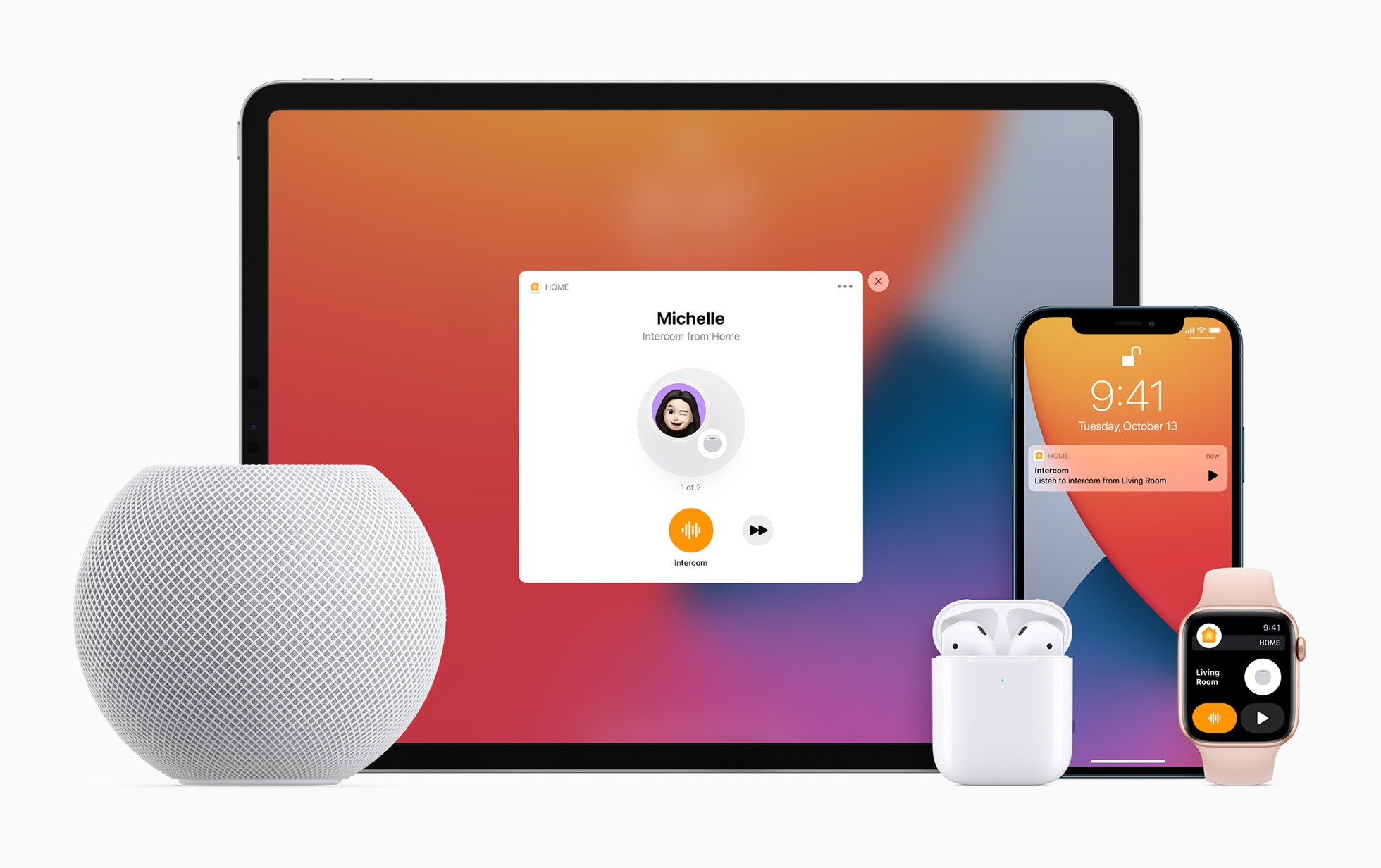
With yesterday’s releases of iOS 14.1 and HomePod Software Version 14.1, which could really use a catchier name, Apple has introduced several new features announced last week at its iPhone 12 and HomePod mini event. Most readers are probably already familiar with what’s in the updates based on our iPhone 12 and HomePod mini overviews, so I thought I’d update my HomePods and devices to provide some hands-on thoughts about the changes.
Most of the new features are related to the HomePod. Although proximity-based features are exclusive to the HomePod mini, which features Apple’s U1 Ultra Wideband chip, some of the other functionality revealed last week is available on all HomePod models.