
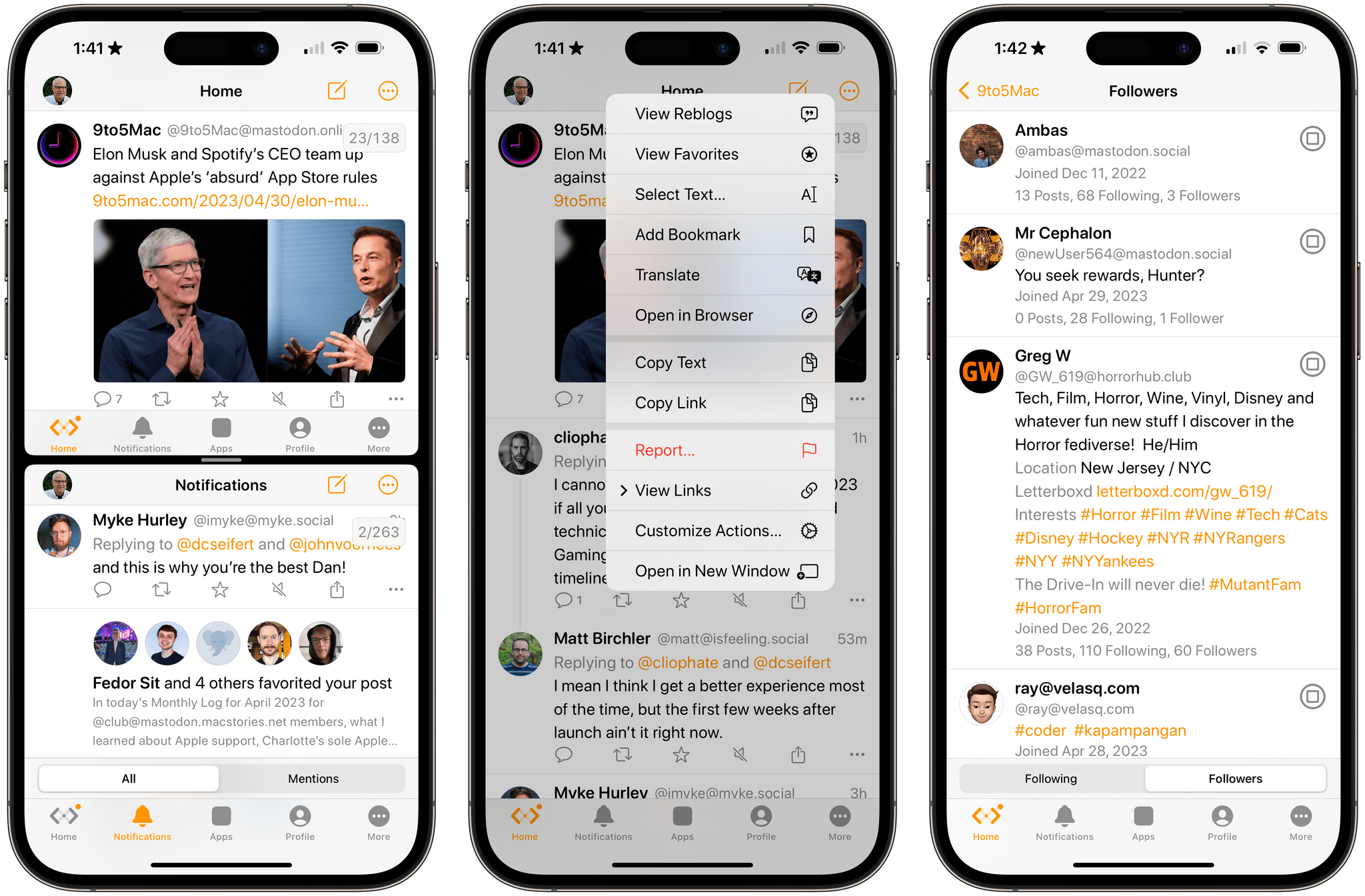
Mona is a brand new, highly customizable Mastodon client from Junyu Kuang, the developer of Spring, which is one of the few remaining third-party Twitter clients that still works and pioneered many of the features found in Mona. Mona, which is available on the iPhone, iPad, and Mac, is a power-user app through and through. The app has a dizzying array of settings for customizing the entire Mastodon experience. If, like me, you enjoy the sort of tinkering that Mona enables, you’ll absolutely love this app.
Mona: A Unique Mix of Customization Options and Features You Won’t Find in Any Other Mastodon App
Unite 4: Turn Websites into Apps on Your Mac [Sponsor]
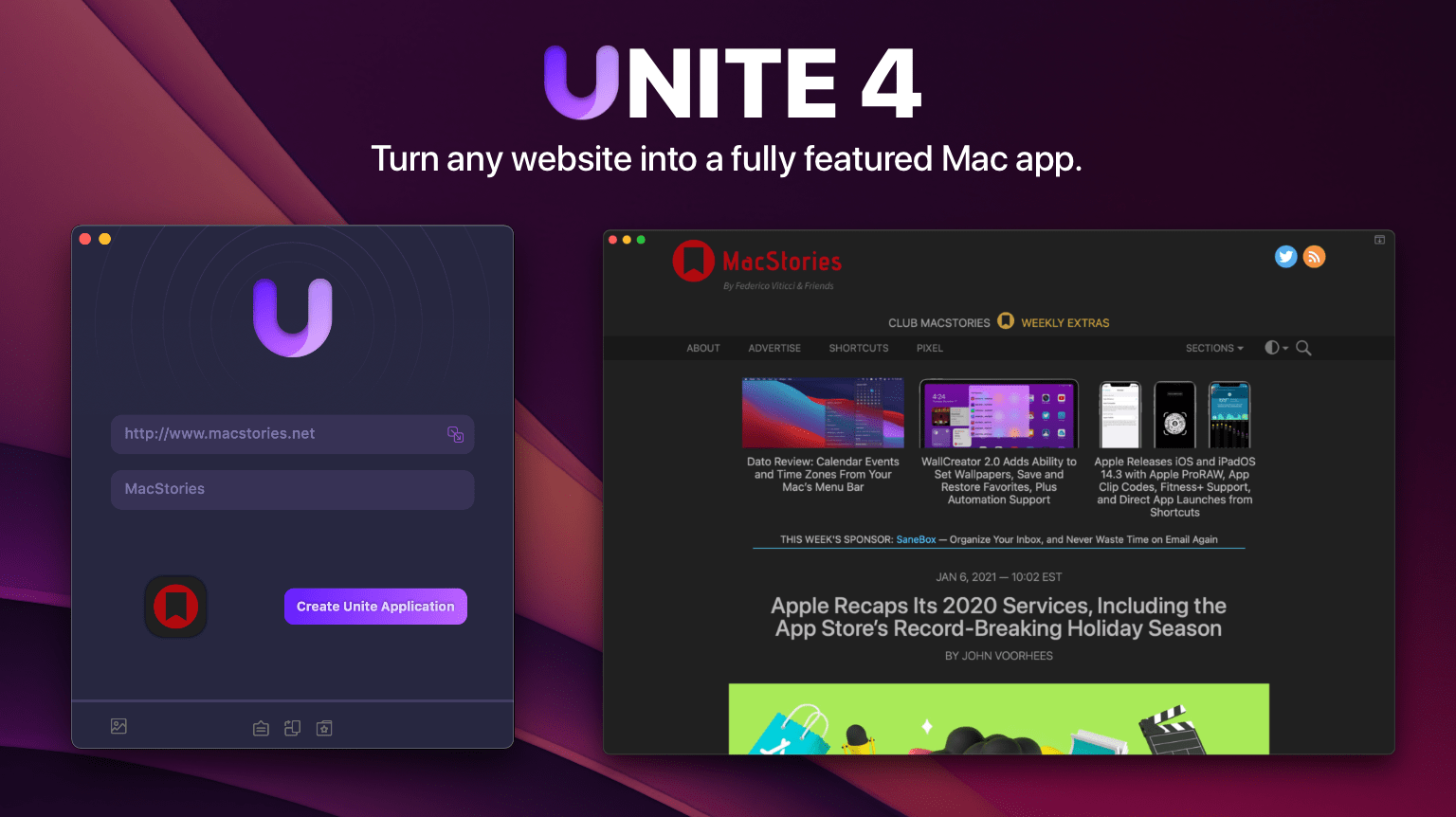
Are you tired of juggling multiple browser tabs while working on your Mac? Unite 4 for macOS revolutionizes your browsing experience by allowing you to transform any website into a tailor-made app for your Mac. Leveraging a lightweight, WebKit-powered browser as a backend, Unite 4 enables you to effortlessly create isolated, customizable apps from any site.
Unite 4 offers a multitude of features and customization options, making it a fantastic alternative to resource-intensive Electron apps or lackluster Mac Catalyst implementations. The apps you create are simple to set up, fast, isolated from your other browsing activity, and only limited by your imagination.
- Creating dedicated apps for your favorite streaming services like Netflix and Disney+
- Conserving your laptop’s battery by using Unite for Slack, Discord, and WhatsApp with full notification support
- Utilizing AI tools such as ChatGPT and MidJourney alongside your other macOS apps
- Streaming music through services like Apple Music or Spotify
- Tuning into podcasts with Overcast
- Organizing your notes in a dedicated Roam Research app
- Never losing your Figma design work amidst a sea of Safari tabs
- Restricting apps like Facebook from tracking you across sites
- Browsing your Instagram feed
- Monitoring your finances with Robinhood
This week only, MacStories readers can enjoy a 20% discount on Unite 4 by visiting bzgapps.com/macstories or using the promo code ‘MacStories’ at checkout.
Unite offers a 14-day free trial and is also available as part of a Setapp subscription.
Download Unite 4 today and transform your favorite websites into your favorite apps.
Our thanks to Unite 4 for sponsoring MacStories this week.
 Monthly Log: April 2023
Fiery Feeds for iOS Added an In-App Split View Mode That I Wish More iPhone Apps Offered
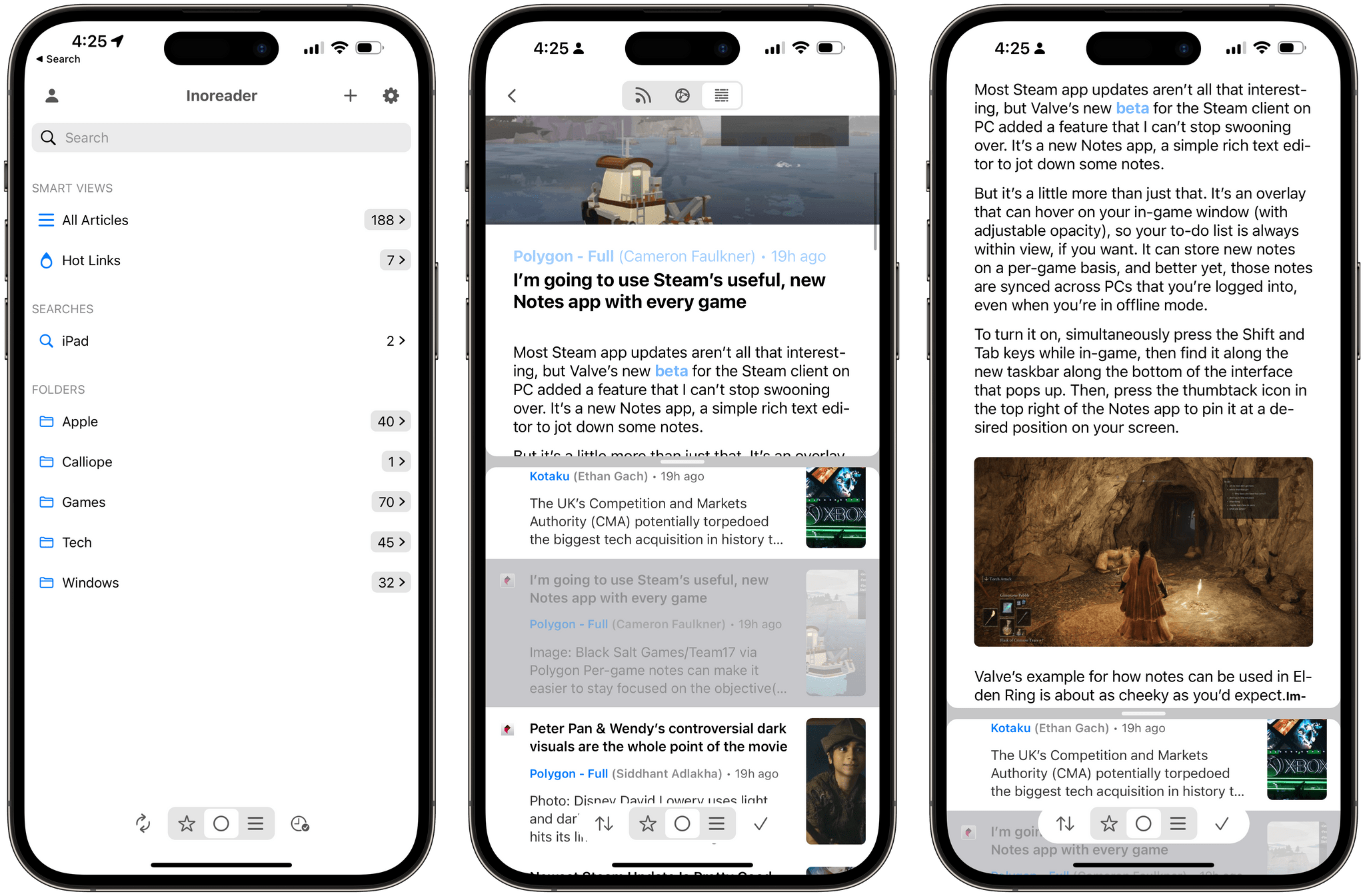
A few weeks ago on Mastodon, I shared a simple feature request: a split-screen mode for iPhone RSS readers that would allow me to scroll headlines in the one half of the screen and preview actual articles in the other.
If this sounds familiar, you’re not alone: back in 2007, Steve Jobs demoed pretty much the same thing for the first version of the Mail app for iPhone OS 1.0. That layout mode never shipped, and probably rightfully so at the time given the limited screen real estate of the first iPhone.
MacStories Weekly: Issue 366
MacStories Unwind: Introducing the New Unwind and Unwind+







Welcome to the all-new MacStories Unwind+, a weekly extension of MacStories Unwind just for Club MacStories members that is ad-free, and delivered early each week in high-bitrate audio.
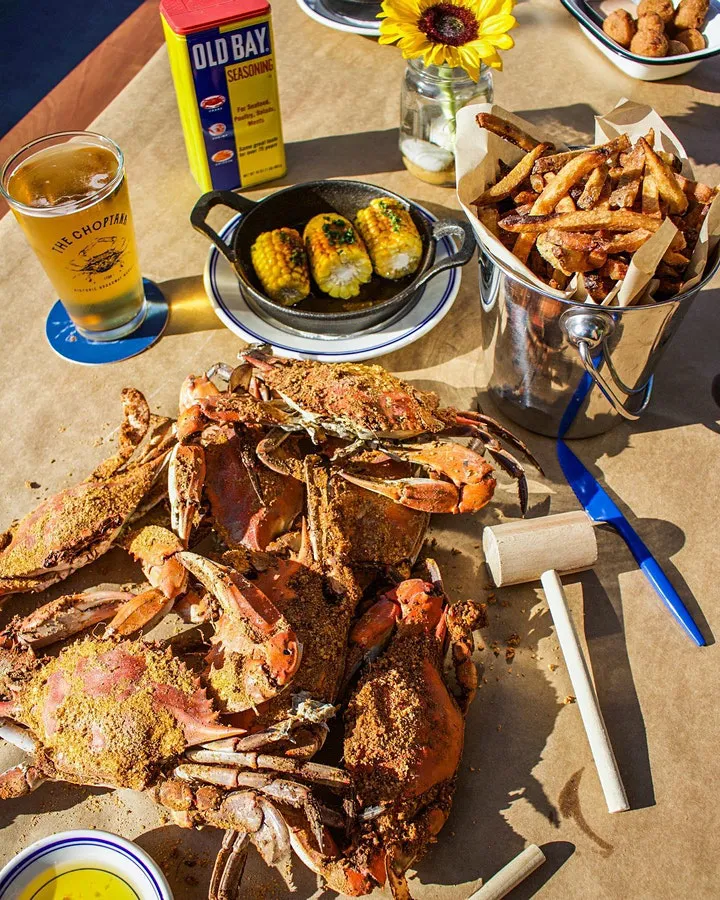
This week, Federico explains Unwind’s new format, and John introduces him to ‘The Crab Chip’ before moving on to this week’s picks, which include an update from Federico on How I Met Your Father and Pokémon Scarlet and from John, an un-pick, an electric grill, and The Last Thing He Told Me.
Links and Show Notes
Introducing the New Unwind and Unwind+
The Crab Chip

The Picks
- Federico’s Pick Update:
- How I Met Your Father, Season 2
- Pokémon Scarlet
- John’s Un-Pick
- John’s Picks
TestFlight’s Inability to Handle Large Beta Collections Needs to Be Fixed
I’ve been thinking about app scalability a lot lately – most recently in the context of TestFlight, which I find is incredibly frustrating to use, at best, and, on the Mac, often unusable. This isn’t a new problem for me, but I haven’t mentioned it much in the past because I’ve suspected that my experience is colored by the fact that I’m an outlier. But, outlier or not, the app deserves more attention than it’s been given.
MacStories Unwind Expands to Club MacStories with Unwind+

MacStories Unwind began as an experiment that sprung from the 2020 pandemic lockdowns. It started as a recap of the week at MacStories paired with a couple of quick media picks for listeners who were stuck at home. Early last year, we refocused the show on the media picks, which has proven popular with listeners, so today, we’re pleased to announce an expansion of the show for both existing listeners and Club MacStories members.
If you’re already a listener, Unwind will continue to feature weekly media picks and be about a half-hour long. What we’re adding is a little more conversation and personality, which has been missing from the show. As is the case now, Unwind will also remain free to download on Fridays and be supported by ads and promotions for other things we’re doing at MacStories.
Listen to Unwind:
The bigger change is that today we’re also introducing MacStories Unwind+, an exclusive perk for Club MacStories members. Unwind+ will be released every week a day early on Thursdays, without ads, and in high bitrate audio. Both versions of the show also feature brand new artwork by our own Silvia Gatta.
With the expansion of Unwind, we’re also simplifying the Club MacStories podcast lineup, consolidating the monthly MacStories Unplugged and AV Club Town Halls into Unwind. The fun, quirky stories and explorations of the differences between Italian and American culture that Unplugged was known for will become a regular segment on Unwind.

Also, AV Club is continuing, but instead of being limited to the Club MacStories+ and Club Premier Town Hall feed, the monthly event will become an episode of Unwind for all Club members. Club MacStories+ and Club Premier members will still help pick the media for AV Club in our Discord community and have the chance to listen live during recording. We’re reorganizing and adding to the channels in the community Discord to make it easier for members to find and discuss the media they love too.
We’re excited to bring you this new edition of MacStories Unwind beginning this week. There was a lot of overlap among Unwind, Unplugged, and our AV Club podcast episodes, and by rolling all of our media picks together with the free-form, casual vibe of Unplugged, we hope you join us for what we think will be the best version of Unwind yet.
If you already listen to Unwind, there’s nothing you need to do to enjoy the new format because the podcast feed isn’t changing. The same goes for Club members who were subscribed to MacStories Unplugged. Unwind+ will replace Unplugged in that feed, so the next time you download an episode, you’ll see Unwind instead.
If you’re not listening to Unwind, we’d love it if you’d give it a try. You’ll find great recommendations for TV shows, movies, videogames, and music, along with the occasional book, podcast, and even media-related hardware. Plus, if you’ve never listened to Unplugged, you’re in for a treat with stories about things like acid-spewing vultures, retirees spectating at construction sites, and southern cooking. Yes, it’s a little weird, but it’s fun too.
Listen to Unwind:
If you want to level up your Unwind experience, we’d love it if you’d consider a Club MacStories membership. We offer three tiers of membership with perks like our active Discord community, exclusive discounts, special columns, and now, Unwind+. And, with Club Premier, you also get AppStories+, the extended, ad-free version of our flagship podcast that’s delivered a day early most weeks in high-bitrate audio. You can learn more about our Club plans using the buttons below.
Join Club Premier here:
To compare every Club MacStories plan we offer, visit our Club plans page.
So, starting today, all members of Club MacStories will have access to MacStories Unwind+ weekly. And, to participate in deciding what we cover for on the monthly AV Club episodes and the live recordings of those episodes, join Club MacStories+ or Club Premier, which each come with a long list of other perks. We hope you enjoy the new format.
The support of Club members is the foundation of MacStories’ future, which is why we’re actively working on growing membership. The Club will celebrate its eighth anniversary this year, and by growing it deliberately each year since 2015, we’ve maintained the free ad-supported stories and podcasts we offer while giving readers and listeners an option that isn’t just ad-free but extends what we’re able to offer across every facet of MacStories.
We’ve got many plans for MacStories that have been in the works for a long time now, which we expect to be able to start sharing soon. We’re excited to share it all with you and would love it if you’d join the Club to help us make those plans a reality.
AppStories, Episode 326 – Return to macOS→
This week on AppStories, Federico explains his return to the Mac, including his hardware setup and the apps he’s using, and I recommend some apps he should try.
Sponsored by:
- Dropshare – The most flexible file-sharing solution for macOS and iOS that just works with your trusted file storage provider. 15% off for AppStories listeners with the code
appstoriesat checkout. - Hit The Island – Funn Media’s innovative, fun, and deceptively simple game for the iPhone, iPad, and Apple Watch.
- Factor – Healthy, fully-prepared food delivered to your door. Get 50% off your first box.
](https://cdn.macstories.net/banneras-1629219199428.png)
On AppStories+, we discuss the advantages of Raindrop.io over alternative bookmarking services, and I share a story from the past about the pitfalls of sharing shortcuts in the early days of Workflow.
We deliver AppStories+ to subscribers with bonus content, ad-free, and at a high bitrate early every week.
To learn more about the benefits included with an AppStories+ subscription, visit our Plans page, or read the AppStories+ FAQ.