This Week's Sponsor:

Cotypist

Smart Autocomplete for Your Whole Mac


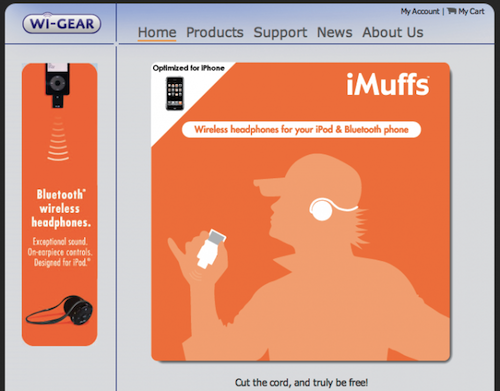
Rumor: Apple Acquired Bluetooth Headphones Company Wi-Gear

According to a report from 9to5mac, who cites a reliable source, Apple acquired San Francisco-based company Wi-Gear two months ago for an undisclosed sum. Wi-Gear used to make Bluetooth headphones (called “iMuffs”) specifically meant for iOS devices, they were pioneers in the A2DP stereo audio field for iPhones and iPods – they even released an adapter for older devices that didn’t support the Bluetooth 2.0 standard.

9to5mac notes that Apple didn’t have that much of a success with its previous Bluetooth audio attempts and, for future iOS implementations, decided to acquire Wi-Gear instead of developing everything internally. Read more


15 Secrets of Transmit 4

15 Secrets of Transmit 4

Transmit 4. It’s easy to use, but there’s a whole lot under the surface. And while we try to design apps for the majority, sometimes we throw in some power user features for the pros. As the Finnish always say, “always add a few extra blood dumplings when cooking mykyrokka for a tonttu-ukko!
So here are 15 “secrets” of Transmit 4.

If you still haven’t changed your Favorite icons, now is a good time to do it. Great tips.

Permalink

Calendars for iPad: Google Tasks and Calendar Sitting In A Tree

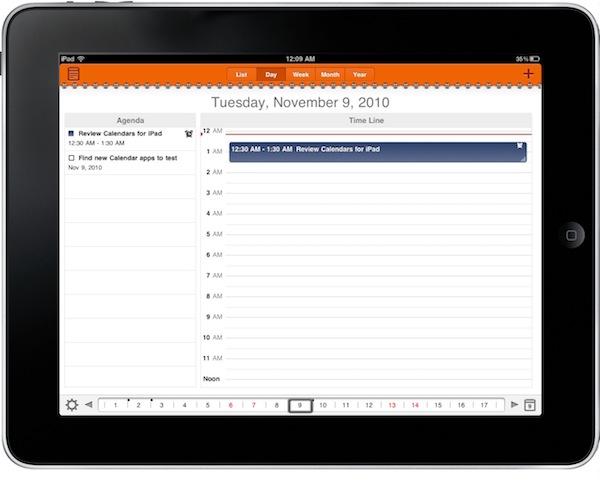
In my ongoing search for the best iOS and OS X calendar setup, I found a great iPhone app called Calvetica which I’m currently using and loving. Calvetica features a great UI design and a simple yet powerful feature set, make sure to read my review if you missed it. I asked for calendar suggestions on Twitter and I received lots of app recommendations, but I’m sticking with Calvetica on the iPhone. No wonder it was also the most recommended app.

On the iPad, though, the situation is much different. The device has been around for a few months, there aren’t as many calendar apps as on the iPhone (whose App Store launched in 2008) and Apple’s own calendar software is simply great – anything like the iPhone counterpart. There’s a huge market for alternative calendar solutions on the tablet, and it looks like developers are starting to understand this. A slew of iPad apps came out in the past weeks, and we’ll review the most notable ones here on MacStories in the next weeks.

Today I’m taking a look at Calendars by Readdle, the same guys behind my beloved PDF Expert, which aims at blending the usual calendar environment with the possibilities offered by another Google product, Google Tasks. Read more


How An Apple II Changed Kevin Kelly’s Life

How An Apple II Changed Kevin Kelly’s Life

Kevin Kelly, editor of the Whole Earth Catalog and founding editor of Wired, on his first Apple II computer:

To my immense surprise, I found that these high-tech computer networks were not deadening the souls of early users like me; they were filling our souls. There was something unexpectedly organic about these ecosystems of people and wires. Out of complete nothingness, we were barn raising a virtual commonwealth. When the internet finally came along a few years later, it seemed almost Amish to me.

That was 30 years ago. Guess who else used to read the Whole Earth Catalog back then.

Permalink

The Inception Of iPhone Decals

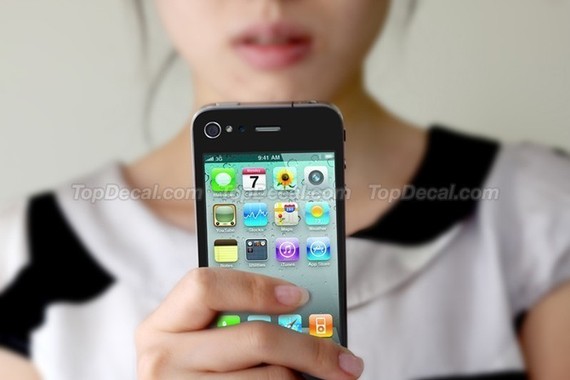
Available soon on Etsy, this iPhone decal is quite possibly the silliest thing I’ve seen in a while. Basically, it applies a standard iPhone UI sticker to the back of the iPhone, so it’ll look like you’re staring at the back of the device while you’re carrying it. People around you will see the screen, but you are looking at the screen.

See? Paradox.

[via The Next Web]


Rumor: iWork ‘11 Is Ready, Will Debut In The Mac App Store

According to AppleInsider, iWork ‘11 is basically ready, but Apple doesn’t want to let it out of the cage. They received information from “people familiar with the matter” that the productivity suite was ready to be announced at October’s Back to the Mac event, but it was scrapped at the last minute.

It appears that Apple might hold it back until the grand opening of the Mac App Store, which should happen sometime next January.

People familiar with the matter say development of iWork ‘11 wrapped up this fall and the software was initially slated for an introduction alongside iLife ‘11 last month, but was held back at the last minute for undisclosed reasons.

Apple’s revised plans currently call for the company to launch the new productivity suite alongside the forthcoming Mac App Store, these same people say. The applications included in the bundle – Pages, Numbers and Keynote – will be available for purchase individually when the Mac App Store debuts.

AppleInsider also speculates that Apple might remove the retail box option for iWork ‘11 and sell the suite solely on the Mac App Store as single applications priced at $19.99 – pretty much like they do for the iWork apps for iPad. With the promise of the Mac App Store as the best way to discover and install applications on a Mac, the option surely seems likely.

Apple started accepting submissions for the Mac App Store last week. Promo material for the Mac App Store showed individual iWork apps sold at $19.99 each.


OmniGraffle for iPad 1.4 Ships With iOS 4.2 Support, Sync, Stencil Management

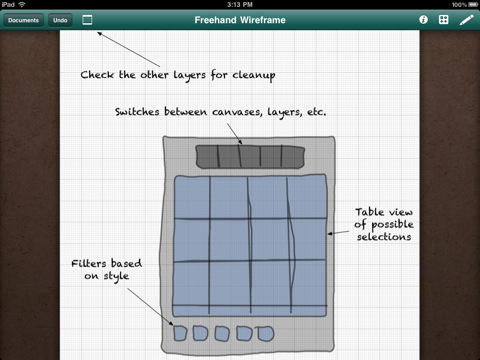
A major new version of OmniGraffle for iPad has been approved – and it’s one hell of an update. OmniGraffle 1.4 introduces full iOS 4.2 compatibility, which means the app can now store its persistent state when you switch to another application and can print your diagrams and wireframes using AirPrint.

The OmniGroup didn’t stop at new OS support, even though that would have been enough. They added an enhanced Document Browser with improved sorting and filtering options, stencil management and remote file syncing to iDisk and WedDAV.  You can now also create your own stencils from scratch and access a Font Inspector popover from anywhere.

What a great update. OmniGraffle for iPad is available at $49.99 in the App Store. Check out the full 1.4 changelog below. Read more


Hasbro Is Bringing 3D To The iPhone

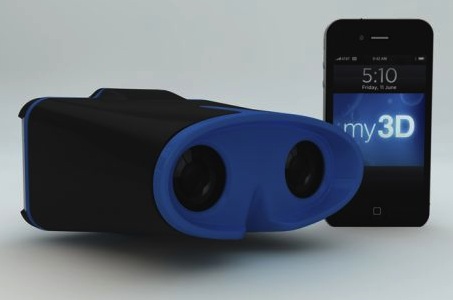
In what looks like an effort to replicate what Nintendo is doing with the upcoming 3DS portable gaming device, Hasbro has unveiled an accessory called My3D that will bring 3D viewing to iPhones and iPods, the Associated Press reports. The device looks ridiculously similar to a pair of binoculars and users will have to insert the iPhone in it.

The My3D will retail at $30 and it seems that Hasbro worked closely to Apple during the development of the product. My3D-specific apps will be released in the App Store. Read more


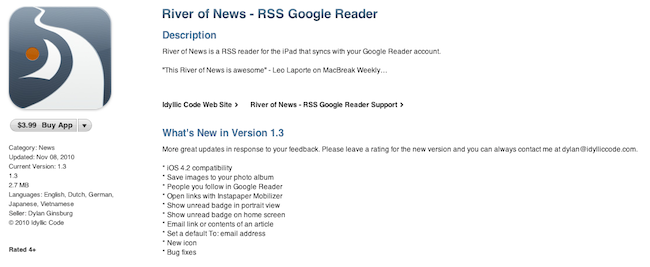
River of News 1.3: iOS 4.2 Compatibility, New Icon, Bug Fixes

I’m a big fan of River of News for iPad: it’s a well-designed RSS app that instead of presenting news as a list on unread items inside folders (much like most iPad and iPhone apps do), tries a different approach by enabling you to scroll a constantly updating “stream” (or, yeah, river) of articles. When you reach the bottom of the stream, the app will automatically load the next items until there’s nothing left to load.

A few weeks ago the developer of River of News also posted the results of the app’s sales, fully committing to iOS development as his new day job. Today an update to RoN has been approved: with version 1.3, the apps comes with a new icon (even though I used to like the old one), full iOS 4.2 compatibility and a “save image” feature. You can also open links with the Instapaper Mobilizer, email articles, check on items from people you follow on Google Reader.

Read more