Dropbox For Mac Hits Version 1.0

Dropbox, one of our favorite sync services here at MacStories, just hit version 1.0 on the desktop. The new build, released for Mac, Windows and Linux, it’s available for download on Dropbox official forums here.

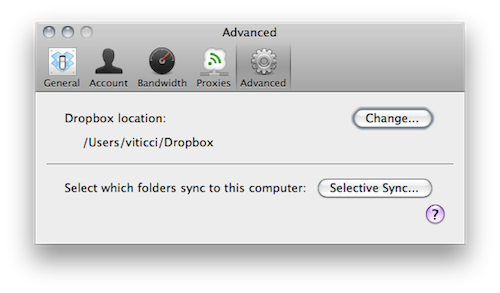
If you’ve been following the development of Dropbox for Mac closely, then you know that this 1.0 build is actually a “remixed” version of the 0.8 that’s been available on the forums for a few months now. Dropbox 1.0 comes with a redesigned preference window that makes it easy to check on your computer’s settings and your account information, but the real new feature is selective sync: located in the Advanced tab in the settings, selective sync allows you to choose which folders already on your Dropbox account you want to sync back to your computer. If you want to keep a folder online but not locally, it will not download or sync to your computer. Very useful for files you just want to keep a backup of, but not an actual local copy.

Dropbox 1.0 is available here. As for what you can do with Dropbox, here’s where to start. Check out the full 1.0 changelog below. Read more

Modded SNES Controller and Nintendo 64 Become iPhone and iPad Docks

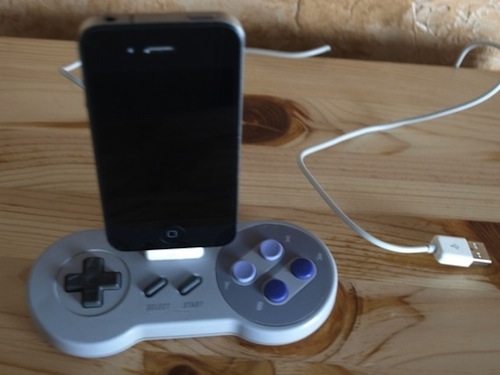
In what could be described as a pretty surprising turn of events, Nintendo now considers Apple the biggest threat to its mobile gaming dominance. Etsy user Geekunique, however, wants to bring some love back between Cupertino and Kyoto and find a way to let old Nintendo consoles and modern iOS devices play nice together. Geekunique, in fact, modded an old SNES controller and a Nintendo 64 to become iPhone and iPad docks, respectively.

It seems pretty easy to cut a hole in the controller and place an iPhone dock connector in there but hey – you can avoid the trouble and buy these things now at Etsy. If you think you really need them, be quick: I guess they’ll be sold out pretty soon.

[via TUAW]


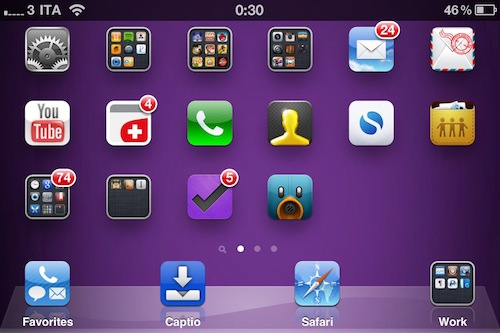
Jailbreak Hack Enables Landscape Springboard on iPhone

By default, you can’t turn the iPhone Springboard in landscape mode. The iPhone is meant to be held in portrait mode, at least when you’re navigating between pages on your Springboard. That’s what Apple wants. But some users have been asking – Why can’t we put the Springboard in landscape mode if some apps, like Mail, support the horizontal orientation?

Cydia developers, as usual, are here to come up with alternative solutions to Apple’s restrictions. My guess is that Apple doesn’t want you to turn your Springboard horizontally because that would require an icon layout adjustment, just like on the iPad. Besides, the iPhone has a much smaller screen and layout adjustment would turn out to be a huge problem to deal with. Read more


Primo Power Core - A Battery Pack For All

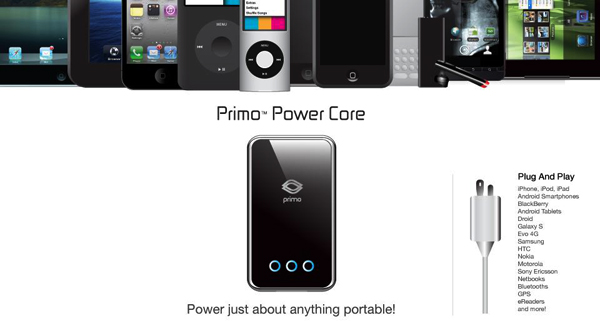
PhoneSuit has just released a new accessory that works for any of your iDevices called the Primo Power Core Battery Back. The Primo Power Core is a “personal, portable, pocket-sized power plant”. It has an impressive 8200mAh capacity battery in a small, lightweight package and enough power to fully charge most mobile devices multiple times on a single charge. The Primo Power Core features automatic amp-switching technology so that your iPad, iPhone, iPod Touch, Classic, Nano or other competing devices are charging at the fastest rates possible. Plug it in to extend movie watching, music or podcast listening, surfing the web, or playing video games.

Read more


iFan - For Those Hot Summer Nights

Not everyone has the iPhone 4, with its improved lithium-polymer battery that lets you work longer, play longer … you get the point. I charge my phone every night and even throughout the daytime to keep it alive. Designer Tjeerd Veenhoven has created the iFan - a piece of hardware / case made from molded soft rubber with a fan on top that recharges your iPhone via windpower. Wrap it around your iPhone and run like the wind; or maybe the bike mount concept appeals to you more.

Read more


Osfoora Is Coming To The Mac [Screenshots]

Osfoora is an insanely popular Twitter client for iPhone and iPad that has gained thousands of aficionados in the past months. Released on the iPhone last year, Osfoora made its way to the tablet a few months ago with a really nice client that took advantage of the larger screen to offer a landscape “split view”.

Osfoora is now coming to the Mac, according to a screenshot of the “pre-alpha version” posted by the developer on popular design-sharing website Dribbble. We can’t see much from the teaser, but it looks like the desktop client is going to feature a minimal look with a sidebar that – again, basing on this first small screenshot – looks a lot like Tweetie’s one.

With Tweetie 2 on the horizon, Weet for Mac and now Osfoora – I  guess it ain’t really over for Twitter clients on the Mac. We look forward to seeing more about this new iteration of Osfoora.

Update: we’ve got another screenshot from Osfoora’s developer, showing the timeline with photos indicators. Looks nice to us.


MultiIconMover Now iOS 4.2.1 Compatible | Cydia

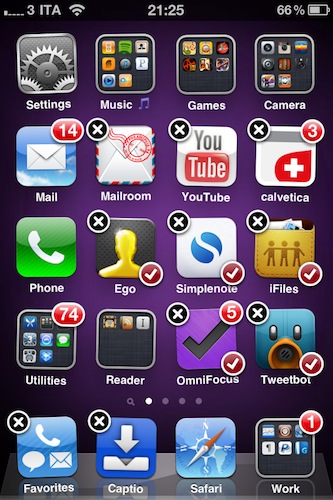
MultiIconMover is one of the reasons why many people jailbreak their iPhones: it allows users to move multiple icons at once without having to constantly move back and forth between pages. It’s really simple: you enter wiggle mode, you start selecting icons you want to move, a red badge will appear on them, choose the destination and press the Home button. All the icons will be moved to the new location.

Many say Apple should implement this by default. It surely looks “native” enough to be part of Apple’s iOS, but in the meantime you can just go ahead and install it from Cydia. The tweak is now iOS 4.2.1 compatible, and it works great on the iPhone. I haven’t tested it yet on the iPad.

MultiIconMover is available for free in Big Boss’ repository.


MacStories Preview: Screens, New VNC Client for iPhone and iPad

When the iPad came out in April, there was a category of apps I was looking forward to trying on the tablet: VNC clients. Those apps that allow you to connect to your Mac using OS X default sharing capabilities, enabling you to mirror your computer’s screen on an external device – such as the iPad, indeed. I got my iPad, and soon after that I installed iTeleport on it.

I’ve been using iTeleport on a daily basis since then to check on my computer when using the iPad in another room – usually the living room –  to change songs in iTunes, quickly move files to Dropbox and stuff like that. iTeleport is a fast and stable application, and it also comes with a feature that lets you connect over 3G routing the computer through a Google Account. Using a computer remotely over 3G isn’t the best experience you can get, but it works fairly well to start downloads and trigger actions on the go.

A few weeks ago Luc Vandal from Edovia contacted me and asked me if I’d be interested in trying a new VNC client they had been working on for months. I said yes, and now the app is basically ready for App Store submission. I’m running a final version of the app, the same that Edovia will submit to the App Store.

Screens by Edovia has become the best VNC app I’ve ever run on my iPhone and iPad. Read more