

iOS deals should be repopulated again tomorrow. Here’s some great deals for today on iOS & Mac apps that are on sale for a limited time, so get ‘em while they’re hot!
#MacStoriesDeals - Monday
Did You Install Facebook for iOS for Christmas? Apparently Over One Million Others Did.
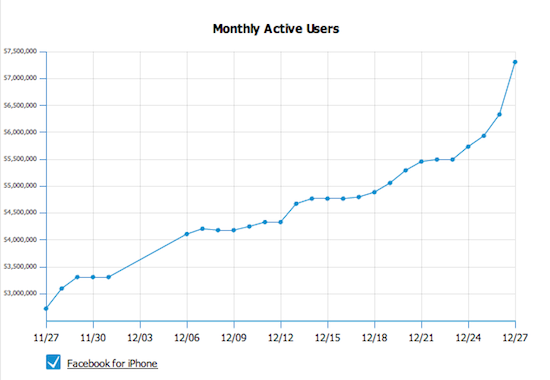
According to this graph from AllFacebook, one million new people installed Facebook for iOS - phenomenal. Just goes to show you how many devices such as the iPad, iPhone and the iPod Touch were given as Christmakwanzakah gifts this year; were you one of them? Stevie Claus must be happy!
[via Daring Fireball]
1 Million Apple TVs Sold In Three Months
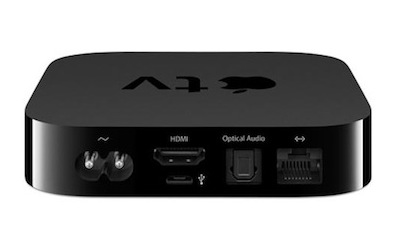
Last week, Apple announced they would reach the 1 million Apple TV units sold in a few days. According to John Paczkowski at Digital Daily, today Apple confirmed 1 million Apple TVs have been sold in three months since its release date:
Last Tuesday Apple said it expected sales of its next generation Apple TV to top one million units before Christmas. Today the company confirmed to me that they did just that. Seems the addition of AirPlay support for wireless streaming, better iOS integration and the device’s aggressive new $99 price point have done quite a bit to spike sales of Apple’s so-called “hobby.
That’s indeed an impressive result for what Apple used to call a “hobby”. I guess this is the effect iOS has on devices, and we haven’t seen apps on the Apple TV yet.
Why Apple Doesn’t Care About The $75 Android Phone
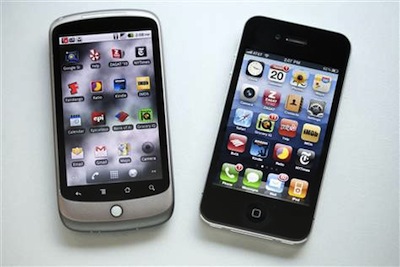
An article published by Seth Weintraub over at Fortune last week made the rounds of the Internet detailing how the Android platform will “explode” next year thanks to relatively low-cost components. Broadcom has announced a new 3G HSDPA chipset called BCM2157 that allows for popular specs like Bluetooth, GPS, dual core ARM processors, 5MP cameras and capacitive displays. Broadcom is marketing this new chipset to Android OEMs. And the best part, according to Handset Line of Business for Broadcom Jim Tran? Phones built on the new chipset will retail under $100, possibly even touching the $75 price point. And we’re talking about retail prices of unsubsidized phones. That would allow “average users” who don’t normally spend hundreds of dollars on smartphone to buy a high-end Android phone and runs apps on it. Read more
Sleipnir: Free, Innovative Browser for iPhone
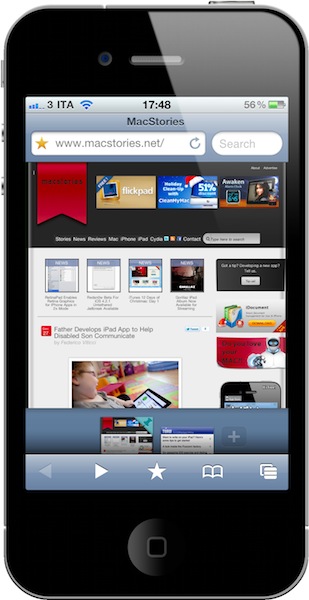
From the same developers of Inkiness for iPad comes Sleipnir, a new app for the iPhone that’s without a doubt one of the most innovative, stable and fast alternative browsers released in the recent months. My problem with alternatives to Mobile Safari is that they don’t provide anything better than Apple’s implementation, aside from a different visualization of tabs. Many apps sold through the App Store simply gained popularity because they brought “desktop-class tabs” to the iPhone or iPad, with the trade-off of adding ugly UIs and navigation controls to an already-powerful WebKit engine. I’m all for alternatives and different solutions to built-in software (especially when the third-party version is available for free, like Sleipnir), but I’m looking for something that really takes advantage of iOS. Not just a port of desktop functionalities.
Sleipnir offers just that. From the first first launch, you’ll immediately notice it’s an app developed with the iPhone (and iPhone users) in mind. It doesn’t come with “desktop tabs” yet it allows you to organize open pages in an innovative and useful “tabbed view” I haven’t seen in any other app. Sleipnir might just be the most innovative iPhone browser to date, powered by a nice interface design and a seriously great engine. Read more
Father Develops iPad App to Help Disabled Son Communicate
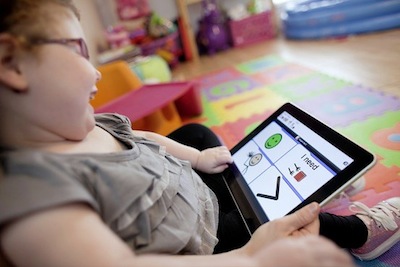
This is one of the stories that best shows what it’s possible to do with modern technologies, some basic development skills and the real need for something a consumer-oriented product like the iPad doesn’t ship with by default. Victor Pauca is a 5-year-old boy who has a very rare genetic disorder that prevents him from developing skills like speech and the overall ability to communicate with others. To help him, his father created an iPad app that turns the touch screen into an easy to understand communication tool.
The app, called VerbalVictor, will be released later this week in the App Store at around $10. Read more
Apple Announces Q1 2011 Conference Call For January 18
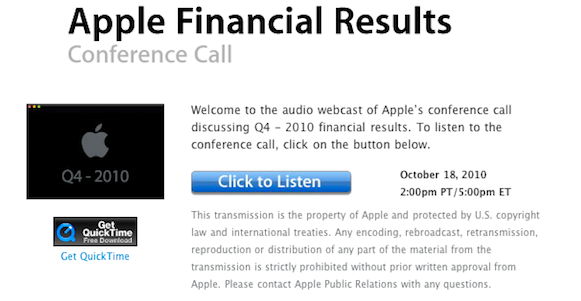
As noted by Setteb.it, Apple has scheduled its q1 2011 earnings call for January 18, 2011. The conference call will be streamed live on Apple’s website (audio-only) and a link to the webcast will be provided in the following weeks.
Apple plans to conduct a conference call to discuss financial results of its first fiscal quarter on Tuesday, January 18, 2011 at 2:00 p.m. PT. A link to the conference call webcast will be provided at a later date.
At the Q4 earnings call on October 18, Apple announced record sales for iPhones and iPads (14.1 million units and 4.19 million units, respectively), 3.89 million Macs sold and $20.34 billion revenue. At the conference call scheduled in January we’ll hear about the sales of the new MacBook Airs and iOS devices’ performances in the holiday season.
Will we get the chance to listen to Steve Jobs’ thoughts again? Who knows. We’re pretty sure it’s going to be fun and interesting anyway, and we’ll be here live discussing the results with you.
iPhone 4 Gets NFC ‘Sticker’ from Softbank
Japanese carrier Softbank is responding to complaints about the iPhone 4’s absense of an internal NFC chip by issuing a ‘sticker’ that gets applied to the back of the iDevice. It covers most of the backside along with looking ugly and covering up Apple’s own logo. Now granted many people slap cases on their iPhones anyway, but this is how the FeliCa payment system is going to work (for know). The ‘sticker’ does not communicate with the iPhone so its abilities are limited. The beautiful set of ‘stickers’ go on sale in February for a cool ¥2,980 ($36).
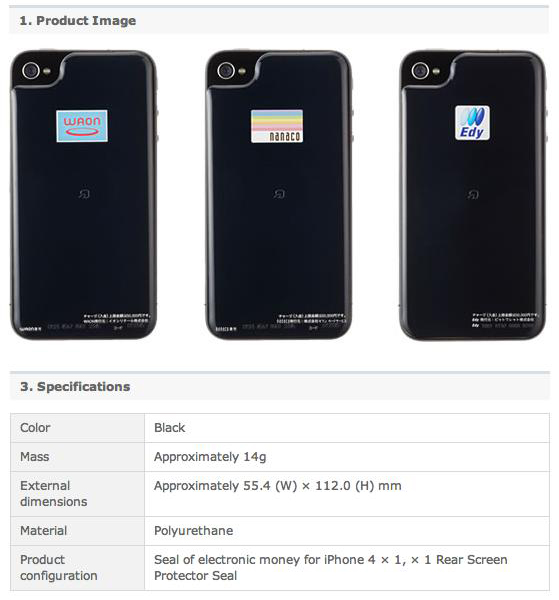
It works pretty simply: Japanese iPhone users attach the “sticker” to their iPhones (Apple’s bumpers still fit) and it adds FeliCa RFID smart card functionality to the iPhone. Once the ‘sticker’ is charged with e-money, users can tap their iPhone on card readers in train stations, restaurants, convenience stores and other places in Japan to make payments.
Traktor, X1 Controller and iPad Make A Decent DJ Setup [Video]
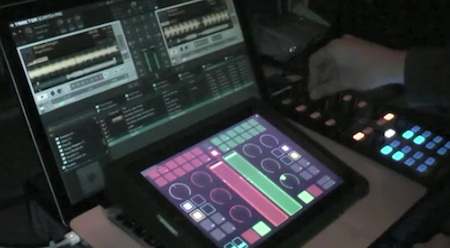
We know the iPad makes for an interesting DJ accessory, there are hundreds of music apps available and Rana June Sobhany proved it is possible to set up great live performances using only Apple’s tablet. Perhaps it doesn’t provide the tactile feeling of vinyl and the powerful feature set of the most complicated turntable, still a touchscreen is an interesting addition to the usual DJ setup.
In the following video, Youtube user djkutski demoes a Traktor Pro controlled by the X1 controller and an iPad running TouchOSC, an app that can display sound interfaces on screen. While the non-DJ folks won’t probably understand what’s going on with all those buttons, sliders and colors, it’s still an impressive demo of what passionate and skilled users can achieve with a bit of creativity, cash and hacking.