This Week's Sponsor:

Mindspace

A Private All-in-One Journal App Made for iPad, Offering 50% Off Your First Year.


OmniVision and Sony to Supply 8-Megapixel Camera for iPhone 5

According to a new report from Digitimes, camera image sensor supplier OmniVision has won “significant orders” for Apple’s next-generation iPhone, set to debut later this year. Whilst OmniVision has been the selected supplier for image sensors in previous generation iPhones, iPods and iPads, surprisingly enough Digitimes claims 90% of orders will be supplied by OmniVision, with Sony shipping another 10% of units.

OmniVision has grabbed a majority of total CMOS image sensor (CIS) orders placed by Apple for the fifth-generation iPhone, market sources have claimed. Meanwhile, power amplifier (PA) supplier Avago Technologies has landed orders for the WCDMA version of the device for its first time, according to the sources.

About 90% of the CIS orders for Apple’s new iPhone will be supplied by OmniVision, while Sony takes up the remainder, the sources said. The upcoming device will feature a built-in 8-megapixel camera, the sources added.

Speculation about the iPhone 5’s camera in the past months arose to a new level when a rumor claimed Sony would be the only supplier for the device’s camera. With other reports claiming the statement from Sony CEO Howard Stinger were largely a misunderstanding or inventions from bloggers, it wasn’t clear why Apple would choose Sony over the long-time partner OmniVision, which in the meantime announced a variety of new sensors including improved 5 MP, 8 MP and 10 MP ones, some of them with 1080p capabilities.

A few weeks ago, alleged iPhone 5 parts surfaced showing a different camera flash position and thus re-igniting speculation about a different camera module in the iPhone 5, rumored to be a “minor” hardware refresh.


iTunes 10.3 Available for Download

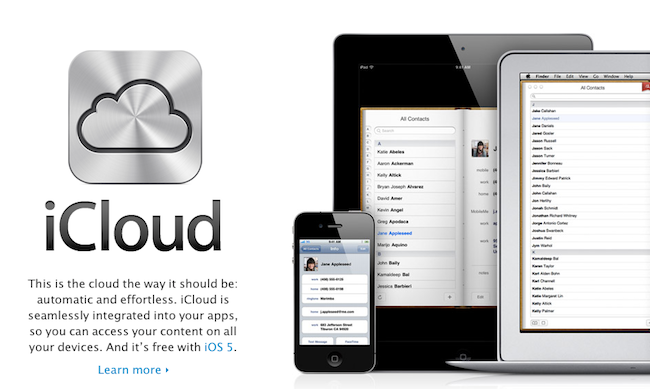
A few hours later than initially expected after Apple updated the official page to show a new version number, iTunes 10.3 was finally made available for download last night, while developers were already able to install the new iTunes 10.5 beta from the Dev Center. iTunes 10.3, however, brings to the public new iCloud-related features unveiled by Apple yesterday, such as iTunes in the Cloud “beta” to push songs across all your devices (but still no mention of iTunes Match), Automatic Downloads, and previous purchases – a handy new functionality to see all the apps and songs you purchases from Apple’s iTunes / App Store and re-download them at any time.

From the changelog:

  • Introducing iTunes in the Cloud beta. The music you purchase in iTunes appears automatically on all your devices. You can also download your past iTunes purchases. Where you want, when you want.
  • Automatic Downloads. Purchase music from any device or computer and automatically download a copy to your Mac and iOS devices.
  • Download Previous Purchases. Download your past music purchases again at no additional cost. Your purchases are available in the iTunes Store on your Mac or in the iTunes app on your iPhone, iPad, or iPod touch. Previous purchases may be unavailable if they are no longer on the iTunes Store.
  • iTunes 10.3 also adds Books to the iTunes Store, where you can discover and buy your favorite books on your computer and automatically download them to iBooks on your iPhone, iPad, or iPod touch. This version also allows you to use Automatic Downloads with apps and books or download previously purchased apps and books from your computer or iOS device.

iTunes 10.3 is now available for download here.


iOS 5 Already Jailbroken

As tweeted by MuscleNerd an hour ago, the screenshots above show an iPod touch 4th generation running the iOS 5 beta seeded to developers last night and already jailbroken to install Cydia. According to MuscleNerd, there aren’t “many surprises” here, as the device was jailbroken using the existing limera1n code and a tethered boot from a computer.

What this means for jailbreakers is still unclear. There have been jailbreaks for early iOS betas in the past, though in most cases the Dev Team preferred to wait for a public release before unleashing the necessary code to install Cydia on iOS devices. Furthermore, the exploit that allowed MuscleNerd to jailbreak his iPod touch is likely based on bootroom holes found in the past months on the iPhone and iPod touch – meaning, there’s no confirmation whatsoever iPad 2 users will get a proper jailbreak once iOS 5 comes out this fall / more betas are releases throughout the summer. Still, the images above show the new iOS 5 with Newsstand and Reminders running alongside Cydia – that’s a good start.


Safari 5.1 Developer Preview Released

As a last update to the various Dev Centers that a few hours ago received new betas of iOS, OS X Lion and iCloud for developers, Apple has also posted the Safari 5.1 Developer Preview that, as seen on Lion (running 5.1 out of the box), will bring some of the browser’s latest advancements to Snow Leopard. According to Apple:

You can now download Safari 5.1 Developer Preview and take advantage of new technologies, including support for full-screen webpages, media caching with the HTML5 application cache, and better graphics acceleration on Windows.

With Safari 5.1 Developer Preview, you can tap into new extension APIs, including support for popovers, menus, new event classes, and interaction with Reader.

The Developer Preview can be downloaded now from the Safari Dev Center.


iBookstore Finally Comes To iTunes

With an update to the iTunes Store, Apple is now finally allowing iPhone and iPad users to download iBooks on their Macs, and send them to their iOS devices. Announced with a banner that just went live in the iTunes Store homepage, the new Books section is available here and, as you would expect from the feature iOS users have been asking for almost a year now, it’s simply the iBookstore available on the desktop.

You can browse Staff Favorites, add items to your Wish List, check out the “Best of the month” and “popular pre-orders”. Everything seen on the iBookstore for iOS has been ported to a new section in the iTunes Store for desktop computers, which doesn’t require an iTunes update. With the new “Automatic Downloads” functionality that went live earlier today, you’ll be able to buy a book on your computer and instantly see it available on your iPhone or iPad with a download happening in the background.

At the moment of writing this, there doesn’t seem to be a desktop iBooks app, which was rumored in the past months to be in the works as an alternative for the iOS ebook reader. Check out more screenshots below. Read more


The Big WWDC 2011 Keynote Roundup

Apple unleashed a volley of updates this afternoon to iOS, OS X, and introduced the new iCloud that’s bound to make an Apple user blush with excitement. With notifications, over the air updates, AirDrop, and wireless file syncing, Apple is addressing nearly all of the complaints I can think of from users across the board.

We’ve covered a lot on MacStories this afternoon between our detailed posts where you can learn more about new and popular features, to our live blog where we consolidated all of the news into once place. Below, you’ll find a briefing on what’s new in all of these components, and how they fit together in Apple’s vision of the future.

Read more


iCloud Beta for Developers Goes Live

Right on time after iOS 5 and OS X Lion developer seeds, Apple has updated the Dev Center to include the new iCloud beta for Developer pages, which lists all the instructions to get iCloud going on iOS devices, Macs and iPhoto. Indeed, Apple is including a download link to iPhoto 9.2 to test the new Photo Stream features in a separate development environment (your existing library won’t be ported over). Obviously, many of these features are exclusive to Lion and Apple clearly tells developers to go download the latest OS X Developer Preview if they want to test iCloud’s functionalities.

The iPhoto update will replace your current version of iPhoto. Your existing iPhoto Library will NOT open with this version of iPhoto. For this reason it is recommended that you work on a test/development system ONLY when using this release. You will not be able to revert the system to an earlier version of iPhoto without doing a clean install of Mac OS X and reinstalling iPhoto either from your original installation DVD or by downloading from the Mac App Store.

An iCloud Control Panel for Windows is also available to enable “Photo Stream, Contacts, and Calendar” on a PC through iCloud. A new iCloud account can be set up in the iOS 5 setup assistant or Settings app; in Lion, iCloud can be enabled from the Internet Accounts section in System Preferences – Developer Preview 4 is likely required for this action. Once installed an enabled on all devices, Apple is asking developers to test the new features and take advantage of the new APIs in Lion and iOS 5 – it will be interesting to see how devs will implement the iCloud storage API unveiled this morning.


Mac OS X Lion Developer Preview 4 Now Available

Following iOS 5 beta and iTunes 10.5 beta for Mac, Apple also flipped the switch on Mac OS X Lion Developer Preview 4 – available now for download in the Mac Dev Center. Build number is 11A480b, and it should contain all the new features demoed at the WWDC keynote today, including iCloud integration.

We’ll update this story with more details as they become available.


iTunes 10.5 Beta for Mac Released

Alongside the first beta of iOS 5, Apple also released iTunes 10.5 beta for Mac – which is required to sync iOS 5 devices and enable more iCloud-related features than iTunes 10.3, also waiting for release.

As the changelog confirms, the new iTunes enables compatibility with devices running iOS 5 – we’ll update this story with more details as they come in.

Read more