iOS 5 Code Reveals New iPod Touch Model, Normal Fall Launch Expected

Update 2: TUAW made a mistake in their reporting, there isn’t any reference to iPod4,2 in 4.3 - they had accidentally opened the iOS 5 file twice, instead of the 4.3 file. Please ignore update 1.

Update 1: Erica Sadun of TUAW decided to double check whether this reference had existed prior to iOS 5 and sure enough, the same reference was found in iOS 4.3.

When Beta 1 of iOS 5 was released earlier this month some people found references to a next generation iPad and iPhone. That news itself wasn’t all that riveting, new iOS versions often hint at new and upcoming hardware – what was somewhat odd was that those people didn’t find any references to a new iPod Touch as would have been reasonably expected.

It turns out that there are in fact references to a new iPod Touch, they were just hidden away elsewhere, found earlier today by members of the iFans forum. Found inside the “com.apple.fairplayd.N81.plist” file (located in /System/Library/LaunchDaemons/) there is a reference to the “iPod4,2” – a new reference to an iPod Touch.
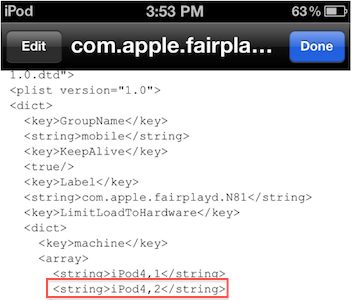
There haven’t been many rumors surrounding the fifth generation of the iPod Touch, but one would assume Apple would follow the pattern it has set from previous years, launching it sometime around September. The reference within iOS 5 makes this more likely, but perhaps a bigger reason is Apple would unlikely want to miss launching a new iPod Touch for the holiday season given how popular the Touch has become.

[Via Cult of Mac]

Apple Ramping Up Component Orders For July MacBook Air Refresh?

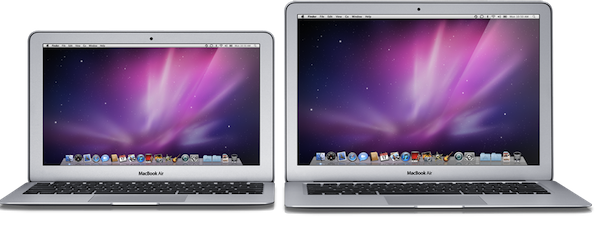
A report from DigiTimes today claims that Apple’s supply chain for its MacBook products will begin to “run in full gear” from early July as Apple prepares to a launch an updated MacBook Air. The report is in line with previous suggestions that Apple will wait until late July to launch a refreshed MacBook Air to coincide with the launch of Lion – which DigiTimes itself corroborates in the report.

[Increasing orders for components] is in line with Apple’s previous strategy to ramp up deliveries prior to the launch of new products.

The report does also mention that Apple expects to take “deliveries of over eight million MacBook Airs in the third quarter”. However, as MacRumors has pointed out, that figure is extremely large and actually represents double the amount of all Macs sold in the second quarter.

[Via DigiTimes]


iPhone 4: A Retrospective, One Year Since It Launched

Today is June 24, 2011. Believe it or not, it has already been one year since the iPhone 4 went on sale across the US, UK, France, Germany and Japan to literally millions of people who eagerly waited in line to get their hands on the latest and greatest iPhone yet. The history of the iPhone 4 has been remarkable, controversial and fascinating, filled with prototype leaks, criminal investigations, amazing technology, scandals, mystical white unicorns, new carrier allegiances and more. Come along with me as we mark the one-year anniversary of the iPhone 4 with a walk down memory lane.

Read more


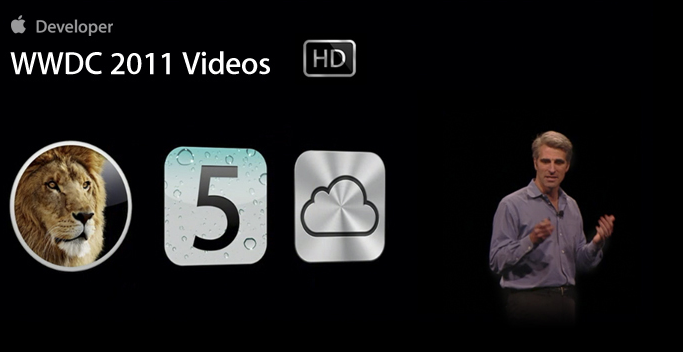
WWDC 2011 Session Videos Now Available

Right on schedule less than two weeks after WWDC, Apple has uploaded the session videos to its Developer portal and made them available for registered developers to download in iTunes, provided they log in with their Apple ID. Whilst the landing page for the WWDC 2011 Session Videos went live for a few minutes yesterday, the videos were not available yet. The videos are now available both in SD and HD at developer.apple.com/itunes. 109 files of sessions covering new iOS 5 topics like Notification Center and iMessage, new iCloud features, OS X Lion and memory management for developers can be downloaded now, for free and viewed on any iPhone 4, iPad, Apple TV, Mac and iPod touch 4th gen.

As usual, Apple reminds you that “content presented within the session videos and slides is Apple Confidential Information and is subject to the Registered Apple Developer Agreement.” The official Developer Videos webpage hasn’t been updated yet to reflect the changes, but the 2011 Sessions are available on iTunes.

Categories covered at WWDC 2011 include:

  • Apple Platforms Kickoff
  • App Frameworks
  • Core OS
  • Developer Tools
  • Graphics, Media, and Games
  • Internet and Web

Sessions can be downloaded as videos, or digital booklet slides.


Kickstarter: The InfiniteLoop iPad Stand

Designer / Engineer Tim Gushue lives in San Francisco and works in the consumer electronics field. Tim designs products that make sense, questioning what is truly necessary in a product to help solve a problem in a simple and elegant way. He also sounds like an Apple fan, and a minimalist, so many of us can relate to this project called InfiniteLoop.

The InfiniteLoop is a “simple solution to making the iPad truly useful.” It helps improve the iPad’s versatility when reading in bed, watching a movie, sitting in a plane, or doing FaceTime on the go. It was born out of the frustration with not being able to find an iPad stand that could accommodate all uses.

The InfiniteLoop is a maluable 4 foot loop that you can manipulate to virtually any shape to hold up almost any tablet. It’s made up of a patented co-molded metal and plastic band. Since it can be bent into any shape, you can get almost any angle you need, all with this “loop.” It also comes with suction caps and adjustable side slips to allow it to fit any iPad or tablet on the market. When you’re not using the InfiniteLoop, it rolls up into a coil and can fit in your pocket, purse, backpack, anywhere you can think of.

Video after the break. Read more


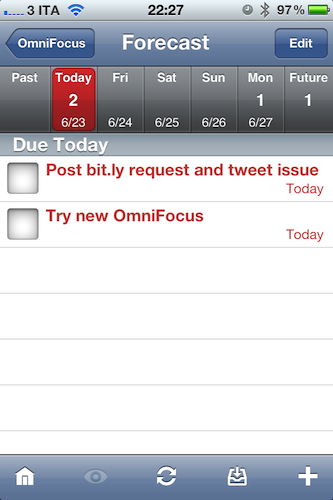
OmniFocus for iPhone Gets Forecast View, Lots Of Fixes

Users of the OmniFocus application for iPad who also happen to have an iPhone and are tied to The Omni Group’s software ecosystem might want to check for updates in iTunes and download the latest version of OmniFocus for iPhone. Released a few minutes ago, OmniFocus 1.10 adds one major new feature: Forecast mode for overdue, due, and future actions. Forecast was one of the new OmniFocus features exclusive to the iPad version, and a hint of things to come in the much-anticipated OmniFocus 2.0 for Mac. Just like on the iPad, you’ll have a bar along the top displaying a summary of your upcoming week, as well as past tasks and stuff that needs to be taken care of sometime in the future. Forecast mode replaces the Due and Overdue lists and it provides an incredibly useful way to see what’s going on at a glance, without having to find your way around sections and taps. It’s a huge time saver.

OmniFocus 1.10 also comes with several refinements all around the UI and bug fixes, which you can read in detail here. Just to name a few, the first-run sync process has been redesigned to be more intuitive, and the Action and Project editors got “Go to Project” and “Go to Context” buttons. Overall, the app feels a lot faster and it’s clear The Omni Group set out to fix all those minor annoyances that are not so minor when you have to work with an app on a daily basis.

You can find OmniFocus for iPhone at $19.99 on the App Store.


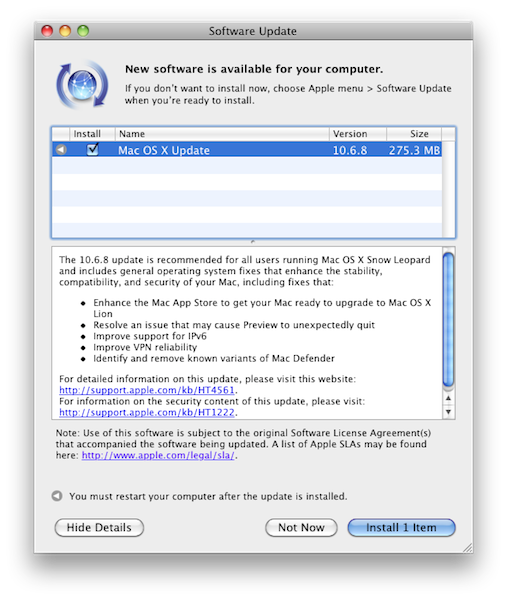
Mac OS X 10.6.8 Now Available

Apple has just released a new version of Mac OS X Snow Leopard, reaching version 10.6.8. The update is available now in the Software Update control panel, or Apple’s website. Among various bug fixes including issues with Preview and the well-known Mac Defender malware, 10.6.8 “enhances” the Mac App Store to get it ready for Lion in July.

Changelog:

  • Enhance the Mac App Store to get your Mac ready to upgrade to Mac OS X Lion
  • Resolve an issue that may cause Preview to unexpectedly quit
  • Improve support for IPv6
  • Improve VPN reliability
  • Identify and remove known variants of Mac Defender

Below are the direct links for all the updates (including Security) Apple released today:


Review: Pogoplug Software Puts Your Mac In The Cloud

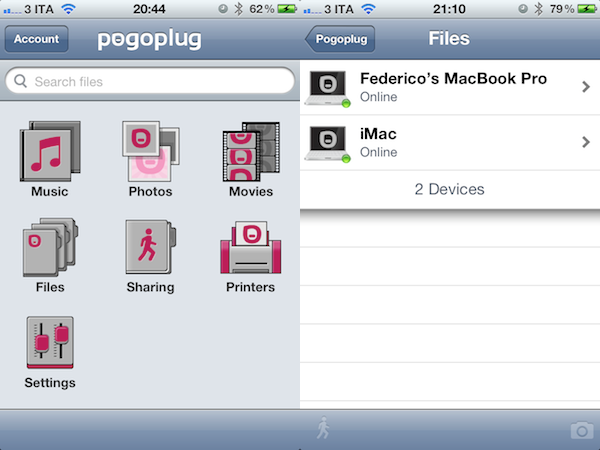
Yesterday, I scored a free Pogoplug Software Premium account thanks to the good folks over at The Next Web. I’m a big fan of well-done cloud services that allow me to access my stuff anywhere I go, and as I’m also always interested in desktop solutions aimed at securely mirroring your computers’ contents to the cloud, I was excited to install the new Pogoplug app on Lion and take it for a spin. The results are surprisingly good, but far from perfect.

Pogoplug became popular a few years ago thanks to a network-attached device that enables you to put media in it, and access it from a variety of devices and the web because it is actually connected to the Internet. Rather than forcing you to buy an additional piece of hardware to plug into your home router and waste space on your desk, though, the new Pogoplug Software product allows you to access your media in your personal cloud at $29 per year for unlimited computers and devices. That’s undoubtedly a great offer: once installed on your Mac, the Pogoplug app will scan your computer’s drive and default locations (like Music and Movies) for content, and make it available online. Once authenticated, you’ll be able to stream music, watch a movie, or read a PDF from an iPhone, iPad, or web browser. The concept is not too far away from what Jim Dalrymple at The Loop said Apple was working on to enable users to put files in the cloud. The solution turned out to be a little different as we know, yet Pogoplug Software holds up to this idea: it’s your Mac, mirrored to the cloud, and available anywhere. Read more