Simplify: A Spotify Music Controller and Artwork Widget for Mac

Spotify, the European music streaming service that has attracted millions of paying subscribers in the past two years, is finally launching in the United States, with some saying the big opening could happen as early as next week. For those not familiar with Spotify, the concept is very simple: instead of owning music, you stream it from the company’s servers that host a huge catalogue of songs from both major and less-known labels. You can build playlists, mark items as favorite, and pay to get unlimited access, higher quality bitrates, mobile apps and caching options for offline access. Whereas Apple’s upcoming iTunes Match service will scan songs you already own to mirror them online, Spotify lets you create your own online library of songs you don’t own (though a “buy” option has been recently introduced), but that you can stream at any time. It’s similar to other services like Rdio and MOG, but the company never managed to close a deal with US music labels and get the green light for launching its service until last week.

I’ve been a Spotify user for two years, and it’s completely revolutionized the way I listen to music. I still enjoy buying some music from iTunes, but Spotify’s biggest advantage over traditional marketplaces is that I can pay a monthly fee (or buy yearly access altogether with a gift card) to listen to just about anything I want, from any device. Spotify has a beautiful Mac client and an iPhone app that’s continually updated with new features; however, the company still hasn’t revealed its plans about an iPad app that would be much welcome one year after the iPad came out. Read more


Fantastical Adds BusyCal Support

Fantastical is a calendar utility by Flexibits which we’ve reviewed back in May and have been using since then as a companion to Apple’s built-in calendar application for the Mac. Fantastical, in fact, isn’t a full-featured calendar app – rather, it’s a “calendar assistant” that enables users to quickly add a new entry to all kinds of supported calendar protocols (including Google Calendar and Entourage) with a natural language input system. Instead of interacting with menus and checkboxes to set up a new meeting at a specific location, Fantastical lets you write down things like “Lunch with Cody tomorrow at Cafeteria from 1 PM to 3 PM” and have a new event created in your default calendar. And because Fantastical has direct access to these calendars, you can forget about leaving iCal open and just use Fantastical’s (beautiful) window from the menubar.

A new version of Fantastical was released today and, alongside improvements to event creation, parsing engine and date handling, it sports brand new BusyCal integration to create events directly into the popular third-party calendar for OS X. BusyCal is a calendar and to-do list manager for Mac geared towards power users with features such as Bonjour and LAN sync, multi-user editing, list view and various security features. With Fantastical 1.0.2, events can do directly into BusyCal without going through iCal first (though the devs note calendars still must be added to iCal). Version 1.0.2 also brings a new shortcut to bring an invitee pop-up for contacts recognized in your Address Book, and arrow keys integration to switch between calendar weeks.

Fantastical is simple and powerful at the same time, with a gorgeous user interface design that makes it very intuitive to add events to your calendars (and calendar apps) with a few keystrokes. You can download Fantastical at $19.99 on the App Store.


Swype CEO Says Unofficial Cydia Port Is Buggy, Lacks Features

Swype, a popular alternative typing system that comes pre-installed on a variety of Android devices, was unofficially ported to the iPhone and released yesterday as a tweak for the iOS keyboard on Cydia. The peculiarity of Swype is that it allows users to write sentences by simply sliding their fingers on the keyboard, without ever lifting them, and manages to compose words thanks to a mix of predictive auto-correction, and proprietary technology that has allowed Swype to become a cult among Android users. The creators of Swype have been saying for years that they have a working version for iOS devices, which could be released on the App Store if only Apple let developers submit apps that enhance system functions like the default keyboard.

For this reason the official Swype for iOS may never see the light of day, but that hasn’t stopped Cydia developers from building their own version, which was released yesterday for free. Unlike what initial reports claimed, the Swype available on Cydia is an unofficial port, which doesn’t use Swype’s technology but uses Swype’s brand. According to Swype CEO Mike McSherry, interviewed by GeekWire, the port that’s been released on Cydia is more or less a “hack”, a re-imagination of the original Swype by developer Andrew Liu. The port, as also seen in the demo videos, is buggy and doesn’t come with Swype’s popular “blue tracer line” for the keyboard; moreover, Swype’s CEO is unsure whether Liu re-used some of Swype’s code, or simply rewrote his own version basing on the Swype experience for Android.

McSherry said that he saw Liu’s unofficial release of Swype, and he’s still trying to make sense of it.

“I don’t know but it appears he wrote some of his own code to emulate a Swype-like experience and is using our brand,” he said. ”I don’t know if this is a ‘hacked’ version of Swype or not….I’m thinking not.”

Nonetheless, McSherry notes that I am not the only one interested in learning about Swype for the iPhone. And perhaps Liu’s unofficial release simply indicates the desire to bring it to the iPhone and iPad.

You can find the instructions to install the unofficial Swype for iPhone here. Check out the demo video after the break.
Read more


Web Usage Data Reveals Different iPad Patterns

According to click data analyzed by URL shortening and analytics service bit.ly, the iPad ultimately differs from other platforms in the way it’s used throughout the day. The discovery is unsurprising as Apple has been heavily touting the iPad as a new category of device aimed at doing things better than regular smartphones and computers (which Apple also happens to sell), but it’s interesting to see these usage patterns confirmed and visualized by a service that’s undoubtedly the most used when it comes to shortening and sharing links on the web.

Bit.ly analyzed links clicked from Linux, Windows and OS X machines, as well as BlackBerry, iOS and Android phones, and the iPad. Then, they compared the click data against the time of the day, the day of the week and the country to build a graph that summarizes usage patterns for the most common devices that access bit.ly links every day. The results for computers and smartphones don’t surprise: people start using PCs and smartphones as they wake up, usage slightly increases through the workday, and slows down as the evening approaches and users are far more likely to consume other content. That kind of content consumed in the late hours of the day happens to be represented by the iPad which, unlike other platforms, sees a slower approach throughout the day but a higher peak in the evening as people come back from work. In weekend days, iPad usage in the morning and afternoon is slightly higher than the rest of the week.

The iPad’s usage pattern is drastically different. Usage dips after breakfast, remains low during traditional working hours and does not peak until much later in the evening. During the weekends iPad usage between 8 a.m. and 3 p.m. is higher than it is during the week at those same hours. No other device sees a heavy increase of use during the weekends, showing that the iPad is used as an entertainment device and differs from both smartphones and browsers.

Bit.ly also notes how Facebook and YouTube are still the most accessed websites from users, and that in spite of “official” availability in 39 countries, they registered iPad data from 203 countries. The iPad is different from other devices, and it’s being used by consumers in new different ways that are causing these unprecedented usage patterns. For instance, people are more likely to come back from work and relax on the couch with an iPad reading news or a book, rather than sitting at their desk using a PC again. Or, they might want to enjoy a game with their kids, or read a book to them before they go to sleep. Check out the full report at ReadWriteWeb for the complete stats.


Apple Preparing OS X Lion and MacBook Air Launch Next Week

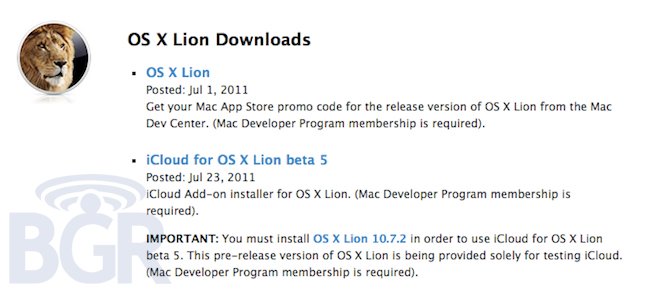
According to two separate reports coming today from 9to5mac and AppleInsider, some Apple retail employees and store managers have been notified to hold “overnights” in the next week to prepare for the launch of OS X Lion, set to become available sometime in July at $29.99 as a digital download from the Mac App Store. First off, 9to5mac says retail stores are planning overnights on July 13th, which would support their earlier claims of Lion launching on July 14th. Apple retail employees would need to be trained for the new software to showcase to customers and, according to the website, new MacBook Airs are also expected to launch in the same week. A previous rumor suggested that Apple had put new Mac models on hold until Lion’s launch so that new units could come with the new OS pre-installed.

AppleInsider also reports other stores have asked staff to upgrade RAM on certain Macs, presumably to make sure Lion can run smoothly in demo sessions to customers. AppleInsider, however, says new MacBook Airs could become available the following week, and not immediately alongside the launch of Lion.

This same person also mentioned hearing rumors from colleagues that Apple may formally invite some customers to its retail locations to download the new OS from within the store so that they can receive assistance in becoming familiar with some of Lion’s more prominent enhancements.

Meanwhile, people with ties to Apple’s other operating segments are supporting claims that Apple will make Mac OS X Lion available to the general public sometime next week. They add that long-awaited refreshes to the MacBook Air line will follow the launch closely, possibly the following week.

Last week, we separately confirmed with our sources that all Apple employees will be given a free redemption code for Lion, with the retail Information Systems & Technology department getting ready for an “imminent” launch, already installing a final build of the OS on some company machines. As for the new MacBook Airs, the new models have been long in the rumors, allegedly sporting new Thunderbolt and Sandy Bridge specifications and with most recent rumors claiming they could also get faster SSDs, a 3G component and a black version to go alongside the standard aluminum one.


Hands on with Amazon Cloud Player for iPad

Hands on with Amazon Cloud Player for iPad

For all intents and purposes, outside of the track scrubbing, the Amazon Cloud Player site on iPad simulates a basic music application reasonably well. The music quality sounds no different from when I stream my tunes on a desktop browser, and thanks to iOS multitasking, I can use other apps on my iPad while streaming music over the web. I have noticed that the service runs best if it retains the focus, however. When using another app, the music tends to stop after a song or two. A quick return to the web page nudges the stream to start up right away: something I hope is addressed in the future.

Amazon’s extended support for Cloud Player for the iPad is quite nice: if you’re an Amazon customer, all of the music that you’ve purchased or will purchase is now immediately available for playback via an online browser.

Amazon is making some nice strides with their Amazon Cloud Player, but the biggest hurdle to get users into the service is that you have to upload all of your music to their storage locker, and you still can’t play that music well on your iPhone or iPod touch (the device you’re most likely to have with you all of the time). The act of uploading isn’t something I want to do — and iPads have more than enough storage to carry enough of your music if you’re arguably normal and don’t need to carry your 150 GB library with you at all times. Too, services like Spotify can put a damper on Amazon’s service. Unless you listen to a lot of local music or uncommon artists, Spotify (especially now that it’s coming to the US) is going to have all of your music already online and ready to stream at $5 to $10 a month.

I have nothing against Amazon — I think having the option is spectacular and their addition of unlimited music streaming is big move — but it’s going to be hard to hook and sink iPad users who want to browse the Internet while listening to music, or who want the instant gratification of competing online services. What Amazon really needs is an app, although I’m not sure Apple would allow that to happen.

Permalink

Patent Details Possible “File Sharing Gestures” For Future iOS Devices

A new patent detailed by Patently Apple today illustrates how Apple may implement file sharing between iOS devices in future versions of the iPhone and iPad. Whilst patent filings are no indication of features and hardware design choices coming in the next versions of operating systems and devices, they provide some sort of insight into what Apple engineers and designers have been researching to improve the technology or user experience. This latest patent offers a (possible) interesting solution to a common problem that have always affected owners of multiple iOS devices: it’s not easy to share files between them wirelessly, without a cable, without a computer. Whereas iCloud and the PC-Free initiative will focus on fixing this by cutting the cable requirement and constantly syncing documents between apps both on iOS and OS X, there are still some use cases in which a user might want to share a file quickly without uploading to iCloud first. Or, then again, owners of different devices with different iCloud accounts might find difficult to share files in seconds without having to rely on classic email or social sharing.

The patent details a technology that is capable of beaming files back and forth between devices thanks to “file sharing gestures” such as the “pouring motion” or regular flicks and swipes that will give users the illusion of throwing files off a screen, and onto a second device. With sound effects (Patently Apple reports the “vacuum cleaner” one) and animations, this new system sounds like an evolution of webOS’ existing “Touch to Share” feature that allows smartphones and the TouchPad to share, for example, webpages by simply touching each other’s screen. Apple’s proposed solution takes this idea a step further with the concept of animations, user gestures and file selection in-app to give users more control and “personality” over what’s being shared, and how.

Apple’s solution begins by stating that a user could make an intuitive, physical gesture with a first device, which could then be detected by one or more onboard motion sensors. The detected motion triggers an animation having a “physics metaphor,” where the object appears to react to forces in a real world, physical environment.

Apple’s patent spends a lot of time describing various animated physics metaphors that would have the iOS device’s interface react differently depending on the metaphor. Apple describes that the appearance of the interface could react to gravity, friction or drag, momentum, torque, acceleration, centripetal forces or any other force found in the real-world physical environment. The rate at which each object moves on an interface could be based on the size or “mass” of the file represented by the object. Larger files that have more “mass” could have their object animated to move slower in the interface while smaller files that have less “mass” could have their object animated to move faster in the interface.

The patent also details scenarios such as having iOS devices at work or school, and having to share files with colleagues or friends. The proposed system could scan for available iOS devices, and let users to exchange files with simple gestures. The concept reminds us of AirDrop, a new feature of OS X Lion that enables Mac owners to share files with computers nearby, provided they’ve granted authorization for incoming documents.

Last, the filings detail how these new file sharing features and commands could also be used to send files to a network, rather than a device. It is unclear from the report whether this patent is based off Apple’s rumored interest in NFC technology (admittedly, this sounds a lot like it), so make sure to hit Patently Apple to check out all the details and illustrations.


MacStories Product Review: The Samson Meteor Mic

When it comes to podcasting, you shouldn’t have to be an audio expert like Dan Benjamin or Dave Hamilton. Audio equipment, mixers, those damn XLR cables — for someone who just wants to jump into garageband and hit record, there’s no need to buy $500 in equipment. You should, however, invest in an easy solution that’ll improve your game ten fold. Today, I’m looking at the Samson Meteor Mic, a $99 cardioid condenser microphone that’s perfect for podcasting on a budget.

Read more