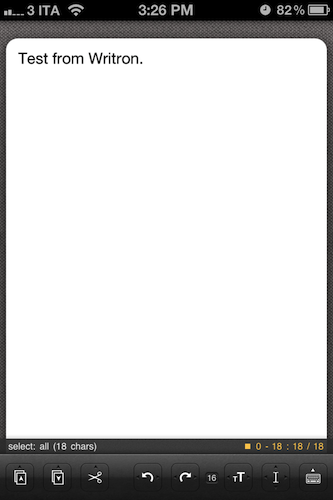
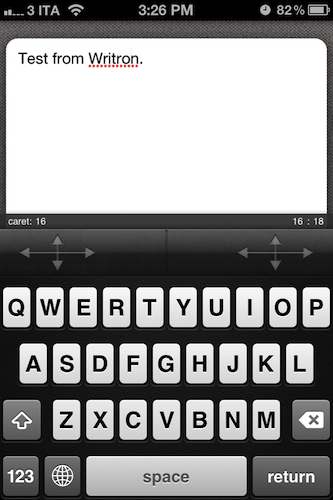
Last August we previewed Second Gear’s Elements 1.0, a Dropbox based text editor for iOS. Since then it has seen a few updates such as an improved UI, sub-folders, Markdown preview and improved file saving - that’s a lot of great improvements from 1.0 to 1.5. Elements is bar none one of the best Dropbox text editors available. Are you ready for a little preview of what Second Gear has in store for Elements 2.0? Read more
Preview of Elements 2.0: Revamped Interface and Web Publishing
Introducing Facebook Messenger for iPhone
Facebook posits that it’s hard for us to know when our friends are available at home or on their mobile phones, and that choosing how we want to communicate can be confusing: do we send a text message, an email, or do we try to connect to our friends on Twitter? Facebook has already positioned themselves to be a central hub for communication — you have the choice to choose how you want to talk to your friends on Facebook (through your preferred medium). To make things simpler, Facebook is rolling out Facebook Messenger for iPhone, a separate app with a great icon and streamlined interface for instantly connecting to your friends. We’ll be updating past the break shortly with screenshots, impressions, and more information, but in the meantime you can download the app via the link below.
[via TechCrunch]
#MacStoriesDeals - Tuesday
Here are today’s @MacStoriesDeals on iOS, Mac, and Mac App Store apps that are on sale for a limited time, so get them before they end!
Apple surpasses Exxon Mobil as most valuable company in the world→
Apple surpasses Exxon Mobil as most valuable company in the world
Matthew Panzarino writing for The Next Web,
Apple has, at least for the moment, taken the place of Exxon Mobil as the most valuable company in the world, measured by market cap, reports MacRumors. Apple’s market cap hit $341.55 billion in valuation today, while Exxon Mobil was valued at $341.42 billion.
[…]
Apple’s record high of $404 per share was hit just last week, although it has fallen 8% to 368.40. ExxonMobil took a deeper hit, falling 20% to $70.21 allowing Apple to creep ahead.
Apple is having a great day, up 4% while Exxon’s growth remains stagnant. While both companies have taken hits thanks to the stock markets being down after the S&P downgrade, this is the first time Apple has been ranked as the most valuable public company in the world, even if for just a moment.
Update: Great quote from John Paczkowski at All Things D:
Incidentally, at $341.5 billion, Apple’s market cap is more than twelve times that of Dell’s $26.54 billion, which is highly ironic considering Michael Dell’s infamous suggestion for the company: “What would I do [with Apple]? I’d shut it down and give the money back to the shareholders.”
Update 2: Mark Gongloff from the WSJ:
Exxon Mobil ended the day with the crown, at $348 billion in market cap. Apple ended at $346.7 billion.
(image via MacRumors)
Twitterrific 4.3 Syncs Timeline Position With Tweet Marker
Twitterrific 4.3 is now available on the iOS App Store and on the Mac App Store, featuring timeline sync via Tweet Marker. Tweet Marker is a service that enables developers to remember where you stopped reading your timeline on one device, so you can start where you left off on another. If you value reading every tweet (and not just what’s happening right now), Tweet Marker gives Twitterrific tremendous value. There’s virtually very little users have to do on their end to enable Tweet Marker, but we’ll break down all the juicy details pertaining the purple bookmark past the break.
Toggle Mac OS X 10.7 Lion New Features On / Off With Lion Tweaks→
Toggle Mac OS X 10.7 Lion New Features On / Off With Lion Tweaks
The latest Mac OS X 10.7 brings a whole lot of improvements along with a dozen iPad inspired UI features and animations. Although these improvements don’t come into conflict with UI design and core features of Mac Snow Leopard, many users hate the idea of bringing the iPad like UI elements and animations to Mac OS X. If you’re amongst those who want to keep Mac OS X 10.7 installed on your system but also want to toggle some of its new features, window options and animations on/off, Lion Tweaks is probably the best Mac Lion tweaking application that you can try.
We’ve posted lots of tips and tricks that require a bit of elbow grease when it comes to taking control of Lion, and we’ve even posted utilities like this one for Launchpad for hiding unwanted folders or apps. With everyone wanting to disable this or modify that, why not just create a utility that puts everything you’d want in one place? AddictiveTips has posted a utility from iFredrik that’ll have you customizing Lion with nothing more than a couple of button presses. For those of you who are fed up with slow window animations or that iCal leather, you can disable it with a simple click thanks to Lion Tweaks.
eBay Launches a Minimal App Designed for OS X
Tired of logging in on eBay just to get a sweet deal on that gadget you’ve been eyeballing? Check it out — eBay has a shiny new app on the Mac App Store that shares visual similarities with apps like Sparrow or Twitter for Mac, and is designed so you can bid on products right from the comfort of your desktop. The lightweight eBay companion for the Mac is very nice — you can keep track of your watched items, your bidding history, make bids, search for auctions, and do everything in the Mac app you’d generally want to do online. With access to your eBay console, daily deals, and a universal search bar built right in to such a compact interface, it’s a pretty sweet replacement for the website (and much easier to navigate). You can download eBay for the Mac in the Mac App Store, and we’ve posted some screenshots after the break so you can further check it out.
Update: Hearing reports on Twitter (and a comfirmation over at Macgasm) that this appears to be US only for right now.
Apple Upgrading their Fifth Avenue Store with Larger, Seamless Panes of Glass
Apple’s flagship retail store on Fifth Avenue, Manhattan, is getting a new glass frame according to a new informational sign posted on the outside barrier of the store.
We’re simplifying the Fifth Avenue cube. By using larger, seamless pieces of glass, we’re using just 15 panes instead of 90.
Detailing the upgrades in an informational notice, Apple shows off past and present examples of the Fifth Avenue retail store, showing a reduction in glass panels from 90 to just 15 large strips (three vertical panes on each side and three on top). The appearance of the renovated Fifth Avenue will be much cleaner, and visually more seamless. According to MacRumors, the $6.6 Million upgrade includes work on drains, pavers, and the plaza bollards in addition to the glass replacement.
[via MacRumors]
Boxee Releases Their iPad App: Social Video Sharing & Streaming
Earlier this year at CES, Boxee announced it was developing an iPad companion app to complement the Boxee Box and Boxee installations on PC’s and Macs. Today Boxee has finally delivered and released their iPad app after postponing the initial release date from May.
The main screen of the Boxee iPad app will remind many of the familiar Boxee experience with three streams of videos shown, one is a collection of videos from friends, another is the featured video feed and the last is a stream of videos that you have selected to ‘Watch Later’. Beyond this however, the Boxee iPad app has some more interesting features including what Boxee has dubbed ‘PC to iPad’ and ‘Send to TV’. The former allows any PC/Mac to stream videos directly to the iPad without any syncing or converting (similar to Air Video or Plex) - this feature is enabled with the new Boxee Media Manager which is a lightweight app that allows the streaming from PCs and Macs.
The ‘Send to TV’ functionality incorporates the ability for the iPad to stream video directly to a Boxee Box. What is even cooler is that the Boxee Box (which is also receiving an update from today) now includes an experimental feature where it can now receive AirPlay streams from any iPad/iPhone/iPod Touch - just like an Apple TV can.
You can download Boxee’s iPad app for free on the App Store. Jump the break for the release notes of Boxee for iPad and for a selection of screenshots.