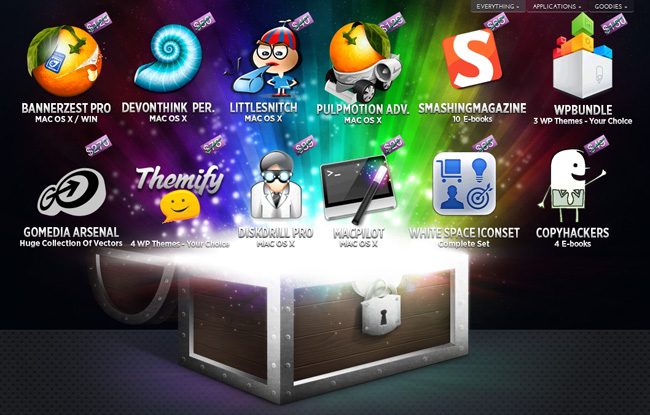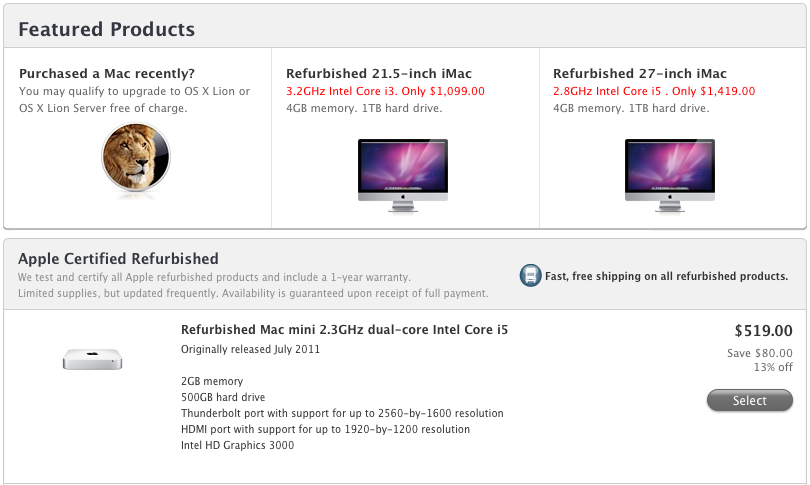
If you got your new iPhone 4S today, why not buy some great games at great prices? Here are today’s @MacStoriesDeals on iOS, Mac, and Mac App Store apps that are on sale for a limited time, so get them before they end!
#MacStoriesDeals - Friday
iOS 5 & iCloud Tips: Sharing an Apple ID With Your Family
With the launch of iOS 5 and iCloud on Wednesday, Apple took another huge step towards the Post-PC era. They have increasingly made the PC less important and iCloud has meant that it is no longer the ‘hub’ to which your devices sync to - iCloud is now that hub and importantly, it is all tied to an Apple ID. As many are realizing as they update to iOS 5 and begin to use iCloud, this can be somewhat problematic when iCloud is used with the Apple ID that is shared by their whole family.
Prior to iOS 5, sharing an Apple ID wasn’t really a problem because its main purpose was for purchasing content on iTunes, using it for support purposes and purchasing items on the online Apple Store - all tasks that worked fine when sharing an ID. Now that Apple ID is tied to a bunch of services, a lot of which involve personal and private data that you don’t necessarily want to share with others - even family members. The other issue is that iCloud involves a lot of data synchronization and this doesn’t work well with multiple people as it results in data conflicts and devices syncing data (such as calendar events) that are meant for another person in the family.
Fortunately there are a number of ways to resolve these issues, whilst still benefiting from all of the new iOS 5 and iCloud features. Jump the break to see all of our tips in dealing with this issue.
There Are Some Siri Limitations Outside The US
As the iPhone 4S launches today in seven countries (US, Canada, Japan, Australia, UK, France, Germany – our launch coverage here), many customers are finding out for the first time that Siri, the voice assistant Apple announced and demoed at the Let’s Talk iPhone media event last week, has some limitations outside the United States.
Several websites reported that Yelp integration for local businesses wouldn’t be available outside the US initially. Siri is still in beta, available in a few languages, and Apple has already announced that more languages and services will be available soon. On Apple’s website, the Siri page reports in a footnote: “Siri is available in Beta only on iPhone 4S and requires Internet access. Siri may not be available in all languages or in all areas, and features may vary by area. Cellular data charges may apply.” Some of the early reviews of the iPhone 4S briefly touched on the subject of limitations outside the United States and mentioned Siri could have some issues with some very specific accents (albeit the software does recognize the difference between U.S. English, UK and Australia); as customers get their hands on the iPhone 4S today, features that have been omitted from the first version of Siri outside the US are starting to surface online.
Electricpig was first to report maps and directions wouldn’t be available to Siri except for US customers; today, a number of users have confirmed that both businesses (with Yelp integration) as well as maps/traffic data aren’t available outside the United States. When asked for Maps information in the UK, Siri says “I can only look for businesses, maps, and traffic in the United States, and when you’re using U.S English. Sorry about that.” (thanks, Sam).
Rene Ritchie of TiPb has also got his iPhone 4S, and confirmed Siri can’t “provide maps and directions in Canada” and “look for places in Canada”. From the screenshots, it appears Siri fetches the current location, but can’t provide additional information through Maps or Yelp integration yet. Furthermore, we’ve received a number of reports from French and German users unable to look up data on Wolfram Alpha through Siri, suggesting that Wolfram integration is only available to English-speaking countries for now. Read more
New MacBook Pro Part Numbers Suggest A Minor Refresh Soon
According to 9to5 Mac, supply for all current MacBook Pro models are constrained in anticipation of an imminent refresh. They claim that new part numbers have appeared in Apple’s inventory system for all three MacBook Pro sizes. The new model numbers are K90IA for the updated 13 inch model, K91A for the 15 inch and K92A for the 17 inch.
These model numbers, combined with last month’s rumour of a refresh, suggest that these models will be just a minor specification bump - rather than the rumoured redesign of the MacBook Pro. MacRumors reported earlier this year that such a redesign will probably debut sometime after Intel’s Ivy Bridge line of processors is released.
[Via MacRumors]
iPhone 4S Lines Around The World
As the iPhone 4S begins its international rollout, lines have begun forming at Apple retail stores in preparation of tomorrow’s product launch. The iPhone 4S, announced at a media event last week, will go on sale tomorrow at 8 am in seven countries: US, Canada, UK, France, Germany, Japan and Australia. The device will be available in two colors (black, white) and three storage sizes (16 GB, 32 GB, 64 GB); in the United States, it will be available on carriers AT&T, Verizon and, for the first time, Sprint. Soon after the pre-orders for the device started online, Apple announced they had already topped 1 million; those who haven’t been able to pre-order an iPhone 4S, or have decided to avoid the online process altogether, are now camping out hoping to get one tomorrow morning.
As we did with our iPad 2 coverage earlier this year, we’re collecting some of the best photos and videos people waiting in line at Apple stores are posting online. We’ll be updating this post throughout the next 24 hours, so make sure to come back later for the latest updates and photos from around the globe.
If you want to send us photos or videos from your local Apple store line, send us an email at: tips at macstories.net
#MacStoriesDeals - Thursday
Here are today’s @MacStoriesDeals on iOS, Mac, and Mac App Store apps that are on sale for a limited time, so get them before they end!
Instacast 1.4: This Is What iCloud Can Do
If you have a day job and had just started upgrading your iOS devices when you got home yesterday evening, it’s likely haven’t even spent a few hours with iCloud yet. The premise is pretty amazing, even if the initial majority of it is between iOS devices. If you think automatically syncing spreadsheets and documents across iCloud from your iPad to iPhone is cool, that’s just the tip of the iceberg. Beyond document syncing, iCloud opens up a world of added convenience that wasn’t available previously. Just think about being able to sync your Angry Birds progress between devices. But we can take that even further. What if we could sync something like RSS feeds between devices? Now you’re thinkin’.
Instacast goes beyond simply syncing your lists of podcasts. It remembers to update which episodes you’ve marked as played, it remembers to add new podcasts you’ve subscribed to across devices, and it even remembers what episode you were listening to. The last item is the magical part: it syncs track position and loads that episode you were listening to in the now playing window if you pause the podcast and want to pick up from another device later. Resuming a podcast is as simple as tapping the up arrow after a refresh. Now this? This is amazinger.
This is one of the best use cases for iCloud. Instacast syncs lots of data to keep everything in sync. While there’s not much I can add beyond Martin’s blog post on Vemedio, the wow-factor can’t be emphasized enough.
With the amount of data being synced, there are some things to remember about Instacast’s iCloud sync. Geeks will immediately try, two devices in hand, to see how instant syncing is. If you don’t allow Instacast to get its data in the cloud, you may run into conflicts where your impatience could overwrite the changes you wanted to save. I imagine this is more true for big podcast libraries. You treat it like you treat Tweet Marker — it’s all designed to be very casual. With that said, syncing shouldn’t take five minutes, but I wouldn’t expect it to be split-second instant. A pull-to-refresh will sync changes down from iCloud while uploading takes place automatically.
Instacast 1.4 has a new audio engine inside for iOS 5 compatibility, bringing back scrolling titles on the lock screen (a bigger deal if you were an early iOS 5 adopter) and adding Apple TV support for AirPlay. If you want to get caught up on what Instacast does and how great it really is, check out our previous reviews.
You can read more about the 1.4 update on Vemedio, and download the update for free from the App Store (it’s only $1.99 for new customers).
Notes From iFixit’s iPhone 4S Teardown: 512 MB of RAM, New 3G Chip
As usual with every new Apple gadget, the team over at iFixit has decided to tear down the latest iPhone 4S – which officially comes out tomorrow in seven countries, albeit some customers have already managed to get their hands on it – to take a peek inside the improved hardware of Apple’s new iPhone. As a quick recap, the iPhone 4S represents a significant change from the iPhone 4 in terms of internal components: whereas the design is the same of the old-generation model, the 4S comes with a dual-core A5 processor, a new wireless system with “intelligent” antenna design capable of switching between two antennas, world phone capabilities for GSM roaming, and a new 8 megapixel camera sensor with backside illumination. We have already discussed how the iPhone 4S appears to be a great mix of hardware and software – on the iOS side, in fact, the device comes with exclusive access to Siri, a new voice assistant.
In their teardown, iFixit notes the iPhone 4S’ battery has an extra .05 WHrs over the iPhone 4. The iPhone 4S has, however, much power-consuming hardware than the older generation unit, which leads iFixit to believe “power consumption seems rather efficient” with 8 hours of 3G talk time, 6 hours of 3G browsing, and up to 10 hours of video/40 hours of music. The iPhone 4’s battery, part of iFixit’s teardown last year, featured 5.25Whr; the iPhone 4S does 5.3Whr with the same 3.7V polymer battery.
The iPhone 4S’s logic board seems to bear “a close resemblance” to its Verizon iPhone 4 counterpart; indeed, the iPhone 4S also shares the same exterior design of the older CDMA iPhone 4, which has little differences from the GSM iPhone 4. In taking a look at the logic board, iFixit notes the two major components are the new CPU and new 3G chipset from Qualcomm, listed below.
- Qualcomm MDM6610 chipset
- Apple A5 processor
As previously rumored, iFixit confirms the iPhone 4S has 512 MB of RAM – a marking on the A5 chip (“E4E4”) seems to confirm this. There was much speculation surrounding the iPhone 4S’ RAM as other rumors in the past claimed the new iPhone would have 1 GB of RAM – clearly that’s not the case.
Other chips identified on the logic board:
- Avago ACPM-7181 Power Amplifier
- Qualcomm RTR8605
- Skyworks 77464-20
- Toshiba THGVX1G7D2GLA08 16 GB 24 nm MLC NAND flash memory
Other notes of interest:
- Apple is using the same oscillating vibrator of the Verizon iPhone 4, rather than rotational electric motor found in the old GSM iPhone 4. This vibrator is softer and quieter than the GSM iPhone 4’s motor.
- The display assembly is similar to the GSM iPhone 4.
We’ll update this post with more details as iFixit uncovers more components during the tear down. For now, keep in mind that the iPhone 4S has a much improved processor, camera, same amount of RAM and completely re-engineered 3G system.
Grand Theft Auto III Coming To iOS→
Grand Theft Auto III Coming To iOS
Rockstar Games has announced that they’ll be porting Grand Theft Auto III to iOS and Android devices “later this fall” to commemorate the game’s tenth anniversary.
10 years ago, this month, the revolutionary open-world epic Grand Theft Auto III was released to the world – a game that set players loose as a small-time criminal at the bottom of the food chain in Liberty City, a sprawling metropolis where anything can happen – and probably will. To commemorate the game’s 10th anniversary, we’re proud to announce that Grand Theft Auto III will be coming to select new generation iOS and Android devices later this fall.
Ten years ago, I remember sitting in my friend’s room, watching him play GTA III on his PlayStation 2. Back then, the technology behind the game looked amazing: great graphics, a seemingly “open” environment and a “mature” plot gave us the illusion that we were really controlling the game’s world. Looking back, it’s easy to spot the tricks Rockstar pulled to let gamers think they were in control, and it’s interesting to consider how the GTA series evolved as hardware became more powerful and allowed for “real” decisions to take in-game. More importantly, a game like GTA III doesn’t look as impressive today as it did 10 years ago, so I guess Rockstar is betting on the “nostalgia effect” as it’s recently done on the Mac as well.
GTA III will be available for the iPad 2 and iPhone 4S. No word on whether the game’s graphics will be upgraded for the A5 processor and how controls will be ported to multitouch; Rockstar also says more devices will be announced soon, so keep an eye on their blog if you own an iPad 1 or iPhone 4. [via]