MarkdownMail 3 Adds Mail Templates and Signatures

Formatting emails can be a chore if you’re using Mail’s standard RTF text selectors, but it doesn’t have to be. While MarkdownMail is niche tool of choice when it comes to composing messages — after all not many people write in Markdown as a second language — our audience of geeks will love having an outbox where they can quickly program their documents into to something presentable without going through three taps and a popover.

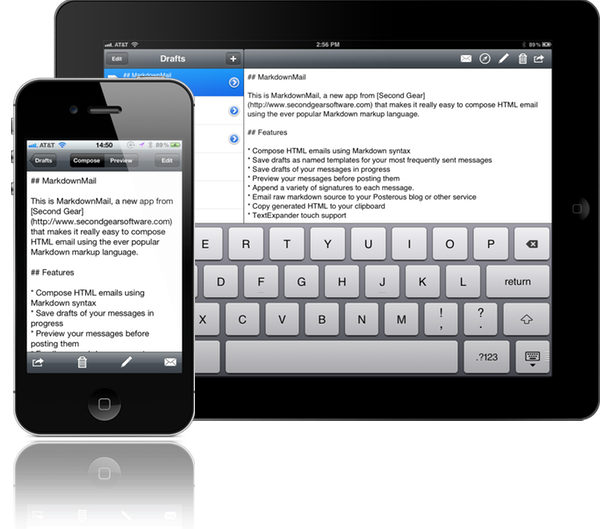
MarkdownMail allows you to draft and compose HTML emails on your iPhone or iPad using the Markdown markup syntax. New users unfamiliar to the formatting won’t be lost thanks to a syntax reference sheet available in the app. If you’re second guessing yourself, HTML output can be previewed before sending the message. Power users can take advantage of TextExpander integration for easily expanding snippets, addresses, and names into their emails. And for those emails that are often sent, MarkdownMail 3 adds a couple new features that make life even easier.

Email templates are great if you’re constantly sending announcements are messages from MarkdownMail to your coworkers or clients. Templates can be saved and used as a base for formatting your emails. Combined with TextExpander, shooting off important information will be done faster than ever. MarkdownMail 3 also introduces signatures support so you can maintain various business, personal, and family identities in the app. The iPhone interface gets an overhaul as well, enabling you to dynamically swap between preview and compose views. The updates address

MarkdownMail 3 is a universal application available on the App Store for only $2.99.
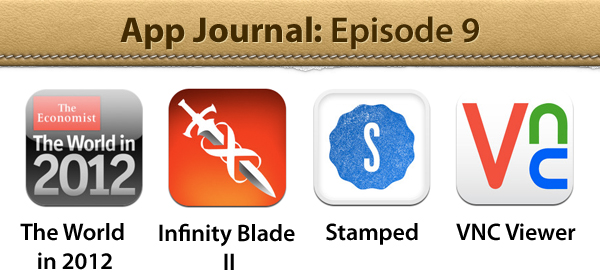

App Journal, Episode 9: The World In 2012, Infinity Blade II, Stamped, VNC Viewer

App Journal is a new series aimed at showcasing apps we have enjoyed using on our iPhones, iPads, and Macs, but decided not to feature in a standalone, lengthy review here on MacStories. App Journal is a mix of classic reviews, weekly app recommendations, and a diary of our experiences with apps that still deserve a proper mention.

This week’s App Journal doesn’t really have a central theme, except for the fact that all these apps were either released or updated in the past week. This journal is written by Cody, Don and myself (Graham) with Federico taking a break from the App Journal this week.

The Economist: The World in 2012

It feels like just yesterday that I was celebrating the start of 2011, and yet we have already entered the final month of the year. Being December also means the start of reflecting upon the year that was, and what next year will hold for us all. As part of that, The Economist is publishing a special ‘The World in 2012’ magazine this month and has also released a companion iPad app which includes some of those articles plus a number of videos and other interactive features.

There isn’t anything amazing about the app, it’s just a standard magazine app for the iPad (in other words mostly just static images that you swipe to and from) but its the content that matters. The Economist is a favourite publication of mine that deals with a whole range of economic, political, social and technological issues in an informed and intelligent manner - this special edition is no different. Some of the feature articles included cover the technological battlefields of 2012 (they believe it could be mobile payments, location and augmented reality), the continued rise of social (particularly for the US 2012 Presidential Election), the ‘Arab Spring’ heading further south and political change in China amongst a few other articles.

Interspersed between the feature articles are these panels which review some of the people to watch in 2012, events that are set to occur in 2012, economic figures for 2012 and what each month of 2012 will bring. Most articles also come accompanied with video as well as a few standalone pieces of video interviews with a range of people from different parts of the world - asking them what they think 2012 will bring.

Even if you’re not a fan of ‘magazines’ for the iPad, this free app from The Economist is well worth the download - it’s got great content that will give you something good to read and watch over breakfast for the next week.

The Economist: The World in 2012 is available for free in the App Store.

By Graham

Read more


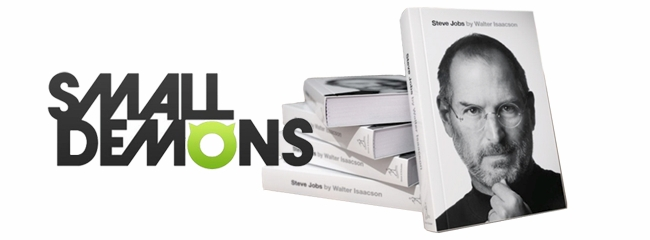
Small Demons and the Indexing of Steve Jobs

Walter Isaacson’s Steve Jobs biography captures some of the mystique and intrigue of a visionary who was set apart by not only his personality, but his exquisite tastes and passion for excellence. His personal likes — minimal and beautifully designed products — pertained to brands like Mercedes and Braun. His love of Bob Dylan eventually saw the sale of a $199 box set in the iTunes Store. Of course he was a film critic, making business deals during his time at Pixar while providing colorful commentary on the works of Disney.

The book is full of references related to his personal life and Apple’s, from the places he traveled through the development of the iPod and more. All of this documentation — newspaper entries, advertisements, and even the things Steve Jobs interacted with — is being preserved and shared online in a visual browser.

Read more


Apple: “We stopped supporting Carrier IQ with iOS 5”

For the past few days, the Internet has been alive with concerns about Carrier IQ, a tracking technology that captures information such a key presses, web site addresses, and more without asking for your permission. It is an intrusive technology buried within smartphone software, and one that carriers have been quickly responding to due to the seriousness of a privacy invasion. While Google flatly denied that their flagship phones such as the Galaxy Nexus harbor such software, other Android handsets have been found with Carrier IQ installed and running in the background.

Late last night, early iOS software releases came under fire as references to Carrier IQ were found in iOS 3.1.3 and the more current iOS 4 and iOS 5, although it couldn’t be determined how active the tracking-ware was or exactly what information it sends. Carrier IQ, however, may only be used when the phone is when diagnostic logging is enabled. Apple made an official statement this afternoon to address the concerns:

Apple’s statement:

We stopped supporting Carrier IQ with iOS 5 in most of our products and will remove it completely in a future software update. With any diagnostic data sent to Apple, customers must actively opt-in to share this information, and if they do, the data is sent in an anonymous and encrypted form and does not include any personal information. We never recorded keystrokes, messages or any other personal information for diagnostic data and have no plans to ever do so.

[via All Things Digital]


iOS 5.1 Beta Blocks Shortcuts to System Settings

Shorcuts

Shorcuts

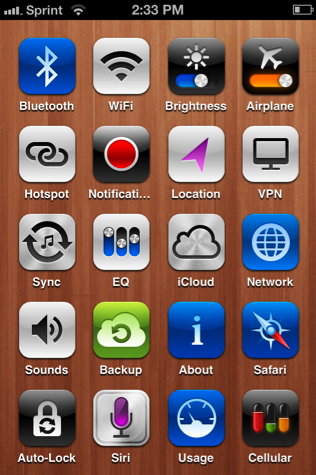
I manage bluetooth constantly on my iOS devices, thanks in part to the JAMBOX. Jeff Broderick’s iPhone Settings Shortcuts provide a much needed shortcut to Bluetooth settings that are otherwise buried. Where iOS doesn’t provide quick access to much beyond volume and brightness sliders, Android has always an advantage when it comes to managing settings between widgets or toggles in the notification tray. Being able to turn off the 3G signal and leave my phone on Wi-Fi was something I did in the evenings with my Droid to avoid late night phone calls and text messages, while still receiving incoming email and Twitter notifications to read in the morning. A silent phone’s display will still light up when rang.

As of the iOS 5.1 beta that was recently released, Apple’s blocking access to the Settings app through these Home screen shortcuts. Clearly I’m not a typical iPhone user, but even if I was, so what if I want to clutter my Home screen with harmless shortcuts? I don’t understand the motivation to kill off a feature like this unless it’s a security concern.

These setting shortcuts are great because they provide a clear and easily labeled path to things I want to change or manage. I can’t say the same about the Settings app, especially if something is buried in a submenu under ‘General’.

iOS 5.1 isn’t final yet, but there’s a pretty good chance system setting shortcuts are going to remained blocked. If these kinds of shortcuts are important to you, then you may want to hold off on the update when it’s seeded to the public.

[Cult of Mac via TiPb]


ZeroNinetyNine’s Mac App Store “Bundle”

Here’s a unique offer for all you bundleheads — ZeroNinetyNine is offering “The First Mac App Store Bundle” today only. Since the Mac App Store doesn’t allow apps to be bundled and sold together, ZeroNinetyNine has found a unique way to do so by designing a holding page with all the applications in their “bundle”. Several independent developers have simultaneously dropped the price of their apps for one day sale on Mac App Store for just 99¢ per app.

One could find these price discounts by searching the Mac App Store and our own MacStoriesDeals posts, but what fun is that? Well, actually our MacStoriesDeals is great if I say so myself! ZeroNinetyNine has done the hard work for you and presented it in a well-designed page.

The apps that are included in this one-day 99¢ sale are MacPaw’s Ensoul and Hider, Coppertino’s Focus, and Apparent Software’s Blast Utility. Other apps included are Alarm Pro, Inpaint, Compartments, iResizer, Virus Barrier Plus, Washing Machine and Intego Backup Express.

ZeroNinetyNine has done a great job coordinating this independent “bundle,” there are many great apps at a great price — 99¢ a piece. This is not a one time affair either, ZeroNinetyNine will be doing these types of bundles once a month.


Gradient for Mac 1.0 Giveaway

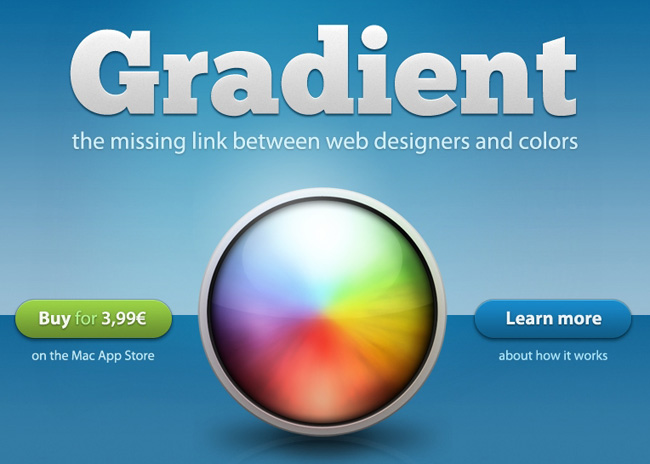
Back in September we showed you a beta preview of Gradient by JUMPZERO. As I said before, it’s a simple yet powerful Mac app that lets you easily create CSS gradients with a beautiful user interface. Gradient was officially released yesterday and the JUMPZERO team has a little surprise for MacStories’ readers.

Gradient 1.0 is well polished for a 1.0 release — their time and effort really shows. Since the beta stage, JUMPZERO has improved some of the UI elements and improved the overall user experience. It will be a great tool for web designers looking for a simple yet intuitive way to create CSS gradients. Gradient is now in the Mac App Store for an intro price of just $4.99, get it here.

Read more