Tim Cook On Mountain Lion

Tim Cook On Mountain Lion

The Wall Street Journal has an interview with Apple CEO about Mountain Lion, officially announced today. The key point from Cook:

Mr. Cook said he already thinks of Apple’s iOS and OS X operating systems “as one with incremental functionality.” He said both laptops and tablets will continue to coexist, but he didn’t rule out that the technologies could converge further. When asked if Apples iPhones, iPads and Macs might run the same microprocessor chips, he said: “We think about everything. We don’t close things off.

“Incremental functionality” is a nice way to put it. Whenever a new feature is released on iOS, you can most definitely stay assured it’ll show in some form or another on the Mac as well, and vice versa. The operating system is seen as “one” in Cook’s vision.

Also interesting: whilst The Wall Street Journal was the only publication to get an interview with Tim Cook, others like Daring Fireball’s John Gruber were invited to private presentations by Phil Schiller and Apple PR. A few weeks ago, a Japanese blog reported Apple would have a “strange” or “unusual” media event in February. Apple’s strategy for the Mountain Lion announcement has surely been unusual and different from the past, as Gruber noted multiple times in his article this morning.

Permalink

OS X Mountain Lion: The iOS-ification Continues This Summer

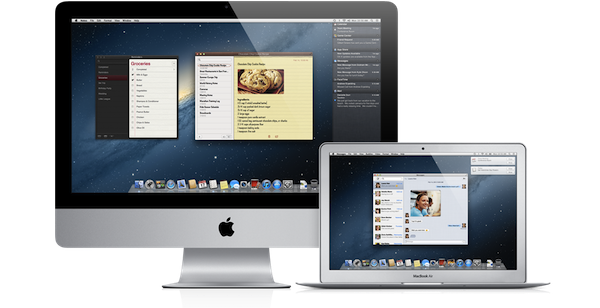
Earlier this morning Apple caught the Internet by surprise with a series of major announcements regarding the future of OS X. To put it simply, Apple officially unveiled OS X Mountain Lion, or version 10.8, the next major iteration of OS X that will become available later this year – the initial targeted release date is a vague “this summer” – through the Mac App Store. A preview of Mountain Lion was given to a few selected tech blogs, including The Verge, Macworld, Daring Fireball, and The Loop, which we are linking back to summarize the new features of Mountain Lion and reflect upon the changes previewed by Apple.

The basic theme of Mountain Lion is iOS-ification.

Apple took the best features of iOS, and in particular iOS 5, and brought them “back to the Mac”, giving them a desktop-class facelift to make applications and services suitable for the Mac environment. Mountain Lion will feature some familiar faces for iOS users: iChat has been renamed Messages and integrated with the iCloud/iMessage ecosystem from iOS; Notes and Reminders are now standalone apps; Notification Center, Game Center, AirPlay Mirroring, Share Sheets, and a new security system called GateKeeper are now part of OS X as well.

In this post we’ll provide a quick description of the new features, a Storify bundle that aggregates the most interesting links and tweets about Mountain Lion (which is available as developer beta today), and some thoughts on what Mountain Lion means for Apple and its users. Read more


Apple Releases Messages Beta, An Early Taste Of Mountain Lion

Update: I’ve included initial impressions of the new Messages app for OS X below the break. Links also added to our OS X Mountain Lion coverage.

Apple has today released a developer preview of Mountain Lion, the next version of OS X. We have full coverage of that in this article, but in short, a big part of this release will be how iOS and OS X continue to merge and interweave. One aspect of that will include Apple removing the iChat app from OS X and replacing it with a new app, simply called Messages.

The new app will allow users to chat with someone using either their Apple ID or phone number, that should ring a bell because that’s exactly what iMessage does. It’ll also retain the traditional chat services such as AIM, Yahoo, Google Talk and Jabber - so don’t worry about your old iChat handle, it’ll continue to exist.As should be expected, Messages will keep conversations synced across all your devices.

Download Messages Beta and get a taste of what’s coming in OS X Mountain Lion. When you install Messages, it replaces iChat. But iChat services will continue to work. And Messages brings iMessage to the Mac — just like on iPad, iPhone, and iPod touch running iOS 5. Here are the features you can expect with Messages:

  • Send unlimited iMessages to any Mac, iPad, iPhone, or iPod touch.*
  • Start an iMessage conversation on your Mac and continue it on your iPad, iPhone, or iPod touch.
  • Send photos, videos, attachments, contacts, locations, and more.
  • Launch a FaceTime video call and bring the conversation face-to-face.
  • Messages supports iMessage, AIM, Yahoo!, Google Talk, and Jabber accounts

Better yet, a Messages beta is now available from Apple’s website. Just note that it will replace your install of iChat. Jump the break for some first impressions and screenshots.

[Via The Loop]

Read more


Apple Adds Screenshots And Promo Codes To The iBookstore For Publishers

The iBookstore now has support for screenshots and promo codes, according to an iTunes Connect letter that was sent to content publishers today and that TUAW obtained. Content publishers are now able to giveaway 50 free codes that redeem a copy of a book they are selling on the iBookstore — something developers on the App Store have long been able to do. No doubt it will be helpful for publishers trying to get their books reviewed and for when they want to run promotional give-aways.

The other big change is that publishers can now also submit screenshots of the book. This new feature will be most useful for multi-touch books that are created with the iBooks Author app. Like the App Store, Apple is specific about the dimensions and formats it will accept for this: 1024 x 768 or 768 x 1024 in RGB, formatted as either .jpeg, .jpg or .png.

Apple has also made a minor change to how pre-orders are handled on the iBookstore. From now on, publishers need not upload a cover or any other assets until two weeks prior to publication, but can still offer the product for pre-order.

[Via TUAW]


SHAPE Creates iPhone App to Get WWDC Ticket Alerts

Apple’s WWDC, or Worldwide Developers Conference, is the highlight for Apple developers working with iOS and OS X operating systems. WWDC is a great opportunity for peers to meet and greet and learn more about each other and the industry as a whole. It’s also a highlight for anyone that looks forward to hearing announcements and product reveals from Apple, such as a new iPhone and major iOS updates.

After last year’s WWDC, SHAPE met with many fellow developers and in turn the experience inspired them to continue making better apps. Tickets for WWDC can be hard to come by, last year’s event sold out in less than 10 hours and many developers missed their chance to get tickets because of travel, sleep, work arrangements, etc. This year could sell out as fast or even faster than 2011.

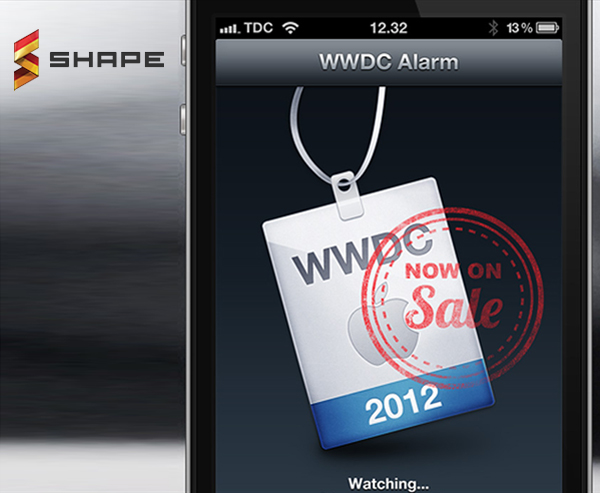
SHAPE took it upon themselves to develop an app specifically for WWDC ticket sales that works as an alarm. It monitors twitter for the keyword “wwdc” and also patrols the official WWDC site for changes. When announcements or keywords are triggered, the app sends a push notification and will activate an alarm within the WWDC app.

Video after the break. Read more


Apple Responds to Contact Data Access, Will Now Require Explicit User Approval

It’s been a week since the Path (and other iOS apps) debacle regarding access and storage of address book data, and now Apple spokesman Tom Neumayr told AllThingsD that soon apps that use address book data will require explicit user permission to do so.

Apps that collect or transmit a user’s contact data without their prior permission are in violation of our guidelines,” Apple spokesman Tom Neumayr told AllThingsD. “We’re working to make this even better for our customers, and as we have done with location services, any app wishing to access contact data will require explicit user approval in a future software release.

Apple has done the right thing by addressing this issue as it has blown up all over the Internet, The Next Web has a nice rundown of “What iOS apps are grabbing your data, why they do it and what should be done.” Apple users can be assured that in the near future no app can read and transmit contact data without the users permission.

Apple’s response comes right off the heels of an inquiry to Congress that iOS developers could be accessing and storing user data without permission.

This incident raises questions about whether Apple’s iOS app developer policies and practices may fall short when it comes to protecting the information of iPhone users and their contacts,” House Energy & Commerce Committee Chairman Henry Waxman and Commerce Manufacturing and Trade Subcommittee Chair G.K. Butterfield said in a letter to Apple CEO Tim Cook. “How many iOS apps in the U.S. iTunes Store transmit information from the address book? How many of those ask for the user’s consent before transmitting their contacts’ information?

The entire letter from the committee can be read over at AllThingsD.


Clear: A Delightful and Clever Todo App

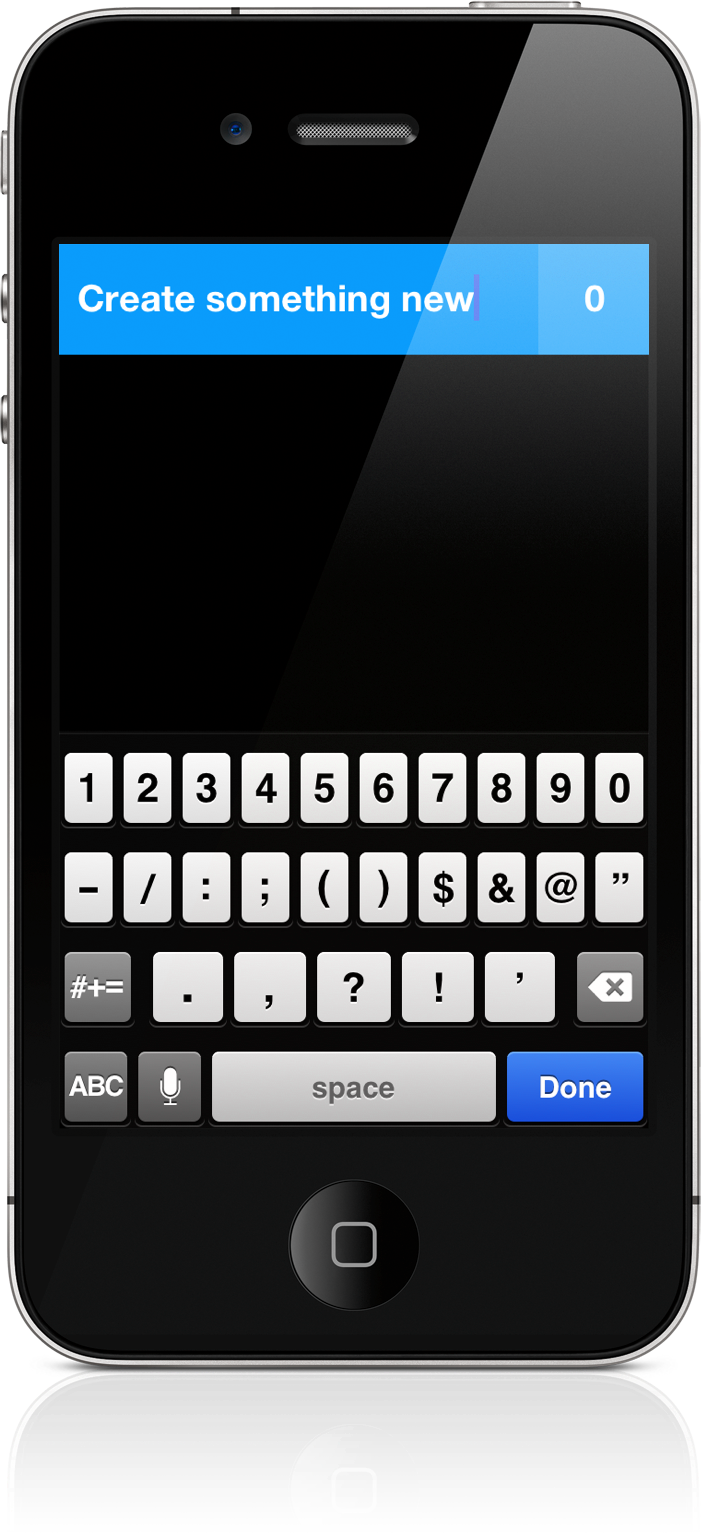
Some apps deliver a certain joy that simply comes from swiping and swooshing through the interface, poking at various elements, and pinching things onscreen. Clear is delightful — it will make you smile. It makes you reconsider the necessity of navigation bars and tool bars and tab bars. We’re used to switching views by tapping at back buttons or icons, but what happens when you take away these common navigational tools? You end up relying on your own honesty and the customer’s intuition. And an honest interface can bring about some terrific ideas.

Read more


Tweet Library 2.0 Review

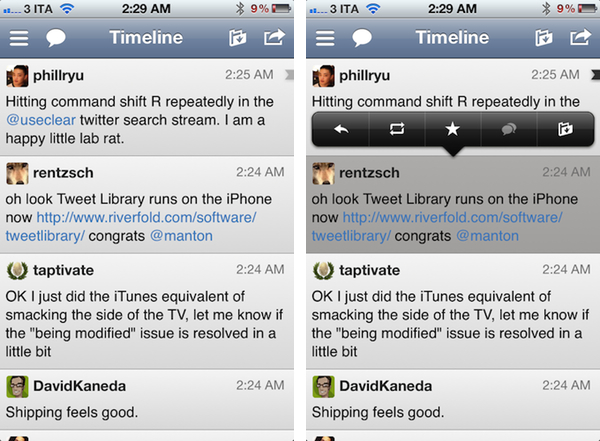
The last time I wrote about Twitter clients, I noted how I’d rather settle with a single app for power users, and have other developers innovate on top of Twitter and the technologies offered by Apple to provide a unique take on the standard Twitter experience. Unfortunately, until today very few developers seem to have believed in the market potential for innovative Twitter clients that go beyond refreshing your timeline and catching DMs, with Riverfold Software’s Tweet Library being the best example of what’s possible to do by leveraging the Twitter API, focusing on another kind of experience.

I initially reviewed Tweet Library when it hit version 1.0 on iPad. I wrote:

Tweet Library is a searchable local archive of your Twitter activity, with promising online functionalities that show good room for improvement. At $9.99 in the App Store it might not be an app for everyone, but if Twitter curation is your thing, this is the best you can have on the iPad right now.

Released earlier today, Tweet Library 2.0 offers some fantastic improvements for those who began using the app on the iPad last year, adding a completely new iPhone interface as part of the free, universal update that will have Twitter curation nerds drooling in new functionalities. Read more