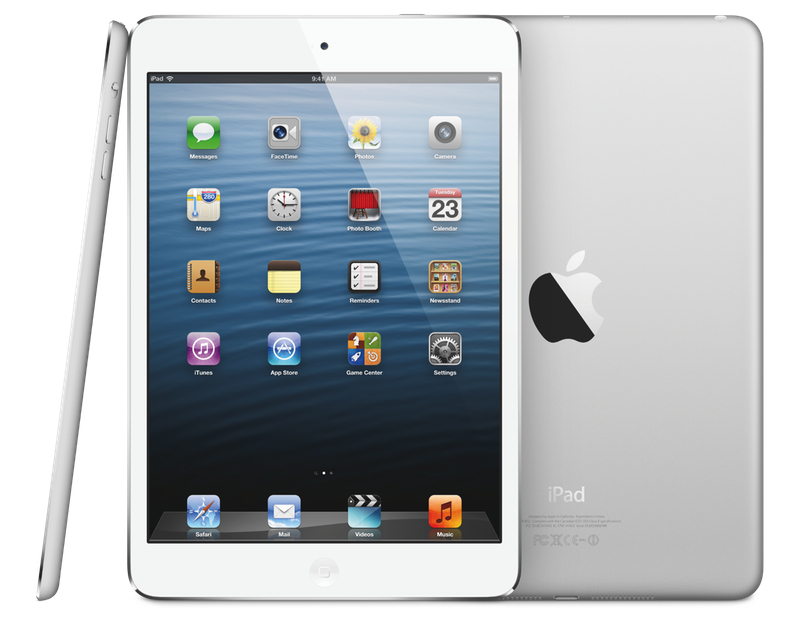
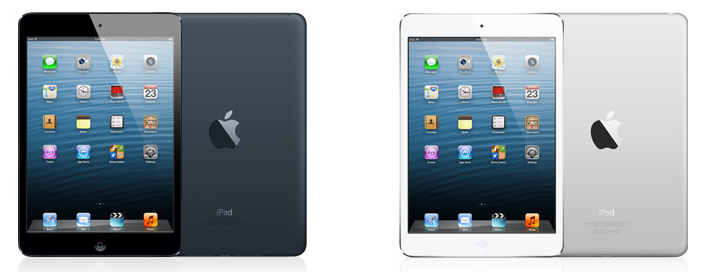
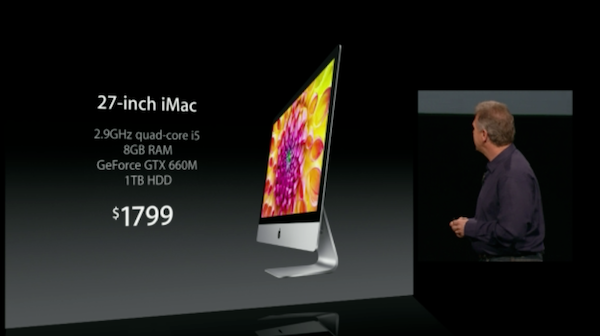
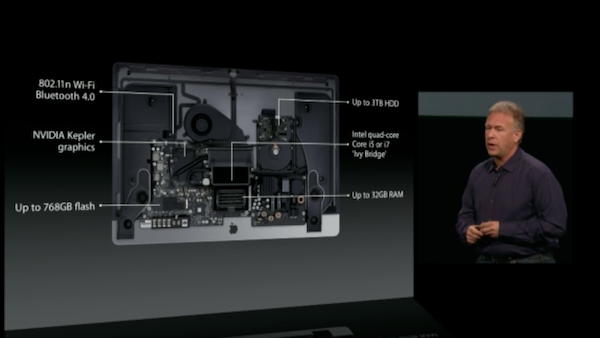
It’s been quite a day for Apple aficionados. Between brand-new iMacs, a new entry in the Retina Mac family, new Mac minis, and some new iPads, there’s a lot of information to go through in a single day. Here’s a recap of our October 23 coverage in reverse chronological order (older posts at the bottom):
You can catch up with our coverage in our October 23 news hub. Below, we’ve collected some interesting links to great articles that have been published in the past few hours. Make sure to click on the source links to check out the articles in their entirety.
Ars Technica speculates on Fusion Drive, a marquee feature of the new iMac that should allow OS X to see an SSD/hard drive combination as a single drive. Furthermore, it will enable the system to intelligently move resources to the (faster) SSD automatically.
Based on Schiller’s explanation, Fusion Drive sounds similar. In a caching solution, like Intel’s, files live on the hard disk drive and are temporarily mirrored to the SSD cache as needed. In an enterprise auto-tiering situation, and with Fusion Drive, the data is actually moved from one tier to another, rather than only being temporarily cached there.
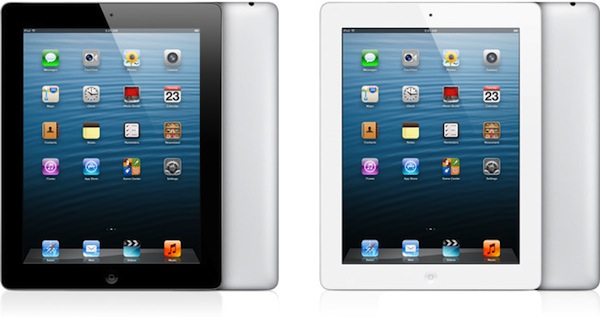
Marco Arment (creator of Instapaper and The Magazine) has his own take on today’s announcements. In particular, he has a simple but effective explanation of today’s “iPad 4” upgrade:
The new A6X CPU is promising, though: it’s presumably based on the same (awesome and cooler-running) “Swift” CPUs in the A6, with more memory bandwidth and GPU power to drive the larger screen. Going from the iPad 2 to 3, Apple kept CPU power the same and increased GPU power, but only to drive the larger screen, so it was mostly a wash. From the iPad 3 to 4, we’re finally likely to see a welcome and necessary improvement in both CPU and GPU performance.
Shawn Blanc notes how the evolution of Apple’s iMac “has evolved in pairs”.
AllThingsD has a nice photo gallery of today’s media event in San Jose.
Kyle Baxter on why, for him, today’s Apple is the best Apple. He dedicates the last part of his piece to some thoughts about the iPad and its position in the market:
What it indicates, too, is that Apple thinks the iPad is a very different kind of device than the cheap Android tablets or the Kindle Fire. Those other devices are literally larger phones, with software that is not very different. Those devices are, at best, for browsing the web, playing games and maybe reading books, but they don’t do any of those things particularly well, in Apple’s eyes. Schiller’s talk about how much better equivalent applications are on the iPad versus the Nexus 7 made that argument. Instead, in Apple’s view, the iPad is today’s PC.
Todd Olson has a clear and concise explanation of the new features in iBooks Author 2.0, announced and released today. Namely, iBooks Author 2.0 comes with proper portrait support with new templates, LaTeX and MathML support for mathematical expressions, embedded custom fonts, and more. I’m intrigued by the new popovers in images:
A new “pop-over” widget has been added to allow users to tap places on an image to get a pop-up window with more information. Pop-overs may include text and graphics.
Serenity Caldwell also elaborates on portrait orientations at Macworld:
New in iBooks Author are new templates and portrait-only iBooks. Unfortunately, portrait-only doesn’t mean iPod touch- or iPhone-friendly—iBooks Author books are still restricted to the iPad and iPad mini. The company does seem to have expanded its template offerings beyond textbooks, however: There are now options for photo books, craft books, cookbooks, and biographies.
Apple has posted some first support documents for the new iBooks Author:
Shawn Blanc, again, this time with his thoughts on today’s event.
It was fun to watch Tim and Phil tag team the event, and I thought Phil Schiller’s time on stage was one of his best. These aren’t just media press events, it’s like a global show and tell. Apple is bringing something they’ve been meticulously building in secret and showing it to the world. They’re not just selling the products, they’re inviting the media into their “living room” per se.
The guys at Macminicolo take a look at today’s Mac mini refresh and highlight some interesting points. Two in particular stuck out to me:
In marketing the Mac mini server, Apple writes “And you get amazing hardware and software, with support for iOS devices like iPad and iPhone, right out of the box.” People understimate this selling point. I’ve confirmed over and over that Mac minis are a big selling point for bringing a small business or school to iPads and iPhones. It’s the perfect iOS management server, and that’s important for SMB and education.
As I look at all the options on the machines, one things sticks out. They’ve decreased the number of components to build the minis. For instance, all machines come with 4GB now, so Apple no longer has to stock 1GB modules and 2GB modules. The middle and upper tier minis both have the same 5400RPM 1TB drives. Standardizing supply decreases inventory and decreases component pricing.
Last, Ars Technica also speculates on the nature of the A6X processor, which powers the fourth-generation iPad. It turns out, Apple may have two A6 ARM cores at 1.5GHz with four PowerVR SGX543 cores running at 500MHz.
Given the significant boosts in clock frequency—150 percent for the CPU cores, and 200 percent for the GPU cores—you may be wondering how Apple can still promise a 10-hour battery life. After all, the iPad still has the exact same 42.5Whr battery, but the processor is twice as powerful. The power savings come from the same place as we saw in the iPhone—Apple moved from a 45nm process to a more power-efficient 32nm process. Instead of keeping performance the same and decreasing the iPad’s thickness and weight, Apple instead chose to double its performance without sacrificing all-day battery life.