Chris Plante:
If Apple finds a way to standardize traditional controls, every iOS device will become a transportable console. In a year, both iPhones and iPads will approach the processing power of the current-generation devices. Companies will have the ability to port controller-based games for the mobile devices in millions of pockets — an install base far greater than they’ve ever had before.
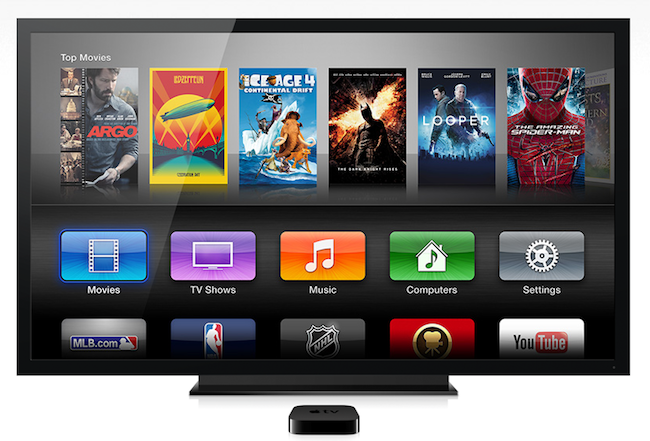
Today, using Airplay and an Apple TV, players can stream their games from their iOS device to their high-definition television. With controller support, players will be able to play more traditional, non-touch games.
I agree with Chris’ take: the new game controller APIs for developers have great potential, but, ultimately, it’s up to Apple to believe in this opportunity. What’s indisputable is that later this year, when controllers will be released by third-parties, games supporting them will already work with the existing Apple TV’s AirPlay streaming features. It’ll be interesting to see if Apple will publicly acknowledge this new scenario for gamers and Apple TV owners (as Tim Cook often notes, Apple doesn’t advertise the Apple TV aside from a product page on Apple.com).
We’ve already discussed how the potential of dual-screen AirPlay gaming is largely untapped, and I suspect the addition of physical controllers will allow iOS game developers to explore even more possibilities. Essentially, controllers that will attach to iPhones will create a DS-like experience – with the “top screen” being the Apple TV.
Today’s hardware, as recent ports show, isn’t yet capable of handling the same amount of power and definition of modern console games. The App Store needs improvements (especially for curation and discovery), but Apple has the advantage of having a solid platform where free-to-play is an established model and where everyone can develop games (with great new game-related APIs coming in iOS 7) as long as they are registered developers. With 575 million iTunes Store accounts with credit cards on file, Apple also has the largest user base – customers already buying software from the App Store. And, let’s not forget the iPod touch, Apple’s cheapest way into App Store gaming, which recently received an even cheaper option.
On the other hand, in the current state of App Store economics, it’s difficult to imagine how Apple could lure major console publishers to release AAA titles under $30 and that aren’t low-res ports, companion apps, or dumbed-down versions of console/PC games. Does Apple care about having the next Destiny on iOS first? The new Call of Duty? Will future iOS hardware be capable of running those kinds of games? Or is Apple just fine with attacking the market from the low end, taking more time to see how game developers will react to new iOS software and hardware in the next five years?
Will Apple ever develop a culture and appreciation for gaming as a medium, not just an App Store category? While others (namely Microsoft) are trying to add more media and entertainment layers on top of existing game infrastructures, Apple is in the opposite situation – running the largest media store and selling devices that are increasingly used as gaming machines, but that still lack the catalog and support of dedicated home consoles.
As far as third-party developers are concerned, things have changed since 2008. Five years ago, imagining a console hit like Metal Gear Solid 4 on iOS would have been absurd; today, we have a port (albeit low-res) of XCOM eight months after the original release. Compare this example to Metal Gear Solid Touch, “based on” Metal Gear Solid 4 and released nine months after the original game, in 2009. What’s the App Store going to be like in 2018? Can we imagine, two or three years from now, simultaneous and equal releases of AAA games across consoles and iOS? And if so, how will the App Store’s numbers play to Apple’s advantage against Sony, Microsoft, Nintendo, and Valve?
Apple is testing the waters (having to buy separate iOS devices, Apple TV, and third-party game controllers isn’t a simple message) and they seem extremely cautious with their Apple TV strategy, but it does look like some pieces of the gaming puzzle are slowly coming together. We’re seeing more full ports of console games nowadays, alongside, obviously, the brand new iOS gaming experiences that have shaped the modern industry. iOS 7 game controllers will likely make developers more comfortable with the idea of “serious” games on iOS (although Apple wants controllers to be optional…for now), and I’m curious to see which parts of Apple’s grand vision for TV will relate to games, the App Store, and iOS.