

I’ve been using the old version of David’s OS X tip every day for the past four years. For Mavericks, there is a new solution in Mail, and David made a screencast.
Print to PDF, Revisited→
Mavericks, Mail, and Gmail→
Joe Kissell:
Apple Mail in Mavericks treats Gmail accounts differently than any previous version of Mail did. Although some of the changes are quite clever, the implementation has flaws. Your mileage may vary, of course, but I’ve seen a number of folks on Twitter complaining about some of the same things I’ve found. Here’s what I’ve observed and what you can (and can’t) do about it.
I mentioned “strangeness” with Mail in my review of Mavericks. Joe does an excellent job at documenting what’s going on and why.
I’ll let you guess what other old feature Mavericks broke in Mail (keep reading Joe’s article until the end).
AppleScript Support Effectively Gone From New iWork Apps→
Clark Goble notes that, with the new iWork apps released yesterday, the AppleScript dictionary included in them has been so slimmed down it’s basically gone. He has screenshots showing the regression, and he concludes:
What I suspect Apple doesn’t realize is how much small business and small shops workflow depends upon AppleScript. Casual use is fine. But a lot of people do more. It wouldn’t be so bad were there an alternative. This isn’t just like Apple not upgrading the Mac Pro. This is like Apple not upgrading the Mac Pro for four years, then announcing that the Mac Mini is the new Mac Pro. And discontinuing FCPX, Aperture, and its other pro apps and telling you to use iPhoto and iMovie.
It’s baffling that the same company that brings these automation enhancements cuts AppleScript support in other Mavericks apps. Maybe the iWork team didn’t have the time to rework AppleScript support for the new apps. However, as Dr. Drang notes, it’s strange that AppleScript has been removed from apps that once had it.
I hope that Apple will put AppleScript back in a future update to iWork. I don’t want to think that Apple just doesn’t care about consumer apps also used by advanced users (with higher needs) anymore.
AppleScript, Automator, and Automation Improvements in Mavericks
I have been using Mavericks for a little while now and I have to admit that I was a little slow to get excited about this release of OS X. Once I started to sink my teeth into some of the power-user features, though, it didn’t take long for me to really get sucked into trying out every new geeky addition, specifically all of the new AppleScript features.
I will be the first to admit that AppleScript is not my favorite language and I only ever use it when I absolutely have to, but, with the release of Mavericks, Apple has added some very compelling reasons to give it another chance. I was recently discussing AppleScript with a developer friend of mine, and we agreed that since Apple had begun stripping out some script-related functionality of core apps like iTunes, it would not be surprising if the language was slowly phased out of any upcoming OS releases. However, I was wrong. In a surprising turn of events, Apple decided to breath new life into AppleScript and make it easier than ever to write clean and reusable scripts. Read more
Working with Mavericks After A Year of iPad
I don’t need my Mac as much as I used to.
When I started MacStories in April 2009, I had a late–2008 MacBook Pro and an original iPhone I had bought from the United States and unlocked to make it work in Italy. From 2008 and until the better part of 2012, my MacBook Pro (and then the Air) was my primary computer: it was the device I used to write, browse the web for research and leisure, respond to emails, and do all the other tasks to get work done on a daily basis. Because my Mac was also the only device that could allow me to manage MacStories, I had to bring it with me on trips or longer vacations.
I’ve always been the kind of Mac user who likes to enhance his OS X experience with little scripts, shortcuts, and automation tools to save a few minutes every day and speed up tedious work tasks. I have Keyboard Maestro macros to automatically resize and generate screenshots for my reviews; I have assigned hotkeys to actions that I run frequently; if necessary, I can trigger a Python script or AppleScript-based workflow and have OS X take care of a complex task for me. I fall into the category of OS X power users and I’m fond of the apps and utilities I rely upon. But, in the past year, I’ve found myself using them less and less because I enjoy working from iOS more.
Most of my work activities are related to writing: whether it’s an article, a quick research note, an email, or chatting with my co-workers, I spend a lot of time typing and assembling words in a way that (I hope) makes sense to my readers and colleagues. In the past year – as people who have been following this site know – I have realized that I can be as efficient on my iPhone and iPad as I am on my Mac. I was initially forced into my new iPad-first workflow by frequent hospitalizations and a general inability to use my MacBook Air for long writing sessions; after the initial “What do I do now” moment and annoyances, I’ve come to like iOS – and the iPad – more and more.
I haven’t listened to people who told me I couldn’t work from my iPad. Read more
Apple Updates Podcasts, Find My iPhone, and iTunes Movie Trailers for iOS 7
Following major updates to its iLife and iWork suites of apps for iOS and OS X, Apple has also released updates for some of its other App Store apps today.
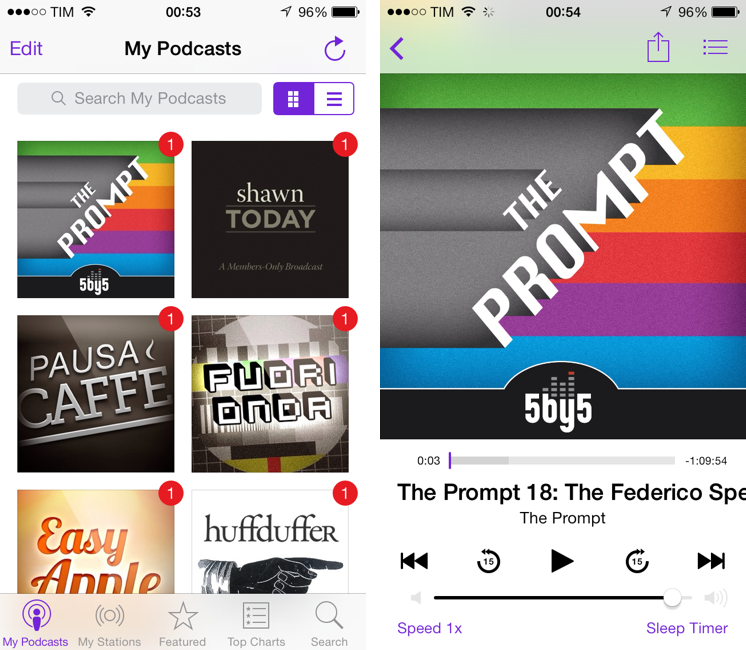
Podcasts 2.0. Apple’s official Podcasts app for iOS has been updated to version 2.0, which sports a complete iOS 7-themed redesign that gets rid of every last bit of skeuomorphism that was left in the app and adopts a cleaner, simplified look with purple UI accents.
In terms of new features, Apple added support for iOS 7 background downloads to the app, allowing Podcasts to ask the user to always download new episodes in the background without having to open the app. Each of your podcast subscriptions comes with a Settings area that can be used to tweak the refresh rate to check for new episodes (default is every 6 hours) and adjust play and sort order.
Podcasts from the iTunes Store are now available in the new Featured tab, and Top Charts can be viewed as lists. There is a new search tab to look for podcasts on iTunes, and, in the Now Playing screen, you can tap on the podcast’s artwork to show an episode’s description. Alas, it appears the app still doesn’t support show notes for episodes, which aren’t displayed at all.
Podcasts 2.0 is available on the App Store.
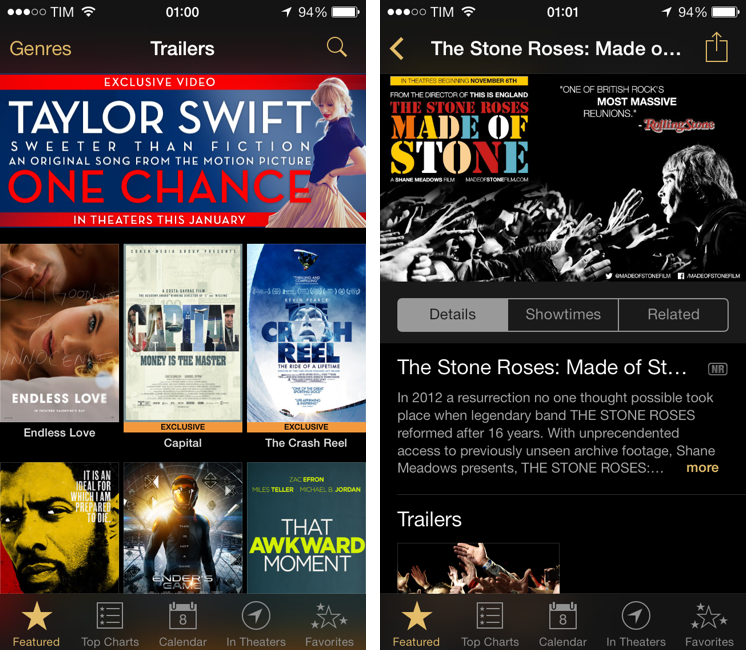
iTunes Movie Trailers 1.3. Reaching version 1.3, iTunes Movie Trailers sports an iOS 7 redesign and no major new features. The app has a new icon, and the interface adopts a black theme with gold highlights for other icon and UI elements. There’s a nice contrast between the dark background and colorful movie posters and thumbnails, and the app makes nice use of blurs and transparencies for various menus throughout the interface.
iTunes Movie Trailers 1.3 is available on the App Store.
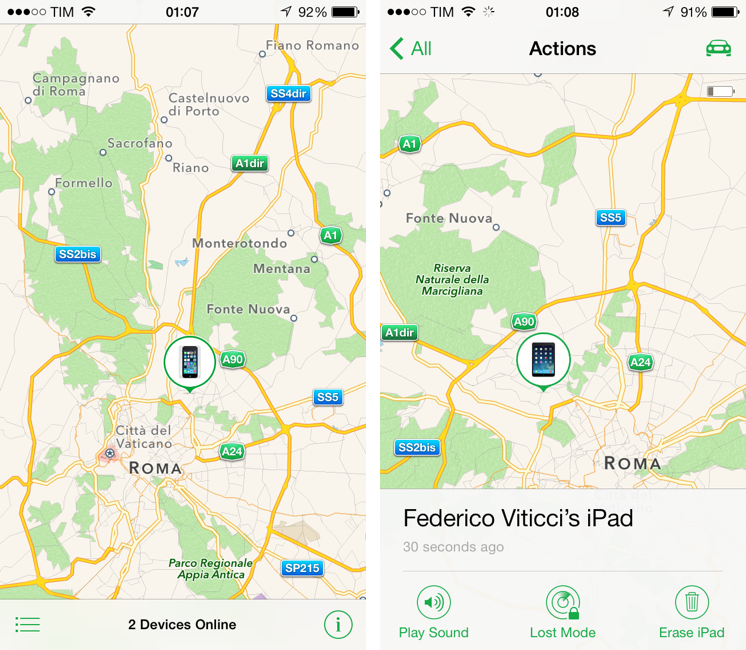
Find My iPhone 3.0. Last, Apple’s iOS app to locate, find, and manage lost iOS devices has been updated to version 3.0, which also features a new iOS 7 design. The app is now primarily a map view with white toolbars and redesigned green icons for iOS 7. Interestingly, Apple isn’t using a regular sharing menu for the Actions available at the bottom of the screen opting for a bar that you can tap instead.
Find My iPhone 3.0 is available on the App Store.
For more coverage, check out our October 22 news hub and follow @macstoriesnet on Twitter.
Overview: Apple Updates iLife and iWork Apps, Makes Them Free for New Customers
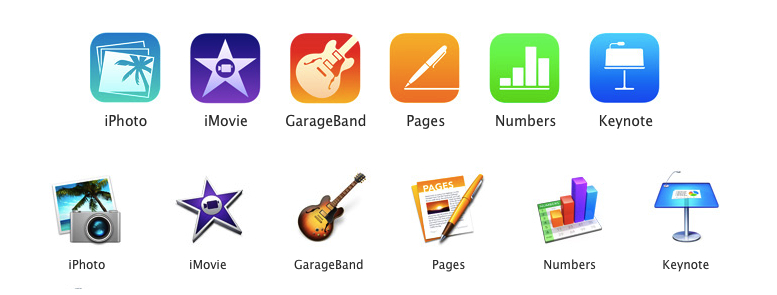
Perhaps today’s most interesting announcements weren’t new iPads or Macs, but Apple’s range of software. It’s been a while since the iWork suite of apps have received updates on the desktop, and iLife apps such as iPhoto, iMovie, and GarageBand looked outdated as soon as iOS 7 arrived on iOS devices in September. You’re probably wonder what the skinny is around all the new apps and whether you qualify to get those apps for free. This won’t be an exhaustive overview, but ask and you shall receive.
iPad Air and Retina iPad mini: Our Complete Overview
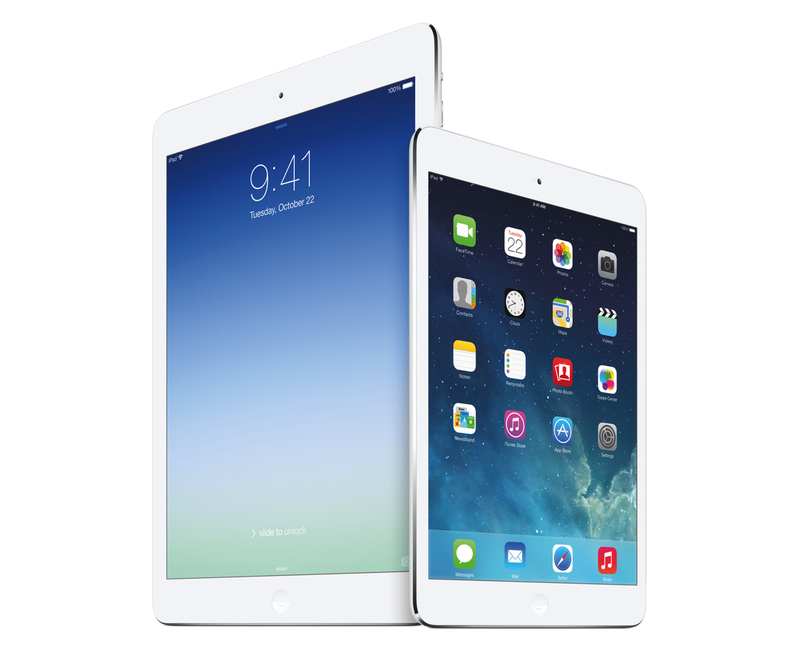
Phil Schiller took the stage today at Apple’s media event at the Yerba Buena Center for the Arts in San Francisco to officially unveil the iPad mini with Retina Display – the long-rumored successor to last year’s iPad mini – and the iPad Air, Apple’s new full-size iPad that replaces the old 4th generation iPad. Read more
New Mac Pro Begins Shipping in December for $2999
Previewed during this year’s WWDC Keynote, Phil Schiller already gave us a run down of what to expect with the new Mac Pro. The last piece of the puzzle would be availability, and today it was revealed that the new Mac Pro’s will begin shipping in December, starting at $2999. But what does three grand get you? Here’s a refresher:
Big performance gains in a package 1/8th the size of the current Mac Pro
The new Mac Pro is all about being small, quiet, yet entirely capable of delivering performance for today’s audio and visual professionals. The Mac Pro, unlike desktop towers of old, has been designed into a compact round aluminum canister that sucks heat away from components using a single unified thermal core. While uniquely shaped, components in the new Mac Pro are user accessible, with connectivity to server racks and other peripherals being mitigated through an array of Thunderbolt 2 ports.
The heart of the new Mac Pro consists of an Intel Xeon E5 processor that comes in 4, 6, 8, or 12-core configurations. These processors will have up to 30 MB of L3 cache, and up to 40 GB/s of PCI Express gen 3 bandwidth. On the memory front, Apple’s including up to 64 GB of 1866 MHz ECC memory, all coordinated via a four channel controller which allows up to 60 GB/s of bandwidth. Then there’s those dual GPUs: two AMD FirePro graphics cards with up to 4096 stream processors and up to 12 GB of GDDR5 VRAM. The two cards can deliver a total of 528GB/s of bandwidth. Storage, like recent Mac improvements, is also being bumped into the PCIe-based flash storage realm, with capacities up to 1 TB available. Professionals can expect up to 1.2 GB/s writes and 1.0 GB/s reads.
Connecting the Mac Pro to the outside world is its I/O panel, which features six Thunderbolt 2 ports, 4 USB 3 ports, dual Gigabit ethernet, and HDMI out. Thunderbolt 2 ports support 20 GB/s of throughput, with up to six devices able to connect per port. The Mac Pro’s greatest asset is that it can power up to three 4k single and dual-input displays. Just like the MacBook lineup, 802.11ac and Bluetooth 4.0 for wireless connectivity is standard.
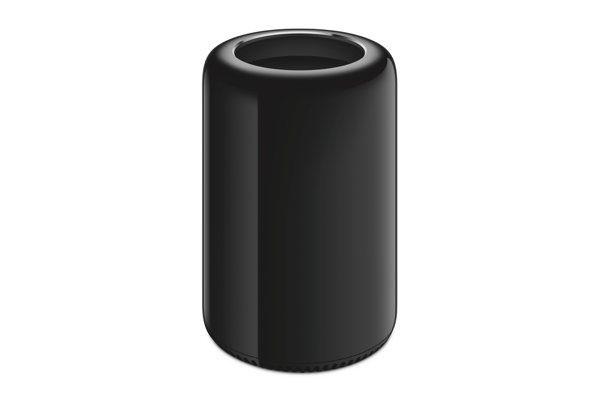
The base configuration Mac Pro at $2999 comes with:
- 3.7 GHz quad-core Intel Xeon E5 with 10 MB L3 cache and Turbo Boost up to 3.9 GHz
- 12 GB of 1866 MHz DDR3 ECC memory
- Dual AMD FirePro D300 graphics processors with 2 GB of GDDR5 VRAM each
- 256 GB PCIe-based flash storage
For more information on the new Mac Pro, visit Apple.com.
For more coverage, check out our October 22 news hub and follow @macstoriesnet on Twitter.