There is a certain amount of ‘trust me, just play this game’ involved with recommending Causality by UK-based Loju because it’s such a brain-meltingly complex puzzle game that it’s hard to explain in writing. In many respects, this game has to be experienced to understand it.
Causality blends time manipulation with a familiar grid-based puzzle game in a way that transcends other games in the puzzle genre. The result is a fresh, compelling game that stands out from the pack.
Club MacStories: Weekly and monthly newsletters via email and the web that are brimming with apps, tips, automation workflows, longform writing, early access to the MacStories Unwind podcast, periodic giveaways, and more;
Club MacStories+: Everything that Club MacStories offers, plus an active Discord community, advanced search and custom RSS features for exploring the Club’s entire back catalog, bonus columns, and dozens of app discounts;
Club Premier: All of the above and AppStories+, an extended version of our flagship podcast that’s delivered early, ad-free, and in high-bitrate audio.
I’ve never had much interest in real golf, a sport that requires more money, patience, and dedication than I will allocate to anything besides my significant other and Apple products. I have to admit, though, that I’m a sucker for anything on the videogame golf spectrum, from the ultra-simplistic Desert Golfing to Wii Sports’ golf.
Much of what I enjoy about golf videogames appears in OK Golf, a zen, bite-sized take on the genre. It’s no mini-golf simulator, though, and its distinction will leave you immersed in a tiny world of varying terrain and challenging gameplay.
Club MacStories: Weekly and monthly newsletters via email and the web that are brimming with apps, tips, automation workflows, longform writing, early access to the MacStories Unwind podcast, periodic giveaways, and more;
Club MacStories+: Everything that Club MacStories offers, plus an active Discord community, advanced search and custom RSS features for exploring the Club’s entire back catalog, bonus columns, and dozens of app discounts;
Club Premier: All of the above and AppStories+, an extended version of our flagship podcast that’s delivered early, ad-free, and in high-bitrate audio.
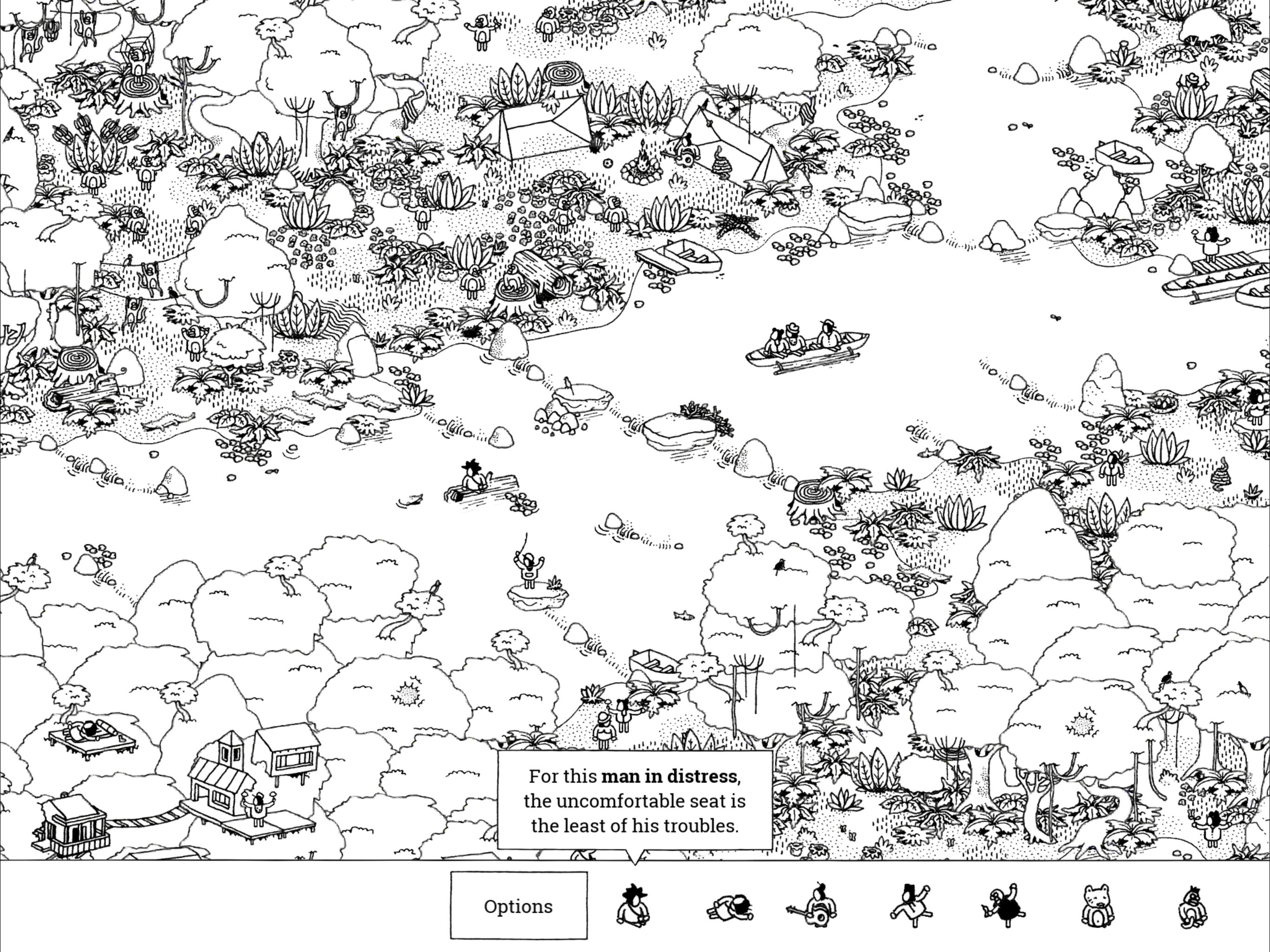
Hidden Folks, by game developer Adriaan de Jongh and illustrator Sylvain Tegroeg, is a relaxing diversion into beautifully-detailed, hand-drawn worlds. The object of the game is simple: find people, animals, and objects in huge illustrated landscapes. After you’ve found enough items in each area, the next one is unlocked and ready to explore.
The comparison that comes to mind immediately is the Where’s Waldo book series for kids. But there’s a lot more going on here than that suggests, and this is not a game that’s just for children. Hidden Folks comes alive with whimsical animations and over 960 silly mouth-generated sound effects. Each of the fourteen hand-drawn, black-and-white scenes is vast and full of minute details that make finding each item challenging.
Club MacStories: Weekly and monthly newsletters via email and the web that are brimming with apps, tips, automation workflows, longform writing, early access to the MacStories Unwind podcast, periodic giveaways, and more;
Club MacStories+: Everything that Club MacStories offers, plus an active Discord community, advanced search and custom RSS features for exploring the Club’s entire back catalog, bonus columns, and dozens of app discounts;
Club Premier: All of the above and AppStories+, an extended version of our flagship podcast that’s delivered early, ad-free, and in high-bitrate audio.
There’s a lot of friction involved in trying a new messaging service. Not only do you have to want to try the service, but you have to convince friends or family to try it too or you’ll have no one with whom to chat. That’s a significant disadvantage that TwIM sidesteps for anyone whose contacts are already on Twitter. What’s more, TwIM sets itself apart from the built-in direct messaging functionality of other Twitter clients with better content handling and support for the latest iOS features like Siri, interactive notifications, and 3D Touch. That gives TwIM a shot at appealing not only as a messaging app, but to anyone who wants a better direct messaging experience.
Club MacStories: Weekly and monthly newsletters via email and the web that are brimming with apps, tips, automation workflows, longform writing, early access to the MacStories Unwind podcast, periodic giveaways, and more;
Club MacStories+: Everything that Club MacStories offers, plus an active Discord community, advanced search and custom RSS features for exploring the Club’s entire back catalog, bonus columns, and dozens of app discounts;
Club Premier: All of the above and AppStories+, an extended version of our flagship podcast that’s delivered early, ad-free, and in high-bitrate audio.
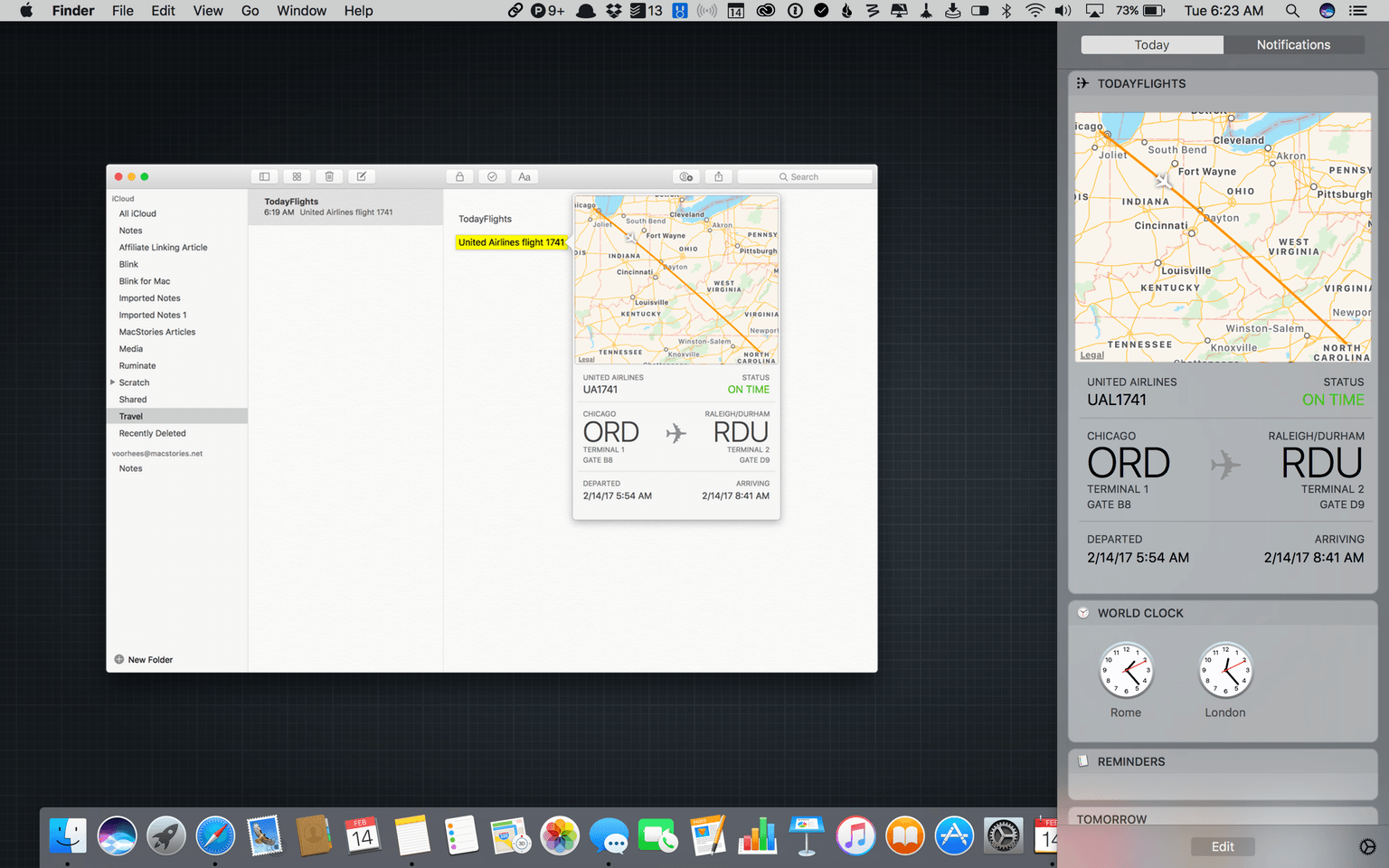
Data detectors are a feature of Apple’s OSes that recognize information like phone numbers, addresses, and airline flight information and make them interactive. For instance, clicking on a flight in Mail or Notes on a Mac opens a pop-up window with a map of the flight path, whether the flight is on time, departure and arrival times, and other information.
Developer Josh Parnham reverse-engineered the private APIs Apple uses for its flight status data detectors and built a macOS Today widget called TodayFlights. The widget displays the same interface and information as Apple’s data detector but in macOS’s Notification Center. To enter an airline name and flight number, all you do is click the info button at the top of the widget and enter both. Like Apple’s data detector, you can click on one of the cities to zoom in on that portion of the map. In addition, clicking on the bottom section of the widget cycles through departure and arrival times, remaining flight time, and flight duration.
It’s surprising that Apple hasn’t implemented flight tracking as a Today widget. As TodayFlights demonstrates, it’s the perfect sort of glanceable information for which Notification Center was created. Because TodayFlights is built on private APIs, the widget could break if Apple changes those APIs without notice, but until that happens, TodayFlights is a handy addition to Notification Center.
Club MacStories: Weekly and monthly newsletters via email and the web that are brimming with apps, tips, automation workflows, longform writing, early access to the MacStories Unwind podcast, periodic giveaways, and more;
Club MacStories+: Everything that Club MacStories offers, plus an active Discord community, advanced search and custom RSS features for exploring the Club’s entire back catalog, bonus columns, and dozens of app discounts;
Club Premier: All of the above and AppStories+, an extended version of our flagship podcast that’s delivered early, ad-free, and in high-bitrate audio.
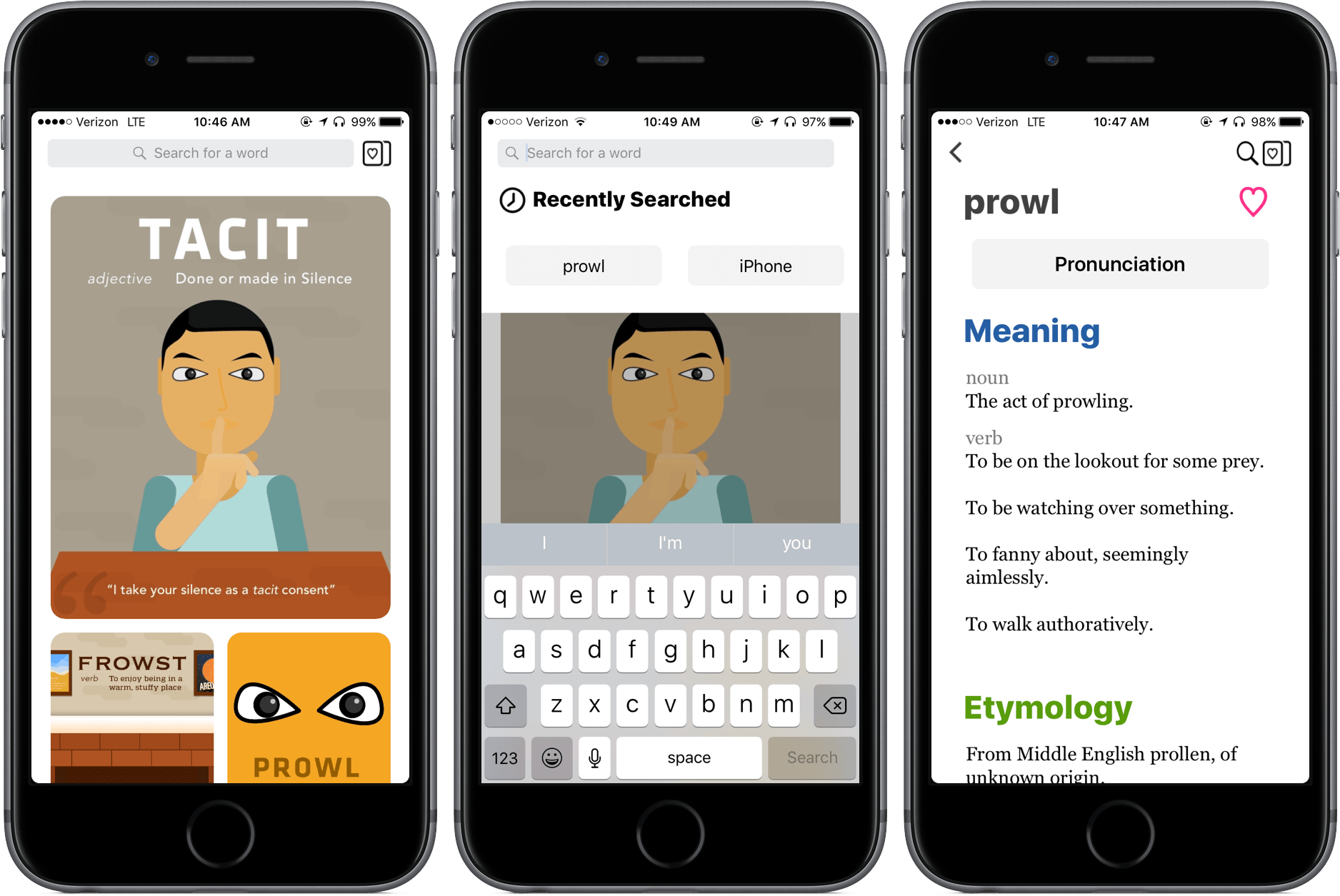
When considering a traditional dictionary, the words “fast” and “beautiful” don’t come to mind; even our digital dictionaries, sometimes coming in the form of iOS’ Look Up feature when highlighting a word, don’t do a great job of looking good, providing all the relevant information, and appearing in enough time to make it worth the process.
With LookUp, I’ve found things to be different – it’s a dictionary app built on convenience, design, and lots of information.
Club MacStories: Weekly and monthly newsletters via email and the web that are brimming with apps, tips, automation workflows, longform writing, early access to the MacStories Unwind podcast, periodic giveaways, and more;
Club MacStories+: Everything that Club MacStories offers, plus an active Discord community, advanced search and custom RSS features for exploring the Club’s entire back catalog, bonus columns, and dozens of app discounts;
Club Premier: All of the above and AppStories+, an extended version of our flagship podcast that’s delivered early, ad-free, and in high-bitrate audio.
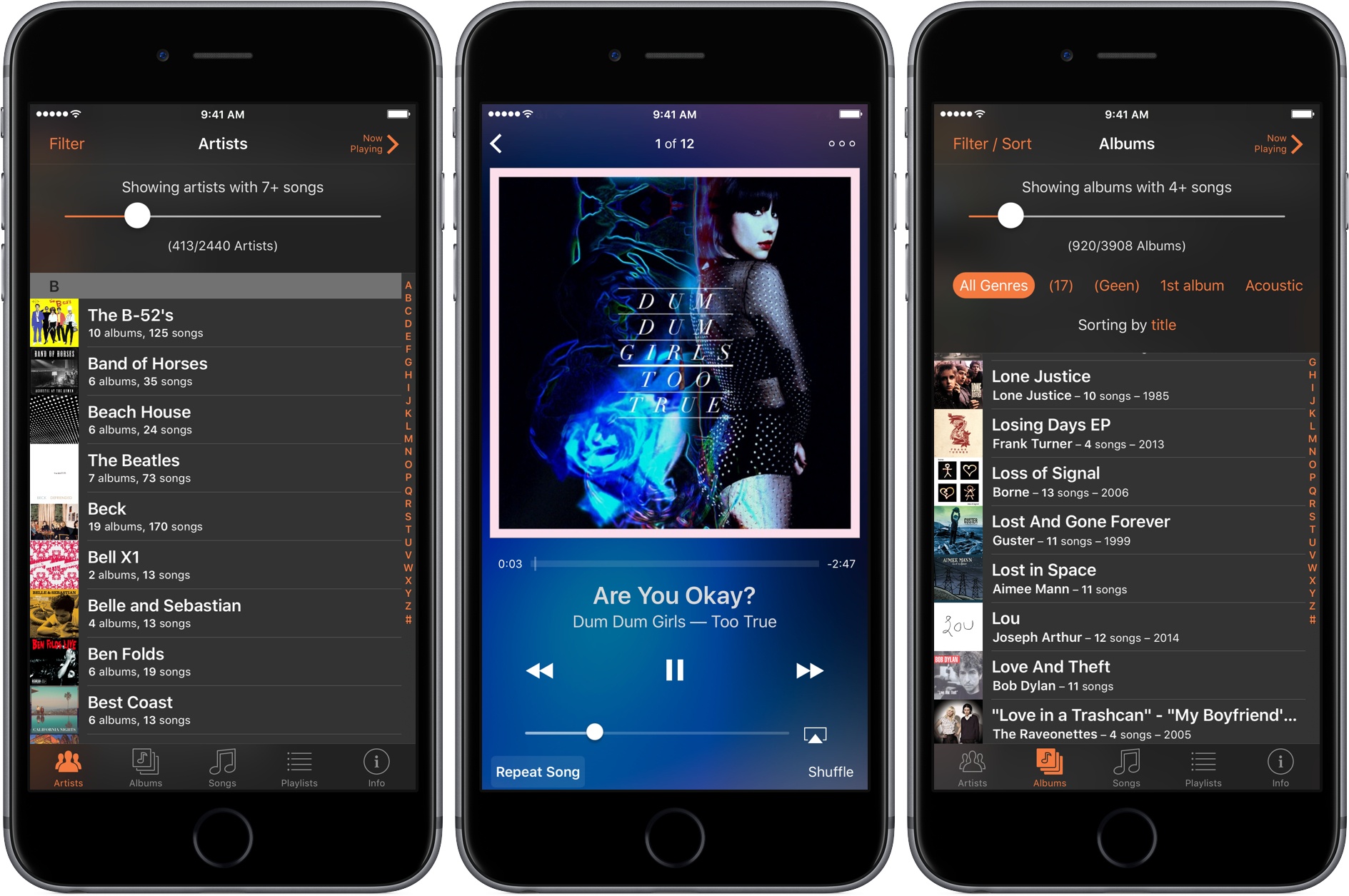
My music collection is too big to browse in Apple’s Music app. With over 15,000 songs, browsing by track is out of the question, and because I have only one or two songs by many artists, scrolling my entire artist list is impractical too. As a result, I typically use search to find songs in the Music app. The trouble is, search only works if you already know what you want to hear, and it hampers rediscovery of music you haven’t listened to for a while. Apple Music’s algorithmically-generated ‘My Favorites Mix’ helps with this, but sometimes I would rather discover old favorites on my own. For those times, I turn to Picky by Charles Joseph.
Picky lets you filter and sort music in more ways than you can probably imagine. Add to that the ability quickly queue up songs from anywhere in the app, and the result is a powerful music utility that is perfect for getting reacquainted with your favorite tunes.
Club MacStories: Weekly and monthly newsletters via email and the web that are brimming with apps, tips, automation workflows, longform writing, early access to the MacStories Unwind podcast, periodic giveaways, and more;
Club MacStories+: Everything that Club MacStories offers, plus an active Discord community, advanced search and custom RSS features for exploring the Club’s entire back catalog, bonus columns, and dozens of app discounts;
Club Premier: All of the above and AppStories+, an extended version of our flagship podcast that’s delivered early, ad-free, and in high-bitrate audio.
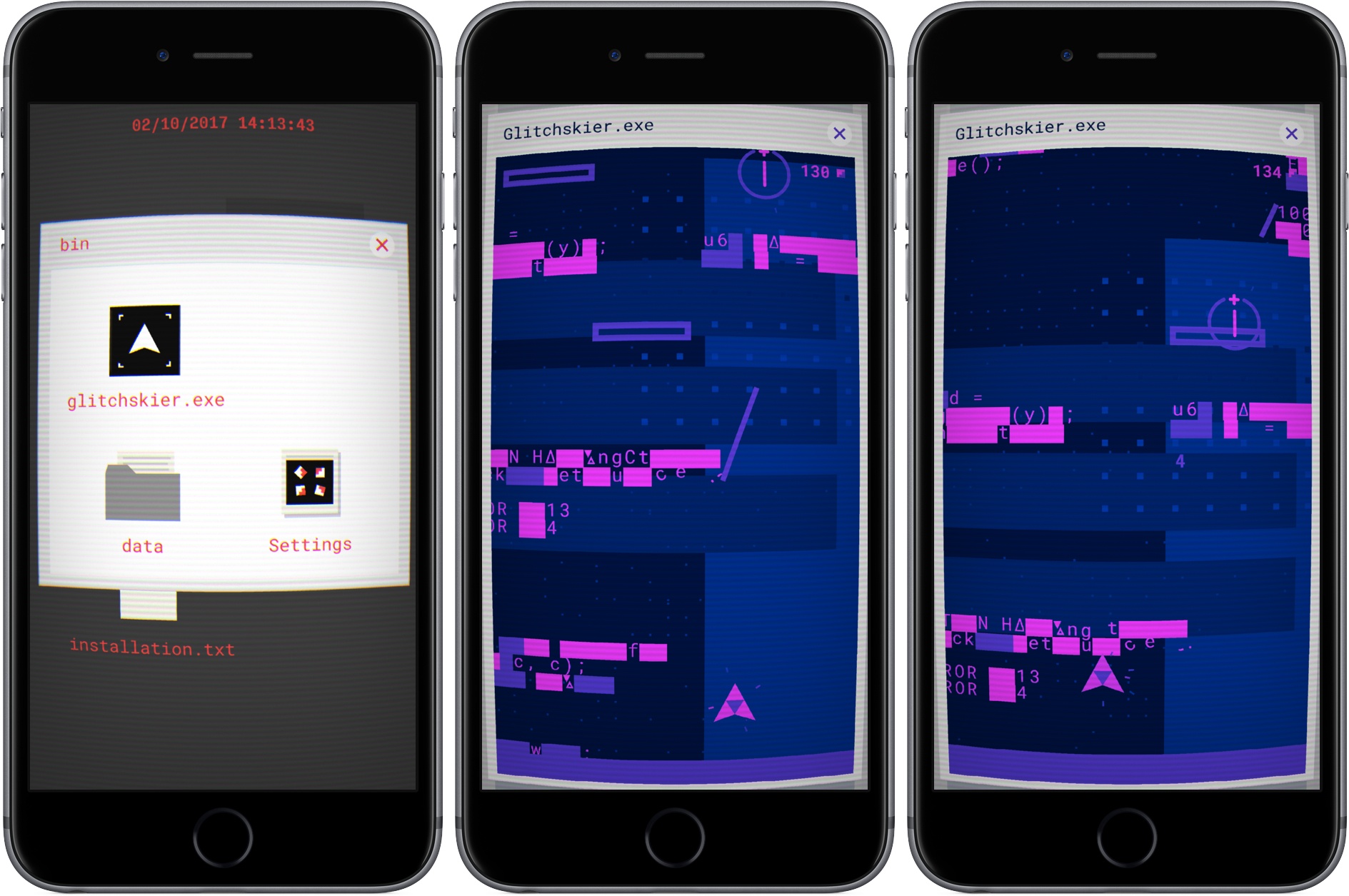
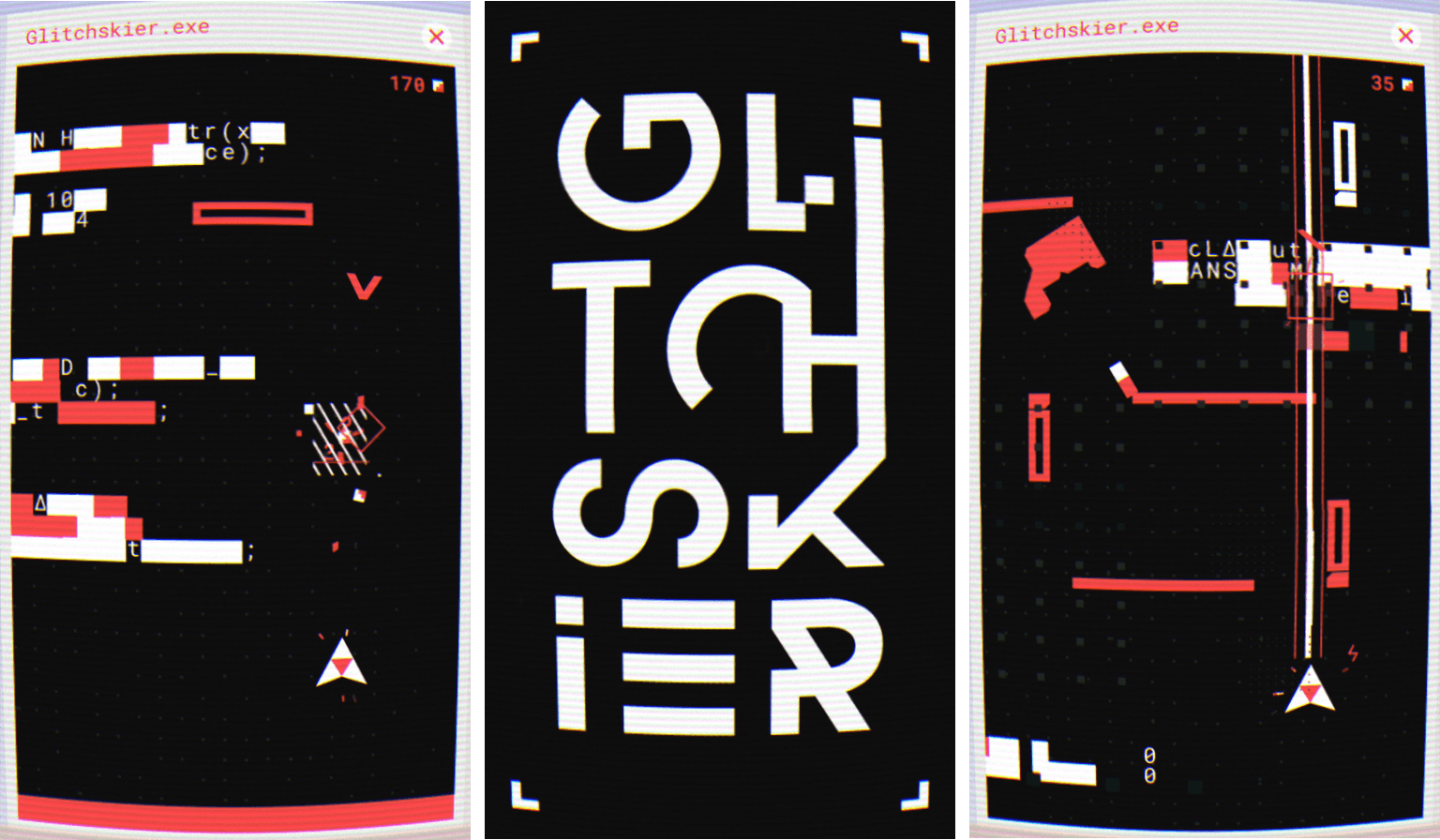
I love puzzle games and have seen some great ones debut on the App Store recently, but now and then, I want to play something different. This week, different meant Glitchskier, an endless runner-style arcade shooter by Shelly Alon. It has an off-kilter video game glitch aesthetic and challenging gameplay that together, hooked me immediately.
From the get-go, Glitchskier takes you back to early PC hardware. The screen is distorted to look like you’re playing on a curved, low-resolution CRT monitor. If the CRT look is too much for you, it can be turned off in settings. In the background, a dull hum and whir of electronics and fan blades add to the atmosphere. It’s an opinionated design that goes all-in with the retro PC look, which may turn off some people initially, but drew me in as soon as I started playing.
To start Glitchskier, you double tap a Windows-style folder and then glitchskier.exe. The gameplay is reminiscent of spaceship shooter games like Galaga. You maneuver your spaceship by dragging your finger around the screen. At the same time, the environment advances down the screen, endless runner-style. That, and the enemies that descend from the top of the screen, make avoiding your ship’s destruction difficult.
Your guns shoot automatically as long as your finger is on the screen. The more things you destroy, the higher your score climbs. As you move through the landscape, there are also weapons to collect that help you defeat enemies and bosses. Make it far enough, and you begin to unlock different colored themes too.
Part of the novelty of Glitchskier is the environment through which you fly your spaceship. The screen is littered with computer glitch obstacles like random characters that form barriers. The chaotic universe and enemies relentlessly descending on you is disorienting at first, but quickly becomes familiar and comfortable when you figure out what can be blasted to bits and what you need to avoid.
The unforgiving onslaught of enemies keeps you on your toes and requires split-second decisions. The sense of urgency is heightened by a synth soundtrack that fits perfectly with the game’s aesthetic and reminds me a little of the excellent Stranger Things soundtrack. But Glitchskier is more than just an homage to 80s arcade games. Beneath its carefully-crafted design is a fun game that’s easy to learn and extremely hard to master. The combination of the two sucks you into Glitchskier’s crazy world in a thoroughly entertaining way.
Club MacStories: Weekly and monthly newsletters via email and the web that are brimming with apps, tips, automation workflows, longform writing, early access to the MacStories Unwind podcast, periodic giveaways, and more;
Club MacStories+: Everything that Club MacStories offers, plus an active Discord community, advanced search and custom RSS features for exploring the Club’s entire back catalog, bonus columns, and dozens of app discounts;
Club Premier: All of the above and AppStories+, an extended version of our flagship podcast that’s delivered early, ad-free, and in high-bitrate audio.
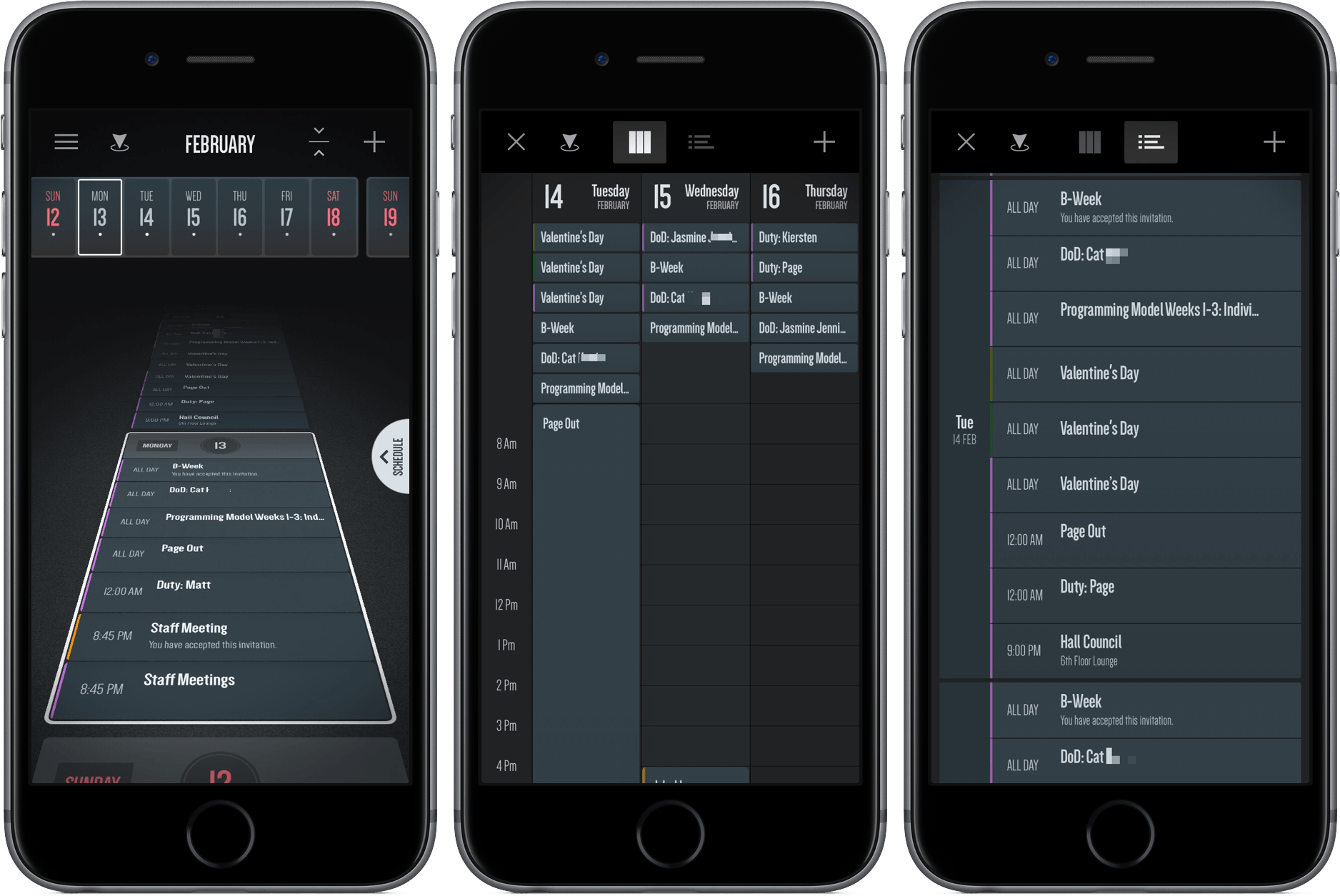
In middle school, a friend and I would hang out on the weekend and live out our rock-n-roll dreams with Guitar Hero. As the notes would come down the line, we’d press sequences of red, green, yellow, and orange, jamming to songs in the iconic and aesthetically innovative game.
I haven’t thought much about Guitar Hero recently, but an app I downloaded a couple of weeks ago reminded me of it. However, it’s not a rhythm-based guitar game, or even tied to music at all.
Club MacStories: Weekly and monthly newsletters via email and the web that are brimming with apps, tips, automation workflows, longform writing, early access to the MacStories Unwind podcast, periodic giveaways, and more;
Club MacStories+: Everything that Club MacStories offers, plus an active Discord community, advanced search and custom RSS features for exploring the Club’s entire back catalog, bonus columns, and dozens of app discounts;
Club Premier: All of the above and AppStories+, an extended version of our flagship podcast that’s delivered early, ad-free, and in high-bitrate audio.