
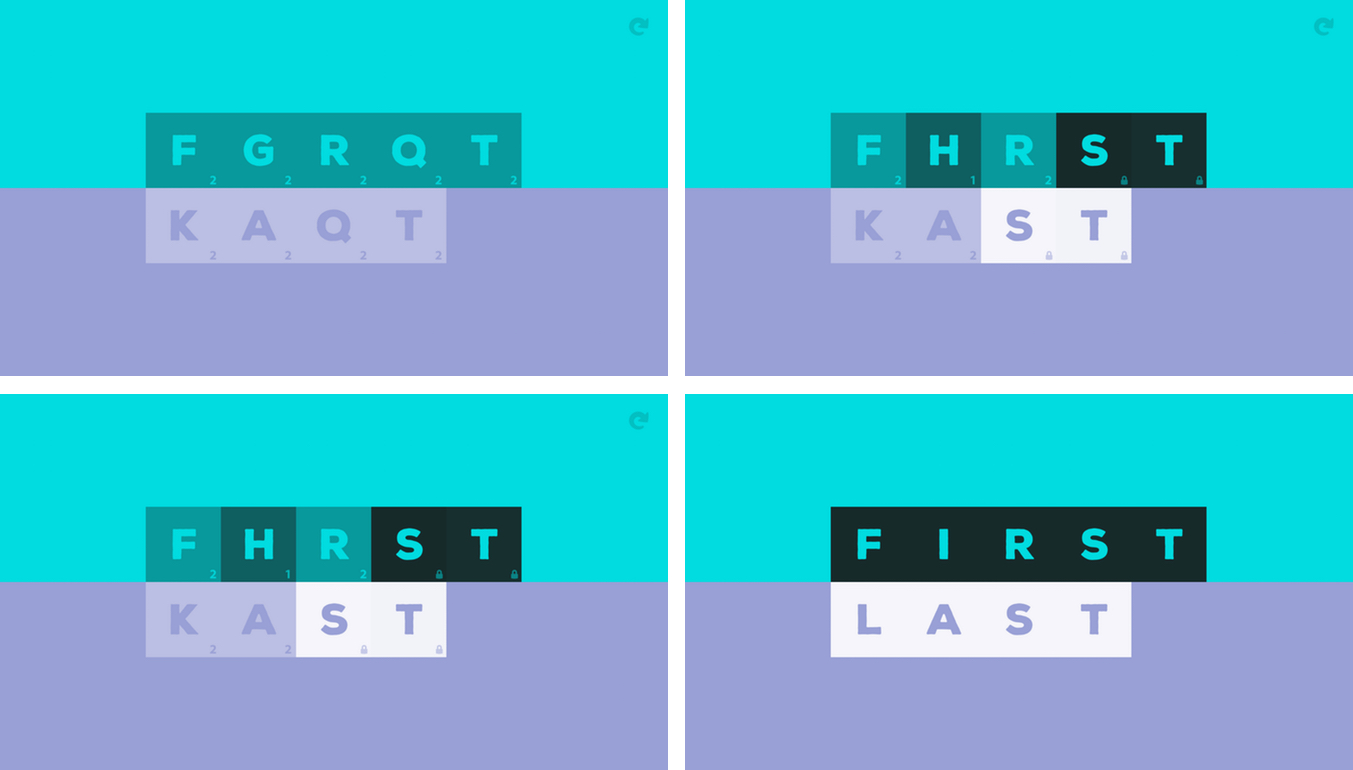
The clean, elegant design of Antitype caught my eye immediately. It’s a scrambled word game from BorderLeap that’s all about opposites. From its design to its gameplay, what makes Antitype unlike other word games is its unique approach that requires you to think about its puzzles differently than you would other word games. That makes the rules a little hard to grasp when you first try Antitype, but once you have the system down, it’s addicting.
Posts in reviews
Game Day: Antitype

Access Extra Content and Perks
Founded in 2015, Club MacStories has delivered exclusive content every week for nearly a decade.
What started with weekly and monthly email newsletters has blossomed into a family of memberships designed for every MacStories fan.
Club MacStories: Weekly and monthly newsletters via email and the web that are brimming with apps, tips, automation workflows, longform writing, early access to the MacStories Unwind podcast, periodic giveaways, and more;
Club MacStories+: Everything that Club MacStories offers, plus an active Discord community, advanced search and custom RSS features for exploring the Club’s entire back catalog, bonus columns, and dozens of app discounts;
Club Premier: All of the above and AppStories+, an extended version of our flagship podcast that’s delivered early, ad-free, and in high-bitrate audio.
Fast Time Zone Conversions with Zones
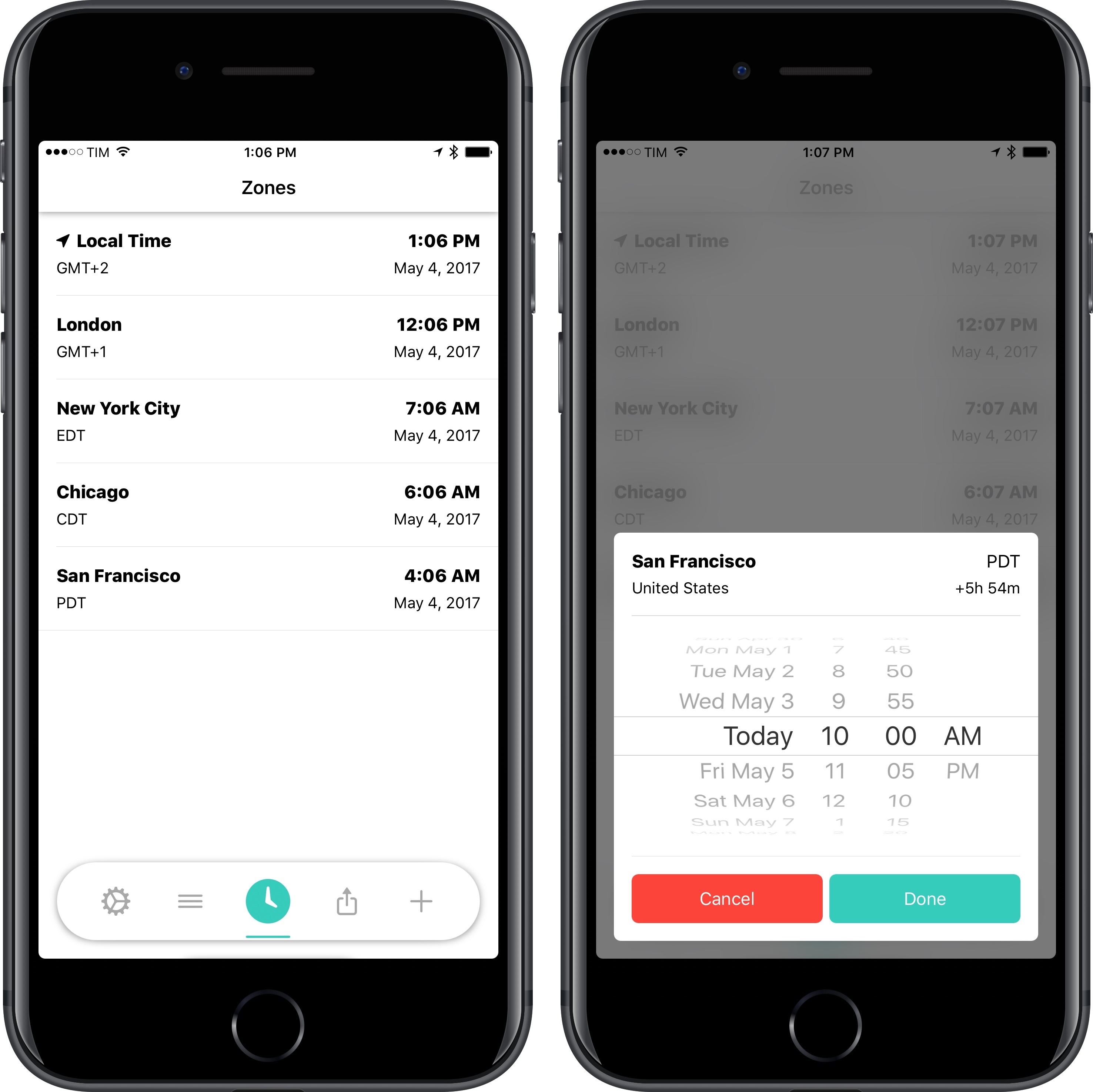
I find myself dealing with time zone conversions more often these days. The MacStories team has grown and we’re all in different time zones; with AppStories, we’ve begun interviewing guests, and it can be tricky to coordinate times that work for everyone. While I’ve mostly learned to perform time zone calculations in my head, it can still be difficult when I’m dealing with cities I don’t know, or when countries change to DST in different periods of the year. I still appreciate a good utility that converts time zones for me.
Access Extra Content and Perks
Founded in 2015, Club MacStories has delivered exclusive content every week for nearly a decade.
What started with weekly and monthly email newsletters has blossomed into a family of memberships designed for every MacStories fan.
Club MacStories: Weekly and monthly newsletters via email and the web that are brimming with apps, tips, automation workflows, longform writing, early access to the MacStories Unwind podcast, periodic giveaways, and more;
Club MacStories+: Everything that Club MacStories offers, plus an active Discord community, advanced search and custom RSS features for exploring the Club’s entire back catalog, bonus columns, and dozens of app discounts;
Club Premier: All of the above and AppStories+, an extended version of our flagship podcast that’s delivered early, ad-free, and in high-bitrate audio.
Game Day: Invert

Invert from Copenhagen-based Glitchnap stretches the concept of tile flipping games in new directions. The only constants in the game are that each flippable tile has two different colored sides, and the goal is to flip them, so the board is one, uniform color. Glitchnap describes Invert as a 2D Rubik’s cube-like puzzle game, which is apt on many levels.
Invert starts with fairly simple puzzles laid out in a grid with only a few flipped tiles. The challenge is that you can only flip whole rows of tiles at once requiring you to consider the impact on other tiles in the row. As the game progresses, Invert introduces the ability to flip tiles in patterns other than rows. The buttons at the end of each row of tiles indicate the shape of the flip pattern. It’s a small difference that adds complexity because it forces you to consider how each pattern interacts with the others adjacent to it.
Access Extra Content and Perks
Founded in 2015, Club MacStories has delivered exclusive content every week for nearly a decade.
What started with weekly and monthly email newsletters has blossomed into a family of memberships designed for every MacStories fan.
Club MacStories: Weekly and monthly newsletters via email and the web that are brimming with apps, tips, automation workflows, longform writing, early access to the MacStories Unwind podcast, periodic giveaways, and more;
Club MacStories+: Everything that Club MacStories offers, plus an active Discord community, advanced search and custom RSS features for exploring the Club’s entire back catalog, bonus columns, and dozens of app discounts;
Club Premier: All of the above and AppStories+, an extended version of our flagship podcast that’s delivered early, ad-free, and in high-bitrate audio.
Doo Adds Task Collaboration, Checklists in Version 2.0
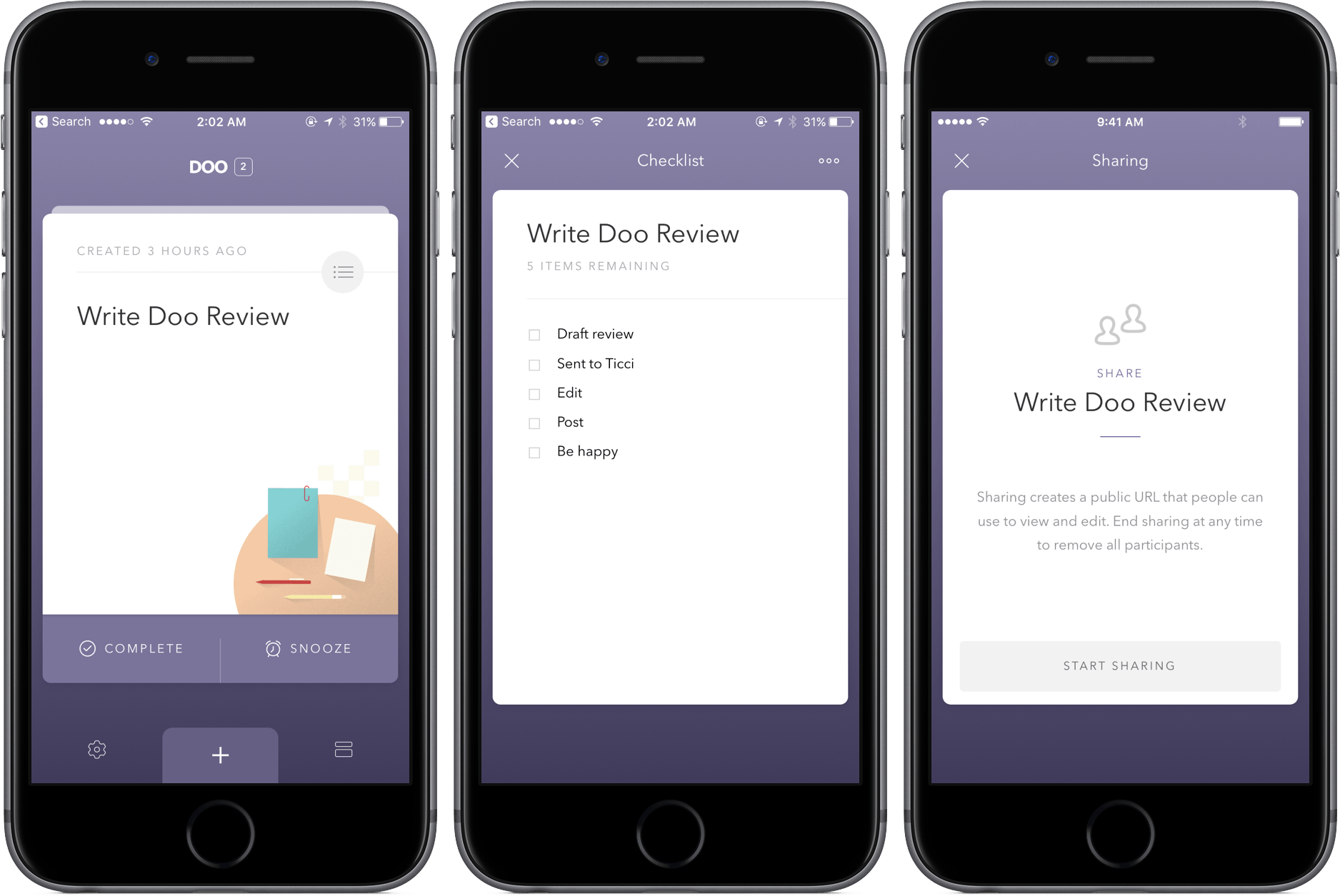
When I wrote about Doo over a year ago, I called its methodology “daring and bold,” a sentiment expressed primarily due to its sparse interface and few features. Although I found its straightforwardness endearing, those looking for a more robust task manager were likely sent packing.
In version 2.0, though, Doo maintains its simplicity while growing into a more powerful productivity tool. The inclusion of task collaboration and checklists specifically makes the update a win, and the additions continue to be hits down the line: location reminders, morning and evening hours, and interface customization with font sizes.
The changes in Doo are well-integrated, too – while some apps might tack them on and make them seem out of place, Doo integrates them directly into the existing UI elements. Basically, you won’t have any problems finding or ignoring the new features, depending on what you’re looking to do.
Practically, using Doo’s new tools can make a big difference in your workflow. For example, a task in Doo can now be broader, with more intricate steps listed in the checklists. With Task collaboration, store trips or packing for vacation can now be a shared breeze.
Both Doo for iPhone and Mac received the update, so owners of each should make sure to update to see the latest the Ciarlo Software team has to offer. And if you haven’t picked up Doo yet, check out my review posted above and download the app for iPhone here ($3.99) and Mac here ($9.99).
Access Extra Content and Perks
Founded in 2015, Club MacStories has delivered exclusive content every week for nearly a decade.
What started with weekly and monthly email newsletters has blossomed into a family of memberships designed for every MacStories fan.
Club MacStories: Weekly and monthly newsletters via email and the web that are brimming with apps, tips, automation workflows, longform writing, early access to the MacStories Unwind podcast, periodic giveaways, and more;
Club MacStories+: Everything that Club MacStories offers, plus an active Discord community, advanced search and custom RSS features for exploring the Club’s entire back catalog, bonus columns, and dozens of app discounts;
Club Premier: All of the above and AppStories+, an extended version of our flagship podcast that’s delivered early, ad-free, and in high-bitrate audio.
Annotable 2.0 Adds Deep Customization Features
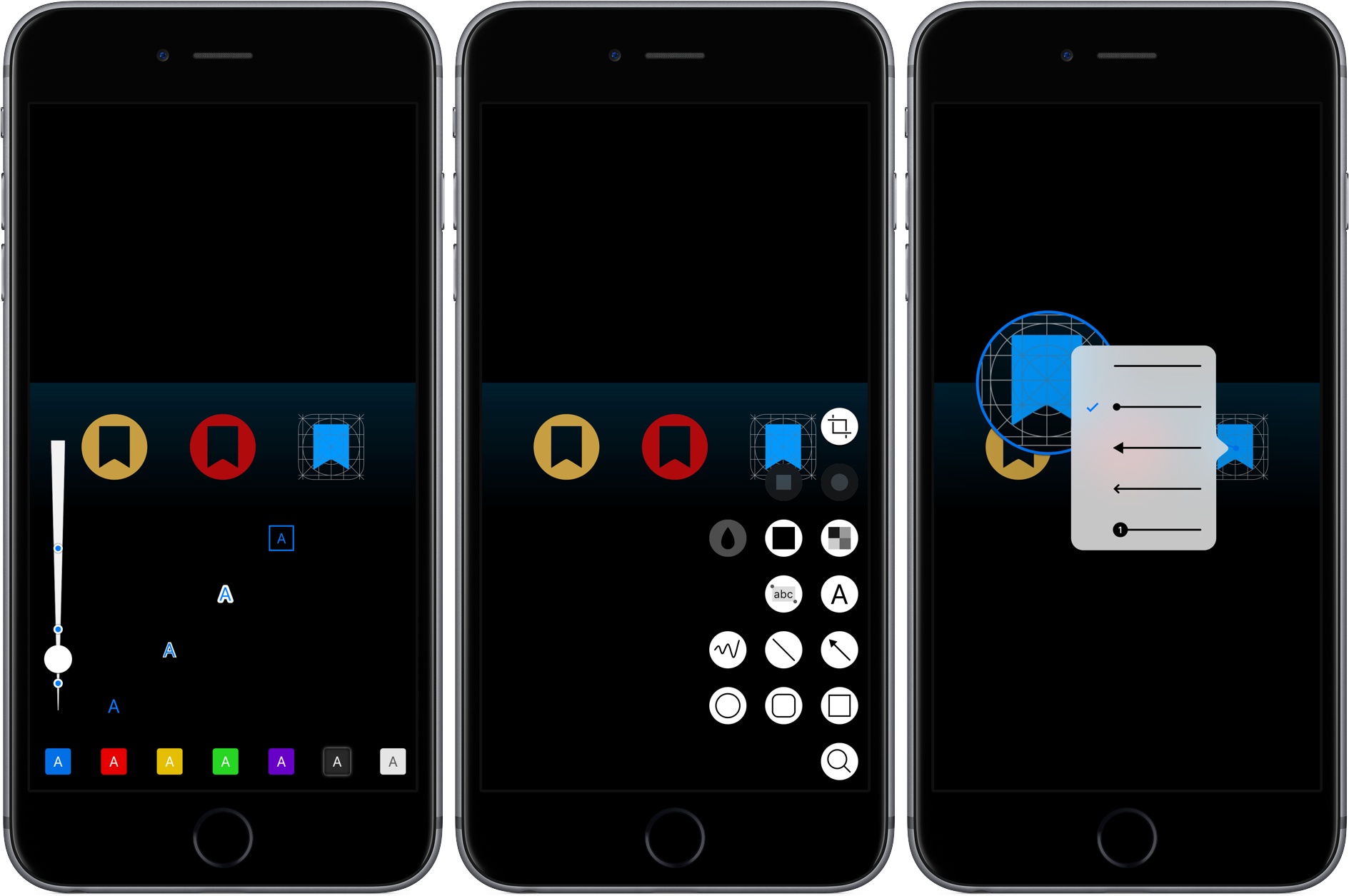
Annotable, an image annotation app from developer Ling Wang, received a major update yesterday. Version 2.0 of the app is all about customization. From the tools that appear when you open the app, to the formatting of text added to an image, Annotable gives you precise control over how you use the app and the look of marked up images, making it my hands-down favorite app for image annotations.
Access Extra Content and Perks
Founded in 2015, Club MacStories has delivered exclusive content every week for nearly a decade.
What started with weekly and monthly email newsletters has blossomed into a family of memberships designed for every MacStories fan.
Club MacStories: Weekly and monthly newsletters via email and the web that are brimming with apps, tips, automation workflows, longform writing, early access to the MacStories Unwind podcast, periodic giveaways, and more;
Club MacStories+: Everything that Club MacStories offers, plus an active Discord community, advanced search and custom RSS features for exploring the Club’s entire back catalog, bonus columns, and dozens of app discounts;
Club Premier: All of the above and AppStories+, an extended version of our flagship podcast that’s delivered early, ad-free, and in high-bitrate audio.
Prizmo Go Review: Smarter OCR with the iPhone’s Camera
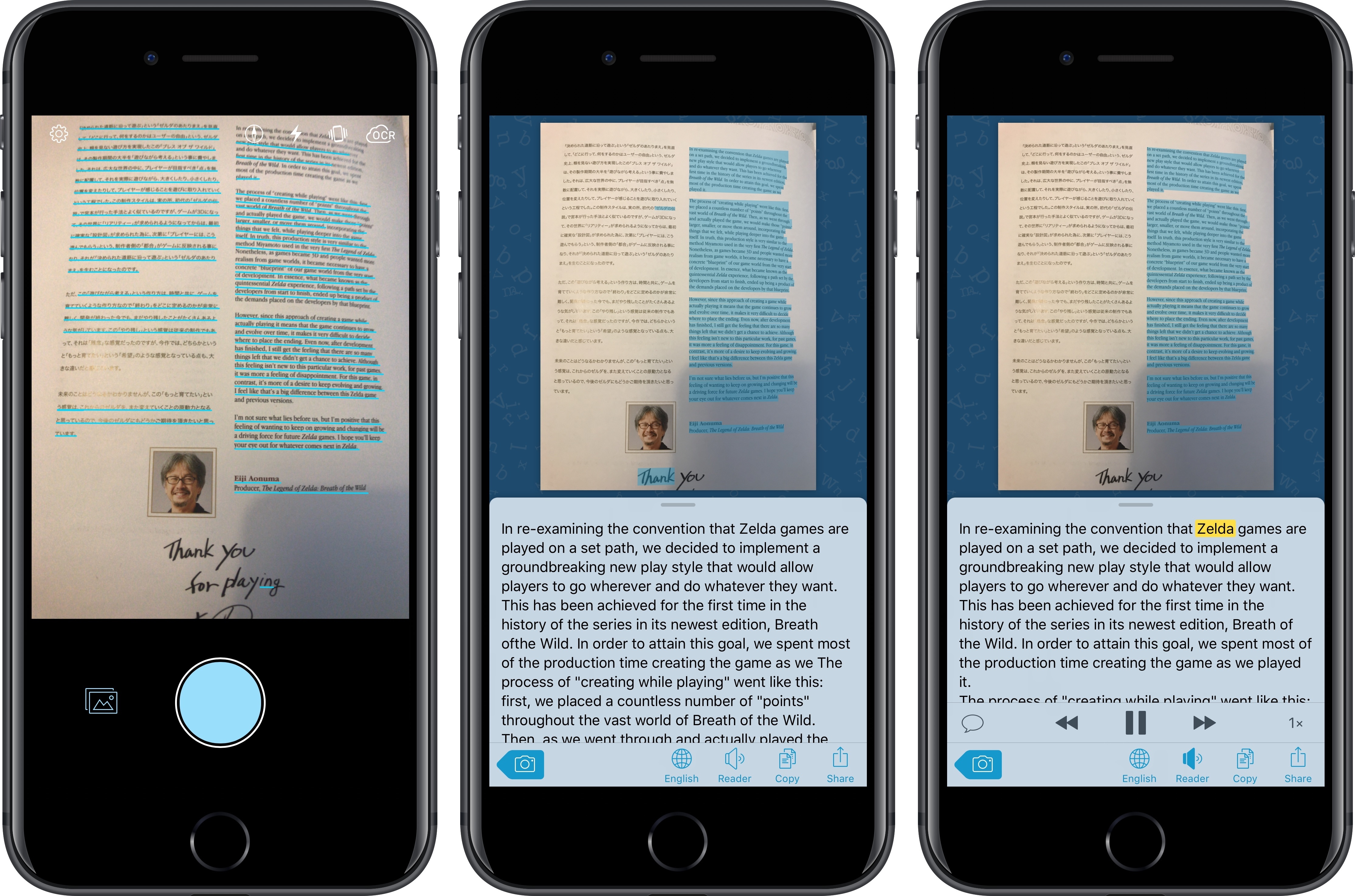
I’ve long been using Prizmo to quickly extract text contained in photos using the iPhone’s camera. Developed by Creaceed, Prizmo has always stood out among iOS scanner apps thanks to its accurate and fast OCR. While most scanner apps focus on digitizing documents and exporting PDFs, Prizmo complemented that functionality with the ability to recognize and share text with just a couple of taps. Prizmo could be used as a scanner app for paperless workflows, but I preferred to keep it on my devices as a dedicated utility to effortlessly extract and share text.
With Prizmo Go, released today on the App Store, Creaceed is doubling down on Prizmo’s best feature with a separate app that’s been entirely designed with OCR and sharing text in mind. While OCR was a feature of Prizmo, it becomes the cornerstone of the experience in Prizmo Go, which takes advantage of impressive new OCR technologies to make character recognition smarter, faster, and better integrated with other iOS apps.
Access Extra Content and Perks
Founded in 2015, Club MacStories has delivered exclusive content every week for nearly a decade.
What started with weekly and monthly email newsletters has blossomed into a family of memberships designed for every MacStories fan.
Club MacStories: Weekly and monthly newsletters via email and the web that are brimming with apps, tips, automation workflows, longform writing, early access to the MacStories Unwind podcast, periodic giveaways, and more;
Club MacStories+: Everything that Club MacStories offers, plus an active Discord community, advanced search and custom RSS features for exploring the Club’s entire back catalog, bonus columns, and dozens of app discounts;
Club Premier: All of the above and AppStories+, an extended version of our flagship podcast that’s delivered early, ad-free, and in high-bitrate audio.
Rogue Amoeba Releases Airfoil Satellite TV for the Apple TV
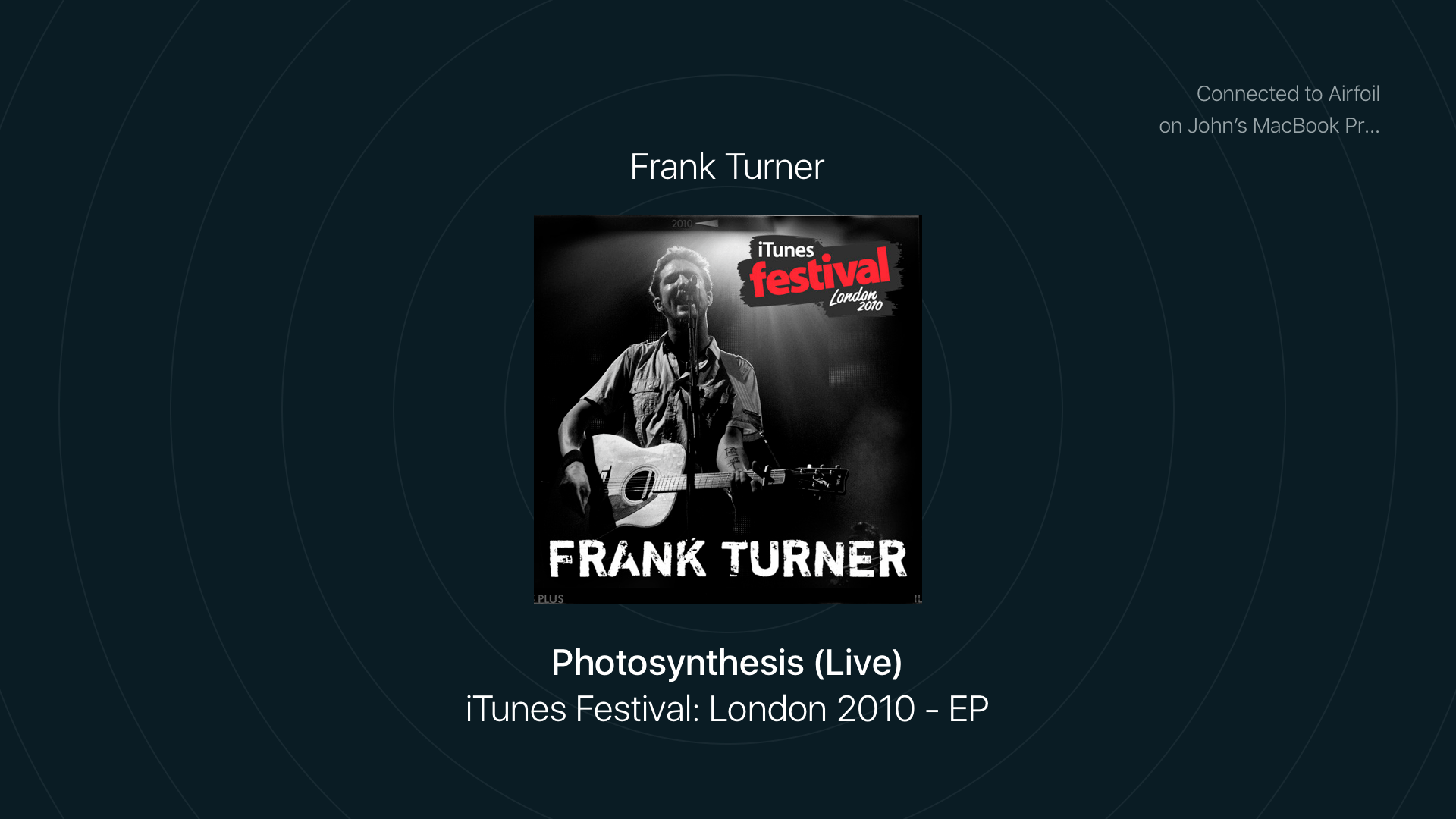
Airfoil by Rogue Amoeba is a Mac app that lets you stream audio from a Mac to multiple connected devices using technologies like Bluetooth and AirPlay. I reviewed version 5 of Airfoil last year, and was impressed with its ability to stream audio to every device I could find in my home and keep them in perfect sync.
Rogue Amoeba has done some impressive reverse engineering of Apple’s OSes to make Airfoil work. The upside is Airfoil is a remarkable audio hub for anyone who wants to stream audio to virtually any connected device. The downside is that changes to Apple’s OSes can break Airfoil, which is what happened when Apple released tvOS 10.2. That update broke Airfoil streaming to Apple TVs that updated to the latest version of tvOS.
Since tvOS 10.2 was released about a month ago, Rogue Amoeba has been working on two solutions for customers. The first is Airfoil Satellite TV, a tvOS app that was released earlier this week. The app, which can receive an audio stream from Airfoil for macOS, is available as a free download on the Apple TV App Store. When you open Airfoil Satellite TV on your Apple TV, a new audio destination appears in Airfoil on your Mac named ‘Airfoil Satellite on [Your Apple TV Name].’ Pick that destination and music starts streaming from your Mac to your Apple TV.
Access Extra Content and Perks
Founded in 2015, Club MacStories has delivered exclusive content every week for nearly a decade.
What started with weekly and monthly email newsletters has blossomed into a family of memberships designed for every MacStories fan.
Club MacStories: Weekly and monthly newsletters via email and the web that are brimming with apps, tips, automation workflows, longform writing, early access to the MacStories Unwind podcast, periodic giveaways, and more;
Club MacStories+: Everything that Club MacStories offers, plus an active Discord community, advanced search and custom RSS features for exploring the Club’s entire back catalog, bonus columns, and dozens of app discounts;
Club Premier: All of the above and AppStories+, an extended version of our flagship podcast that’s delivered early, ad-free, and in high-bitrate audio.
Vignettes Review: I Need a Moment

Vignettes is, without a doubt, the most bizarre game (and app) I’ve ever purchased in the App Store.
The goal of the game – I think? – is to turn one object into another by twisting, rotating, tapping, and shifting your perspective of the object. If done correctly, you’ll transform a phone into a bowl, a light bulb into a lamp, and your brain from a completely functioning organ to a steaming pile of gray mush.
That’s about all there is to Vignette. The more you discover new objects, the more objects you’ll want to find. As you proceed through the game, you’ll begin to unlock keys that will start you at different points in the game, reveal secrets, and let you interact with more objects.
That probably sounds incredibly generic, but that’s because it’s incredibly difficult to put the concept behind Vignettes into words. It’s an experience, one that feels halfway between a game and an art project where the end object is to trick you to spinning your real-world chapstick around, hoping it transforms into something else (and yes, I did this!). There are almost no in-game instructions, either, so you’re left to your own devices from the outset.
However, there’s something really intriguing about the whole experience; although Vignettes is one of the most frustrating games I’ve played this year, the reward of discovery keeps me coming back the app even when I don’t think I want to. I get lost in its worlds, unable to comprehend exactly what puzzles I’m solving, but solving them nevertheless. Each puzzle is its own super weird and fun journey. I haven’t been so entranced by a iOS game in a long time.
Vignettes is available on the App Store for $2.99.
Now if you’ll excuse me, I’m going to go lie down.
Access Extra Content and Perks
Founded in 2015, Club MacStories has delivered exclusive content every week for nearly a decade.
What started with weekly and monthly email newsletters has blossomed into a family of memberships designed for every MacStories fan.
Club MacStories: Weekly and monthly newsletters via email and the web that are brimming with apps, tips, automation workflows, longform writing, early access to the MacStories Unwind podcast, periodic giveaways, and more;
Club MacStories+: Everything that Club MacStories offers, plus an active Discord community, advanced search and custom RSS features for exploring the Club’s entire back catalog, bonus columns, and dozens of app discounts;
Club Premier: All of the above and AppStories+, an extended version of our flagship podcast that’s delivered early, ad-free, and in high-bitrate audio.
The Successor to Wunderlist Is Here: Microsoft To-Do
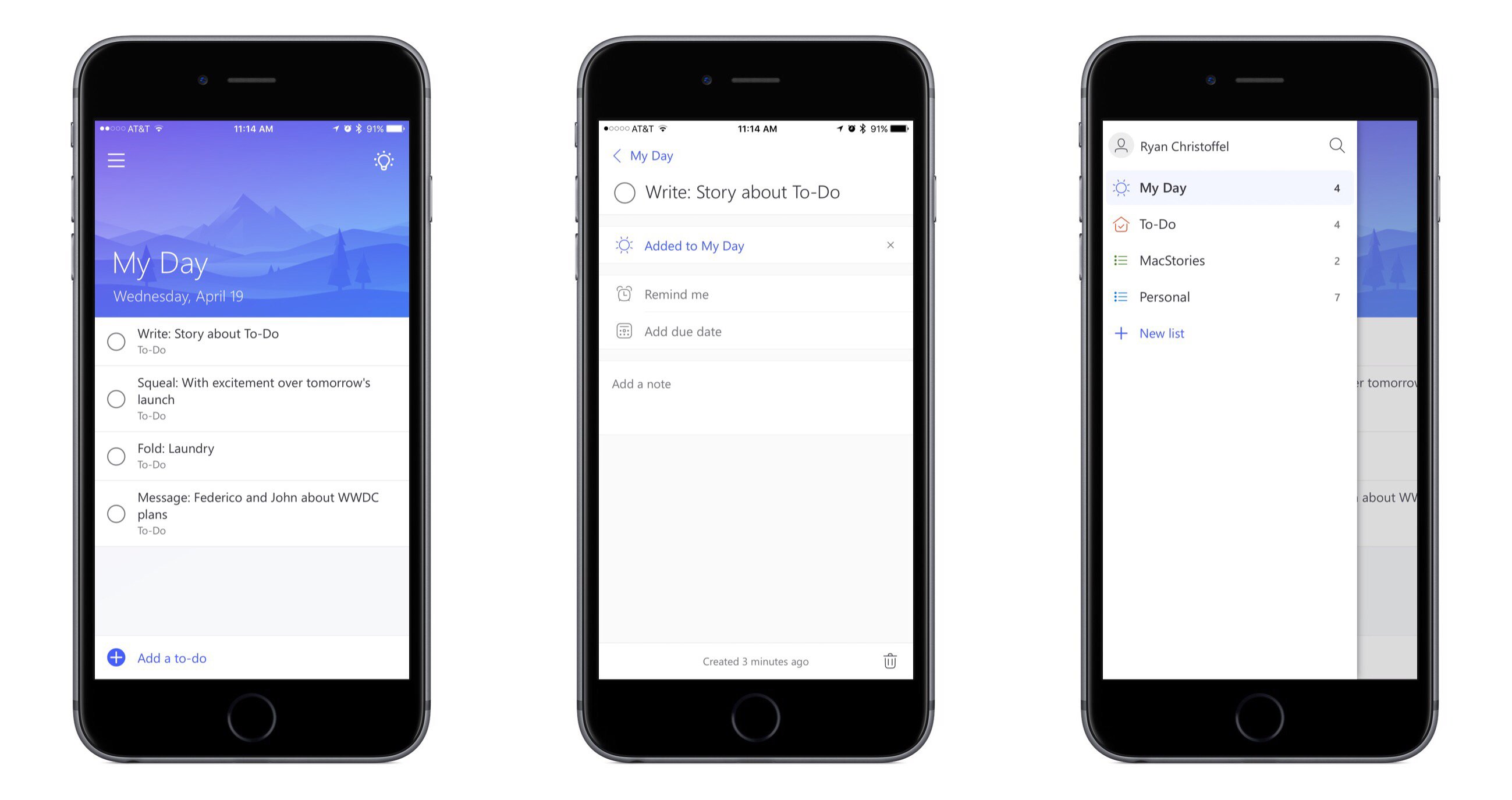
Microsoft To-Do is the official successor to Wunderlist, the popular task management app acquired by Microsoft in mid-2015. Microsoft unveiled To-Do today in Preview, which is essentially a public beta. The service is built on Office 365 technologies, but according to ZDNet it is available to anyone with a Microsoft account; Office 365 is not required.
To-Do launches today on several major platforms, including iPhone, Android, Windows, and the web. Unfortunately iPad and Mac versions are not available at this time, but Microsoft says those apps will be available in the coming months.
After spending some time with To-Do on iPhone, my initial impressions are that it’s a beautiful, simple task management tool that very much feels like a worthy successor to Wunderlist.
Access Extra Content and Perks
Founded in 2015, Club MacStories has delivered exclusive content every week for nearly a decade.
What started with weekly and monthly email newsletters has blossomed into a family of memberships designed for every MacStories fan.
Club MacStories: Weekly and monthly newsletters via email and the web that are brimming with apps, tips, automation workflows, longform writing, early access to the MacStories Unwind podcast, periodic giveaways, and more;
Club MacStories+: Everything that Club MacStories offers, plus an active Discord community, advanced search and custom RSS features for exploring the Club’s entire back catalog, bonus columns, and dozens of app discounts;
Club Premier: All of the above and AppStories+, an extended version of our flagship podcast that’s delivered early, ad-free, and in high-bitrate audio.