This Week's Sponsor:

SoundSource

New Year, New Audio Setup: SoundSource 6 from Rogue Amoeba


Posts in reviews

Prizmo 5 for iOS Delivers Fast Scanning and Powerful OCR

I own a ScanSnap S1300i scanner, but I’m not sure why anymore. I used to scan paper documents and store them on my Mac. I’d OCR the scans, so they would be text searchable, and I used Hazel rules to organize them in folders automatically. However, I realized recently that not only do I rarely need to refer back to those scanned documents, but most are already available in electronic form online. If I need to look at an old credit card statement or bill, I can log into those accounts to find the information I need, so I tossed my scanner in a drawer.

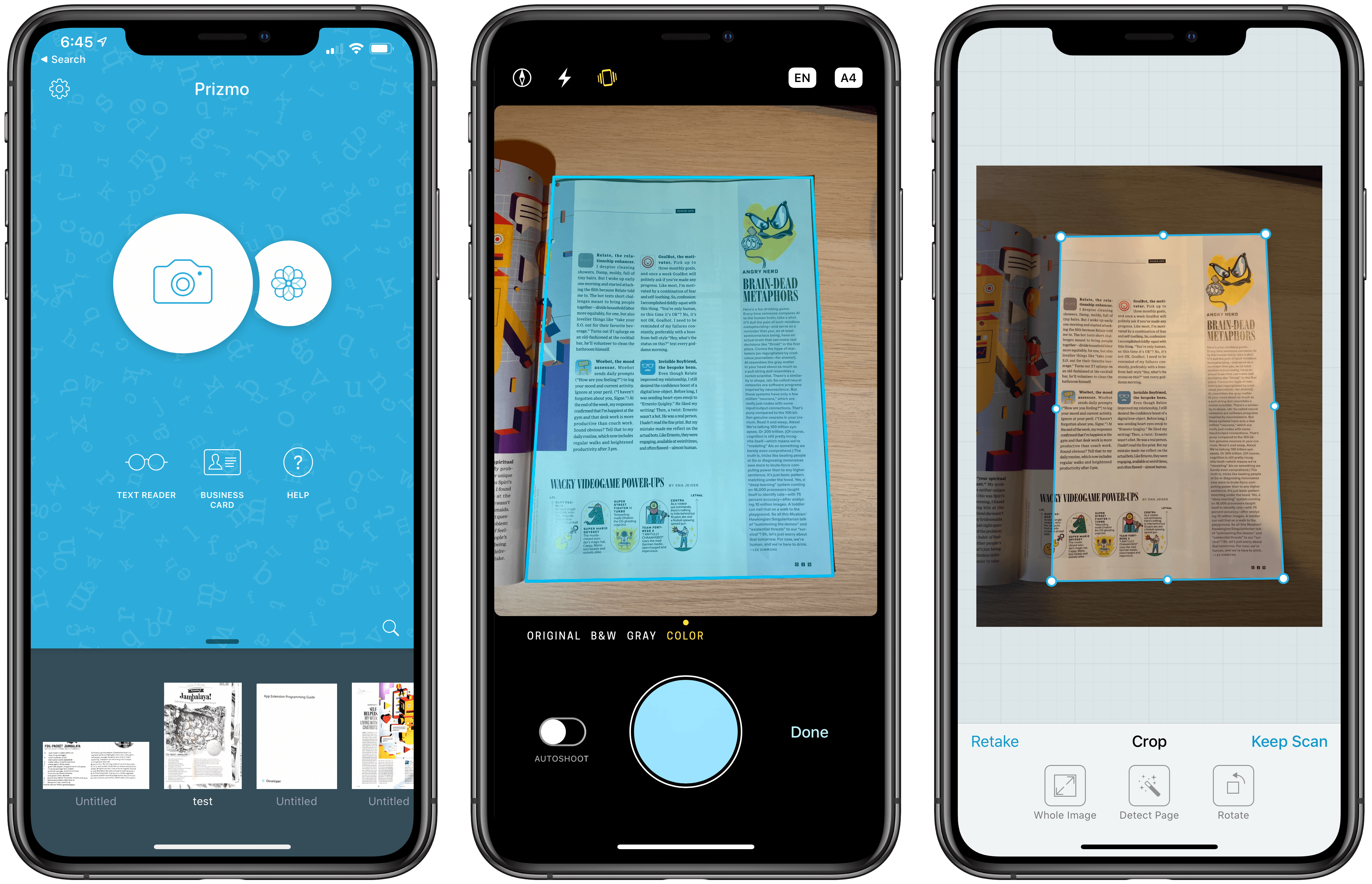
Important bits of paper still come into my life now and then, but I’ve found that an iOS scanning app is more convenient for the volume of scanning I do now. There are lots of terrific apps on iOS to capture and organize scans, but Prizmo by Creaceed, which I’ve been testing for the past week, has quickly become one of my favorites, distinguishing itself with its ease of capture and terrific OCR functionality.

Read more


NetNewsWire Review: The Mac RSS Client, Rebooted with a Solid Foundation for the Future

After Google Reader disappeared, a lot of people drifted away from RSS readers. For many, social networks like Twitter filled the void, leading some observers to declare the death of RSS. However, a funny thing happened in the aftermath of Google Reader’s demise. New sync services arose, and RSS readers flourished on iOS, where competition to provide users with new and innovative ways to read their favorite feeds has been fierce.

However, feed reader options haven’t been nearly as robust on the Mac. As I’ve noted before, many of my favorite RSS readers for iOS don’t have Mac counterparts, and those that do haven’t been developed with the same regularity we’ve seen on iOS. It’s into this landscape that NetNewsWire 5 launches today.

If you’ve been using RSS for any length of time, you’ve undoubtedly heard of NetNewsWire, but may not be aware of its long history. The app’s roots stretch back to 2002 with NetNewsWire Lite 1.0, which Brent Simmons developed. In 2005, the app was purchased by NewsGator, then Black Pixel bought the app in 2011.

Simmons began working on a new open-source RSS reader called Evergreen in 2015. But then in 2018, he reacquired the rights to NetNewsWire from Black Pixel, bringing the app back to where it started for the first time in 13 years.

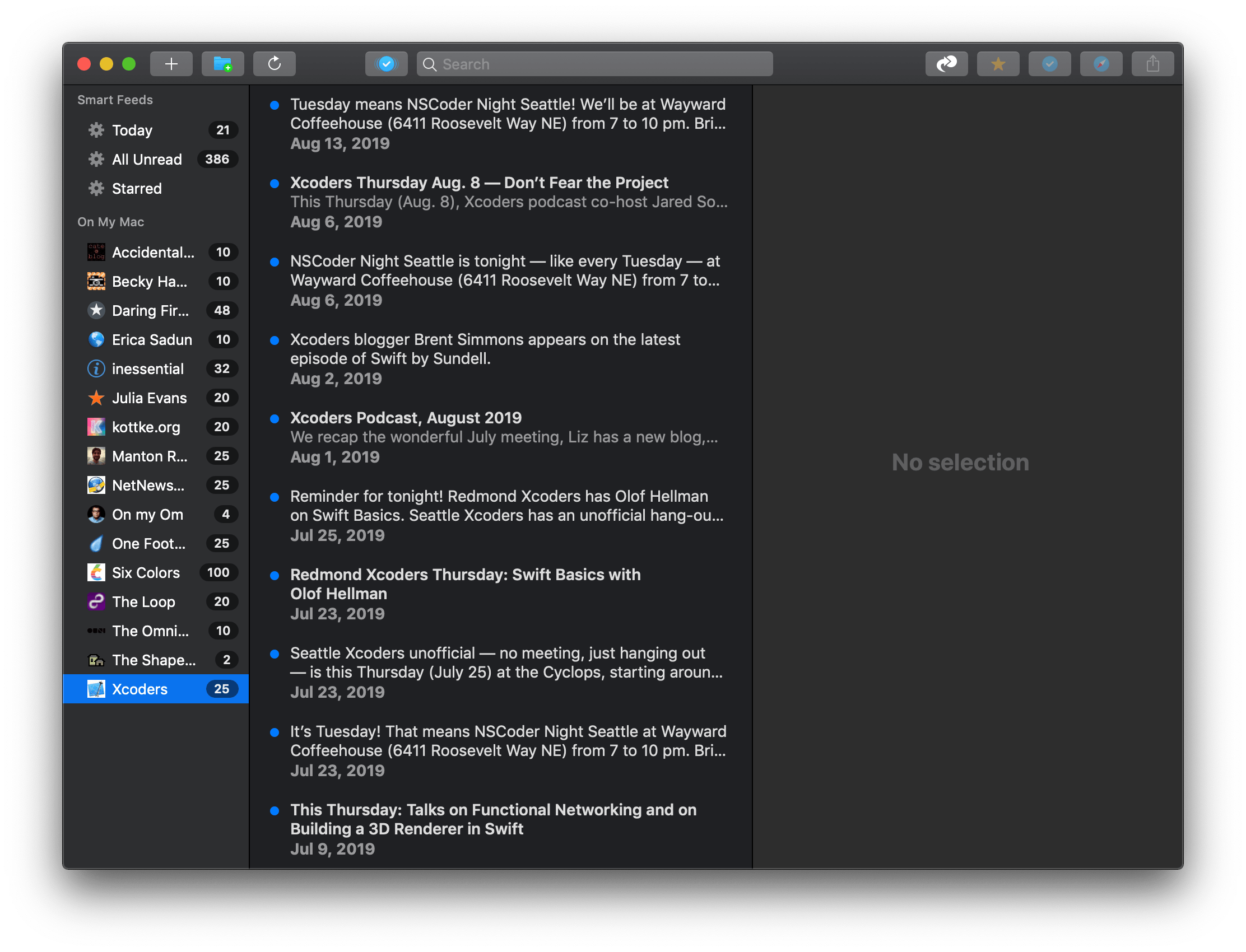
NetNewsWire comes with a built-in set of feeds to get newcomers started.

NetNewsWire comes with a built-in set of feeds to get newcomers started.

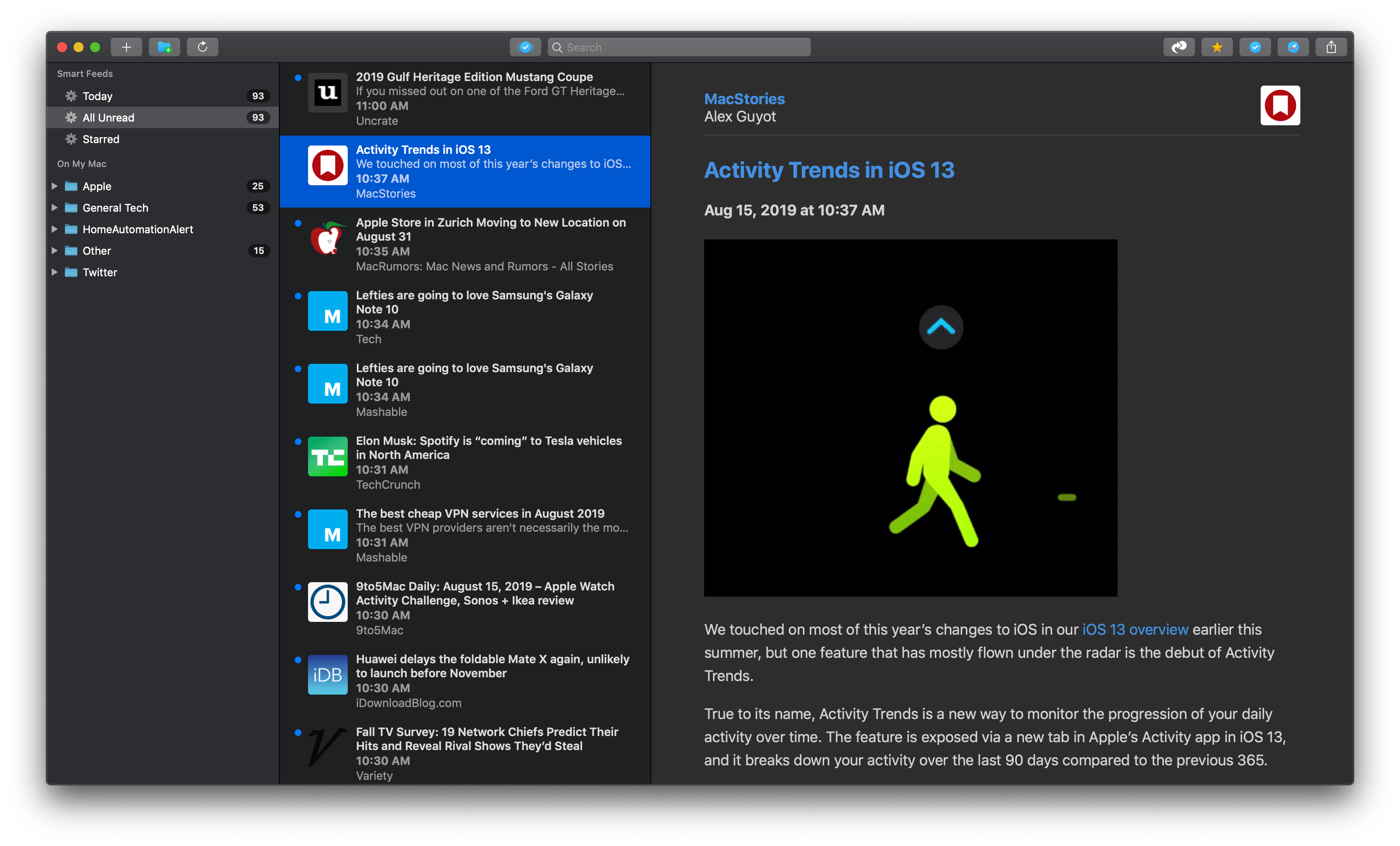
NetNewsWire 5 is an all-new, free app rebuilt from the ground up using Evergreen’s code, but bearing the name of Simmons’ original feed reader. The time and hard work by Simmons and other contributors to the open-source project are apparent. NetNewsWire 5 is a thoughtfully-designed, fast app with powerful search. The app won’t be my primary Mac feed reader until it has more syncing options or the planned iOS version is released, but if your feed reading is limited to the Mac or you use Feedbin to sync your feeds to iOS, NetNewsWire is an excellent choice.

Read more


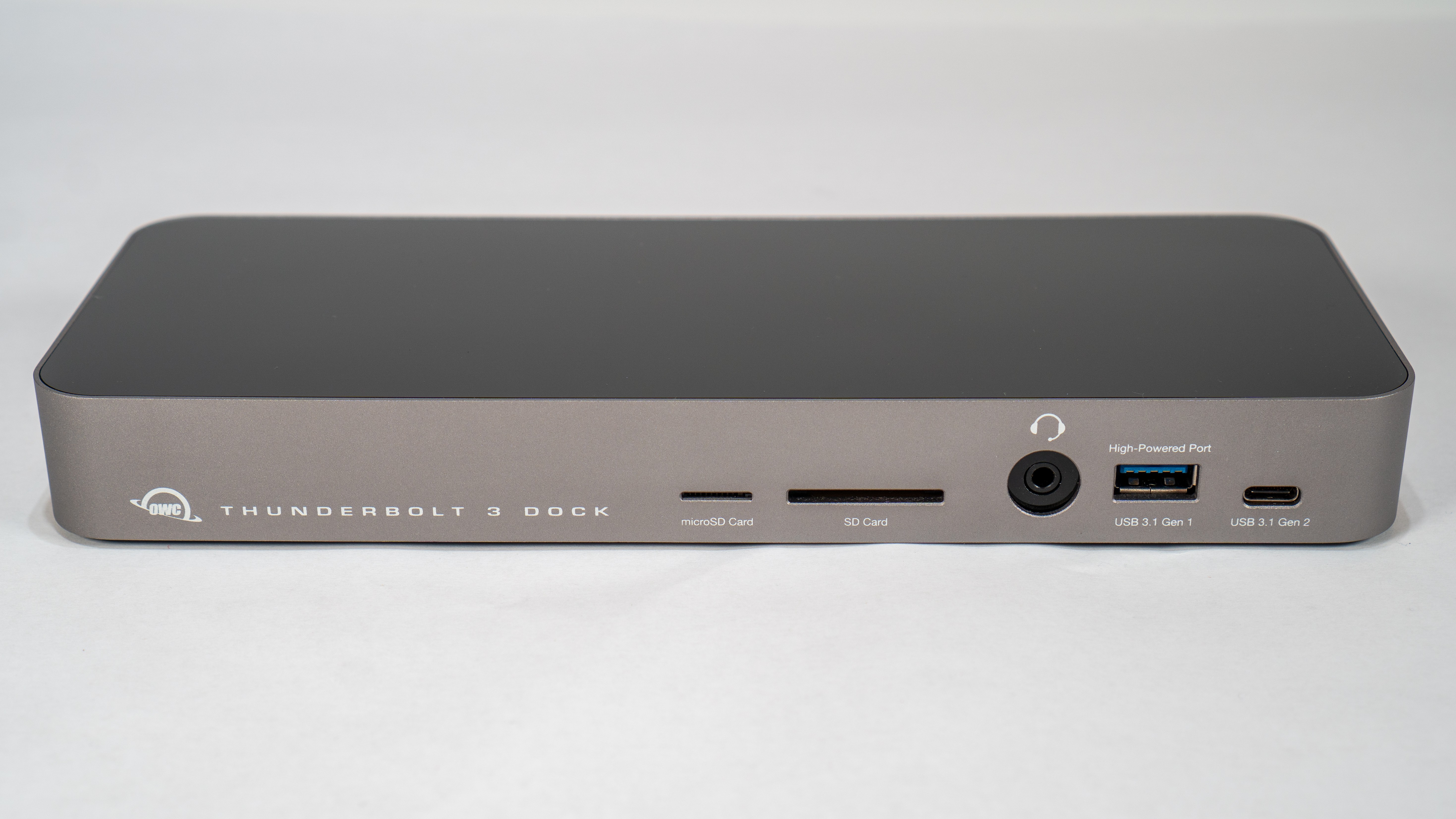
Swapping Dongles for a Dock: The OWC Thunderbolt 3 Dock

By limiting its laptops to Thunderbolt 3 and USB-C ports, Apple has been able to continue its relentless pursuit of thinness. That’s great when you’re on the go. However, if an Apple laptop is your primary computer, the number and lacking diversity of ports is problematic. When you’re back at home or work, connecting legacy USB-A devices, SD and microSD cards, and Ethernet and HDMI cables requires an array of often expensive dongles and cables that quickly fill up the available ports on your Mac.

When I commuted to downtown Chicago for work, I carried a 2016 MacBook Pro with me. At the end of the day when I returned home, I sat the laptop on my desk and plugged in a bunch of cables and dongles, which was a pain. Because I work from home now, I don’t use my MacBook Pro that way very often anymore, except in the summertime when that laptop becomes a testbed for the latest macOS beta. I’ve been trying to work on the macOS beta from a MacBook Pro as much as possible over the summer, and the experience has caused me to revisit the frustration of unplugging cables and dongles every time I want to leave my desk and work elsewhere.

I had been thinking about ways to improve my summertime beta setup when Other World Computing offered to send me its OWC Thunderbolt 3 Dock to test. I took them up on the offer, and having used it for a while now, I love the convenience of being able to connect everything to my MacBook Pro with a single Thunderbolt 3 cable. It’s not an inexpensive solution, but compared to the cost of purchasing multiple over-priced dongles, it’s not as extravagant as it might seem at first.

Read more


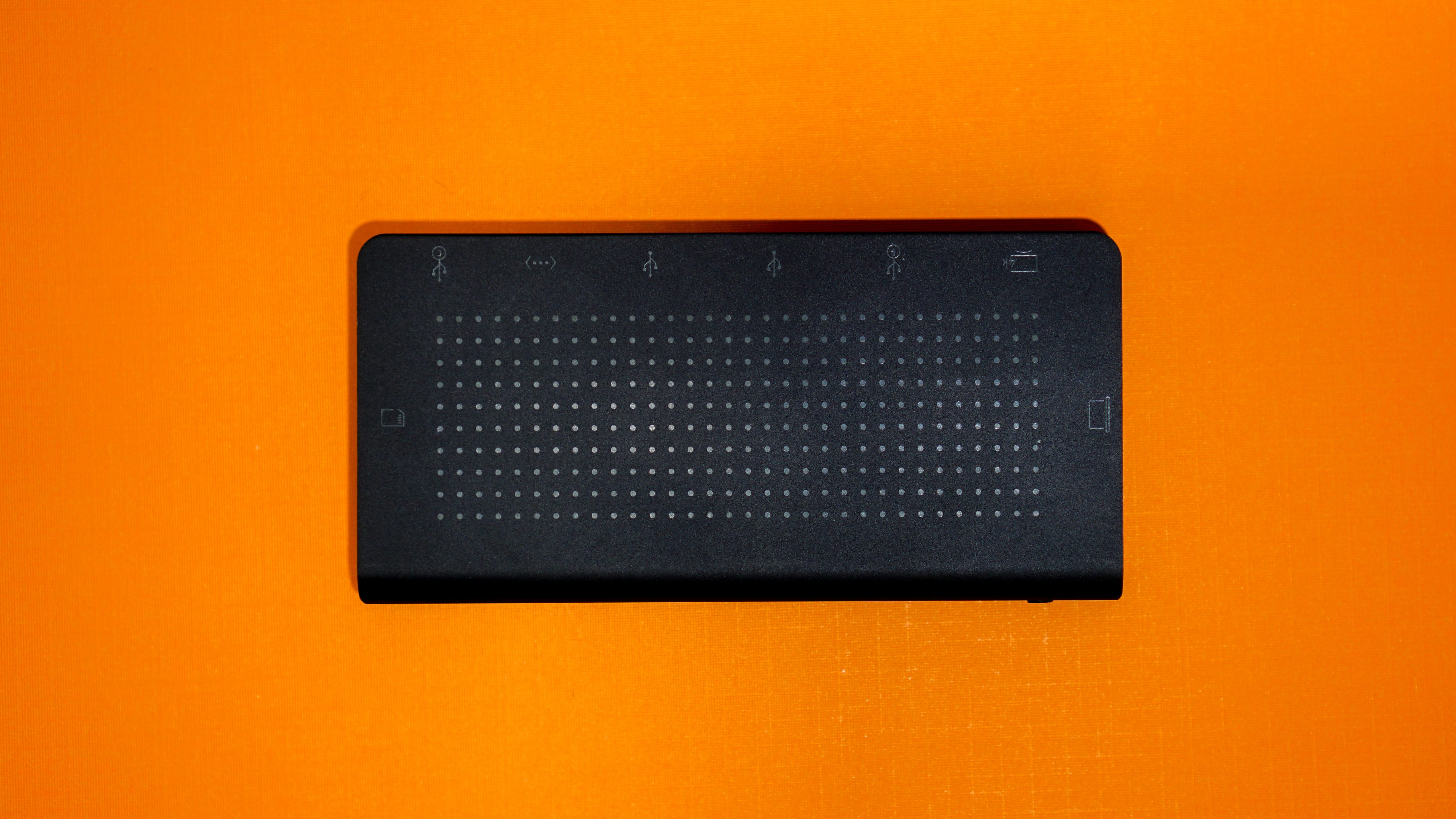
StayGo USB-C Hub: First Impressions

The two devices that first got me interested in USB-C hubs were my iPad Pro and MacBook Pro. With the iPad, the attraction was a single device that could connect an external display, support Gigabit Ethernet networking, and read photos from an SD card with the promise of external storage support in iOS 13. For my 2016 13” MacBook Pro, I wanted a way to easily connect legacy USB-A devices, jump on my wired network, copy photos from SD cards, connect to an external 4K display, and leave other USB-C ports open for devices I only occasionally connect to my Mac.

One of the trickiest aspects of picking a hub is finding one with ports that fit your use cases the best. On top of that, not all connections are created equal. As Federico explained in his story on his iPad setups late last year, there are a variety of USB flavors that support different data speeds and power delivery amounts as well as HDMI ports that refresh 4K video at different rates.

Since early this year, I’ve been using the HyperDrive Slim 8-in-1 USB-C Hub, which has:

  • 1 USB-C port with Power Delivery, but that isn’t Thunderbolt-compatible
  • 2 USB-A 3.1 ports with 5Gbps throughput
  • an Ethernet jack
  • Mini DisplayPort (4K at 30Hz)
  • HDMI (4K at 30Hz)
  • an SD card slot
  • a microSD card slot

I haven’t had a need for the Mini DisplayPort connection on the Slim 8-in-1 much, but the hub has handled my other needs well as I detailed in my review. However, one of the biggest problems with the HyperDrive hub is that it has a short built-in cable that can’t be removed. The trouble is that at about 16 centimeters long, the short cord causes the hub to dangle from the side of my MacBook Pro when it’s elevated on Twelve South’s Hi-Rise stand and my iPad Pro when it’s in the Viozon stand I use to write. Both setups look messy and put stress on the cable that I worry will cause it to fail eventually.

That’s why I was intrigued when Twelve South told me they were working on a way to solve the problem. The solution is the company’s new StayGo USB-C hub, which Twelve South sent me to try.

Read more


CARROT Weather iPad App Modernized with Multitasking and Expanded Keyboard Shortcuts, iCloud Sync for Settings

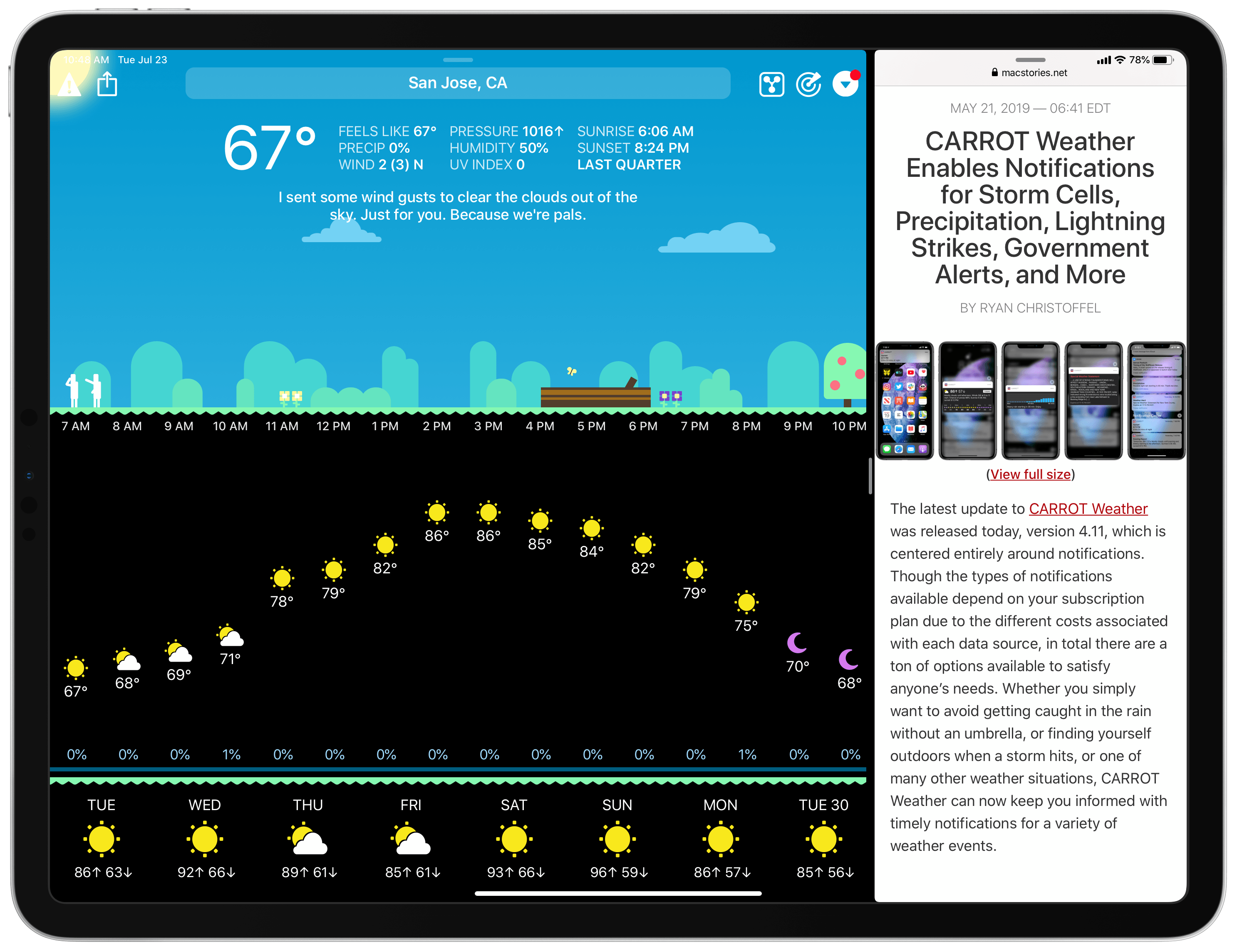
Today in version 4.12, CARROT Weather debuts a modernized iPad app that takes advantage of the features core to a great iPad experience: multitasking support, more keyboard shortcuts, and a tweaked design that better utilizes large displays. Additionally, since the iPad app is maturing in several key ways, CARROT has added iCloud sync for all of the app’s 150+ settings options, ensuring you won’t need to configure settings on both iPhone and iPad.

Read more


Flighty: A Pro-Level iOS App for Frequent Travelers

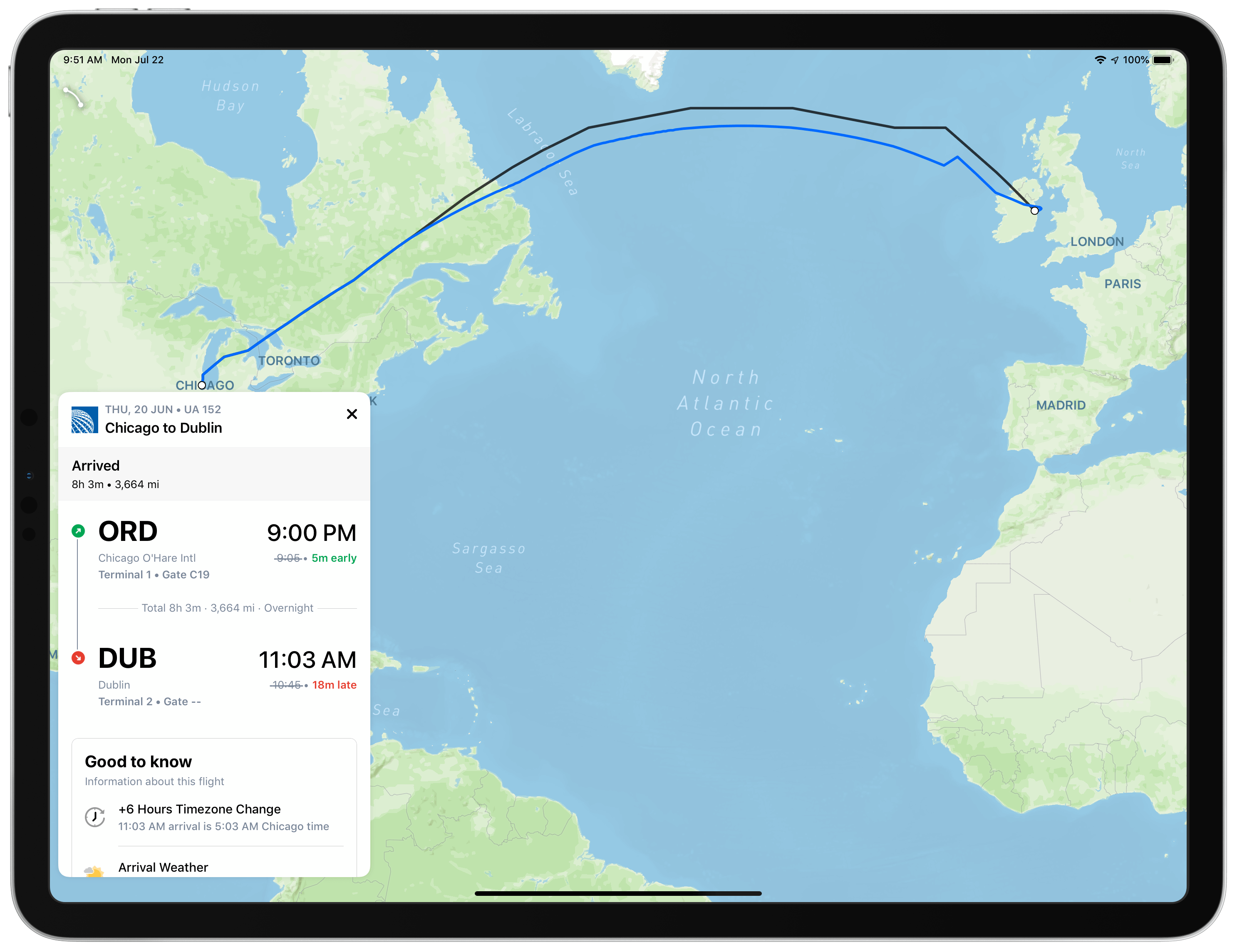
Good flight tracking apps are few and far between. Simply by having a top-notch design, Flighty is superior to most of its competition. There’s more to the app than superior design though. Flighty combines smart design choices with traveler-centric features to generate a comprehensive picture of every flight you track. The result is a pro-level travel app that’s an excellent fit for frequent travelers.

That said, Flighty isn’t for everyone. The app is free to download and use to track basic flight details. However, much of Flighty’s value lies in its granular level of flight detail, extensive push notification options, and inbound flight tracking, which require an expensive subscription.

You can try Flighty’s pro features free for 14 days, after which the subscription costs $8.99/month or $69.99/year, which is currently $49.99/year for a limited time. That’s more than any other flight tracking app I’ve tried, but I expect many travelers who spend lots of time in the air will be willing to pay monthly or annually.

Fliers who don’t need push notifications or the level of detail Flighty’s subscription offers can still track basic flight data with the free version of the app. However, as I’ll explain in greater detail below, the prominence of banners advertising the app’s pro subscription doesn’t make that a good option.

Read more


Pixelmator Pro for Mac Adds an Apple Photos Extension, New Zoom Tools, and Other Features

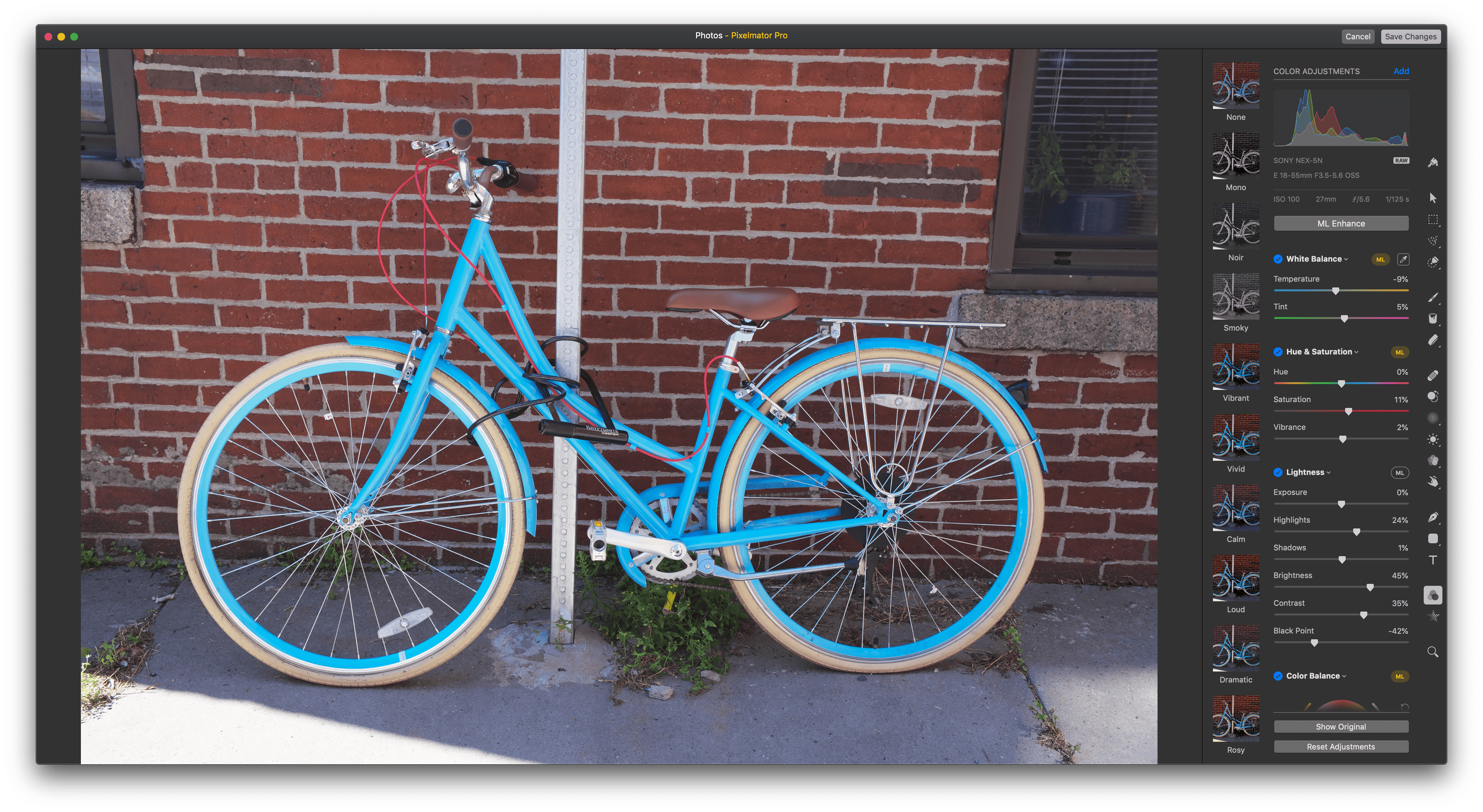
Pixelmator Pro released a significant update today that integrates the Mac app with Apple’s Photos app using a full-featured extension, adds enhanced zoom functionality, new cropping options, and more.

Pixelmator Pro is one of my favorite image editors on the Mac, but until today, I typically edited images in it that I pulled from an SD card or exported from Photos. That’s no longer necessary because Pixelmator Pro has been updated with a Photos extension that lets you use all of the app’s tools directly within Photos.

Photos extensions allow third-party developers to integrate their apps with Photos. Few of the photo editing apps I’ve used work with Photos though, which is a shame because Pixelmator Pro shows how much can be done with a Photos extension.

Read more


Timepage 3.0: Key Refinements for a Mature Calendar App

It’s a special kind of dilemma when an app is already one of the best in its category, yet it lives on a platform that requires constant improvement. Some apps in this predicament continue adding feature after feature in a way that ends up detracting from what users initially loved, while others pursue updates that may be less attention-grabbing, but they improve the core app in meaningful ways. Timepage, the iOS calendar app from Moleskine, has chosen the latter route with version 3.0, available today. There are no headline-grabbers here, but this latest update demonstrates that Moleskine has a strong understanding of how its app is used, and how to make it better. It introduces significant improvements to event creation, a new birthday functionality, additional calendar views, and a design tweak inspired by Timepage’s sister app, Actions, among other things.

Read more


Libratone’s Zipp 2 and Zipp Mini 2 Portable Wireless Speakers: The MacStories Review

I love my two HomePods. One sits in my living room and the other in my studio. When I finish working for the day, I can ask Siri to move my music from the studio to the living room where I continue what I’m listening to as I make dinner and relax. Most of the time, both HomePods are also within earshot for issuing Siri commands to turn lights on and off, add items to my grocery list, and kick off shortcuts.

Here’s the thing though: it’s summertime. I’m spending time outdoors and going on road trips to visit family. Meanwhile, my HomePods remain tethered to the wall by power cords. They’ll be there waiting when I return, but when I’m on the go, my HomePods are useless, which prompted me to start looking at portable speakers that could reach beyond the walls of my home.

My research led me to Libratone’s Zipp 2 and Zipp Mini 2 wireless speakers, two of the only wireless solutions I’ve found that support Apple’s AirPlay 2 audio streaming technology. Libratone sent me one of each model for testing, and I’ve spent the past few months using them in different spots around my house, in my backyard, and at the beach. Both speakers deliver on the versatility I was looking for, extending the ways and places I can play music. However, neither of the Zipp speakers was quite as simple to use or reliable as the HomePod. The few issues I ran into are balanced out in no small measure by the versatility of the Zipp speakers though, which depending on your needs makes them a worthy replacement for or supplement to the HomePod.

Read more