
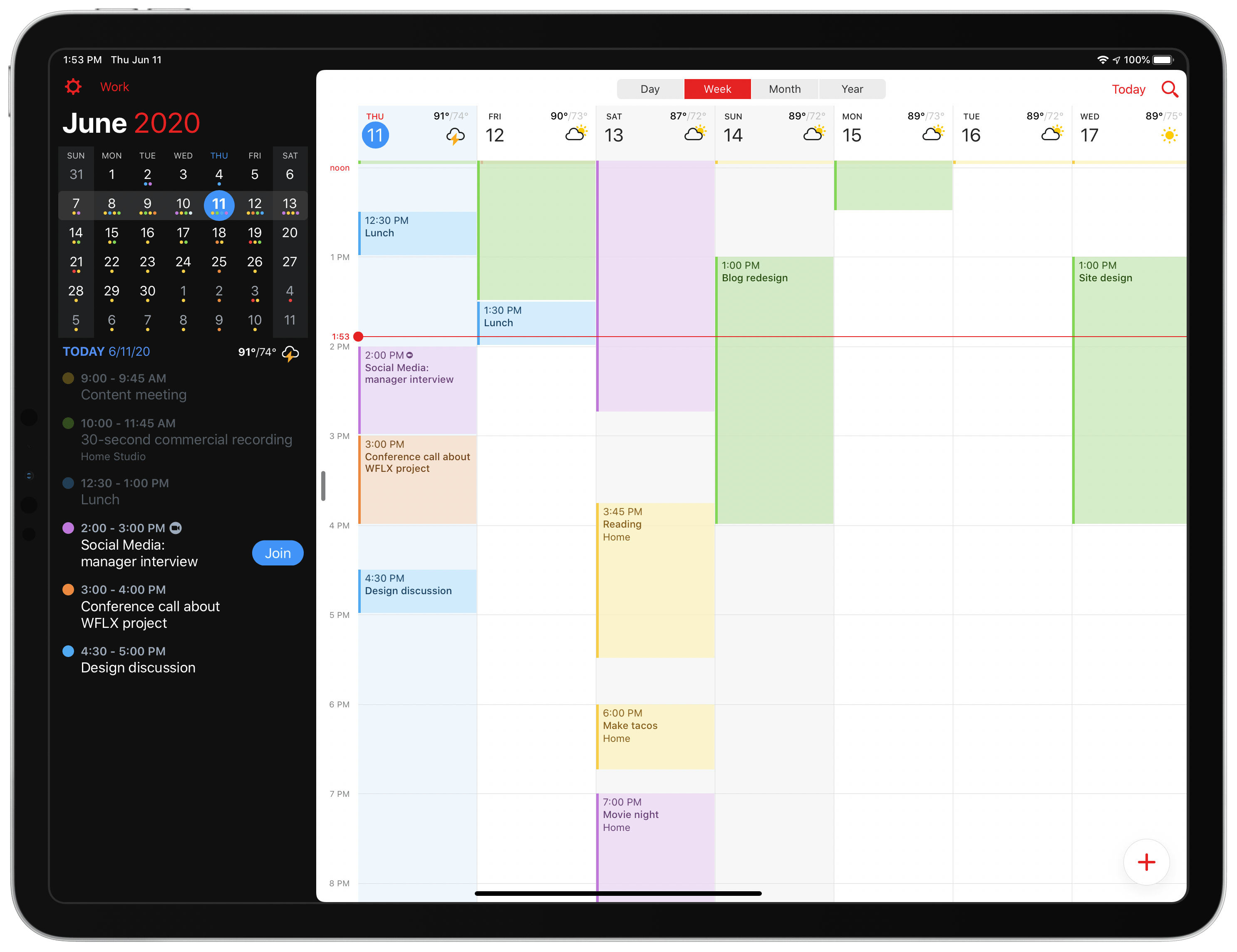
Today Fantastical is releasing an update geared toward users who are in work-from-home mode, with conference calls all throughout each day and unique needs that they’ve never had before. Enhancements to the app include link detection and a new Join button for conference calls, the ability to schedule calendar sets for different times of day, and more.
Posts in reviews
Fantastical 3.1 Arrives as a Valuable Aid for Work-from-Home Users
Fontcase Simplifies Custom Font Installation on iOS and iPadOS
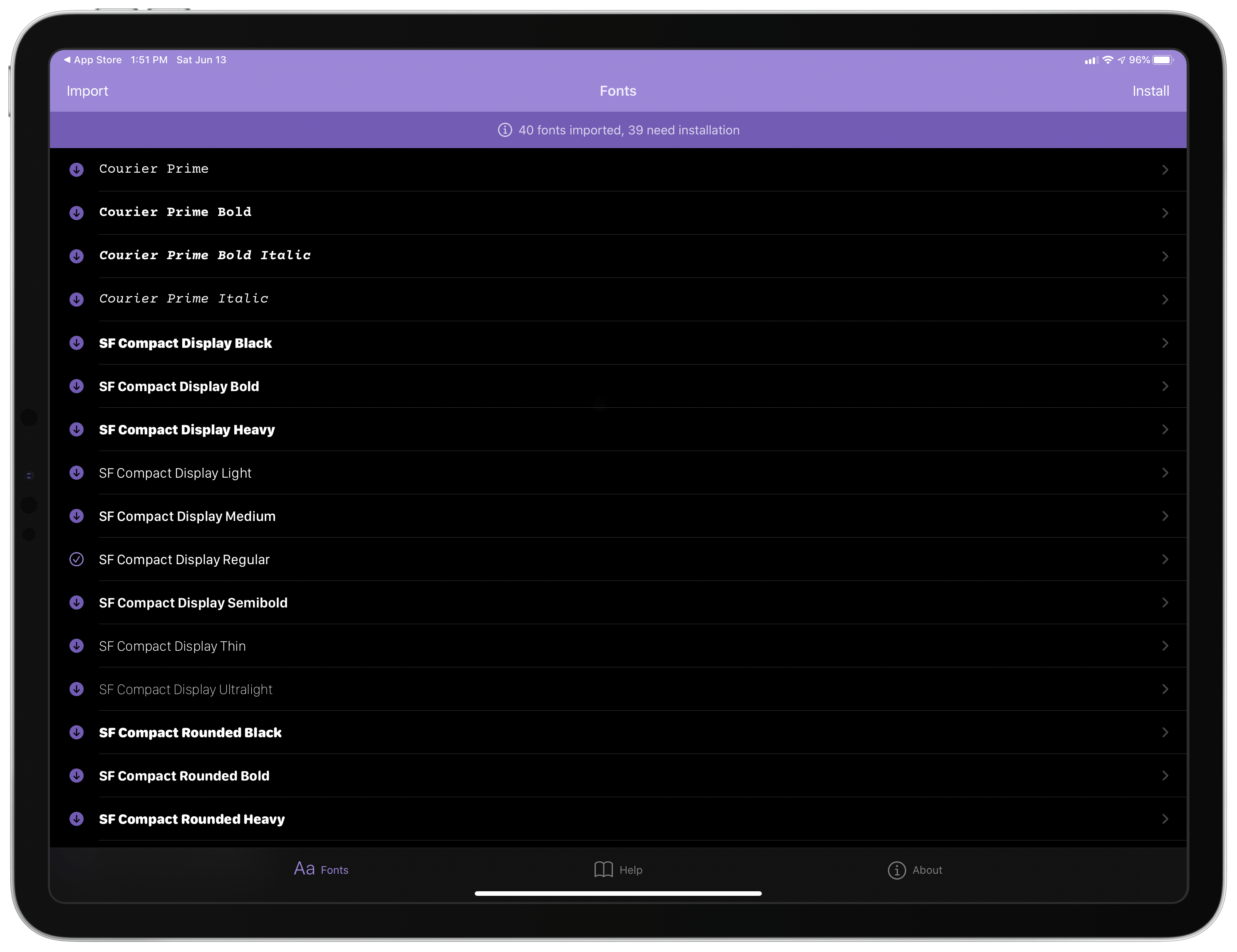
On Friday, The Iconfactory announced that it has collaborated with Manolo Sañudo, the developer of open-source font installation utility xFonts, on a new version of the app, which has been renamed Fontcase. The app greatly simplifies the process of installing custom fonts on iOS and iPadOS. Fontcase isn’t the first utility to do this. However, Fontcase has the advantage of being free and open-source, which should provide users confidence that it’s secure.
Security is an issue with font installers because they require a configuration profile to be installed in the Settings → General section of your iPhone or iPad. Configuration profiles can control important aspects of iOS and iPadOS that could be misused. Because Fontcase is open source, its code is publicly available for anyone to review to make sure it isn’t doing anything unexpected. However, even if you don’t review the code yourself, the mere fact that it is publicly available provides some comfort that someone else has done so.
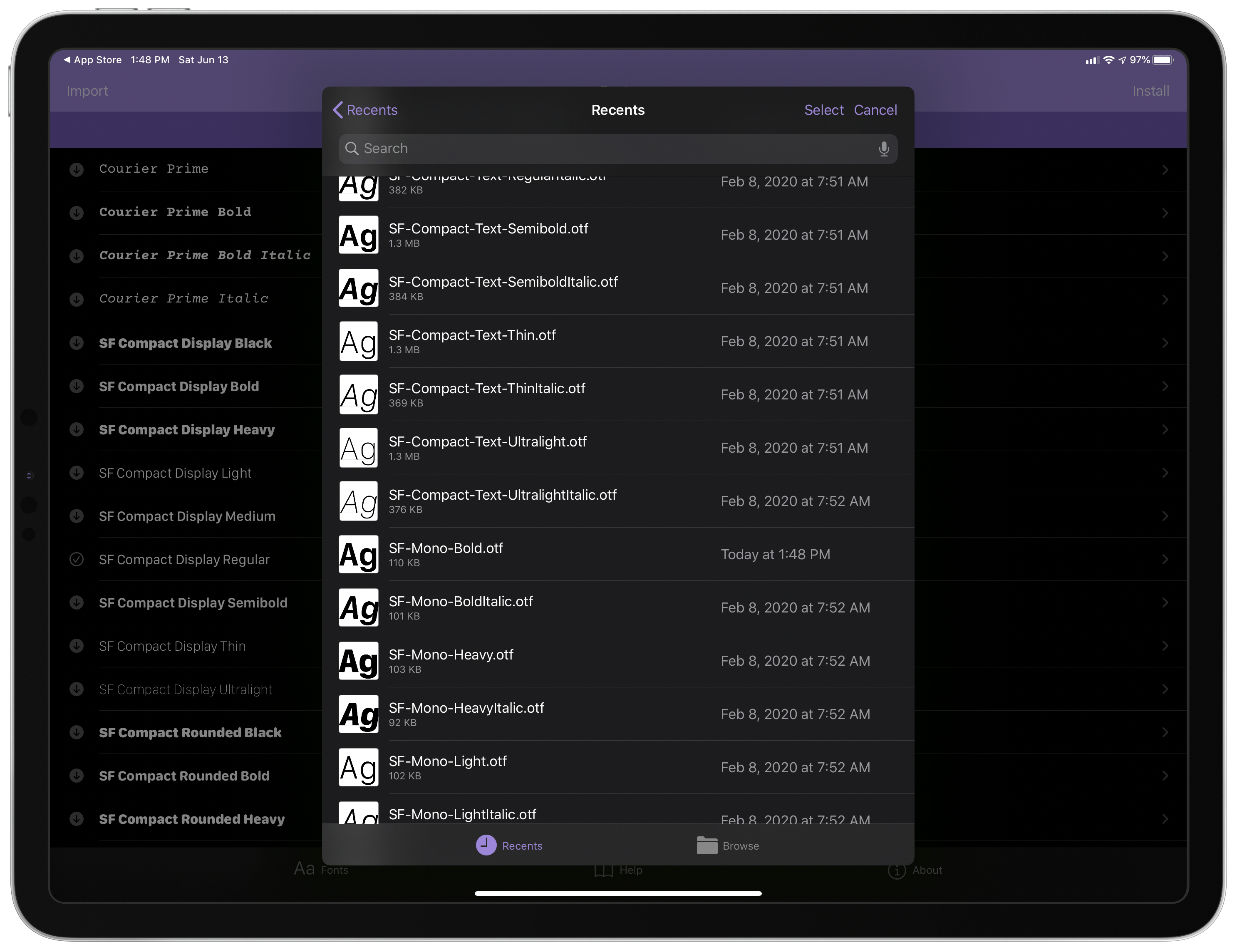
You’ll spend most of your time in Fontcase’s Fonts tab, which is controlled by two buttons marked Import and Install. Import takes advantage of the document browser feature of iOS and iPadOS, opening the familiar Files UI for navigating to a folder in iCloud Drive, Dropbox, or another file provider where you have fonts saved that you want to install. Select the fonts you want and tap Open, and they will appear in Fontcase’s UI using the font itself to provide users with a mini-preview.
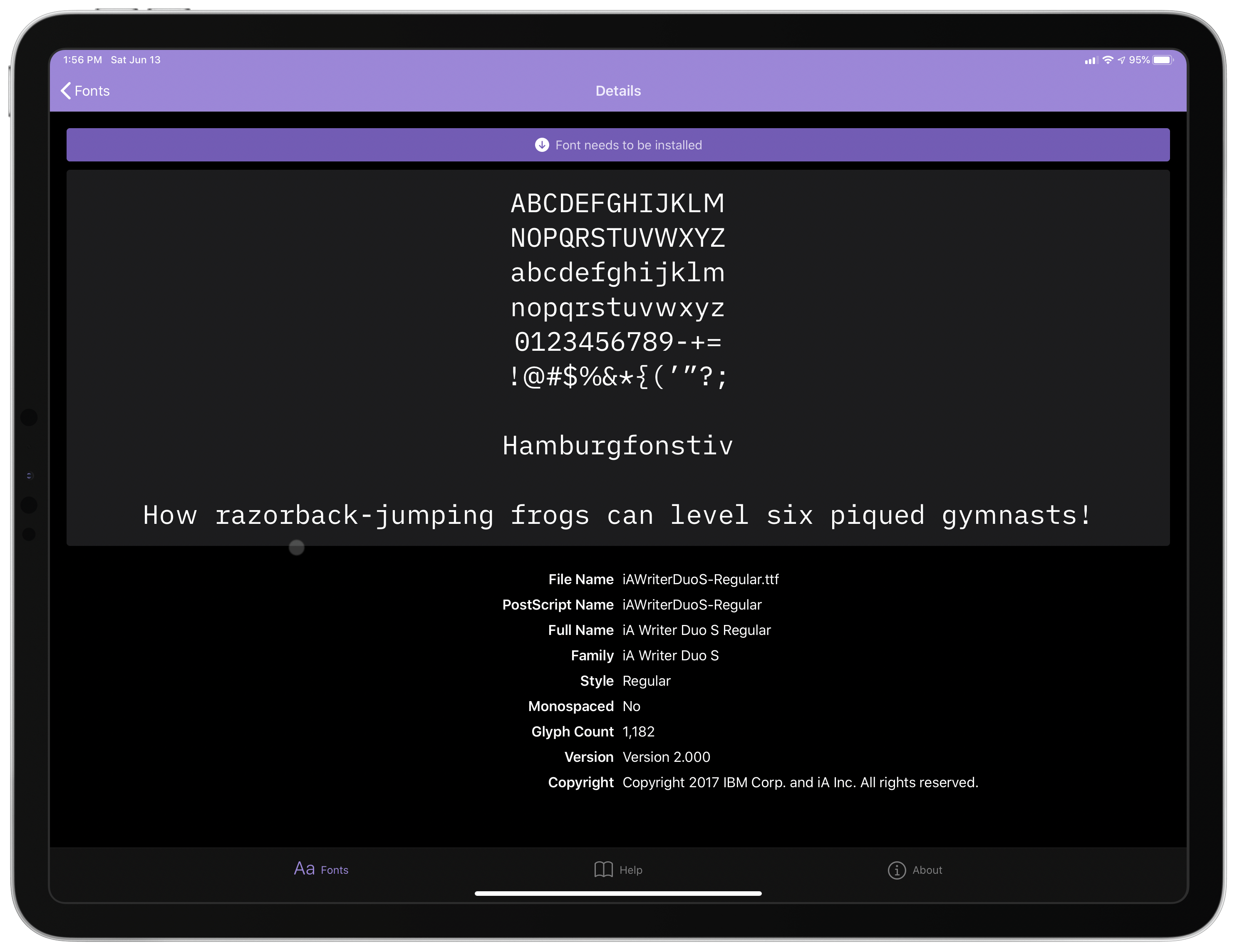
Tap on a font imported into Fontcase, and the app displays metadata about it along with a full preview of the font. On the iPhone, this makes sense, but it’s too bad that on the iPad, Fontcase doesn’t make use of a list and detailed view layout for the preview of fonts. Instead, there’s a vast empty space on the right-hand side of the iPad UI.
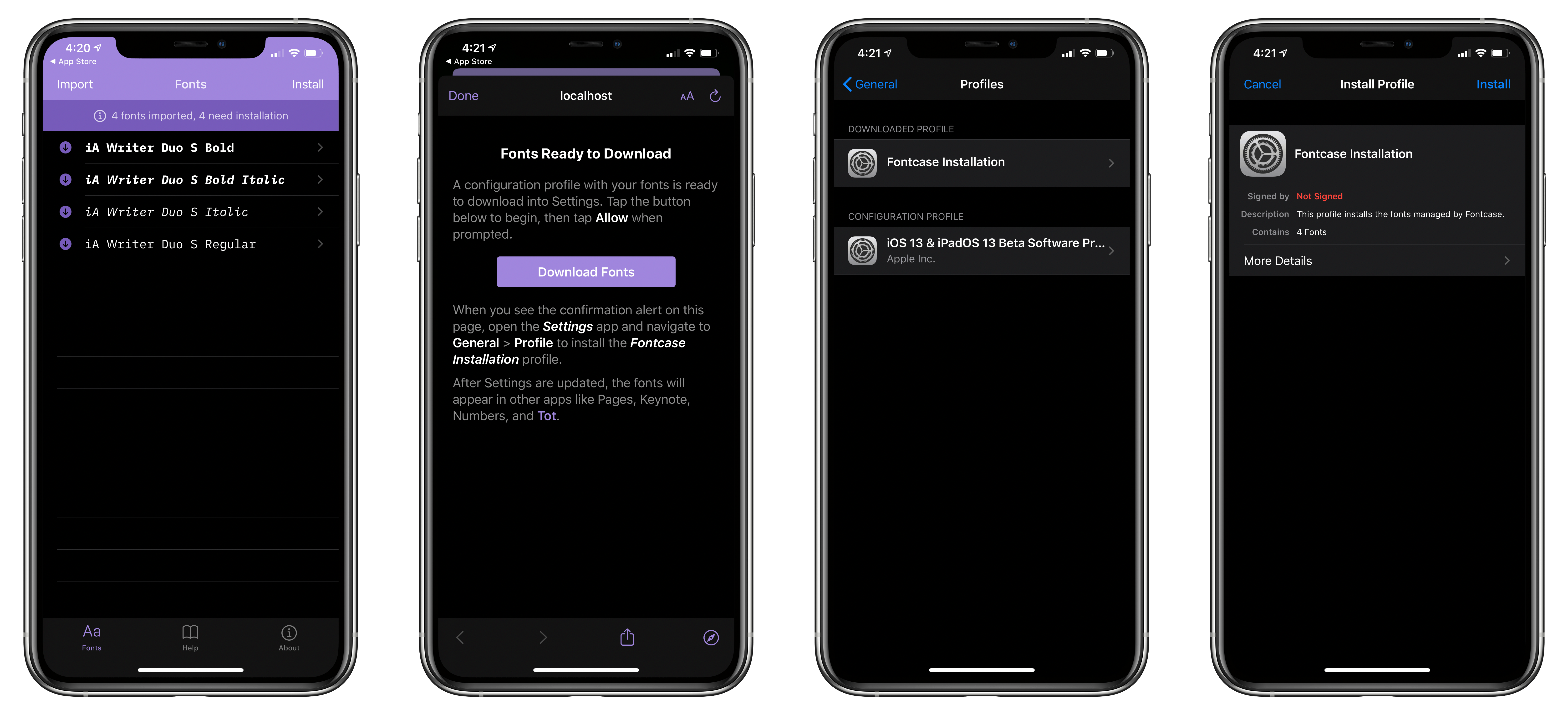
Once you’re ready to install your collection of fonts, tap Install, which bundles all of the fonts you’ve imported into a single configuration profile. Tap Download Fonts, and the profile is saved and ready for installation in Settings → General → Profiles. Tap on the Fontcase Installation profile in the Downloaded Profile section and follow the prompts to finalize the installation. Once installed, the fonts will be available alongside the system-provided fonts in apps like The Iconfactory’s Tot, as well as many other apps that support custom fonts, including Apple’s own Pages.
It’s nice to see The Iconfactory contributing to an open-source project to provide a safe and simple way to add fonts to iOS and iPadOS. If you’re looking for good writing fonts to try with the app, I like iA Writer’s Duo font and Courier Prime, both of which are available to download for free.
Fontcase is available as a free download on the App Store and is compatible with the iPhone and iPad.
Adobe Photoshop Camera Brings Real-Time Filters and AI to Photo Sharing
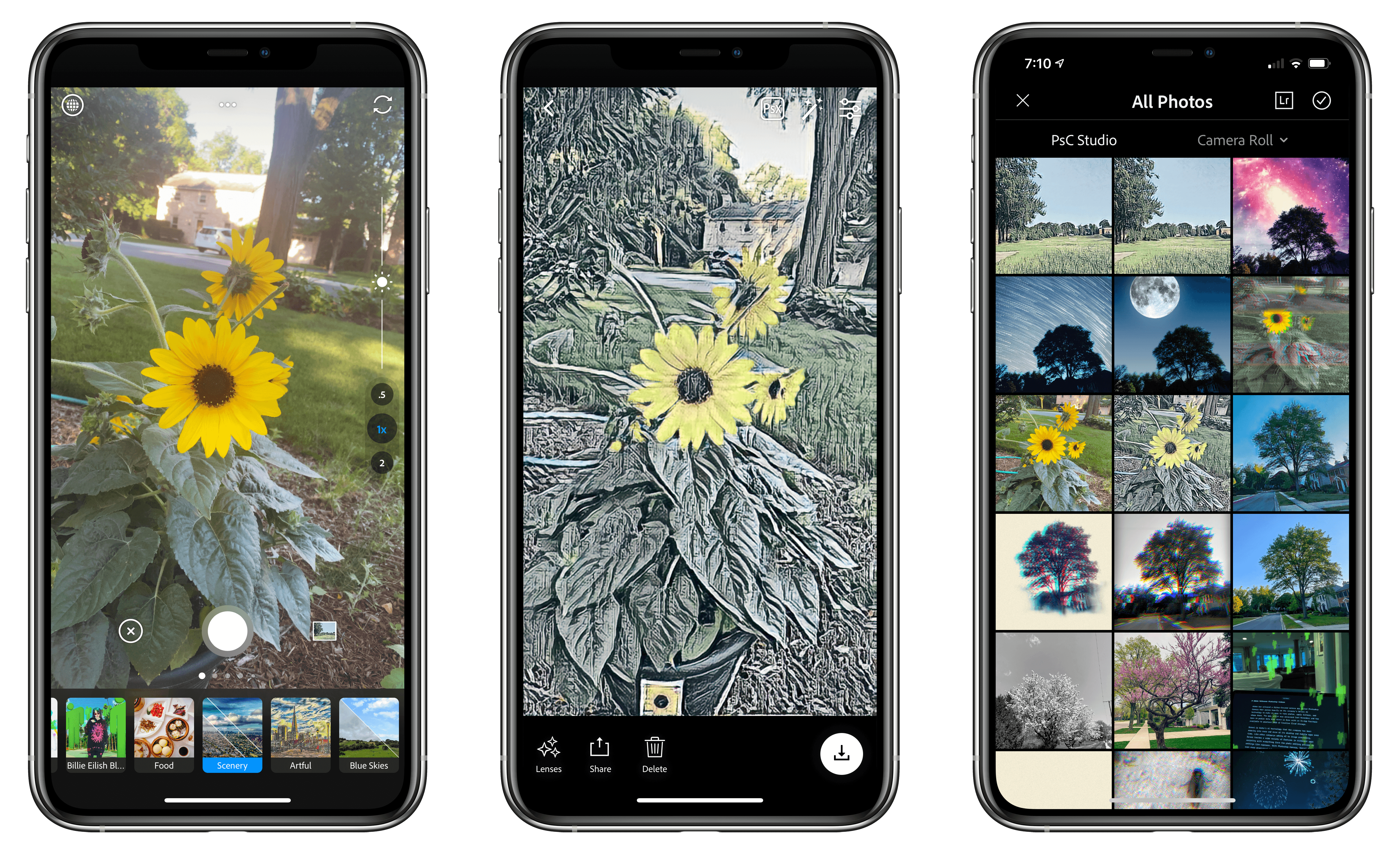
Adobe has released a filter-focused camera app called Photoshop Camera that relies heavily on the company’s Sensei AI technology to make it easy to take photos, apply filters, and share them. The app, which was announced last November and has been in beta ever since then, is free with an In-App Purchase available to unlock 20GB of Creative Cloud storage.
Sensei is Adobe’s AI technology that the company has been weaving into more and more of its desktop and mobile apps. Like other companies adding AI to image processing, Sensei touches a wide variety of features in different apps, assisting with everything from aspects of the photo editing process like object selection to settings like exposure. With Photoshop Camera, Sensei plays an even more pronounced role, automating the process of mobile photography and applying filters to create an experience that balances ease-of-use with image quality.
As Adobe explained last fall:
With Photoshop Camera you can capture, edit, and share stunning photos and moments – both natural and creative – using real-time Photoshop-grade magic right from the viewfinder, leaving you free to focus on storytelling with powerful tools and effects. Leveraging Adobe Sensei intelligence, the app can instantly recognize the subject in your photo and provide recommendations, and automatically apply sophisticated, unique features at the moment of capture (i.e. portraits, landscapes, selfies, food shots), while always preserving an original shot. It also understands the technical content (i.e. dynamic range, tonality, scene-type, face regions) of the photo and automatically applies complex adjustments.
Photoshop Camera comes with several pre-installed filters, which Adobe calls Lenses, with additional ones available for download from the app’s built-in Lens Library. Some Lenses have been designed by Adobe, while others have been created by third-party photographers, and even musician Billie Eilish. There are a wide variety of Lenses available at launch, and the company says new ones will be released weekly going forward. The Lens Library also lets users manage their collection of Lenses, adding new ones, deleting others, and reordering them to customize the app to your tastes.
GoodLinks Review: A Flexible Read-it-Later Link Manager Packed with Automation Options
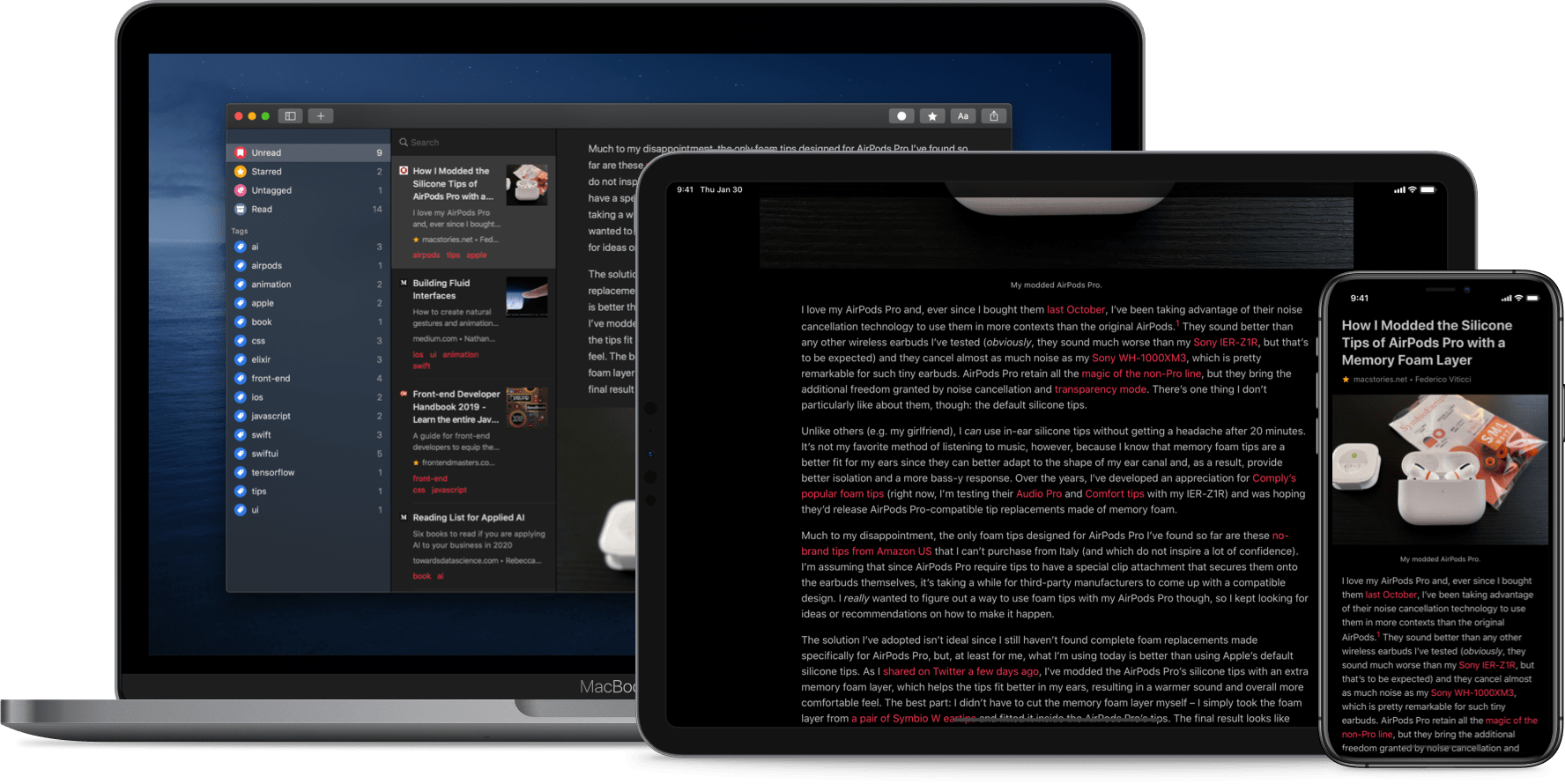
The original crop of read-it-later apps that date back to the earliest days of the App Store were based on web services maintained by the developers of those apps. Apps like Instapaper and Pocket, the two biggest names in the space, have always been backed by web services that integrate tightly with native apps across Apple’s platforms. It’s a model that worked, and although those apps have continued to evolve and change with regular updates over the years, new entrants into the category were few and far between in this once hyper-competitive category – until now.
Thanks to relatively recent changes to Apple’s OSes, a new generation of read-it-later apps are emerging. They no longer need to run their own web services and are leveraging the latest OS technologies in new and interesting ways. One of the very best is GoodLinks, a new read-it-later app and link manager released today by Ngoc Luu, the developer of the well-known text editor 1Writer.

Since returning to Reeder for the RSS feeds I follow, I’ve been using its read-it-later service, which is terrific. We’ve also covered apps like Abyss and Readit in MacStories Weekly. Like GoodLinks, those apps use iCloud sync to keep articles you save synced across all the devices they support instead of using a developer-maintained web service. That’s a relatively new development for these sorts of apps, but the difference in this new generation of read-it-later apps runs deeper. New features of the OSes on which GoodLinks runs have breathed new life into the category, and its developer has taken advantage of these features to provide new utility to users.
Having settled into a comfortable Reeder workflow, I didn’t expect the way I manage links to be upended anytime soon. However, that’s exactly what has happened since I began using GoodLinks. What grabbed me is a versatility that stems from the fluidity of getting links into the app, managing them, and getting them out again. There’s built-in flexibility to GoodLinks that allows it to adapt exceedingly well to a wide variety of use cases. As with any 1.0 app, there’s room for improvement, but my wishes for GoodLinks are just that: wishes borne of enthusiasm for a terrific app that has quickly found its way into my daily workflow. Let’s dig into the details.
Pastel Review: A Modern Color Utility for iPad and iPhone
Five years into the iPad Pro era, iPad software is finally starting to catch up to its excellent hardware. Thanks to a mix of software enhancements, business model trends, and key developer tools such as Mac Catalyst, both iPadOS and its third-party app ecosystem have become more accommodating to professional uses.
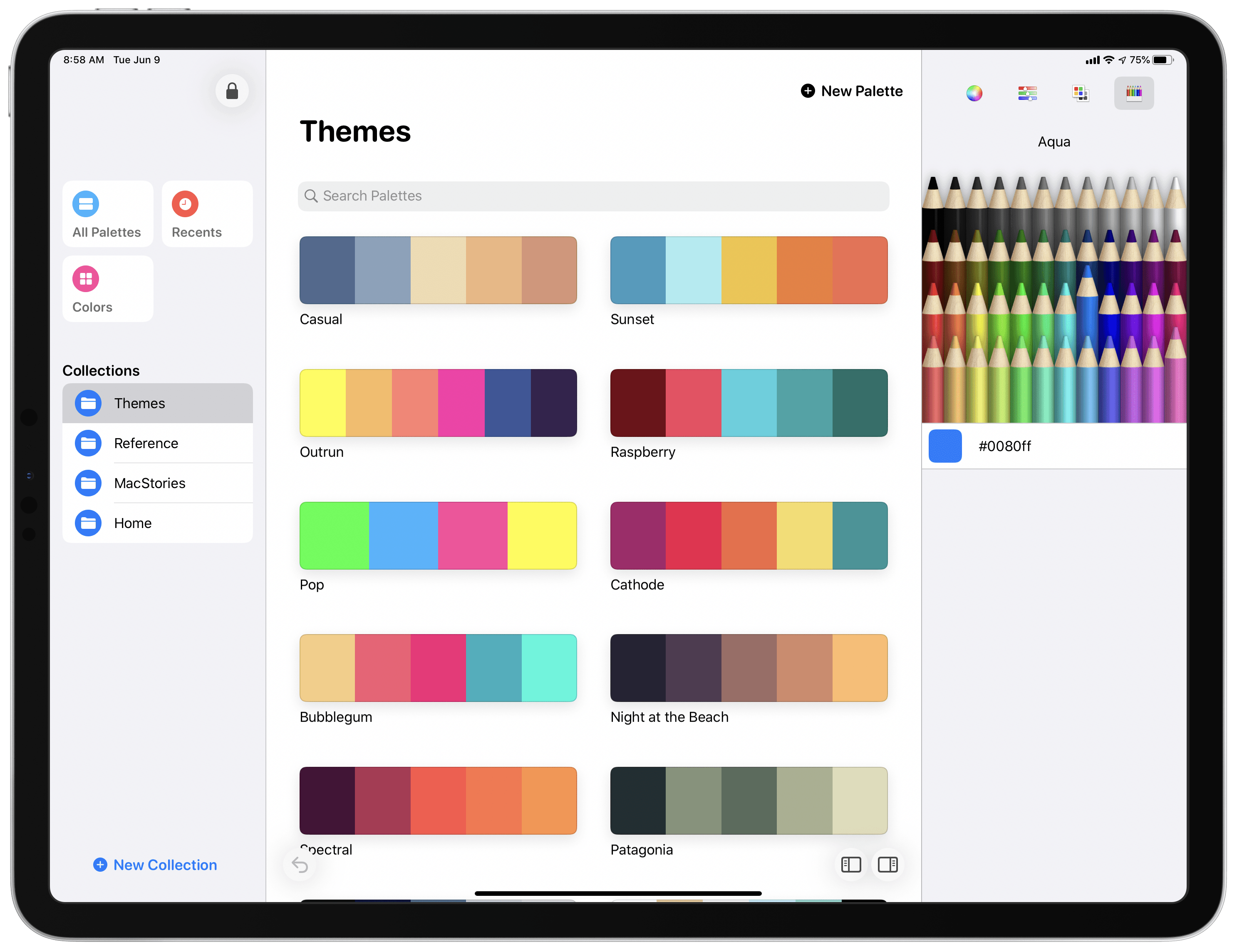
Entering that context is Pastel, the latest app from developer Steve Troughton-Smith. Pastel is a color palette utility for the iPad and iPhone that has a Catalyst-powered Mac version coming soon. The app offers a dedicated home for storing collections of color palettes and individual colors you want to save for reference. It also takes advantage of technologies like drag and drop and context menus to perfectly complement other creative tools on your device.
Sofa Debuts Modern iPad App, Rich Themes Experience, and More
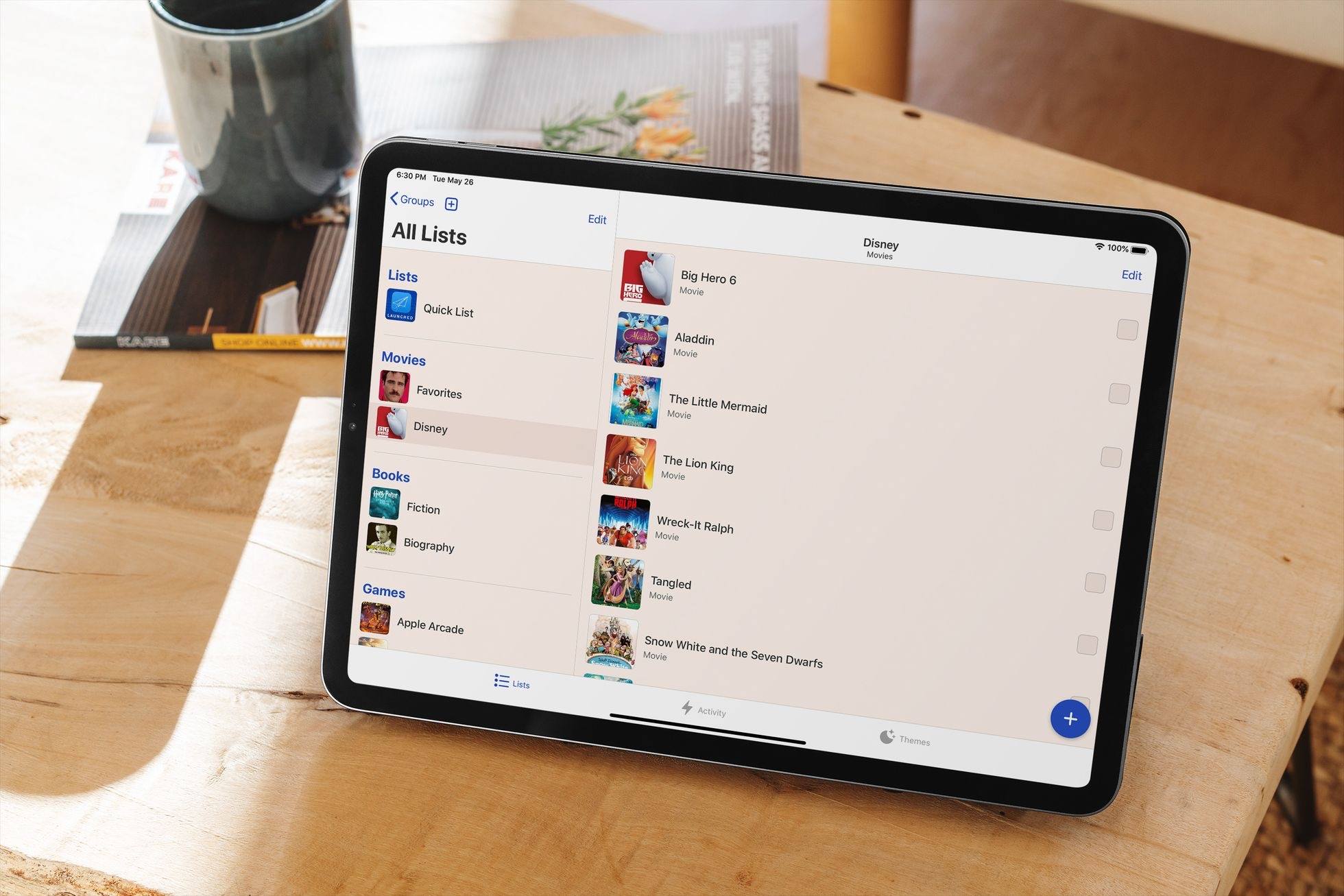
I suspect I’m not alone in saying that 2020 has been a big year for personal media consumption. The absence of normal social events has meant more time for reading, watching shows and movies, and other forms of relaxation.
At the end of last year I wrote about how I was using Sofa, a media list app, to track the TV and films I’d watched in 2019. I’ve used the same approach throughout 2020, and it continues to work well for me. The only change is that I’ve been testing a big update to Sofa for the last few weeks that’s available now. Previously exclusive to the iPhone, Sofa now offers a rich iPad experience complete with Split View, Slide Over, and multiwindowing, keyboard shortcuts, and mouse and trackpad support. Additionally, today’s update adds a robust theming system to the app and seamless iCloud syncing. It’s a strong step forward for the app, making it more versatile than ever before.
Keep Review: The Read-Later App I’ve Been Looking For
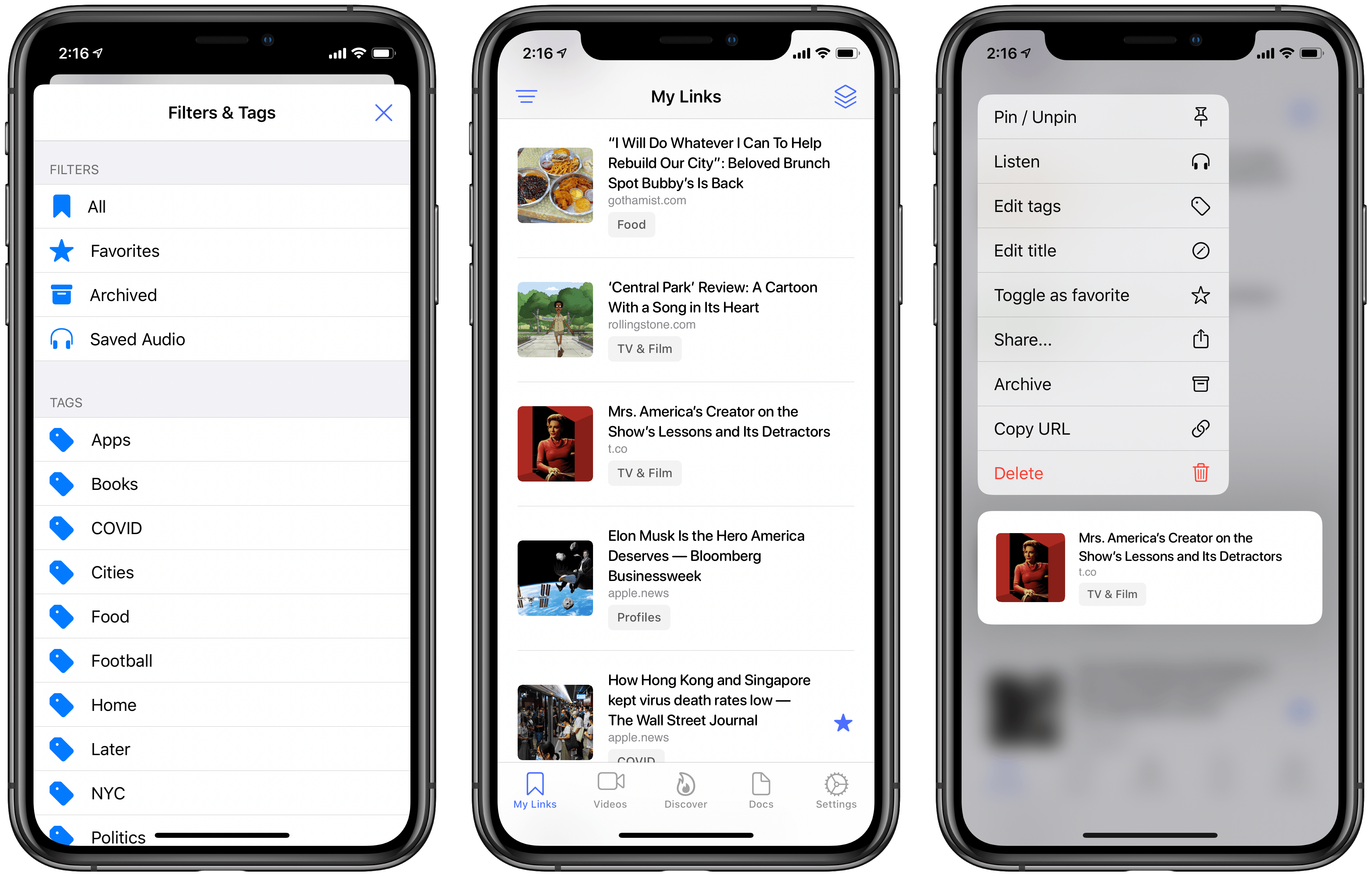
After years of happily using Safari’s Reading List and Apple News’ Saved Stories for all my read-later needs, recently I found myself facing a conundrum: there were too many articles saved in each place, and thus I needed a categorization system that neither Safari nor News provide. This problem is of course partly my fault, since I’m clearly not adequately working through my reading queue.1 But I’m not at all willing to nuke these interesting stories and start fresh with zero saved links. Thus, I’ve been on the hunt for a read-later app that better meets my new needs.
If there’s one lesson this journey has taught me, it’s that read-later apps are just like task managers and email clients: there’s no perfect one-size-fits-all approach. Developers and users all have their own ideas about how such an app should best function, so there’s no perfect option out there. After a long search, however, I’ve found the app that comes as close to ideal for me as possible: Keep by developer Michael Zsigmond, which is available for iPhone, iPad, and also offers a web client.
Spend Stack Adds Apple Card Import, Recurring Cost Tracking, Per-List Currencies, iPad Improvements, and More
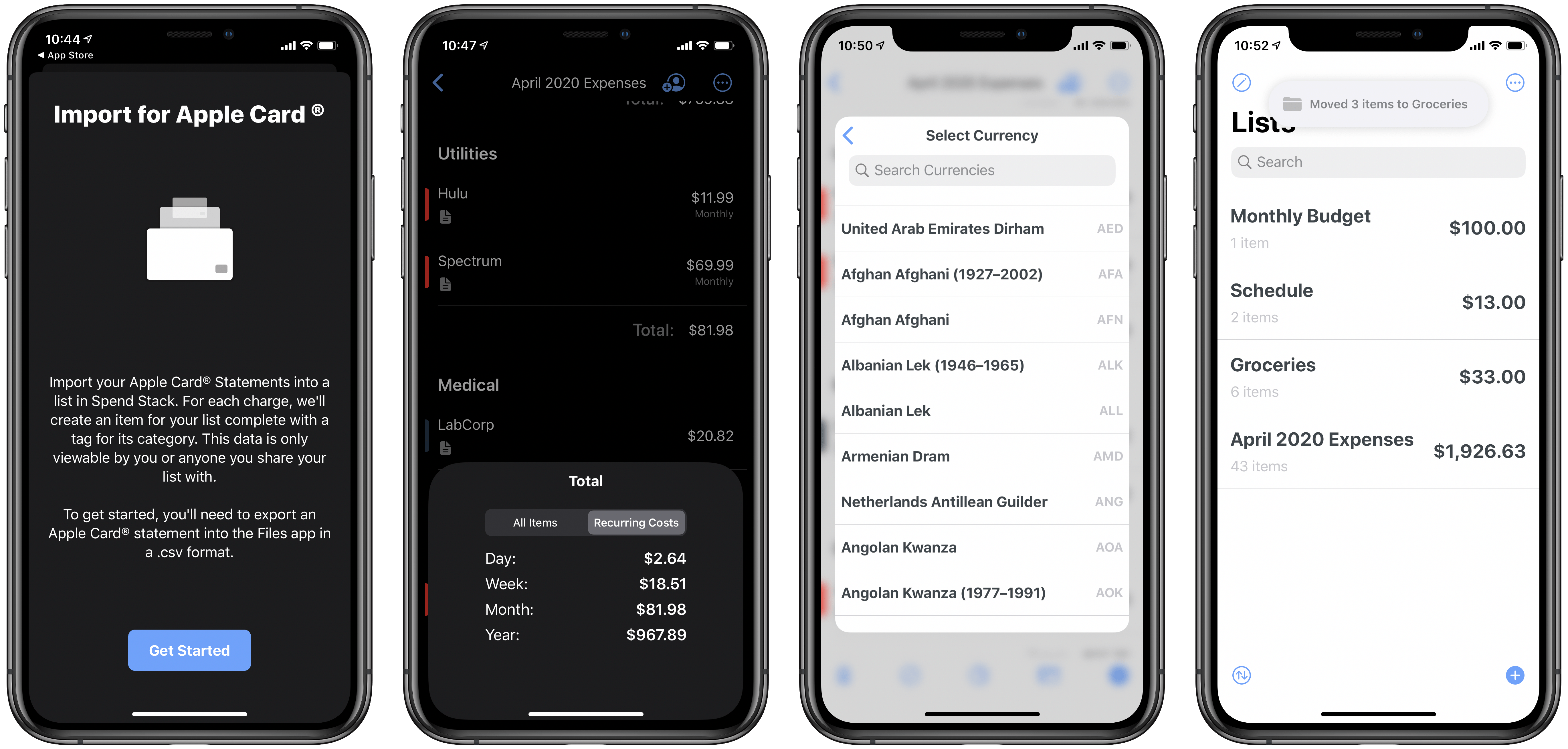
I’m not normally a fan of finance apps. They tend to be more work than I want to bother with, and are often riddled with poor design choices that make them a pain to use. Not so Spend Stack, the finance-centered list app that I first wrote about last fall. Spend Stack looks and feels thoroughly modern, with an elegant design and deep support for modern technologies like iPad multiwindow, iCloud collaboration, and more. It enables creating lists of items that have monetary values and having the sum cost or value automatically calculated, making it ideal for budgets, shopping lists, vacation planning, and more.
Version 1.2 of Spend Stack recently debuted, introducing a strong set of new features and enhancements: Apple Card monthly statements can now be imported seamlessly, working with multiple currencies and recurring costs is now possible, the iPad app has gotten even better, and there are some nice new design touches. Let’s dive in.
MusicSmart Puts the Spotlight on Music Credits
For as long as I can remember being interested in music as more than a mere source of background audio, but as an art form, I’ve been interested in the people who make music – the artists and their craft. Back when I used to buy CDs at my favorite record store in Viterbo, my hometown, I would peruse each album’s liner notes to not only read official lyrics and check out the artwork and/or exclusive photographs contained inside the booklet, but also to read the credits so I could know more about who arranged or mixed a particular track. Beyond the feeling of owning a tangible piece of music, there was something about reading through an album’s credits that served as a simple, yet effective reminder: that people – engineers, instrumentalists, vocalists, producers – created the art I enjoyed.
In today’s world of endless, a la carte streaming catalogs, we’ve reduced all of this to a cold technological term: metadata. Our music listening behaviors have shifted and evolved with time; when we browse Apple Music or Spotify, we’re inclined to simply search for a song or an album and hit play before we return to another app or game on our phones. A streaming service isn’t necessarily a place where we want to spend time learning more about music: it’s just a convenient, neatly designed delivery mechanism. The intentionality of sitting down to enjoy an artist’s creation has been lost to the allure of content and effortless consumption. Don’t get me wrong: I love the comfort of music streaming services, and I’m a happy Apple Music subscriber; but this is also why, for well over a year now, I’ve been rebuilding a personal music collection I can enjoy with a completely offline high-res music player.
Whether by design or as a byproduct of our new habits, metadata and credits don’t play a big role in modern music streaming services. We’re frustrated when a service gets the title of a song wrong or reports the incorrect track sequence in an album, but we don’t consider the fact that there’s a world of context and additional information hidden behind the songs and albums we listen to every day. That context is entirely invisible to us because it’s not mass-market enough for a music streaming service. There have been small updates on this front lately1, but by and large, credits and additional track information are still very much ignored by the streaming industry. And if you ask me, that’s a shame.
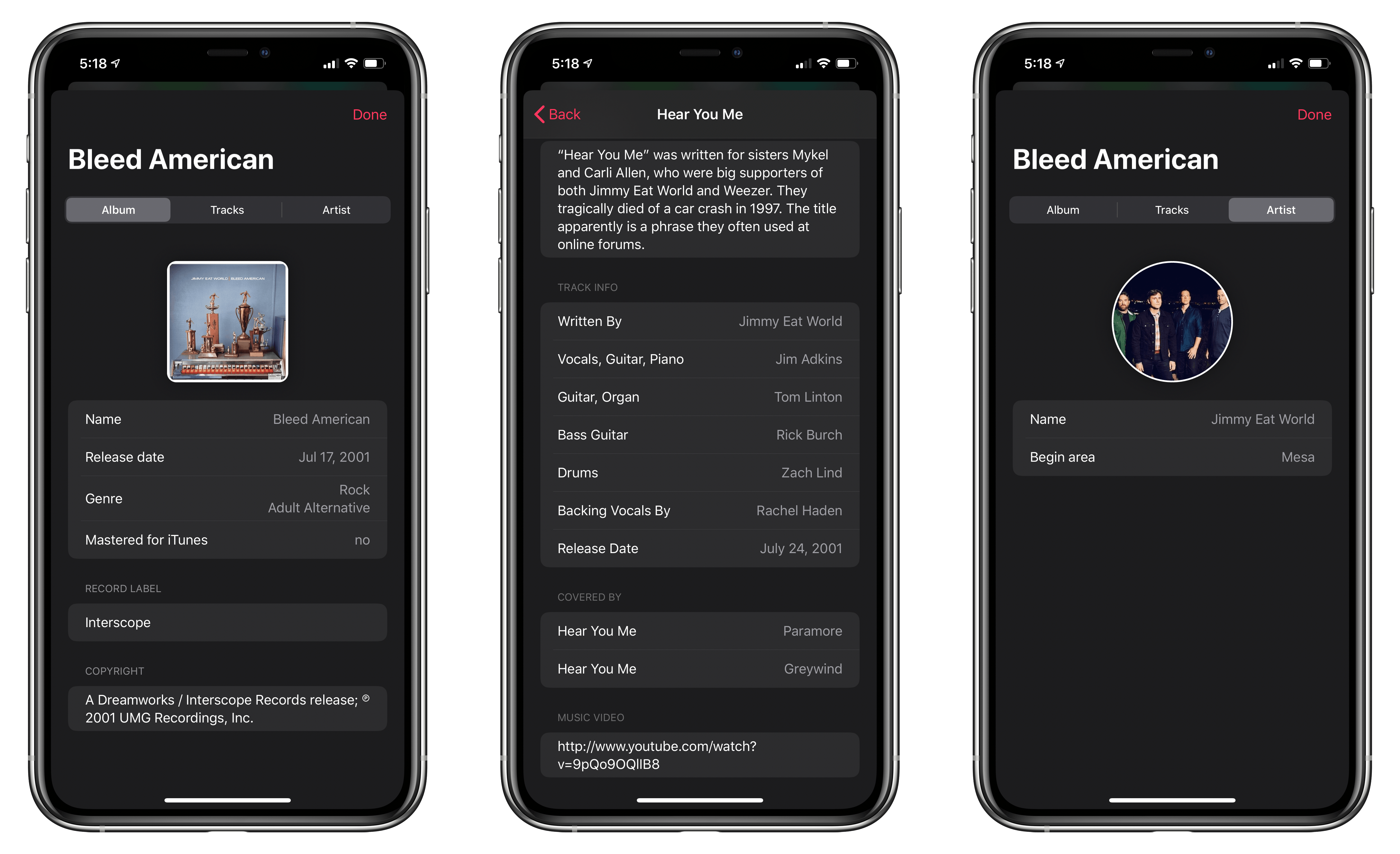
This is why I instantly fell in love with MusicSmart, the latest utility by Marcos Antonio Tanaka, developer of MusicHarbor (another favorite music app of mine). MusicSmart, which is a $1.99 paid upfront utility, revolves around a single feature: showing you credits and additional details for albums and songs available in your local music library or Apple Music’s online catalog.