
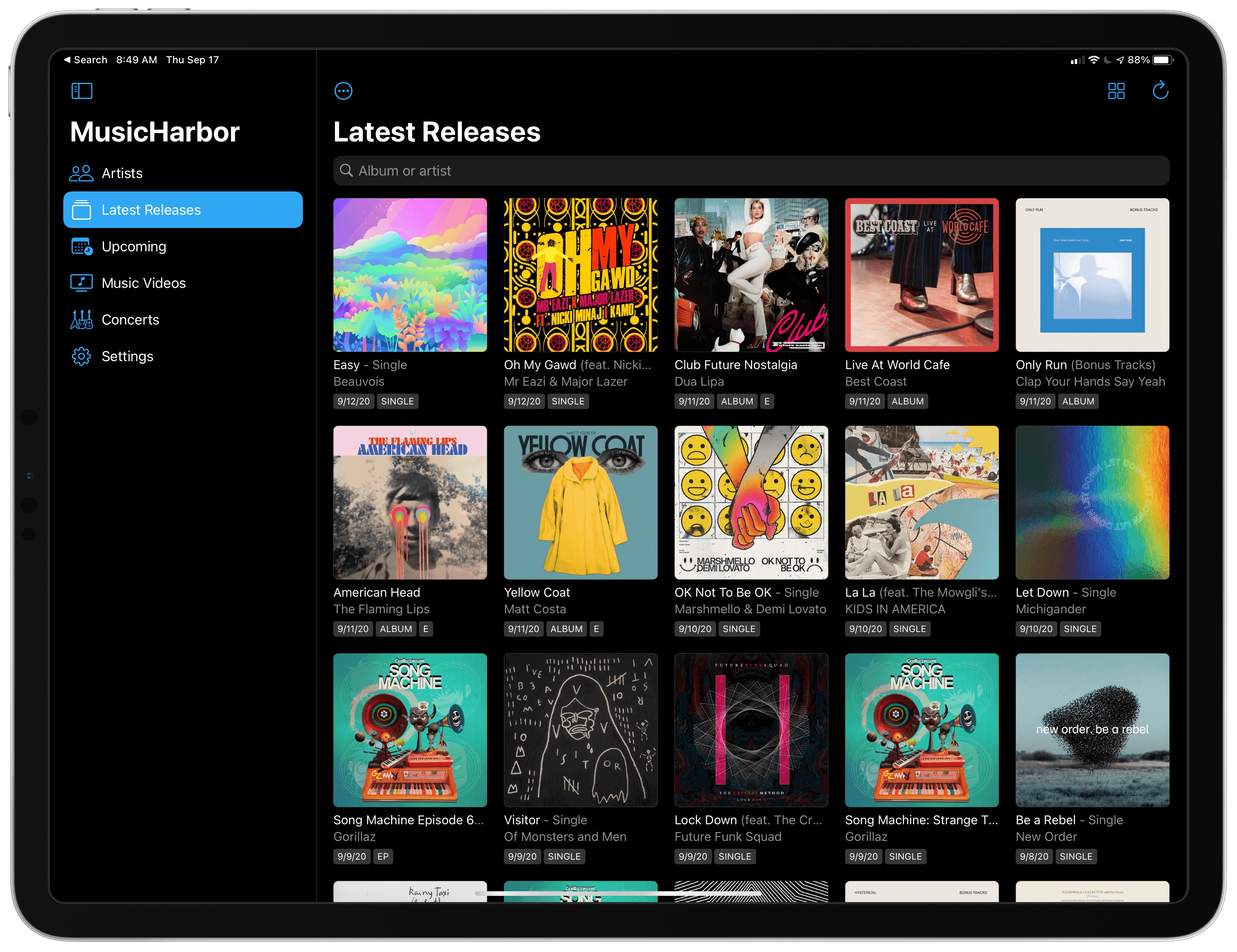
MusicHarbor by Marcos Tanaka has single-handedly kept me on top of my favorite music artists since I first learned about it from Federico. Tanaka has been updating the app regularly, refining the UI and adding handy new features. With the release of iOS and iPadOS 14, MusicHarbor has a brand new look and several widgets.
Posts in reviews
MusicHarbor Unveils a New Mac-Ready iPad Design and Widgets
Todoist’s iOS 14 Widgets Make Managing and Creating Tasks Easier than Ever
Even before iOS and iPadOS 14 brought a new form and function to widgets on Apple platforms, one of the tried and true widget use cases in previous years was task lists. Some of my most used widgets over the years have been those provided by my task manager, so I was excited to see the slate of new widgets Todoist has introduced in its latest update for iPhone and iPad.
Before detailing the new widgets, though, it’s important to state up front that for all the advantages of iOS 14’s new widgets, they bring a regression that negatively impacts task managers especially: widgets can no longer be fully interactive. In the iOS 13 widget for Todoist, you could check off tasks as you completed them without needing to open the full app. With the app’s new widgets that’s no longer possible, because the only interactions Apple currently allows in widgets is launchers into different parts of an app. The good news is that apps are allowed to offer both iOS 13 and iOS 14 widgets to users, so on iOS 14 Todoist users will find both options available. If you really need the old functionality it’s still available to you, there’s just no way to add a legacy widget to the Home screen.
That bad news out of the way, let me focus on how Todoist’s team has made the most of the new widget system in a couple key ways.
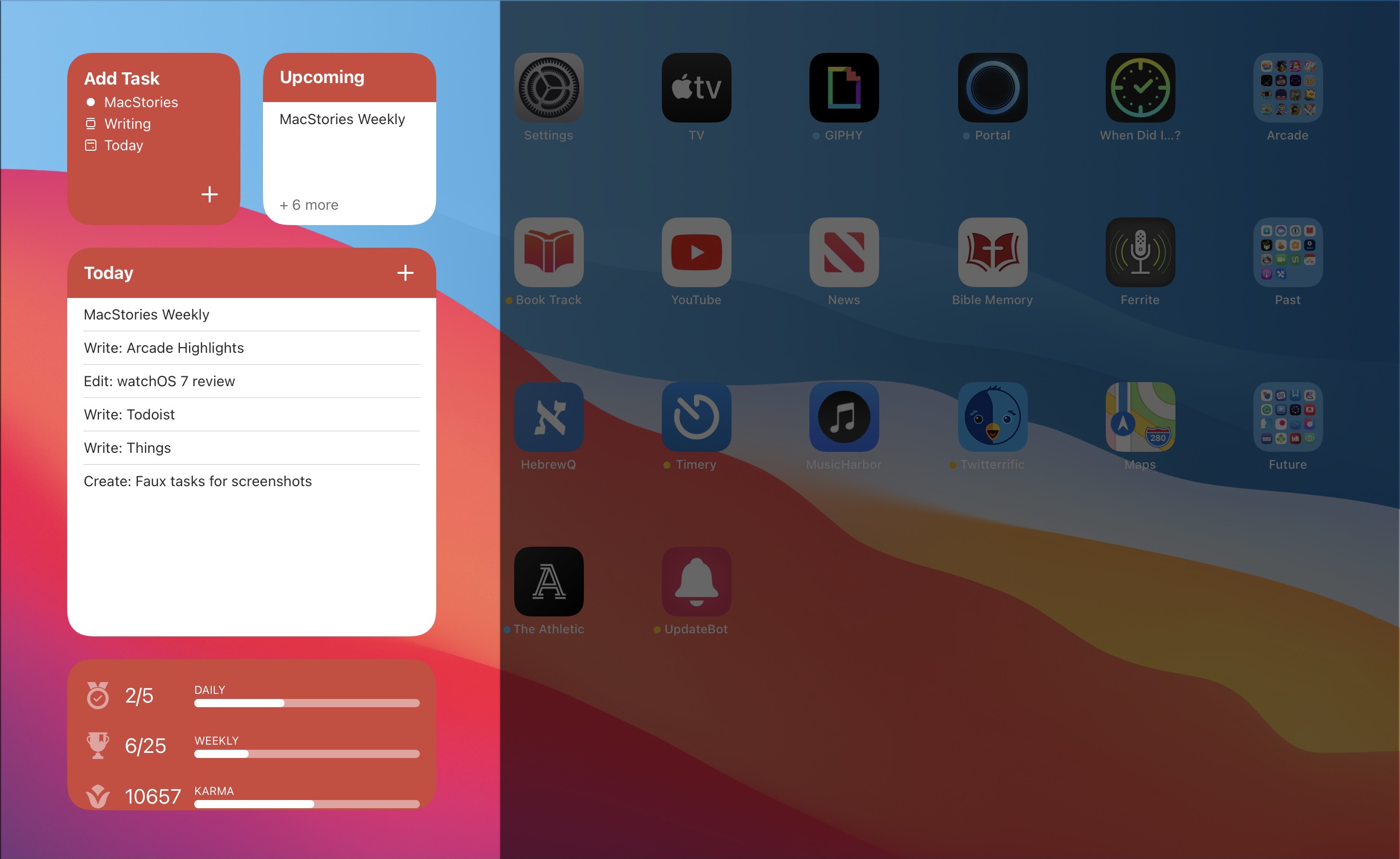
Let’s start with its basic Tasks widget. In iOS 14 you can configure a list of your tasks to appear in either a small, medium, or large widget. Each widget can be set to show tasks from your Today or Upcoming lists, or one of your projects, labels, or filters. Despite being unable to check off tasks from the widget, there are two advantages over Todoist’s previous widget: information density and the ability to create multiple widgets. Since Todoist’s developers no longer need to create large touch targets for users to check off tasks, the widget is able to display a bit more information than before. And you can now create separate widgets tied to separate lists of tasks, even stacking them if you’d like, offering a lot more flexibility than before.
Besides widgets for lists of tasks, Todoist offers two other widget types: Productivity and Add Task. The former displays stats relating to your task completion goals for the day and week, along with your karma score. I’ve never been big on tracking the number of tasks I complete in a given day, but the Productivity widget’s nice to have for users who care about those numbers. The Add Task widget, however, is exactly what I would want from every task manager.
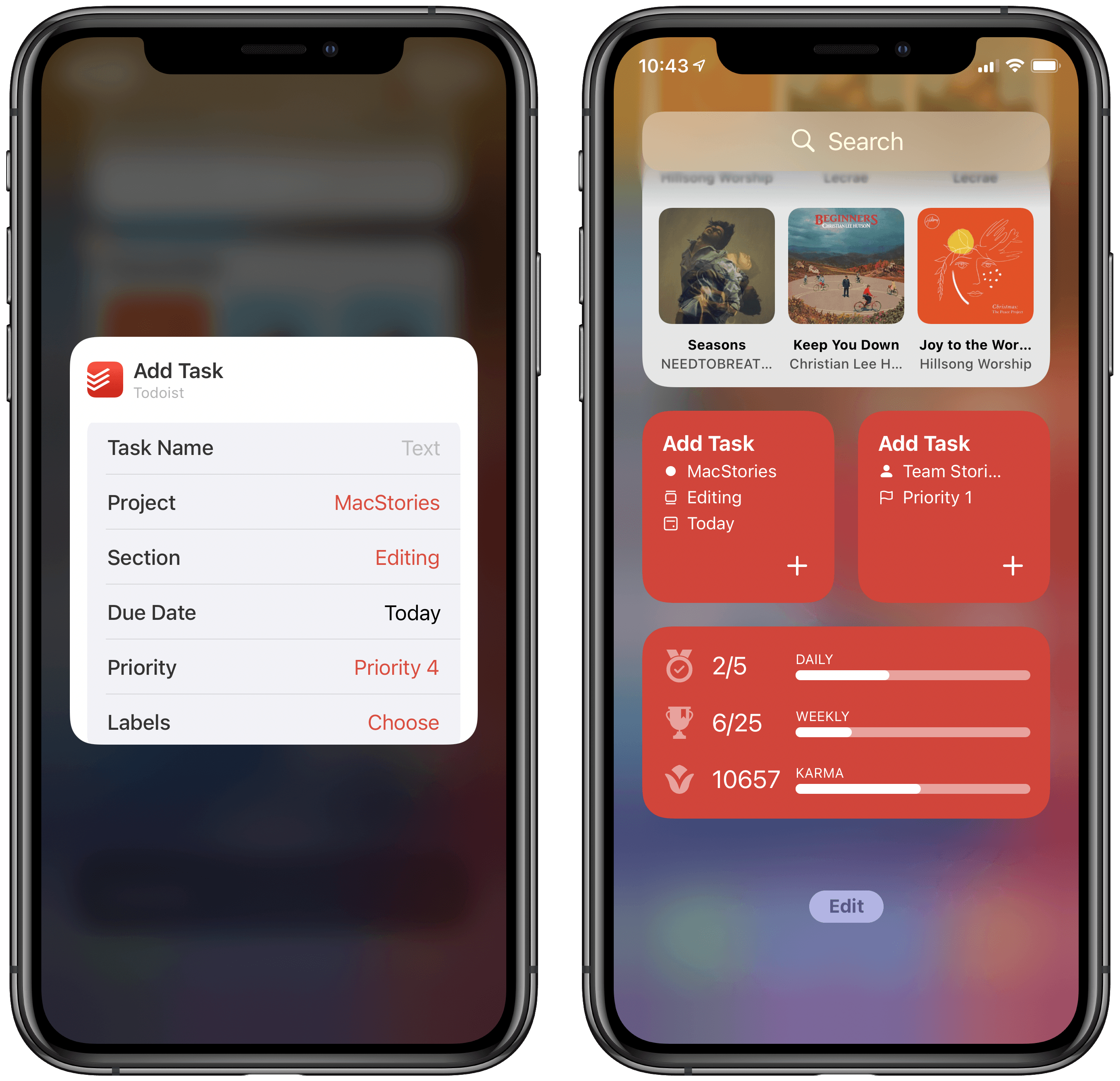
Both the medium and large Tasks widgets already offer a button to quickly create a new task inside Todoist, but the dedicated Add Task widget is special because it can be customized to create tasks that have their metadata pre-filled. You can set which project and section the newly created task will have, its due date, priority, labels, and even the task name if there’s a specific task you commonly create. Once it’s set up for your preferences, the Add Task widget eliminates the monotony of filling in metadata over and over again for every new task. If you commonly create tasks assigned to a certain project and with a certain due date, the widget is now the quickest way to do that.
Add Task is only available as a small widget and as a result it can only have a single group of pre-sets for creating a single type of task, but that makes it a perfect candidate for stacking. Using a few different Add Task widgets for different types of common tasks you create and having them stacked will still provide a faster task creation method than having to enter the metadata over and over with every new task.
Todoist already offered the fastest task creation of any task manager I’ve used thanks to its natural language input system, but now with the Add Task widget it provides an even faster method. Todoist’s developers have clearly spent time considering the needs of their users and have built a suite of widgets that meet those needs well. The OS restriction against full interaction will hopefully be removed in the future, but even if it never is, Todoist has delivered value with its new widgets that more than makes up for what it lost.
Todoist is available on the App Store.
LookUp 7 Debuts Widgets on iPhone and iPad Alongside Powerful New watchOS 7 App
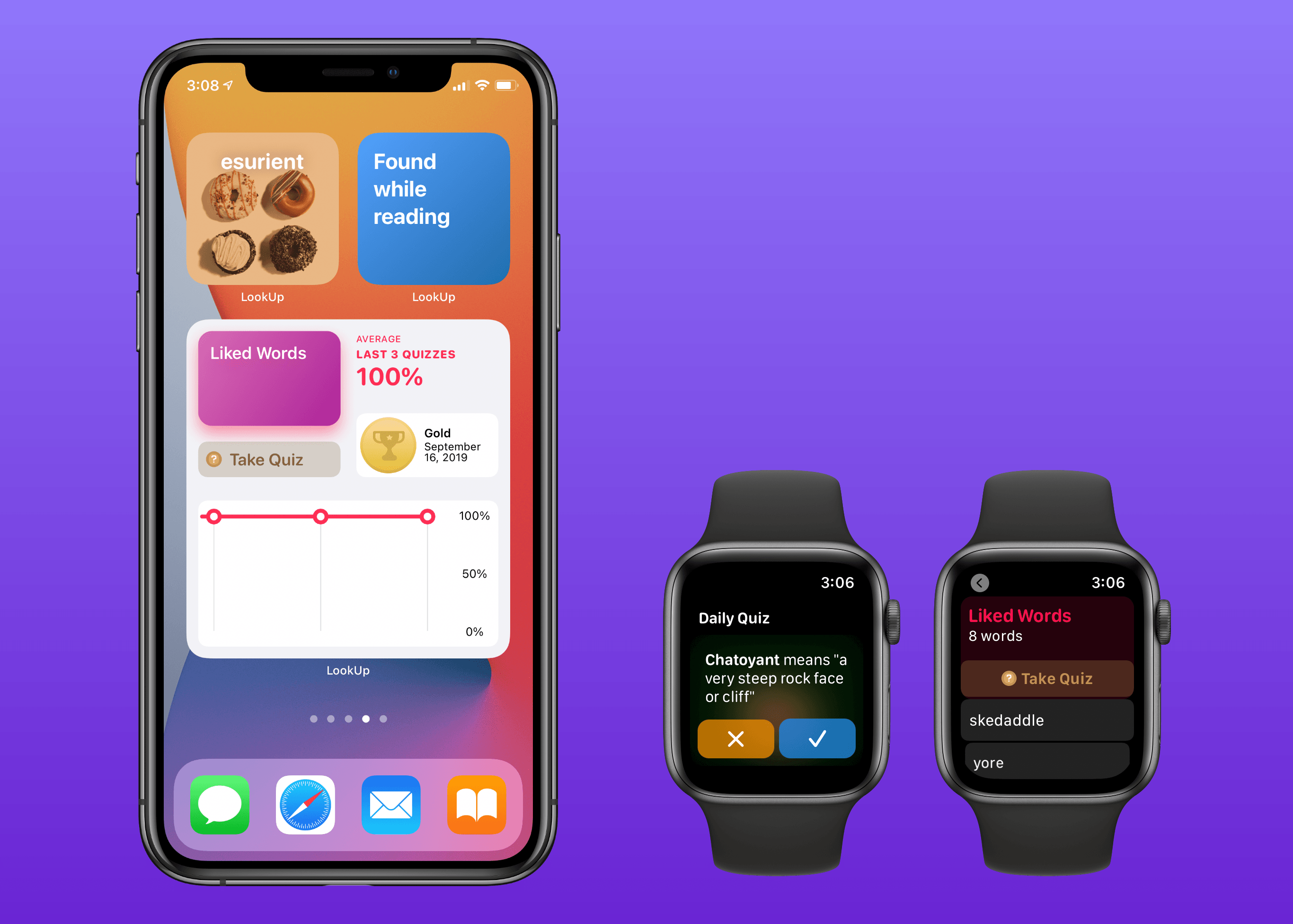
Widgets in iOS and iPadOS 14 are here and can be saved to your iPhone or iPad Home screen. A lot of third-party app updates will be trickling out in the days and weeks ahead with support for their own custom widgets, vying for your limited Home screen space.
If you’re interested in expanding your vocabulary, a word of the day widget seems like a perfect fit for the Home screen where you can glance at it throughout the day. That’s exactly what LookUp 7 provides, alongside widgets for running quizzes and opening your word collections. The dictionary app has also upgraded its watchOS component in a big way, offering new functionality that was previously limited to the full iOS version.
Book Track 2 Review: Widgets, Sidebar for iPad, Shortcuts, and More
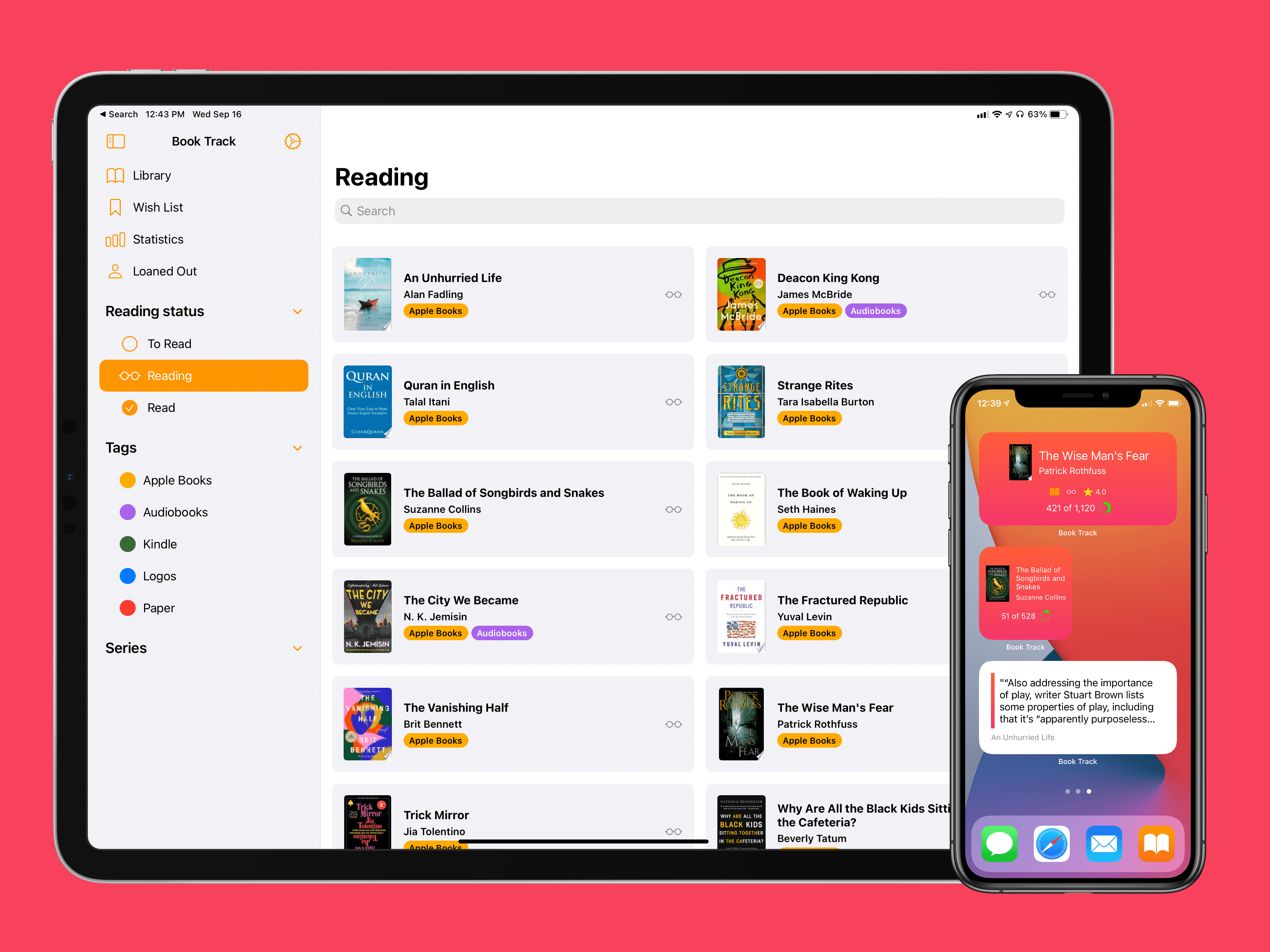
I’ve been on a book reading binge this year like never before. That’s partly owing to the pandemic, I’m sure, but it’s also tied to reduced time spent reading articles and social media. In a normal year I read about a dozen books, and this year I’m on pace for five times that. As a result, it’s no surprise that one of my favorite app debuts of the year has been Book Track, from developer Simone Montalto.
Book Track launched at the beginning of the year as a promising 1.0, then followed with a big update mid-year that addressed my initial problems with the app and expanded its functionality in key ways. That update was a great setup for the launch of today’s version 2.0, which introduces support for some of the top features of iOS 14 and iPadOS 14: widgets and a new sidebar design. By getting the low-hanging fruit out of the way in previous updates, Montalto was able to keep Book Track current with all the latest OS technologies right from launch day. Not stopping there, however, he’s thrown in support for Shortcuts (the app) and keyboard shortcuts in today’s update too.
CARROT Weather Gains Flexibility with iOS 14 Widgets, Watch Complications, and Watch Face Sharing
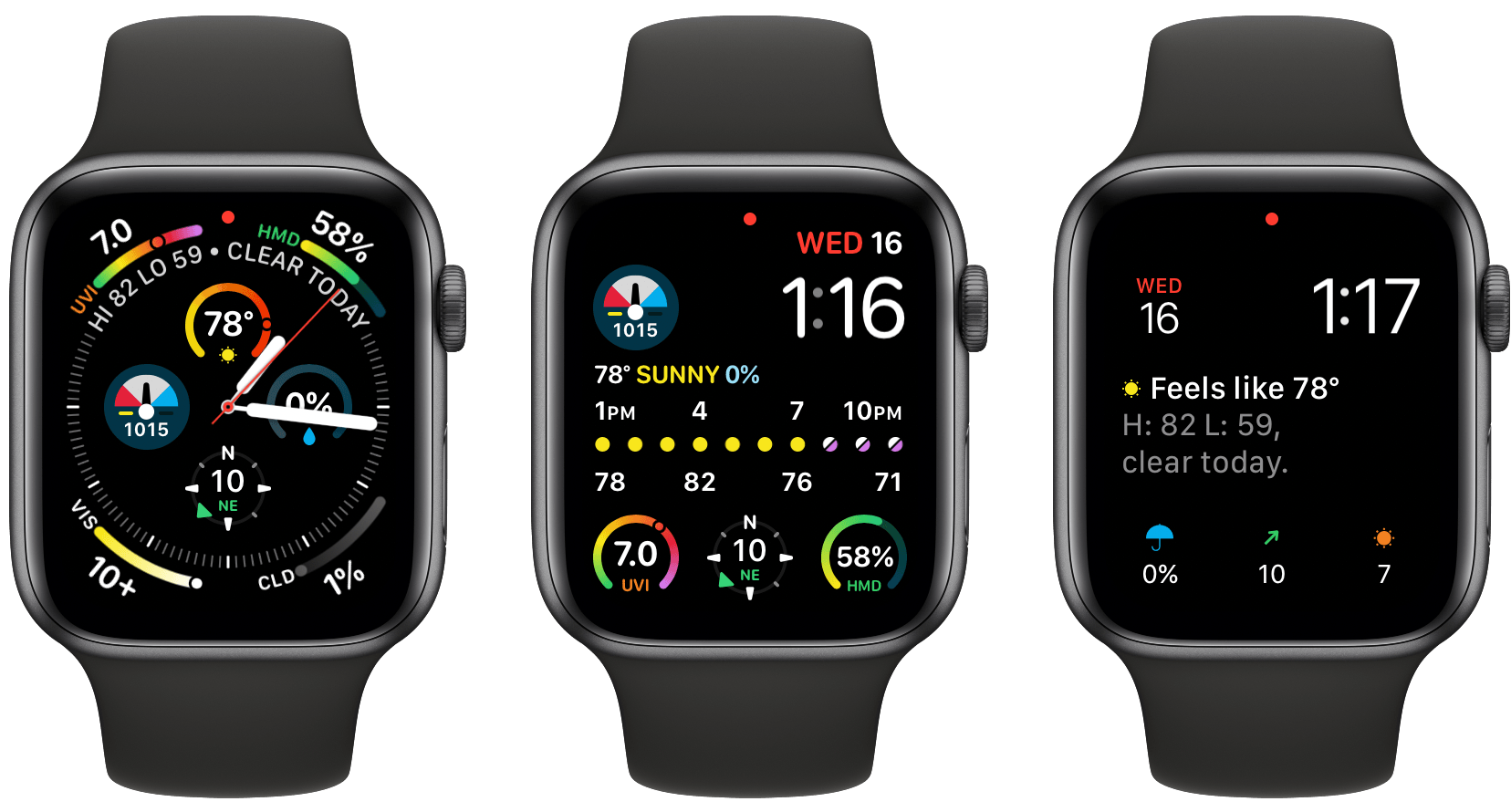
The weather can vary a lot day-to-day in Chicago, so I’ve always had a weather app on my iPhone’s Home screen. For the past few years, I’ve used CARROT Weather, one of the most comprehensive such apps available on the App Store. CARROT’s Today widget and Watch complications are among the best of any app category, but with the release of iOS 14 and watchOS 7, developer Brian Mueller has taken CARROT Weather’s widgets and Watch complications to a new level.
iOS 14 widgets and watchOS 7’s more flexible complications and watch face sharing feel like they were tailor-made for an app like CARROT. The variety of data available in weather apps makes them perfect for creative widget and watch face implementations, which is precisely what you get with CARROT Weather. Let’s dig into what’s new.
Focused Work Review: Staying on Task Amidst Growing Distractions
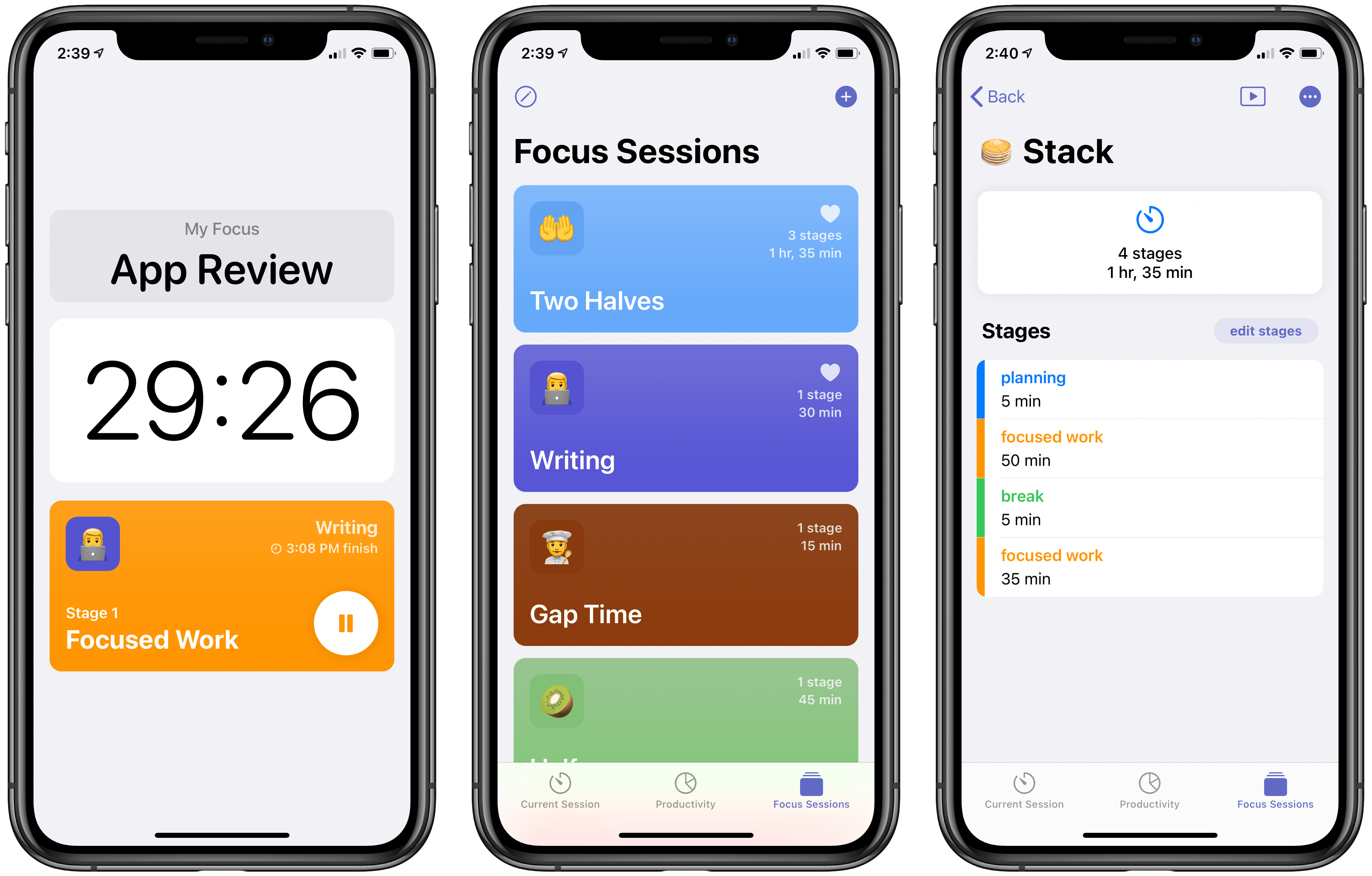
Working from home isn’t for everyone. Many of us have been challenged by the loss of structure that an office or other public workspace provides. Not only that, but homes often provide far more distractions than a dedicated workspace. As a result, I expect that more people than ever need aids to help them do focused, productive work.
A new app from developer Michael Tigas aims to help. Focused Work is a simple, but valuable utility for creating timed focus sessions of productivity. While this may sound like merely a Pomodoro timer app, what I appreciate about Focused Work is that while it can be used with the Pomodoro Technique, it’s much more flexible than that because it enables creating any timers or sequence of timers that will best meet your own needs and fit with the way you work.
Portal 3 Review: More of the World through Ambient Noise
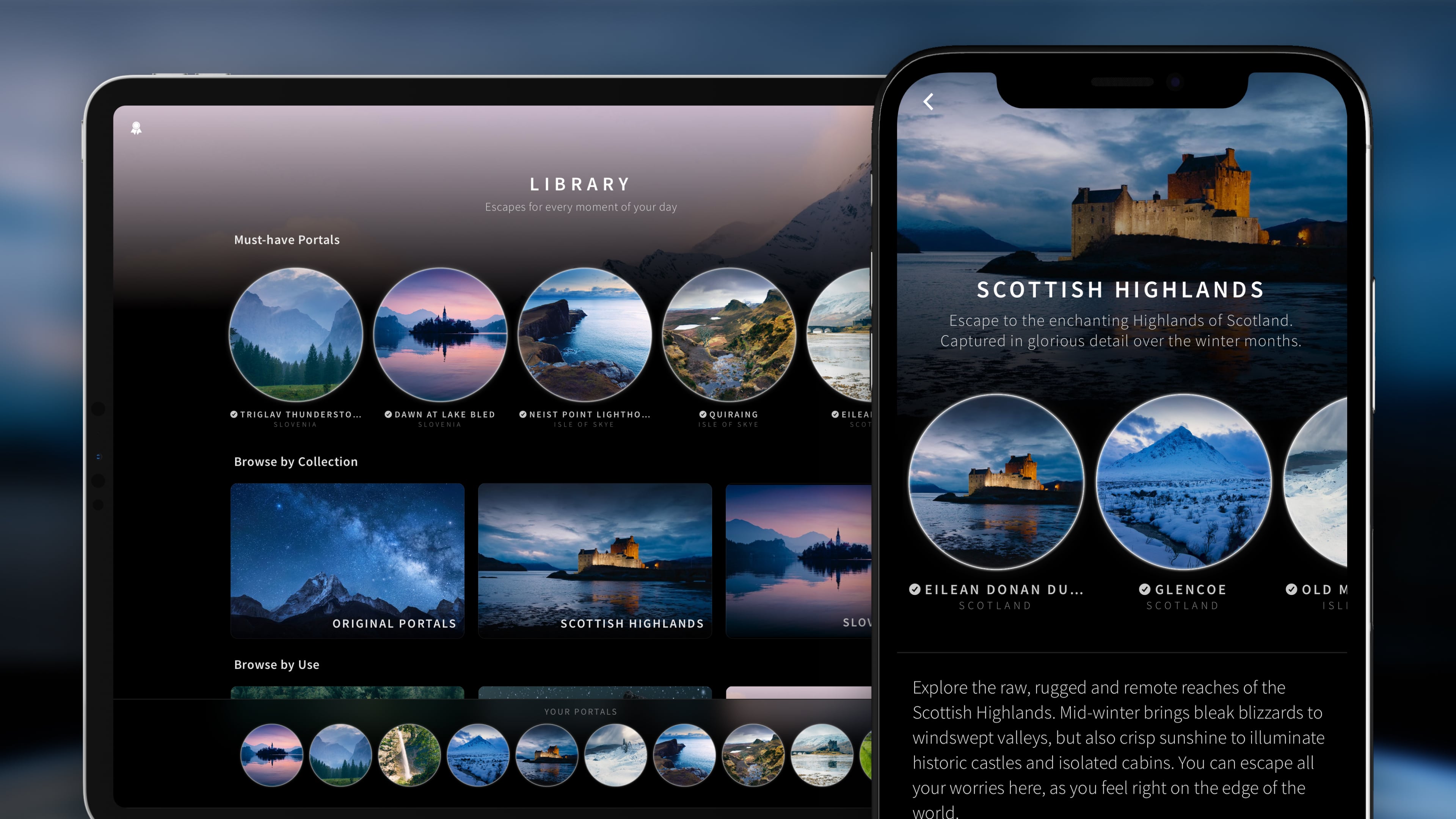
There was no better time than 2020 for my discovery of Portal, the immersive ambient noise app I reviewed at the start of the year.
Back in January Portal impressed me with its multifaceted approach to providing an escape from your current surroundings. Not only are the app’s 3D soundscapes of a high sound quality and perfectly paired with headphones, especially noise-cancelling ones like AirPods Pro, but Portal also engages your other senses to help you focus, sleep, or mentally escape when you can’t physically escape. One way the app does this is through its visual scenes, which provide each different sound portal with a location’s snapshot that your imagination can lock on to. Another way is via Philips Hue integration, which enables your home lights to automatically sync to different colors and brightness settings that fit best with the portal environment you’ve chosen. This combination of immersive sound with visual scenes and real-world correlation via smart lights makes Portal a uniquely holistic experience.
I’ve been using Portal ever since January, but even more since March, when my ability to physically leave home was drastically scaled back. I don’t use it when sleeping, but it’s certainly helped me both focus and escape, providing the much-needed feeling of being in a new environment even when my physical surroundings are left unchanged. For these reasons, as well as the presence of features like breathing exercises in the app, I find it appropriate to call Portal not just an ambient noise utility, but a wellness app too.
Today, Portal is launching a big 3.0 update that leans into its core strengths by providing more of what makes the app great: its portals. Previously the app offered a total of 19 portals, and today that number more than doubles as 25 new portals have been added for a total of 44 – and more are on the way.
GameTrack Review: An Elegant Way to Discover, Track, and Share Videogames
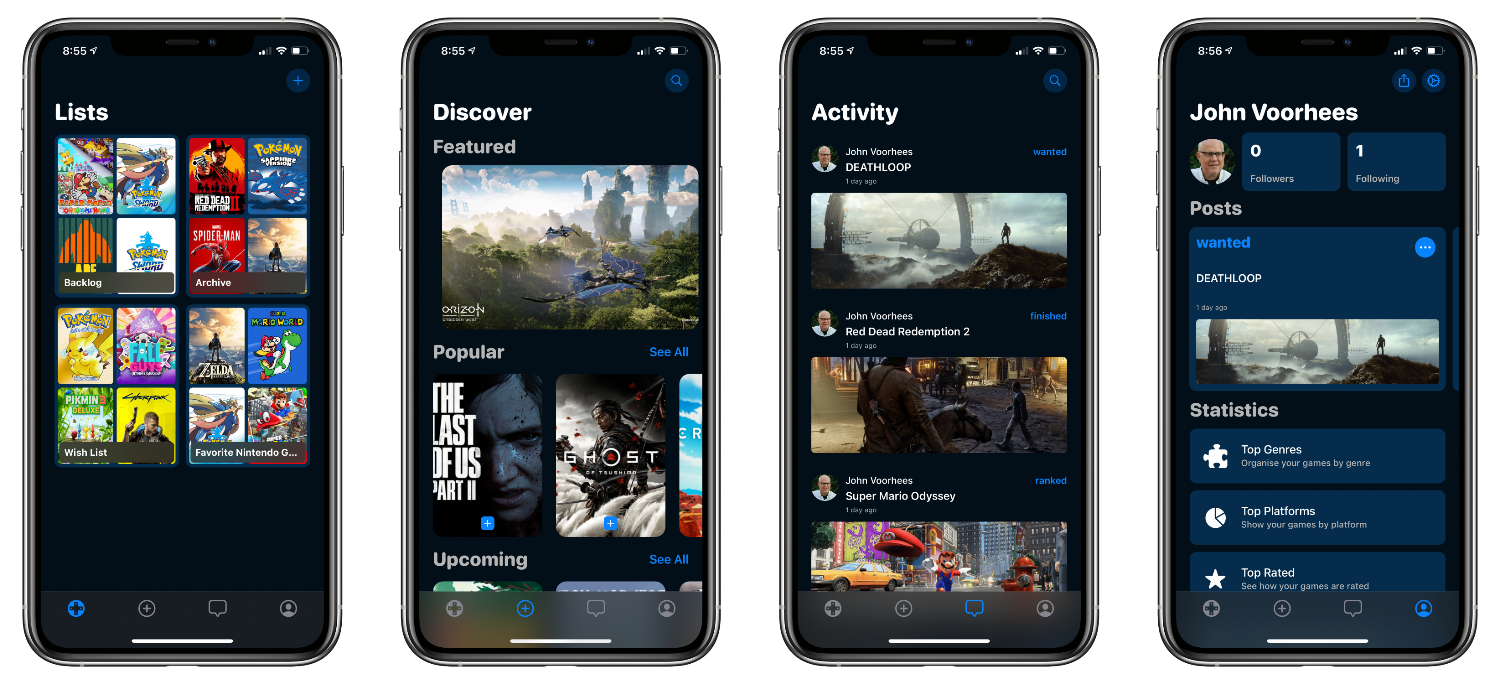
There is far more media I’d like to try than I have time for. Between TV shows, movies, music, books and other reading, podcasts, and videogames, the supply of content far outstrips the time I have by an order of magnitude. As a result, I’m both picky and often slow to getting around to some media, especially games, which often require a substantial time commitment. The trouble is that it’s easy to lose track of games I’ve read about, that someone has recommended, and even those that I’m in the middle of playing if I can’t play regularly.
I’ve approached the problem in a lot of different ways. Text notes are a quick and portable solution but lack detail. Apps designed to track lots of different kinds of media have the benefit of consolidating everything in one place, but often don’t accommodate features specific to one kind of media. As a result, I’ve recently gravitated to apps that focus on just a single type of media. For videogames, that solution has been GameTrack, an app that we’ve covered in our Club MacStories newsletters in the past.
The Wallpaper App Review: Endless Wallpapers Tailored for Apple Devices
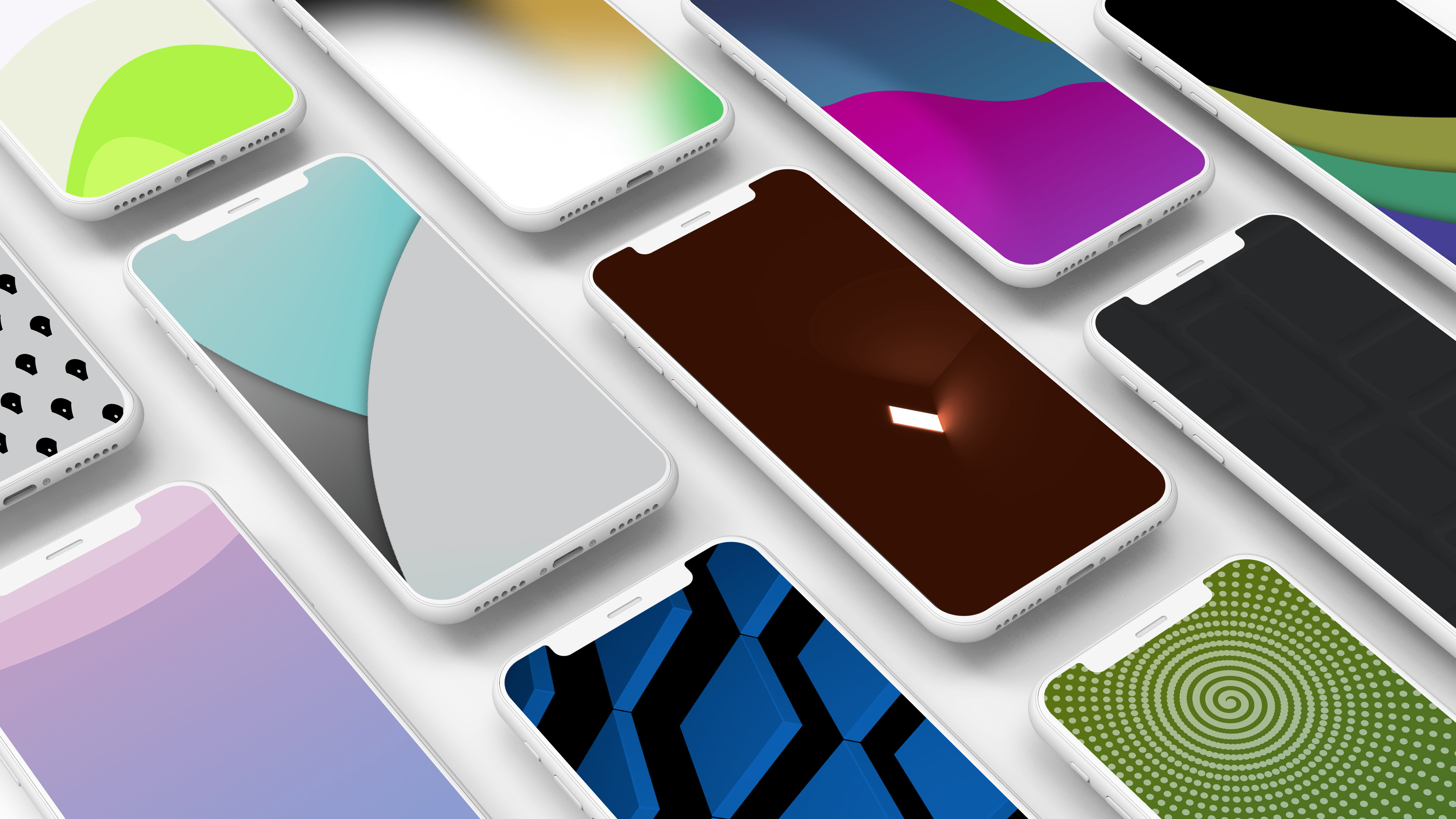
I’m very picky about wallpapers on my devices, and when I finally find one I like, I stick with it for a very long time. At some point during that very long time, I start getting tired of my wallpaper and look for a replacement, only to quickly give up and conclude that none of the other options are good. The number of wallpapers available on the web is practically infinite, yet these days I scarcely bother to look for anything new.
So in some respects I’m both the best and worst person to review The Wallpaper App, a new Lumen Digital utility for iPhone, iPad, and Mac that does nothing but supply new wallpaper options. Best because I could use a new wallpaper solution, and worst because my passionate condemnation of most wallpaper options makes me inclined to find little of value in a new wallpaper app.
I see four primary strengths to The Wallpaper App, all of which give it an advantage over other wallpaper apps or services I’ve tried in the past.
- It’s extremely simple to navigate
- All wallpapers are designed to work well behind app icons, widgets, etc.1
- You can customize wallpaper colors manually
- Wallpaper size options are tailored for Apple device sizes