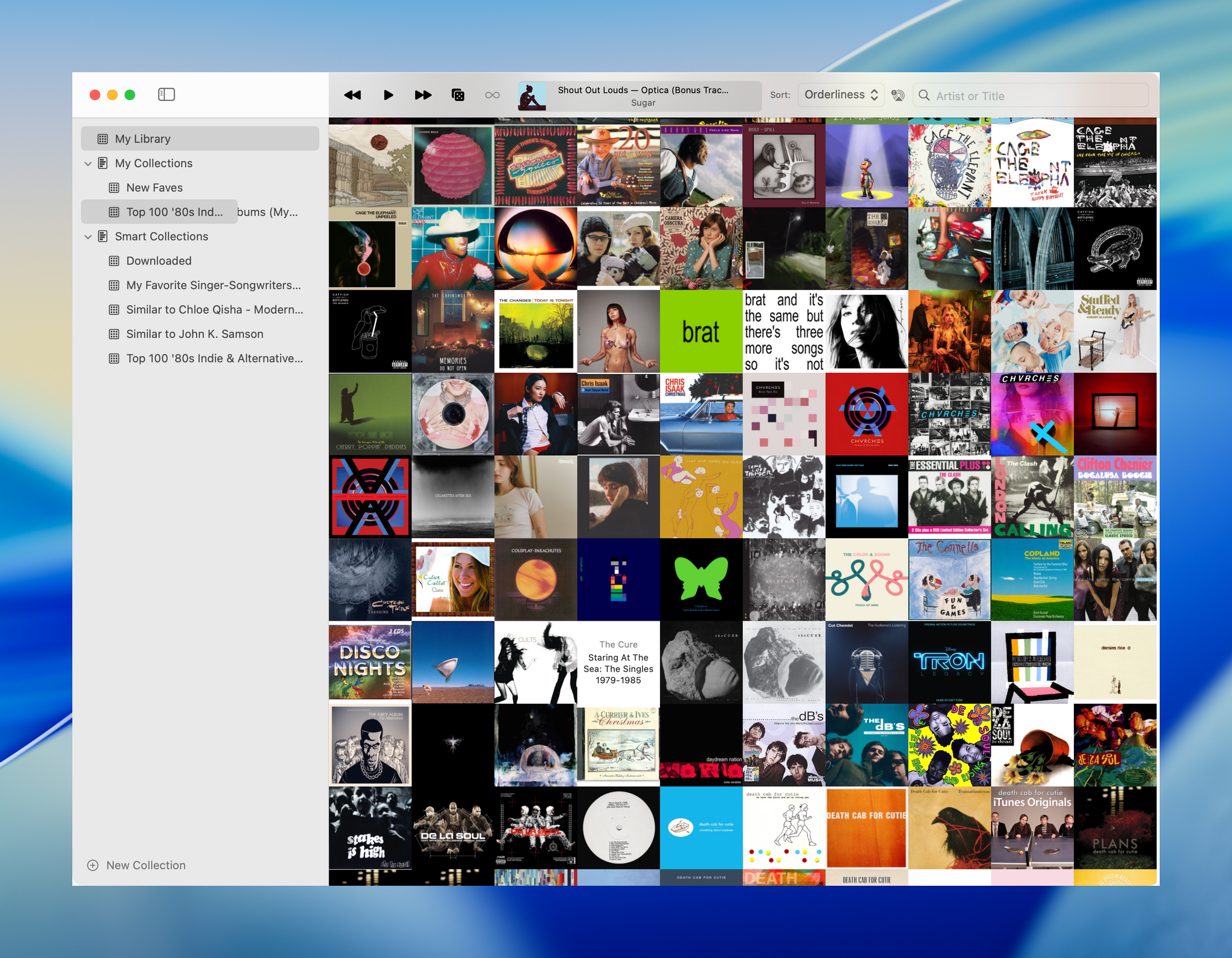
Longplay by Adrian Schönig is an excellent album-oriented music app that integrates with Apple Music. The app started on iOS and iPadOS, then later added support for visionOS. With today’s update, Longplay is available on macOS, too, where it adds unique automation features.
If you aren’t familiar with Longplay, be sure to check out my reviews of version 2.0 for iOS and iPadOS and the app’s debut on the Vision Pro. I love the app’s album art-forward design, collection and queuing systems for navigating and organizing large music libraries, and many other ways to sort, filter, and rediscover your favorite albums. Here’s how Adrian describes Longplay in a post introducing the Mac version:
It filters out the albums where you only have a handful of tracks, and focusses on those complete or nearly complete albums in your library instead. It analyses your album stats to help you rediscover forgotten favourites and explore your library in different ways. You can organise your albums into collections, including smart ones. And you can go deep with automation support.
With the introduction of Longplay for Mac, the app is now available everywhere, with feature parity across all versions. Plus, Longplay syncs across all devices, so your Collections and Smart Collections are available on every platform.
Club MacStories: Weekly and monthly newsletters via email and the web that are brimming with apps, tips, automation workflows, longform writing, early access to the MacStories Unwind podcast, periodic giveaways, and more;
Club MacStories+: Everything that Club MacStories offers, plus an active Discord community, advanced search and custom RSS features for exploring the Club’s entire back catalog, bonus columns, and dozens of app discounts;
Club Premier: All of the above and AppStories+, an extended version of our flagship podcast that’s delivered early, ad-free, and in high-bitrate audio.
Shortly before WWDC, Logitech sent me their brand new Flip Folio case/keyboard combo to test. It’s a cleverly designed iPad case that’s a bit heavy but has a lot of other things going for it, like a very stable kickstand and an excellent travel keyboard. The Flip Folio is also more affordable than the Apple Magic Keyboard, which I expect will make it an attractive option for many iPad users.
Club MacStories: Weekly and monthly newsletters via email and the web that are brimming with apps, tips, automation workflows, longform writing, early access to the MacStories Unwind podcast, periodic giveaways, and more;
Club MacStories+: Everything that Club MacStories offers, plus an active Discord community, advanced search and custom RSS features for exploring the Club’s entire back catalog, bonus columns, and dozens of app discounts;
Club Premier: All of the above and AppStories+, an extended version of our flagship podcast that’s delivered early, ad-free, and in high-bitrate audio.
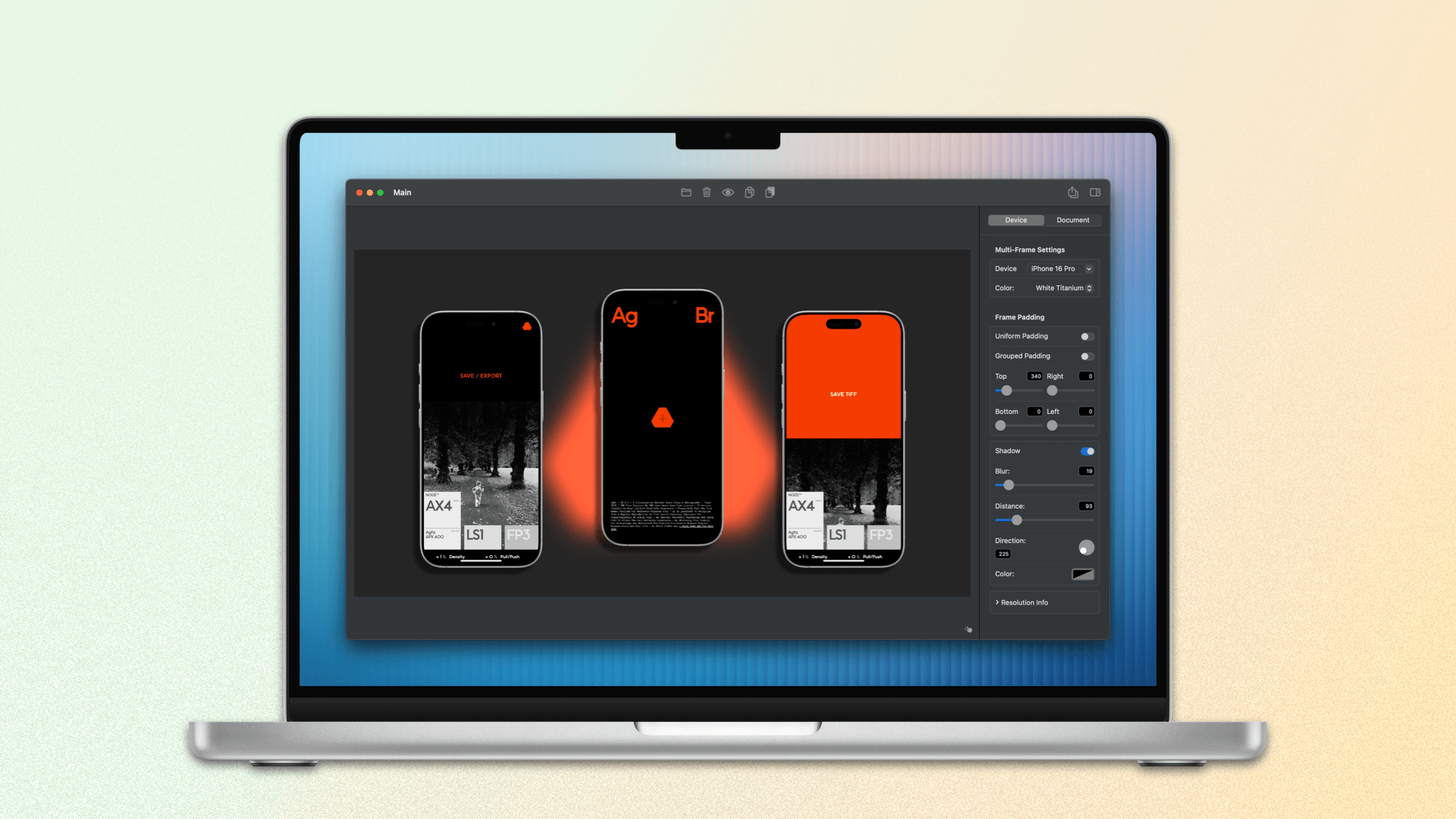
For a long time, the go-to method for quickly framing a screenshot taken on an Apple device was Federico’s excellent Apple Frames shortcut. Iterating on it each year, he even added an API for expanded customization. It’s still a terrific way to create a device-framed screenshot in a pinch, but due to the limitations of Shortcuts, you can’t manually adjust the layout of multiple screenshots or their output sizes.
Within the last year, not just one, but two well-made screenshot-framing apps have come on the scene. The first was Shareshot for iPhone, iPad, Vision Pro, and, more recently, Mac. John reviewed Shareshot in August of last year and came away impressed, but with a few reservations. In February, Dark Noise developer Charlie Chapman released his take on this new kind of app with Framous for macOS. At launch, the app showed promise but lacked a lot of features that I and many others desired. Version 1.2, available now, is a stacked release that adds a vast number of requested capabilities and customizations. Let’s take a look.
Club MacStories: Weekly and monthly newsletters via email and the web that are brimming with apps, tips, automation workflows, longform writing, early access to the MacStories Unwind podcast, periodic giveaways, and more;
Club MacStories+: Everything that Club MacStories offers, plus an active Discord community, advanced search and custom RSS features for exploring the Club’s entire back catalog, bonus columns, and dozens of app discounts;
Club Premier: All of the above and AppStories+, an extended version of our flagship podcast that’s delivered early, ad-free, and in high-bitrate audio.
The Lost Crown was released at the beginning of last year. Developed by Ubisoft Montpellier in France, the game was released to critical acclaim and won an Innovation in Accessibility Award at The Game Awards in 2024, but Ubisoft was unhappy with the game’s sales. The comeback of the celebrated series sold around 300,000 copies in its opening weeks, totaling around $15 million in revenue. In today’s “blockbuster or bust” gaming world, that wasn’t enough. Ubisoft released the Mask of Darkness story DLC in the fall but disbanded the team behind the game.
However, Ubisoft wasn’t finished trying to recoup its investment in The Lost Crown. The company called on its Da Nang studio to port the game to other platforms, starting with the Mac last December. The same group also adapted the game for the iPhone and iPad.
Today, The Prince of Persia: The Lost Crown is available everywhere. It’s on the Xbox Series X and S, Xbox One, PS4 and PS5, Switch, PC, Android, and other platforms, with Android being the latest addition alongside the iPhone and iPad.
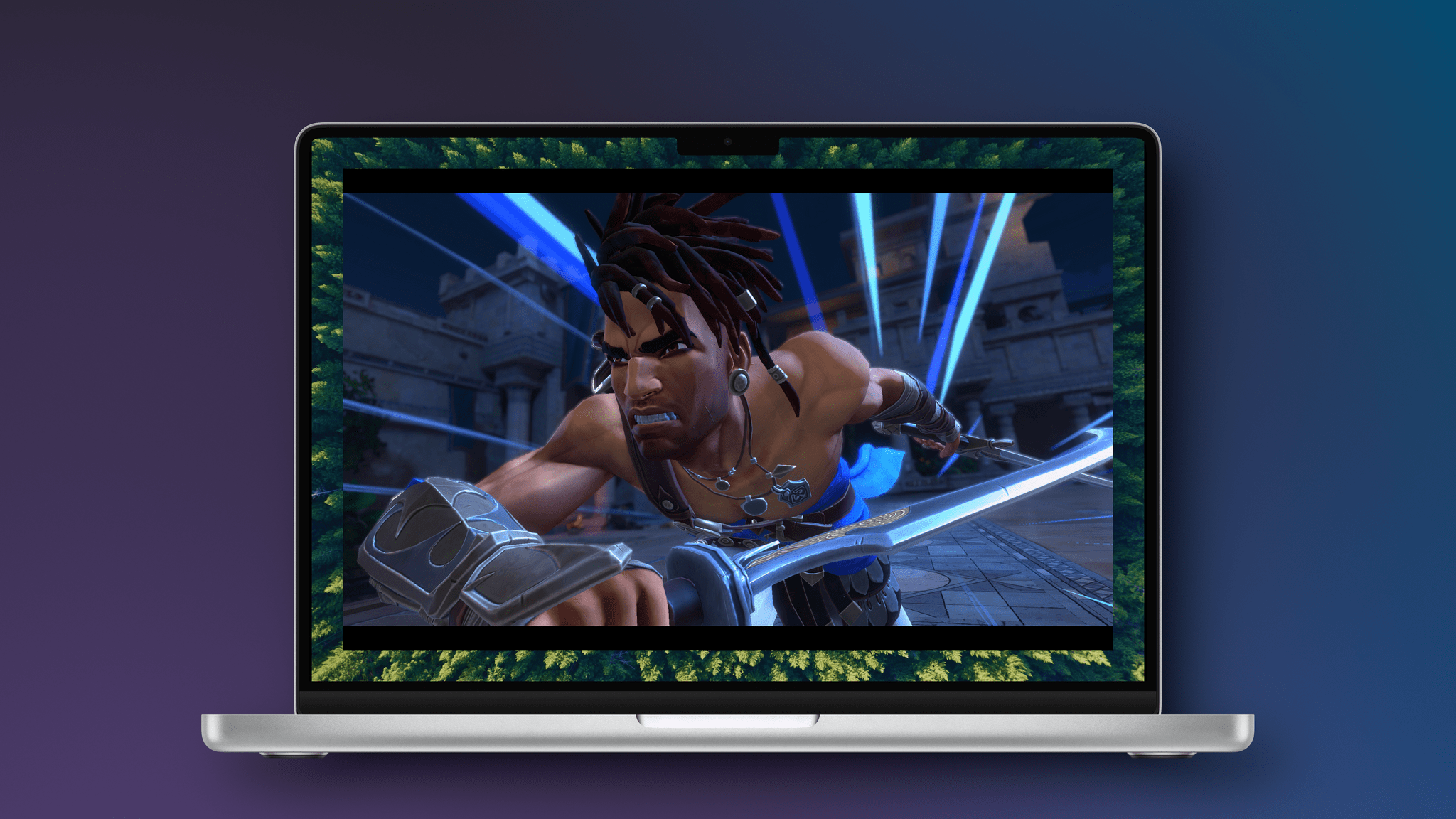
If you’re a console or PC gamer, it would have been hard to miss The Lost Crown’s release in early 2024. The game follows Sargon, a warrior in an imagined version of ancient Persia, who is tasked with trekking to Mount Qaf to save Prince Ghassan. Along the way, there are puzzles to solve and a fun combination of platforming and fluid combat. It’s a shame the game didn’t fare better because it’s an absolute gem.
I’ve played at least the opening level of The Lost Crown on an M1 MacBook Air, M4 Max MacBook Pro, iPhone 16 Pro Max, M4 iPad Pro, and Sony PS5. Ultimately, the game ran well on all five devices, but there were differences. The PS5 was the smoothest of all, and the game looked phenomenal on my OLED TV.
As you’d probably expect, the game runs very well on an M4 Max MacBook Pro and M4 iPad Pro, although both got quite warm, and I could clearly hear the MacBook Pro’s fans when I removed my headphones. In both cases, I noticed a little hitch in the frame rate from time to time when transitioning from one area of the map to another, but it wasn’t a big deal in either case. The Lost Crown’s gorgeous artwork and sound design really shine on both devices, too.
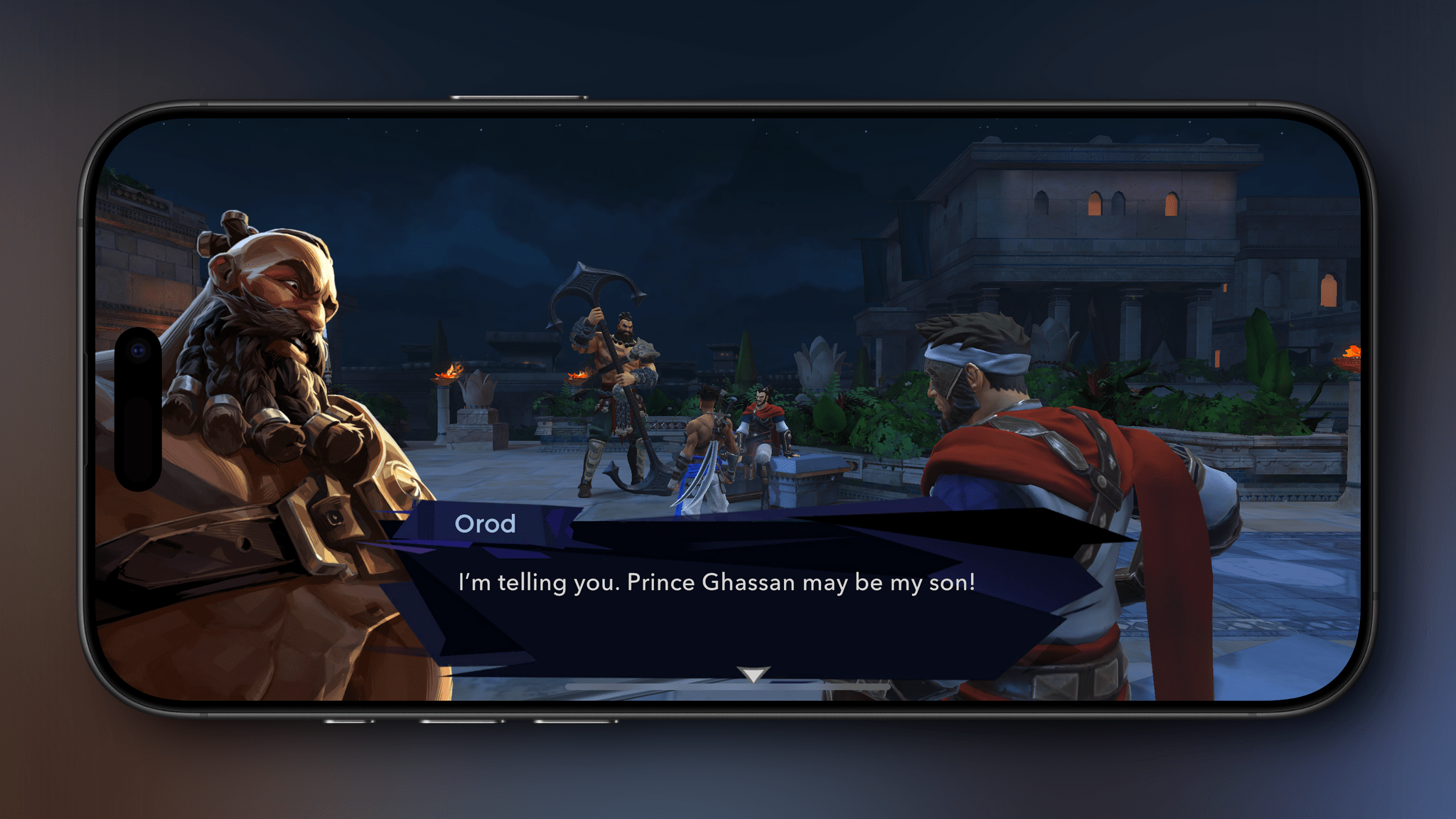
The worst experiences were on the iPhone and M1 MacBook Air, for different reasons. The iPhone 16 Pro Max handled the game well, and it looked great, but the game is a lot more fun on a bigger screen. I noticed more frame rate hitches on the M1 MacBook Air than on any other device, but I didn’t really expect the game to be playable, so it was a pleasant surprise to find that it worked.
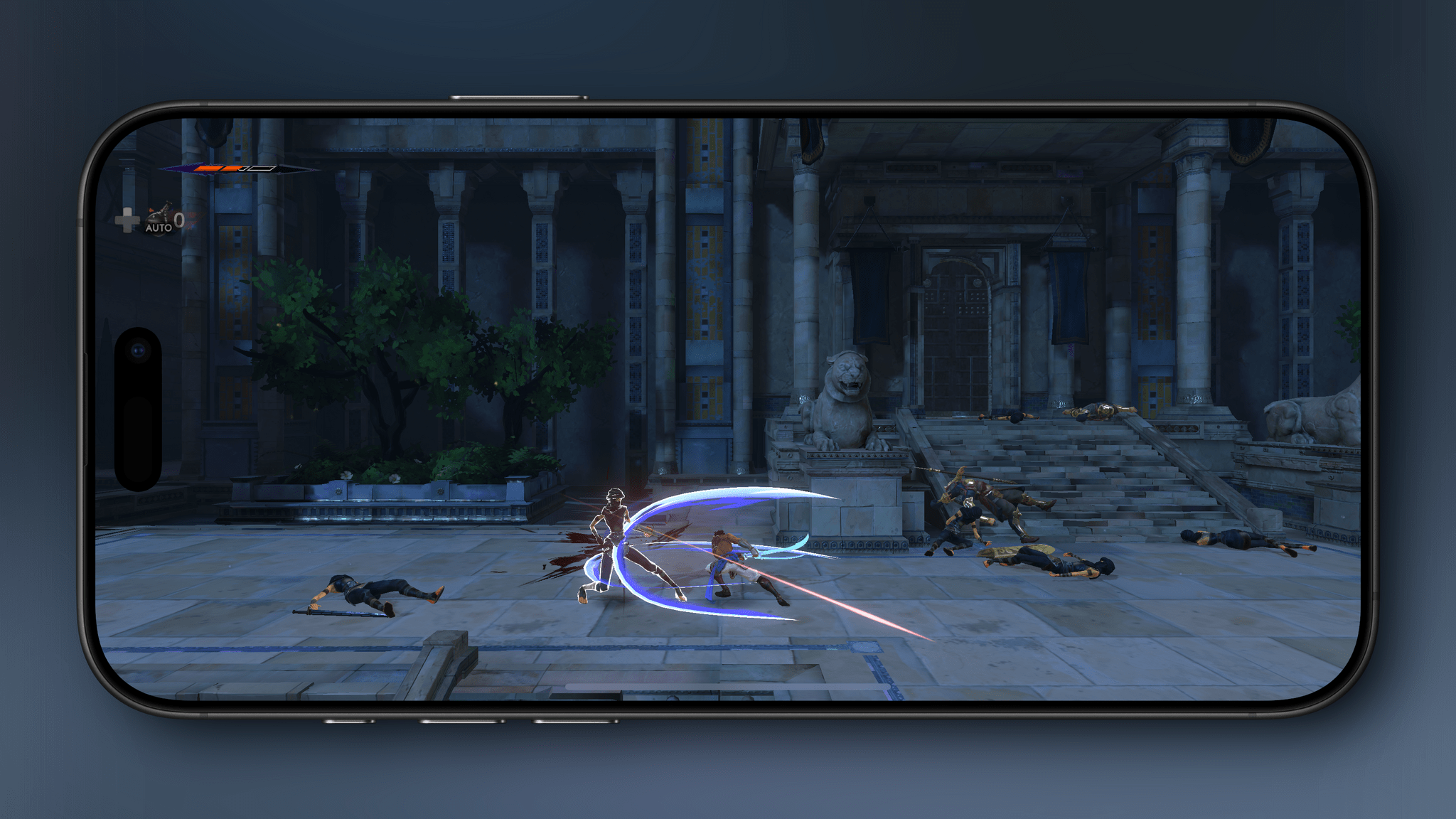
Dialogue scenes work better on the iPhone than combat where everything is tiny.
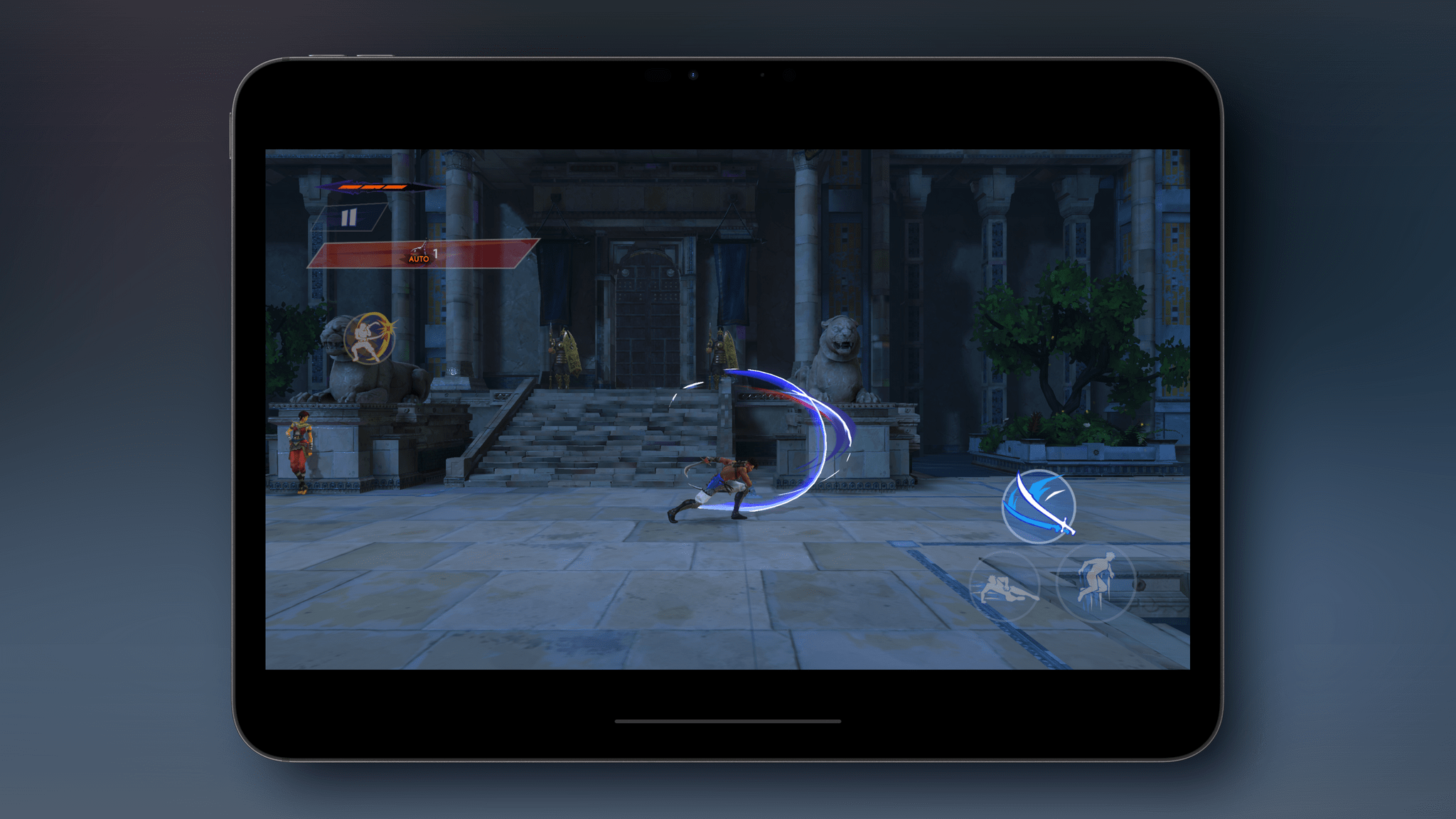
Both the iPhone and iPad versions of the game have been adapted for touch. There are on-screen touch controls, but I’d highly recommend using a controller instead. The onscreen controls are well done, but The Lost Crown’s combat feels much, much better with a controller. If you’re looking for a good controller for iPhone or iPad, check out our Setups page for a few recommendations.
An example of the mobile version’s touch controls.
The mobile versions of The Lost Crown have added automatic parrying and healing potion use, as well as a new option to slow down time during combat, all of which are designed to make the game more touchscreen-friendly. I’m glad those options are there, but again, you really should use a controller with this game. It’s also worth noting that none of the Apple platform versions of the Lost Crown include the DLC, and the Mac version is capped at 60 fps; that doesn’t bother me, but I know it’s an issue for others. The Lost Crown also supports cloud saves if you have an Ubisoft Connect account, but the saves only work Mac-to-Mac or among iOS and iPadOS devices, which stinks.
Finally, we need to talk about the princely price Ubisoft is charging for The Lost Crown on the Mac. The game is $40, which is less than the $60 launch price over a year ago, but now, you can pick it up for as low as $15–$25 on other platforms, depending on whether it comes with the DLC. Given that difference, it’s hard to recommend the Mac version of Prince of Persia: The Lost Crown unless you have no other way to play it.
Playing on iPhone with a controller.
The iPhone and iPad versions are much more reasonable. First of all, you can download and play the tutorial level of the game for free to see if The Last Crown is for you, which I appreciate. Second, until May 5, the full game is available for $9.99 – the best deal available anywhere. There’s no guarantee you’ll ever have the option to play the DLC on either device, but $10 is fair for anyone who prefers to play games on their iPhone or an iPad. After May 5, the price is set to rise to $14.99, which is in line with console versions of the game that don’t come with the DLC.
So in the final analysis, there’s not much to commend the Mac version of The Prince of Persia: The Lost Crown if you have any other way of playing it because it’s more than double the price of PC and console versions. The iPhone and iPad versions are a closer call, especially while the game is on sale for $10. The Lost Crown looks great on both and plays well (though not perfectly), but any iPhone’s screen is a little small for a game like The Lost Crown. That said, if your preference is for portability or you don’t have the option of a PC or console, The Prince of Persia: The Lost Crown is worth downloading on your iPhone or iPad to try the free tutorial level.
Club MacStories: Weekly and monthly newsletters via email and the web that are brimming with apps, tips, automation workflows, longform writing, early access to the MacStories Unwind podcast, periodic giveaways, and more;
Club MacStories+: Everything that Club MacStories offers, plus an active Discord community, advanced search and custom RSS features for exploring the Club’s entire back catalog, bonus columns, and dozens of app discounts;
Club Premier: All of the above and AppStories+, an extended version of our flagship podcast that’s delivered early, ad-free, and in high-bitrate audio.
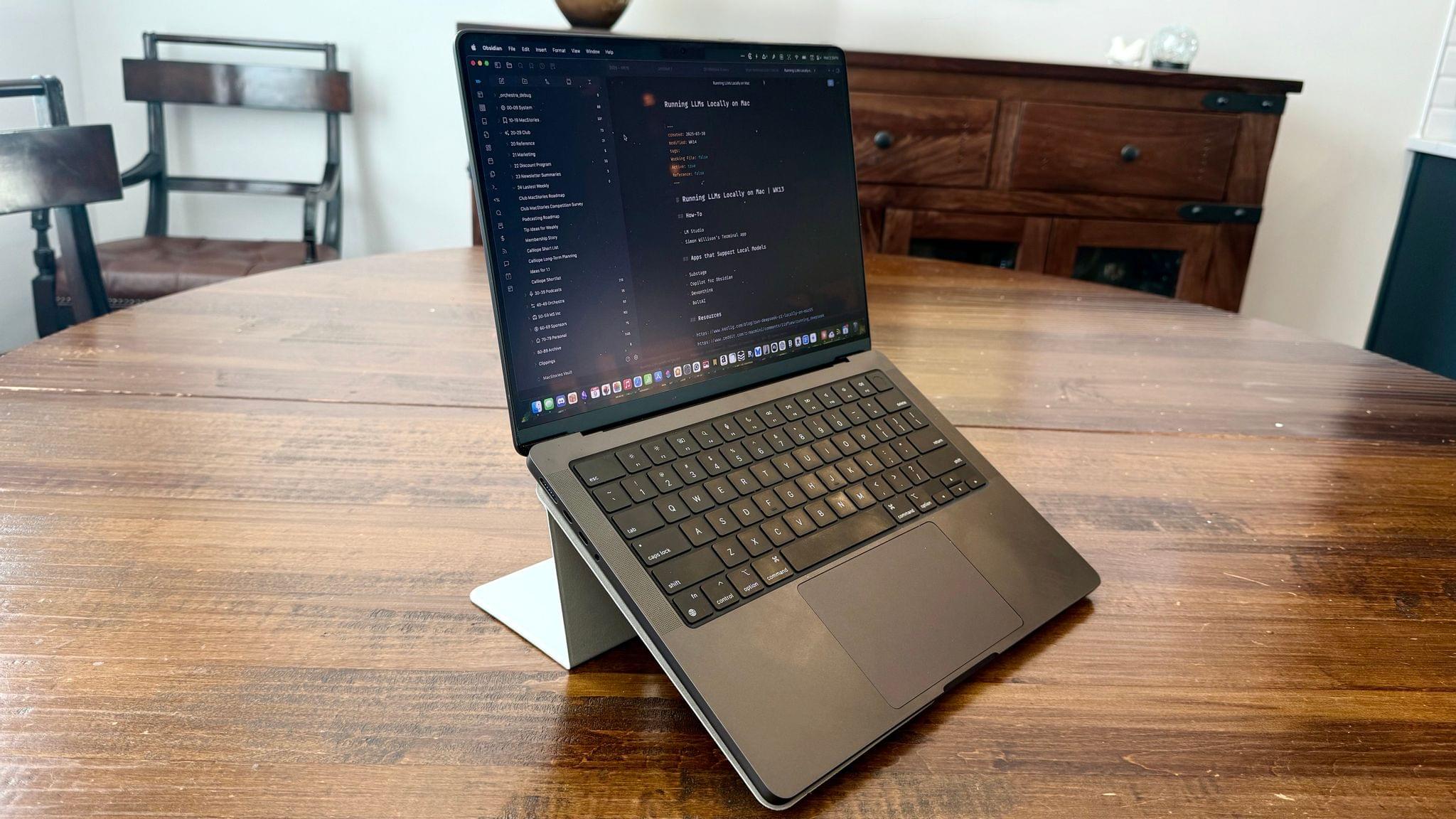
It’s not often that I come across something that slides so effortlessly into my everyday workflow as the MOFT Invisible Stand has. It doesn’t use batteries, it takes up negligible space, and it’s so light that I never question throwing it in my bag when I leave the house. The stand is barely there until I need it, which is when it really shines.
Club MacStories: Weekly and monthly newsletters via email and the web that are brimming with apps, tips, automation workflows, longform writing, early access to the MacStories Unwind podcast, periodic giveaways, and more;
Club MacStories+: Everything that Club MacStories offers, plus an active Discord community, advanced search and custom RSS features for exploring the Club’s entire back catalog, bonus columns, and dozens of app discounts;
Club Premier: All of the above and AppStories+, an extended version of our flagship podcast that’s delivered early, ad-free, and in high-bitrate audio.
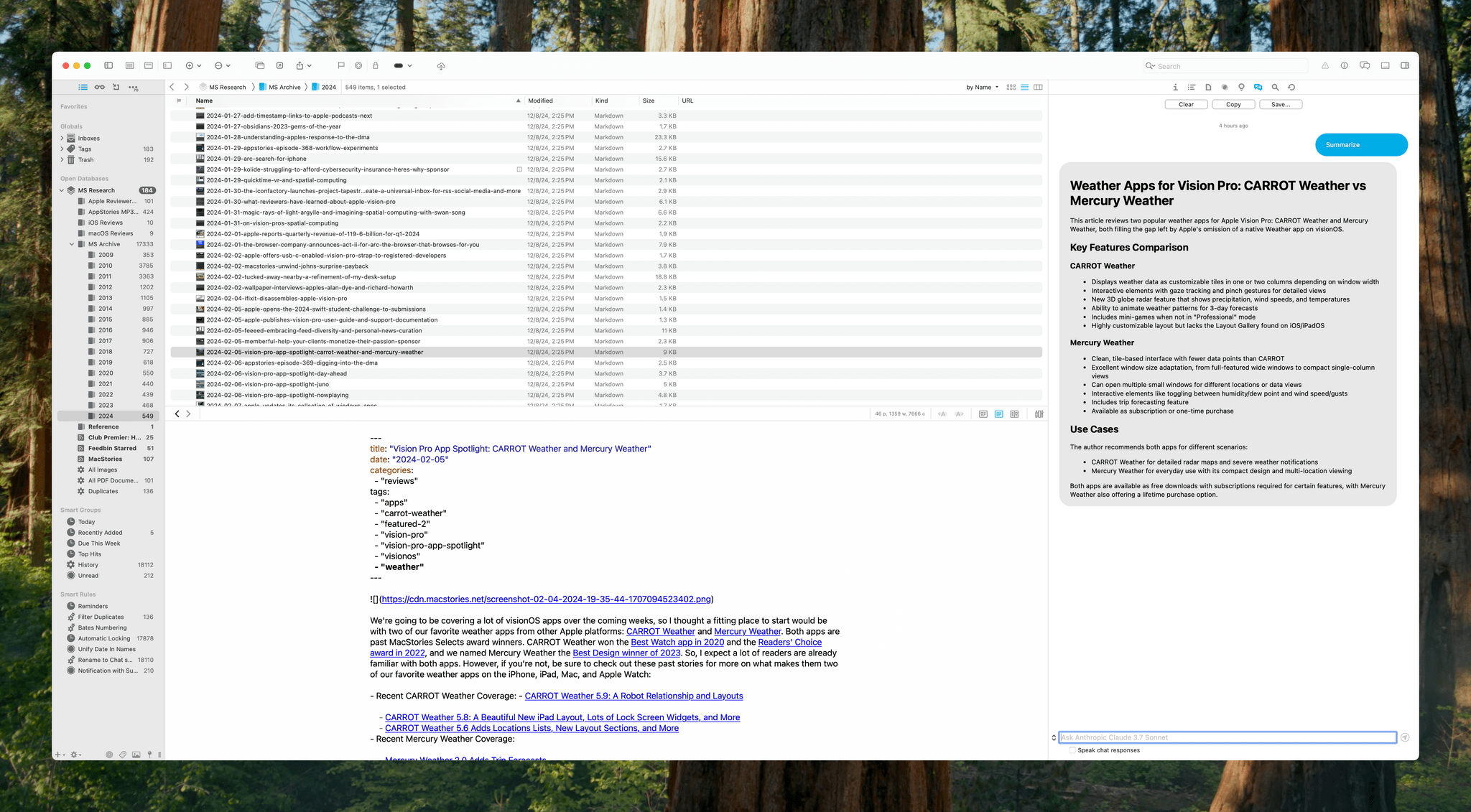
DEVONthink is a difficult app to review because its flexibility means it can serve a wide variety of purposes. I’ve been using it for the past few weeks as an archive and research companion that houses thousands of plain text files, but the app is capable of effectively replacing your Mac’s file system, storing and cataloging all sorts of files. With lightning-fast search, tagging, and a plethora of other organization methods, DEVONthink 3 has a well-earned reputation as a premier tool for researchers working with lots of files. However, DEVONthink’s capabilities are so varied that it can also serve as a text editor, an RSS reader, a read-later app, and a lot more.
Today, DEVONtechnologies is releasing a public beta of DEVONthink 4, a big update with a focus on AI, but with other new features and refinements to existing capabilities, too. Which of these features matters most to you will depend in large measure on how you use the app. I’m going to focus on the new AI tools because those are the additions that have had the greatest impact on the way I use DEVONthink, but it’s worth keeping in mind that the app offers many other tools that may suit your needs better.
Club MacStories: Weekly and monthly newsletters via email and the web that are brimming with apps, tips, automation workflows, longform writing, early access to the MacStories Unwind podcast, periodic giveaways, and more;
Club MacStories+: Everything that Club MacStories offers, plus an active Discord community, advanced search and custom RSS features for exploring the Club’s entire back catalog, bonus columns, and dozens of app discounts;
Club Premier: All of the above and AppStories+, an extended version of our flagship podcast that’s delivered early, ad-free, and in high-bitrate audio.
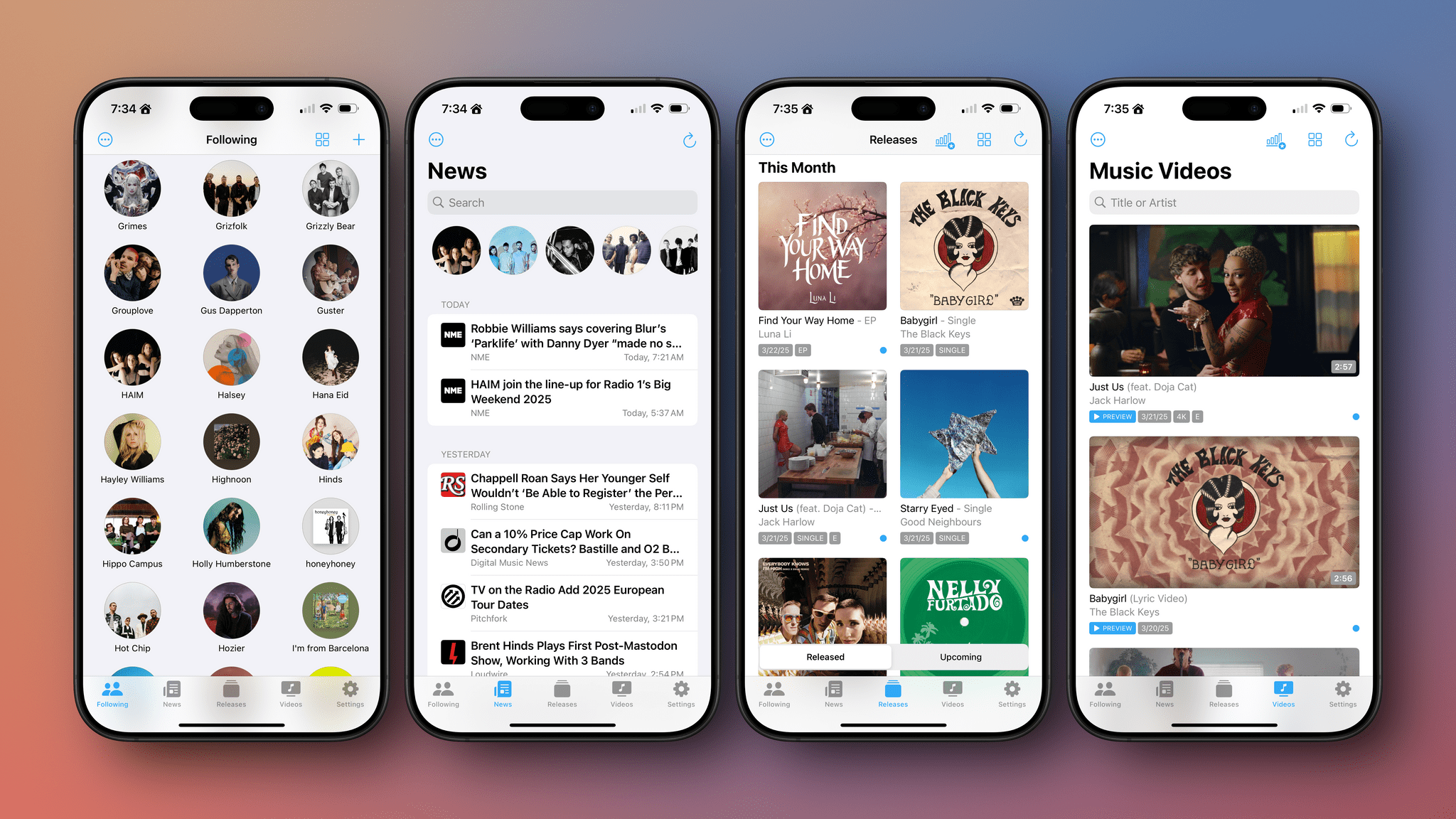
Marcos Tanaka kicked off his App Store career with a real banger when he released MusicHarbor, an app for following the work of your favorite music artists on the iPhone, iPad, and Mac. We awarded MusicHarbor App of the Year in 2020, and since then, it has been steadily updated, making it my go-to app for catching up on my favorite bands. Today, MusicHarbor’s latest update, version 5.0, takes the app even further with new news, top chart, time capsule, and list features.
Club MacStories: Weekly and monthly newsletters via email and the web that are brimming with apps, tips, automation workflows, longform writing, early access to the MacStories Unwind podcast, periodic giveaways, and more;
Club MacStories+: Everything that Club MacStories offers, plus an active Discord community, advanced search and custom RSS features for exploring the Club’s entire back catalog, bonus columns, and dozens of app discounts;
Club Premier: All of the above and AppStories+, an extended version of our flagship podcast that’s delivered early, ad-free, and in high-bitrate audio.
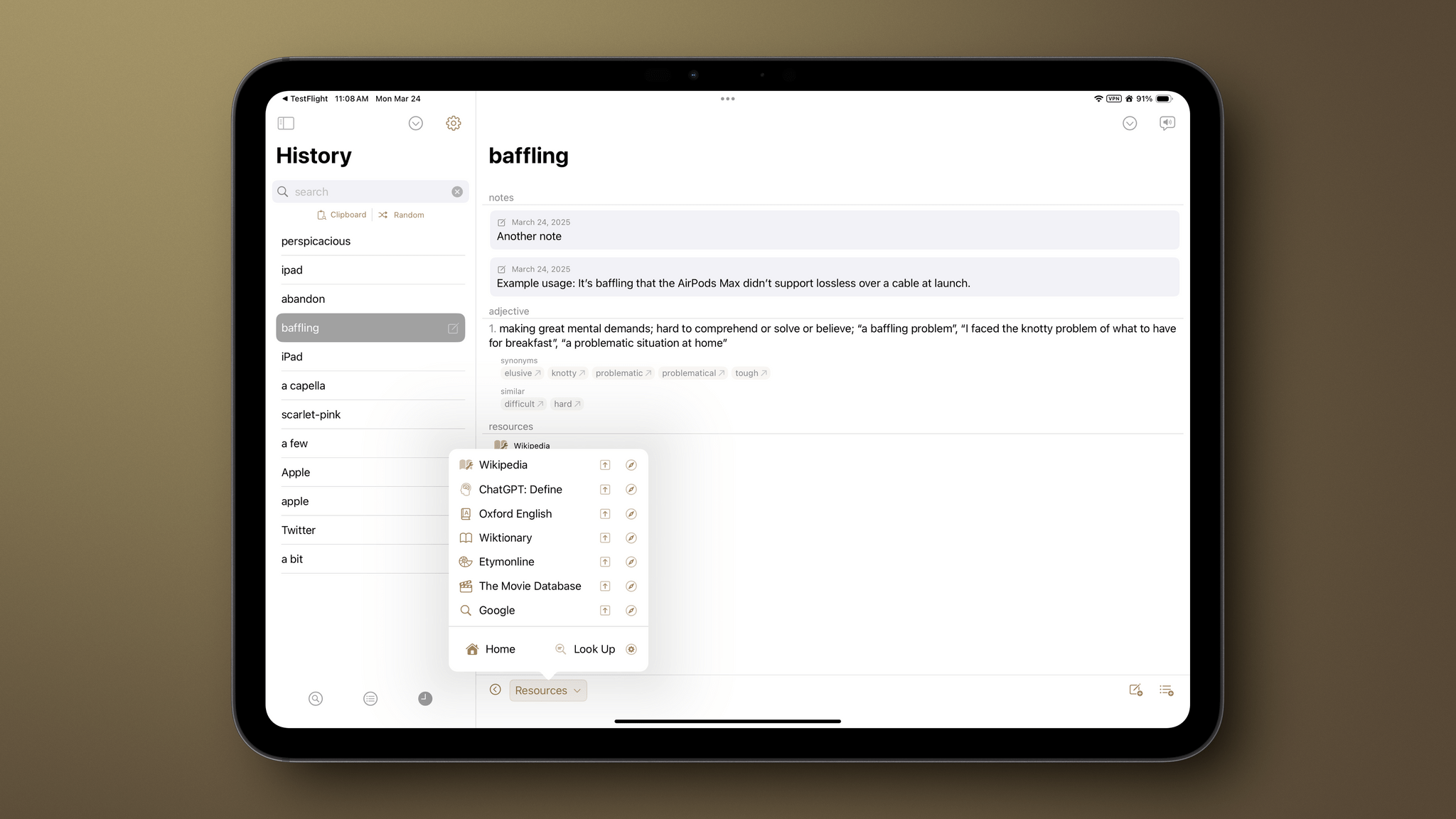
It’s been quite a while since I did a full review of Agile Tortoise’s Terminology, an extensible dictionary and reference tool for the iPhone and iPad. It’s hard to believe the app has been around for 15 years now, but with today’s release of version 5.0, Greg Pierce has introduced a thoroughly modern ground-up rewrite of the app that is richer and more extensible than ever, making it one of my favorite research tools.
Club MacStories: Weekly and monthly newsletters via email and the web that are brimming with apps, tips, automation workflows, longform writing, early access to the MacStories Unwind podcast, periodic giveaways, and more;
Club MacStories+: Everything that Club MacStories offers, plus an active Discord community, advanced search and custom RSS features for exploring the Club’s entire back catalog, bonus columns, and dozens of app discounts;
Club Premier: All of the above and AppStories+, an extended version of our flagship podcast that’s delivered early, ad-free, and in high-bitrate audio.
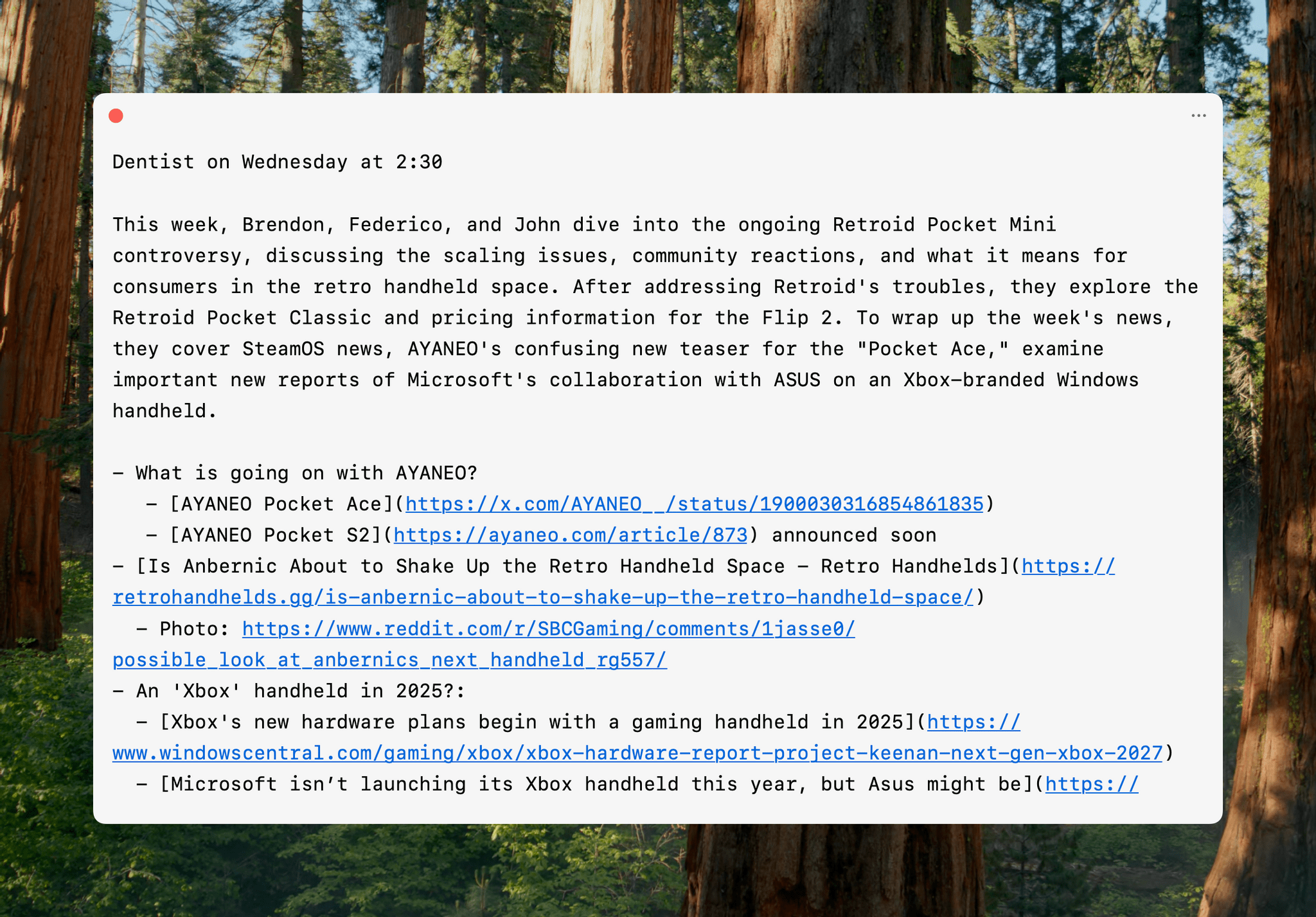
One of the best indicators of how sticky a cross-device utility will be in my setup is how quickly I install it everywhere. For Sindre Sorhus’ Scratchpad, the answer was “very sticky.” The simple text utility works on the iPhone, iPad, Mac, Apple Watch, and Vision Pro (via iPad compatibility mode), and as soon as I tried it on my desktop Mac, I grabbed all of my other devices and installed it on them, too.
At its core, Scratchpad is a single view for typing or pasting plain text that syncs everywhere. What sets it apart from similar apps is its many small touches that demonstrate a deep understanding of the way people use a scratchpad app.
Club MacStories: Weekly and monthly newsletters via email and the web that are brimming with apps, tips, automation workflows, longform writing, early access to the MacStories Unwind podcast, periodic giveaways, and more;
Club MacStories+: Everything that Club MacStories offers, plus an active Discord community, advanced search and custom RSS features for exploring the Club’s entire back catalog, bonus columns, and dozens of app discounts;
Club Premier: All of the above and AppStories+, an extended version of our flagship podcast that’s delivered early, ad-free, and in high-bitrate audio.