Posts in reviews

CARROT Weather 5.2 Revamps Layout Customization and Adds New Sections and Data

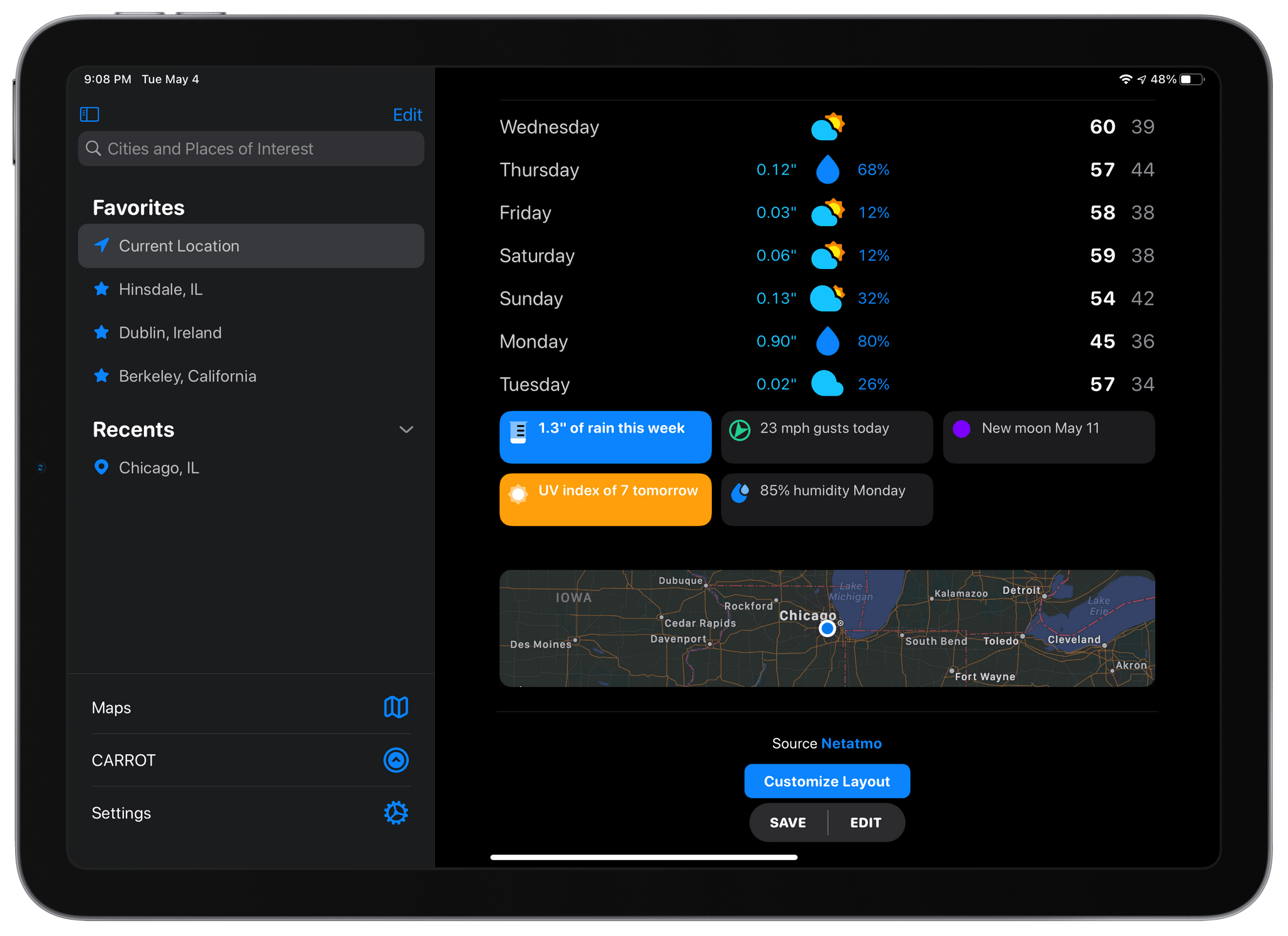
When CARROT Weather 5 was released in January, it became one of the most highly-customizable apps available on the iPhone, iPad, and Apple Watch. With that came a level of complexity that required a bit of a learning curve. With a bit of experimentation and the progressive unlocking of customizations, though, I thought version 5’s layout features were manageable. However, with the update released today, developer Brian Mueller has overhauled CARROT Weather’s layout functionality making it easier to get started and faster to build a personalized weather dashboard than ever before.
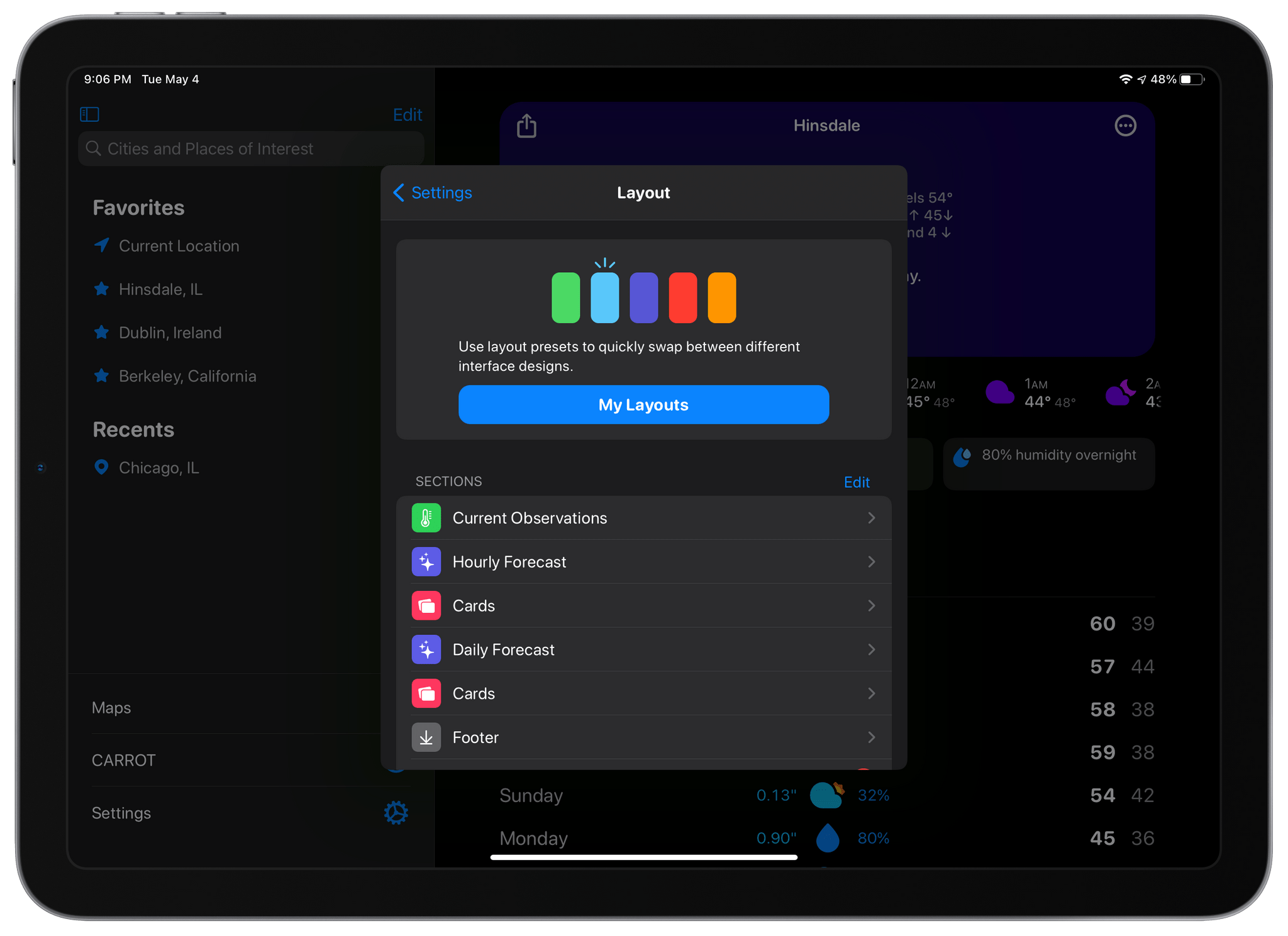
The Layout section of CARROT Weather's settings is where you choose from layout templates and add individual data components called Sections.

The Layout section of CARROT Weather’s settings is where you choose from layout templates and add individual data components called Sections.

The app’s settings include a new group of related items: Layout, Display, and App Icon, the first two of which are new. Layout replaces Customization and is divided into preset layouts and sections that can be added to the app’s main view. Layout presets, like Odin, Siren, and Chronos, are a great place to start when planning your CARROT Weather layout. You can preview any that you aren’t using, which takes your data settings and applies it to the new preset, so you can see how it would look. From the preview, you can tap ‘Set’ to begin using the new theme or ‘Cancel’ to return to the app’s Layout settings to make more adjustments.
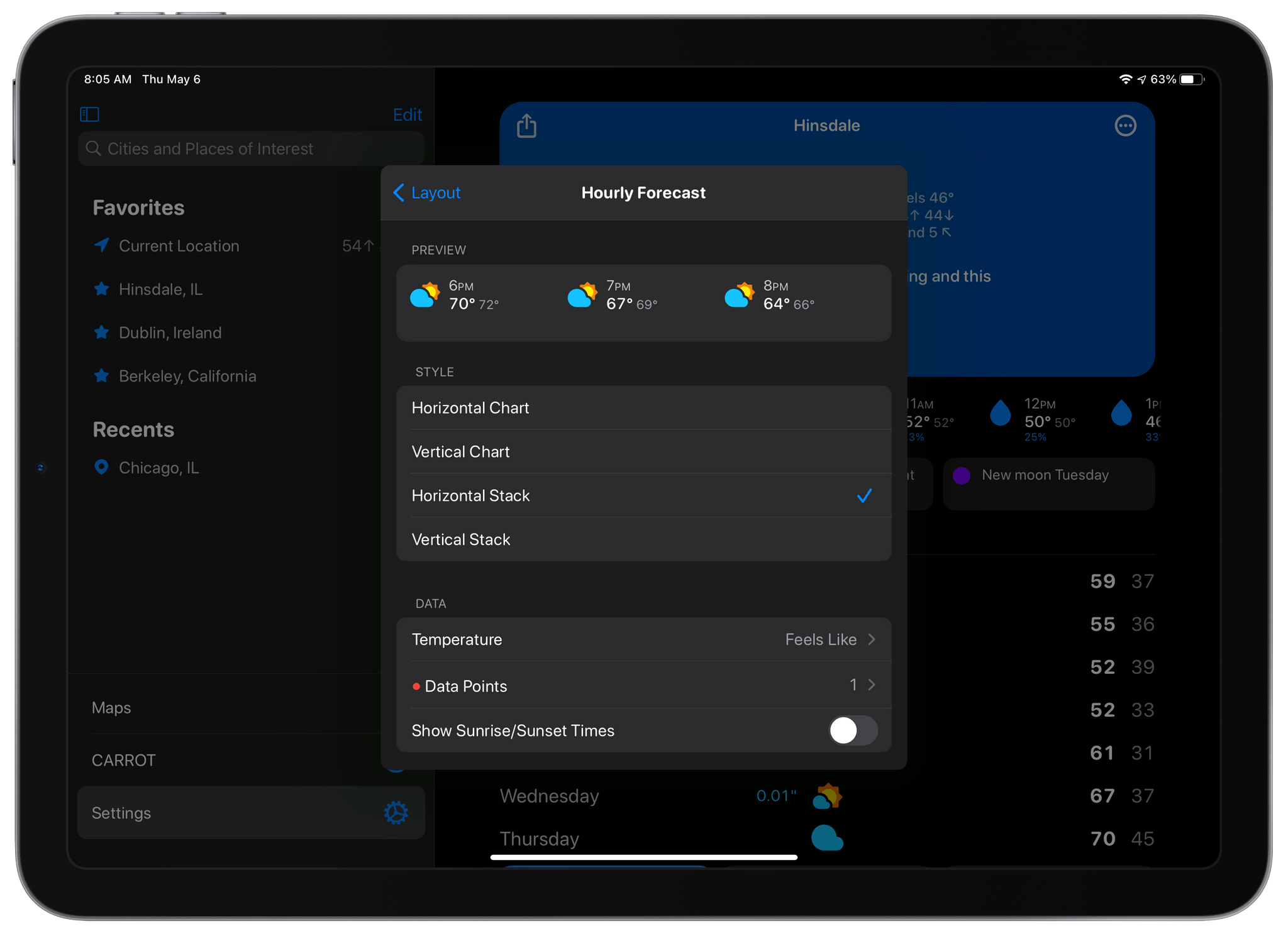
The settings for each section now includes previews of what that section will look like before you add it to your layout.

The settings for each section now includes previews of what that section will look like before you add it to your layout.

The Sections part of Layout is where you pick and customize the individual data components for your layout. The big change here is that at the top of each section’s individual settings is a preview of what it will look like based on the options you’ve chosen. It’s a big improvement because it eliminates the guessing about what each change will look like before you add the section. Together with the Layout previews, the new Sections picker short-circuits the trial and error loop of version 5.0, making it much faster to design the perfect weather dashboard.
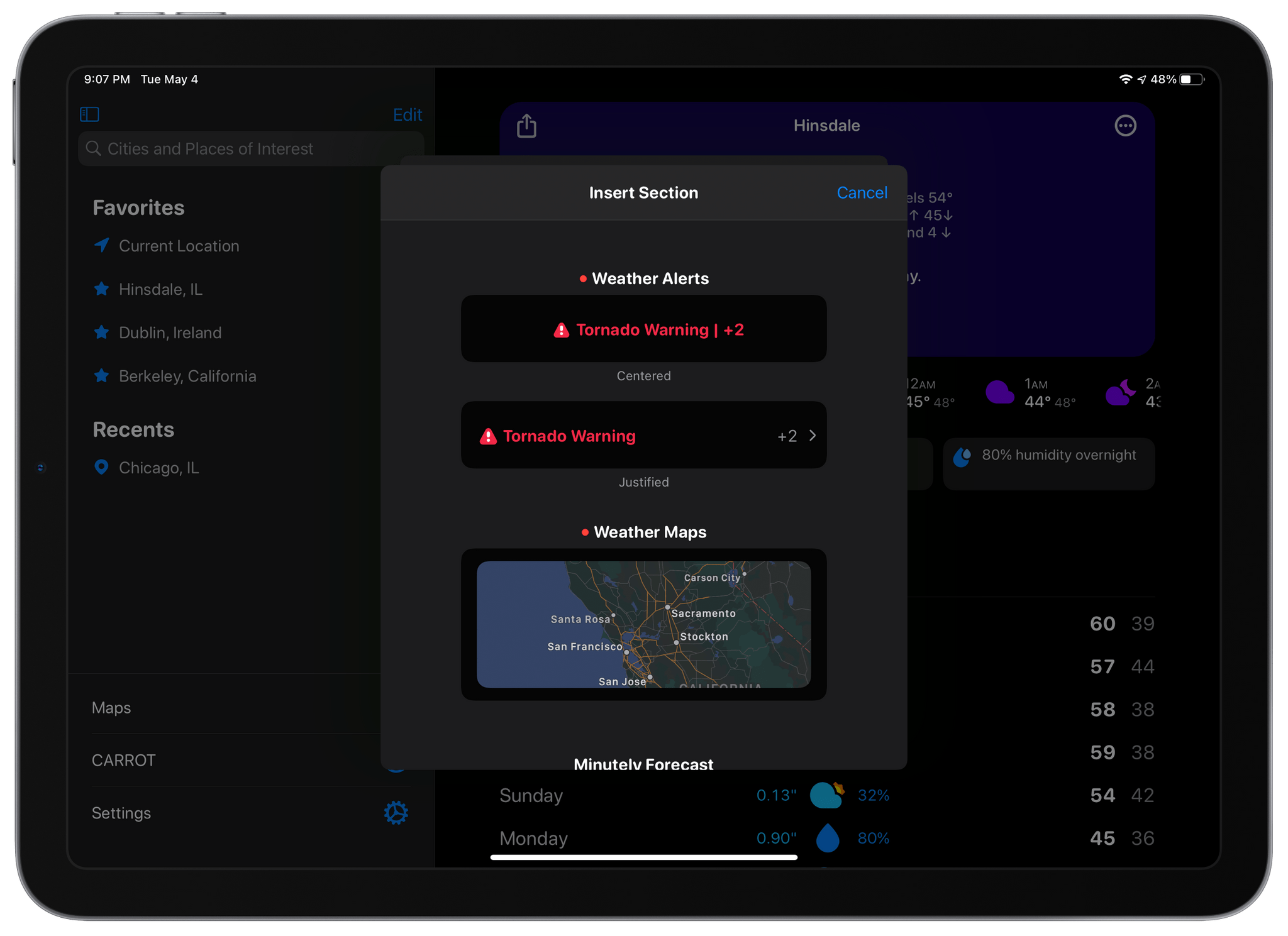
CARROT Weather 5.2 includes new Maps and Alerts sections.

CARROT Weather 5.2 includes new Maps and Alerts sections.

CARROT Weather has added a couple of new sections too. The first, which is exclusive to Premium Ultra subscribers, is a Weather Maps section that allows you to add weather radar to your dashboard. You can add multiple layers of data to the map, pick from three different sizes and zoom levels, and choose a handful of additional style and appearance settings, all of which are previewed for you at the top of the screen. There’s also a new alerts section that can be added to notify you of severe weather and other unusual conditions, as well as new tide data available in certain existing sections. Finally, you can adjust the text size and pick among multiple font choices in the new Display section of the app’s settings.

When CARROT Weather 5.0 came out, I spent some time coming up with a layout that I liked, and I never touched it again. It’s not like I spent hours trying every possible combination to come up with something that I liked, but there was enough trial and error involved that I didn’t feel like testing out anything else after that initial setup. With the new layout system, that has changed. Tweaking the size of sections and their layout is much faster with the new previews, making experimenting easier. As a result, I’ve tweaked my hourly view a little, added a Map section, and modified the data reported by a couple of other sections. The changes weren’t drastic, but it’s even better now, which I love. If you haven’t played with CARROT Weather’s customization options in a while, now is definitely the time to do so.

CARROT Weather is available as a free update on the App Store and offers multiple subscription tiers for its more advanced, data-rich features.
Access Extra Content and Perks

Founded in 2015, Club MacStories has delivered exclusive content every week for nearly a decade.

What started with weekly and monthly email newsletters has blossomed into a family of memberships designed for every MacStories fan.

Learn more here and from our Club FAQs.

Club MacStories: Weekly and monthly newsletters via email and the web that are brimming with apps, tips, automation workflows, longform writing, early access to the MacStories Unwind podcast, periodic giveaways, and more;

Club MacStories+: Everything that Club MacStories offers, plus an active Discord community, advanced search and custom RSS features for exploring the Club’s entire back catalog, bonus columns, and dozens of app discounts;

Club Premier: All of the above and AppStories+, an extended version of our flagship podcast that’s delivered early, ad-free, and in high-bitrate audio.

Learn more here and from our Club FAQs.


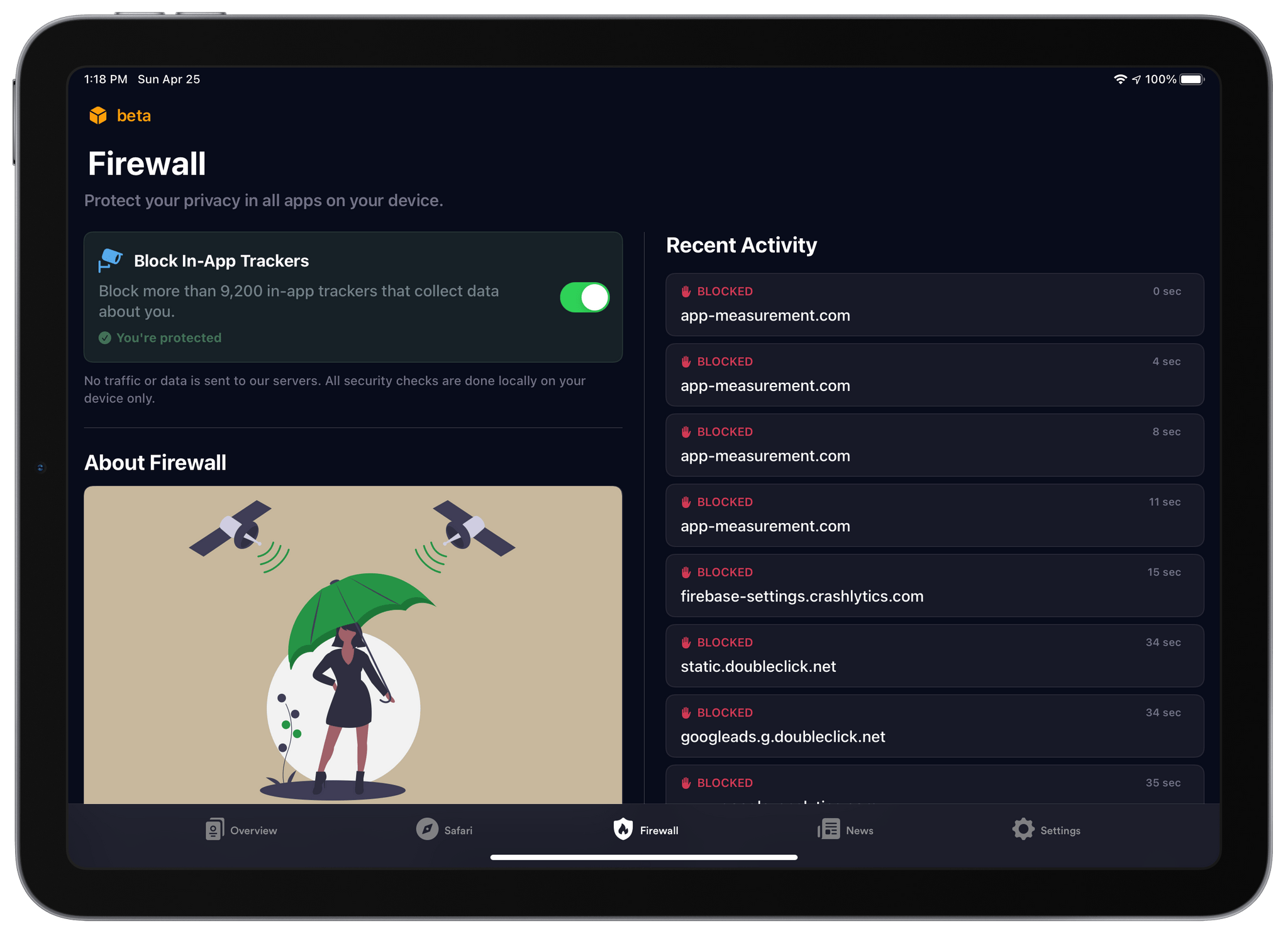
1Blocker 4.0 Adds In-App Tracker Blocking with Its New Firewall Feature

I’ve used 1Blocker to block ads from cluttered websites for years. No ad blocker is perfect. Some ads still get through, and blockers can sometimes interfere with the functionality of a website, but of all the ones I’ve tried, 1Blocker strikes the best balance. The app is also available on all of Apple’s platforms, making it easy to block intrusive ads but allow them on sites where they don’t wreck the reading experience.

1Blocker, which I have covered many times in the past on MacStories, was the first iOS app I know that bundled multiple sets of content blocking rules to offer more filters than the iOS would otherwise allow. The system also allows 1Blocker to filter more than just advertising, such as social media widgets, comments, and adult sites.

Today, 1Blocker has expanded its coverage even further with a feature called Firewall. If you’ve read Federico’s in-depth story about iOS and iPadOS 14.5, you’re familiar with App Tracking Transparency. That’s the OS feature that requires apps to request permission before tracking your activity across multiple apps and websites. Firewall takes that a step further by automatically blocking trackers and doing so even if the trackers are what are known as first-party trackers because they don’t correlate your data with data collected by other companies. It’s an extra layer of protection between you and data brokers.

Read more

Access Extra Content and Perks

Founded in 2015, Club MacStories has delivered exclusive content every week for nearly a decade.

What started with weekly and monthly email newsletters has blossomed into a family of memberships designed for every MacStories fan.

Learn more here and from our Club FAQs.

Club MacStories: Weekly and monthly newsletters via email and the web that are brimming with apps, tips, automation workflows, longform writing, early access to the MacStories Unwind podcast, periodic giveaways, and more;

Club MacStories+: Everything that Club MacStories offers, plus an active Discord community, advanced search and custom RSS features for exploring the Club’s entire back catalog, bonus columns, and dozens of app discounts;

Club Premier: All of the above and AppStories+, an extended version of our flagship podcast that’s delivered early, ad-free, and in high-bitrate audio.

Learn more here and from our Club FAQs.


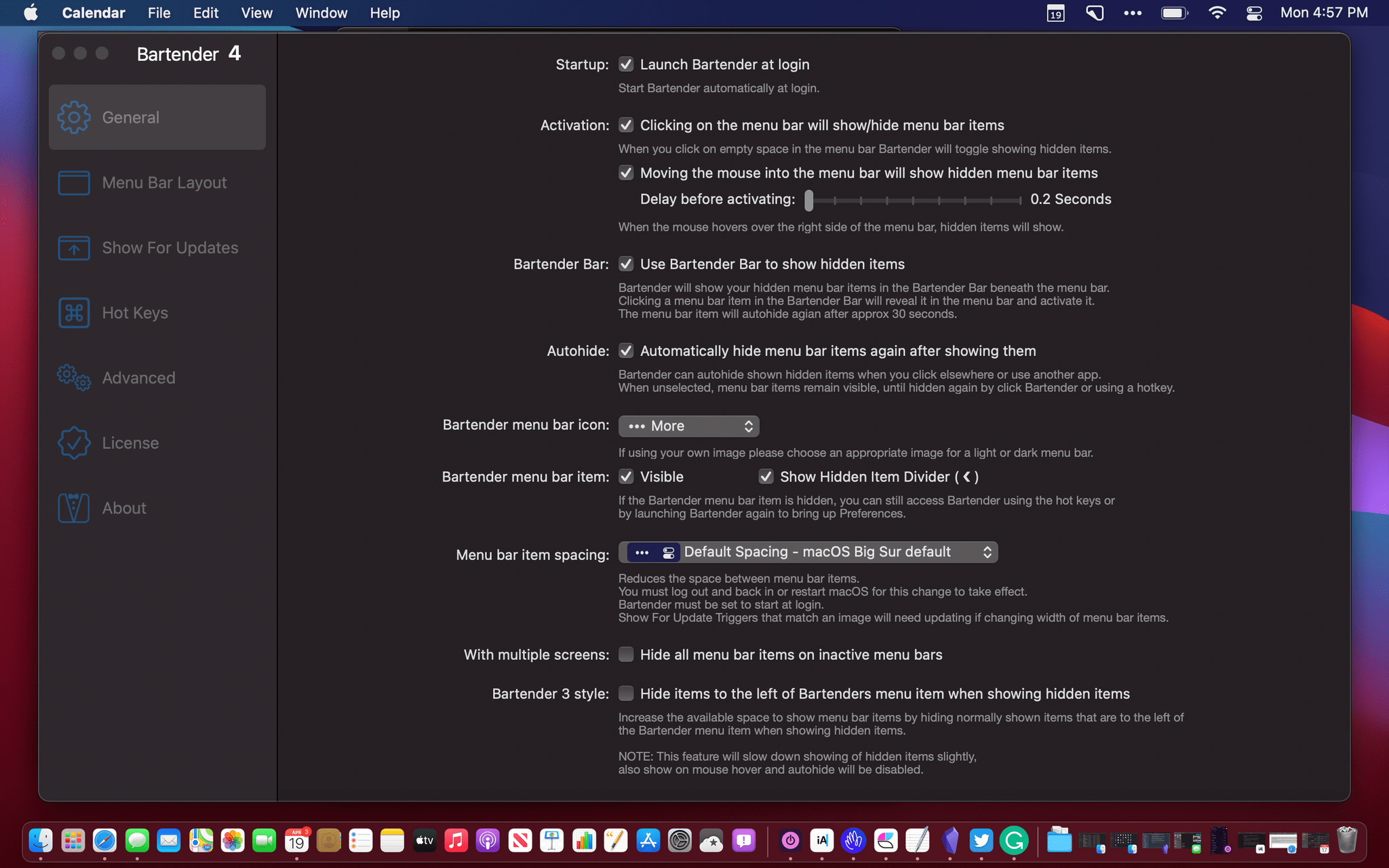
Bartender 4.0 Offers Powerful New Control Over Your Mac’s Menu Bar Apps

Bartender 4.0 was in beta for a long time, and the time and attention to the details paid off. If you were waiting to update until the app was officially released, now’s the time to act because it’s out, and the update is excellent.

I use Bartender on all my Macs, but I appreciate it most on my MacBook Air. The updated app, which manages your menu bar apps, retains its core functionality, allowing you to rearrange your menu bar apps and hide the ones you don’t need regularly. However, with version 4.0, Bartender does a lot more too.

Read more

Access Extra Content and Perks

Founded in 2015, Club MacStories has delivered exclusive content every week for nearly a decade.

What started with weekly and monthly email newsletters has blossomed into a family of memberships designed for every MacStories fan.

Learn more here and from our Club FAQs.

Club MacStories: Weekly and monthly newsletters via email and the web that are brimming with apps, tips, automation workflows, longform writing, early access to the MacStories Unwind podcast, periodic giveaways, and more;

Club MacStories+: Everything that Club MacStories offers, plus an active Discord community, advanced search and custom RSS features for exploring the Club’s entire back catalog, bonus columns, and dozens of app discounts;

Club Premier: All of the above and AppStories+, an extended version of our flagship podcast that’s delivered early, ad-free, and in high-bitrate audio.

Learn more here and from our Club FAQs.


Albums 4.0: A Must-Have App for Music Lovers

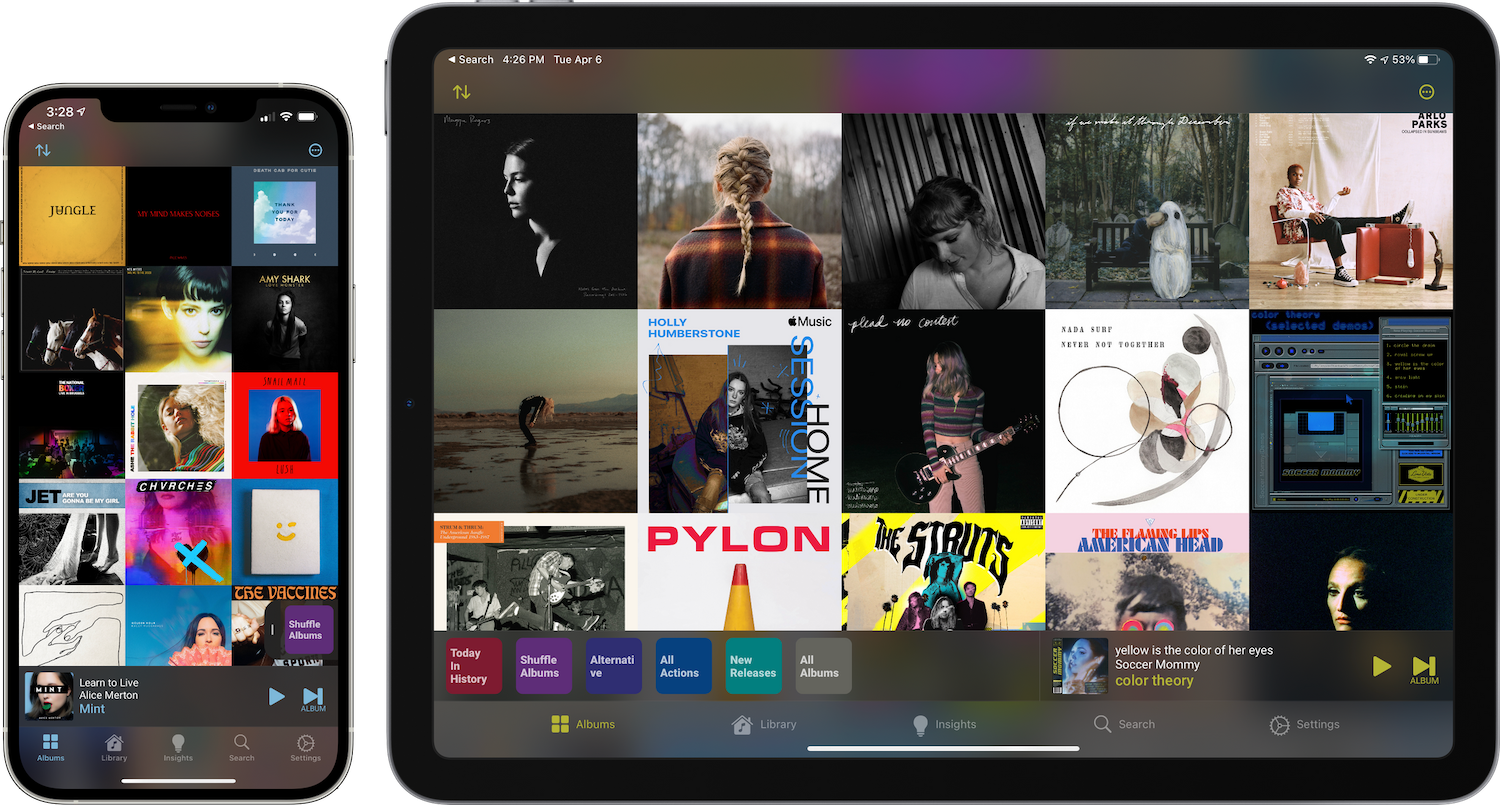
Albums 4.0 is a beautifully designed, feature-rich app with more filtering and discovery tools than any other music app I’ve tried. The app is also opinionated, favoring album playback over individual songs or playlists. It’s the sort of focused, deep approach to music that Apple’s Music app doesn’t offer because it’s designed to appeal to a wider audience.

If you’re an albums-first music fan, you’ll love Albums. However, even if you prefer singles, playlists, and jumping around the Apple Music catalog as I do, Albums is worth checking out. The app’s powerful filtering opens up brand new ways to enjoy your music collection that any music fan can appreciate.

It just so happens that Federico and I are in the midst of an AppStories miniseries on music. This week we discussed how we listen to music and how it influences the services we use. Next week, we’ll cover third-party apps including Albums and many more. You can check out this week’s episode here:

Read more

Access Extra Content and Perks

Founded in 2015, Club MacStories has delivered exclusive content every week for nearly a decade.

What started with weekly and monthly email newsletters has blossomed into a family of memberships designed for every MacStories fan.

Learn more here and from our Club FAQs.

Club MacStories: Weekly and monthly newsletters via email and the web that are brimming with apps, tips, automation workflows, longform writing, early access to the MacStories Unwind podcast, periodic giveaways, and more;

Club MacStories+: Everything that Club MacStories offers, plus an active Discord community, advanced search and custom RSS features for exploring the Club’s entire back catalog, bonus columns, and dozens of app discounts;

Club Premier: All of the above and AppStories+, an extended version of our flagship podcast that’s delivered early, ad-free, and in high-bitrate audio.

Learn more here and from our Club FAQs.


HomePaper: A Handy Utility for Creating Beautiful Home App Wallpapers

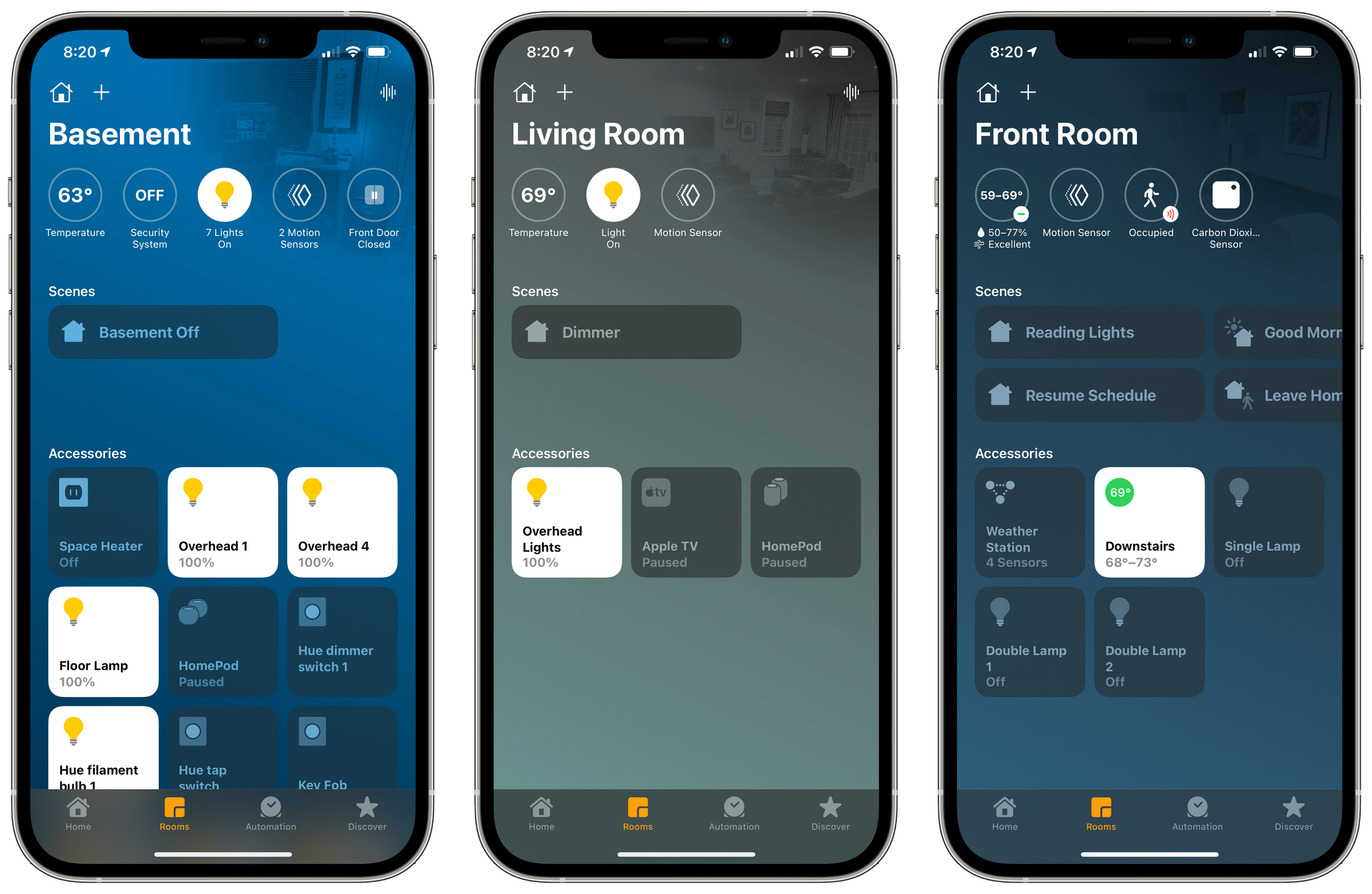
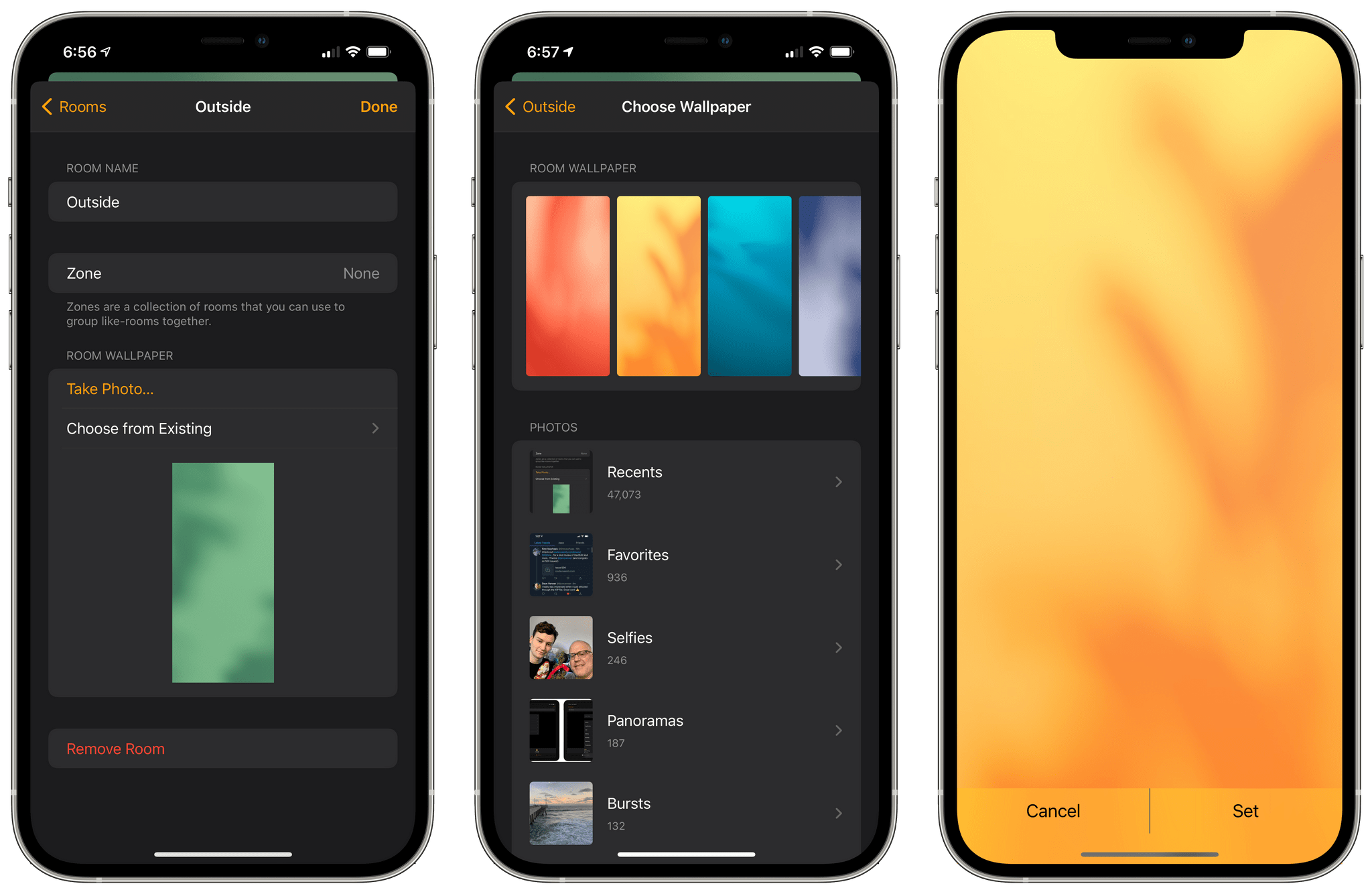
Aaron Pearce, the developer behind some of my favorite HomeKit apps like HomeRun, HomeCam, and HomePass, has a new utility that is out today for the iPhone and iPad called HomePaper that solves a very specific problem: boring Home app wallpapers. The room and home settings of Apple’s Home app let you assign a photo or one of nine colorful backgrounds as wallpapers. The trouble is that photos of a room in your home are often too distracting to serve as wallpapers, and Apple’s other choices are too limited and similar to each other. That’s where HomePaper comes in.

The Home App's wallpaper choices are limited.

The Home App’s wallpaper choices are limited.

Pearce’s app combines the best of both kinds of default Apple wallpapers by taking a photo, desaturating it, and overlaying a colorful gradient. You could do something similar in a photo editor, but HomePaper automates the process with a simple app that lets you experiment with different looks, arriving at one you like quickly and easily, the hallmark of a great utility. The result is an image that helps visually differentiate homes and rooms from each other like a standard photo would but with an additional burst of color and style.

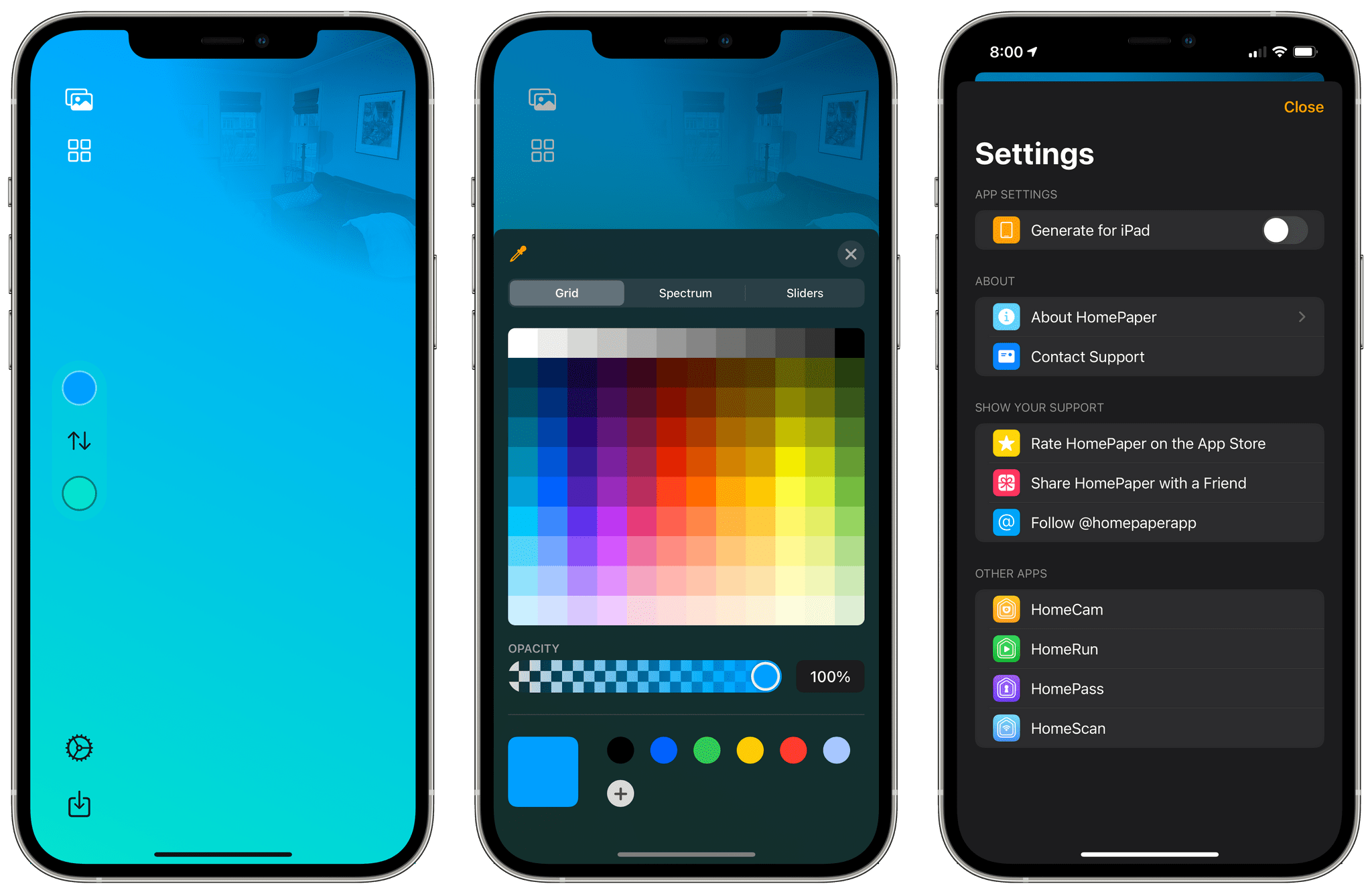
HomePaper provides many pre-built gradients as well as the ability to create your own.

HomePaper provides many pre-built gradients as well as the ability to create your own.

HomePaper makes creating great-looking wallpapers effortless with a huge set of pre-built gradients that you can pair with an image in your photo library or by taking a picture with your iPhone or iPad’s camera. You can also pick the two colors for the gradient yourself using the iOS system color picker. When you’ve chosen or created a gradient you like, tap the download button in the bottom left corner of the screen to save it to your iCloud Photo Library, where it’s available to add to the Home app.

HomePaper is by far the simplest of Pearce’s apps, but it’s no less useful. I had settled on a single generic Apple-provided background that was the same for all my rooms because the choices didn’t inspire me to mix them up, and there was too much friction involved in creating my own. With HomePaper, though, I spent a few minutes snapping photos around my house and then applying gradients, achieving results that look great with minimal effort. The Home app looks nicer now when I open it, but it’s also easier to tell one room from another at a glance, which makes HomePaper a wonderful addition to my HomeKit apps.

HomePaper is free to download, allowing you to make one wallpaper. A $0.99 In-App Purchase unlocks the creation of unlimited wallpapers.

Access Extra Content and Perks

Founded in 2015, Club MacStories has delivered exclusive content every week for nearly a decade.

What started with weekly and monthly email newsletters has blossomed into a family of memberships designed for every MacStories fan.

Learn more here and from our Club FAQs.

Club MacStories: Weekly and monthly newsletters via email and the web that are brimming with apps, tips, automation workflows, longform writing, early access to the MacStories Unwind podcast, periodic giveaways, and more;

Club MacStories+: Everything that Club MacStories offers, plus an active Discord community, advanced search and custom RSS features for exploring the Club’s entire back catalog, bonus columns, and dozens of app discounts;

Club Premier: All of the above and AppStories+, an extended version of our flagship podcast that’s delivered early, ad-free, and in high-bitrate audio.

Learn more here and from our Club FAQs.


HoverBar Duo: The MacStories Review

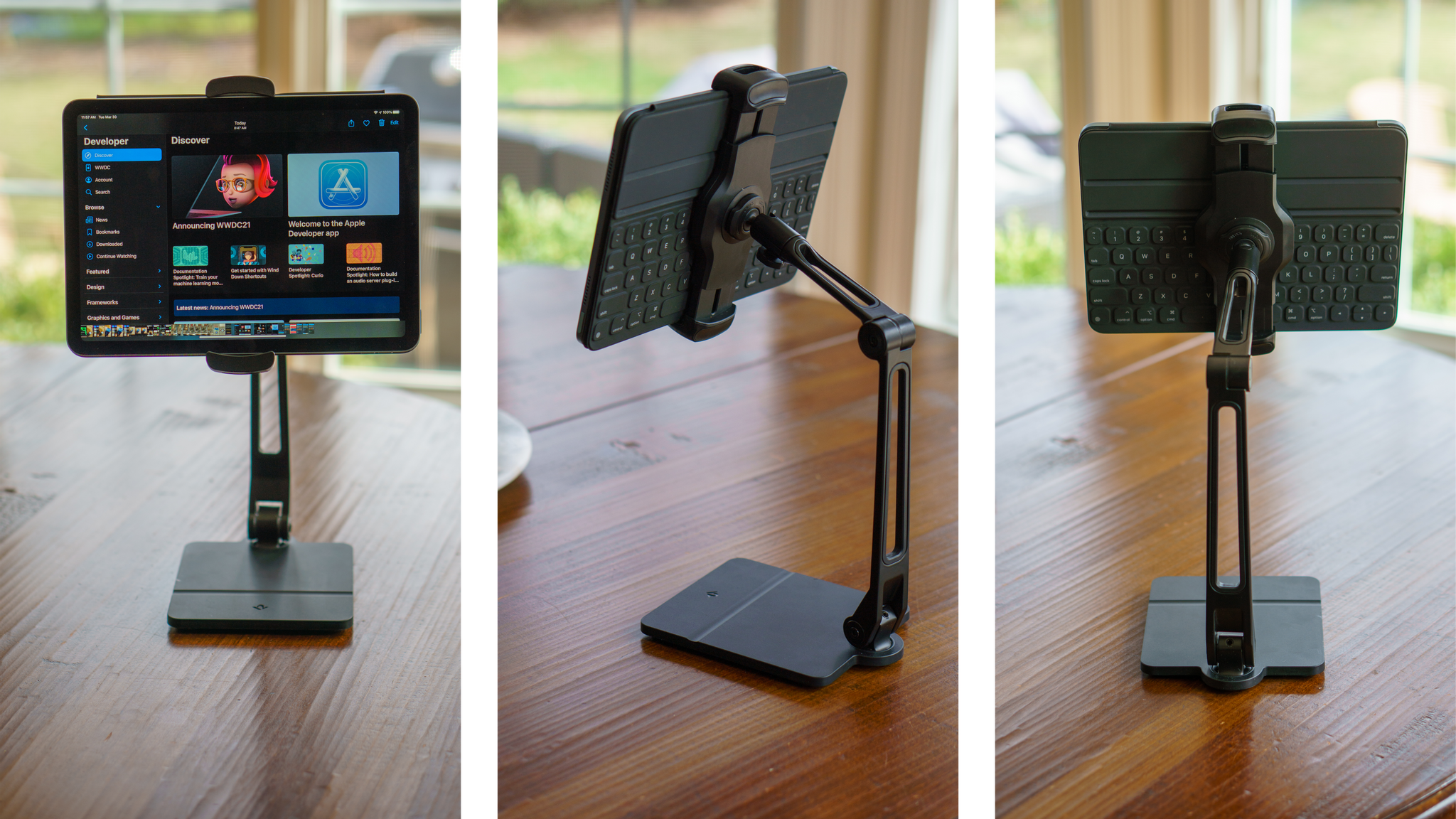
There is no shortage of iPad stands. Search for one on Amazon, for instance, and you’ll be met with page after page of results. Most stands are unremarkable, with little that distinguishes one from another.

Twelve South’s HoverBar Duo is different, though. The black aluminum and plastic stand has two articulating hinges with a clamp for your iPad that connects to the stand’s arm with a ball joint. The stand also rotates side-to-side at its base. The design, which is reminiscent of an attractive, modern desk lamp, provides a broader range of motion than most stands, making it useful in more scenarios. As a result, I’ve found myself using the HoverBar Duo far more than any stand I’ve tried before.

Read more

Access Extra Content and Perks

Founded in 2015, Club MacStories has delivered exclusive content every week for nearly a decade.

What started with weekly and monthly email newsletters has blossomed into a family of memberships designed for every MacStories fan.

Learn more here and from our Club FAQs.

Club MacStories: Weekly and monthly newsletters via email and the web that are brimming with apps, tips, automation workflows, longform writing, early access to the MacStories Unwind podcast, periodic giveaways, and more;

Club MacStories+: Everything that Club MacStories offers, plus an active Discord community, advanced search and custom RSS features for exploring the Club’s entire back catalog, bonus columns, and dozens of app discounts;

Club Premier: All of the above and AppStories+, an extended version of our flagship podcast that’s delivered early, ad-free, and in high-bitrate audio.

Learn more here and from our Club FAQs.


Darkroom 5.2 Improves Photo Management with New Flag and Reject Functionality

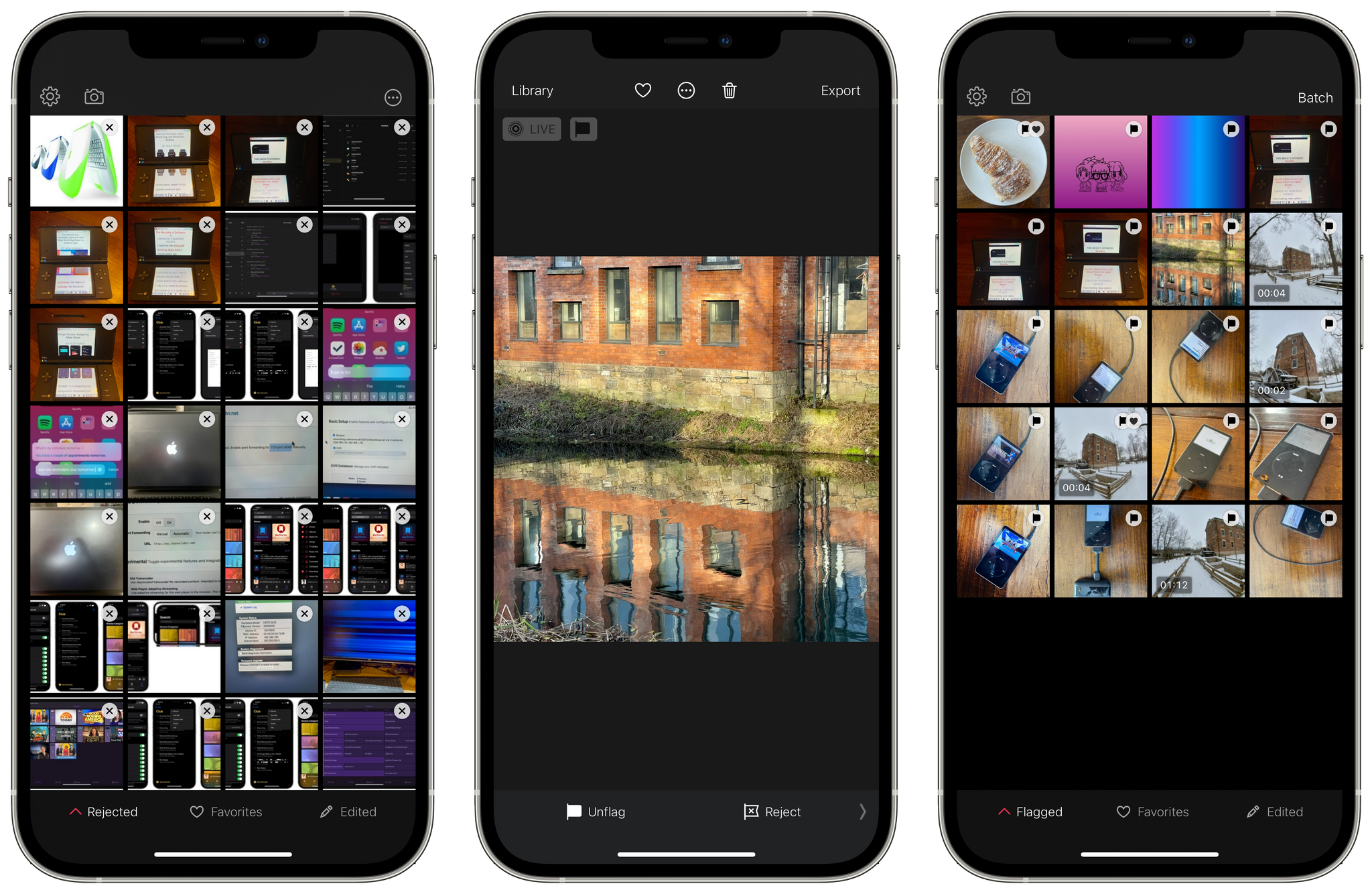
One of the greatest advantages of the iPhone’s camera hardware is that it’s easy to take photos wherever you are. That’s also a bit of a curse because there’s probably no greater friction in managing a photo library than sifting through a large stack of images looking for the ones you want to keep. The convenience quality of the iPhone’s camera means that I take more photos than ever, many of which aren’t shots I want to keep long-term. With today’s release of Darkroom 5.2, the photo editor that we’ve covered on MacStories before takes a significant step forward in making the process of culling the best images from an extensive photo collection easier.

Read more

Access Extra Content and Perks

Founded in 2015, Club MacStories has delivered exclusive content every week for nearly a decade.

What started with weekly and monthly email newsletters has blossomed into a family of memberships designed for every MacStories fan.

Learn more here and from our Club FAQs.

Club MacStories: Weekly and monthly newsletters via email and the web that are brimming with apps, tips, automation workflows, longform writing, early access to the MacStories Unwind podcast, periodic giveaways, and more;

Club MacStories+: Everything that Club MacStories offers, plus an active Discord community, advanced search and custom RSS features for exploring the Club’s entire back catalog, bonus columns, and dozens of app discounts;

Club Premier: All of the above and AppStories+, an extended version of our flagship podcast that’s delivered early, ad-free, and in high-bitrate audio.

Learn more here and from our Club FAQs.


Reflector 4 Updated with Modern UI and M1 Mac Support

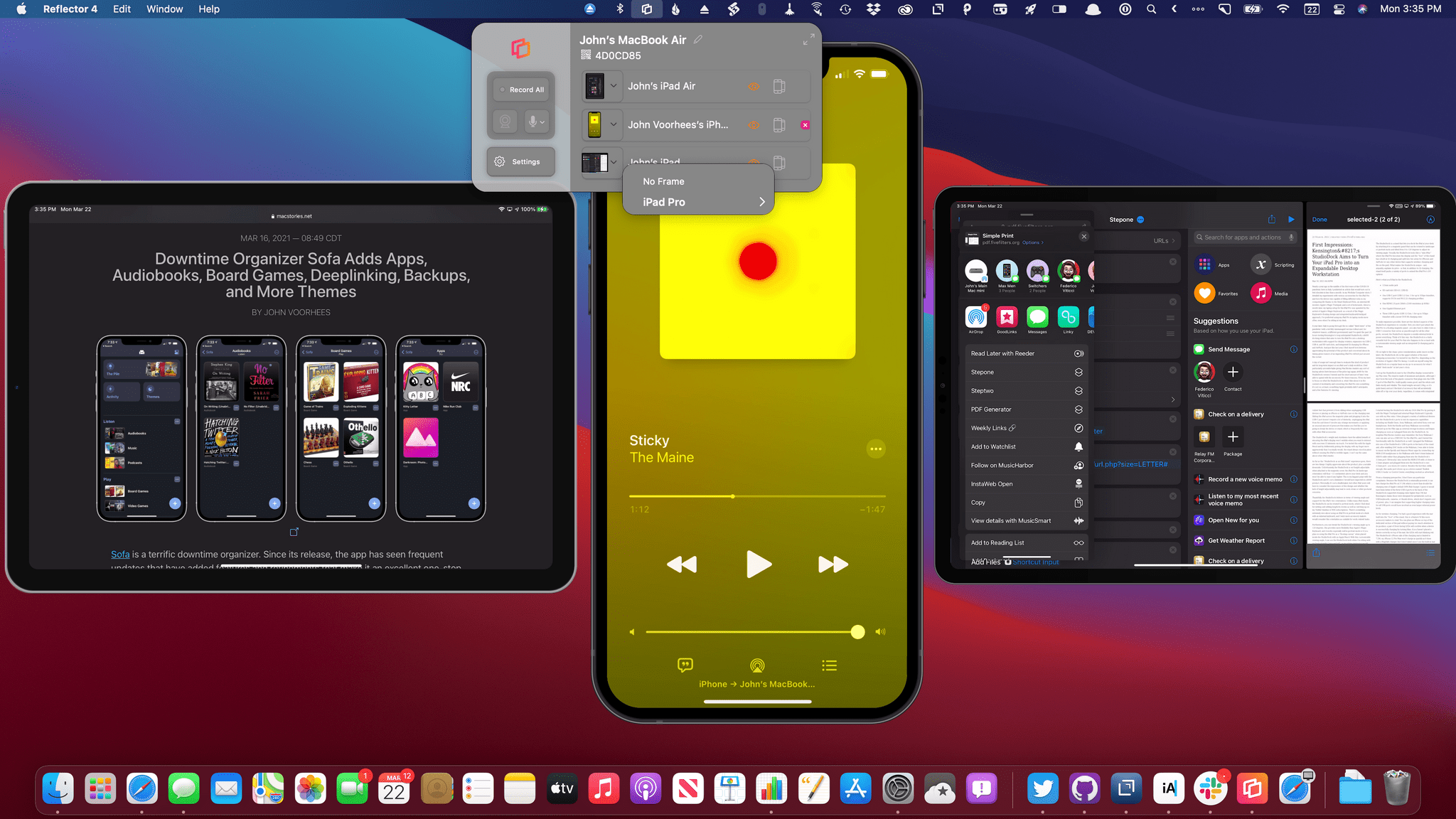
Reflector 4, an app for mirroring iPhones, iPads, and other devices to the Mac, has been updated with a new design, M1 Mac support, and new onscreen device frames. Whether you’re making screencasts, demoing apps for a group, or in a classroom environment, Reflector lets you wirelessly transmit your device’s UI to your Mac and record it too. In addition to mirroring iPhones and iPads, which is what I did in my testing, you can also mirror Android, Windows, and Chromebook devices. Think of it as Apple TV and Chromecast’s mirroring and streaming features all on a Mac, thanks to this one simple menu bar app.

Read more

Access Extra Content and Perks

Founded in 2015, Club MacStories has delivered exclusive content every week for nearly a decade.

What started with weekly and monthly email newsletters has blossomed into a family of memberships designed for every MacStories fan.

Learn more here and from our Club FAQs.

Club MacStories: Weekly and monthly newsletters via email and the web that are brimming with apps, tips, automation workflows, longform writing, early access to the MacStories Unwind podcast, periodic giveaways, and more;

Club MacStories+: Everything that Club MacStories offers, plus an active Discord community, advanced search and custom RSS features for exploring the Club’s entire back catalog, bonus columns, and dozens of app discounts;

Club Premier: All of the above and AppStories+, an extended version of our flagship podcast that’s delivered early, ad-free, and in high-bitrate audio.

Learn more here and from our Club FAQs.


Nova Review: Panic’s Code Editor Demonstrates Why Mac-like Design Matters

I’ve been writing code for nearly a decade, and throughout all of that time, I’ve never quite been satisfied with a code editor. Each one I’ve tried has annoyed me in various ways, and eventually, I find myself looking elsewhere.

My code editor is the app I use more than any other. I spend hours in it nearly every day and often keep going deep into the night. The code editor is the main tool of my trade, and I want to be using the best one that I can.

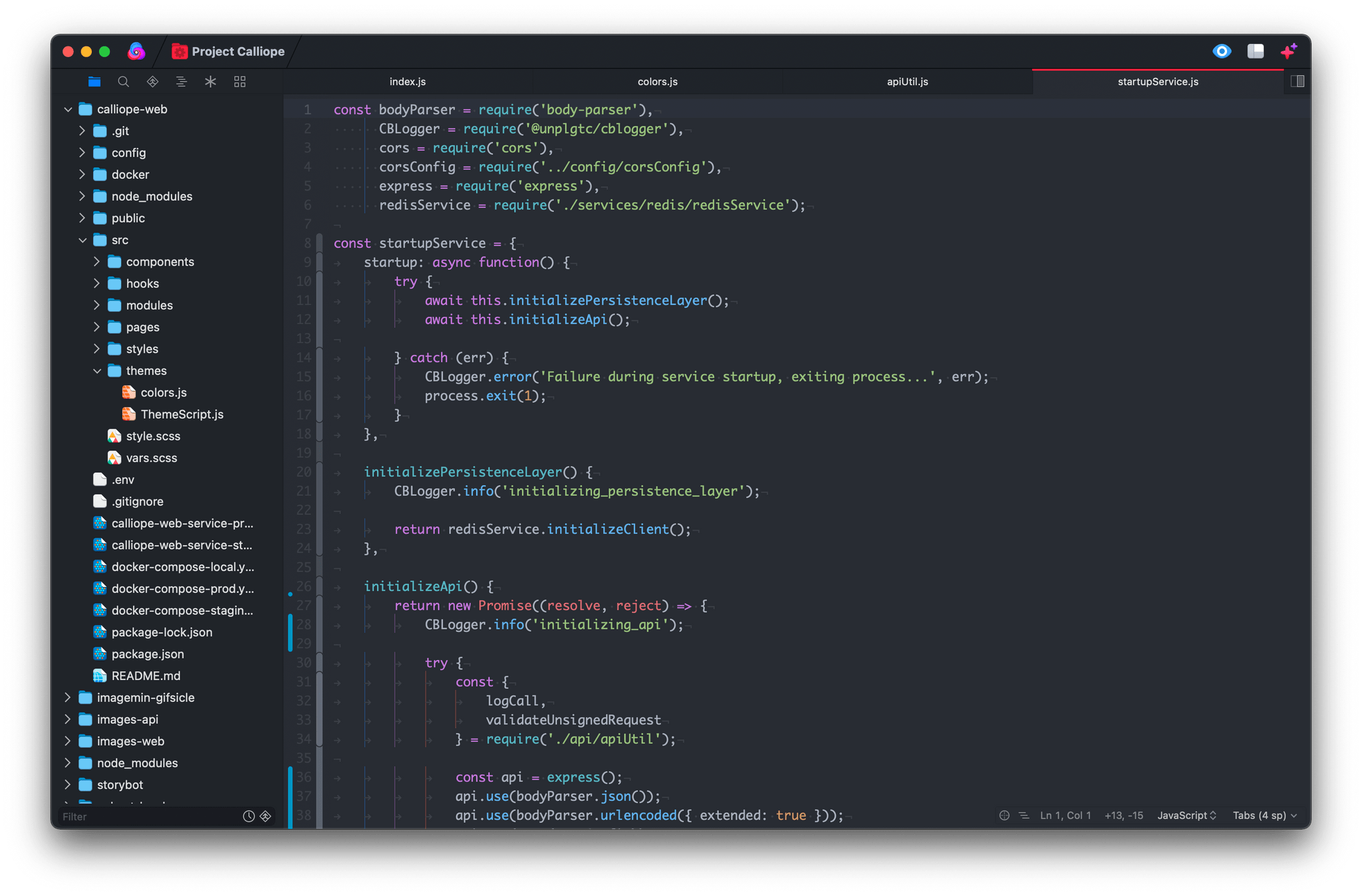
One of my main frustrations with pretty much all of the popular code editors out there (and I’ve tried most of them, including Visual Studio Code, Sublime Text, Atom, IntelliJ, and Eclipse) is that none of them are Mac-assed Mac apps. They’re all clearly cross-platform apps with design senses that differ significantly from those of Mac-first developers.

Read more

Access Extra Content and Perks

Founded in 2015, Club MacStories has delivered exclusive content every week for nearly a decade.

What started with weekly and monthly email newsletters has blossomed into a family of memberships designed for every MacStories fan.

Learn more here and from our Club FAQs.

Club MacStories: Weekly and monthly newsletters via email and the web that are brimming with apps, tips, automation workflows, longform writing, early access to the MacStories Unwind podcast, periodic giveaways, and more;

Club MacStories+: Everything that Club MacStories offers, plus an active Discord community, advanced search and custom RSS features for exploring the Club’s entire back catalog, bonus columns, and dozens of app discounts;

Club Premier: All of the above and AppStories+, an extended version of our flagship podcast that’s delivered early, ad-free, and in high-bitrate audio.

Learn more here and from our Club FAQs.