This Week's Sponsor:

Copilot Money

Copilot Money, The Best Money Tracker, Launches on the Web – Limited-Time: Get 26% Off + 2 Months Free


Posts in reviews

Week Calendar HD Review

weekcal

weekcal

Week Calendar has always been a calendar app for power users. I remember taking my first look at the iPhone version in March 2011, calling it a “powerful iCal alternative for iPhone”; two months later, I covered the release of the iPad client, which was then given a new theme to better differentiate it from Apple’s own Calendar app.1 After a long absence on the App Store, Week Calendar for iPad is back today as Week Calendar HD, which I have been testing for the past few months.

Just like its predecessors, Week Calendar is a calendar app for power users. You will find dozens of options and settings to tweak, perhaps even too many if you don’t like the idea of tweaking every font size, calendar behavior, or menu to your liking. The compromise of using a feature-rich app as Week Calendar is that there is an initial learning curve – not too steep, but definitely something worth keeping in mind if you want to get the most out of the app.

Therefore, instead of listing every single feature in detail, I’ll try to focus on the ones that I have been using on a daily basis.2

Read more


Justnotes 1.3 Syncs Twice as Fast

Justnotes 1.3 Syncs Twice as Fast

It’s been a little while since we’ve talked about Justnotes, but the developer has been progressively adding features and polishing the app in order to capture what makes Simplenote such a pleasure to use. Boiled down to just the essentials, Justnotes replicates Simplenote’s web experience in favor of a polished desktop app, providing more flexibility such as importing notes in OS X Mountain Lion or exporting simple text files.

Justnotes 1.3 is updated with Simplenote’s new syncing API, which is estimated to be over twice as fast as before. Shawn Blanc notes an additional useful feature that lets you hide the modification date thanks to a simple command that can be run in the Terminal.

You can download a trial of Justnotes to use for 15 days, but for a limited time, it’s available for $5.99 (normally $9.99) on the Mac App Store.

Permalink

Batch Resize Images On iOS with Reduce

Reduce

Reduce

I deal with two types of images on my iOS devices: photos and screenshots.

For photos, I’ve long settled on a Dropbox-based workflow that takes care of automatically archiving and sorting photos for me. For screenshots, the story is a bit more complicated.

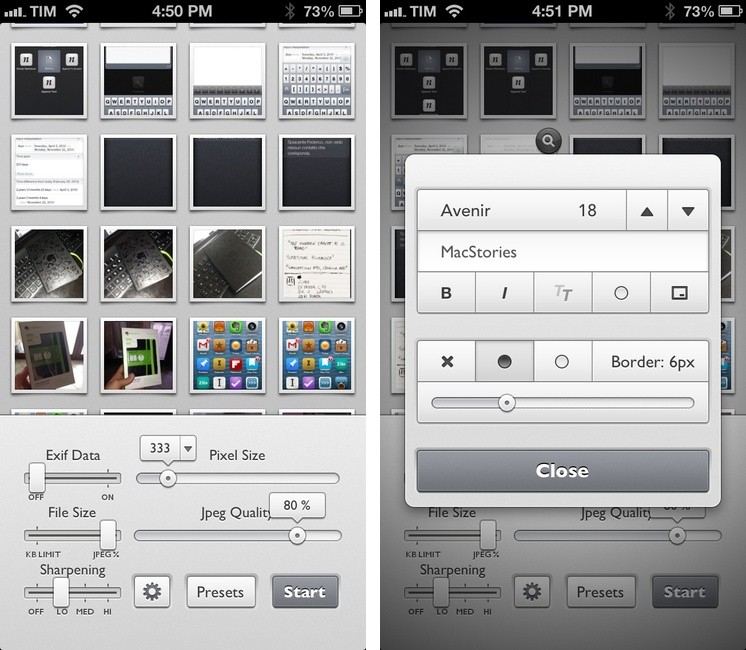
For months, I used OneEdit, an iPhone/iPad app to batch resize images from the Camera Roll; OneEdit comes with a lot of features, including presets, Dropbox sharing, and FTP uploads. The downside is that the app’s interface is clunky and convoluted, with seemingly no intention from the developer to update it. In spite of that, however, I kept using OneEdit to resize multiple screenshots at once, save them to the Camera Roll, fire up Diet Coda, and move them to our FTP server. When we decided to move 4 years of image uploads off the FTP and onto a CDN (alongside new uploads on a daily basis), I asked our Don Southard to create a Hazel script that would monitor Dropbox for screenshots and upload them to the CDN. This is what I’ve been using in combination with some Pythonista scripts that would resize screenshots for me.

My iOS screenshot workflow is faster thanks to Pythonista and the Hazel script running on the Mac mini, but I miss the possibility of having a single app capable of batch resizing and uploading images to Rackspace Cloud Files.1 The latest Pythonista update made things dramatically better with the Photos module, but I still can’t pick multiple photos at once (and, obviously, I still have to deal with Python).

My “ideal” batch resizing photo app for iOS would excel in two different aspects: it would be Universal and have an elegant interface to pick multiple photos at once to batch resize them with presets; it would come with a plethora of sharing options built-in, including Cloud Files and SFTP support. Reduce is close to excellence when it comes to the first one.

Read more


Simple Japanese Emoticons with Kaomoji

At MacStories, we use iMessage on a daily basis as our team chat. Alongside the occasional meme, Twitter link, or article we need to check out, the Japanese emoticon is a common occurrence in our group thread. I’ve always wondered whether my fellow teammates learned to manually type out flipping tables and other emoticons – also known as kaomojis – while I was stuck using the good-looking, but obvious Apple default emoji. If you happen to live in a team chat of remote workers every day you know how much more successful an original GIF or meme can be.

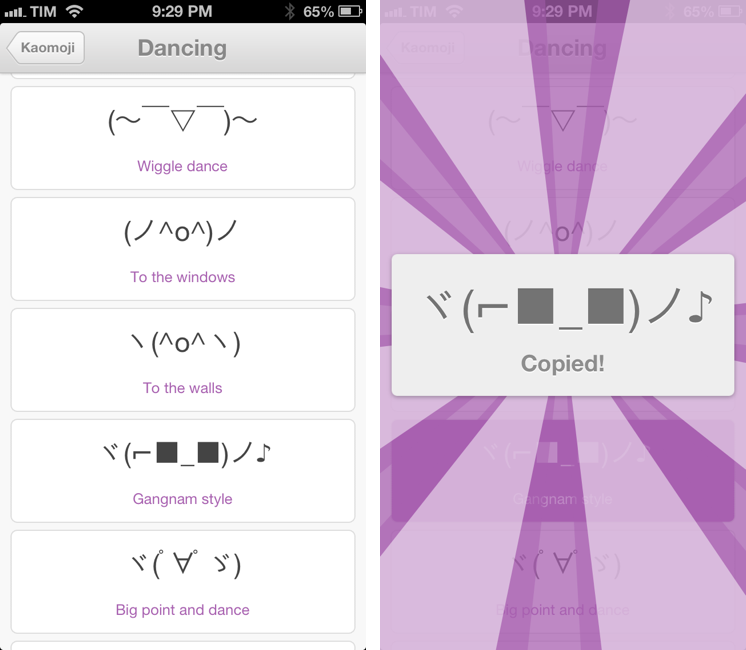
My quest towards iMessage emoticon domination is over with Kaomoji. A simple $0.99 iPhone app made by Richard Henry (product designer at Quora), Kaomoji contains 1,000 Japanese-style emoticons organized in 28 categories such as Happy, Sad, Evil, Love, Cats, Dogs, Dancing, and the game-changing Table Flip.

Kaomoji’s UI is clean and focused on the actual emoticons. Categories are color-coded, and tapping on one will open a dedicated page with properly colored highlights and fonts. It’s a nice touch. The app has only one feature: copy. Tapping on a kaomoji will bring up a manga-like success message showing a bigger version of the emoticon with the text “Copied”. Once copied, you can paste the text anywhere – be it iMessage, Twitter, Facebook, or any other app.

Kaomoji does one thing extremely well. I like the selection of emoticons, and if I had to nitpick I’d say it’d be nice to have built-in Twitter and Messages/Facebook actions to send text without leaving the app. I would also like to see an iPad version in the future.

Kaomoji is only $0.99 on the App Store.

Let’s also put the table back. ┬──┬◡ノ(° -°ノ)


Pythonista 1.3 Brings Camera Roll and Notification Center Support, New Library View, And More

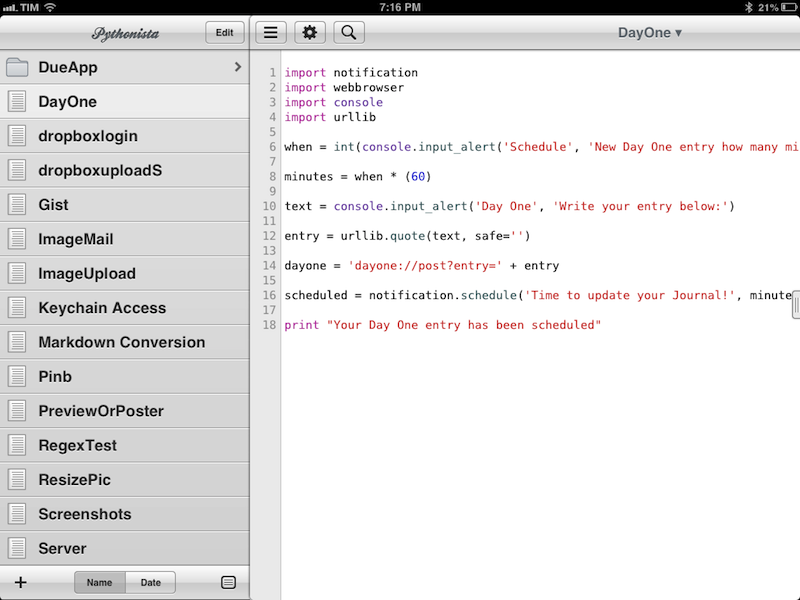
Ole Zorn’s Pythonista is one of my favorite, most-used iOS apps to date. Combining a Python interpreter with scripting capabilities that take advantage of iOS through native interface elements and features like URL schemes, Pythonista has completely reinvented my iOS workflow. With Pythonista, I can work from the iPad without wishing I had a Mac.

Back in November, I wrote an extensive review of Pythonista 1.2, providing some sample scripts and an in-depth look at the app and its functionalities. I concluded my review saying:

I believe that, going forward, Pythonista and other similar apps will show a new kind of “scripting” and task automation built around the core strenghts of iOS.

Pythonista 1.3, released today, adds a number of features aimed at making the app more “connected” with the underpinnings of iOS, enabling users to create more complex workflows that go beyond running scripts inside Pythonista. I was able to use Pythonista 1.3 for the past weeks, and I believe it’s a very solid update. Read more


RegexMatch for iPad

RegexMatch

RegexMatch

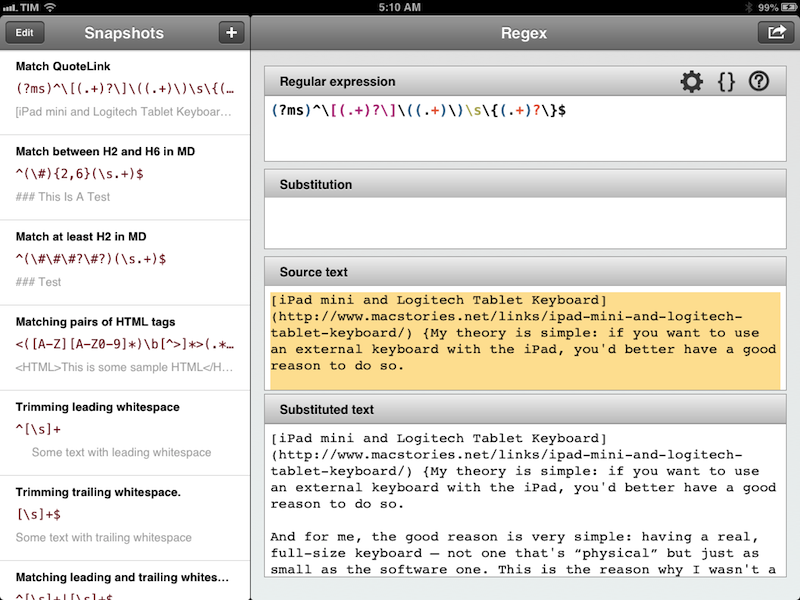
There seems to be a scarcity of easy-to-use, well designed iOS apps for testing and previewing regular expressions. I’ve only seen a few on the App Store, and they tend to look ugly or lack the feature set that I need. Fortunately, RegexMatch is a good start if you’ve been looking for a way to test and save regexes on the iPad.

RegexMatch has a clean interface that’s easy to navigate and good-looking. On the left side, there’s a sidebar listing all your Snapshots – regular expressions you’ve created and saved manually. You can create as many snapshots as you want, but I wish there was some kind of folder organization for people who, like me, will test several versions of the same regex. Read more


Year Walk Review

Last night, I finished Year Walk – the latest game from Simogo, creators of Bumpy Road and Beat Sneak Bandit – and even if games don’t belong in my usual area of coverage here at MacStories, I think Year Walk deserves a special mention.

Calling Year Walk a “game” is actually reductive. Even though it plays like a game, Year Walk is an experience spanning various aspects of storytelling, Swedish folklore, multitouch interactions, sound, and additional reading material available in a Year Walk Companion app.

Year Walk is the most unique “game” I have played on iOS in years. I’ll try my best to describe its appeal in this post. Read more


Twitterrific 5.1 Adds Muffling, a New Font, and Picks Up Speed

Muffling

Sorry Zac! I promise I did it just for the screenshot.

Muffling

When The Iconfactory launched Twitterrific 5, they launched an app that reflected a specific vision of what a Twitter client should be. Twitterrific certainly hasn’t lost its charm since it launched back in December. Setting itself apart with a modern interface and clever gestures, Twitterrific started anew with a clean slate and plenty of room to add features thanks to feedback from their fans. Throughout the last few months, The Iconfactory has been progressively iterating Twitterrific, leading up to the first major update which launched yesterday evening.

The most notable feature in Twitterrific 5.1 is muffling. It’s muting made simple.

Read more


Reader X 2.0

ReaderX

ReaderX

MacStories readers know that my favorite Google Reader client these days is Mr. Reader, especially after an update that added a “services menu” to the app, substantially increasing its interoperability with other apps. However, I’ve also been a fan of Reader X as a companion Google Reader app. A year after its original release in February 2012, developer Wolfgang Augustin released Reader X 2.0, which is a solid update that adds several new functionalities while building upon the original concept of the app.

Read more