
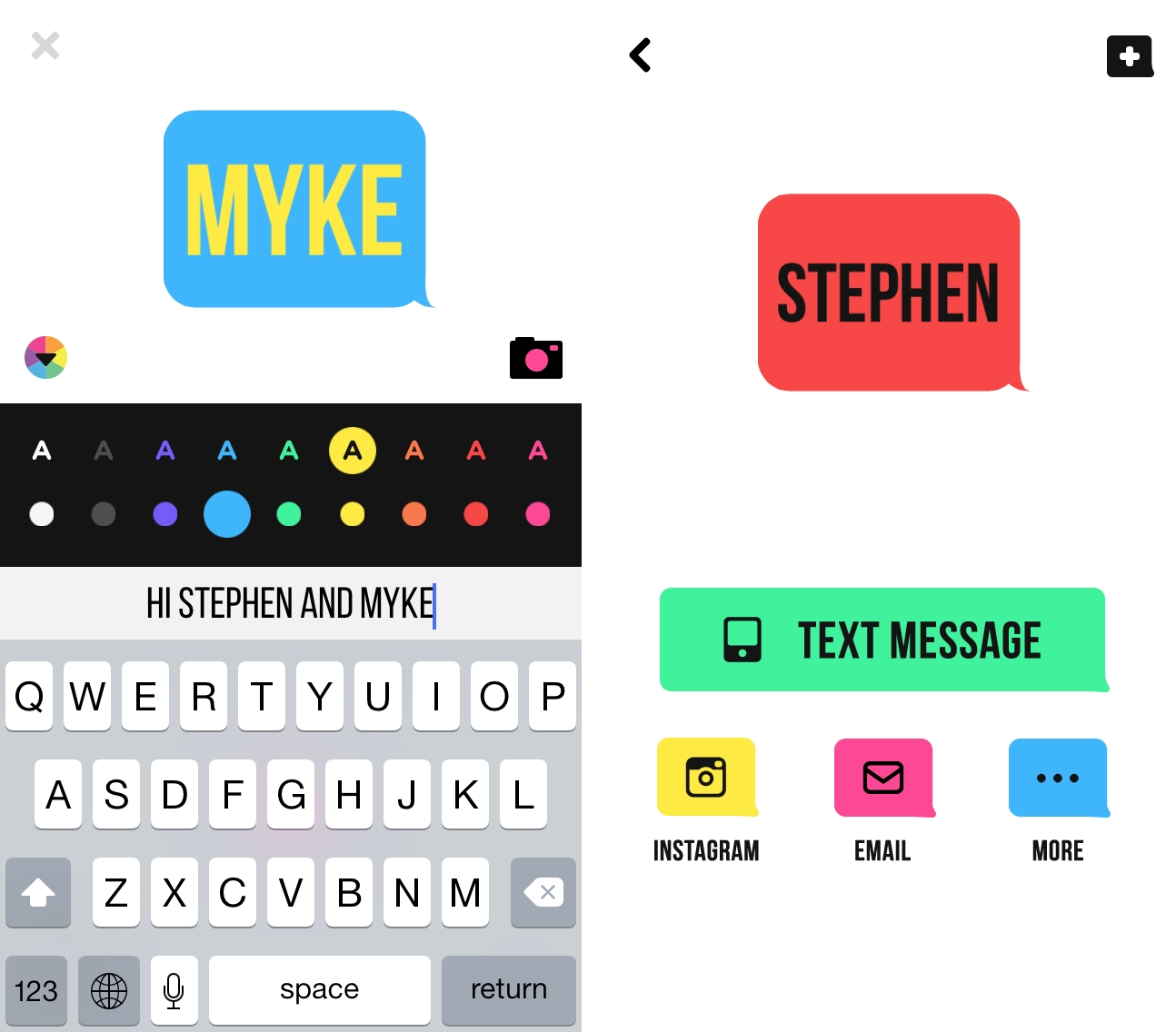
Ultratext, available for free on the App Store, is a new and fun iPhone app to create animated GIFs from text and selfies, and share them with others through iMessage, Instagram, or other services. I discovered the app yesterday thanks to a tweet by Casey Newton, and I’ve been using it all day to send animated messages to my friends and family. The idea seems to resonate with normal people in my life and the app is indeed simple and enjoyable, hence it’s worth a mention on the site.
Posts in reviews
Ultratext Lets You Create GIFs with Text and Selfies

Access Extra Content and Perks
Founded in 2015, Club MacStories has delivered exclusive content every week for nearly a decade.
What started with weekly and monthly email newsletters has blossomed into a family of memberships designed for every MacStories fan.
Club MacStories: Weekly and monthly newsletters via email and the web that are brimming with apps, tips, automation workflows, longform writing, early access to the MacStories Unwind podcast, periodic giveaways, and more;
Club MacStories+: Everything that Club MacStories offers, plus an active Discord community, advanced search and custom RSS features for exploring the Club’s entire back catalog, bonus columns, and dozens of app discounts;
Club Premier: All of the above and AppStories+, an extended version of our flagship podcast that’s delivered early, ad-free, and in high-bitrate audio.
Simple Percentage Calculations with OffOf
I was recently looking for a simple percentage calculator for iPhone and I came across OffOf, an app developed by Daeo Corp. and available for free on the App Store.
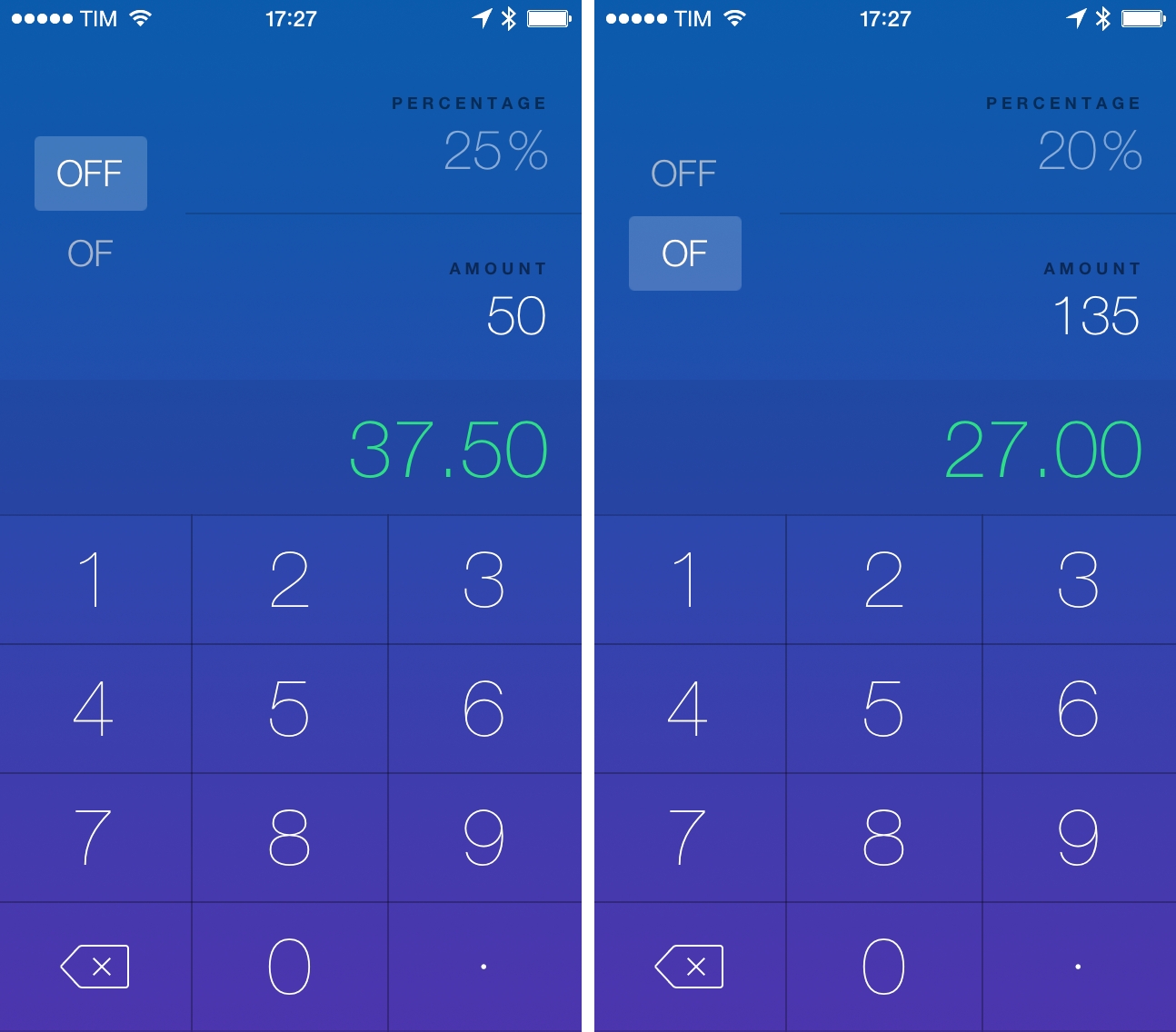
As the name suggests, OffOf lets you calculate the percentage off an amount or the percentage of an amount. While this operation is possible with any calculator, OffOf has a visual interface with buttons to switch calculation types with a single tap. If you want to calculate how much a $50 t-shirt is going to cost you at “25% off”, select the Off button, tap percentage and enter a number, then tap Amount and the app will calculate it in real time. On the other hand, if you have to know how much the 20% of 135 corresponds to, you can choose the Of type and let the app calculate it for you with no additional manual operations.
My main concern with OffOf is that, in an effort to provide a colorful iOS 7 design (reminiscent of Numerical), it’s hard to distinguish the selection state for the Percentage and Amount fields. The app uses a white highlight for numbers in those areas, but I find it hard to parse when compared to the light gray used for the non-selected state. It’s a minor problem, but it confused me when I started using the app.
OffOf won’t become a hit among calculator power users, but, for me, is solves a common problem, and it’s free on the App Store.
Access Extra Content and Perks
Founded in 2015, Club MacStories has delivered exclusive content every week for nearly a decade.
What started with weekly and monthly email newsletters has blossomed into a family of memberships designed for every MacStories fan.
Club MacStories: Weekly and monthly newsletters via email and the web that are brimming with apps, tips, automation workflows, longform writing, early access to the MacStories Unwind podcast, periodic giveaways, and more;
Club MacStories+: Everything that Club MacStories offers, plus an active Discord community, advanced search and custom RSS features for exploring the Club’s entire back catalog, bonus columns, and dozens of app discounts;
Club Premier: All of the above and AppStories+, an extended version of our flagship podcast that’s delivered early, ad-free, and in high-bitrate audio.
Scanbot 2.0
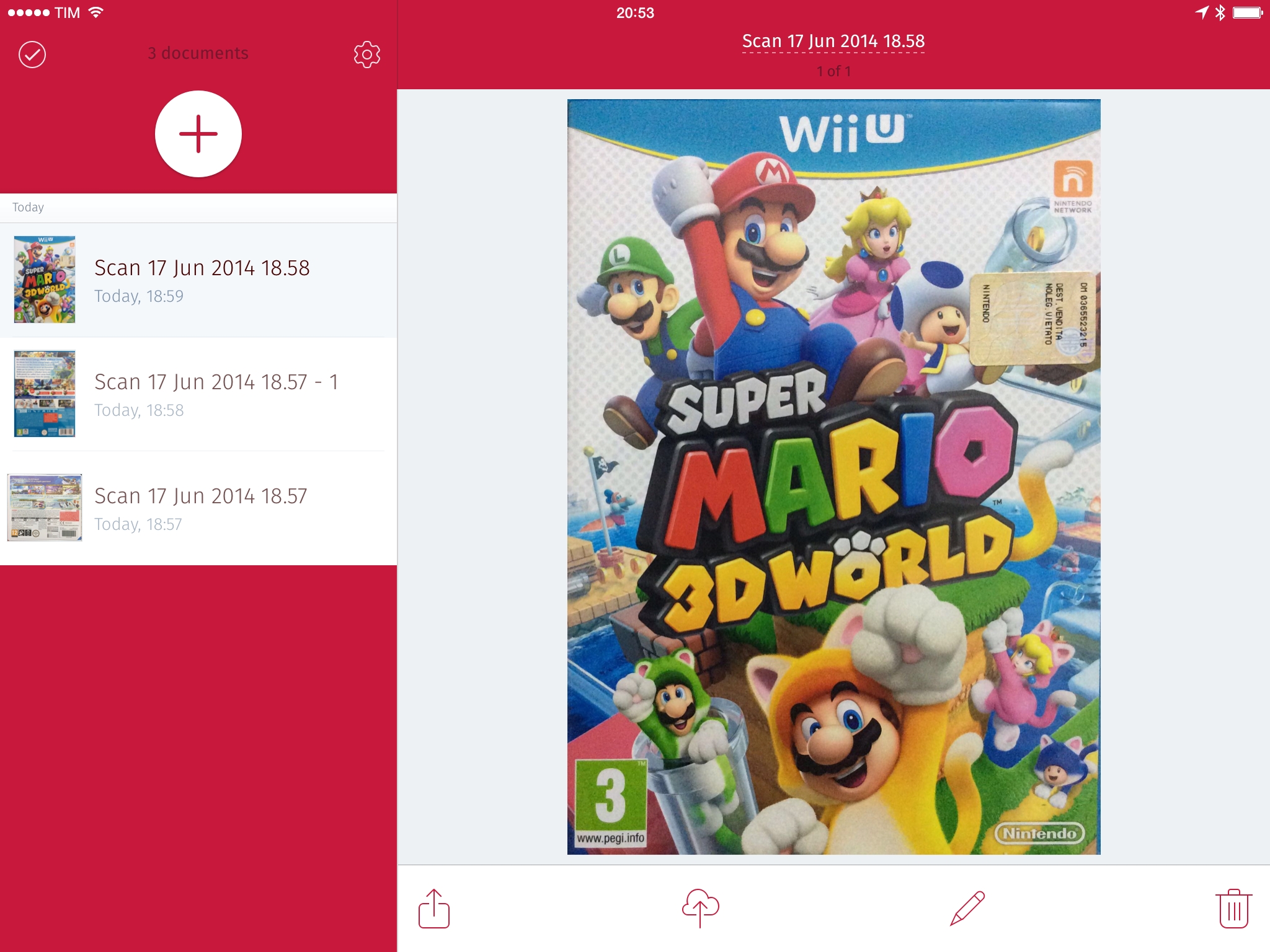
I covered Scanbot in May, calling it a “fast and efficient scanner app for iOS 7” powered by a delightful UI, integration with cloud services, and a user-friendly experience:
Scanbot covers the basics of mobile scanners well: it’s got color schemes for captured scans; it can save PDFs at 200 dpi and automatically send them to a variety of web services (including Dropbox, Evernote, and Google Drive); and, it can handle multiple pages per scan as well as editing features such as manual border cropping and annotations. Scanbot looks fairly obvious on the surface, as it doesn’t reinvent the way a mobile scanner is supposed to work on iOS – the app’s features can be found in other similar apps, while more advanced ones haven’t been added to Scanbot yet.
Scanbot 2.0, released last week, doesn’t add the advanced features that I mentioned in my original review, but it brings a native iPad version and support for QR code scanning, both of which are welcome additions.
Access Extra Content and Perks
Founded in 2015, Club MacStories has delivered exclusive content every week for nearly a decade.
What started with weekly and monthly email newsletters has blossomed into a family of memberships designed for every MacStories fan.
Club MacStories: Weekly and monthly newsletters via email and the web that are brimming with apps, tips, automation workflows, longform writing, early access to the MacStories Unwind podcast, periodic giveaways, and more;
Club MacStories+: Everything that Club MacStories offers, plus an active Discord community, advanced search and custom RSS features for exploring the Club’s entire back catalog, bonus columns, and dozens of app discounts;
Club Premier: All of the above and AppStories+, an extended version of our flagship podcast that’s delivered early, ad-free, and in high-bitrate audio.
Here, Look Lets You Choose Photos You Want to Show to Your Friends
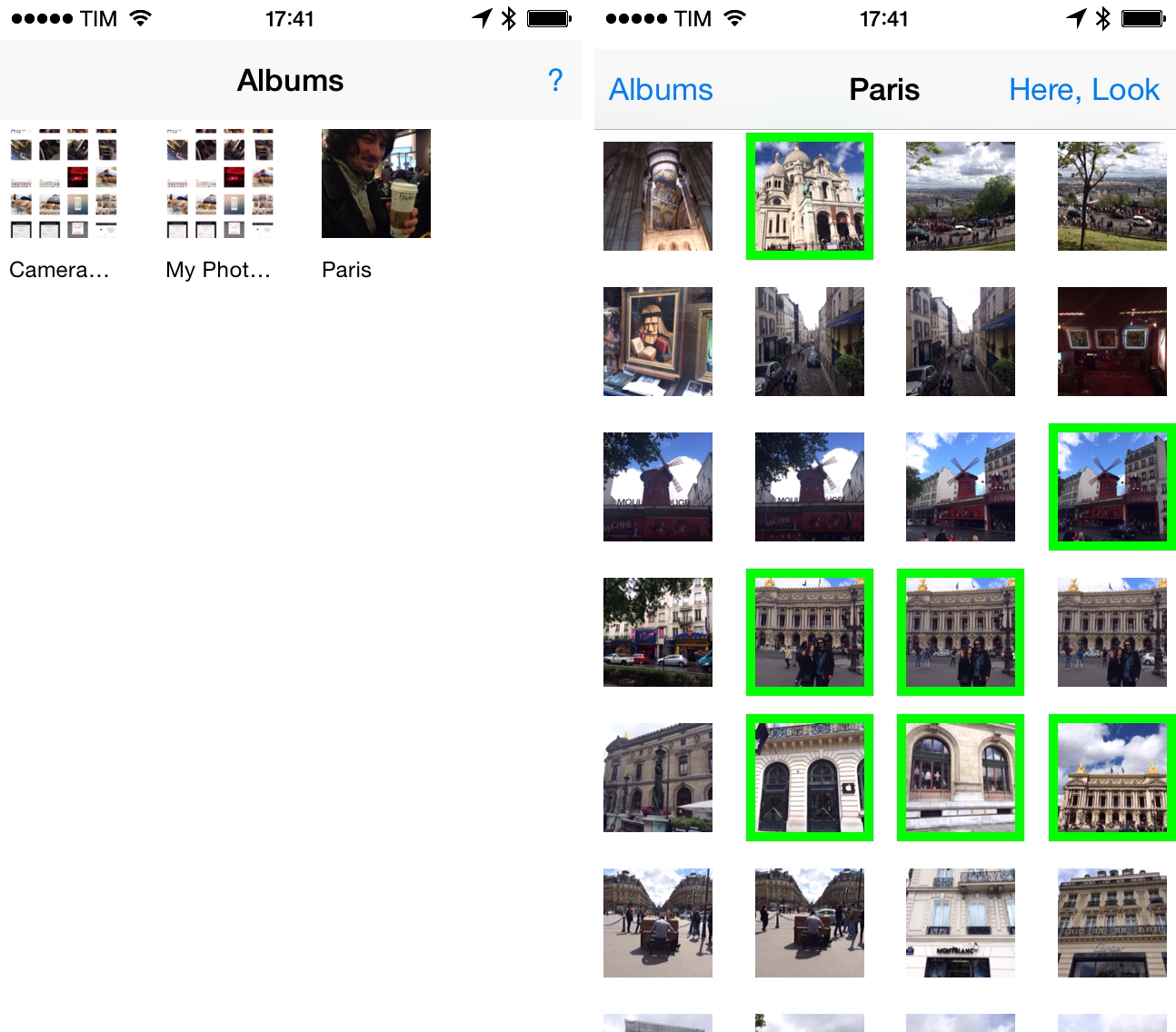
Here, Look is a simple iOS app developed by Paul Roub that solves a specific problem: you want to show some photos to your friends but you don’t want them to scroll through all your photos in the Camera Roll.
We’ve all been there. You’ve just returned from a well-deserved vacation and you’ve taken many pictures with your iPhone, many of which you want to show to your friends…except those few ones that you like to keep private. Apple’s Photos app doesn’t have a built-in presentation mode for selected photos, so, unless you want to create a specific album for photos you want to show to your friends every time, you’ll be forced to try your luck and hand over your phone with all your photos and the risk that swiping will eventually bring up that awkward selfie that you forgot to delete.
Here, Look lets you create an on-the-fly gallery of selected photos in three easy steps: select photos that you want to show; tap the Here, Look button; and, hand your phone to someone else. The developer says that the app is aimed at eliminating swipe panic, and the description is quite accurate. Once your device in your friends’ hands, they can only swipe between the photos you’ve chosen and they won’t have any kind of controls visible on screen. They can rotate and zoom, but they can’t keep swiping to see all the photos in your library. When they’re done looking at your photos, just take your device, triple-tap the screen, and you’ll be back in photo selection mode.
Perhaps you have better friends than mine, and they’re never tempted to take a look at your photos when they have a chance. For me, Here, Look provides a simple solution to a common problem that irks me every time I want to show some photos, and it’s only $0.99 on the App Store.
Access Extra Content and Perks
Founded in 2015, Club MacStories has delivered exclusive content every week for nearly a decade.
What started with weekly and monthly email newsletters has blossomed into a family of memberships designed for every MacStories fan.
Club MacStories: Weekly and monthly newsletters via email and the web that are brimming with apps, tips, automation workflows, longform writing, early access to the MacStories Unwind podcast, periodic giveaways, and more;
Club MacStories+: Everything that Club MacStories offers, plus an active Discord community, advanced search and custom RSS features for exploring the Club’s entire back catalog, bonus columns, and dozens of app discounts;
Club Premier: All of the above and AppStories+, an extended version of our flagship podcast that’s delivered early, ad-free, and in high-bitrate audio.
Pythonista 1.5: Custom Interfaces, matplotlib, and No More “Open In”
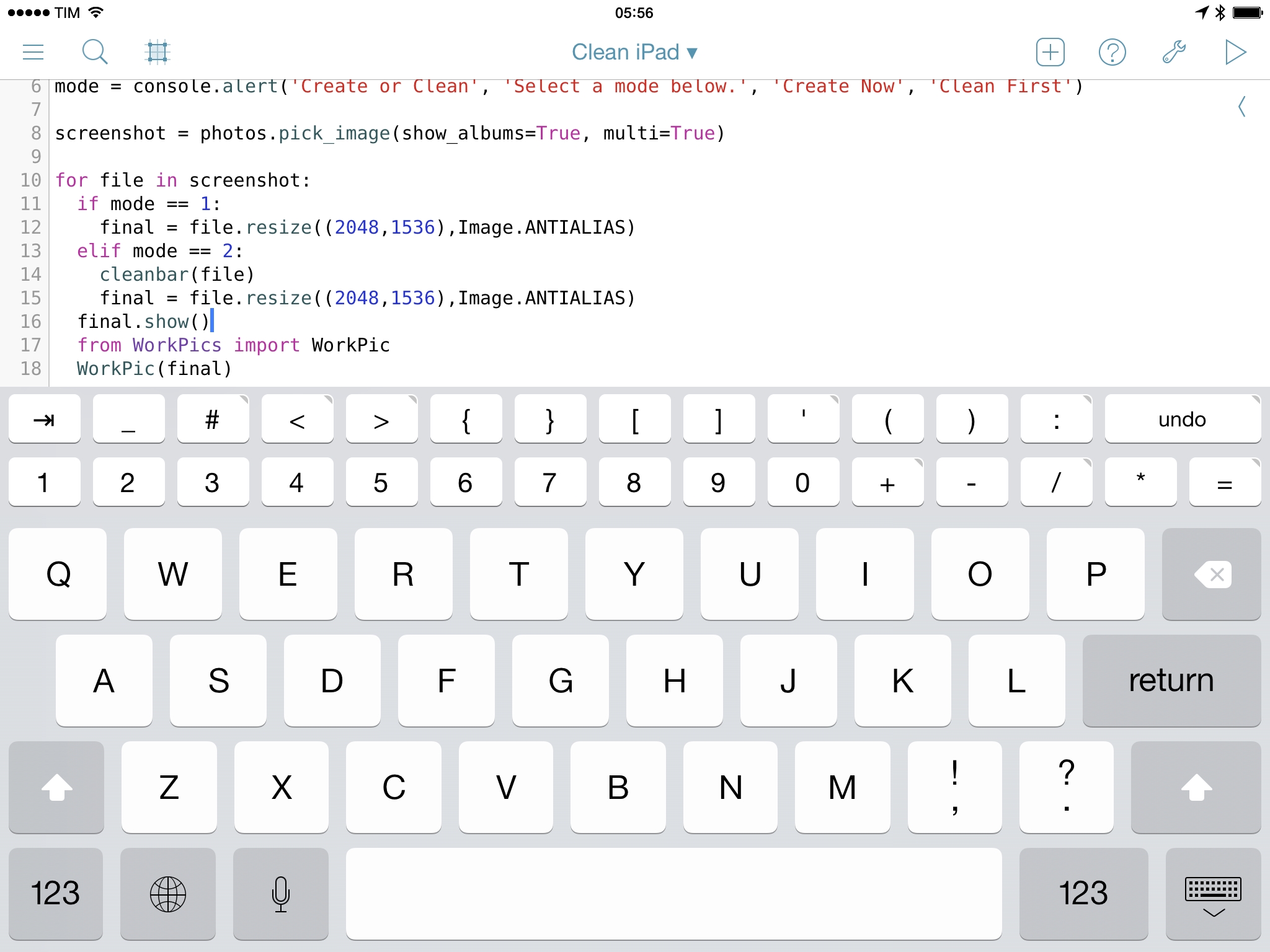
Pythonista 1.5, the latest version of Ole Zorn’s Python interpreter for iOS, has been released today on the App Store, bringing new modules, native integrations, UI refinements, and the removal of the Open In feature to comply with Apple’s App Store guidelines. Pythonista 1.5 is another fantastic update to one of the most powerful and flexible iOS apps ever made, and it follows in the footsteps of Editorial 1.1, released last month.
Access Extra Content and Perks
Founded in 2015, Club MacStories has delivered exclusive content every week for nearly a decade.
What started with weekly and monthly email newsletters has blossomed into a family of memberships designed for every MacStories fan.
Club MacStories: Weekly and monthly newsletters via email and the web that are brimming with apps, tips, automation workflows, longform writing, early access to the MacStories Unwind podcast, periodic giveaways, and more;
Club MacStories+: Everything that Club MacStories offers, plus an active Discord community, advanced search and custom RSS features for exploring the Club’s entire back catalog, bonus columns, and dozens of app discounts;
Club Premier: All of the above and AppStories+, an extended version of our flagship podcast that’s delivered early, ad-free, and in high-bitrate audio.
Launch Center Pro 2.3 Extends iOS Automation
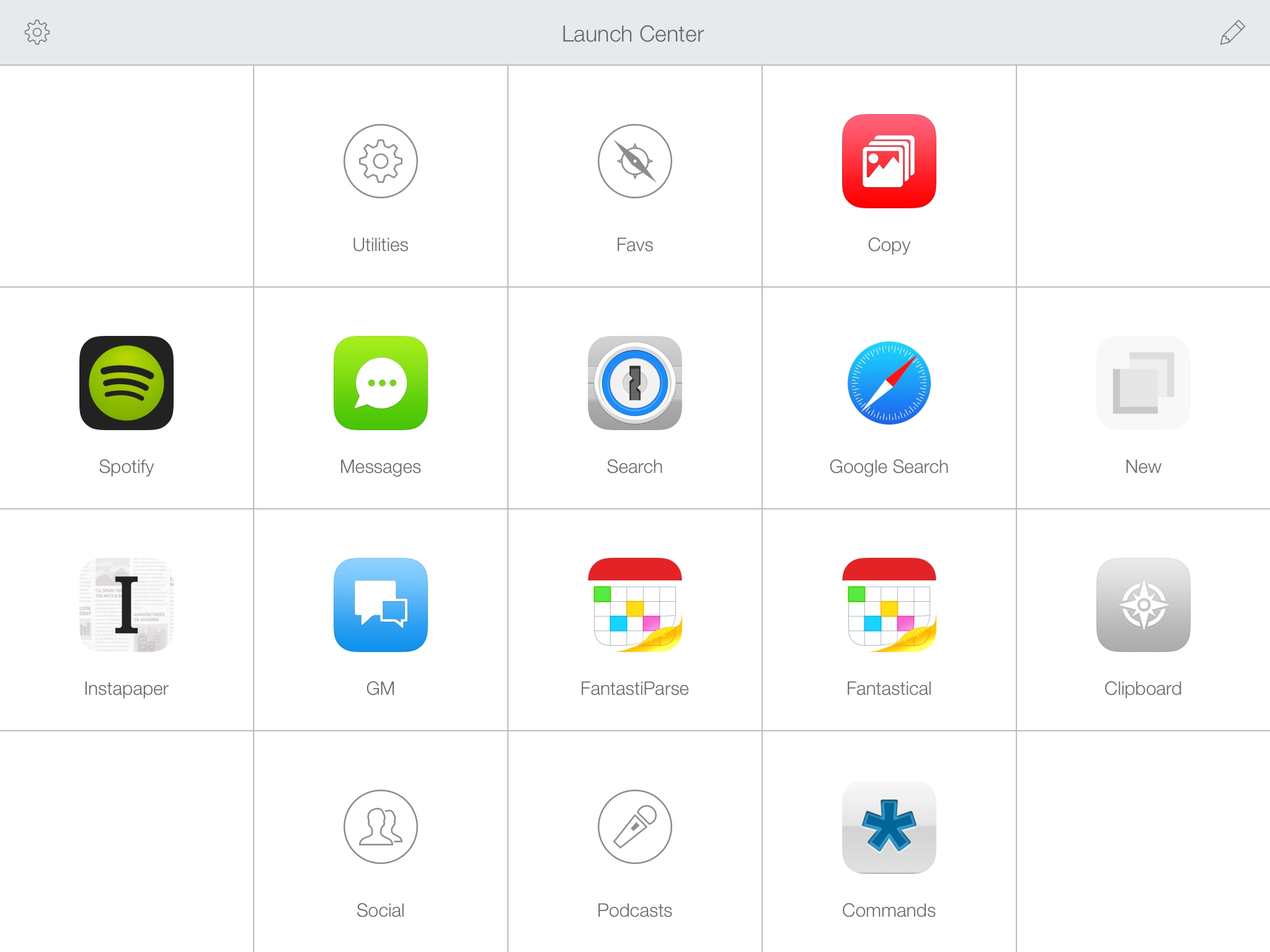
Released today on the App Store, Launch Center Pro 2.3 is a major update to Contrast’s app launcher and automation tool for iOS that further enhances integration with online services, improves how actions are built and triggered, and that refines several aspects of an app that’s become a key piece of my workflow.
I’ve been covering Launch Center Pro since its humble Pro-less beginnings, and the app has changed dramatically over the years. What started as a simple launcher for apps graduated into a full-blown automation utility for URL schemes and native iOS features, which allowed us to create a complete guide to get started with the app on your iPhone and iPad.1
Launch Center Pro 2.3 brings important improvements that make the app an even better companion for common tasks and advanced workflows. The update is packed with features – David Barnard wasn’t joking when he said that it feels like a 3.0 release – and I believe that Contrast did a great job in integrating them with the rest of the app.
Access Extra Content and Perks
Founded in 2015, Club MacStories has delivered exclusive content every week for nearly a decade.
What started with weekly and monthly email newsletters has blossomed into a family of memberships designed for every MacStories fan.
Club MacStories: Weekly and monthly newsletters via email and the web that are brimming with apps, tips, automation workflows, longform writing, early access to the MacStories Unwind podcast, periodic giveaways, and more;
Club MacStories+: Everything that Club MacStories offers, plus an active Discord community, advanced search and custom RSS features for exploring the Club’s entire back catalog, bonus columns, and dozens of app discounts;
Club Premier: All of the above and AppStories+, an extended version of our flagship podcast that’s delivered early, ad-free, and in high-bitrate audio.
Unread for iPad Review
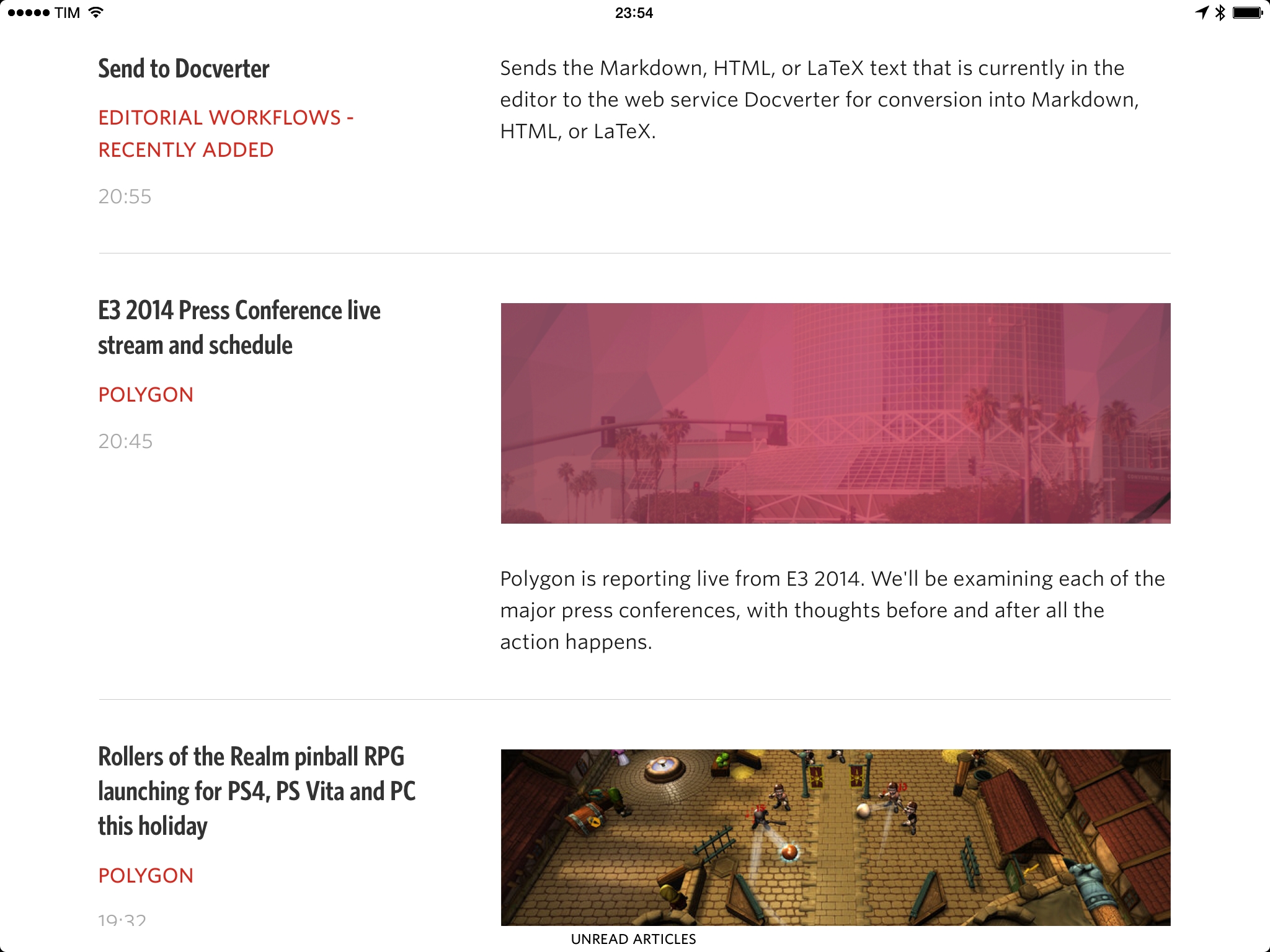
I first reviewed Jared Sinclair’s Unread, a fast and elegant RSS reader for iPhone, when it came out in February, making it my go-to RSS app on my Home screen:
I approached Unread thinking that it was an app designed for people who subscribe to a handful of feeds and just want to read a few articles every day. What I found is an app that works exceptionally well with hundreds of feeds, that has great custom typography and interface choices that don’t look out of place on iOS 7, and that tastefully implements modern gestures, sharing controls, and iOS technologies.
For me, Unread provides a better reading, syncing, and sharing experience than Reeder. While it lacks some of the features that Reeder gained over the years, Unread’s debut shows an app with focus, flexibility, attention to iOS 7, and the capability of scaling from dozens of unread items to several hundreds articles. Some people will complain about the lack of a compact mode to disable article previews in the main list; combined with thumbnails, I realized that this feature helps me pay more attention to articles in my RSS feeds.
Today, Sinclair has released Unread for iPad, a new version of the app sold at $4.99 on the App Store. Unread for iPad is heavily influenced by its iPhone counterpart, and fans of the iPhone version will be instantly familiar with it.
Access Extra Content and Perks
Founded in 2015, Club MacStories has delivered exclusive content every week for nearly a decade.
What started with weekly and monthly email newsletters has blossomed into a family of memberships designed for every MacStories fan.
Club MacStories: Weekly and monthly newsletters via email and the web that are brimming with apps, tips, automation workflows, longform writing, early access to the MacStories Unwind podcast, periodic giveaways, and more;
Club MacStories+: Everything that Club MacStories offers, plus an active Discord community, advanced search and custom RSS features for exploring the Club’s entire back catalog, bonus columns, and dozens of app discounts;
Club Premier: All of the above and AppStories+, an extended version of our flagship podcast that’s delivered early, ad-free, and in high-bitrate audio.
Editorial 1.1: Another Step Forward for iOS Automation
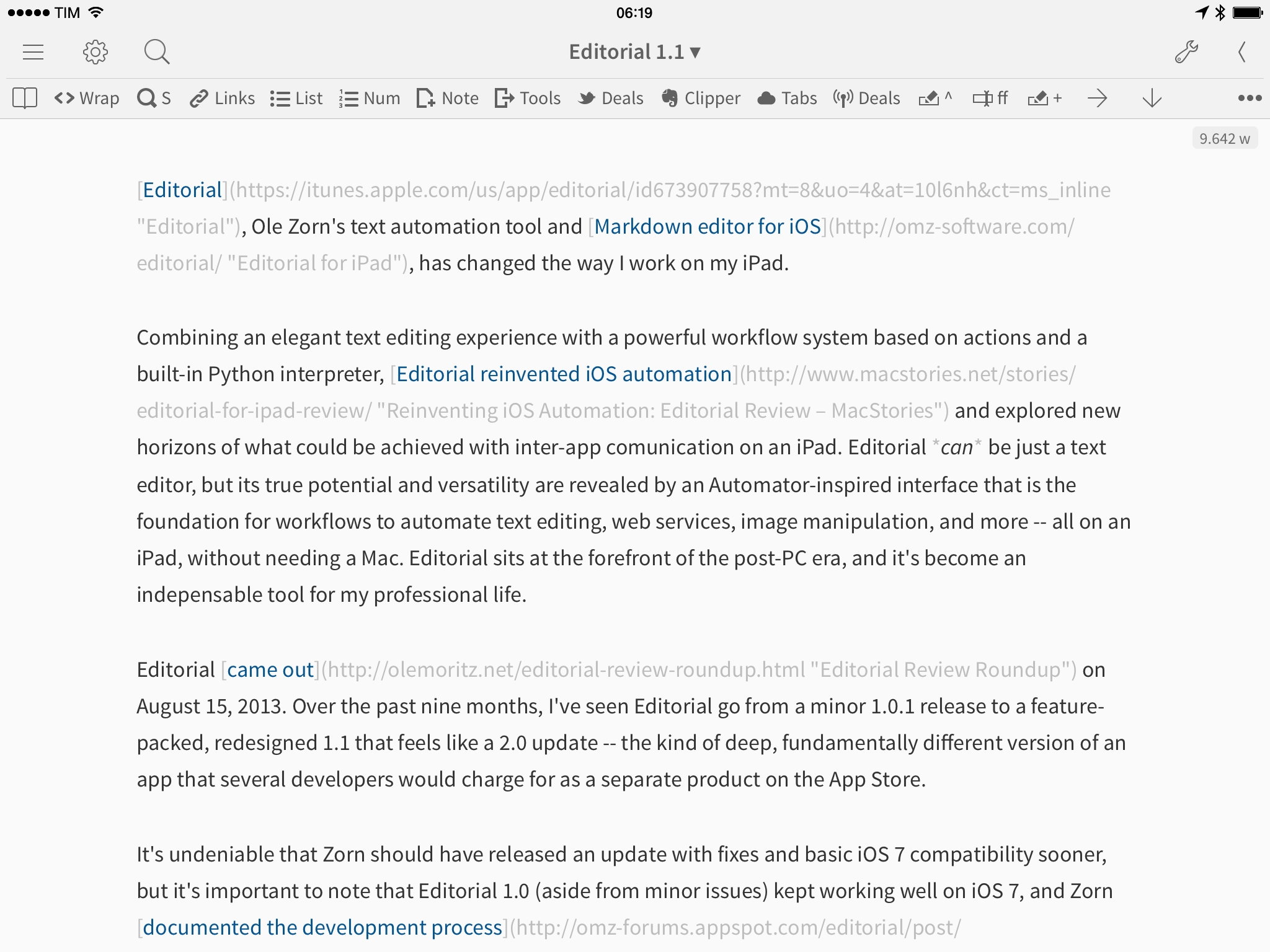
Editorial, Ole Zorn’s text automation tool and Markdown editor for iOS, has changed the way I work on my iPad.
Combining an elegant text editing experience with a powerful workflow system based on actions and a built-in Python interpreter, Editorial reinvented iOS automation and explored new horizons of what could be achieved with inter-app comunication on an iPad. Editorial can be just a text editor, but its true potential and versatility are revealed by an Automator-inspired interface that is the foundation for workflows to automate text editing, web services, image manipulation, and more – all on an iPad, without needing a Mac. Editorial sits at the forefront of the post-PC era, and it’s become an indispensable tool for my professional life.
Editorial came out on August 15, 2013. Over the past nine months, I’ve seen Editorial go from a minor 1.0.1 release to a feature-packed, redesigned 1.1 that feels like a 2.0 update – the kind of deep, fundamentally different version of an app that several developers would charge for as a separate product on the App Store.
It’s undeniable that Zorn should have released an update with fixes and basic iOS 7 compatibility sooner, but it’s important to note that Editorial 1.0 (aside from minor issues) kept working well on iOS 7, and Zorn documented the development process with notes and screenshots on the app’s forums. As an Editorial user and reviewer, it’s been a long journey from version 1.0 in August 2013 to today’s 1.1 release, but it’s been worth it.
Editorial 1.1 brings a plethora of design changes, Markdown improvements, and automation breakthroughs that, just ahead of iOS 8, represent a major milestone for Markdown text editors and iOS automation. Editorial 1.1 may be a text editor on the surface, but, in reality, it’s a small revolution for iOS power users.
Access Extra Content and Perks
Founded in 2015, Club MacStories has delivered exclusive content every week for nearly a decade.
What started with weekly and monthly email newsletters has blossomed into a family of memberships designed for every MacStories fan.
Club MacStories: Weekly and monthly newsletters via email and the web that are brimming with apps, tips, automation workflows, longform writing, early access to the MacStories Unwind podcast, periodic giveaways, and more;
Club MacStories+: Everything that Club MacStories offers, plus an active Discord community, advanced search and custom RSS features for exploring the Club’s entire back catalog, bonus columns, and dozens of app discounts;
Club Premier: All of the above and AppStories+, an extended version of our flagship podcast that’s delivered early, ad-free, and in high-bitrate audio.
Reeder 2 for Mac Review
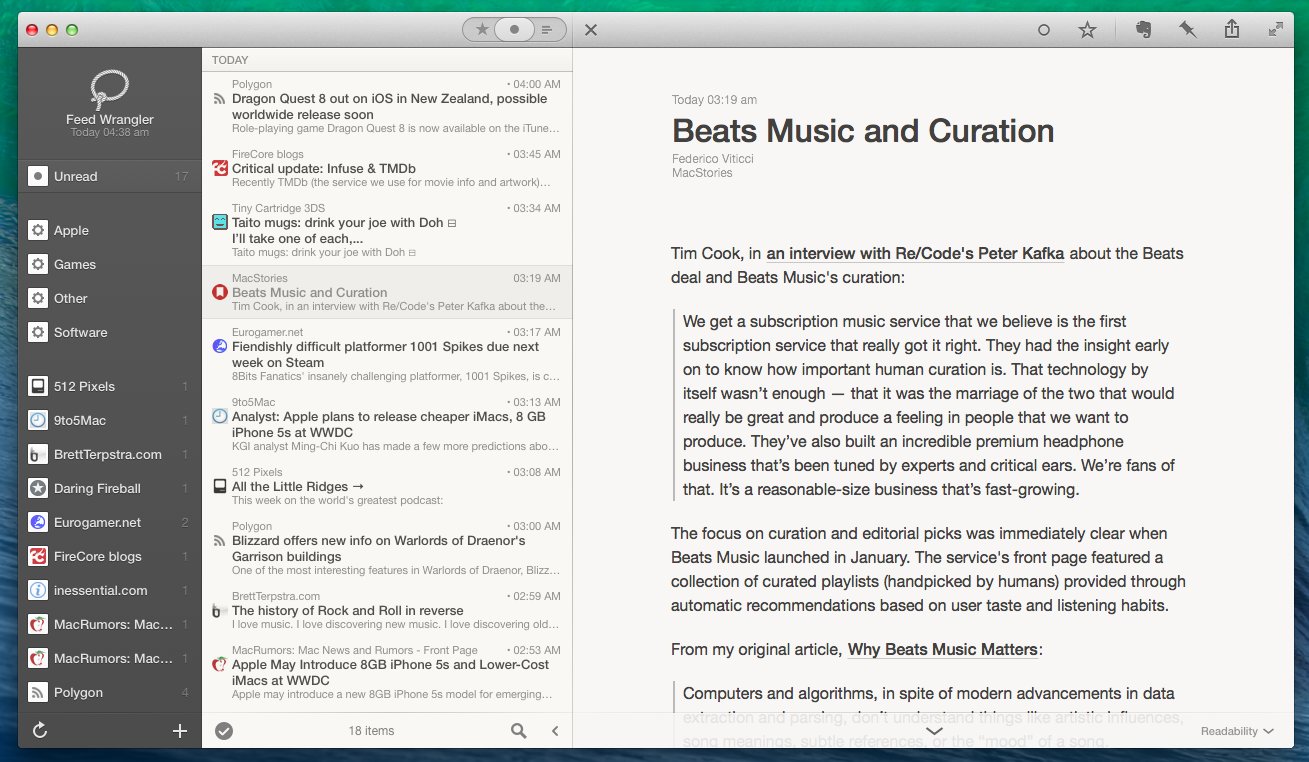
Reeder 2 for Mac, available today on the Mac App Store at $9.99, isn’t the most full-featured RSS reader that ever graced the docks of OS X users. It doesn’t support all the services found in ReadKit, it doesn’t have any sort of smart folder functionality, and it doesn’t bring dozens of breakthrough features that are dramatically different from what Silvio Rizzi offered in version 1.0 of the app. But in spite of what it doesn’t do or what it doesn’t have, Reeder 2 is a superbly polished, fluid, and fast Mac app that lets me enjoy checking my RSS feeds, primarily because of its gesture controls.
Access Extra Content and Perks
Founded in 2015, Club MacStories has delivered exclusive content every week for nearly a decade.
What started with weekly and monthly email newsletters has blossomed into a family of memberships designed for every MacStories fan.
Club MacStories: Weekly and monthly newsletters via email and the web that are brimming with apps, tips, automation workflows, longform writing, early access to the MacStories Unwind podcast, periodic giveaways, and more;
Club MacStories+: Everything that Club MacStories offers, plus an active Discord community, advanced search and custom RSS features for exploring the Club’s entire back catalog, bonus columns, and dozens of app discounts;
Club Premier: All of the above and AppStories+, an extended version of our flagship podcast that’s delivered early, ad-free, and in high-bitrate audio.