This week on MacStories Unwind, Federico and John talk about the new Apple TV 4K, changes to the TV app, and Taylor Swift’s latest album, Midnights.

This week on MacStories Unwind, Federico and John talk about the new Apple TV 4K, changes to the TV app, and Taylor Swift’s latest album, Midnights.
Because Club MacStories now encompasses more than just newsletters, we’ve created a guide to the past week’s happenings along with a look at what’s coming up next:
Plus:
This week on AppStories, we cover Apple’s controversial App Store advertising moves before going in-depth on my macOS Ventura review to discuss Stage Manager, System Settings, and Shortcuts.
Sponsored by:
On AppStories+, I explain the unique challenges of finishing this year’s macOS review and some of the tools I used in the process.
We deliver AppStories+ to subscribers with bonus content, ad-free, and at a high bitrate early every week.
To learn more about the benefits included with an AppStories+ subscription, visit our Plans page, or read the AppStories+ FAQ.
This week on MacStories Unwind, Federico is rewatching Breaking Bad having recently finished Better Call Saul, and I share what the Metal 3 frameworks could mean for Mac gaming having tested Resident Evil Village, the first Metal 3 game released on the Mac App Store.
Federico’s Pick:
John’s Pick:
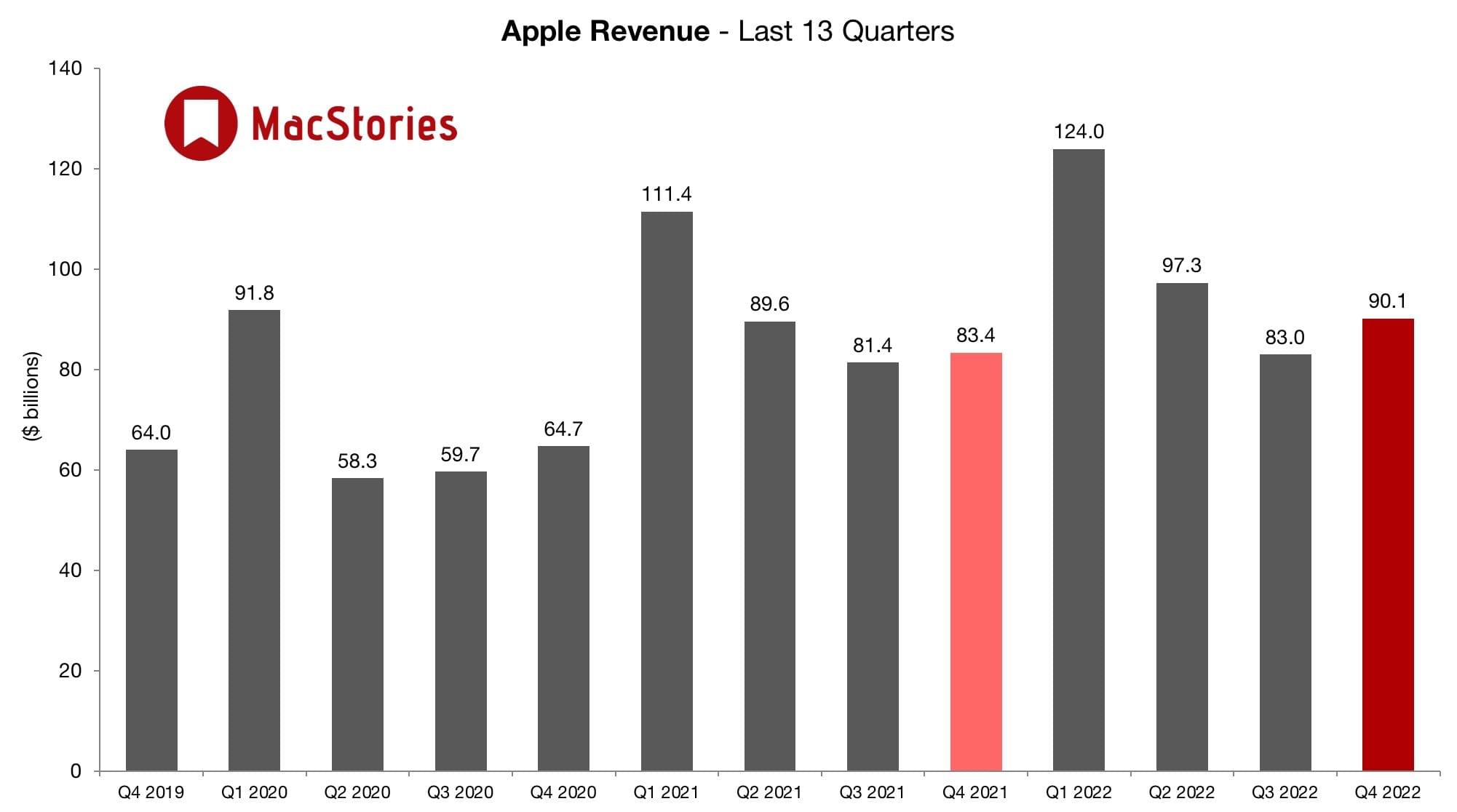
Today, Apple announced its fourth quarter 2022 earnings, exceeding Wall Street expectations and setting a record for Q4 results. During the quarter, Apple recorded $90.1 billion in revenue, an 8% year-over-year increase. Annual earnings per diluted share were $6.11, which is an increase of 9% year over year. In after-hours trading, Apple’s stock was trading down.
According to Apple’s CFO Luca Maestri:
Our record September quarter results continue to demonstrate our ability to execute effectively in spite of a challenging and volatile macroeconomic backdrop. We continued to invest in our long-term growth plans, generated over $24 billion in operating cash flow, and returned over $29 billion to our shareholders during the quarter. The strength of our ecosystem, unmatched customer loyalty, and record sales spurred our active installed base of devices to a new all-time high. This quarter capped another record-breaking year for Apple, with revenue growing over $28 billion and operating cash flow up $18 billion versus last year.
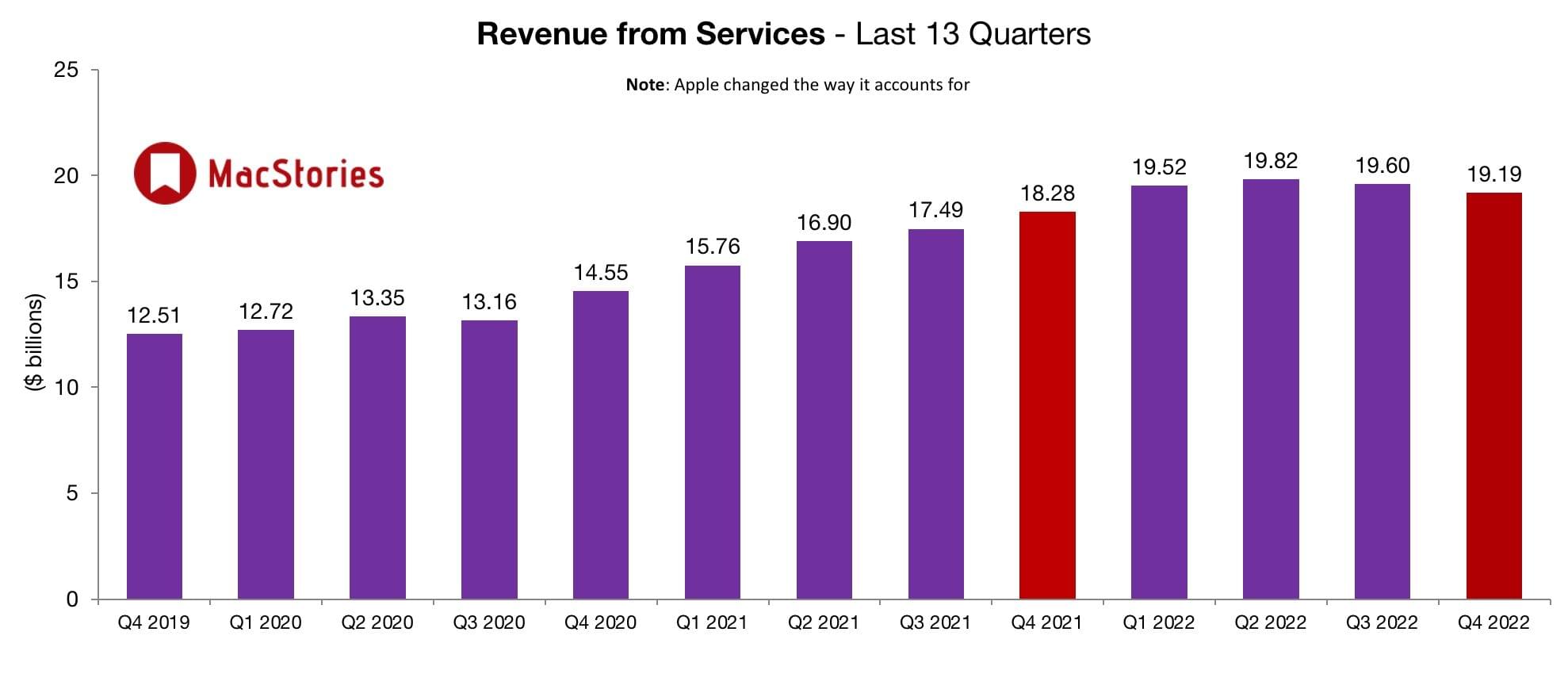
Looking at the results, Services revenue declined slightly, and iPhone sales were less than analysts expected, both of which contributed to the decline in Apple’s stock price after hours. iPad sales were down too. Although Apple just recently refreshed the iPad lineup, none of those sales were part of today’s results.
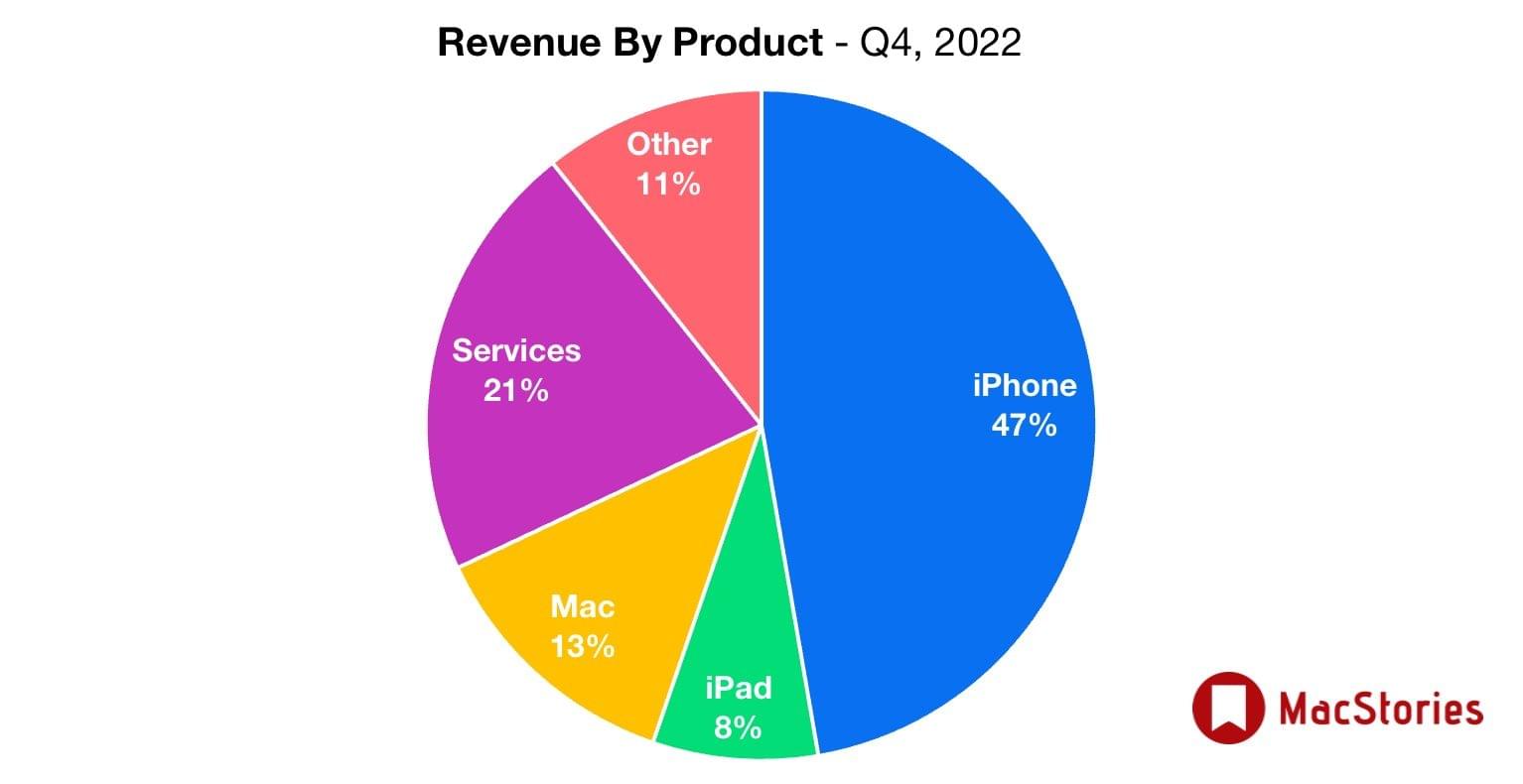
Mac had a good quarter, while iPad sales were down a bit, changing the overall mix of the company’s revenue sources.
Foreign currency exchange rates had a significant impact on Apple’s latest results too. Tim Cook, who was interviewed by CNBC, told Steve Kovach:
The foreign exchange headwinds were over 600 basis points for the quarter. So it was significant. We would have grown in double digits without the foreign exchange headwinds.
To help control ongoing costs, Cook also revealed to CNBC that it has slowed hiring.
Despite some areas of softness, the results reported by Apple were positive overall, especially compared to other recent earnings misses in the tech world. Yesterday, Meta announced a significant earnings miss that led to a nearly 25% drop in its stock price today. Then today, Amazon came up short compared to Wall Street expectations leading to a 16% dip in its stock price.
Additional details regarding Apple’s fourth-quarter performance, including its consolidated financial statement are available on the company’s website. If you missed the earnings call, you can replay it on Apple’s Investors site or read the transcript prepared by Jason Snell at Six Colors, where you’ll also find additional charts.
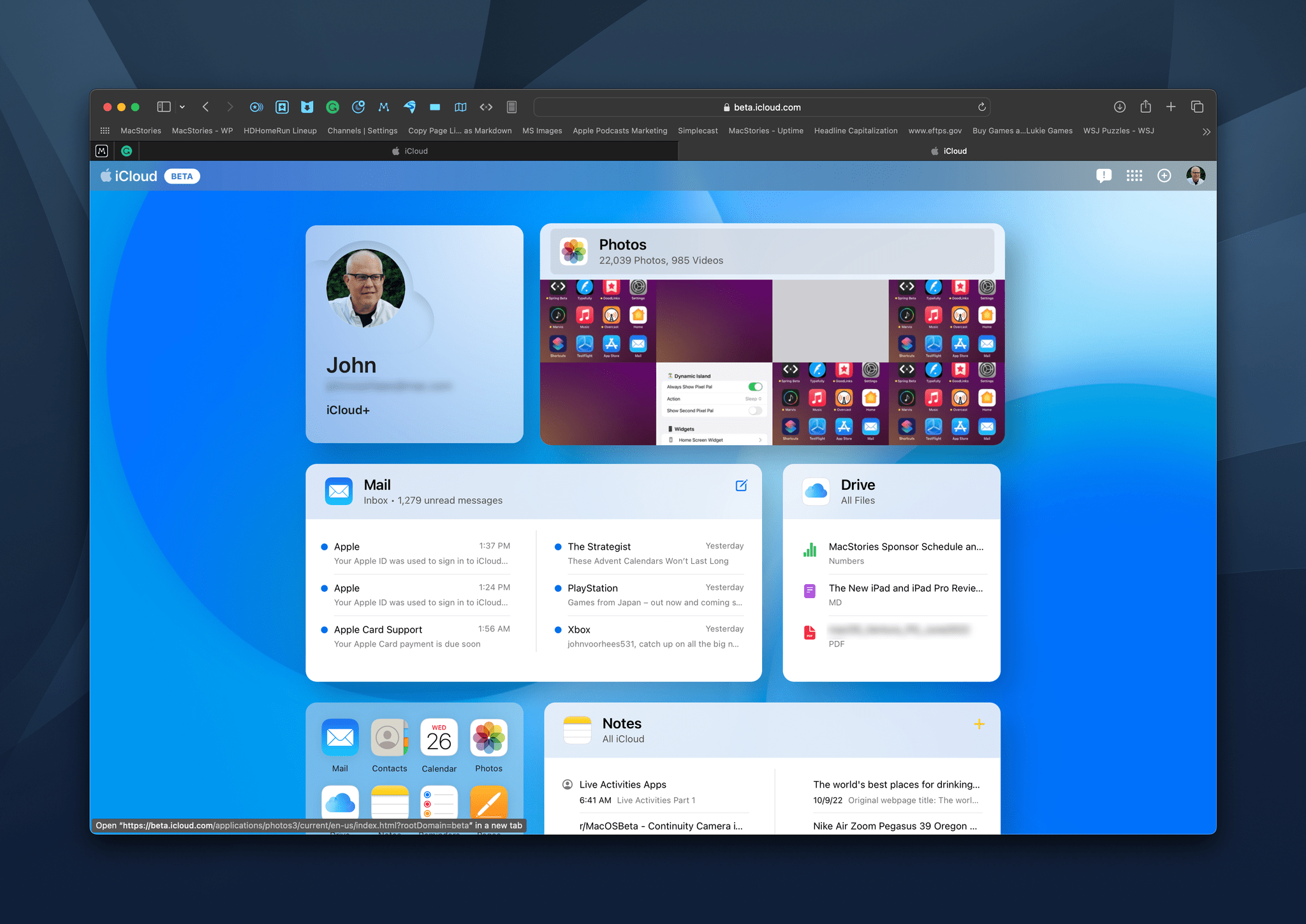
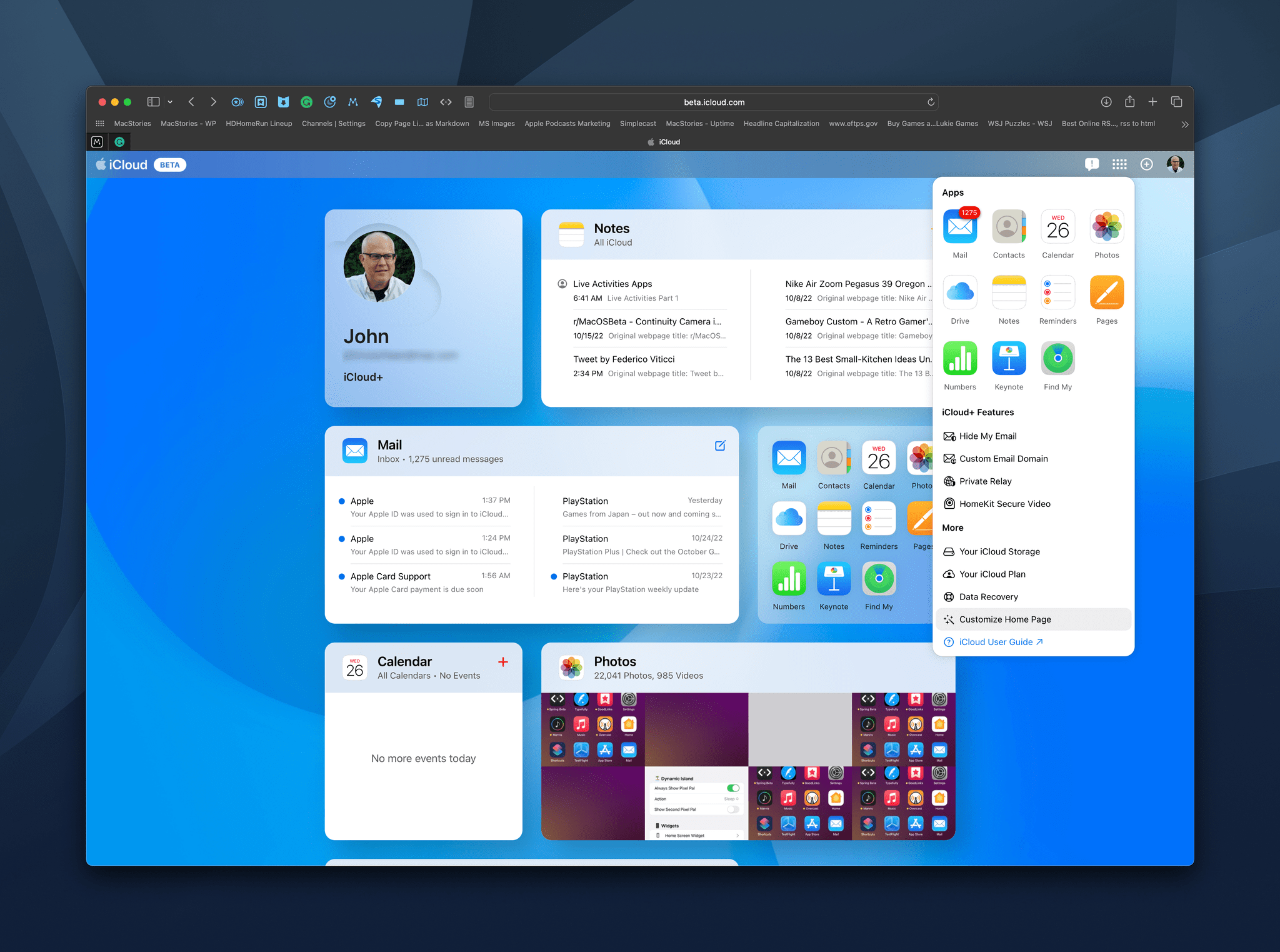
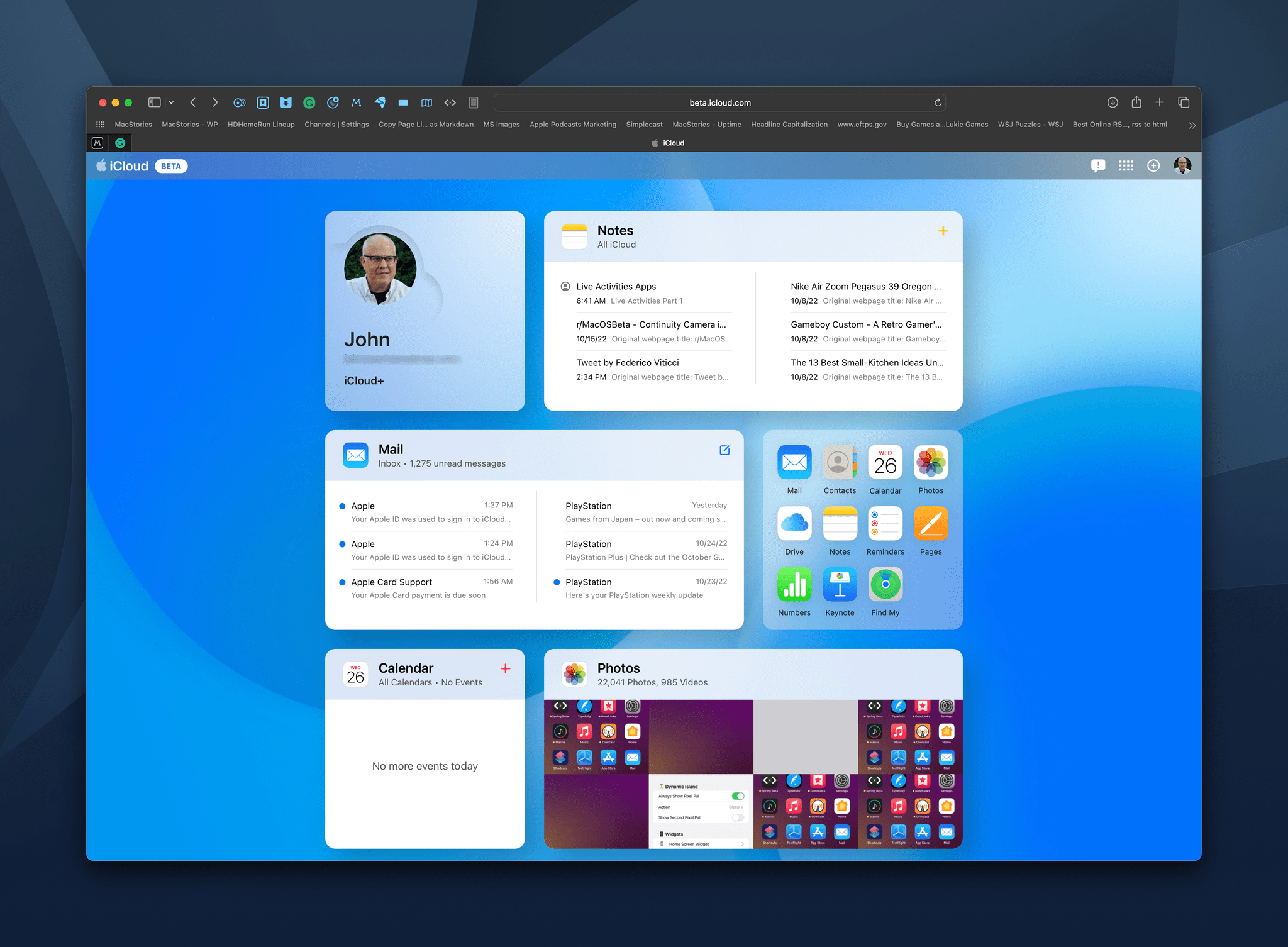
Today, Apple launched a preview of changes coming to iCloud.com, the website that allows users to access their iCloud data and apps, including Mail messages, notes, photos, tasks, and more. The new card-like UI is available to anyone who wants to try it by visiting beta.icloud.com and logging in with your Apple ID.
The cards are laid out in a grid with a rectangular and square tile per row on larger screens and a single column of cards on narrow screens like the iPhone. When you first launch the preview page, you’ll see your Apple ID profile picture, email address, and type of iCloud account, plus several app tiles.
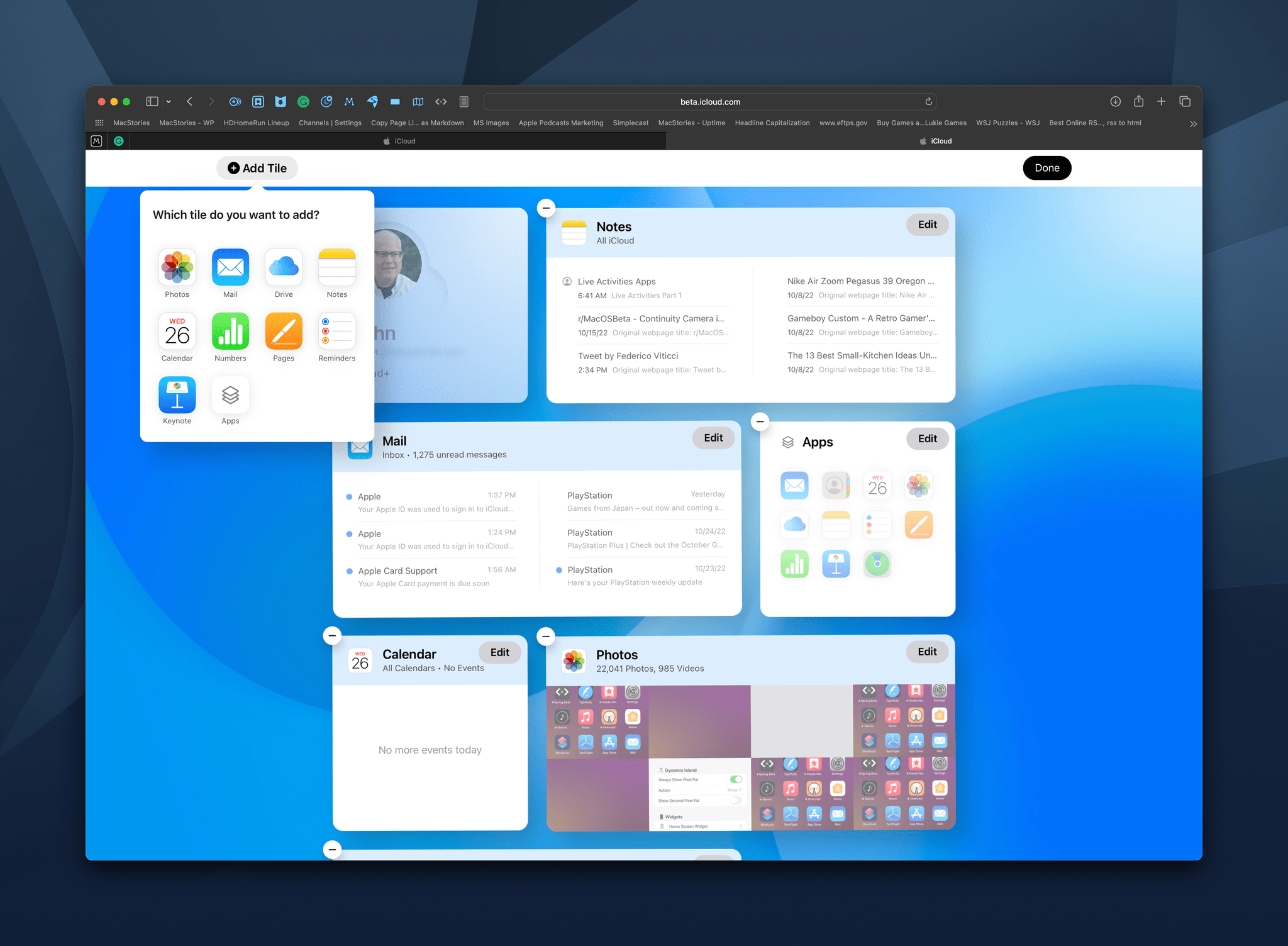
However, other than your profile tile, everything on the preview page is fully customizable. Currently, there are tiles available for Mail, Photos, Notes, Reminders, iCloud Drive, Calendar, Numbers, Pages, and Keynote. Contacts and Find My are also accessible from the preview page but don’t have their own tiles.
To customize the page, select the button in the top right corner that looks like a grid of icons, and the webpage’s UI will go into a jiggle mode similar to when you long-press on an iPhone or iPad’s Home Screen. From here, you can rearrange existing tiles, remove ones you don’t want, and add new tiles.
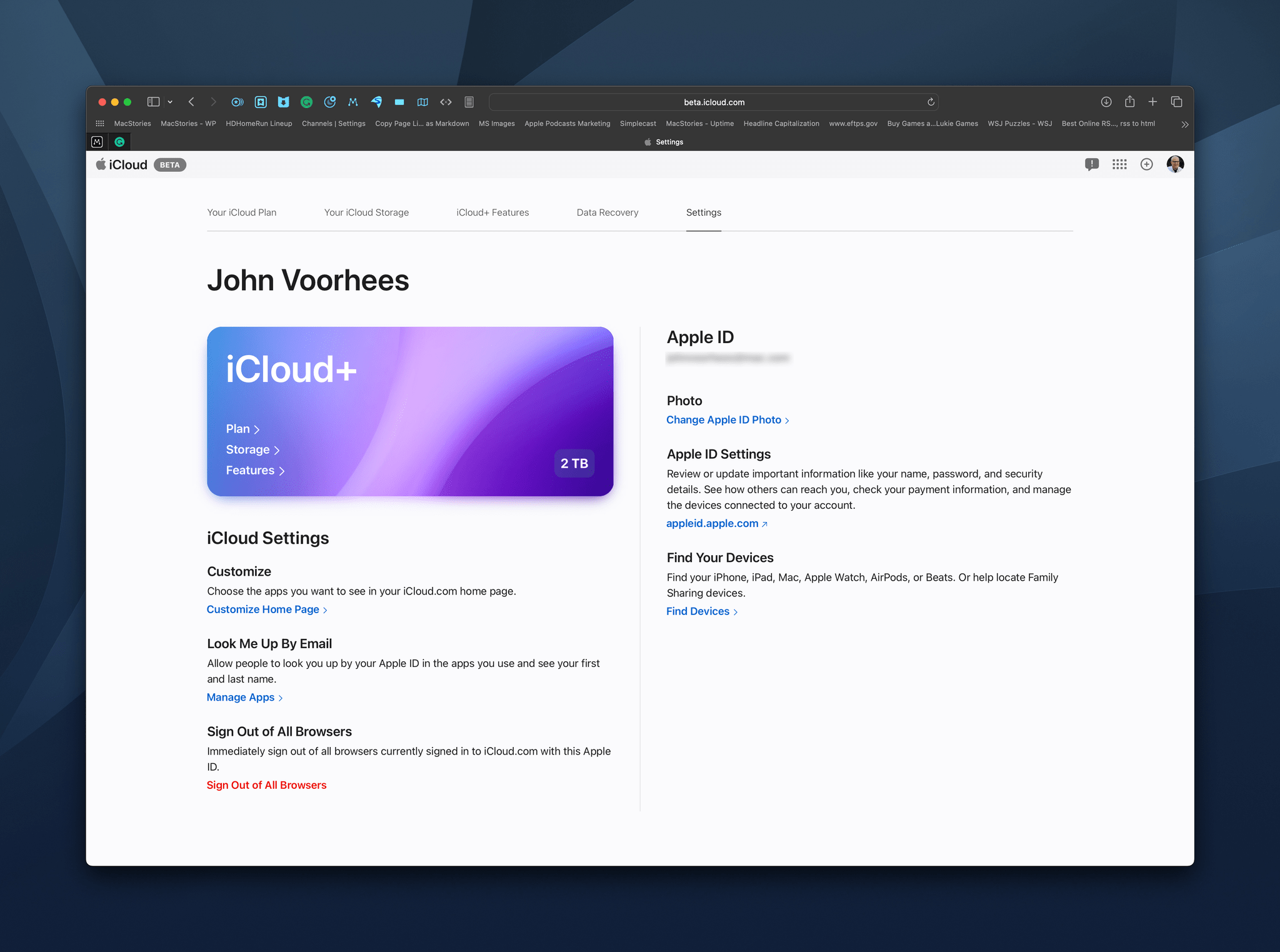
Each tile works a lot like a Home Screen widget, displaying recent data stored in that app. Click on the tile, and the full web app opens. Clicking on your profile tile offers details about your iCloud subscription and links to related actions. The same button you use to access the preview’s customization features also provides access to all of the iCloud web apps, iCloud+ features, like Hide My Email, and more. Finally, there’s also a dedicated ‘Plus’ button for creating new items or documents in many of the iCloud web apps without the need to launch the associated app first.
I like the preview’s design a lot. It beats the static grid of web app icons of the existing site, which is still available if you don’t use the preview, by providing an overview of recent data in each apps. I’m also a fan of the page’s customization tool, which makes it simple to organize the page with an emphasis on the apps you use most.
Based on my very limited testing, the preview page is quite stable too. I did run into an error accessing my iCloud Drive documents, but that’s been it so far. Once finalized, the new iCloud.com page is going to be a very nice upgrade for anyone who needs to access their account and data from a device that’s not their own, such as a work PC.
To give it a try yourself, go to iCloud.com, log in with your Apple ID, and use the link above your profile picture on the existing page design, or go straight to beta.icloud.com and log in there.
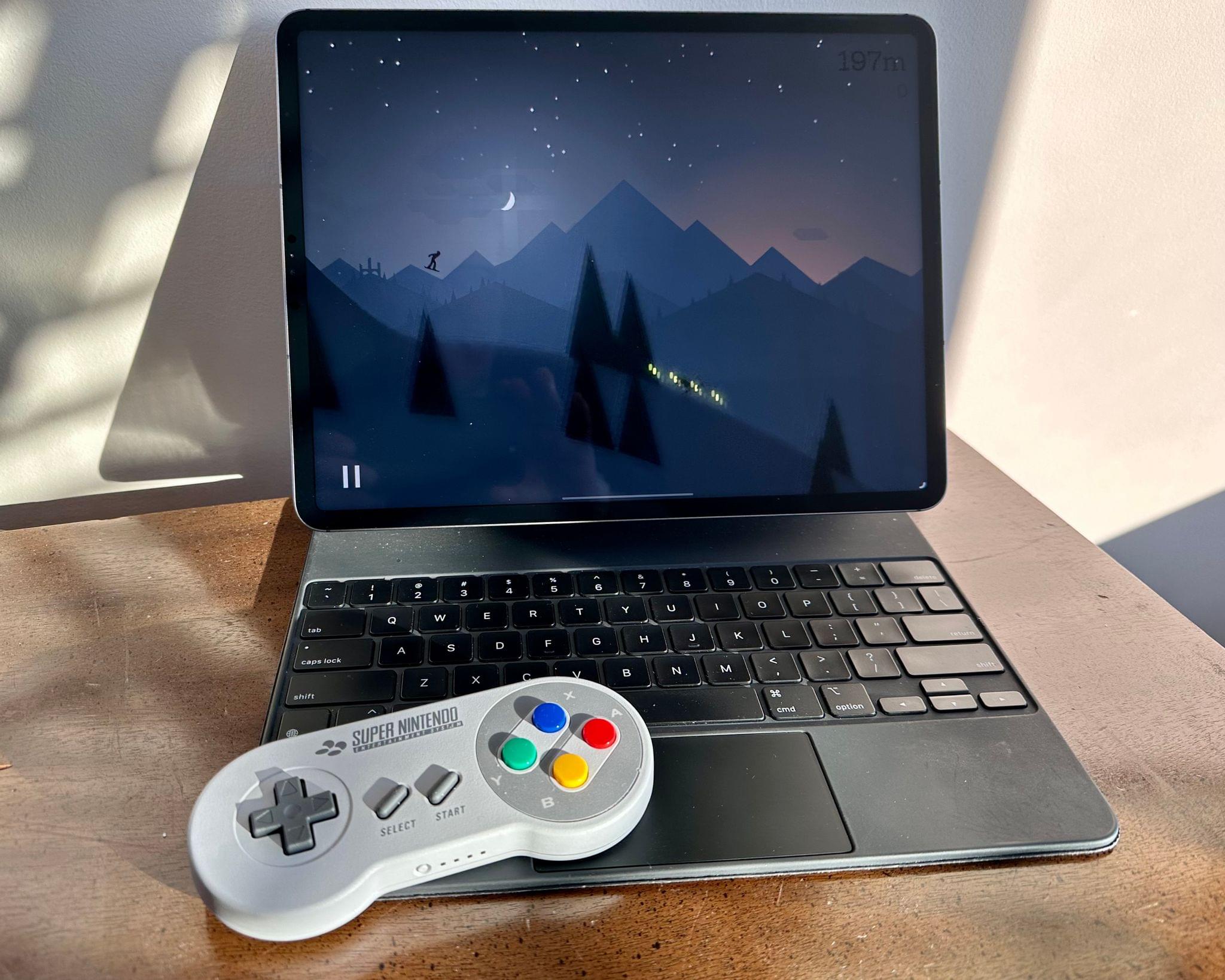
It seems that Apple slipped a little extra controller support into yesterday’s updates to iOS, iPadOS, macOS, and tvOS: Nintendo Online classic controller support.
Nintendo sells wireless versions of its classic NES, SNES, and Nintendo 64 controllers, plus the Sega Genesis controller for use with its Nintendo Online Service for Switch. The controllers are a fun way to play the games from those old systems that are offered as part of Nintendo Online and its Expansion Pack add-on service. Yesterday, Steve Troughton-Smith tweeted that the classic SNES controller works with iOS and tvOS 16.1:
https://twitter.com/stroughtonsmith/status/1584684763042189312
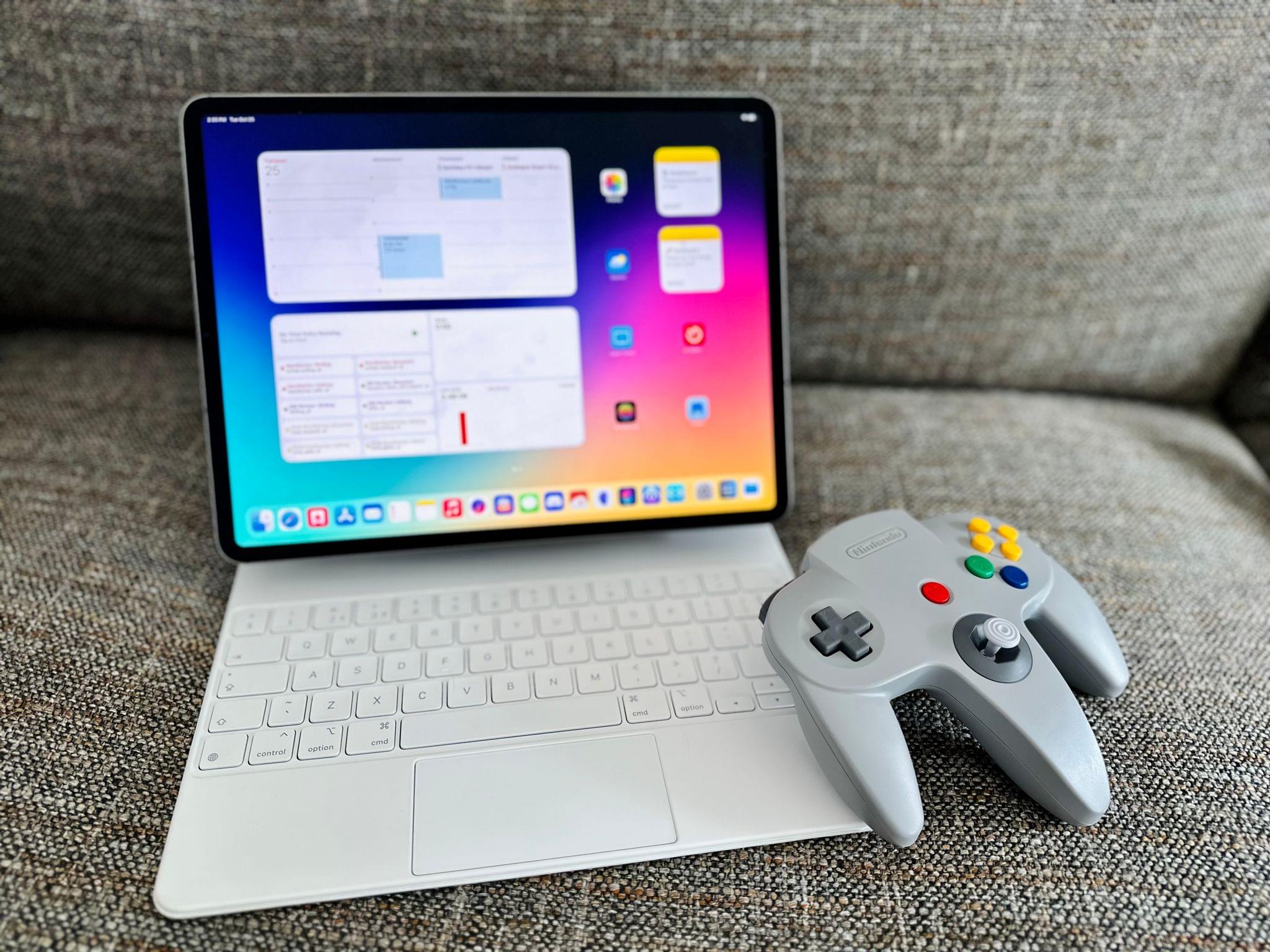
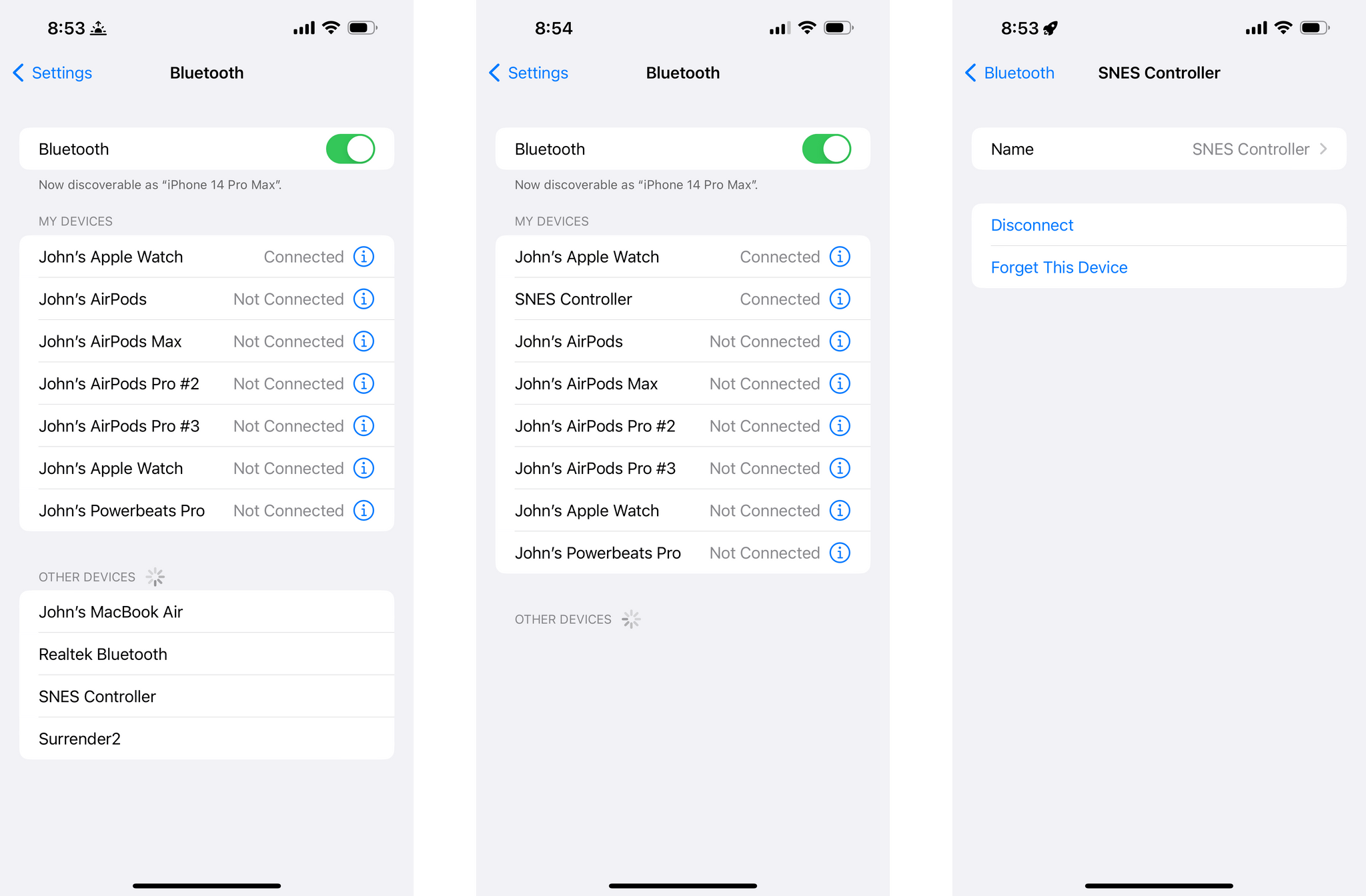
Sure enough, it does, along with iPadOS 16.1 and macOS Ventura. With each OS, the controller shows up as ‘SNES Controller’ in Bluetooth settings when in pairing mode. Federico has confirmed that the Nintendo 64 controller works, too, but neither of us has an NES or Sega Genesis controller to test.
This isn’t the first time Nintendo’s wireless versions of classic controllers have been adapted for use beyond the Switch. Steam added support for the controllers in July.
Apple has gradually added deeper and deeper support for third-party controllers over the past few years. The latest official additions, which were first announced at WWDC, are the Nintendo Joy-Con and Pro Controller. Some third-party controllers like the 8BitDO SN30 Pro+ that emulates other controllers can be paired with Apple devices, too, but they show up as generic controllers.
I love many of the retro games available on Apple’s platforms that are inspired by Nintendo’s early systems. What’s great about the support for the wireless controllers is that now they can be played with the controllers of the systems that inspired them. The Nintendo 64 controller is perpetually out of stock, but if you’re interested in picking up any of the others, they are available on Nintendo’s online store.
This week on MacStories Unwind, John is joined by Alex Guyot to talk about the third-generation Apple TV 4K, how they use their Apple TVs and what the new hardware might mean for streaming content in the future.
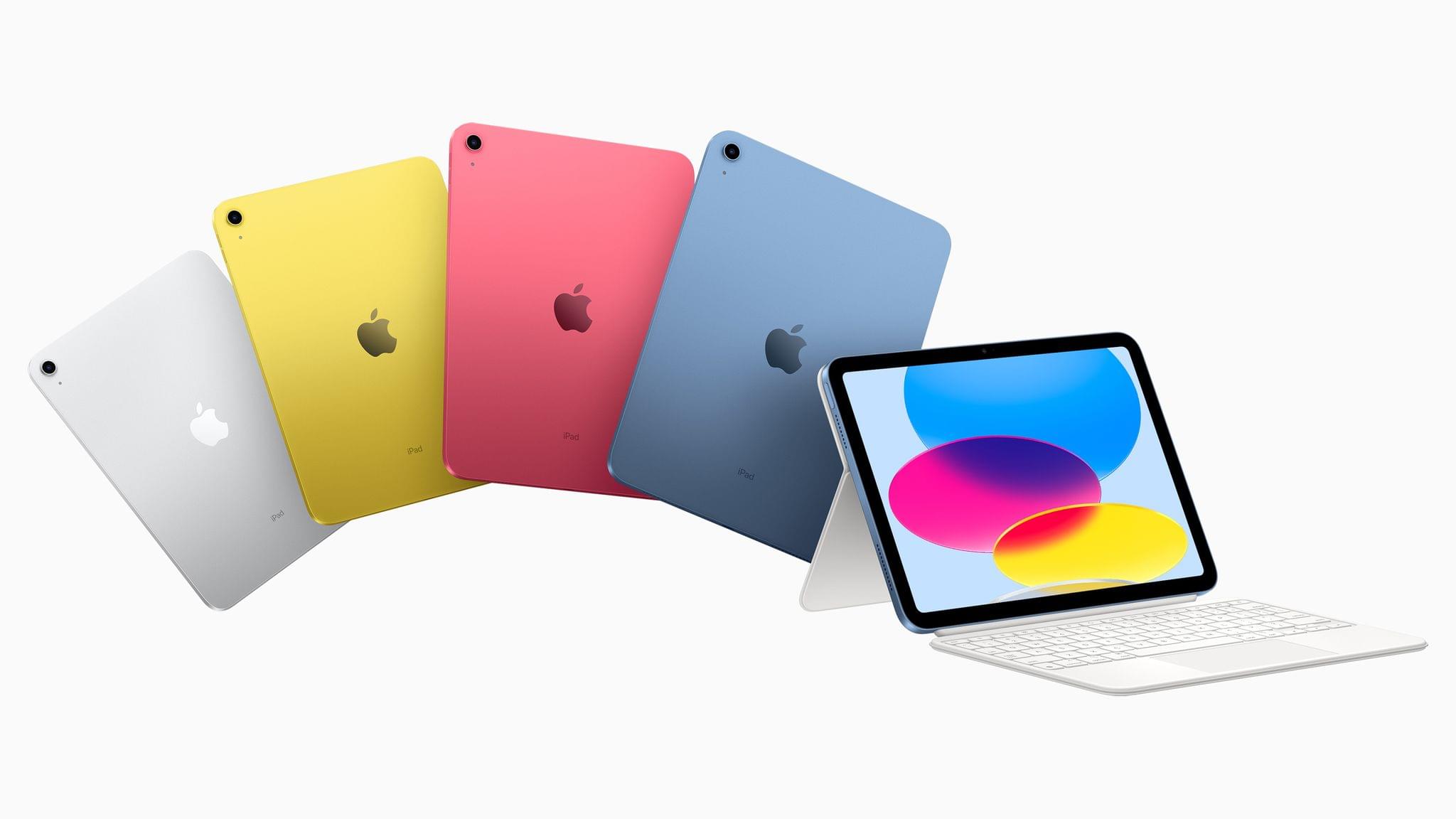
This morning Apple announced their all-new iPad and iPad Pro lineups via press release and a short announcement video. The new iPad (non-Pro) features new colors and an updated square-edge design that brings it in line with the rest of Apple’s modern iPads and iPhones. The iPad Pro has been upgraded to Apple’s M2 chip, and supports a new “hover” mode on the Apple Pencil. Apple also unveiled a new Magic Keyboard Folio accessory, which includes a detachable keyboard with a trackpad and function keys.
There’s a lot to like about each of these new products, but the details reveal some very strange decisions on Apple’s part.
](https://cdn.macstories.net/banneras-1629219199428.png)