

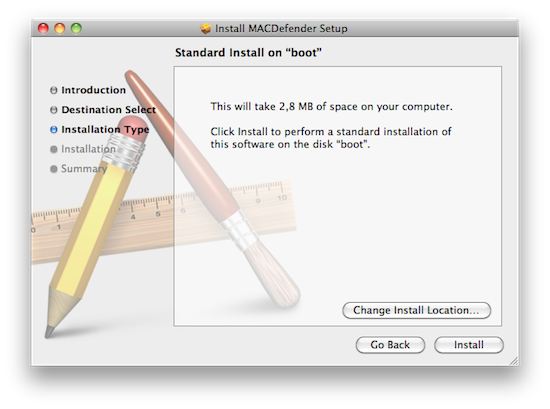
According to several discussion threads posted on Apple Support Communities, a new malware called MacDefender.app is quickly spreading among Mac users using the Safari browser to visit certain websites, especially Google Images. The application, disguised as a virus scanning tool and completely unrelated with the official MacDefender software, gets installed automatically without a user’s consent upon opening a webpage, although it’s not clear what kind of websites allow this kind of installation, and whether MacDefender “phones home” once running on a Mac to download additional pieces of code (like most malwares on Windows do). Some users are reporting they found the app installed on their Macs after visiting webpages linked on Google Images, some say it’s only happening with the Safari desktop browser, others claim the app can’t be removed with a simple drag & drop to the system’s Trash as, once installed, the process will beging running automatically on OS X. Again, it’s not clear what kind of malware MacDefender.app is and the proportion of this “spreading” across Mac OS X machines, but the number of threads on Apple Support Communities seems to suggest at least hundreds of people have experienced the issue in these past few days. Read more
Posts in news
New “MacDefender” Malware Targets Mac Users
The Maglus Is An iPad Stylus That Attaches To The Smart Cover
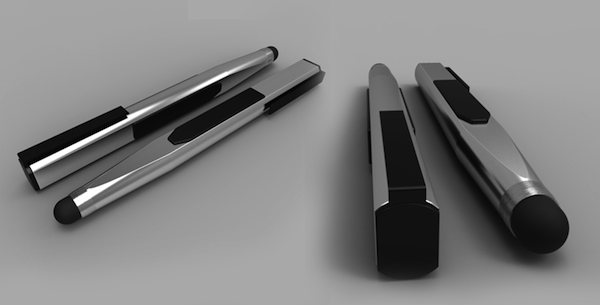
I’m not a huge fan of styluses and capacitive pens for iOS devices, but I can recognize an interesting project when I see one. The biggest problem with a stylus, in my opinion, is that most of the times the design is hideous and there’s no way to keep it handy for whenever you need it. The Maglus, a product that needs funding to come to life, aims at combining design and usability with the use of magnets. Just like Apple bet on design and magnets for the iPad 2, the creators of the Maglus think a stylus that attaches to the iPad and the Smart Cover is the best way to turn a stylus into a 24/7 companion for your digital drawing and sketching needs. The Maglus attaches anywhere on your Smart Cover, including the back when the cover’s folded to prop your iPad up in typing mode. Clearly, Apple’s use of magnets and cover is opening to a lot of possibilities when it comes to third-party accessories.
The project has 24 days ago, and so far €3,159.00 have been raised out of the initial €15000 target. You can check out all the product’s information and pledge here. Check out the demo video below. [TUAW via RazorianFly] Read more
Time Inc. Reaches Deal with Apple, Lets Print Subscribers Download Issues for Free
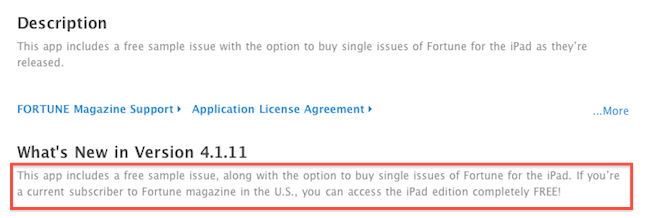
Amidst all the debates surrounding the implementation of subscriptions for App Store apps (which are based on iTunes payments, and require publishers to give a 30% cut off every transaction to Apple), Apple is still in talks with major publishers to reach a deal before the rumored June 30th deadline, when developers of existing “publishing apps” will be forced to flip the switch on native subscriptions if they want to keeps their magazines and digital newspapers in the Store. We’ve seen Apple is trying to push their effort of building better subscriptions for everyone among the general public, but so far the sheer volume of publishers jumping on board hasn’t played in favor of Apple: a very few of them have agreed to Apple’s terms, but those who did are seemingly happy with their decisions. And according to a new report by the Wall Street Journal, a new deal between Time Inc. (publisher of iPad magazine apps like Fortune, Sports Illustrated, and Time) should move adoption of subscriptions forward as Apple now allows to give away single-magazine issues away for free to existing print subscribers, directly from the iPad app.
Time Inc., the country’s largest magazine publisher, has reached a deal with Apple Inc. to make all its iPad editions free for print subscribers, marking a break in the impasse between publishers and Apple and lending support to Time’s contention that it’s business-as-usual after the ouster of its chief executive.
Starting Monday, subscribers to Sports Illustrated, Time and Fortune magazines will be able to access the iPad editions via the apps, which will be able to authenticate them as subscribers. Time Inc.’s People magazine already had such an arrangement, but readers of most publications have had to pay separately for the iPad version regardless of their subscriber status.
The WSJ also reports Time’s general counsel Edelson has been meeting with Apple’s VP of Internet Services Eddy Cue recently to reach a deal for print subscriber access and subscriptions, and in spite of the lack of subscriptions in Time Inc.’s magazines, sources say negotiations are moving forward as the June deadline approaches. Publishers are still asking Apple to revise its policy on opt-in sharing of personal information (a vital aspect for publishers’ targeted advertising), but as more magazines and newspapers will become available in the next weeks, the quick adoption of subscriptions is looking good for Jobs and Cue.
MG Siegler Affirms “Castle” Speculation, Internal Name For Cloud Services

Apple’s cloud ambitions have been resurfacing over the last week with several rumours surrounding Apple’s reported purchase of icloud.com and now references to a service called “Castle” in Lion. Trusted Apple blogger, MG Siegler, tonight weighed into all the speculation, endorsing previous speculation by TUAW that “Castle” refers to Apple’s internal nickname of their new cloud services.
The discovery in Lion by Consomac.fr last week found references files that cited an “upgrade from MobileMe to Castle”. Siegler provides some more information in that the internal codename had originally been “Newcastle” but was recently shortened to “Castle”. Furthermore, as far as he is aware, the official shipping name may not yet be decided and “Castle” is still being used internally. The recent speculation over the icloud.com domain may just be one of the potential names for Apple’s cloud service.
On the rumours that AppleInsider reported on Friday, Siegler is reasonably confident that Apple is testing their cloud service internally with new versions of iOS and OS X but with the “Castle” codename rather than iCloud that AppleInsider reported. The cloud service being developed is highly likely to be revealed at this years WWDC, just five weeks away now, whether it be called iCloud (Siegler believes it to be a frontrunner for the name) or something else.
[Via TechCrunch]
LucasArts Licenses Unreal Engine 3 In Multi-Year Deal

Late last week Epic Games announced that it had struck a multi-year, studio-wide licensing agreement with LucasArts for its Unreal Engine 3. The agreement covers multiple projects to be developed by LucasArts using the engine for multiple platforms.
Unreal Engine 3 is the game engine that Epic Games developed and was designed to run on Windows, OS X, Xbox 360, PlayStation 3 and most recently iOS. It certainly opens up the possibility of LucasArts expanding their development of iOS games, which currently only consists of The Secret of Monkey Island given the simplification of porting games is made with Unreal Engine 3 across platforms.
In their announcement, Epic Vice President Mark Rein said, “LucasArts is now primed to capitalize on Unreal Engine 3’s ability to scale across platforms, from mobile, through PC and console all the way up to the next generation of games.” Earlier this year Gameloft revealed that they had licensed the Unreal Engine for four iOS games following the success of Epic Citadel and Infinity Blade - demonstration games made by Epic Games that showed the power of the game engine on iOS.
[Via TouchArcade]
Mr. Reader 1.1: Now With OmniFocus Support, Better Services, Readability
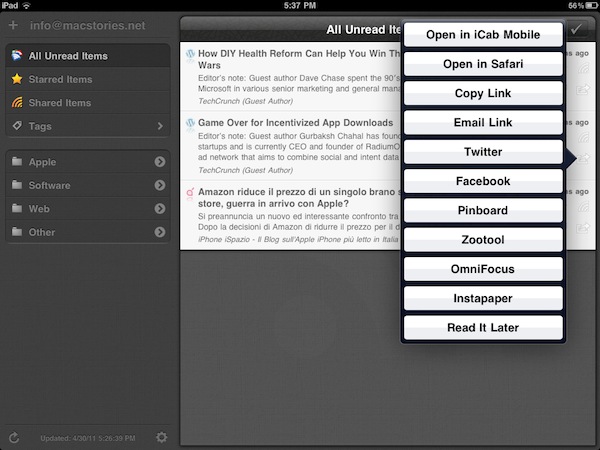
Mr. Reader, the RSS app I reviewed earlier this month, keeps getting better and aims at becoming the most powerful, yet elegant Google Reader client available on the iPad. The first version of Mr. Reader was so full-featured for being a 1.0 release that it made me consider placing it on my homescreen to see how I would go by in my daily workflow (which implies dealing with at least 500+ articles per day) without Reeder, the app I’ve used for months. Mr. Reader wasn’t perfect – it still isn’t – but it was one of those promising pieces of software that showed great things to come. The developer announced a major update was already in the works, and as I kept using Mr. Reader as the only feed reading app on my iPad I wondered would could get better, and whether my main complaints with the initial version would be addressed or not. The modal window for sync is still there, but Mr. Reader 1.1 is a huge update overall that makes navigating between unread feeds and getting things done with the app a more pleasing, productive experience.
Mr. Reader 1.1 can now send articles as “tasks” to OmniFocus and Things. In OmniFocus, you’ll get a task with the title already filled in, and the article’s URL in the notes. Mr. Reader is now deeply integrated with other iOS apps and web services: the app can forward items to iCab, Mercury and Atomic Web Browser, send articles to Diigo and, more importantly, it allows you to read in Readability view. Articles can be read in fullscreen mode (you can change this in the settings), Instapaper and Read It Later got an option to remove the confirmation dialog, and switching between the unread list and a single article has been improved with the implementation of the “pinch” gesture. I find myself really digging the possibility to tap on a headline to read the article in fullscreen, then pinch to go back to the main list – it feels very natural. As far as marking items as read goes, a new tap & hold action on the “mark as read” button allows you to automatically hide items older than 1,2,3 days or 1,2 weeks.
There are several minor improvements throughout the whole app as well. For instance, images can be saved to the camera roll, and the settings have been redesigned to host cleaner service configuration options (admittedly, Mr. Reader has a lot of services to play with). The reading panel in portrait has been tweaked to automatically slide back after hitting the “mark as read” button (a minor annoyance in the first version), and the font family can now be changed in the article view.
As I said above, Mr. Reader is definitely en route to become the most powerful RSS application on the iPad, and the most-integrated with third-party apps and services. If you didn’t try version 1.0, perhaps now it’s time to consider following this link and click the Buy button.
Safari “Reading List” Discovered In Lion, Apple Taking On Instapaper and Readability?
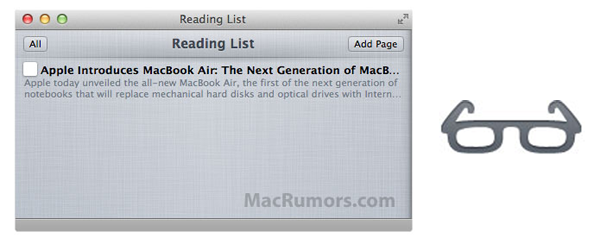
A new feature uncovered in OS X Lion by MacRumors reveals that Apple plans to take on “read it later” services such as ReadItLater, Instapaper and Readability. It has implemented a new bookmarking feature in that latest Lion builds of Safari that Apple is calling the “Reading List” and can be used by users to save pages for later reading. Apple describes it feature saying:
Reading List lets you collect webpages and links for you to read later. To add the current page to your Reading List, click Add Page. You can also Shift-click a link to quickly add it to the list. To hide and show Reading List, click the Reading List icon (eyeglasses) in the bookmarks bar.
The feature is currently hidden away in the latest OS X Lion build and no mention of the feature has yet been made by Apple in any of its announcements or documentation of Lion. One question certainly is about how robust the feature will be and whether it will become a service that synchronises the bookmarks across devices, including mobile devices. Marco Arment, the creator and developer of Instapaper, appears not to be to worrying about it so far and believes that “Instapaper would still have a market even if Apple implemented Reading List synced to iOS devices.”
[Via MacRumors]
Apple Releases New Update for Lion Developer Preview 2
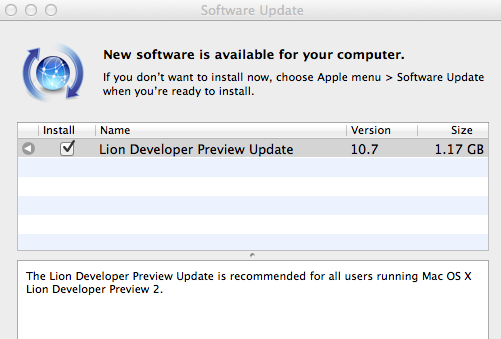
Alongside Xcode 4.1 Developer Preview 4, Apple also released another update for OS X Lion Developer Preview 2. The update weighs at around 1.17 GB and it’s available now in the Software Update control panel. It is recommended for all users running Lion DP 2.
Two weeks ago, Apple did the same and released a new build of Xcode 4.1 and the first update to Lion DP 2. The original Lion Developer Preview 2 was released in late March, and we’re expecting another major update before the WWDC, with a GM seed being seeded to developers in June. If you spot anything new in this update, leave a comment below. We’ll update this post with more notes as further details come in.
Update: MacRumors reports Lion build 11A444d has been seeded to developers.
Update #2: We’re hearing the new Lion update has a snappier Finder, a better UI for deleting apps from the Launchpad, and lots of design tweaks to changes introduced in the previous DP builds.
Xcode 4.1 Developer Preview 4 Released
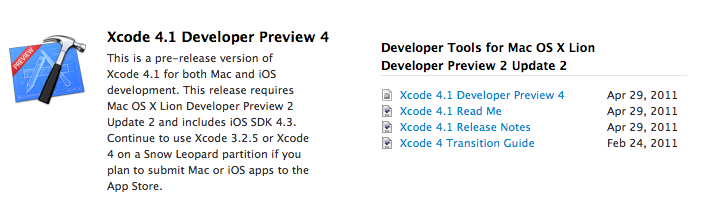
A few minutes ago Apple released an update to Xcode 4.1, which is required to build apps for OS X Lion. Xcode 4.1 Developer Preview 4 is available now in the Mac Dev Center, and we’re hearing Interface Builder added support for NSPopover and NSWindow animations in this build, among other enhancements and bug fixes.
The first build of Xcode 4.1 was released in February soon after the original Lion Developer Preview, with new builds following the schedule of Lion DP releases and updates.