Posts in news

Apple Releases Watch Band, Watch Face, and Wallpapers to Celebrate Pride Month

Source: Apple.

Source: Apple.

Apple has released its annual Pride Collection, including a new Apple Watch Pride Edition Sport Loop band, watch face, and iPhone and iPad wallpapers celebrating LGBTQ+ communities.

The commemorative Sport Loop uses 11 colors of nylon thread that blend the colors together in a unique way. As Apple’s press release puts it:

The intricate weaving blends one color into the next, creating depth and movement across the band. The resulting design is joyful and vibrant, showcasing a full spectrum of colors that reflect the unique identities that shape LGBTQ+ communities worldwide.

Source: Apple.

Source: Apple.

The watch face and wallpapers share a similar style of gradient strips of bright colors radiating out from the watch face’s analog clock design and in vertical strips on the wallpapers.

As usual, Apple’s designers have done great work with the band, watch face, and wallpapers. There’s a vibrancy and energy to them that brings them to life.

The Apple Sport Loop is available to order today online and in the Apple Store app for $49 and will be in retail stores later this week. The watch face and wallpapers will be available as soon as the 26.5 releases of watchOS, iOS, and iPadOS are released to the public.


Coming Soon: What’s Next on Apple TV and Apple Arcade in May 2026

It’s a new month and it’s F1 season, which means it’s time for a roundup of everything coming to Apple TV and Apple Arcade in May 2026.

This month we’re adding F1 and other sports airing on Apple TV this month, starting with tomorrow’s Miami Grand Prix, and continuing below with the Canadian Grand Prix and Friday Night Baseball at the end of the month.

Let’s dive in.

F1: The Miami Grand Prix (Tomorrow, May 3)

Source: Apple.

Source: Apple.

Sunday will see the very first U.S.-based race of the 2026 Formula 1 season in Miami, Florida. In addition to Sunday’s race, Apple TV subscribers can watch qualifying round coverage beginning today at 3:25 PM Eastern U.S. time, with qualifying beginning at 4 PM and the race itself beginning at 4 PM Eastern Sunday.

Apple has also created a 3D view of the race track in Apple Maps, a Maps Guide of local hot spots for race attendees, an Apple Music playlist that Apple says captures the energy and excitement of F1, and many other race weekend tie-ins you can check out in this Apple press release.

Add to Your Calendar:

Apple Arcade

Apple Arcade is debuting four games this month on Thursday, May 7:

Perchang World (Release Date: May 7)

The game I’m most excited about this month is Perchang World, an update to a classic indie game first released about a decade ago. The version debuting on Apple Arcade for iPhone, iPad, Mac, and Apple TV is an evolution of the original physics puzzler that requires you to use a variety of switches and platforms to guide balls through the game’s brightly-colored, playful environments. The game is narrated by British comedian James Acaster, who judging from the game’s trailer, adds a great sense of humor and fun.

Add to Your Calendar:

Ultimate 8 Ball Pool+ (Release Date: May 7)

Source: Apple.

Source: Apple.

If you’re a fan of pool, Ultimate 8 Ball Pool+, an Arcade adaptation of the HypGames’ App Store version will be available for Arcade subscribers on May 7 too. The game features photorealistic graphics and 3D perspectives as well as one-on-one multiplayer, tournaments, trickshot challenges, and more.

Add to Your Calendar:

Nick Jr. Replay! and Good Pizza, Great Pizza+

Next Thursday, Apple Arcade will also release Nick Jr. Replay!, a family-friendly game starring characters from Nick Jr. shows like Dora the Explorer and Blue’s Clues & You! and over 50 minigames designed to help kids with math, reading, art, and other learning skills. Finally, Good Pizza, Great Pizza+ is an adaptation of an App Store game, but without In-App Purchases. The game is a cooking simulator where your goal is to take orders, bake pizzas and get them to customers.

Apple TV Shows and Movies

Unconditional (May 8, 2026)

Unconditional promises to start May off with a bang. The brand new thriller follows Orna, whose daughter Gali is arrested for drug smuggling in Russia. The eight-episode show follows Orna as she fights for her daughter’s freedom, which pulls her into the dangerous criminal underground of Moscow.

Add to Your Calendar:

Maximum Pleasure Guaranteed (May 20, 2026)

Maximum Pleasure Guaranteed is a dark comedy/thriller starring Tatiana Maslany as a newly divorced mom who believes she witnesses a murder. Deciding to investigate what happened, Maslany’s character, Paula, is drawn into what appears to be a dangerous larger conspiracy, while also dealing with a battle over custody of her child.

Add to Your Calendar:

Star City (May 29, 2026)

Star City is Apple’s For All Mankind spinoff. Based on the same alternative history events where the Russians land on the moon before America, the show follows the story from the perspective of the Russians. The eight-episode show follows Russia’s cosmonauts, scientists, engineers, and government officials as they race to the moon.

Add to Your Calendar:

Propeller One-Way Night Coach (May 29, 2026)

Source: Apple.

Source: Apple.

Propeller One-Way Night Coach is an Apple Original movie based on a 1997 children’s book of the same name. The film, which is John Travolta’s first directorial credit, follows Jeff, who loves airplanes, and his mother as they travel to Hollywood. Their one-way journey transforms everyday travel into an adventure filled with an unusual cast of characters.

Add to Your Calendar:

Live Sports Events

Canadian Grand Prix (May 22-24, 2026)

Source: [F1](https://www.formula1.com/en/racing/2026/canada).

Source: F1.

Round 5 of the 2026 Formula 1 season will take place against the skyline of Montreal, Canada from May 22-24. The semi-permanent 4.36 km track is on Île Notre-Dame, a man-made island in the St. Lawrence River. F1 racing on Circuit Gilles Villeneuve began in the late 70s and has a reputation of unpredictable weather that can cause chaos on the track.

Add to Your Calendar:

Friday Night Baseball

Source: Apple.

Source: Apple.

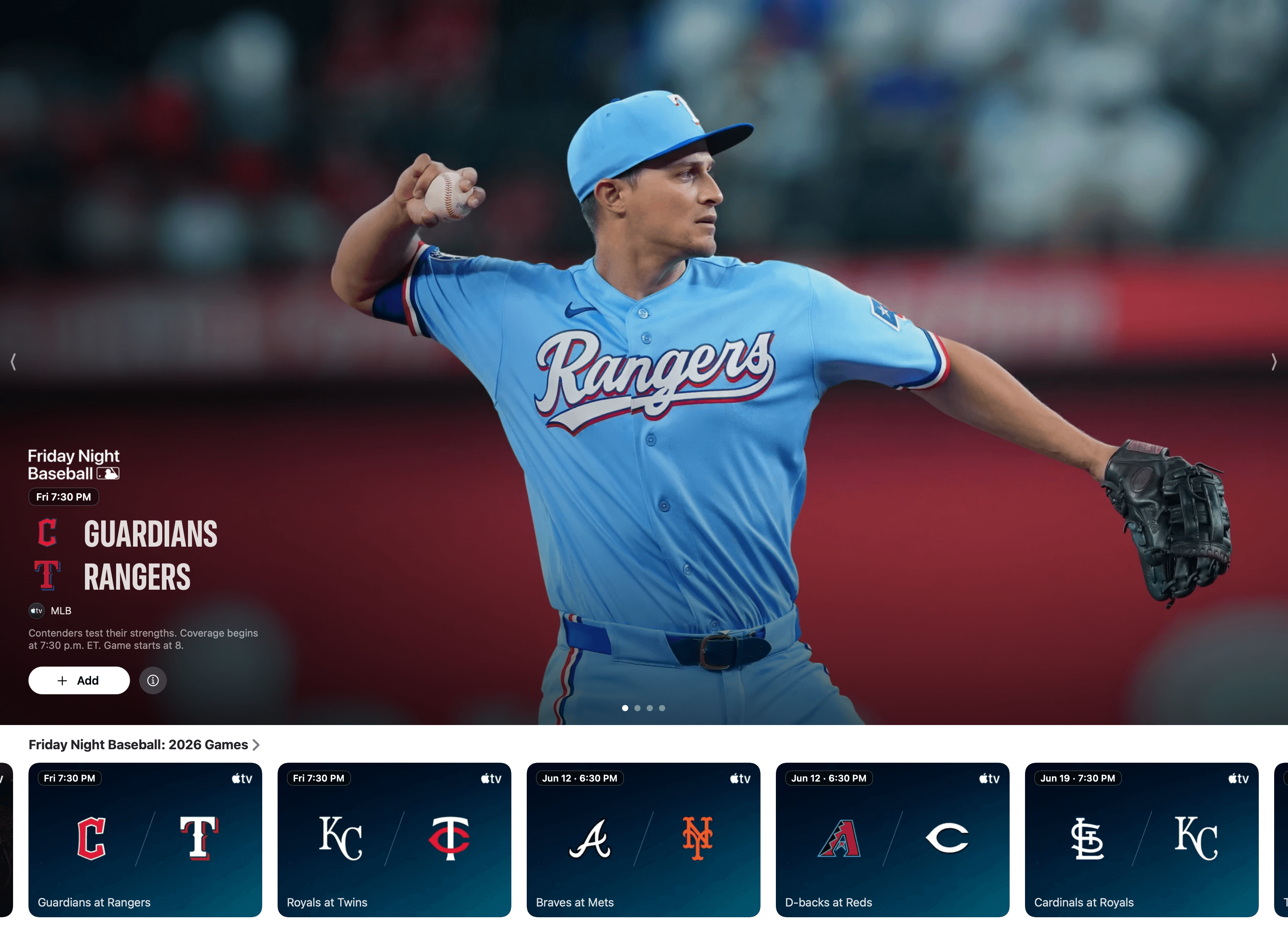
It’s hard to believe that Apple is in the midst of its fifth Friday Night Baseball season. In May, viewers will be treated with the following two game lineup every Friday:

  • May 8
    • Minnesota Twins at Cleveland Guardians (7:00 PM Eastern)
    • St. Louis Cardinals at San Diego Padres (9:30 PM Eastern)
  • May 15
    • Toronto Blue Jays at Detroit Tigers (6:30 PM Eastern)
    • New York Yankees at New York Mets (7:00 PM Eastern)
  • May 22
    • Houston Astros at Chicago Cubs (2:00 PM Eastern)
    • Detroit Tigers at Baltimore Orioles (7:00 PM Eastern)
  • May 29
    • Minnesota Twins at Pittsburgh Pirates (6:30 PM Eastern)
    • Philadelphia Phillies at Los Angeles Dodgers (10:00 PM Eastern)

That’s it for May. I’m personally looking forward to Perchang World and Star City the most. If you’re a Club MacStories Plus or Premier member, drop by the TV and Movies channel in Discord to chat about what you’re looking forward to from Apple TV this month, and be sure to listen to MacStories Unwind, where I’m sure Federico and I will cover some of these shows and games, along with our other media recommendations every week.


Podcast Rewind: App Gaps Filled, GameCubes Emulated, Quick Reads Released, Holidays Bridged, and Craig Hockenberry Interviewed

Enjoy the latest episodes from MacStories’ family of podcasts:

AppStories

This week, John and Federico cover Apple’s executive transition, follow up on OpenAI’s super app, share the apps they’re looking for, and give each other suggestions on how to fill their app gaps.

On AppStories+, we round up the tools we’ve built for ourselves that fill gaps we haven’t found apps for.

NPC: Next Portable Console

This week, OnePlus makes a phone controller with only triggers, Tico 0.7.0 brings GameCube and Wii emulation to the Switch, Ayn raises prices, and Steam comes to Android via ROCKNIX.

On NPC XL, Brendon shares his experience installing ROCKNIX and Steam on the Ayn Odin 2 M

First, Last, Everything

Jonathan is joined by Craig Hockenberry, a longtime software designer and developer at The Iconfactory, known for building influential Mac and iOS apps like Twitterific, Tapestry, and Tot.

Comfort Zone

Matt has released Quick Reads, Niléane has entered her M5 (and Jonny Ive) era, and the whole gang throws their monitors away in favor of that laptop life.

On Cozy Zone, the gang tier lists the Olympic logos from 2000 through 2036. (Yes, 2036!)

MacStories Unwind

This week, Federico and John get ready for the summer with a conversation about vacation bridging, bringing your dog to the beach, and cooling off in the mountains. Then, John shares a blockbuster movie recommendation and a movie bundle deal.

Read more


Apple Reports Q2 2026 Revenue of $111.2 Billion

Today, Apple reported its 2026 Q2 earnings, posting quarterly revenue of $111.2 billion.

Apple CEO Tim Cook had this to say of the results:

Today Apple is proud to report our best March quarter ever, with revenue of $111.2 billion and double-digit growth across every geographic segment. iPhone achieved a March quarter revenue record, fueled by such extraordinary demand for the iPhone 17 lineup. During the quarter, Services achieved yet another all-time record, and we were excited to introduce remarkable new products to our strongest lineup ever. That included the addition of the iPhone 17e and the M4-powered iPad Air, along with the launch of MacBook Neo, which is captivating customers all around the world.”

As CFO Kevan Parekh noted in Apple’s press release, today’s results include the generation of over $28 billion in operating cash flow.

Going into today’s earnings call CNBC reported that analysts expected strong iPhone growth:

Analysts expect 15% year-over-year revenue growth at Apple from $95.4 billion a year earlier. The main driver is the iPhone, with Wall Street looking for a 20% jump in annual sales, thanks largely to the popularity of the iPhone 17, which went on sale last year.


Podcast Rewind: Steam Controllers on a Boat, Life with the MacBook Neo, North Carolina BBQ, and an Interview with Nate Parrott

Enjoy the latest episodes from MacStories’ family of podcasts:

AppStories

This week, we draw from Federico’s experience creating the Apple Frames 4 shortcut and CLI to discuss the multiplier effect that AI agents can have in the hands of someone with deep domain expertise.

On AppStories+, we share our AI agent mishaps and horror stories along with additional details on a John’s ongoing HomeKit makeover project.

NPC: Next Portable Console

This week, TrimUI’s slow drip of details on the Brick Pro continues, shipping manifests suggest the Steam Controller may beat the Steam Machine to market, and OnePlus makes a strong bid for weirdest handheld announcement of 2026.

Then on NPC XL, Federico reports on his trip to Romics and the trading card takeover of Italian comic-cons, plus how not to sell a “pristine” Nintendo DS.

First, Last, Everything

Jonathan is joined by Nate Parrott, a designer and coder known for his work as a founding designer at The Browser Company, working on Arc. He also creates playful software and apps that blend utility with whimsy.

Comfort Zone

Chris and Matt are on their own this week and do a deeper dive into the MacBook Neo after a month using it. Do they still love it? Hate it? Probably somewhere in the middle, huh?

On Cozy Zone, the gang tier lists macOS default wallpapers, and you just know someone’s going to have some very wrong opinions.

MacStories Unwind

This week, John schools Federico on the differences between Eastern and Western North Carolina BBQ before they both share several TV show and album picks for the weekend.

Read more


OpenAI Targets Coding and Knowledge Work with Its New GPT-5.5 Model

OpenAI announced GPT-5.5 and GPT-5.5 Pro today, which it says are faster and able to work more autonomously than the company’s previous models. It’s a message that is sure to interest business users whether their goal is accelerating software development or increasing productivity more generally. Some of the areas that OpenAI says GPT-5.5 and GPT-5.5 Pro excel at include:

  • writing and debugging code;
  • analyzing data;
  • conducting web research;
  • creating business documents such as spreadsheets and presentations;
  • using apps; and
  • juggling multiple tools.

In its press release, OpenAI claims that:

The gains are especially strong in agentic coding, computer use, knowledge work, and early scientific research—areas where progress depends on reasoning across context and taking action over time. GPT‑5.5 delivers this step up in intelligence without compromising on speed: larger, more capable models are often slower to serve, but GPT‑5.5 matches GPT‑5.4 per-token latency in real-world serving, while performing at a much higher level of intelligence. It also uses significantly fewer tokens to complete the same Codex tasks, making it more efficient as well as more capable.

I haven’t tried either model yet, but early reactions seem to support OpenAI’s claims that GPT-5.5 understands user intent better, requiring less precise instructions. The company says it is better at using the tools at its disposal, and checking its own work, too. OpenAI says the Pro model takes that up a notch, working faster on more complex tasks, such as programming, research, and document-intensive workflows. Whether the early hype translates into real-world gains that are noticeable in everday work, remains to be seen, but we shouldn’t have long to wait though, since GPT-5.5 is rolling out to users now.

GPT-5.5 is available in ChatGPT and Codex to Plus, Pro, Business, and Enterprise subscribers, and GPT-5.5 Pro is limited to Pro, Business, and Enterprise subscribers in ChatGPT. Neither model is available through OpenAI’s API, but the company says they will be soon.


Apple’s Executive Leadership Transition Announced

Source: Apple.

Source: Apple.

Apple today announced major changes to its executive leadership team. In short, John Ternus will become CEO, Tim Cook will become the Executive Chairman of the company’s board of directors, and Johny Srouji is chief hardware officer effective immediately.

Ternus, who is Apple’s senior vice president of Hardware Engineering, will fill the CEO role beginning on September 1, 2026. Between now and then, Cook will remain CEO and work with Ternus on his transition to CEO. As expected, Cook’s duties as Executive Chairman will include working with policymakers worldwide on behalf of the company. For his part, Srouji will become chief hardware officer effective immediately, taking on Ternus’ previous role with Hardware Engineering, as well as leading the hardware technologies organization.

Tim Cook had this to say of his time as CEO and Ternus’ appointment:

It has been the greatest privilege of my life to be the CEO of Apple and to have been trusted to lead such an extraordinary company. I love Apple with all of my being, and I am so grateful to have had the opportunity to work with a team of such ingenious, innovative, creative, and deeply caring people who have been unwavering in their dedication to enriching the lives of our customers and creating the best products and services in the world. John Ternus has the mind of an engineer, the soul of an innovator, and the heart to lead with integrity and with honor. He is a visionary whose contributions to Apple over 25 years are already too numerous to count, and he is without question the right person to lead Apple into the future. I could not be more confident in his abilities and his character, and I look forward to working closely with him on this transition and in my new role as executive chairman.

And, from John Ternus:

I am profoundly grateful for this opportunity to carry Apple’s mission forward. Having spent almost my entire career at Apple, I have been lucky to have worked under Steve Jobs and to have had Tim Cook as my mentor. It has been a privilege to help shape the products and experiences that have changed so much of how we interact with the world and with one another. I am filled with optimism about what we can achieve in the years to come, and I am so happy to know that the most talented people on earth are here at Apple, determined to be part of something bigger than any one of us. I am humbled to step into this role, and I promise to lead with the values and vision that have come to define this special place for half a century.

Source: Apple.

Source: Apple.

Although Ternus will no longer be running Hardware Engineering, it’s in good hands with Srouji, a pivotal figure in the transition to Apple silicon. As Tim Cook noted:

Johny is one of the most talented people I have ever had the privilege to work with. He has played a singular role in driving Apple’s silicon strategy, and his influence has been felt deeply not just inside the company, but across the industry. He has always led his organization with remarkable deftness and judgment, and time and again, his team has delivered breakthrough innovations that have transformed our products. We are incredibly fortunate to have him as Apple’s chief hardware officer.

Finally, be sure to read Tim Cook’s personal note to the Apple community. Cook is the CEO of one of the largest corporations in world history, but he’s also an individual, and it’s notes like this from Tim Cook the person that make Apple a special company:

This is not goodbye. But at this moment of transition, I wanted to take the opportunity to say thank you. Not on behalf of the company, this time, though there is a wellspring of gratitude for you that overflows inside our walls. But simply on behalf of me. Tim. A person who grew up in a rural place in a different time and, for these magical moments, got to be the CEO of the greatest company in the world. Thank you for the confidence and kindness you’ve shown me. Thank you for saying hi to me on the street and in our stores. Thank you for cheering alongside me when we unveiled a new product or service. Thank you, most of all, for believing in me to lead the company that has always put you at the center of our work. Every day we get up and think about what we can do to make your life a little bit better. And every day, you’ve made mine the best I could have asked for.

2026 is shaping up to be a very big year for Apple and we’re just four months in. Hang on everyone.


Podcast Rewind: Everything Apps, the RG Rotate, Pet Tech, TV Heists, and an Interview with Simon Pittman

Enjoy the latest episodes from MacStories’ family of podcasts:

AppStories

This week, we return to a topic that’s an old favorite: the Everything App in honor of OpenAI’s announcement that they are building a Super App.

On AppStories+, Federico consolidates the tools and services he uses.

NPC: Next Portable Console

This week, the SN Operator is delayed, an Ayn Odin non-drama, a new contender for weirdest handheld of 2026, even more on the RG Rotate, and how we find retro game shops.

On NPC XL, John and Brendon revisit the Ayn Thor six months later to check on how it’s going.

First, Last, Everything

Jonathan is joined by Simon Pittman, the tech and productivity creator behind ‘Better Creating’, known for teaching practical systems, thoughtful workflows, and how best to use tools like Notion and AI.

Comfort Zone

Matt has a new writing app, Niléane is becoming a true audiophile, and everyone tries to find Chris the best pet tech for his soon-to-be new puppy.

On Cozy Zone, the gang tier lists macOS default wallpapers, and you just know someone’s going to have some very wrong opinions.

MacStories Unwind

This week, pets, pints, Hue smart plugs, and a heist TV show.

Read more


OpenAI Unveils Codex “Superapp” Update with Computer Use, Automations, Built-In Browser, and More

Source: OpenAI.

Source: OpenAI.

Today, OpenAI introduced a long list of productivity and coding updates to Codex. I haven’t had a chance to try the new features myself yet, but the demo OpenAI gave me was as impressive as the company’s message was clear: Codex isn’t just for coders anymore.

It was just over a week ago that OpenAI raised $122 billion in financing and announced it was shifting its focus to building a superapp that brings the capabilities of its models into a unified experience. It turns out that app is Codex, OpenAI’s app that, until today, was focused primarily on developing software.

However, according to OpenAI, 50% of Codex’s users were already giving it non-coding tasks to complete. Combined with the OS flexibility of a desktop environment, that made Codex the natural place to bring together a wide range of new productivity and coding features.

On the productivity side of things, the update allows Codex to operate your desktop apps, interacting with interface elements and inputting text, for example. We’ve seen computer use from other AI companies before, but one thing that sets Codex apart is its ability to work in your apps in the background so they don’t steal the focus from whatever app you’re already using.

Codex's built-in browser. Source: OpenAI

Codex’s built-in browser. Source: OpenAI

OpenAI has drawn aspects of its Atlas browser into Codex, too. This allows Codex to prototype websites and apps that users can comment on in-line, creating a tight feedback loop for refining designs. Currently, this feature is limited to running sites and apps via a local server setup, but OpenAI says it will be extended to incorporate actions like interacting with the greater Internet, taking screenshots, and stepping through user flows in the future.

Plugins are taking a big leap forward as well, with over 100 being added to the mix. Like the Claude plugins that Anthropic offers, Codex plugins are composed of a bundle of skills, app integrations, and MCP servers. According to OpenAI, the list includes many popular third-party tools and services like the Microsoft suite, Atlassian Rovo, CodeRabbit, Render, and Superpowers. One of my favorite moments in the Codex demo I saw was a prompt that simply asked, “Can you check Slack, Gmail, Google Calendar, and Notion and tell me what needs my attention?” It’s the sort of query that I think a lot of people can relate to as they start a busy day, and it’s all driven by stacking multiple plugins.

Plugins in action. Source: OpenAI.

Plugins in action. Source: OpenAI.

OpenAI is also testing an enhancement of Codex’s memory feature as a preview that learns from you as you work. Codex will pick up on your preferences, corrections you make, and context from the tasks you give it. This is the sort of feature that is hard to demo, so I don’t have a good sense for it yet, but I expect that over time, its practical utility will become more clear.

One place OpenAI says Codex’s enhanced memory system will help is with new proactive suggestions. As the app learns your preferences and work patterns, it will offer suggestions on what to do next or where to pick up where you left off. Again, how well this will work in practice remains to be seen, but this is exactly the sort of thing that has made OpenClaw so popular. Having an agent that understands your preferences and accesses your messages, files, and other data in a proactive way can be incredibly useful if done well.

Automations. Source: OpenAI.

Automations. Source: OpenAI.

Automations have been expanded, too, allowing Codex to use past threads and schedule tasks over days or weeks. These heartbeat automations stay in the same Codex thread and can be modified by the model itself, allowing it to schedule its own follow-ups – again, very much like OpenClaw.

Also new to Codex is support for gpt-image-1.5 for creating image assets as part of workflows like creating presentations, website mockups, and product concepts.

Developers get new sidebar tools and more. Source: OpenAI

Developers get new sidebar tools and more. Source: OpenAI

Although the focus of today’s update is on productivity, developers haven’t been forgotten. New development features include:

  • Fast frontend iteration using a combination of the in-app browser, computer use, and image generation tools;
  • Multiple terminal tabs;
  • A file sidebar for previewing PDFs, spreadsheets, slides, and other formats;
  • GitHub PR review support, allowing for review of comments inside Codex;
  • A summary pane that tracks plans, sources, and artifacts in a single view; and
  • Remote devbox SSH, an alpha feature for connecting to remote development environments.

That’s a lot, but with more than three million users per week, Codex has proven its popularity well beyond its core coding audience. I’m still skeptical about how much functionality a single app can support, especially when OpenAI addresses the mobile market. I also wonder whether Codex’s productivity and developer tools can coexist without alienating some segment of the app’s users. However, proactive automation of busy work and sifting through mountains of messages and other data is precisely what I’ve wanted from Codex from the start. I’ve seen what it can do when I’m working on a script or app and can’t wait to apply that to my everyday work, too.

Today’s Codex update is available in the desktop app to users with a signed-in ChatGPT account. Computer use is a Mac-only feature at launch (undoubtedly thanks to macOS’s deep accessibility support that was the basis of the same sort of computer use magic we saw in Sky, which was acquired by OpenAI last year), and a rollout of the new features will happen in the EU later. Personalization features like proactive suggestions and the memory enhancements will be coming to Enterprise, Edu, and EU users soon, too.