Posts in news

Google Drive App with Document Editing Now Available

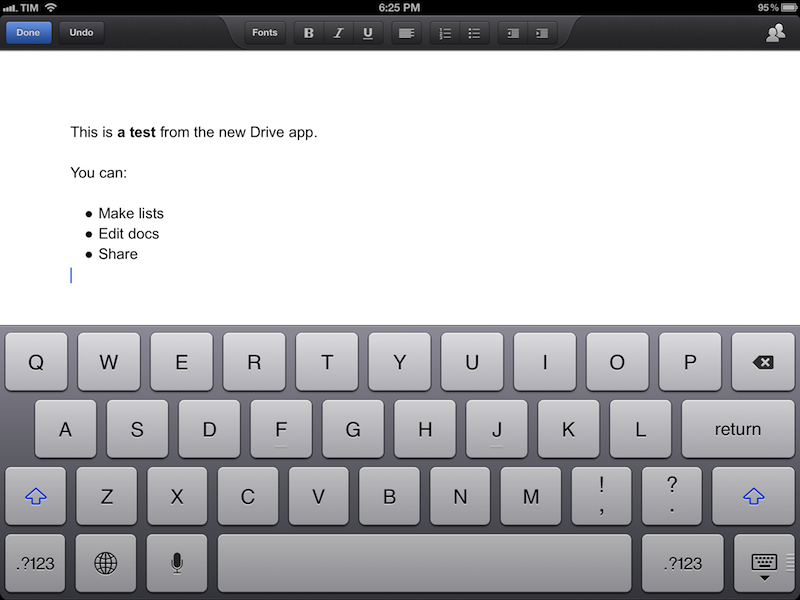
The official Google Drive app for iOS, available for free on the App Store, has been updated today to include support for editing documents directly on an iPhone or iPad. A major new feature of the app, users can now create new documents, edit them, format them, and share them with collaborators; the interface is reminiscent of Apple’s Pages word processor, with a formatting bar at the top to make text bold, italic, or underlined, insert lists, format paragraphs, and more.

In my tests, I have noticed the typing speed of the app’s cursor isn’t nearly as smooth as Apple’s Pages. Somehow, it feels like writing text inside a web view – there is a small delay between hitting a key and seeing a letter appear on screen – in spite Drive’s native nature. The aforementioned delay in typing is substantial enough to be noticed immediately and, I believe, could become an annoyance for many over time. However, it is quite impressive to see how Google managed to integrate live editing inside a document: if you’re collaborating with someone, you’ll see a green cursor appear on screen, typing words in real-time. You can also try this by opening the same document with your account on multiple devices and see what happens.

The formatting I applied on the iPhone and iPad correctly carried over to the web interface, which, obviously, still has more features, such as image uploading and easier link insertion. On iOS, you can’t paste images from, say, the Photos app onto Drive’s editing window; at least, however, Google implemented a font-picking menu with possibility to choose text and background color.

Also noteworthy in this update is the option to move files and delete them. Photos and videos can be uploaded directly from the iOS Camera roll (you can also create new ones with a Camera menu) and, if you use presentations, you should see richer animations and speaker notes (I haven’t been able to test this feature).

Overall, while not as fluid and responsive as Apple’s Pages, Drive’s document editing offers some solid online collaboration functionalities and decent formatting options. Personally, I don’t use Drive for file storage, so I was only interested in checking out the document editing aspect, and I didn’t came away disappointed by it. I wish that in a future update Google will figure out a way to integrate online editing while improving typing responsiveness, which isn’t that great right now.

You can get the app for free on the App Store. Read more


Apple Preps Yerba Buena For Next Week’s iPhone Event

Less than a week ahead of next week’s media event, rumored to be focused on the next-generation iPhone, Apple has started decorating the Yerba Buena Center for the Arts with its typical banners to indicate the upcoming event. Earlier this week, Apple sent invitations to the press for the event they will hold in San Francisco on September 12th, starting at 10 AM PST.

As usual, our friend @SteveStreza has managed to capture a series of photos of the work in progress at Yerba Buena.

Update: We’ve had a go at recreating the poster after it was discovered that the poster was created by stretching iPhone app icons vertically.

We are updating this post with more photos of Apple’s banners at the Yerba Buena Center past the break — these banners are typically of little indication of what the company will announce, but they’re always interesting to check out, if anything from a design standpoint.

Read more


Adobe Photoshop Touch Now Retina Ready

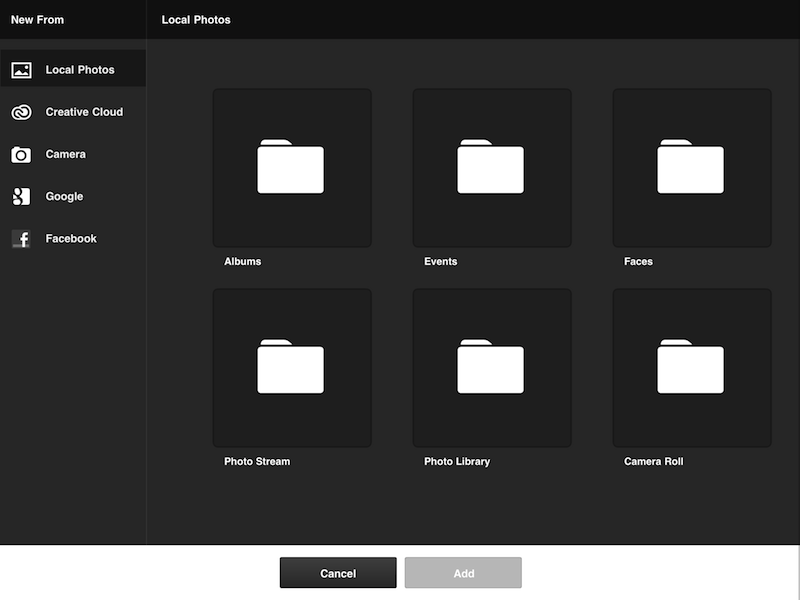
Released in February, Photoshop Touch, Adobe’s mobile version of the popular desktop photo editing software, has been updated today to include Retina support on the third-genereation iPad.

When the new iPad came out in early March, early adopters lamented the fuzziness of graphics and images of the then just-released Photoshop Touch; the lack of high resolution mode was particularly concerning because, as the market leader when it comes to photo retouching and image creation, many thought Adobe would do better, shipping a version of its app ready for the Retina display (as many indie developers did).

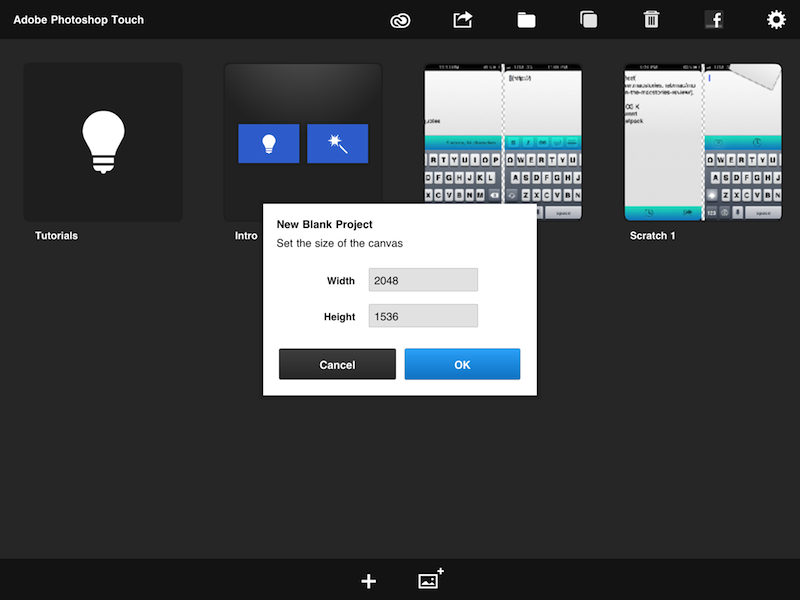
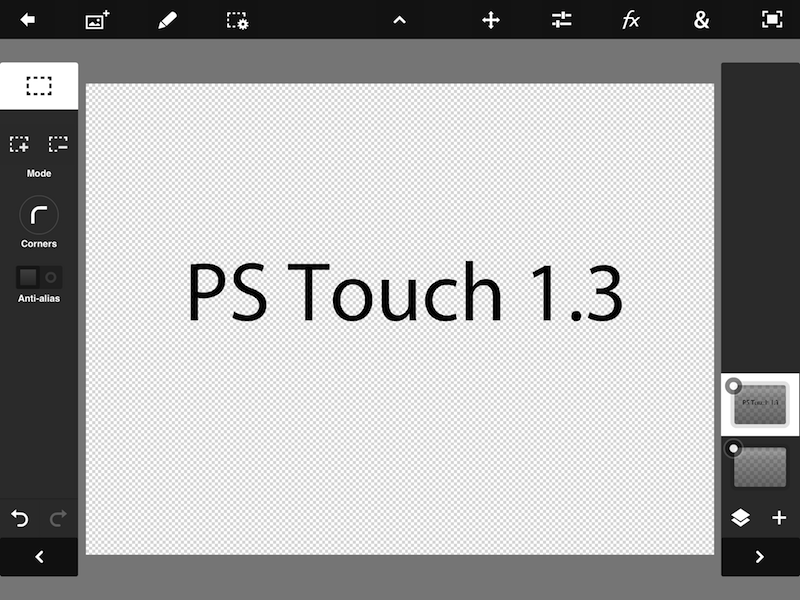
Today’s version 1.3 brings Retina display support with updated graphics (though some menus, like the font-picking one, are still low-res), and support for high resolution images; the app now supports images up to 12 megapixels and allows you to work on them maintaining the highest quality settings. Admittedly, while the app could produce and edit on the iPad’s Retina display, working with surrounding fuzzy UI elements wasn’t the best experience, and it’s good to see Adobe (finally) improving the app with up-to-date features.

Alongside support for the Retina display, Photoshop Touch 1.3 brings two new effects, faster animations (the app does seem snappier in navigating content), integration with Photo Stream, and addiitonal minor fixes and improvements.

Adobe Photoshop Touch is available at $9.99 on the App Store. Check out our original review of the app.


Apple Confirms: Media Event on September 12


As first reported by The Loop’s Jim Dalrymple, Apple just sent out invitations to the press for a media event taking place on September 12 in San Francisco. The event will take place at the Yerba Buena Center for the Arts at 10:00 AM.

Apple is widely rumored to be introducing the next-generation iPhone at the event. As it can be seen in the invitation’s graphic, the shadow of the number “12” is a actually a “5”, suggesting the new iPhone will, indeed, be called “iPhone 5”. In recent months, there has been a lot of speculation as to whether Apple would call the new device simply “the new iPhone” (following “the new iPad” earlier this year), although some suggested “iPhone 5” would make more sense in terms of marketing considering the previous 4/4S monickers. However, others noted that, because the new iPhone would be the sixth generation model, the “iPhone 6” name would be more appropriate.

Obviously, the invite’s image is only a hint of a possible product name, but a strong one nevertheless. If previous invites are of any indication (see “let’s talk” as related to Siri last year), there’s a good chance the device will be called “iPhone 5”.

Lately, a lot of purportedly “leaked” parts of the new device have also pointed to a major redesign featuring a taller screen, thinner and lighter design, new speaker and dock connector, and more powerful A6 processor. iMore was first to report weeks ago about the future redesigned dock connector and September event. According to the website, the new iPhone should go on sale on September 21.

The next major version of iOS, iOS 6, is also currently being tested by developers, and it’s expected to become publicly available a few days before the launch of the next iPhone.


Rovio Announces New “Bad Piggies” Game To Launch This Month

Finnish videogame maker Rovio has announced “Bad Piggies”, a spin-off of the popular Angry Birds franchise that will let users play from the pigs’ perspective. Titled “Bad Piggies” and set to launch later this month, the game will shift the focus from the birds – typically, the main characters – to the pigs. It is unclear how this will translate in terms of game mechanics, but Rovio promises “never-before-seen gameplay” without slingshots, Angry Birds’ tools to complete levels and clear them of pigs, the enemies.

There’s a lot of empathy towards the lovable enemies from the Angry Birds games, and we’ve been constantly asked: what about the pigs’ side of the story?” said Mikael Hed, CEO of Rovio. “Bad Piggies gives you the chance to play as the second-most-loved characters in the Angry Birds universe, and explore this rich world through their green eyes.

After the modest success of Amazing Alex – a new IP from Rovio based on the acquisition of a game previously called “Casey’s Contraptions” – Rovio kept on releasing updates to Angry Birds, adding new levels and options for free. Earlier this year, Rovio launched a new version of Angry Birds called “Space”, which was downloaded over 100 million times in just 76 days. Also earlier this year, back in May, Rovio announced the billionth download for the Angry Birds franchise, and reported revenue of over $100 million for the fiscal year 2011.

As a side note, an Angry Birds version featuring the pigs’ point of view was rumored all the way back in November 2010.

Bad Piggies will launch on Thursday, September 27, on iOS, Mac, and Android. A teaser website is available here.


August 2012 In Review

August has been the lull between July’s Mountain Lion release and September’s inevitable iPhone announcement. But that’s not to say it was a quiet month - it certainly wasn’t. On the news front, we saw Apple and Amazon reacting to Mat Honan’s ‘epic hacking’, the first Mountain Lion update, internal promotions at Apple and of course - the verdict in the Apple v. Samsung trial. August also saw big Pixelmator, Things, Instagram, Drafts and Buzz Contacts app updates amongst a bunch of other updates and new release apps. Finally, in the stories department, we wrote up a bunch of how-to’s and I talked about the rise of third party services and fall of Google in iOS. Be sure to stay tuned this September, it’s going to be a big month.

You can review past ‘Month In Review’ posts here.

The Highlights


Everything Else


Kindle for iOS Updated To 3.2 with Adjustable Margins

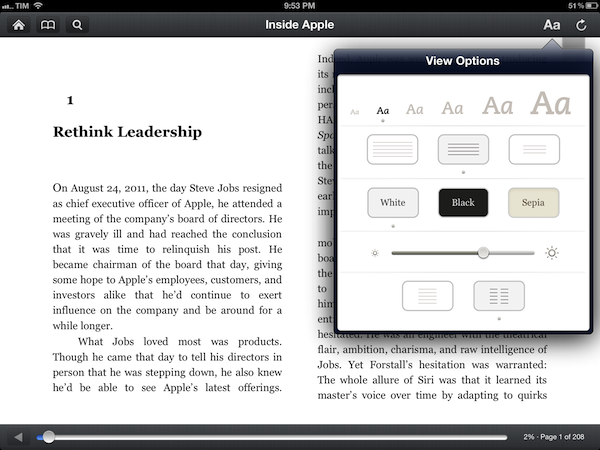
The official Kindle app for iOS has been updated to version 3.2. Following the redesign introduced with version 3.0 last March, the app was heavily criticized for its implementation of wide margins, which was eventually fixed with an update earlier this summer. Now, the app has been updated with a new setting to control “adjustable margins”. You can choose between three different layout options, as pictured above. The option is available on the iPad from the View Options menu, which also includes settings for font size, brightness, and background color.

Speaking of brightness, Amazon says the control slider has been updated to be more responsive and optimized for “better viewing”. The app’s changelog also focuses on “rapid highlights”, a way to mark important passages of a book for future reference that had been implemented by almost any other eBook reader or PDF viewer on the App Store. This option is available under “My Notes & Marks” in the Go To menu.

Among other changes for Print Replica Textbooks, Kindle 3.2 looks like a solid update that addresses a common annoyance of the app. You can find the update on the App Store.


Buying a New iPad or iPhone? Have an Apple Specialist Walk You Through the Latest Features over the Internet.

Apple’s 375 Apple Retail Stores have drawn 3 million customers so far during this past fiscal year, serving upwards of 50,000 people at Genius Bars everyday around the world according to The Loop. Apple’s Retail Stores, which accounted for 14 billion in sales the last fiscal quarter, are Apple’s nexus to the consumer. Every store gives customers the opportunity to interact with Apple’s products, talk with (in my experience pleasant) Specialists who can answer questions, and get support for their products at the Genius Bar at the back of the store. While Apple Support already extends beyond the store by phone and through company’s website via online experts, FAQs, documents, tutorials, and e-mail (just to name a few), getting hands-on with a product before it’s purchased is more challenging. While Apple’s product pages — well designed and often showcasing the product’s features through slides, animated images, and galleries — give customers a sense of what they’re buying, there’s nothing like actually seeing how a real person is using the product (and you wonder why there are so many homemade reviews on YouTube).

Apple’s Specialists are now online and ready to answer a customer’s pending questions about their next iPhone or iPad, at least in a few countries as of this morning. According to The Next Web and Pocket-lint, online shoppers who browse Apple’s Online Store in Brazil, Germany, Spain, and the United Kingdom now have access to a personalized shopping experience for the iPad and iPhone. The new online service is expected to roll out to more countries soon.

Visit the iPad or iPhone pages on the Apple Online Store, then click the Ask Now button to see your options for contacting a trained Apple Specialist.

For customers shopping for an iPad or an iPhone who might not have an Apple Retail Store nearby or who don’t have the time to stop by a store, an online Apple Specialist can show you how the product works in real time via screen sharing. You’ll be able to ask Specialists questions in a chat panel, then get a demonstration of how a feature works via video. Apple’s goal is to help you make the right purchasing decision, then if desired, schedule an appointment to help you set up the device as you follow along with a Specialist in real time.

Always on the bleeding edge of retail, Apple continues to innovate and improve upon their shopping experience by going the extra mile and putting customers above the product. For Apple, it’s not just about making the sale, but about making connections with people and providing customers with a convenient shopping experience. If you thought Apple turned the idea of personal shopping on its head with EasyPay, delivering online screen sharing demonstrations by real people (at scale!) is equally, if not more, impressive. For an early look at the new service, visit Apple’s UK page for more information.

[Pocket-lint via The Next Web]


Tweet Marker Plus Relaunches As Watermark, Adds Support For App.net

Manton Reece’s Tweet Marker Plus, a service to index Twitter and provide filtering and search tools, has been relaunched as Watermark. As explained by Reece in a post on his personal blog, the new name wants to reflect the “gradual move away from Twitter and syncing”. Initially launched as a free service, Tweet Marker has been integrated as a syncing solution in dozens of Twitter clients such as Tweetbot and Twitterrific. The Plus version, launched in April, built on the success of Tweet Marker to offer a web interface for Twitter timelines, fully indexed by day and searchable outside of the Twitter platform. I wrote:

The most visible feature of Plus, the web timeline, is very straightforward, but I believe it’ll prove to be a worthy addition for, say, those users who rely on iOS and Mac apps at home, but who are forced to stay on Windows environments at work. Tweet Marker’s web timeline can pick up from where you last left off on another connected client, and it’s got a “scroll to marker” option to manually load your last-seen tweet. On the timeline itself you can reply, retweet, mark as favorite and check out a tweet’s unique URL, but these actions will simply forward you to a dedicated page on Twitter.com. Tweet Marker’s Plus timeline isn’t meant to be a full-featured client: rather, it is a basic way to rely on your existing sync position if nothing else is available.

With the Watermark rebranding, Reece is gradually shifting away from Twitter following the controversy that has arisen in the past months in regards to the service’s API changest and relationship with third-party developers. Keeping the same infrastructure, monthly fee, and core functionalities, Watermark is a new “client and archive tool”, independent of the free Tweet Marker sync service, which will keep working as usual with Twitter apps that support it.

Watermark’s new focus on providing a platform that goes beyond Twitter is represented in this initial version by its support for App.net, Dalton Caldwell’s rising real-time communication service that costs $50 per year. Reece writes:

As part of the relaunch it immediately gains a new feature: App.net posts. You can now add an App.net account and it will download any posts from your friends, making them available for search. Watermark is already storing tens of millions of tweets, and I’m excited to start adding App.net posts to that archive as well.

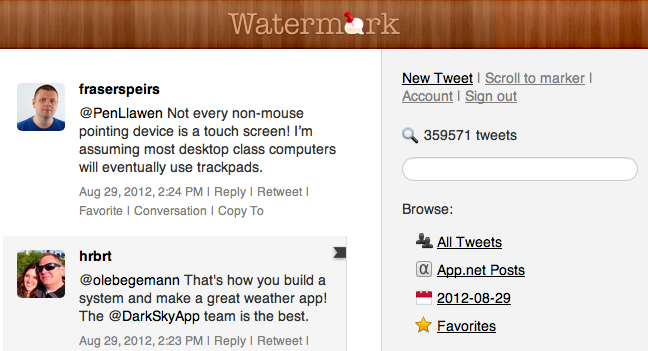
While still heavily Twitter-based from an interface standpoint, the new Watermark sports an App.net option in the section on the right, where users can browse “all tweets”, favorites, and load past tweets by day with a calendar menu.

Clicking on App.net Posts in Watermark will open a web based timeline; right now, there are no further options available for App.net posts (the service only downloads posts from friends and adds them to the search archive) as App.net doesn’t even have an official search functionality yet. Manton says there’s still “plenty to improve” for App.net support, and that he’s also evaluating timeline position sync for App.net accounts – indeed one of the hallmark features of Tweet Marker.

Tweet Marker Plus was one of my favorite services to provide the kind of Twitter functionalities that Twitter the company always ignored: powerful search and filtering tools, collections, and additional browsing options. Like Cue, Tweet Marker Plus has proven to be a worthy addition to my workflow to retrieve tweets and leverage the information shared on the platform every day. As Twitter becomes more hostile towards third-party developers and apps that take data out of Twitter, it’s great to see Tweet Marker Plus expanding to new platforms. I find App.net very promising in its intent to sell an API as a product to its users, and Watermark can build on the success of Tweet Marker Plus to perfectly integrate with the service, free of the restrictions and “requirements” of Twitter.

Watermark is $5 per month.