Posts in news

On Google Now and Battery Drain

Google Now for iOS launched on Monday through an update to the Google Search app, which displays location and context aware cards underneath Google’s search options. For a little while, I’ll be using Google Search to reference tidbits of information on the Internet instead of Safari or Chrome on my iPhone, while also living with Google Now to discern its value on iOS. An early conclusion I came to, like many tech writers have, is that Google Now uses additional battery life when turned on. Lifehacker, reporting on a Cult of Mac story about the battery drain caused by Google Now’s use of Location Services, was later contacted by Google. A Google spokesperson wrote:

Reports that Google Now drains battery life are incorrect. We understand people’s concern about seeing the Location Services icon stay on when they use Google Now. Many apps that keep the icon on actually do drain the phone’s battery because they require very accurate location. (For example a navigation app has to run your GPS all the time to keep you from missing your turn.) Google Now is built very differently: it uses cell towers and wifi hot spots for much lower battery impact.

We extensively tested Google Now on iOS for months and didn’t see reports of significant battery impact — we would encourage you to try it in the Google Search app for a few days and we don’t expect you to see significant impact on your battery. If you are seeing a problem, please do tell us (just tap feedback in the app settings). We take user feedback very seriously.

It’s a very defensive statement by Google — there’s conflicting statements about battery drain and a note that Google Now on iOS was built to specifically use cell towers and Wi-Fi hotspots instead of GPS. Even if that’s the case, location aware apps do make use of Assisted GPS with or without a clear line-of-sight to a satellite. Nearby Wi-Fi hotspots and cell towers are used to more quickly pinpoint where you are in the world, or are used completely in the absence of GPS. In their release notes, Google also notes that the Google Now will stop tracking location once battery life is low (from what I’ve seen I believe this is at 20%), and that the app only starts actively tracking location once you move a long distance.

As far as battery drain issues go, Google does say that they haven’t seen internal reports of “significant battery impact,” which I think is fair, even if they originally outright denied it. Many apps, in addition to Google Now, that use Location Services or take advantage of features like Geofencing do eat up additional battery life. Apps like Passbook use Geofencing so that you can quickly swipe open a ticket or gift card at a place of business, and apps like Reminders also use Geofencing to remind you of a task at a given location. These apps, however, remain in the background until needed and aren’t significantly impacting daily battery life, which is the key word here.

Google Now wants to deliver “up-to-the minute” information. The difference between apps like Passbook and Reminders in comparison to Google Search is that Google Now appears to always be actively tracking your location, as a navigation app like Maps would, even after it’s closed for a period of time. Google claims that the icon in the status bar remains as Google Search will occasionally report your location to update traffic alerts for example. Google Now’s Location Reporting in particular is used to periodically check location information when the app is not in use, for use with directions and nearby places. But Google Now isn’t sending push notifications, and the only time it really needs to update cards is when you open the app. Unlike Google Now on Android, Google Now on iOS is sandboxed inside an app and not integral to the OS.

Why doesn’t Google Now simply refresh the cards only when you open the Google Search app, pinging for your location at that time? That sounds like a better solution to me, even if I had to wait an extra second or two for cards to be updated.

If battery life is of concern, you can disable Google Search in Location Services through Settings. You can then manually refresh the cards when you’re looking for something nearby.

For more information on how Google Now works on iOS, you can view the related help document here.

[via Lifehacker]

Apple Reveals New “All-Time Top Apps” Following Countdown To 50 Billion Downloads

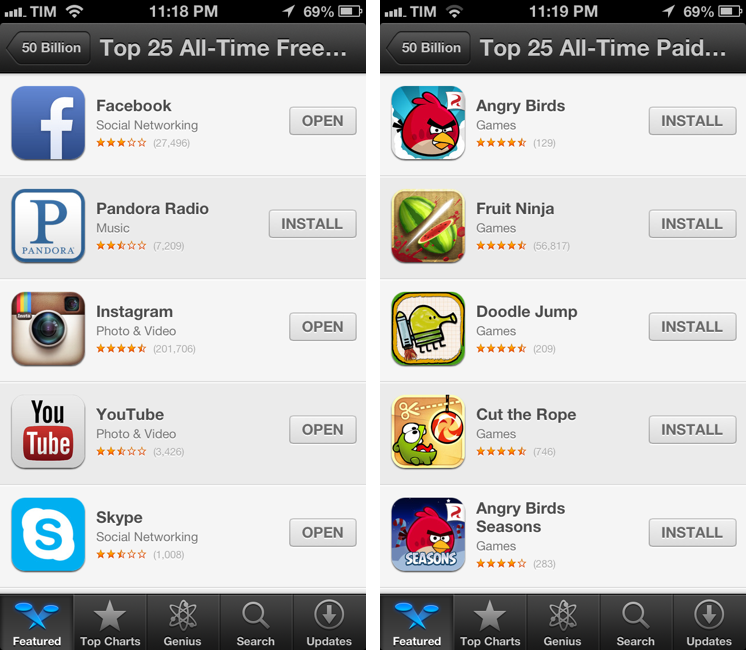
Alongside the countdown to 50 billion app downloads posted earlier today, Apple has also published a series of updated charts for the top downloaded apps of all time. Apple posted the same charts last year, after the App Store hit 25 billion downloads, and had done the same in January 2011 ahead of 10 billion downloads.

Apple’s charts of the Top 25 apps of all time provide a precious insight into the trends of the App Store for free and paid apps downloaded by iOS users on their iPhones and iPads. While the charts from 2012 and 2013 are largely similar in terms of presence of games and brands like Angry Birds and Facebook, there are some interesting differences worth noting.

Below, we have compiled the complete list of updated “all-time top apps”, alongside some notes about the differences from last year’s charts. Read more


Apple Posts Countdown to 50 Billion App Downloads

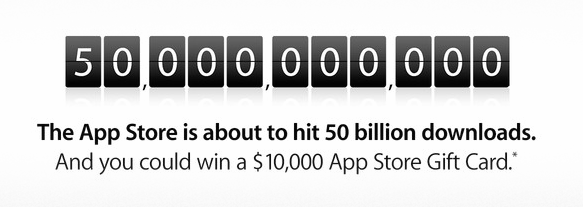
With its weekly App Store refresh, Apple has today launched an official countdown to 50 billion app downloads. Through a page available on iTunes, Apple explains that they will award an App Store gift card of $10,000 to the lucky customer who will download the 50 billionth app, plus a $500 App Store gift card to each of the next 50 people to download an app.

Apps have revolutionized the way we play video games, consume news, do business, educate, communicate, create art, and so much more.

The countdown promotion is open to entrants who are 13 years of age or older and are located in one of the 155 countries where the App Store is available. There’s a limit of 25 entries per person per day; Apple specifies that the live counter is for “illustrative purposes” only.

In the App Store page, Apple has also posted links to official rules and a guide to enter to win without a purchase or download, but the links aren’t live on Apple.com yet. We will update this more with more information as it becomes available from Apple.

Apple announced 40 billion App Store downloads in January 2013, with 20 billion of them in 2012 alone. For the 25 billionth app download in 2012, Apple awarded  Chunli Fu of Qingdao, China – who downloaded  Where’s My Water? Free – with a $10,000 gift card.


Acorn 4.0 Brings Non-Destructive Filters, Updated Interface, And More

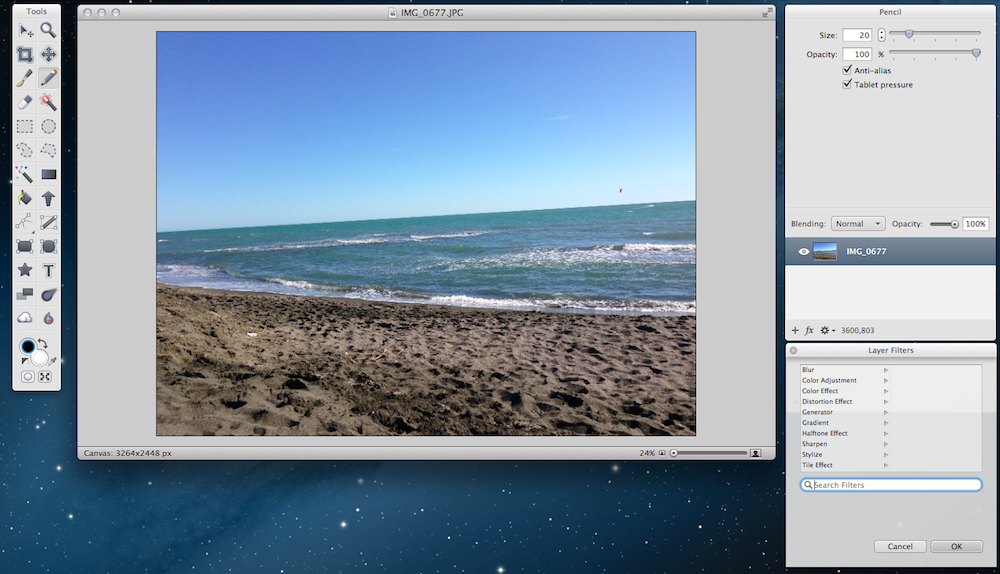
Flying Meat’s Acorn has been my favorite OS X image editor for a long time now. With a clean interface that, unlike more powerful solutions, never overwhelmed me with options, I use Acorn to edit the occasional photo and correct screenshots on a daily basis. Version 4.o of the app, released today, adds a number of features aimed at increasing the app’s functionalities while also slimming down interface clutter and making menus easier to organize and access. Read more


Jawbone Announces UP Platform API, Partnerships, and Acquisition of BodyMedia

Between occasional swaps during the initial run of Jawbone UP wristbands, I wore the original device for a year and continued as Jawbone’s refreshed model hit the marketplace. With UP 2.0 came an updated iPhone app, and Jawbone finally seemed prepared to launch an overdue API that developers could extrapolate data from. And while Jawbone’s bracelet was being refreshed, Nike parternered with Path for their Nike+ FuelBand for sharing their daily progress, something that was similarly suggested by TechCrunch’s Alexia Tsotsis for the UP just months before. I can’t help but admit the same thought crossed my mind as an early adopter.

This morning, Jawbone announced their new UP Platform, a closed API that’s currently available to developers per application and approval. Currently, Jawbone has said that ten partners have worked with the company to integrate their services with the UP app for iPhone (with Android support coming soon).

Beginning today, the UP app version 2.5 for iOS enables you to integrate any of these 10
best-in-class services: IFTTT, LoseIt!, Maxwell Health, MapMyFitness, MyFitnessPal, Notch, RunKeeper,
Sleepio™, Wello® and Withings.

Integration with these services is mostly inclusive to the UP app however, presenting additional workout data or weight trends alongside Jawbone’s regular sleep or activity goals. The clear differentiator and the service that has the most potential to do interesting things with UP data is IFTTT, as Lex Friedman from Macworld explains.

Kittredge sounded particularly enthusiastic regarding the IFTTT integration, suggesting several clever “recipes” that Up users could try with that service, such as: If I sleep too little, text me later in the day that I should go to bed earlier; if I log a certain number of steps, tweet about it; or each day, append my progress to a Google document.

Also announced by Jawbone today is an acquisition of BodyMedia, a company that specializes in weight and calorie management, overall activity, and sleep tracking with their Armband and accessories. In their press release, Jawbone says that BodyMedia has the only platform of its kind registered with the FDA as a Class II medical device and that is additionally clinically proven to enhance weight loss.

“Jawbone’s deep expertise with consumer technology, design, and building products that fit seamlessly
into people’s lives is the best way to carry forward many of the innovations that BodyMedia has
developed over the past 14 years,” said Christine Robins, CEO of BodyMedia. “We are eager to pair our
depth of insight and IP with Jawbone’s expertise so that together, we can make an even bigger impact
on people’s health and help them achieve their goals.”

Jawbone launched the UP in 2011 and unfortunately, the band came under intense scrutiny as manufacturing issues resulted in problems such as the bracelets losing their charge after a couple of weeks. Hosain Rahman, CEO of Jawbone, offered early adopters the chance to get a full refund to rectify the issue and examine the problem. With the launch of UP 2.0, Jawbone didn’t just fix the issue, but reengineered the device to make it even more durable and water resistant.

The single-most thing that has me excited about the UP Platform is not only Jawbone’s commitment to making a better product, but also the opportunity for breaking data out of Jawbone’s mobile app. Unlike FitBit for example, there isn’t a web front where someone can log in and access their data — the UP band has to be plugged into an iPhone or Android phone first, and that phone becomes the sole gateway to your information. People wearing the UP band are probably using the device in different ways: for example I don’t track what I consume with Jawbone’s app for calorie tracking, but I do run and track steps. There’s potential for a developer to come behind and complement the data that I actually use and hide what I don’t need or want to see, personalizing my Jawbone dashboard from generalized data to something that shows me improved workout statistics. With any luck and a good developer, I’m also hoping that the UP Platform also lets developers use the band in more interesting ways, such as tracking pushups or body workouts instead of just steps. Integration with a partner like Wello gives me confidence that Jawbone is stepping in that direction.

[via Macworld]


Google Now Comes To iOS with Search App Update

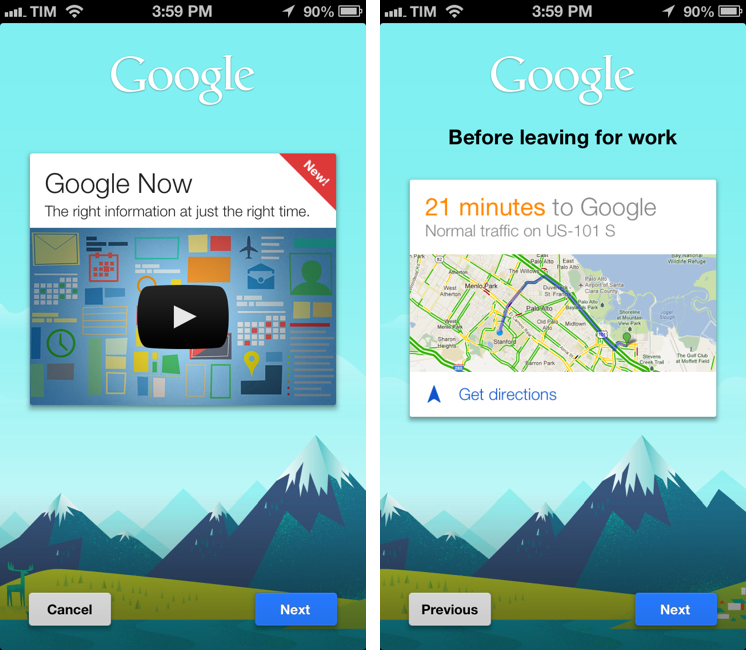
Last month, it was rumored that Google would release Google Now for iOS through an update to its existing Search app for iPhone and iPad. Version 3.0 of the app, released today on the App Store, indeed adds Google Now functionality by displaying weather and traffic data, updates on sports teams and “breaking news”, and more directly within the iOS app. Read more


Nebulous Notes 6.1 Gets MultiMarkdown Previews, Full Folder Sync

Nebulous Notes

Nebulous Notes

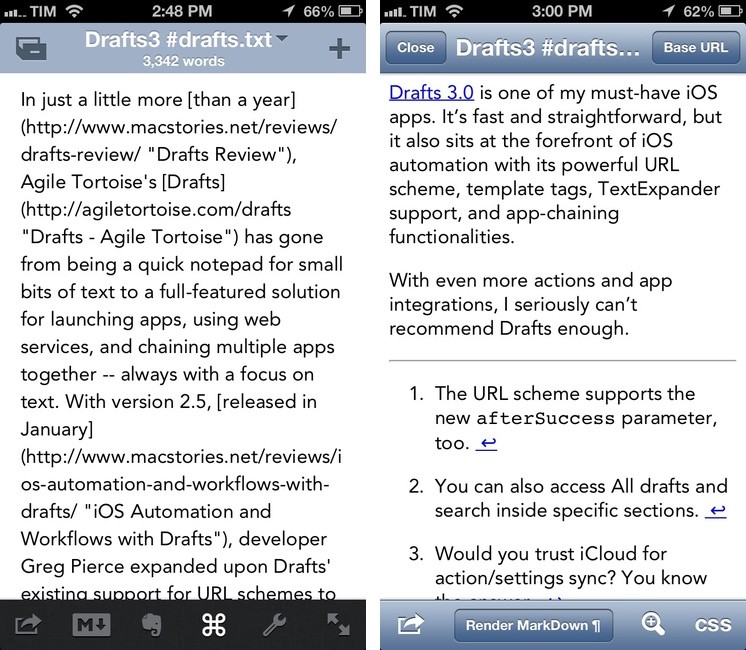
Nebulous Notes is, in my opinion, the most powerful iOS text editor the App Store has seen so far. Here’s what I wrote last August:

Combining Nebulous’ support for text substitution and cursor position macros has enabled me to achieve a powerful workflow when it comes to writing in Markdown. For instance, I can select words I want to turn into inline links, and have the app automatically wrap them between square brackets, and paste the contents of my clipboard (the link) to the right. To copy Markdown-ready links, I use my own bookmarklet. Or if I want to create a list, I can hit a button that inserts an asterisk and a space. Or again, if I need to create a text file with a format that OmniOutliner recognizes correctly, I can indent items with Nebulous’ $tab and $cursor macros.

I posted a follow-up in October showing the macros I use for faster Markdown editing, and then I noted in a separate post that Nebulous’s preview feature could use some work:

Nebulous Notes‘ own preview generator is far from ideal. You can use your custom CSS to make it prettier, but it still won’t handle footnotes (formatted as once suggested by John Gruber, though Markdown doesn’t officially support them) and the image isn’t centered.

Nebulous Notes 6.1, released today, brings a number of improvements focused on previews and sync with Dropbox. First and foremost, the app now comes with proper MultiMarkdown previews that render footnotes correctly: while images still won’t be resized and centered on screen (this, for me, is an issue on the iPhone’s smaller screen), this new version is undoubtedly a big step forward for those who rely on MultiMarkdown for their daily writing. With the addition of Avenir (in both regular and Next variations), Nebulous Notes previews are now MMD-ready and nice to look at.

The other noteworthy addition is full folder sync for Dropbox. It used to be that, per Nebulous’ own “syncing” mechanism, each text file would have to be manually refreshed to get the latest changes; in 6.1, an entire folder can be synced by tapping the refresh icon in the bottom toolbar. Nebulous Notes is still far from Byword’s no-manual-interaction-required sync, but the change is welcome.

There are other minor improvements and new features in Nebulous Notes 6.1. The iPhone app now has two new one-button toggles to lock the orientation and hide the macro bar; there are new $rline and $lline macros to jump to the end or start of a line; and last, you can now tag files with #hashtags, which I guess can come in handy if you want to search for specific groups of files in that way (I don’t).

Nebulous Notes still needs a complete overhaul in terms of search and sync (and an in-app browser for research purposes would be useful), but version 6.1 is a solid, much-needed update. You can get it now from the App Store.


Reeder for iPhone Gets Feedbin Sync, Local RSS Support

Announced soon after Google’s announcement of the Reader shutdown, popular iPhone RSS client Reeder has been updated today to include support for local RSS subscriptions and Feedbin sync.

In the first major update since June 2012 (when version 3.0 came out), developer Silvio Rizzi has decided to further move away from Google Reader for traditional RSS sync: while version 3.0 saw the addition of Shaun Inman’s Fever, Feedbin is more similar to Google Reader in the way it organizes feeds in groups and lets you view All, Unread, and Starred items. Unlike Google Reader, Feedbin is a paid service that costs $2 per month.

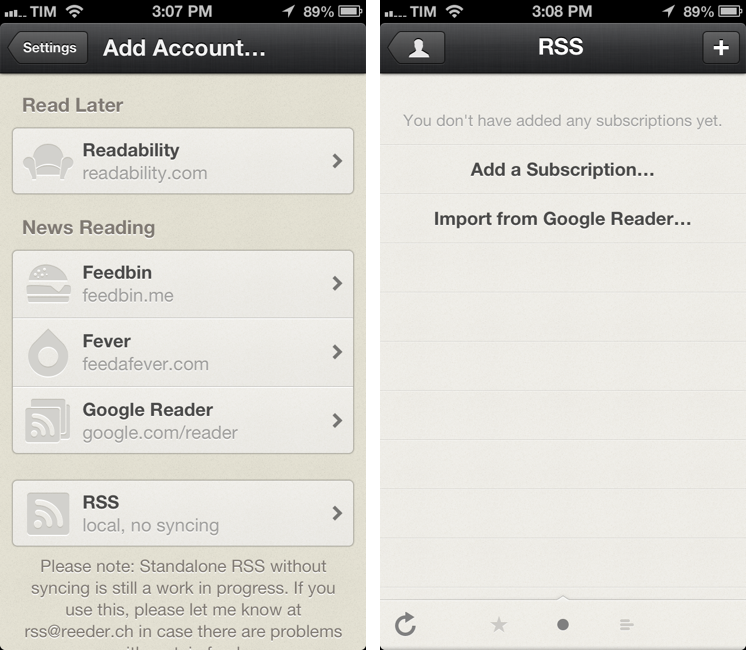
In Reeder 3.1, Feedbin is treated like Google Reader in terms of feed navigation and reading experience; in the Settings > Add Account screen you’ll see a new Feedbin option (at the top of the “News Reading” list) where you can log into your account and start syncing feeds with Reeder. Feedbin is still in its infancy, and, right now, Reeder 3.1 with Feedbin sync works exactly like version 3.0 did with Google Reader.

Reeder 3.1 also adds support for local RSS subscriptions, which won’t sync with any web service or other device running Reeder. Supporting local RSS feeds is anachronistic, but probably the right thing to do to ensure Reeder can keep working in case more RSS services will announce a shutdown in the future. Local RSS support allows you to add subscriptions manually by URL or import them from Google Reader; again, once configured, the reading experience will be the same as previous versions of Reeder 3.x.

Alongside Feedbin and local RSS, Reeder 3.1 also comes with a custom version of pull-to-refresh that’s delightfully in line with the app’s existing graphics and animations.

While Rizzi is busy working on Reeder 2.0 for iPad and Mac, it’s good to see the iPhone app – currently the #16 top paid News app – receiving support for a syncing service that’s starting to gain traction among developers. As Google Reader’s demise nears, it’ll be interesting to see if Rizzi will keep adding new services, and, if so, how long it’ll take for Reeder to be updated again.

Reeder 3.1 is available now on the App Store.


Apple Says New Tech Talks Are Coming This Fall

Following an “unprecedented interest” in WWDC that saw tickets selling out in less than two minutes, Apple has officially announced on its “News and Announcements” developer portal that “they’ll be hitting the road” with Tech Talks this Fall:

Enthusiasm for WWDC 2013 has been incredible, with tickets selling out in record time. For those who can’t join us in San Francisco, you can still take advantage of great WWDC content, as we’ll be posting videos of all our sessions during the conference. We’ll also be hitting the road this fall with Tech Talks in a city near you. Hope to see you there.

In commenting on Daniel Jalkut’s piece on WWDC yesterday, I suggested that a new round of Tech Talks would be a nice solution for those who couldn’t get a ticket to WWDC this year. It’s good to see Apple addressing concerns of limited availability with such a quick announcement.

Tech Talks are, as the name suggests, talks given by Apple employees to developers interested in knowing more about iOS and OS X technologies, attending labs, and getting feedback on APIs and interface guidelines by the people who make iOS, OS X, iCloud, and all the services that power Apple’s devices and computers.

Tech Talks are, effectively, “mini WWDCs”. The last time Apple “hit the road” was in late 2011 with the Tech Talk World Tour after the release of iOS 5. The tour run through 9 cities worldwide:

  • Berlin
  • London
  • Rome
  • Beijing
  • Seoul
  • Sao Paolo
  • New York City
  • Seattle
  • Austin

As Apple described it back then:

We’re taking iOS 5 on a world tour and we want you to come along for the ride. Learn from Apple experts as you take your apps to the next level with the exciting new technologies in iOS. Space is limited, so register today.

It’s unclear right now whether Apple will once again a worldwide tour, but it seems plausible. In 2011, Apple started the Tech Talk World Tour on November 2, announcing tickets on October 20.