When Todoist’s data scientist Oleg Shidlowsky and his team started looking at aggregate task data earlier this year, they discovered an interesting pattern: despite tools to assign due dates and good intentions, most people tend to accumulate incomplete tasks and defer them indefinitely.
The result is a task manager overflowing with rescheduled tasks that not only defeat the entire purpose of GTD (or any other system) – they’re never going to be taken care of because their snowball effect lacks an action plan. You’ve probably done this with your tasks and emails, too: you keep snoozing and deferring some of them because you feel like you don’t have the time or patience to deal with them now. But is there ever a good time?
Instead of reinventing the way due dates and scheduling options should be presented – something that, admittedly, Todoist already does quite well thanks to its natural language support – the company is launching Smart Schedule, a feature powered by AI that wants to help users catch up on their todo list and regain control of overdue tasks.
The goal is simple, yet promising: Todoist is betting on algorithms to understand what’s most important to us and where we can find the time to get everything done without overcommitting to unrealistic deadlines.
Earlier today, Google announced a new app called PhotoScan and updates to Google Photos. PhotoScan is a simple scanner app for capturing prints. On launch it opens to a camera view with the instruction to frame your photo within the rectangle on the screen. When you tap the shutter, instead of taking a picture of your print, PhotoScan displays a circle in the middle of the view finder with four other circles near the corners of your print. There is a little arrow that prompts you to move your phone to line up the middle circle with each of the four other circles one at a time. When you’re finished, PhotoScan processes the data it’s collected and presents you with your scanned print, which can be further adjusted in-app.
PhotoScan, which is a free download on the App Store, doesn’t require you to sign into a Google account, unless you want to save your scans to Google Photos. If you prefer, you can save your scans to Apple’s Photos.
Google made a video demoing how PhotoScan works:
I tried PhotoScan on a handful of family photos to see how it would fare. In my tests, I found that there are a couple of simple things you can do to greatly improve your scans. First, find a spot where the lighting is good, but indirect which will help avoid glare on glossy photos. Second, don’t use the flash. Here’s an example of a scan with and without the flash that I took in the same spot, from the same distance, and with the same lighting:
The scan with flash turned on (left) has a nasty white glare spot in the middle of the photo and did a poor job cropping the image.
Not every photo taken with the flash on had this much glare, but most had a bright white spot in the middle of the photos. Here are three scans that came out much better that were taken under normal lighting conditions in my kitchen with the flash turned off:
Each of these photos was scanned with the flash turned off and turned out reasonably well.
PhotoScan does have some bugs. It crashed a couple times while I was using it. The second crash happened after I scanned fourteen photos. I went to the preview page to save them and when I tapped ‘Save All,’ PhotoScan crashed. When I reopened the app, all of my scans were gone. I thought I had lost data, but it turns out they were saved to Photos before the app crashed, so what could have been a scary moment if I had scanned dozens of photos turned out fine.
Overall, PhotoScan did a good job detecting the corners of prints and properly cropping most of them. PhotoScan also did a good job capturing the colors and detail of each shot as long as the flash was disabled. None of the snapshots I scanned were in perfect focus, but the scans of each were noticeably fuzzier and the colors off a little in some. Despite the bugs and limitations though, PhotoScan is an app I’ll keep close by when I visit relatives over the holidays for when they pull out family albums of photos because it’s so convenient and easy to use.
Google also added three new features to Google Photos today. The first is an improved auto-enhance tool. Second, Google added twelve new filters, which it calls ‘Looks.’ The feature first edits the photo to enhance it and then applies a filter that complements your photo. How does Google Photos know how to adjust its filters complement your photos? Machine learning of course. The third feature is fine-grained light and color editing tools. The Verge reports that Google is also introducing three new automatically created videos to Google Photos, for newborns, formal occasions like weddings, and a ‘through the years’ a slideshow for annual events like holiday gatherings.
Jony Ive was interviewed by design website Wallpaper about Designed by Apple in California, an Apple-published book of photography that documents twenty years of product design and manufacturing. Apple is known for its singular focus on the future and, during Steve Jobs’ tenure, its disdain for dwelling on the past. That has begun to change in recent years with things like its 40 Years in 40 Seconds video and its tribute to past laptops at the MacBook Pro event last month. Even so, Apple’s announcement of an expensive book about its own products caught some off guard. In response to Wallpaper, Ive addressed why Apple created Designed by Apple in California:
Sometimes if we are struggling with a particular issue then that gives us reason to go back and look at the way we have solved problems in the past. But because we’ve been so consumed by our current and future work we came to realise we didn’t have a catalogue of the physical products. So about eight years ago we felt an obligation to address this and build an objective archive.
Beyond chronicling the design of Apple’s past products, Ive explains that Apple wants to illuminate the connection between designing and making a product and provide a resource for design students:
One of the things we wanted to do was try and explain as clearly as we can – through photography – how you transform a raw material into a product that you recognise and hopefully use as a daily tool…. We feel that more than ever there has been a disconnect between designing and making and really, you can’t disconnect them. In the 90s, as manufacturing was outsourced, this chasm developed between where something was made and where it was designed. But designing and making are inseparable if you want the ultimate product to have integrity. Another key point is that the book is being sent to all the major design colleges in the world. We are keen to get it into the hands of young people who are studying design disciplines. It’s very important that it’s an educational resource as well.
Earlier today, Apple announced Designed by Apple in California, a coffee table book featuring photography of its products and design process that goes on sale tomorrow. In connection with announcement, Jony Ive was interviewed by Japanese design website Casa Brutus. Ive describes the motivation behind the creation of Designed by Apple in California, but also has a lot to say about Apple’s design process. My favorite part is at the beginning of the video where Ive describes how his team nurtures ideas:
One of the things that we’ve learned is the importance of listening. Because as we all know, the very best ideas can very often come from the quietest voice. Ideas are extremely fragile. Ideas are not predictable in terms of when you’ll have them and how many you are going to have. And so over the years, we’ve really created at team and an environment that I think really increases the probability of good ideas and when they actually arrive I think nurtures them.
As Ive speaks, the video shows designers at work in Apple’s studio creating prototypes of Macs, iPhones, and other items. If you are interested in design or the creative process in general, this is a must-watch video.
With a press release issued this morning, Nintendo has announced that Super Mario Run – the company’s first Mario game for iOS devices revealed at Apple’s September event – will be released in one month, on December 15.
From the press release:
The first-ever mobile game featuring the most iconic video game hero of all time goes on sale for iPhone and iPad on Dec. 15 in United States time zones. Super Mario Run can be downloaded from the App Store at no cost, and players can try elements of the game’s three modes for free.
“The wait is almost over for a Super Mario game that can be played on mobile devices,” said Doug Bowser, Nintendo of America’s Senior Vice President of Sales and Marketing. “Developed under the direction of Mario creator Shigeru Miyamoto,Super Mario Run brings a new take on the series’ beloved action-platforming gameplay to iPhone and iPad for the first time.”
Super Mario Run will be available in 151 countries next month, and it’ll be a free download from the App Store. A single $9.99 In-App Purchase will unlock all three game modes, which we previously detailed in our overview of Super Mario Run.
Super Mario Run will be modeled after the tradition of “endless runner” games for iOS that can be controlled with one hand by tapping on the screen to make Mario jump.
Update: You can watch a new gameplay video of Super Mario Run below.
In a press release, Apple announced the release of a hardbound book, Designed by Apple in California, documenting twenty years of Apple design work. The book is dedicated to the memory of Steve Jobs. According to Jony Ive:
“The idea of genuinely trying to make something great for humanity was Steve’s motivation from the beginning, and it remains both our ideal and our goal as Apple looks to the future,” said Jony Ive, Apple’s chief design officer. “This archive is intended to be a gentle gathering of many of the products the team has designed over the years. We hope it brings some understanding to how and why they exist, while serving as a resource for students of all design disciplines.”
Designed by Apple in California includes 450 beautiful photographs of Apple products past and present by photographer Andrew Zuckerman and will go on sale at Apple.com and select Apple Stores on November 16, 2016. Apple’s press release provides further detail on the production of Designed by Apple in California:
“Designed by Apple in California” is available in two sizes and printed on specially milled, custom-dyed paper with gilded matte silver edges, using eight color separations and low-ghost ink. This linen-bound, hardcover volume was developed over an eight-year period.
The smaller version of the book (10.20” x 12.75”) will cost $199 and the larger version (13” x 16.25”) $299.
The price is steep, but the photographs are undeniably gorgeous. Here’s a selection of photos shared by Apple.
Secrets is a simple, secure password manager for Mac and iOS. With version 2.0 released this week, the app is adopting a freemium model so you can try it for free on all your devices.
Secrets lets you securely store confidential information such as passwords and bank details. The app leverages industry-standard encryption algorithms to provide secure storage, plus macOS and iOS native features to automatically fill logins on webpages. Thanks to an action extension for iOS, you’ll be able to log into your favorite sites directly from Safari. The app can also generate one-time passwords for services that support two-factor authentication.
At the same time, Secrets has a clean and beautiful user interface that is easy to use and functional. Logins are displayed with rich icons, which are also synced across all your devices with iCloud.
With version 2.0, Secrets is now based on a freemium model: the app is free to download and use with up to 10 items; with a $9.99 In-App Purchase ($19.99 on macOS), you’ll unlock unlimited items and iCloud sync.
When the fourth generation Apple TV was introduced, Apple proclaimed that the future of TV is apps. tvOS debuted complete with its own App Store. The trouble was, though, there was no way to link to tvOS apps or buy them anywhere other than on your Apple TV. All developers could do was ask potential customers to search for their app on the Apple TV App Store, a cumbersome process that made it difficult to acquire new customers.
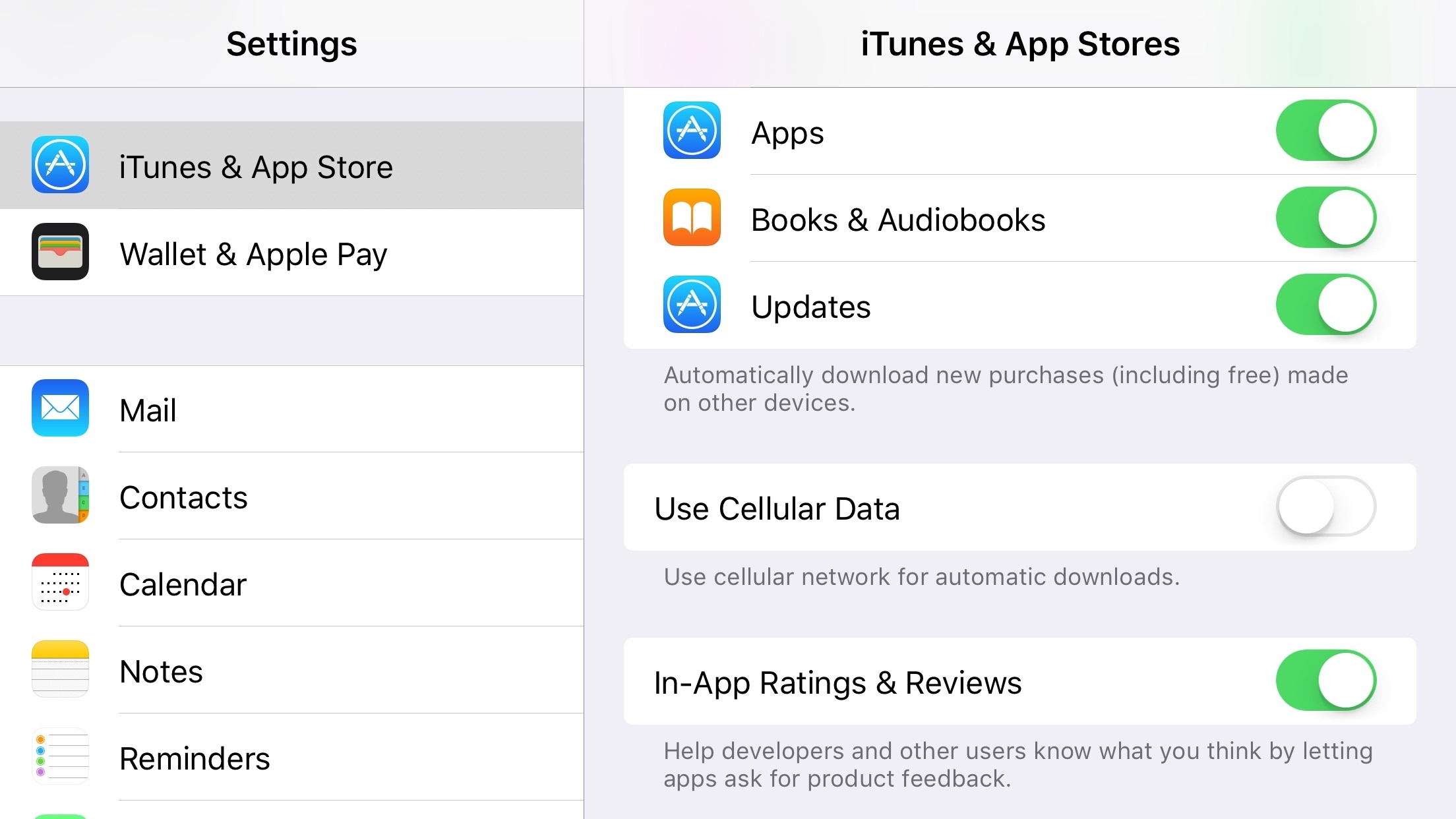
Apple has been chipping away at the problem all year. In April, it introduced the ability to link to web previews of tvOS apps. The previews didn’t include buttons to buy or download tvOS apps, but it did allow potential customers to read app descriptions and view screenshots. Then in September with tvOS 10, Apple added an automatic downloads option to tvOS. That meant that if a tvOS app was associate with an iOS app, it could be installed automatically on your Apple TV if you bought or downloaded the related iOS app, effectively making the link to the iOS app a proxy for its tvOS counterpart.
Apple TV-only apps can be purchased on the iOS App Store and automatically downloaded to your Apple TV.
Today, Apple added tvOS apps to its iTunes Link Maker web app and enabled tvOS app purchases on iOS devices, even if the tvOS app is available only on the Apple TV. iTunes Link Maker lets you search for and generate links to iTunes content. tvOS app links generated by the iTunes Link Maker open in iTunes on macOS and the App Store app on iOS where the apps can be purchased or downloaded. If automatic downloads are enabled on your Apple TV, any apps acquired this way should show up on your Apple TV the next time you turn it on. Links generated with the iTunes Link Maker also work with the iTunes Affiliate Linking program. This means that for the first time a customer can click or tap a link and purchase a tvOS app without leaving their Mac or iOS device and have it waiting for them they sit down in front of the TV.
This is a welcome change for tvOS-only apps that greatly expands developers’ ability to reach potential customers. The change is not, however, without limits. As of the publication of this article, tvOS apps do not appear to be searchable from the iOS App Store’s Search tab. In addition, tvOS app results are not currently returned when the iTunes Search API is queried, though there seem to have been changes made to the API in anticipation of adding tvOS apps. Notwithstanding those limits, the changes today should help make tvOS-only apps a more viable option for developers.
Until today, Gmail hadn’t been updated since January 2016. That’s a long time between updates for a major Google service. Meanwhile, Inbox, Google’s other email client, has been repeatedly updated throughout 2016. That led me and others to wonder whether Google was abandoning its more traditional email client for Inbox’s cutting-edge features. Although Gmail appears to be on a slower update cycle than Inbox, today Gmail received a handful of solid new features and a design update that breathes fresh life into the app.
Gmail’s new design brings it much closer to the UI of its Android cousin and other Google apps available on iOS. The design is colorful, uncluttered, and easy to read with a compose button right where you expect it in a Google app.
Google also added the ability to quickly archive or delete messages with left or right swipe gesture from your inbox. By default, Gmail is set to archive when you swipe on a message, but you can switch it to delete messages in settings on a per-account basis.
Gmail’s new ‘Undo Send’ feature gives you about five seconds to tap an Undo button in the lower right hand corner of the screen to retrieve a message that you didn’t mean to send. It would be nice to be able to adjust the length of the delay before a message is sent, but I suspect five seconds is enough in most circumstances.
In addition, Google says it has made email search even faster. The speed and accuracy of Gmail’s search is the primary reason I keep Gmail installed. I don’t use Gmail regularly enough to comment whether the new search is faster, but in my limited testing search results appeared almost instantly on a good WiFi connection, even when retrieving months-old email.
I’m glad to see Google pushing Gmail forward. With this update, it fits better aesthetically with the rest of Google’s iOS apps and adds features that keep Gmail on par with other iOS email clients. I only wish that Gmail also included a unified inbox option instead of requiring me to switch among multiple accounts.