

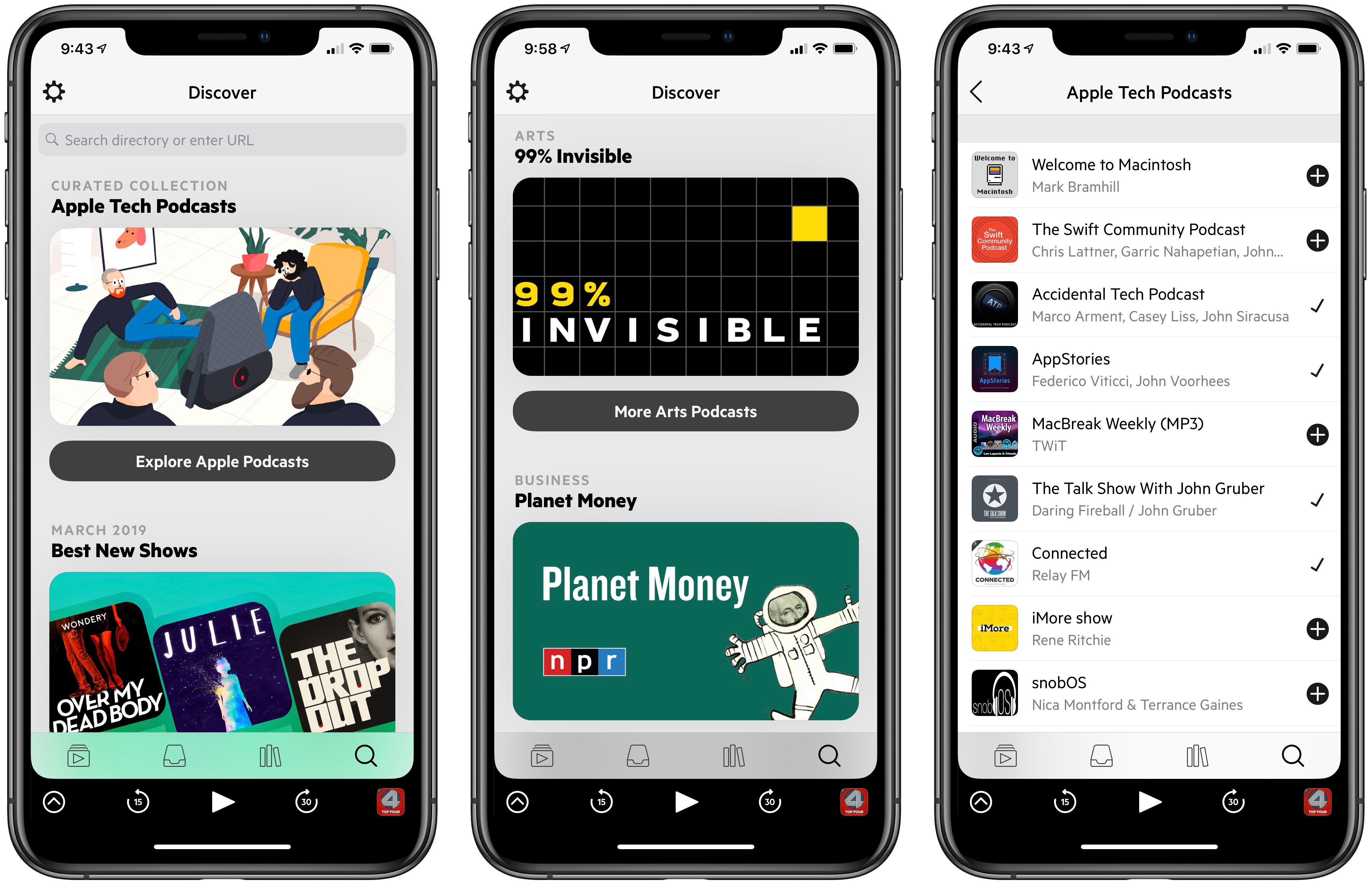
One of our favorite third-party podcast clients, Castro, was updated today with improvements aimed at offering a better discovery experience. Through curated podcast collections, new buttons to add podcasts to your library, and instant search, Castro’s development team has brought positive change in several connected areas.
Posts in news
Castro Launches Curated Podcast Collections and Instant Search to Improve Discovery
Hands On with Sony’s PS4 Remote Play App for iOS

In a bit of unexpected gaming news, Sony has released PS4 Remote Play, an iOS app that allows PS4 owners to play the console’s games on an iPhone or iPad over WiFi. Although it’s a surprising development this late in the lifecycle of the PS4, it’s great to see Sony continuing to expand the ways its customers can enjoy the console.
Introducing the MacStories Shortcuts Archive, a Collection of 150 Custom Shortcuts for Apple’s Shortcuts App
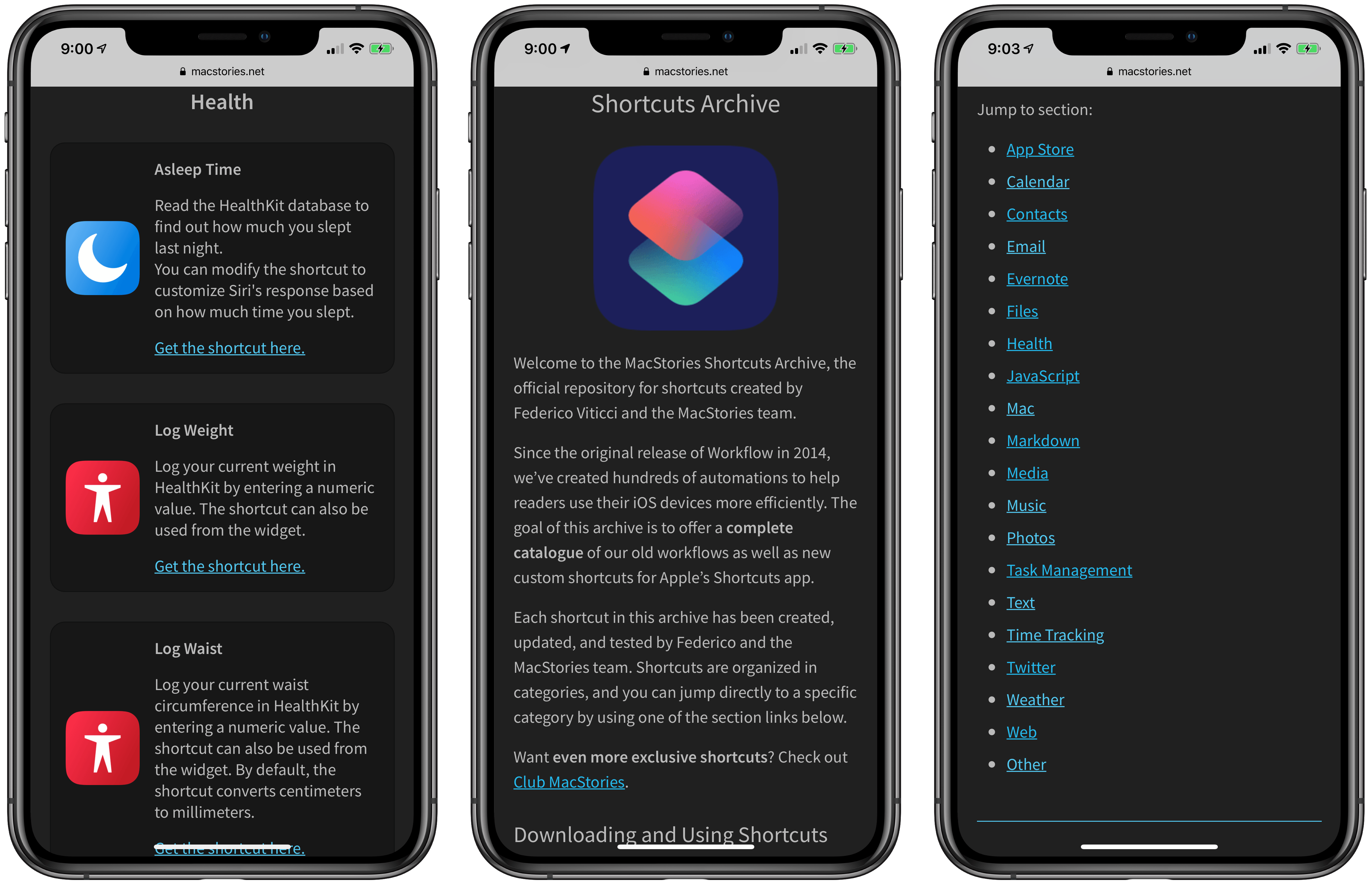
After several months of work, I’m pleased to announce the MacStories Shortcuts Archive – the official repository for shortcuts I’ve created over the years (including when they used to be called “workflows”) and which have been updated, tested for the Shortcuts app, and collected in a single place.
You can find the archive at macstories.net/shortcuts. In this first version, the archive contains 150 shortcuts, but more will be posted over time. Each shortcut was created and tested by me and the MacStories team; all of them have been categorized, updated for the Shortcuts app, and marked up with inline comments to explain what they do.
Even better, they’re all free to download and you can modify them to suit your needs.
Spark Adds Rich Text Formatting for Email: Lists, Text Colors, and Highlighting
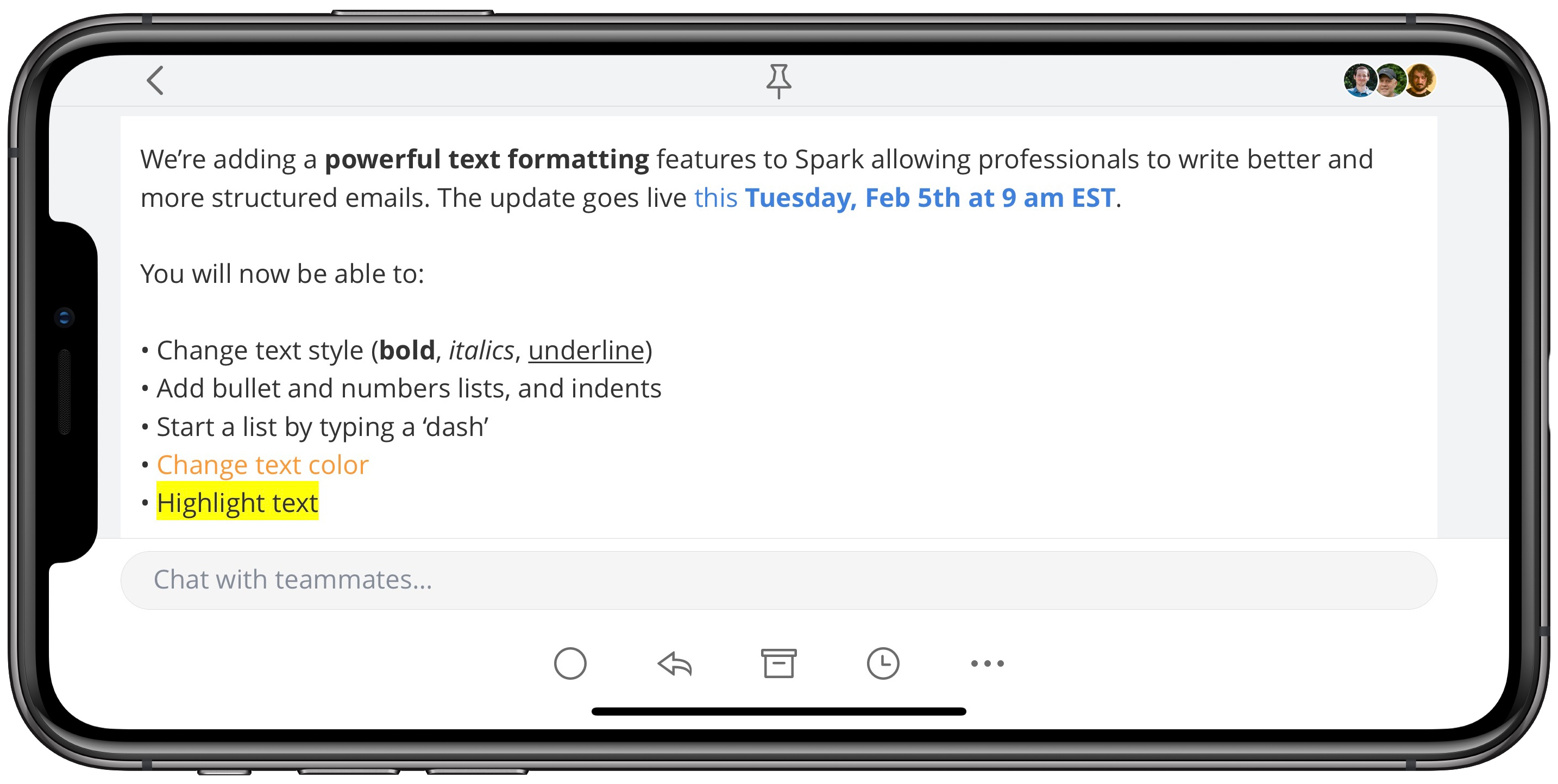
Today in an update to its iOS and Mac apps, the email client Spark has introduced new rich text formatting options to enable greater flexibility in styling your messages.
Spark already included the expected bold, italics, and underline options, and its macOS version previously allowed creating bulleted or numbered lists, but those list options have now come to iOS as well. Additionally, both Mac and iOS users can now change the color of text in their emails, as well as add highlighting to text.
Rich text support is a particularly important feature for an email app, so I’m glad to see it come to Spark. While I likely won’t start sending messages with different colored fonts, it’s nice having the variety of options Spark provides here. Lists in particular were something I’ve missed having in the past, and I like the idea of employing highlights to call out anything of special importance in an email. I’ve historically used bold for that purpose, but highlighting definitely does an even better job of standing out.
Spark’s latest update is available now as a free download for iOS, and the Mac update is coming soon.
Apple’s Month-Long Celebration of International Women’s Day
A week from tomorrow is International Women’s Day. To mark the day, Apple has announced a series of events throughout the month of March.
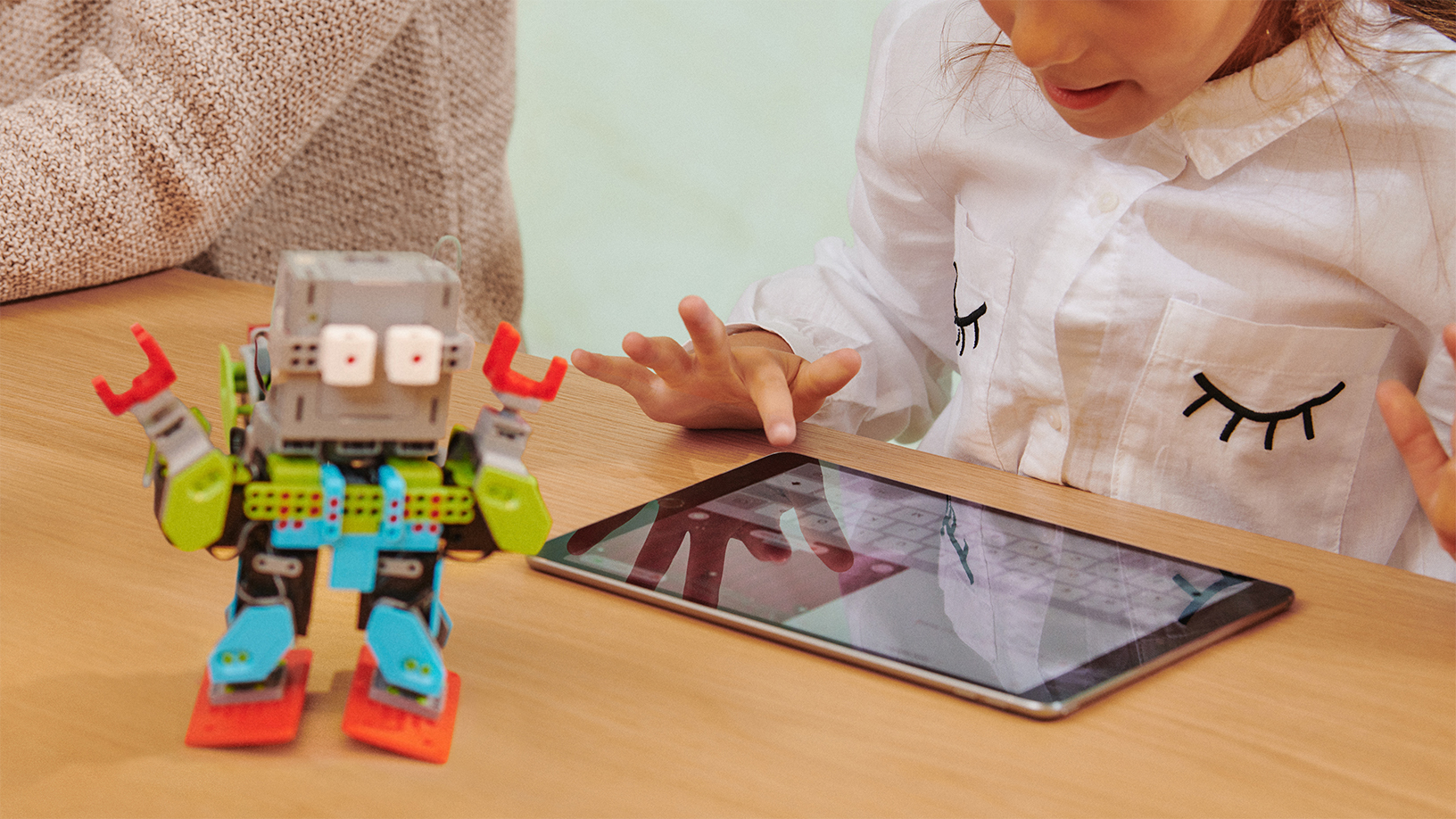
In the US, Apple is partnering with Girls Can Code to bring programming to more girls and young women. The program includes Swift training for club leaders and will use the company’s Everyone Can Code Curriculum to make the programming language available nationwide to 90,000 girls. Apple’s Lisa Jackson:
“Women have earned the opportunity to have our ideas shape the future,” said Lisa Jackson, Apple’s vice president of Environment, Policy and Social Initiatives. “We’re excited to support Girls Who Code as they empower girls to be the developers and tech innovators of tomorrow.”

In addition, Apple retail stores in Singapore, Kyoto, Hong Kong, London, Milan, Paris, Dubai, San Francisco, Chicago, New York, and Los Angeles will host a special ‘Made by Women’ series featuring artists, scientists, entrepreneurs, musicians, developers, photographers, and others.
On the App Store, Apple will run special features all month long. Every March App of the Day will feature apps by women, and on Fridays the App Store will go behind the scenes with stories of the women behind apps and efforts being made to bring women into the tech industry. On March 8th, there will also be a special collection of games featuring Captain Marvel that coincides with the release of the film.
Apple Music will include special editorial and playlist content featuring women and Beats 1 will have a 24-hour takeover highlighting the work of women musicians. Apple’s movie, TV, books, and podcast storefronts will include content made by and featuring women too. Finally, on March 8th, Apple Watch users who complete a 1.6 kilometer walk, run, or wheelchair workout will receive a special Activity award and stickers for Messages.
Apple Answers Two-Factor Authentication Questions Raised by Developers
A week ago, Apple sent an email to developers announcing that it would require two-factor authentication for all developer accounts beginning February 27, 2019. The message linked to an Apple two-factor authentication support page that applies to all Apple IDs. The trouble was, the support page didn’t answer many of the developer-specific questions that were immediately raised.
The concern I’ve heard voiced most often by developers is whether someone who uses one Apple ID to log into their developer account would be able to do so using an Apple device that is logged in using a different Apple ID. Today, Apple published a new support page answering this and many other questions. Specifically with respect to the two-Apple ID scenario, Apple’s FAQ-style support page says:
Will I need a trusted device dedicated to my Apple Developer account if I enable two-factor authentication?
No. You’ll need to use a trusted device to enable two-factor authentication for the first time. However, you can use the same trusted device for multiple Apple IDs that are enabled for two-factor authentication. Additionally, if you do not have access to your trusted device, you can get your verification code via SMS or phone call. When possible, you should use a trusted device to increase security and streamline the process.
The document covers many other situations as well including:
- How to check if you have two-factor authentication enabled
- Configuring an iOS device or Mac to accept authentication codes for multiple Apple IDs
- Enabling multiple trusted phone numbers that can receive authentication codes
The support page concludes with a link to a contact form for Apple’s developer team to raise any other circumstances that prevent a developer from enabling two-factor authentication.
Although it would have been better if this level of detail was published when Apple’s initial email went out to developers last week, the company has clearly heard the concerns raised by the developer community and has put together a thorough explanation that should address most situations. By answering the most common questions, Apple Developer Relations will hopefully be freed up to deal with any outlier issues that aren’t addressed in its support documentation.
AutoSleep Adds Today Dashboard, Customizable Clocks, and More
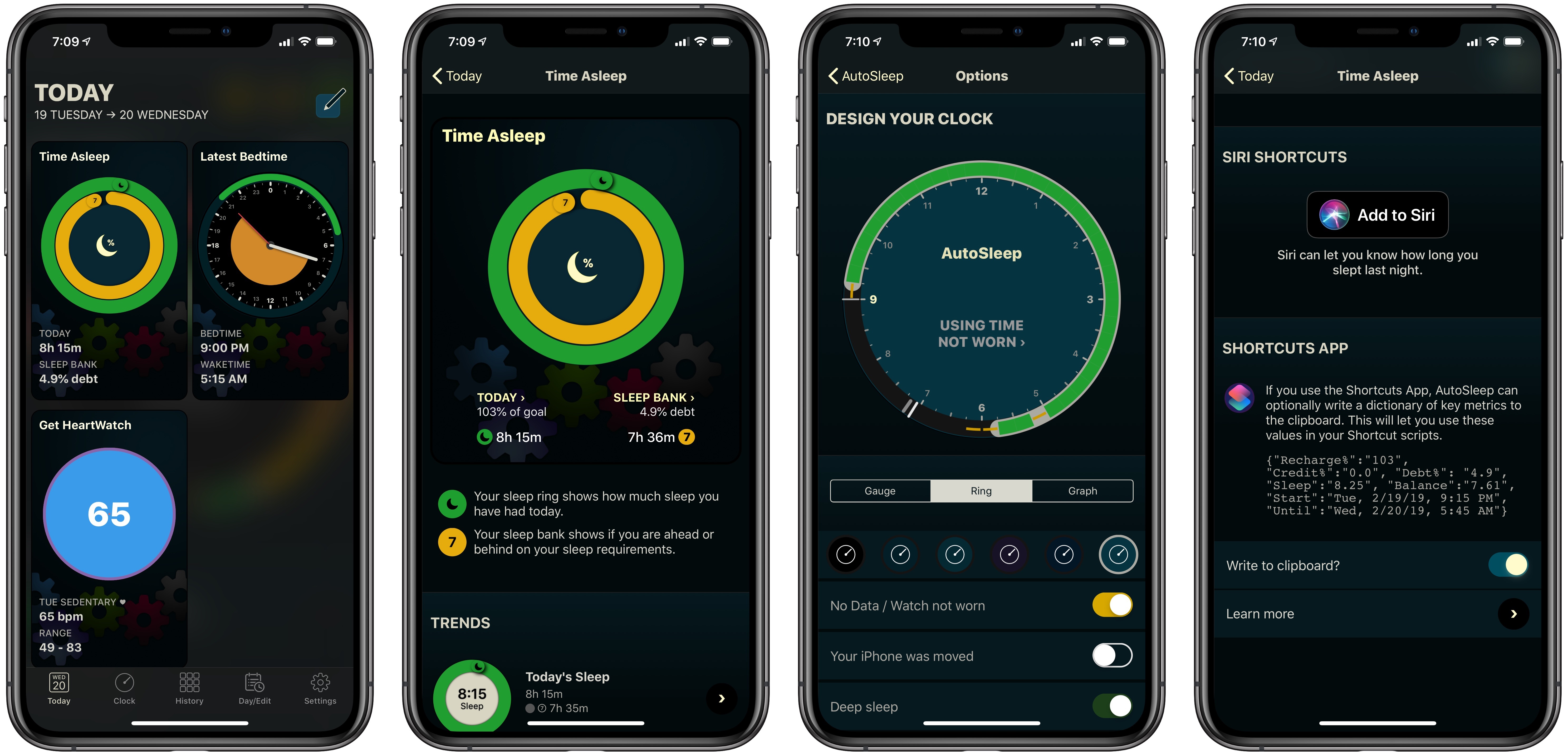
AutoSleep, the automatic sleep tracker for iPhone and Apple Watch, has followed up its big 6.0 release from late last year with a 6.1 update that adds a brand new Today screen, the ability to customize the design of the app’s sleep clock, and several other smaller improvements.
Apple Shares Apple Music Ads for Grammys Featuring Artists as Memoji
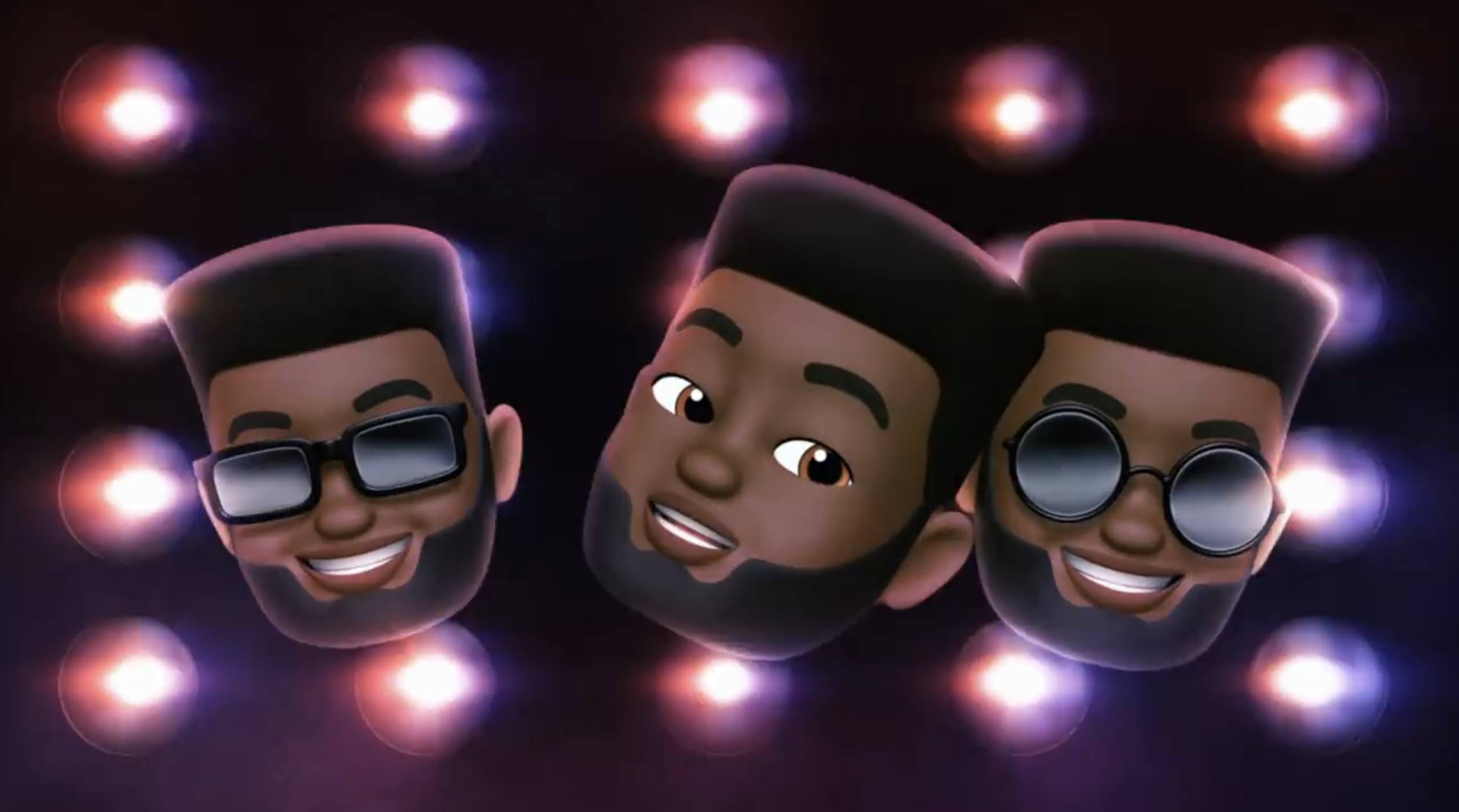
In advance of 2019’s Grammy awards, airing this Sunday, February 10, Apple has shared three new Apple Music ads on its YouTube channel. Each minute-long ad is a music video wherein well known artists are represented in Memoji form. One video features Ariana Grande, another Khalid, and the final one Florida Georgia Line.
Last year Apple shared music videos featuring Animoji ahead of the Grammys, so this year’s decision to use Memoji is a natural evolution following iOS 12’s debut in September.
Although Animoji Karaoke hasn’t caught on much in broader culture despite commercials like these, it’s still fun seeing Apple highlight one of iOS’ more whimsical features alongside its music service.
Apple Releases iOS Update to Fix FaceTime Bug and Compensates Teen Who Discovered the Problem
Today, Apple issued an update to iOS that fixes the serious bug that we reported on last week, which could be exploited to eavesdrop on someone using FaceTime. With iOS 12.1.4 in place, Apple has turned Group FaceTime back on server-side too, but it will only work with the updated version of iOS and later releases.
In a statement to MacRumors, BuzzFeed, and other media outlets Apple said:
Today’s software update fixes the security bug in Group FaceTime. We again apologize to our customers and we thank them for their patience. In addition to addressing the bug that was reported, our team conducted a thorough security audit of the FaceTime service and made additional updates to both the FaceTime app and server to improve security. This includes a previously unidentified vulnerability in the Live Photos feature of FaceTime. To protect customers who have not yet upgraded to the latest software, we have updated our servers to block the Live Photos feature of FaceTime for older versions of iOS and macOS.
In the security update notes released alongside the update, Apple credits Grant Thompson, the teenager who first reported the bug, along with Daven Morris of Arlington, Texas.
FaceTime
Available for: iPhone 5s and later, iPad Air and later, and iPod touch 6th generation
Impact: The initiator of a Group FaceTime call may be able to cause the recipient to answer
Description: A logic issue existed in the handling of Group FaceTime calls. The issue was addressed with improved state management.
CVE-2019-6223: Grant Thompson of Catalina Foothills High School, Daven Morris of Arlington, TX
According to Nicole Nguyen of BuzzFeed, Apple is also compensating Thompson’s family and making a gift towards his education: