This Week's Sponsor:

Dropzone 5

Improve your Drag-and-Drop Workflow


Posts in news

MacStories Unwind: A Crazy Word Game from Matthew Inman of The Oatmeal, Logitech’s New HomeKit Doorbell, A For All Mankind Podcast and New Emoji are Coming

AppStories+ Deeper into the world of apps
0:00
24:21

AppStories+ Deeper into the world of apps


Sponsored by: UpNote – The Best App for Notes Writing and Organizing

This week on MacStories Unwind:

MacStories

Club MacStories

  • MacStories Weekly
    • Spotify Stations
    • A collection of diagramming and mind map apps
    • A detailed look at John’s task management setup in GoodTask

AppStories

Unwind


Emojipedia Previews the Emoji Included in the Second Beta of iOS and iPadOS 14.5

Source: Emojipedia.org

Source: Emojipedia.org

Earlier today, Apple released the second developer beta of iOS and iPadOS 14.5, which includes new emoji. The latest additions, which include 217 emoji when you account for skin tone and other variations, have been cataloged by Jeremy Burge at Emojipedia.

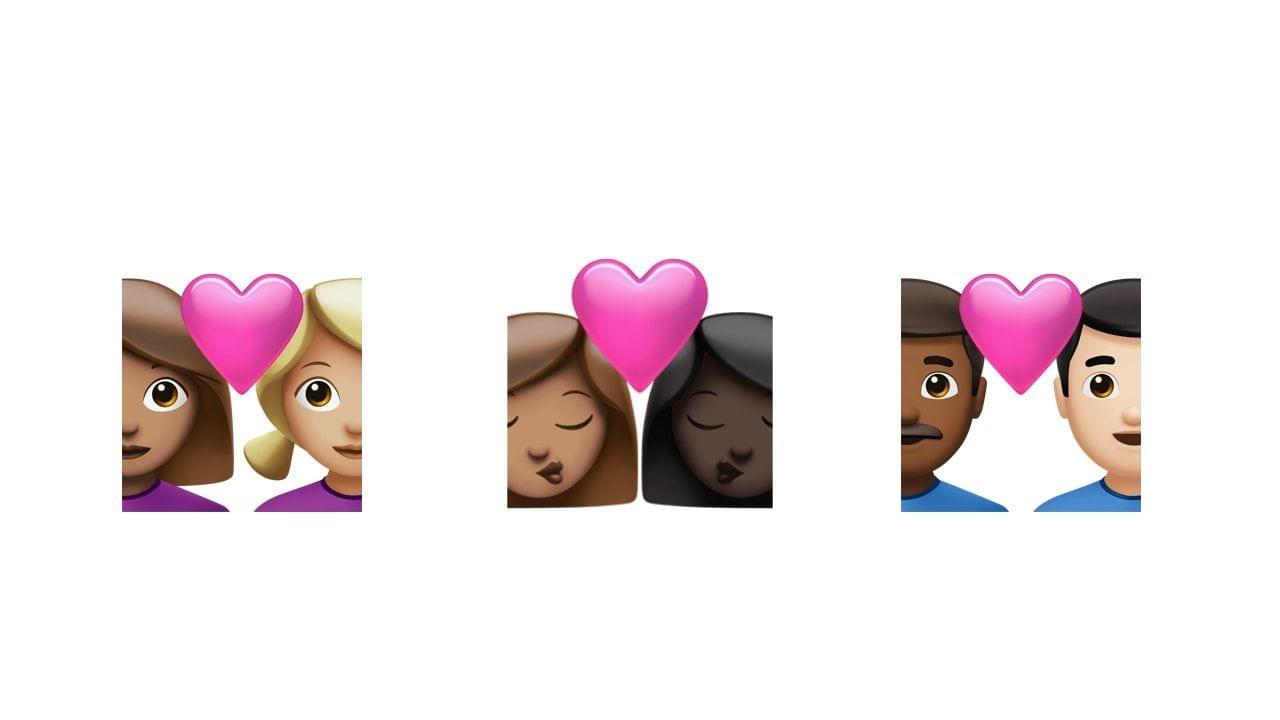
A few of the 200 couples emoji variations. Source: Emojipedia.org

A few of the 200 couples emoji variations. Source: Emojipedia.org

Highlights include couples, with expanded skin tone options that account for 200 of the new emoji. The remaining additions include three new smileys: Exhaling Face, Face with Spiral Eyes, and Face in Clouds, two new heart variants, and gender options for Bearded Person. Apple has also revised the syringe emoji so that it doesn’t include blood, making it useful in a wider range of circumstances, and the headphones emoji so it looks like a pair of AirPods Max.

If you’re wondering why we’re seeing new emoji so soon, don’t miss Burge’s post from last summer explaining the Unicode Consortium’s new emoji approval schedule. The new emoji will be part of Apple’s next round of operating system updates, which the company has said will be available this ‘spring.’

Permalink

‘For All Mankind’ Companion Podcast Launching Friday from Apple TV+

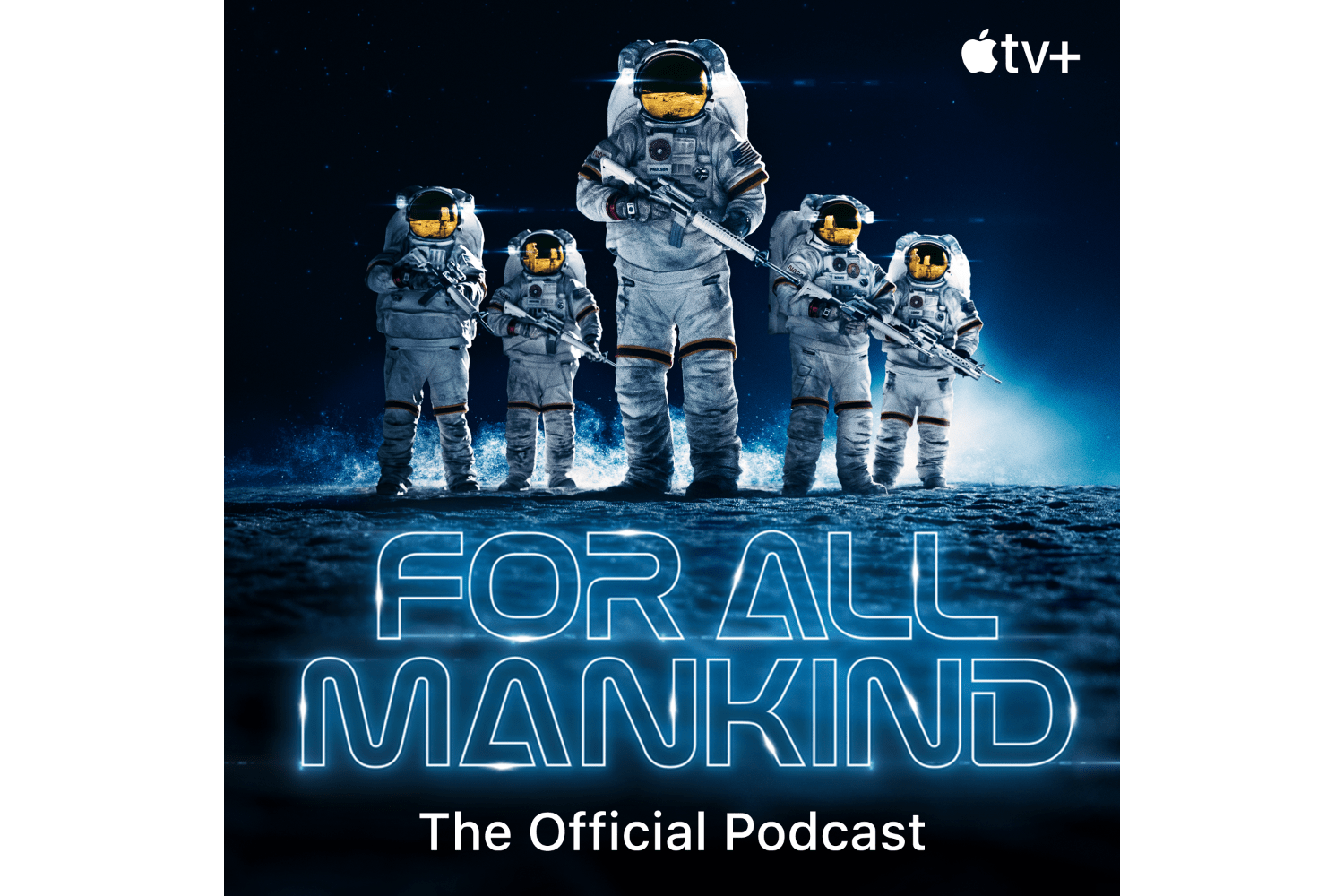
Apple TV+ is launching its first podcast that will serve as a companion to the show ‘For All Mankind,’ the Apple Original series that imagines a world where the Soviet Union was first to land on the Moon. Trailers for the podcast, which is hosted by cast member Krys Marshall, are available on Apple Podcasts and YouTube. The first full episode will be published Friday, February 19th at 9:00 am US Pacific time, which is also when the first episode of season two of For All Mankind will be available.

For All Mankind: The Official Podcast’ is being produced in partnership with AT WILL MEDIA, a Manhattan and Los Angeles-based media production company that has produced shows like The Choice for The New York Times. New episodes of the TV show will debut at 9:00 am US Pacific time each Thursday, with new episodes of the 10-episode podcast coming out every other week on Fridays at the same time.

Podcast host Krys Marshall, who plays Commander Danielle Poole on For All Mankind, will be joined by space experts, former astronauts, and people involved in creating the TV show, providing a mix of science and behind-the-scenes details about the show. The show is available in the Apple Podcasts app as well as third-party podcast players via RSS.

You can listen to the trailer for ‘For All Mankind: The Official Podcast’ below:


MacStories Unwind: HomeKit App and Camera Reviews, Maps Gets New Features, and Using Siri to Change Your Default Music Service

AppStories+ Deeper into the world of apps
0:00
23:46

AppStories+ Deeper into the world of apps


Sponsored by: BetterTouchTool – Customize your Input Devices

This week on MacStories Unwind:

MacStories

Club MacStories

  • MacStories Weekly
    • GameTrack
      • Screenshot and screen recording apps
      • An Opener app tip
      • Federico’s ongoing widget experiments
  • MacStories Unplugged
    • A productivity parable
    • Boston slang
    • Regional Italian accents

AppStories

Unwind


Maps Adds Accident, Hazard, and Speed Check Reporting Using the iPhone, CarPlay, and Siri to the iOS 14.5 Beta

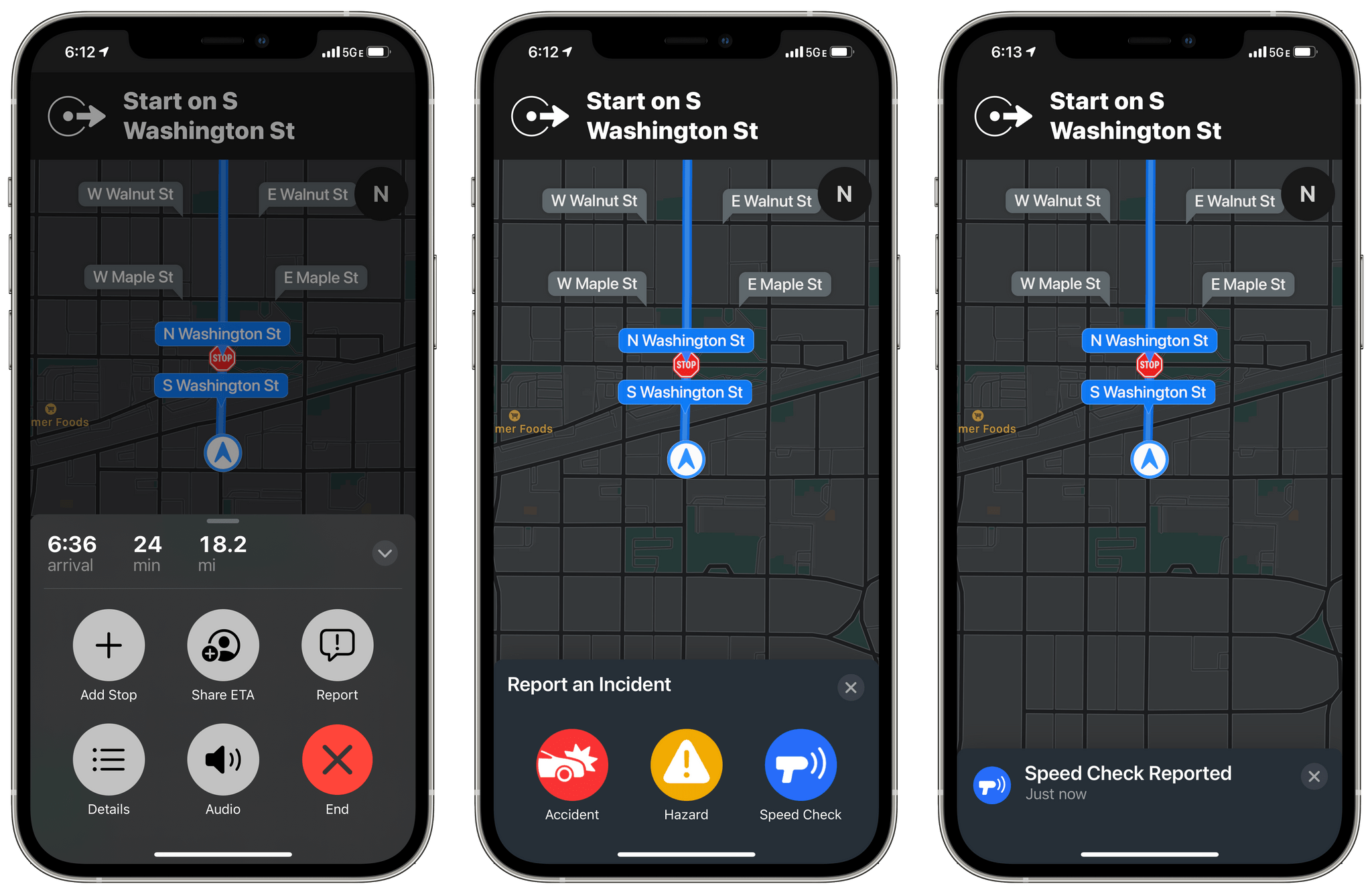
Apple has rolled out another new feature to iOS 14.5 beta testers in the US: accident, hazard, and speed check reporting in Maps.

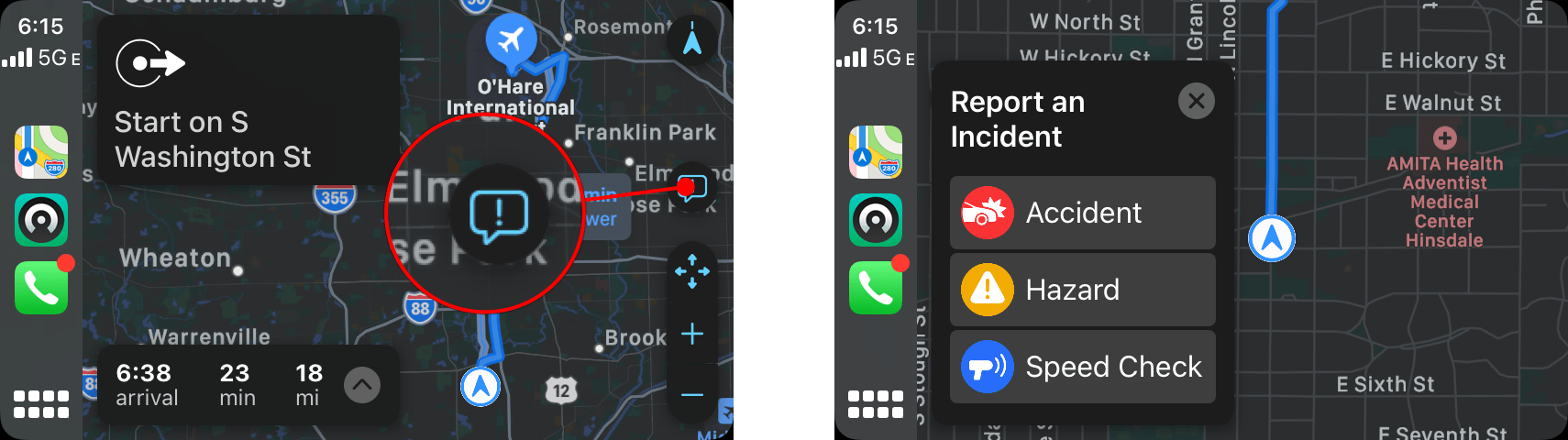
The new feature, which appeared today, is available once you begin navigating to a destination using Maps on your iPhone or via CarPlay. After you tap the ‘Go’ button, you can tap or swipe up from the bottom of the Maps app on your iPhone or tap the new ‘Report’ button on the right side of the CarPlay UI to reveal options to report traffic accidents, road hazards, or speed checks. All three alerts can be reported and cleared using Siri too.

Submitting a report using CarPlay

Submitting a report using CarPlay

I did some preliminary testing of the feature using Maps with my iPhone, CarPlay, and Siri, and it worked well without any issues. My one quibble is with the placement of the Report button in CarPlay. It’s quite small and on the far side of the screen from the driver. You can use Siri to send a report instead, but I expected the Report button to be revealed when I tapped on the strip along the bottom of CarPlay’s Maps view that lists information like the estimated arrival time at your destination.

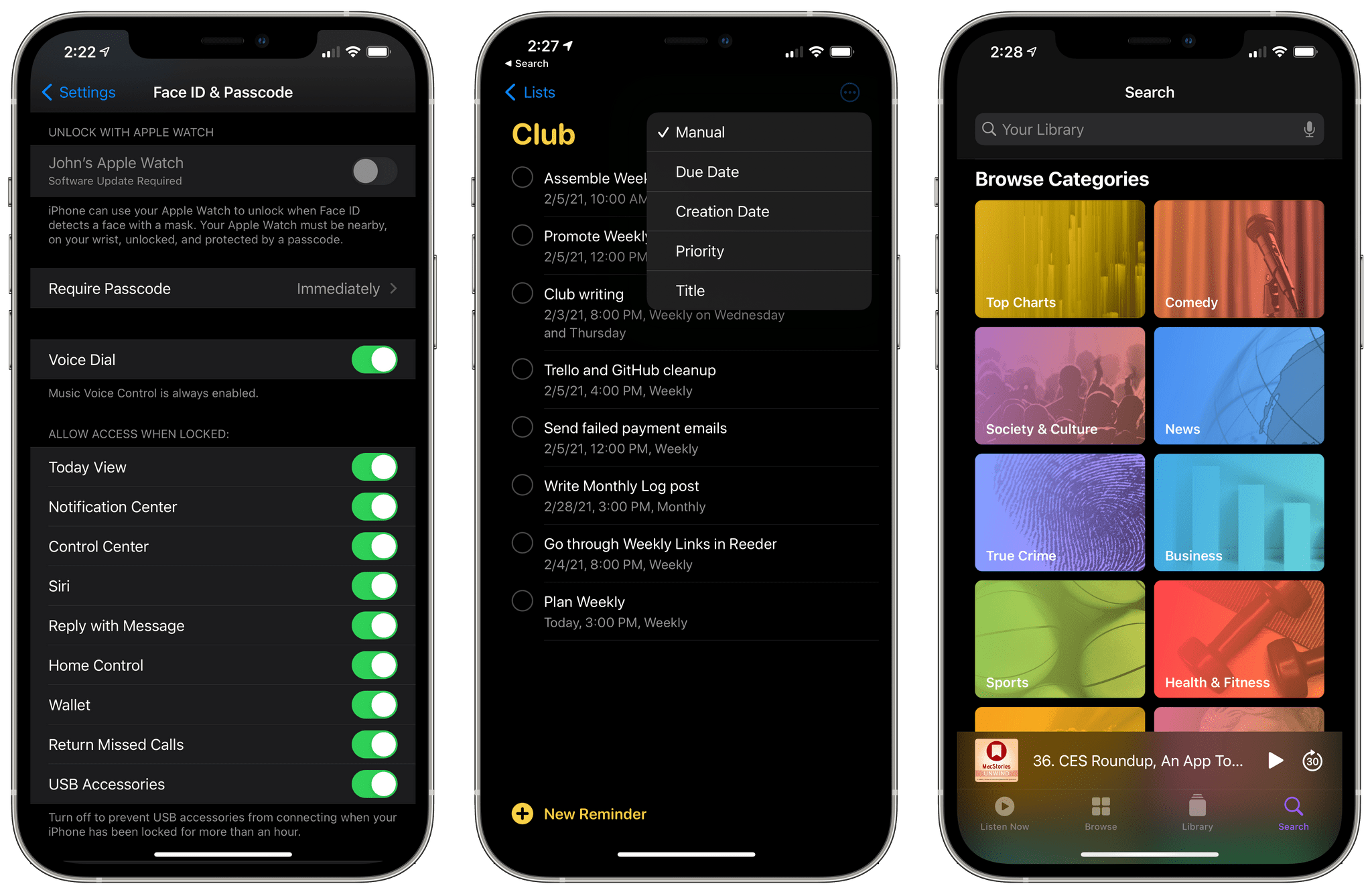
It will probably be a while before enough people are using iOS 14.5 for accident, hazard, and speed check alerts to begin popping up as I drive somewhere. However, there are enough other big features coming in 14.5, like the Face ID plus Apple Watch iPhone unlocking when you’re wearing a face mask, that I expect we’ll begin to see notifications pop up in Maps once iOS 14.5 is officially released.


MacStories Unwind: M1 Macs, GoodTask, and Text Case Reviewed, OS Betas, and CARROT Weather 5

AppStories+ Deeper into the world of apps
0:00
29:49

AppStories+ Deeper into the world of apps


Sponsored by: SaneBox – Organize Your Inbox, and Never Waste Time on Email Again

This week on MacStories Unwind:

MacStories

Club MacStories

  • MacStories Weekly
    • Downie
    • John’s updates his over-the-air TV setup with a new antenna and Channels

AppStories

Unwind


Apple Releases macOS 11.3 Beta with New Safari Features, Reminders Sorting, Music Updates, and Improvements to iOS and iPadOS Apps Running on M1 Macs

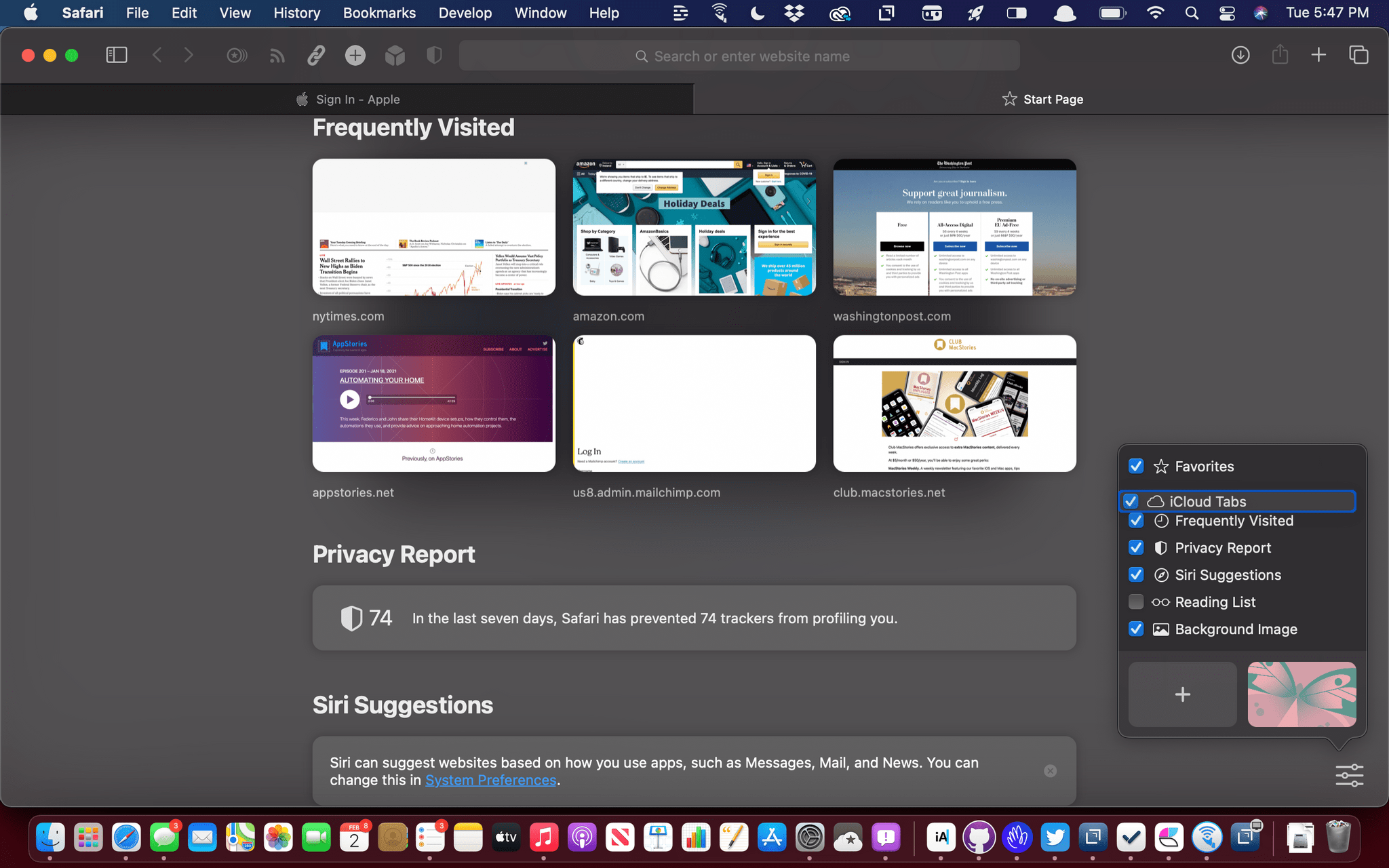
Start page items can be reordered.

Start page items can be reordered.

Apple has released the first beta for macOS 11.3 Big Sur, which includes new Safari features, changes that parallel yesterday’s updates to iOS and iPadOS, and more.

Some of the most interesting features of the latest Big Sur beta are in Safari. As I wrote in my Big Sur review, I like most of the changes made to Safari’s start page but wished I could reorder the default sections. That’s now possible, which is terrific, but there’s also a new third-party extension point for developers to build start page integrations, which is very interesting. We’ll have to see what developers do with the new feature, but I expect it will allow RSS clients to list recent articles on the start page that could be opened directly in Safari, for example. There’s a new Web Speech API that allows speech recognition functionality to be built into a webpage too.

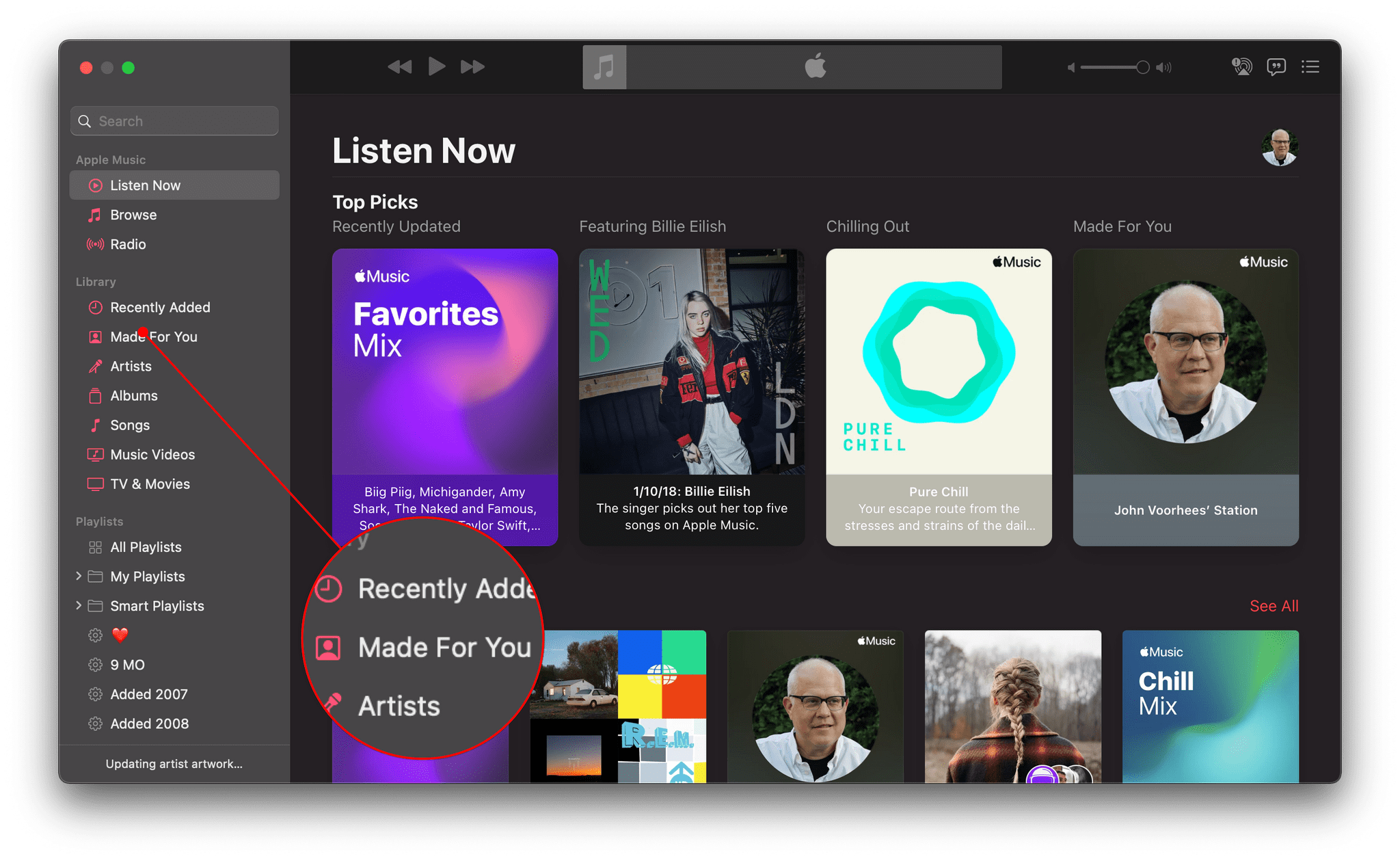
Music's new Made for You tab

Music’s new Made for You tab

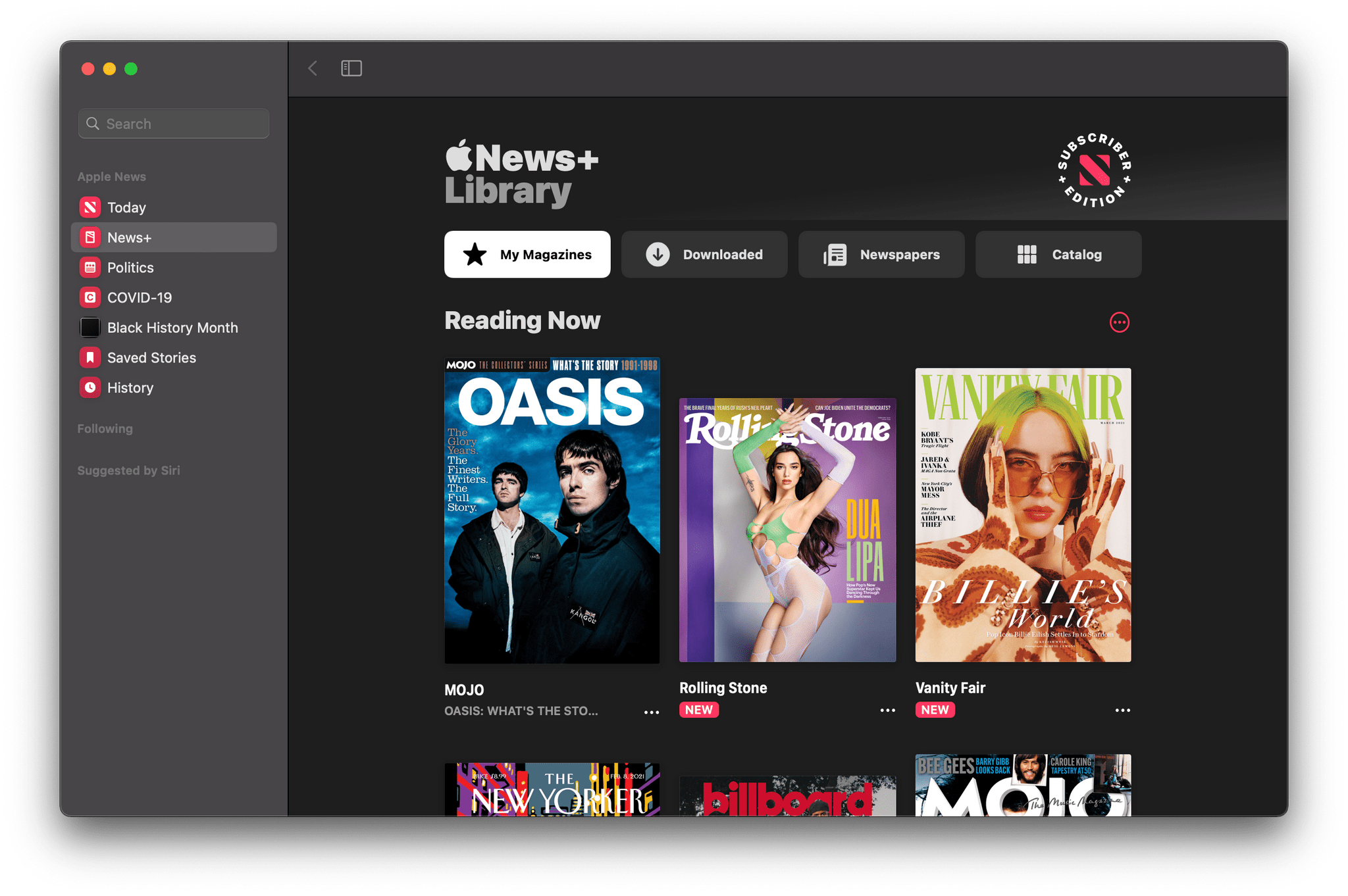
Similar to iOS and iPadOS, Reminders is gaining the option to print lists. Music adds a dedicated ‘Made For You’ section in the sidebar that includes your annual Replay playlists and Apple’s personalized algorithmic playlists. The Listen Now tab will also suggest upcoming live events tuned to your music tastes. There’s an enhanced News+ tab in Apple News designed to make it easier to access magazines and newspapers and manage downloaded issues. Sony PS5 DualSense and Xbox Series X/S controllers are supported too.

The News+ tab has been redesigned.

The News+ tab has been redesigned.

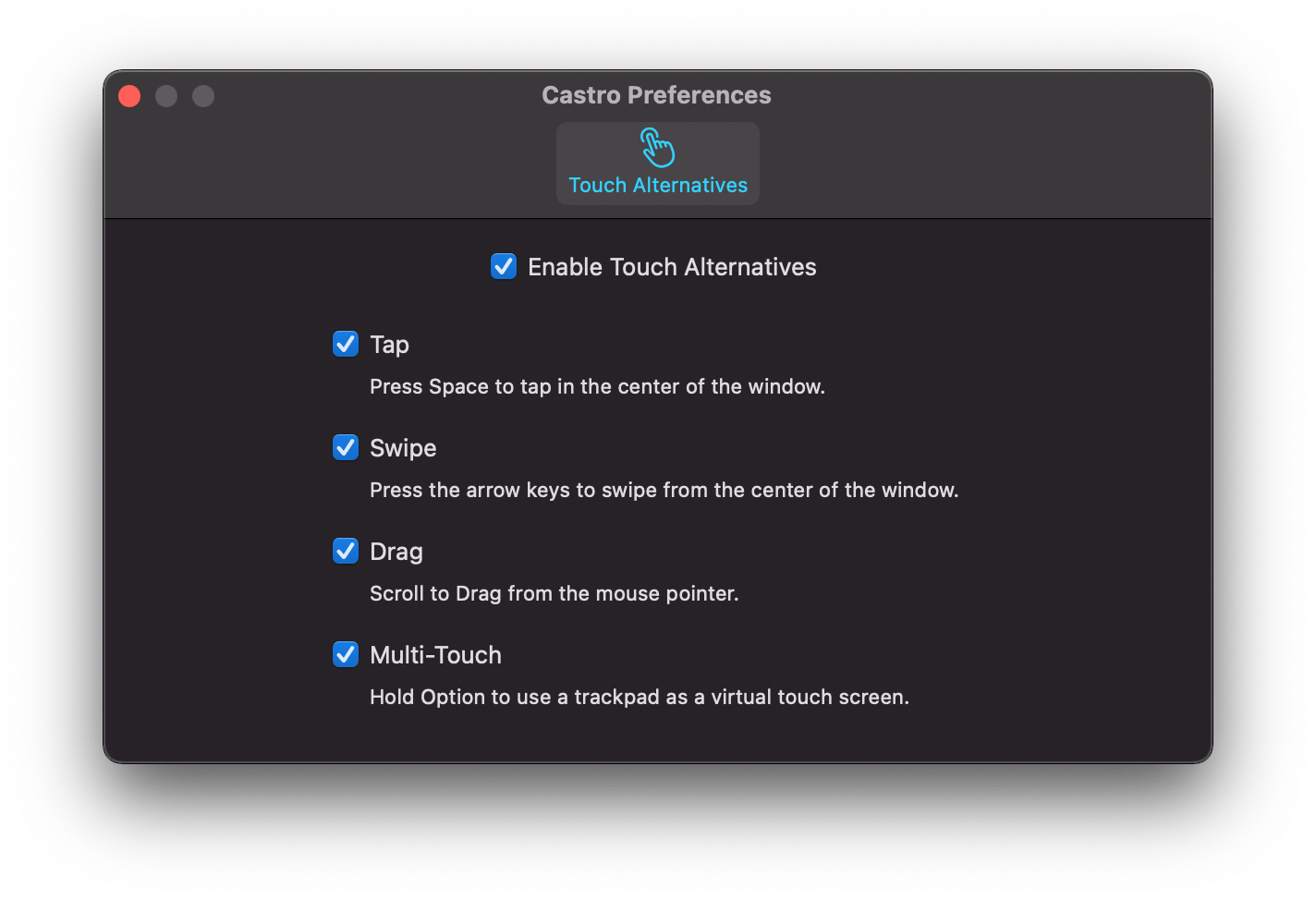
Finally, the experience of using iOS and iPadOS apps on the Mac got a boost too. There’s a brand new Preference pane in iPhone and iPads running on an M1 Mac that provides more keyboard control over touch commands. Apps can also be opened in larger windows.

The new iOS and iPadOS app Preferences window.

The new iOS and iPadOS app Preferences window.


Apple Releases Betas with Face ID Plus Apple Watch iPhone Unlocking, App Tracking Transparency, and Other New Features

Betas of iOS, iPadOS, tvOS, and watchOS are out today with some interesting features. Last week on World Privacy Day, Apple announced that App Tracking Transparency is coming in the spring, so it’s no surprise that iOS and iPadOS 14.5 include the feature. However, there are several other features coming in the next round of OS releases, as summarized by Rene Ritchie in this tweet:

https://twitter.com/reneritchie/status/1356309325820665857?s=20

Read more