Posts in news

MacStories Unwind: AirPods Max, Fitness+, Two New Shortcuts, and a HomeKit Lock Review

0:00
33:33


Sponsored by: Halide Mark II – The Best Pro Camera For iPhone

This week on MacStories Unwind:

MacStories

Club MacStories

  • MacStories Weekly
    • A collection of modern note-taking apps
    • A shortcut for generating PDFs linked on a website
    • Alex takes a trip down memory lane with Phoenix
  • MacStories Unplugged

AppStories

Unwind


AirPods Max First Impressions Roundup

In the wake of this week’s AirPods Max announcement, Apple provided the premium wireless headphones to a handful of YouTubers and media outlets. Nobody had even a full day with the AirPods Max, so none of these are full reviews, but they do provide a closer look at the headphones and some valuable first impressions.

Matthew Panzarino of TechCrunch was impressed with the sound quality but warned of the sturdy design:

There is a tradeoff here that I feel I must mention even in this early review, though: These things are heavy. If you do not like heavy headphones, do not buy the AirPod Max.

All of the reviewers seemed impressed with the sound quality of the headphones, including The Verge’s Nilay Patel:

Sound-wise, I’ve had fun listening to the AirPods Max for a few hours — they’re crisp and bright, with a pleasingly wider soundstage than my Sony headphones, and no distortion at all, even at max volume.

Comparisons to wireless headphones from Sony and Bose were also common, but Marques Brownlee questioned whether that was the right comparison, arguing that contrasting the AirPods Max to higher-end headphones might be more meaningful.

The AirPods Max case was raised as a frequent downside by reviewers who compared to a purse, a bra, and even a butt. Another downside depending on how you might use the AirPods Max is the lack of a cable in the box to connect to airplane entertainment systems and other audio sources. Apple offers a 3.5mm to Lightning cable separately for $35.

Be sure to check out the videos published on YouTube that I’ve linked below too. They’re an excellent way to get a better sense of the design details of the AirPods Max.

I’m curious to read and watch full reviews of the AirPods Max after reviewers have had time to use them for more extended periods and in different settings. For now, though, the first impressions provide a nice introduction to what the AirPods Max can do and what some of their limitations are.


Fitness+ Service Launching December 14th

Today, Apple announced that Fitness+, the new exercise class service initially announced in September, will debut Monday, December 14th.

Fitness+ costs $9.99/month or $79.99/year and requires an Apple Watch Series 3 or later. The service is also part of the Premier tier of the Apple One service bundle, which also includes Apple Music, Apple TV+, Apple Arcade, Apple News+, and 2TB of shared iCloud storage for $29.95 for up to six family members. Fitness+ offers a 1-month free trial to everyone and a 3-month free trial for anyone who purchased an Apple Watch on September 15th or later.

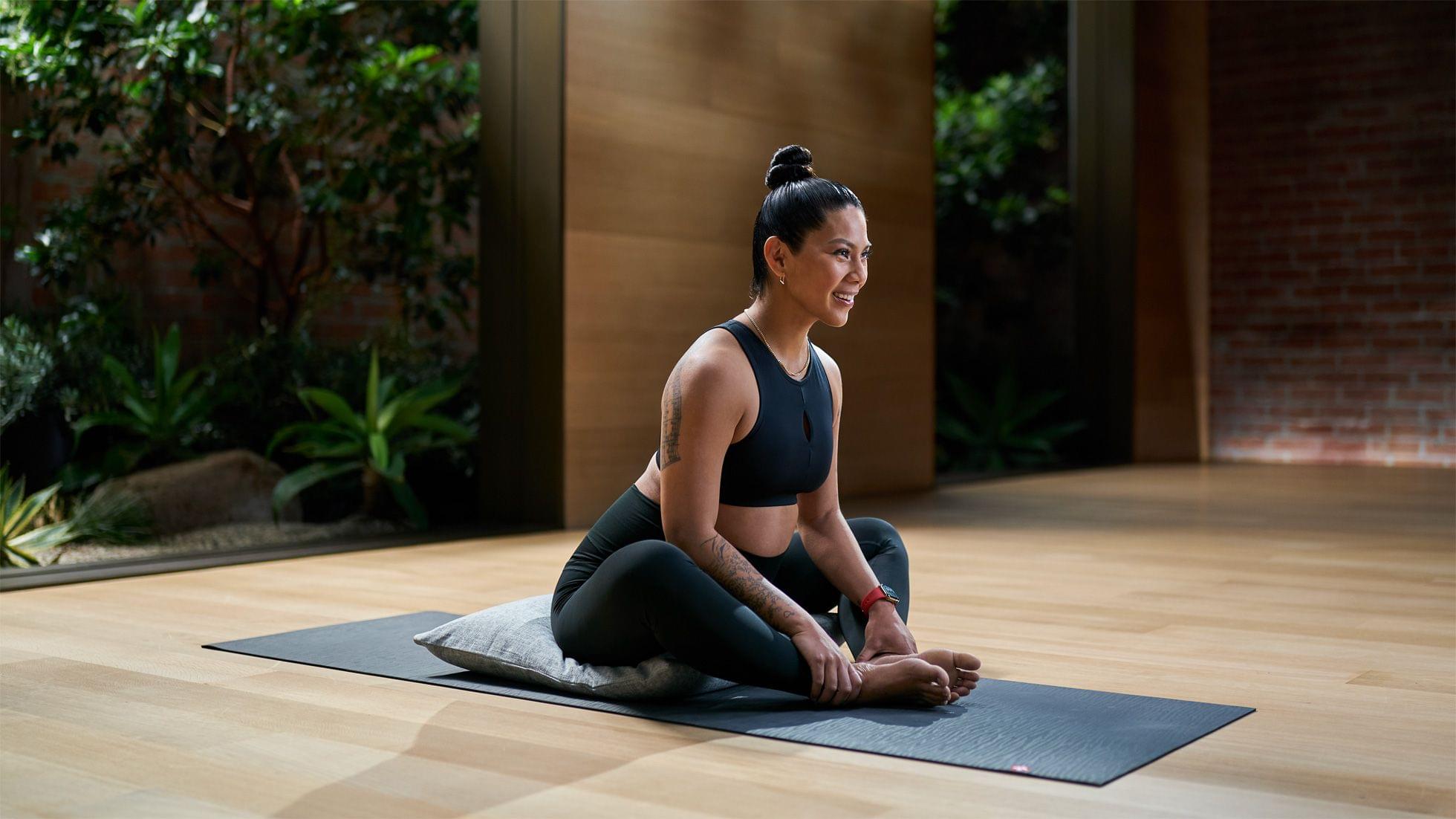
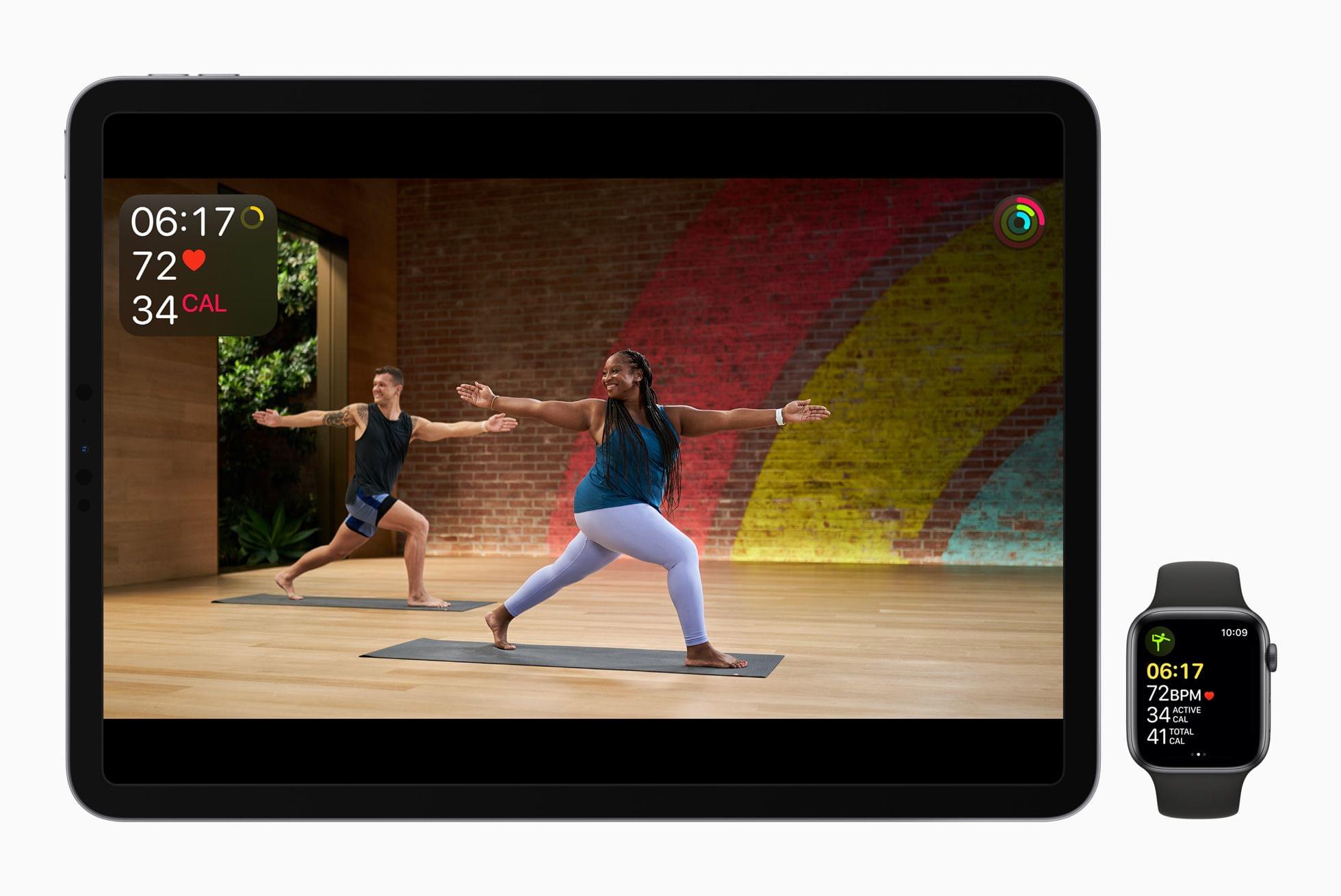
Apple has hired a team of fitness instructors to provide a steady stream of studio-style fitness classes that can be watched from an iPhone, iPad, or Apple TV. Classes are integrated with the Apple Watch, which transmits fitness metrics to the device you’re watching a class on, displaying them onscreen as you exercise. Metrics tracked include workout duration, calories burned, heart rate, and Activity ring status.

The new service is also tightly integrated with Apple Music. According to Apple:

Music is a central part of the Apple Fitness+ experience, and the trainer team weaves music throughout the design of every workout. Users can choose from nine different styles, including Latest Hits, Chill Vibes, Upbeat Anthems, Pure Dance, Throwback Hits, Everything Rock, Latin Grooves, Hip Hop/R&B, and Top Country, and see the full workout playlist before they start. They can also filter by music to find the right workout to fit their current mood. An Apple Music subscription is not required to enjoy the music in Fitness+, but for those who have one, favorite songs or an entire playlist from Fitness+ workouts can be downloaded to their Apple Music library to listen anytime.

Apple is offering ten categories of classes at launch including the following nine categories:

  • Yoga
  • Cycling
  • Treadmill
  • Rowing
  • HIIT
  • Strength
  • Dance
  • Core
  • Mindful Cooldown

Fitness+ classes can be accessed from a new tab in the iPhone’s Fitness app, which is also available on the iPad and Apple TV for the first time.

In September, Apple said that new classes will be added every week and that classes will be intelligently recommended to subscribers based on their fitness level and past classes. The service is meant to accommodate a wide range of users from beginners to experts and minimize the equipment necessary to participate in classes.

I enjoy going for long walks and runs outside during the summer, but I’ve been looking forward to Fitness+’s launch with the weather turning cold in Chicago. I still plan to get outside this winter, but having the option to exercise indoors on a cold, snowy day is appealing, and I hope Fitness+ will help keep me in reasonable shape until I can lace up my running shoes again and head outdoors.


Apple Announces AirPods Max: Wireless Over-Ear Headphones Available Just in Time for the Holidays

Today, Apple revealed the AirPods Max, wireless, over-ear headphones that take advantage of the company’s H1 SoC.

It’s no secret that AirPods have been a big hit. The original model, announced in 2016, has been revised once and in October 2019, Apple released the AirPods Pro adding noise cancellation and transparency mode to the connectivity magic enabled by the company’s H1 SoC. Ever since, rumors have circulated that Apple was developing an over-ear model. With today’s announcements the rumors and speculation have become a reality. Let’s look at what Apple has in store for music fans.

The AirPods Max, which are more expensive than rumored at $549, are initially launching in the US and 25 other countries. Many of the features and specs of the AirPods Max line up with previous rumors and share similarities with Apple’s AirPods Pro. The over-ear headphones feature:

  • Apple’s proprietary H1 SoC (one in each ear cup), which provides a stack of features on top of Bluetooth 5.0 that enables wireless connectivity features like fast device switching across multiple devices
  • Active noise cancellation
  • Transparency mode
  • Nine microphones for noise cancellation and other features
  • Adaptive EQ
  • A Digital Crown that controls volume, play/pause, skipping tracks, and Siri functionality
  • Optical and position sensors in the ear cups
  • A case detection sensor
  • An accelerometer
  • A gyroscope in the left ear cup
  • Ear cushions attach magnetically and can be replaced for $69
  • Lightning connectivity for charging and wired listening with Apple’s optional 3.5mm to Lightning cable
  • 20 hours of battery life and 1.5 hours of charge in just 5 minutes of charging
  • A Smart Case that puts the AirPods Max into an ultra-low power state

Apple also offers a $35 3.5mm to Lightning cable so the AirPods Max can be used wired.

The AirPods Max Smart Case.

The AirPods Max Smart Case.

Regarding the ear cups and Digital Crown, Apple’s press release says:

Each ear cup attaches to the headband through a revolutionary mechanism that balances and distributes ear cup pressure, and allows it to independently pivot and rotate to fit the unique contours of a user’s head. Each ear cushion uses acoustically engineered memory foam to create an effective seal — a critical factor in delivering immersive sound. The Digital Crown, inspired by Apple Watch, offers precise volume control and the ability to play or pause audio, skip tracks, answer or end phone calls, and activate Siri.

Like Apple’s other AirPods models, AirPods Max will also take advantage of automatic device switching. The new over-ear headphones will also feature spatial audio, previously available with the AirPods Pro only.

The AirPods Max, which are available in space gray, silver, sky blue, green, and pink, are over-ear headphones that completely surround users’ ears. The design is striking. According to Apple:

From the canopy to the ear cushions, every part of AirPods Max is carefully crafted to provide exceptional acoustic performance for each user. The breathable knit mesh canopy, spanning the headband, is made to distribute weight and reduce on-head pressure. The stainless steel headband frame provides strength, flexibility, and comfort for a wide variety of head shapes and sizes. Telescoping headband arms smoothly extend and stay in place to maintain the desired fit.

Until AirPods Max are in the hands of users, it’s impossible to know how well they work or how good they sound. Still, I’m glad to see Apple expanding the AirPods lineup. I’ve been spoiled by the unique conveniences of AirPods and AirPods Pro, and with the AirPods Max, I’m eager to see how those features and the new ones announced today translate to an over-ear experience.

AirPods Max are available for pre-order now and will be available beginning Tuesday, December 15th for $549.

Apple has posted two videos on its YouTube channel: one narrated by Evans Hankey, VP of Industrial Design, and Gary Geaves, VP, Acoustics that introduces the AirPods Max and the other an ad titled Journey Into Sound, both of which you can find after the break.

Read more


MacStories Unwind: Apple’s Year-End Award Winning Apps, Music, Podcasts, and Books, youtube-dl on iPad, Texting Alexa, and the iPhone MagSafe Wallet

0:00
34:25


Sponsored by: pCloud – How Does 2TB Lifetime Cloud Storage Sound?

This week on MacStories Unwind:

MacStories

Club MacStories

  • MacStories Weekly
    * A collection of focused Mac utilities
    * Federico’s custom menu bar URL scheme launcher

AppStories

Unwind


Family Sharing of In-App Purchases and Subscriptions Is Now Available

Yesterday, thanks to the excellent information storage and management app Keep It, Federico discovered that Apple had activated Family Sharing of In-App Purchases, including subscriptions.

First announced at WWDC in June, the new feature expands what’s included as part of Family Sharing. Previously, In-App Purchases, including subscriptions, were excluded. Now, however, there’s a toggle in Settings → iCloud → Subscriptions that permits sharing of new subscriptions automatically with family members. Family sharing of subscriptions can be turned on and off on a per-subscription basis, too, by tapping the individual subscriptions in Settings, where you’ll find a Family Sharing toggle for that particular app. Sharing of existing subscriptions is turned off by default and must be enabled manually one app at a time.

Family Sharing of In-App Purchases and subscriptions is optional for developers who must turn it on in the App Store Connect as Keep It developer Steve Harris explains in this Twitter thread:

https://twitter.com/steveharris/status/1334615046090076162?s=21

I’m glad to see Apple has activated In-App Purchase and subscription sharing among families. With the increasing popularity of subscriptions, Family Sharing was quickly becoming less valuable to users who wanted their entire family to have access to an app. Although the feature requires developers to opt-in, three of my subscriptions have adopted Family Sharing, so I’m optimistic others will follow suit.


Year-End Music Insights From Apple’s Replay 2020 and Top 100 Playlists, Plus MacStories’ Apple Music Wrapped Shortcut

Apple’s annual Replay playlists are available and updated throughout most of the year by visiting replay.music.apple.com. However, as of this week, if you visit the site, you will see your year-end statistics too, which provide insights about your listening habits in 2020.

When you click or tap the ‘Get Your Replay Mix’ button, a webpage is generated with:

  • The total number of hours you’ve listened to Apple Music in the past year
  • Your 2020 Replay playlist of top-played tracks, including the number of times you played each song
  • The number of artists you’ve listened to this year and a list of the ones you’ve listened to the most, including the hours you spent listening to each
  • The number of albums you listened to along with a personal top 10 that shows how many times you listened to each album
  • Links to past annual Replay playlists

I find these statistics fascinating and wish that they didn’t require you to visit a special website. I understand there is a privacy angle here, which undoubtedly is why Apple doesn’t generate these statistics for you automatically. However, the Replay playlists are still a feature that should be built into the company’s apps.

Spotify does a much better job with the year-end Wrapped playlist and related statistics it creates for users. In addition to the playlist, Spotify breaks down the year in music, reporting on trends on its ‘For the Record’ podcast and the company’s blog. For anyone interested in where the global music scene is heading, these Spotify features and articles are a terrific resource.

The report created by the Apple Music Wrapped shortcut. It's true, I really like [Kyoto](https://music.apple.com/us/album/kyoto/1504699857?i=1504699860).

The report created by the Apple Music Wrapped shortcut. It’s true, I really like Kyoto.

If you’re looking for a way to approximate Spotify’s Wrapped playlist for Apple Music and extend Apple’s Replay report, check out the Apple Music Wrapped shortcut that Federico created a couple of years ago and has updated for 2020. The shortcut, which is part of the MacStories Shortcuts Archive, generates a report on your music listening for the past year that can be viewed in Safari, creates a PDF you can save to Files or Dropbox, and can build a Top 25 playlist that it saves to the Music app. You can read more about Apple Music Wrapped’s features here.

Apple Music Wrapped

Create a detailed report for the music you’ve listened to in the past year. The shortcut can optionally create a Top 25 playlist for your most played songs and generate a PDF report. The shortcut is primarily designed for Apple Music subscribers.
To calculate number of plays, the shortcut looks at songs that have been played in full without skipping and added to your library in any given year.

Get the shortcut here.

Apple's many Top 100 playlists.

Apple’s many Top 100 playlists.

Apple has also debuted a series of Top 100 year-end playlists. There are global, Shazam, most-read lyrics, and country-specific Top 100 lists for a total of 51 playlists available to US Apple Music subscribers. The Top 100 I find most interesting is the Shazam list, which is generated from 9.2 billion songs identified by the app. The top song, Dance Monkey by Tones And I was identified by Shazam a whopping 24.6 million times in 2020.

I’ve enjoyed looking through my Replay statistics for 2020 and checking out a few of the Top 100 lists, but there’s so much more Apple can do to extend its year-end lists for individual users and in aggregate. The issue is part of a broader Apple Music discovery problem that extends from the inability to track Apple Music 1 radio shows to the almost non-existent promotion of Apple Music TV. Although the situation has improved, Apple Music still needs better discovery and personalization tools to compete effectively with Spotify.


Apple Names App of the Year Winners

Every year, Apple chooses a handful of standout apps and games from among the millions available on the App Store, naming them the Apps of the Year. In recent years, the company has also picked trends its editorial team has spotted on the App Store.

For 2020, Apple has honored fifteen apps and games as the App of the Year winners from a wide variety of categories. According to Apple’s press release:

“This year, more than ever before, some of our most creative and connected moments happened in apps. This was thanks to the amazing work of developers who introduced fresh, helpful app experiences throughout the year,” said Phil Schiller, Apple Fellow. “Around the world, we saw remarkable efforts from so many developers, and these Best of 2020 winners are 15 outstanding examples of that innovation. From helping us stay fit and mindful, to keeping our children’s education on track, to helping fight hunger, their impact was meaningful to so many of us.”

This year’s app winners are:

Apple also recognized games on each of its platforms, plus its Arcade service:

The App Store editorial team sees a lot of apps every year, and the trend it saw emerge in 2020 was ‘Helpfulness,’ a theme embodied in the following apps that also received an award:

In addition to naming this year’s winners, Apple called out each of the developers of the apps and games on a special page that lists the developers of each of the award-winning apps and published its top free and paid apps of 2020.

To commemorate this year’s App of the Year winners, Apple’s designers created physical awards for the first time. The blue awards resemble the App Store’s icon and are made from 100% recycled aluminum with the winner’s name engraved on the back.

It’s nice to see Apple provide a physical token of its awards this year, an opinion that I’m sure surprises no one. Congratulations to this year’s Apple App of the Year award winners. It’s always great to see developers’ hard work and contributions to Apple’s platforms recognized.


Apple Recognizes Best Books, Audiobooks, and Podcasts of 2020

Today Apple updated its Books and Podcasts apps with recognition of the most popular, and Apple’s selection of the best books, audiobooks, and podcasts of the year. There are ten different groups of selections, some just being the most popular items based on Apple’s metrics, and others being Apple’s own subjective favorites. Here’s a subset of Apple’s choices, but be sure to check out the full lists of picks in the Books or Podcasts apps on your Mac, iPhone, or iPad:

Books

Best Books of the Year:

Most Popular Fiction Books:

Read more