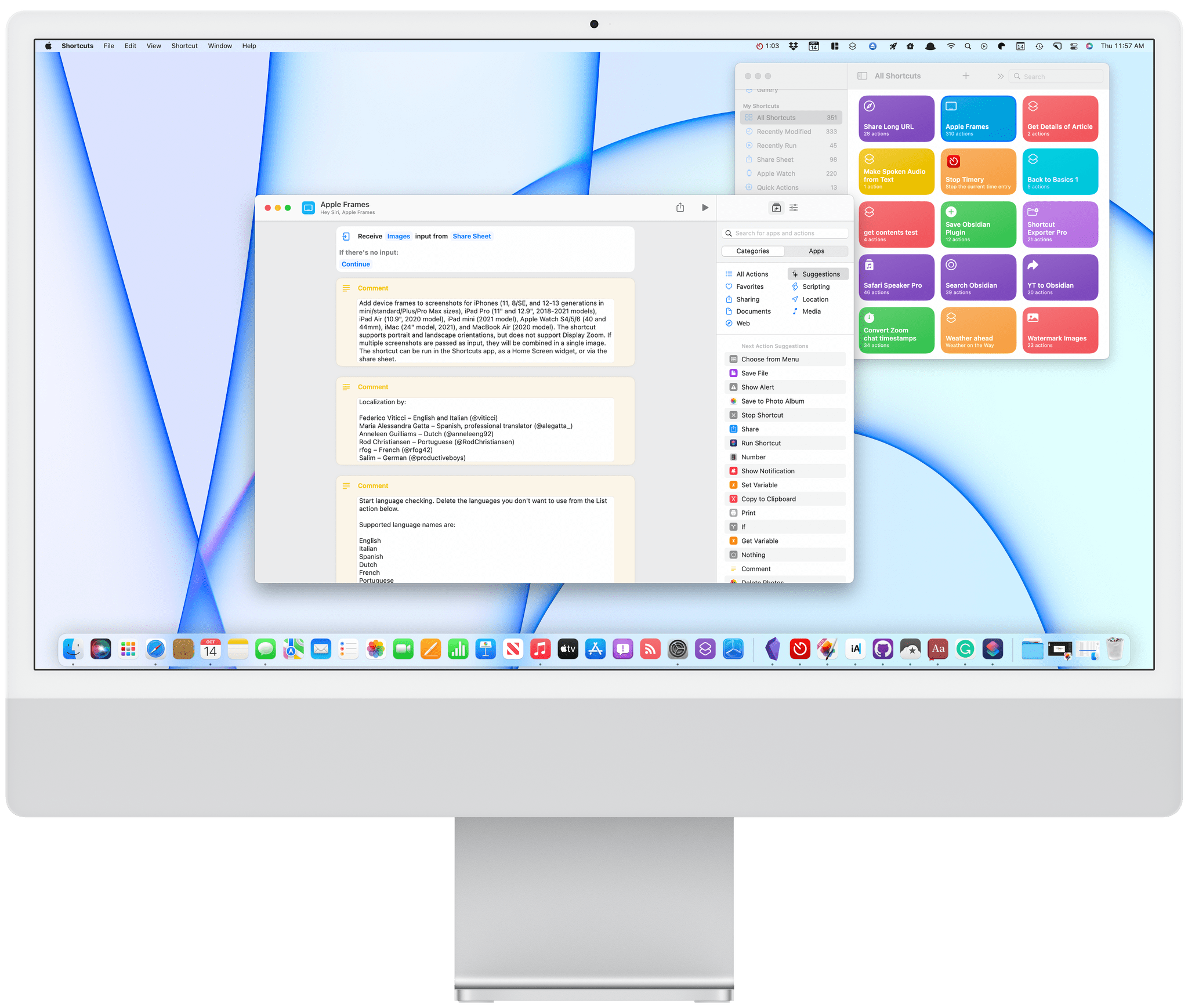
Posts in news

MacStories Unwind: Shortcuts and the Stream Deck, a Tweetbot Update, Lots of Music Recommendations, and a Tech Documentary

AppStories+ Deeper into the world of apps
0:00
36:56

AppStories+ Deeper into the world of apps


This week on MacStories Unwind:

MacStories

Club MacStories

  • MacStories Weekly
    • A tip for simplifying Shortcuts and Alfred integration
    • Federico’s Obsidian shortcuts for appending text and webpage links to a section of his Dashboard note
    • Details on how John is using the Stream Deck,
    • An interview with BetterTouchTool developer Andreas Hegenberg

AppStories

Unwind

Access Extra Content and Perks

Founded in 2015, Club MacStories has delivered exclusive content every week for nearly a decade.

What started with weekly and monthly email newsletters has blossomed into a family of memberships designed for every MacStories fan.

Learn more here and from our Club FAQs.

Club MacStories: Weekly and monthly newsletters via email and the web that are brimming with apps, tips, automation workflows, longform writing, early access to the MacStories Unwind podcast, periodic giveaways, and more;

Club MacStories+: Everything that Club MacStories offers, plus an active Discord community, advanced search and custom RSS features for exploring the Club’s entire back catalog, bonus columns, and dozens of app discounts;

Club Premier: All of the above and AppStories+, an extended version of our flagship podcast that’s delivered early, ad-free, and in high-bitrate audio.

Learn more here and from our Club FAQs.


AppStories, Episode 249 – More iPhone, iPad, and Mac Tips

This week on AppStories, we dive back into our favorite iOS and iPadOS 15 and macOS Monterey tips.


On AppStories+, John is back home, which means we’re resuming our normal routines, John covers the gear relied on while traveling to Rome, and Federico shares his first impressions of the M1 MacBook Pro and Shortcuts for Mac.

We deliver AppStories+ to subscribers with bonus content, ad-free, and at a high bitrate early every week.

To learn more about the benefits included with an AppStories+ subscription, visit our Plans page, or read the AppStories+ FAQ.

Permalink

Apple Announces Self Service Repair Program That Will Provide Customers With Access to Tools, Parts, and Manuals

Apple announced today that its customers will be able to order tools, parts, and manuals to make repairs to iPhones, and later, M1 Macs beginning early next year:

Available first for the iPhone 12 and iPhone 13 lineups, and soon to be followed by Mac computers featuring M1 chips, Self Service Repair will be available early next year in the US and expand to additional countries throughout 2022.

The initial phase of the program will focus on the most commonly serviced modules, such as the iPhone display, battery, and camera. The ability for additional repairs will be available later next year.

Repair materials will be offered in a new store:

The new store will offer more than 200 individual parts and tools, enabling customers to complete the most common repairs on iPhone 12 and iPhone 13.

Also, the company will offer a credit toward new part purchases when used parts are sent back to encourage recycling.

It’s excellent to see Apple expanding customer repair options. As the company notes in its press release, the number of authorized repair providers has expanded in recent years, but not everyone has easy access to existing alternatives. More repair options also address complaints that Apple’s devices are too hard to repair, although there remains room to make more kinds of repairs easier. Still, today’s move is a step in the right direction and one that will be interesting to follow in the coming year.

Access Extra Content and Perks

Founded in 2015, Club MacStories has delivered exclusive content every week for nearly a decade.

What started with weekly and monthly email newsletters has blossomed into a family of memberships designed for every MacStories fan.

Learn more here and from our Club FAQs.

Club MacStories: Weekly and monthly newsletters via email and the web that are brimming with apps, tips, automation workflows, longform writing, early access to the MacStories Unwind podcast, periodic giveaways, and more;

Club MacStories+: Everything that Club MacStories offers, plus an active Discord community, advanced search and custom RSS features for exploring the Club’s entire back catalog, bonus columns, and dozens of app discounts;

Club Premier: All of the above and AppStories+, an extended version of our flagship podcast that’s delivered early, ad-free, and in high-bitrate audio.

Learn more here and from our Club FAQs.


MacStories Unwind: The Art of Foundation, the iOS App Icon Book, a New Apple Original Podcast, and Lots of Videogame News and Recommendations

AppStories+ Deeper into the world of apps
0:00
25:05

AppStories+ Deeper into the world of apps


This week on MacStories Unwind:

MacStories

Club MacStories

  • MacStories Weekly
    • Mac keyboard tips
    • A Mac shortcut for cleaning up your Downloads folder
    • How Federico uses GameTrack
    • Two Reminders-based shortcuts from Club members
    • Brian King’s M1 MacBook Pro video editing setup
    • Lots of apps

AppStories

Unwind

Access Extra Content and Perks

Founded in 2015, Club MacStories has delivered exclusive content every week for nearly a decade.

What started with weekly and monthly email newsletters has blossomed into a family of memberships designed for every MacStories fan.

Learn more here and from our Club FAQs.

Club MacStories: Weekly and monthly newsletters via email and the web that are brimming with apps, tips, automation workflows, longform writing, early access to the MacStories Unwind podcast, periodic giveaways, and more;

Club MacStories+: Everything that Club MacStories offers, plus an active Discord community, advanced search and custom RSS features for exploring the Club’s entire back catalog, bonus columns, and dozens of app discounts;

Club Premier: All of the above and AppStories+, an extended version of our flagship podcast that’s delivered early, ad-free, and in high-bitrate audio.

Learn more here and from our Club FAQs.


Coming Soon: The Fourth Annual MacStories Selects Awards, Featuring Expanded Readers’ Choice and New Lifetime Achievement Awards

Soon, we’ll announce the fourth annual MacStories Selects Awards, honoring our favorite apps in a wide variety of categories. Winners will receive a physical MacStories Selects award designed by MacStories’ Silvia Gatta. As with last year, awards will be selected in the following eight categories:

  • App of the Year
  • Best New App
  • Best App Update
  • Best New Feature
  • Best Design
  • Best Watch App
  • Best Mac App
  • Readers’ Choice Award

We’re also making a couple of changes this year to expand the awards and Club MacStories member participation.

First, we’re introducing an all-new Lifetime Achievement Award to recognize an app that has had an important impact on the world of apps. We’ll be choosing an app beloved by users and inspiring to developers, which has left its mark on the App Store’s history.

Second, we’re adjusting the Readers’ Choice Award to incorporate Club MacStories’ new structure.

All Club members can nominate their favorite apps for the Readers’ Choice Award. A link to the nomination form and details about which apps are eligible for the award can be found in Issue 297 of MacStories Weekly right at the beginning of the issue. Nominations will be accepted until 5:00 PM Eastern US time on Monday, November 15th.

After nominations close, we’ll tally the submissions and open voting on the top five nominees to Club MacStories+ and Club Premier members via our Discord community. Voting will conclude at Noon Eastern US time on Thursday, November 18th.

For more details on Club MacStories, please visit plus.club.

Every year, we look at hundreds of terrific apps. MacStories Selects is our way to call out a handful of our absolute favorites that are shining examples of the best apps on Apple’s platforms.

We look forward to sharing our selections and our Club members’ pick. We’ll be handling announcements a little differently this year, too, so keep an eye on all we do here and elsewhere for the big reveal in December.

Access Extra Content and Perks

Founded in 2015, Club MacStories has delivered exclusive content every week for nearly a decade.

What started with weekly and monthly email newsletters has blossomed into a family of memberships designed for every MacStories fan.

Learn more here and from our Club FAQs.

Club MacStories: Weekly and monthly newsletters via email and the web that are brimming with apps, tips, automation workflows, longform writing, early access to the MacStories Unwind podcast, periodic giveaways, and more;

Club MacStories+: Everything that Club MacStories offers, plus an active Discord community, advanced search and custom RSS features for exploring the Club’s entire back catalog, bonus columns, and dozens of app discounts;

Club Premier: All of the above and AppStories+, an extended version of our flagship podcast that’s delivered early, ad-free, and in high-bitrate audio.

Learn more here and from our Club FAQs.


AppStories, Episode 247 – Everything New in iOS and iPadOS 15.1

This week on AppStories, we dig into SharePlay and the other changes released last week with iOS and iPadOS 15.1.


Federico returns to modding iPad accessories for his iPad mini and John wonders whether he should get one of the new MacBook Pros.

We deliver AppStories+ to subscribers with bonus content, ad-free, and at a high bitrate early every week.

To learn more about the benefits included with an AppStories+ subscription, visit our Plans page, or read the AppStories+ FAQ.

Access Extra Content and Perks

Founded in 2015, Club MacStories has delivered exclusive content every week for nearly a decade.

What started with weekly and monthly email newsletters has blossomed into a family of memberships designed for every MacStories fan.

Learn more here and from our Club FAQs.

Club MacStories: Weekly and monthly newsletters via email and the web that are brimming with apps, tips, automation workflows, longform writing, early access to the MacStories Unwind podcast, periodic giveaways, and more;

Club MacStories+: Everything that Club MacStories offers, plus an active Discord community, advanced search and custom RSS features for exploring the Club’s entire back catalog, bonus columns, and dozens of app discounts;

Club Premier: All of the above and AppStories+, an extended version of our flagship podcast that’s delivered early, ad-free, and in high-bitrate audio.

Learn more here and from our Club FAQs.


Apple Releases Hooked, an Apple Original Podcast with No Ties to Other Properties

Benjamin Mayo writing for 9to5Mac reports that Apple has published its first podcast that isn’t tied to a TV+ property or Apple News. The show, called Hooked, is a true-crime story featuring career bank robber Tony Hathaway. As Mayo notes, the show is listed as an ‘Apple Original podcast.’

Perhaps more notable is that there doesn’t seem to be a standard RSS feed associated with the show. Instead, the show’s first four episodes and trailer are available only via the Apple Podcasts app. Of course, a feed could be added, but if one isn’t, this would mark Apple’s first foray into exclusive audio content, something which Spotify has been doing for quite some time.

During an investor call last week that Podnews reported on, Spotify declared itself the number one podcast provider in the US and over 60 other countries based on an Edison Research report. As a result, it would come as no surprise if Apple has begun competing head-to-head with Spotify with its own exclusive audio content in the highly-popular true-crime category. At the same time, though, one of podcasting’s strengths has always been its open nature, and it would be a shame to see that further eroded by Apple, which has been a steward of the format for so long.

Update: Although not indexed and available in all podcast apps yet, Hooked does have a traditional RSS feed, which can be found here.

Permalink

MacStories Unwind: macOS Monterey and iOS and iPadOS 15.1 Are Here, Plus Shortcuts for Mac, and a MacBook Pro Review

AppStories+ Deeper into the world of apps
0:00
26:53

AppStories+ Deeper into the world of apps


Sponsored by: Daylite – It’s Monterey Ready!

This week on MacStories Unwind:

MacStories

Club MacStories

  • MacStories Weekly
    • A collection of John’s favorite XL widgets
    • Federico on the gap between Apple system apps and their Shortcuts actions
    • An all-new MacStories Unplugged that take a behind-the-scenes look at the making of John’s macOS Monterey review.

AppStories

Unwind

Access Extra Content and Perks

Founded in 2015, Club MacStories has delivered exclusive content every week for nearly a decade.

What started with weekly and monthly email newsletters has blossomed into a family of memberships designed for every MacStories fan.

Learn more here and from our Club FAQs.

Club MacStories: Weekly and monthly newsletters via email and the web that are brimming with apps, tips, automation workflows, longform writing, early access to the MacStories Unwind podcast, periodic giveaways, and more;

Club MacStories+: Everything that Club MacStories offers, plus an active Discord community, advanced search and custom RSS features for exploring the Club’s entire back catalog, bonus columns, and dozens of app discounts;

Club Premier: All of the above and AppStories+, an extended version of our flagship podcast that’s delivered early, ad-free, and in high-bitrate audio.

Learn more here and from our Club FAQs.


Shortcuts for Mac: 27 of Our Favorite Third-Party Integrations

One of the strengths of Shortcuts on the Mac is that it isn’t limited by the way an app is built. That’s reflected in the first wave of apps I’ve tried that support Shortcuts. There’s an excellent mix of apps built with everything from AppKit and Mac Catalyst, as well as apps available on and off the Mac App Store.

As I explained in my Monterey review, Shortcuts is still rough around the edges, but that’s not to say its unusable. If you go into it with reasonable expectations, start off simple, and are patient, there’s a lot that can be accomplished. That’s especially true now because there is a long list of third-party apps that have added support for Shortcuts on the Mac. Apple added a lot of built-in system actions that it brought over from Automator, with which you can build some interesting shortcuts, but the diversity of options has grown exponentially with the release of updated third-party apps.

To get you started, I’ve rounded up some of the most interesting Shortcuts integrations I’ve found so far. Some of these will be familiar if you’ve used these apps’ counterparts on the iPhone or iPad, but many are brand new to any platform, while others are Mac-exclusive. It’s early days for Shortcuts on the Mac, and I’m sure we’ll see even more of our favorite apps jump on board, which we’ll continue to cover here and for Club MacStories members.

Task Managers

Things:

Things.

Things.

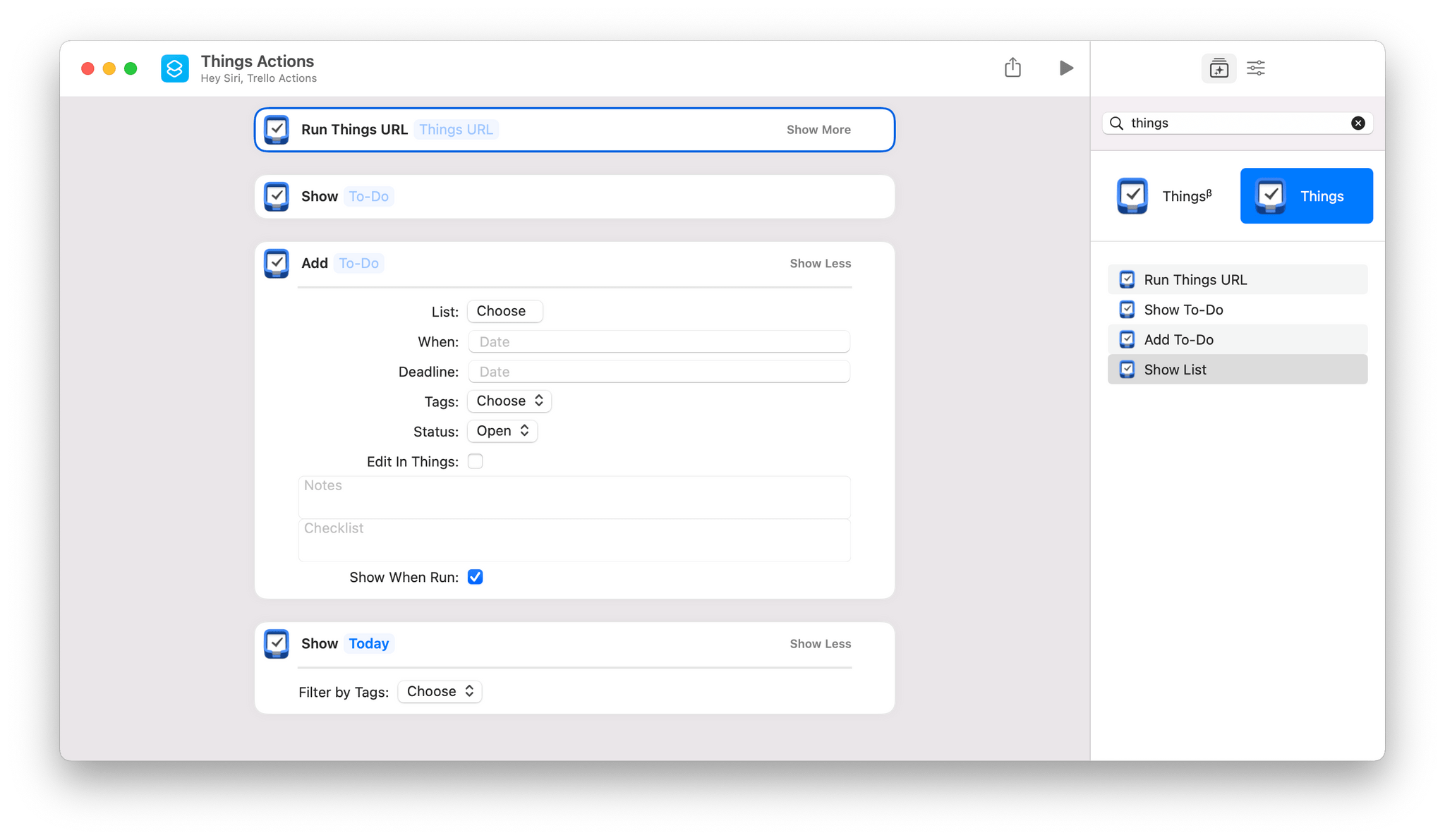
Things offers the same set of four Shortcuts actions that you’ll find on iOS and iPadOS:

  • Add To-Do
  • Run Things URL
  • Show List
  • Show To-Do

The two most notable actions are Add To-Do and Run Things URL. Add To-Do includes parameters to add a task to a particular list, with a start date and deadline, tags, a status, notes, and a checklist. There’s also a toggle to open the task in Things to process it further in-app.

Run Things URL is a fantastic power-user action that takes advantage of Things’ URL scheme, which the action runs in the background. Things’ support website has one of the best explanations of its URL scheme of any app I’ve used, allowing you to fill in a web form to construct the URL you need.

Read more

Access Extra Content and Perks

Founded in 2015, Club MacStories has delivered exclusive content every week for nearly a decade.

What started with weekly and monthly email newsletters has blossomed into a family of memberships designed for every MacStories fan.

Learn more here and from our Club FAQs.

Club MacStories: Weekly and monthly newsletters via email and the web that are brimming with apps, tips, automation workflows, longform writing, early access to the MacStories Unwind podcast, periodic giveaways, and more;

Club MacStories+: Everything that Club MacStories offers, plus an active Discord community, advanced search and custom RSS features for exploring the Club’s entire back catalog, bonus columns, and dozens of app discounts;

Club Premier: All of the above and AppStories+, an extended version of our flagship podcast that’s delivered early, ad-free, and in high-bitrate audio.

Learn more here and from our Club FAQs.