Posts in news

MacStories Unwind: Tracers in the Dark, 8BitDo’s Ultimate Controller, and the Microsoft Audio Dock

0:00
23:50


This week on MacStories Unwind, I recommend Tracers in the Dark: The Global Hunt for the Crime Lords of Cryptocurrency by Andy Greenberg, and Federico has two hardware picks: the 8BitDo Ultimate Controller and the Microsoft Audio Dock.

John’s Pick:

Federico’s Picks:


Apple Announces WWDC 2023: June 5-9 with Special Event at Apple Park

Apple has announced that WWDC will be an online-only event this year, running from June 5-9, 2023, but with a corresponding limited in-person event for developers, students, and press like last year. The company also opened submissions for the Swift Student Challenge from now through April 19.

In a press release issued by today, Susan Prescott, Apple’s Vice President of Worldwide Developer Relations and Enterprise and Education Marketing, said:

“WWDC is one of our favorite times of the year at Apple because it’s an opportunity to connect with the talented developers from around the globe who make this community so extraordinary. WWDC23 is going to be our biggest and most exciting yet, and we can’t wait to see many of you online and in person at this very special event!”

Apple also had this to say about events that will be held at Apple Park during the conference:

Along with announcements shared from the keynote and State of the Union presentations, this year’s online program will include sessions, one-on-one labs, and opportunities to engage with Apple engineers and other developers. Developers and students will also have the opportunity to attend a special day at Apple Park on June 5 to watch the keynote and State of the Union, alongside the global online community. Space for this in-person event will be limited, and details on how to apply to attend can be found on the Apple Developer site and app.

I’m glad to see Apple is evolving the format that debuted last year because everyone I spoke to thought it was a big success. The vibe was different because people were more spread out, but I know that the developers I talked to were grateful for the opportunity to get together for the first time since 2019, as was I. I’m looking forward to returning this year, but this time with Federico and Alex along for the fun.

Of course, MacStories readers can expect the same kind of comprehensive WWDC coverage we do every year. We’ll have extensive coverage on MacStories and AppStories, which will extend to Club MacStories too.


CleanMyMac X Adds Device Charging and Storage Monitoring and Management

CleanMyMac X has been updated, expanding its utility beyond the borders of your Mac by tracking the battery status of connected devices and adding management of outboard storage.

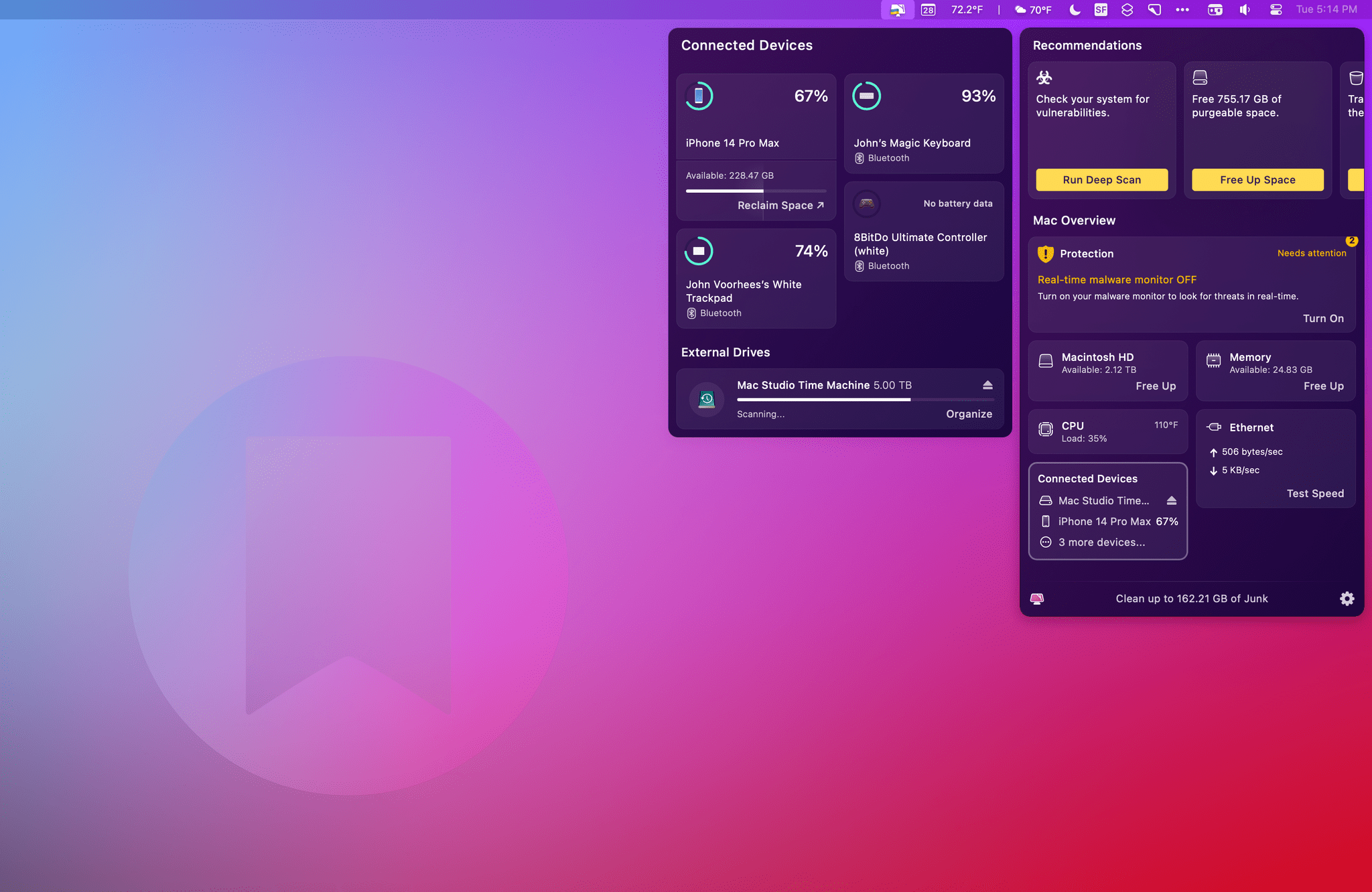
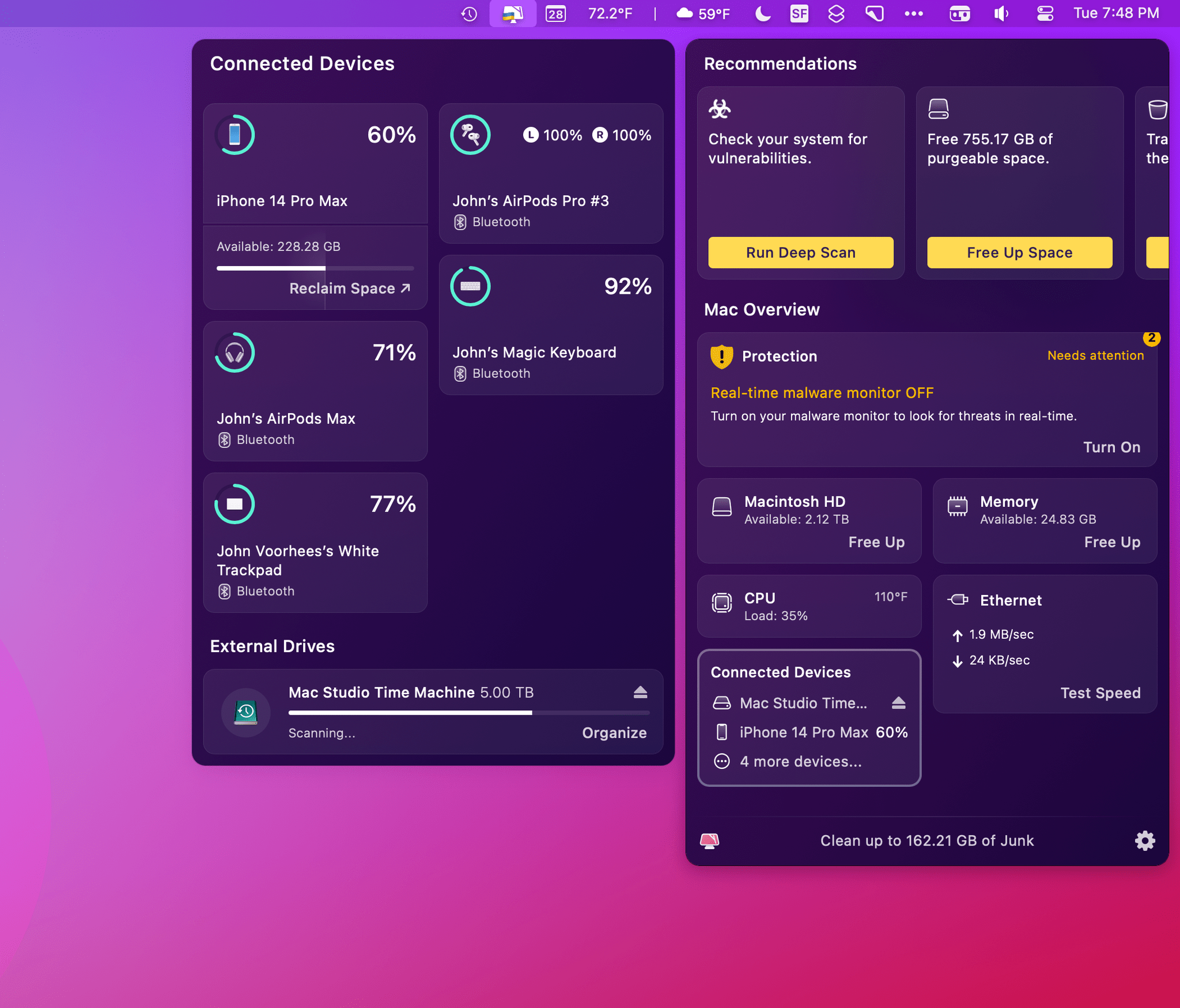
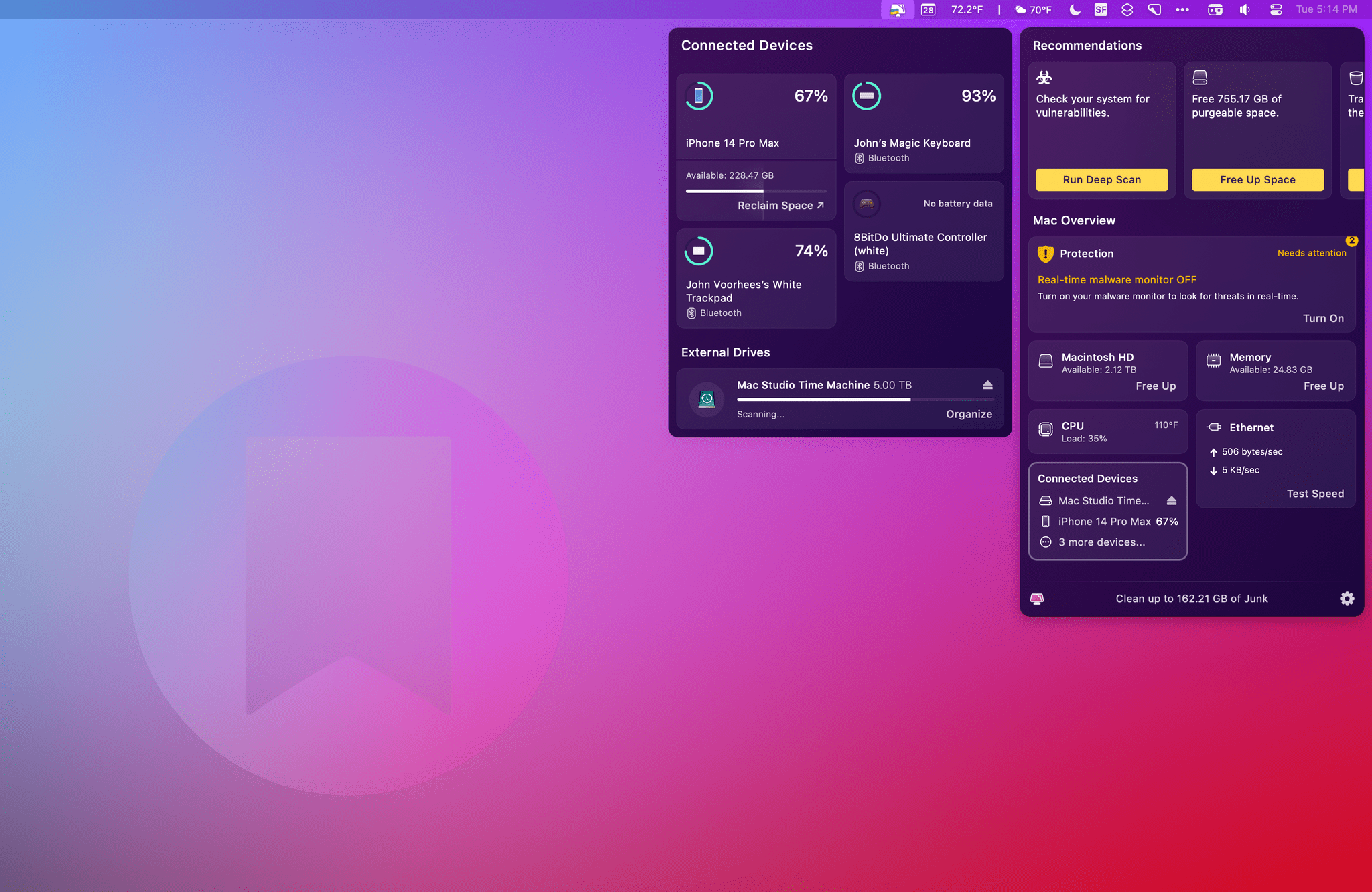
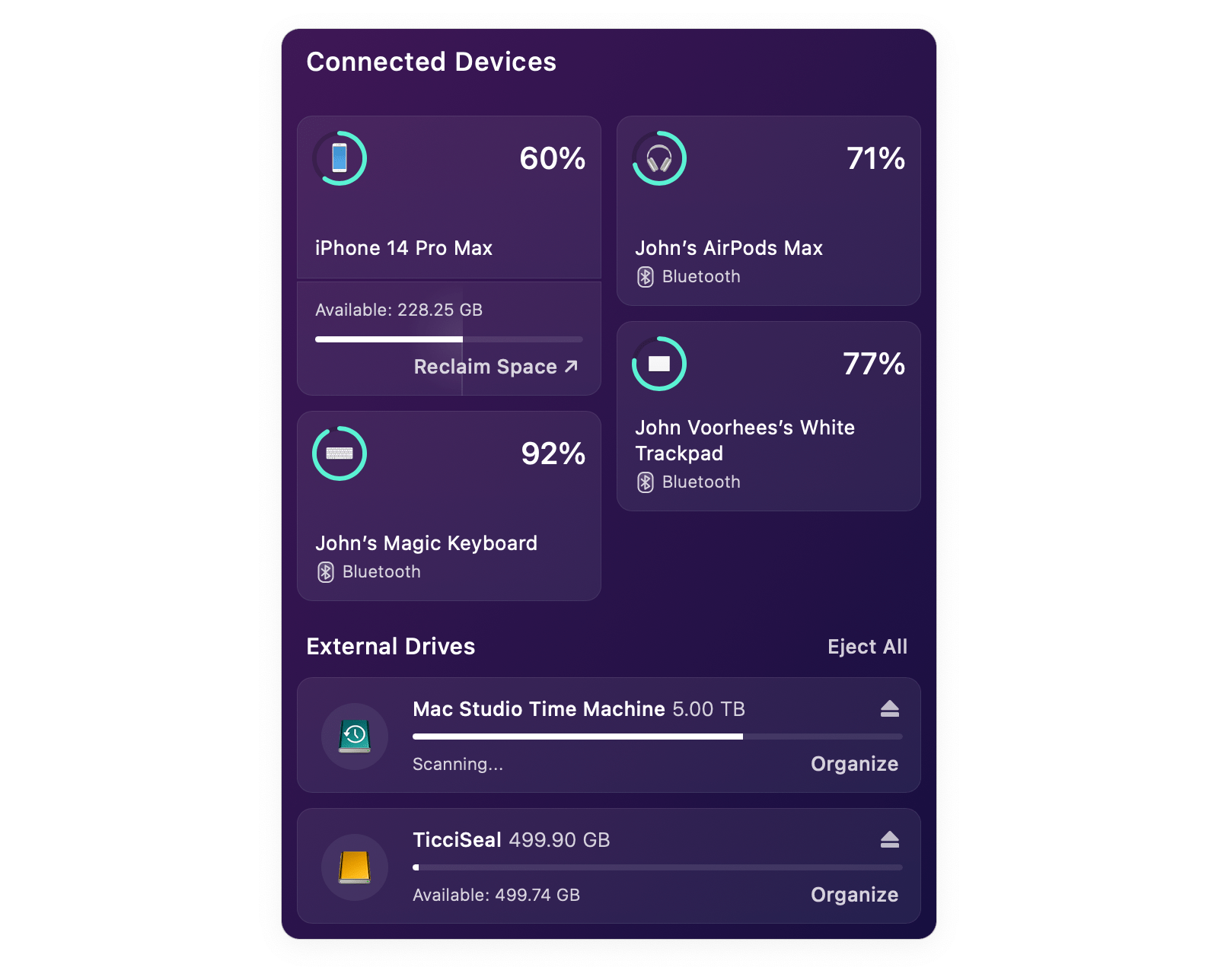
The new features, collectively called Connected Devices, are part of CleanMyMac X’s menu bar app. Click the app’s icon in the menu bar, and you’ll find a new summary tile that includes information about the charging status of Bluetooth devices, as well as information about connected drives, memory cards, and flash drives. Click on the tile, and it expands to the side of the menu bar app’s main window to display additional details.

Devices like iPhones and iPads don’t need to be connected to your Mac with a wire to show up in CleanMyMac X’s menu bar app. As long as they’ve been connected once and confirmed as trusted devices, they’ll show up in the app and display the remaining charge (but not whether they are currently charging) and available storage. It can sometimes take a while for a device to show up in CleanMyMac X’s menu bar app, but if you’re impatient, you can always grab a cable, plug your device into your Mac, and it will show up immediately. Beneath the storage information for each device, there’s also a ‘Reclaim Space’ link that opens a ‘How to free up iPhone storage’ page on MacPaw’s website.

CleanMyMac X works with wireless headphones like the AirPods Pro and some wireless game controllers.

CleanMyMac X works with wireless headphones like the AirPods Pro and some wireless game controllers.

CleanMyMac X supports other Bluetooth devices like the Magic Trackpad, Magic Keyboard, and at least some game controllers. I tried the app with 8BitDo’s Bluetooth Ultimate Controller and an Xbox controller, but only the 8BitDo model showed up in the app. CleanMyMacX’s menu bar app displayed my left and right AirPods Pro buds but not their case. Also, it’s worth noting that the app doesn’t seem to support Apple Watches.

For anyone who’s using CleanMyMac’s menu bar app, its new ability to monitor the charge status of devices is a nice addition. It has some limitations, but for my core devices, I’ve found that it gets the job done, just not quite as well as a dedicated Bluetooth device utility like AirBuddy.

CleanMyMac X's menu bar app works with external drives like this 500GB Samsung T3 drive too.

CleanMyMac X’s menu bar app works with external drives like this 500GB Samsung T3 drive too.

The other feature of Connected Devices is external storage monitoring and management. CleanMyMac X displays any external drives, memory cards, and flash drives and their storage capacity. The app also shows how much space is available, and if it determines after a scan that some of the data is junk, the app will list the amount of junk too. There’s an Organize button beneath each drive that opens the full CleanMyMac X app to the app’s Space Lens tab, which lets you drill through the drive’s folder structure, eliminating any junk or other unnecessary files. Drives can be ejected individually or all at once with the app too.

CleanMyMac X has come a long way from the days when it was primarily a tool for freeing up space on your Mac’s built-in drive. It’s still that and does an excellent job, but with tools like its menu bar app, CleanMyMac X is a far more robust way to monitor your Mac’s performance and fine-tune it for maximum speed and efficiency. With its new suite of Connected Devices functionality, CleanMyMac X has taken an important step towards extending beyond your Mac to the other devices and peripherals that you use with it.

CleanMyMac X is available directly from MacPaw as a $39.95 annual subscription or a $89.95 one-time payment. The app is also included as part of a Setapp subscription.



Mac Photo Organizer Peakto Adds Pixelmator Pro Support

Source: CMYE.

Source: CMYE.

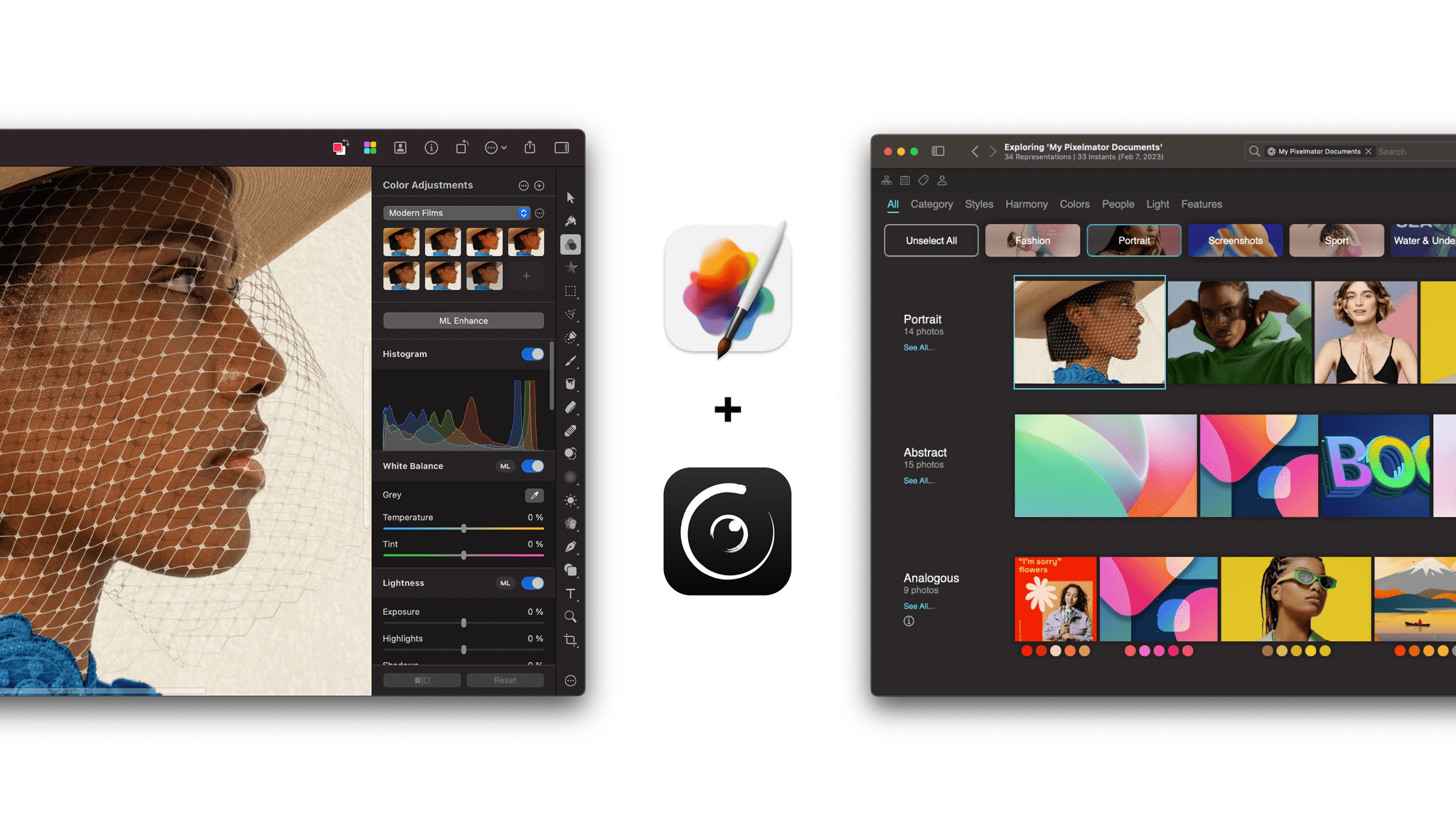
CYME announced today that its app Peakto has added Pixelmator Pro integration. Peakto is a Mac app that uses AI to organize your photos from numerous sources, including Apple Photos, Lightroom Classic, Luminar, Capture One, and more. The app handles multiple file types and offers navigation by keywords, location, and other metadata too.

Today’s announcement adds Pixelmator Pro documents to the mix. As with other image sources, Pixelmator Pro files will be organized and viewable in Peakto. For Pixelmator Pro users, the announcement today means new ways to explore their image collection alongside images from other apps. The integration with Peakto also allows Peakto users to access Pixelmator Pro as an editing destination with one click.

I haven’t had a chance to try Peakto’s new Pixelmator Pro integration yet, but it looks like a good combination for users of both apps. Peakto gains another source of photos to organize, and Pixelmator Pro users have a new way to manage their images.

Both Pixelmator Pro and Peakto are available on the Mac App Store. Peakto is also available directly from CYME.


Apple Releases iOS and iPadOS 16.4 with New Emoji, Notifications for Web Apps on the Home Screen, Voice Isolation for Cellular Calls, New Shortcuts Actions, and More

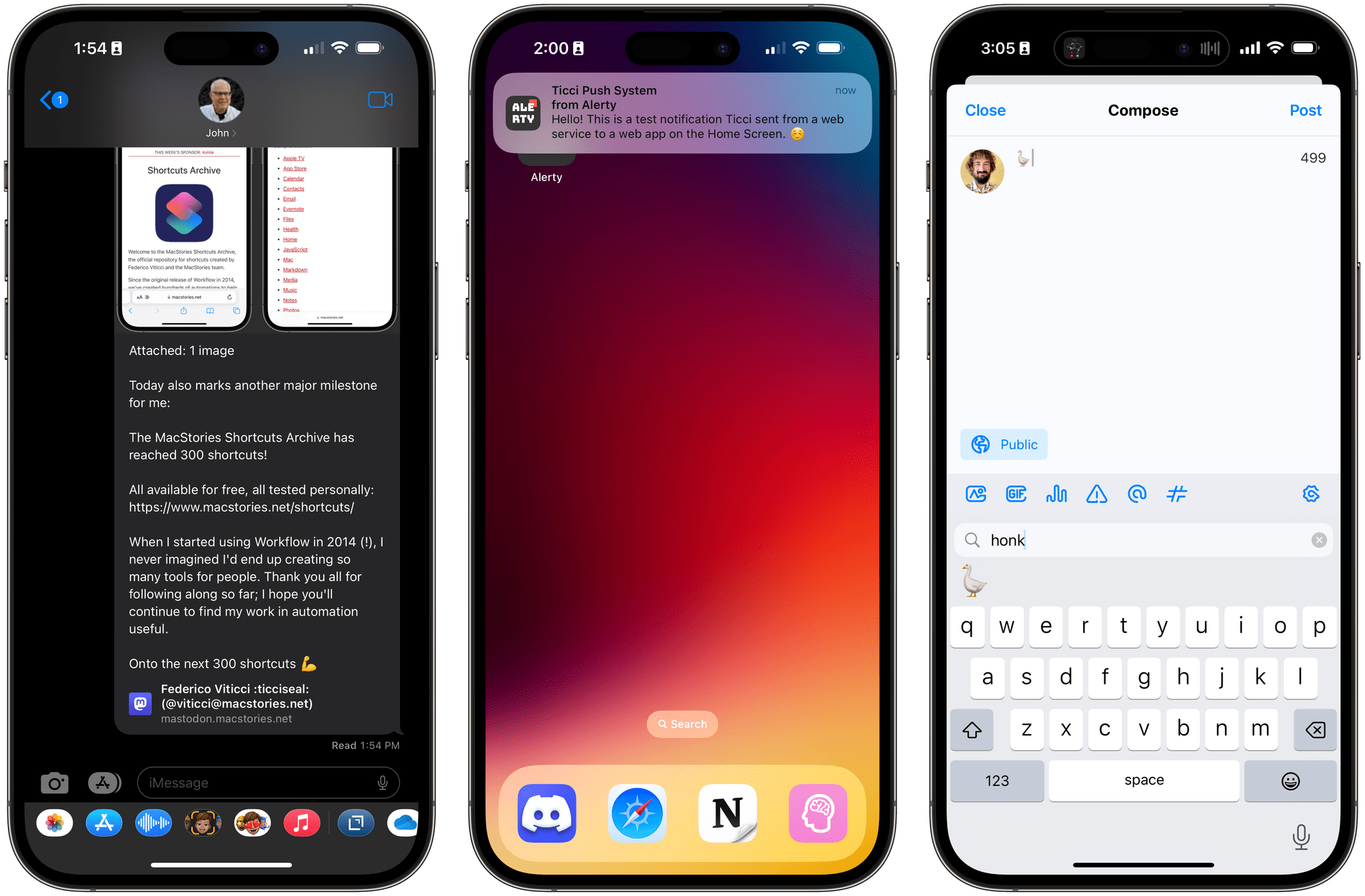
iOS 16.4 brings new emoji, push notifications for web apps on the Home Screen , Mastodon link previews, and more.

iOS 16.4 brings new emoji, push notifications for web apps on the Home Screen , Mastodon link previews, and more.

Today, Apple is releasing iOS and iPadOS 16.4, the fourth major updates to the OSes that introduced support for the customizable Lock Screen and Stage Manager last year, respectively.

Ahead of the debut of Apple Music Classical tomorrow and just a few months before a WWDC that’s rumored to be focused on the company’s upcoming headset and a relatively small iOS 17 update, 16.4 is comprised of two big additions to iOS and iPadOS (new emoji and push notifications for web apps on the Home Screen) alongside a variety of smaller, but notable improvements such as some new Shortcuts actions, Mastodon link previews in iMessage, some tweaks to Podcasts and Music, and more.

Let’s take a look.

Read more


Last Week, on Club MacStories: New Discounts, Mac Utilities, Time Tracking Tips, Automation April, and Slow Horses

Because Club MacStories now encompasses more than just newsletters, we’ve created a guide to the past week’s happenings:

MacStories Weekly: Issue 322

A cube is always the answer.

A cube is always the answer.

Club MacStories+ AV Club Town Hall, Slow Horses

This month, we were joined by Club member David to break down Seasons 1 and 2 of the Apple TV+ Britsh spy drama Slow Horses and compare it with the novels by Mick Herron.


MacStories Unwind: Octopath Traveler II and Bono & The Edge, A Sort of Homecoming with David Letterman

0:00
23:32


This week on MacStories Unwind, Federico is a fan of what Square Enix has done with Octopath Traveler II and I enjoy a tour of Dublin and one of my favorite bands in Bono & The Edge: A Sort of Homecoming with David Letterman.

Sponsored by: Kolide – Ensures only secure devices can access your cloud apps. It’s Zero Trust, tailor-made for Okta. Book a demo today.

Topic

Federico’s Pick:

John’s Pick:


Coming Soon: The Second Annual Automation April Community Event Featuring Shortcuts, Interviews, Discord Workshops, and a Shortcut Contest

We are back with another edition of Automation April. Last year’s kickoff event was a big success. We published a wide variety of automation stories, released special podcast episodes, held online automation events, and capped off the month with a Shortcuts contest. But best of all, we saw tremendous excitement and participation throughout the automation community. It was amazing to see the community come together to share their love of automation and learn from each other all month long.

Great automation is about more than efficiency. It’s also about making your devices your own, so they suit your needs better than off-the-shelf apps can by themselves. The spirit of tinkering, customization, and building something better is what Automation April is all about, which is why we’re pleased to be spending April showcasing automation on Apple platforms alongside developers and MacStories readers again this year.

If you joined us for Automation April last year, you’ve got a head start on what to expect this year. For everyone else, you can expect special Automation April stories on MacStories.net, special episodes of AppStories, themed issues of our Club MacStories newsletters, and events in the Club MacStories+ Discord community. Along the way, MacStories will turn 14 on April 20th, which makes this month all the more special for us. We’ve got a lot planned, so let’s dig into things in a little more detail:

Read more


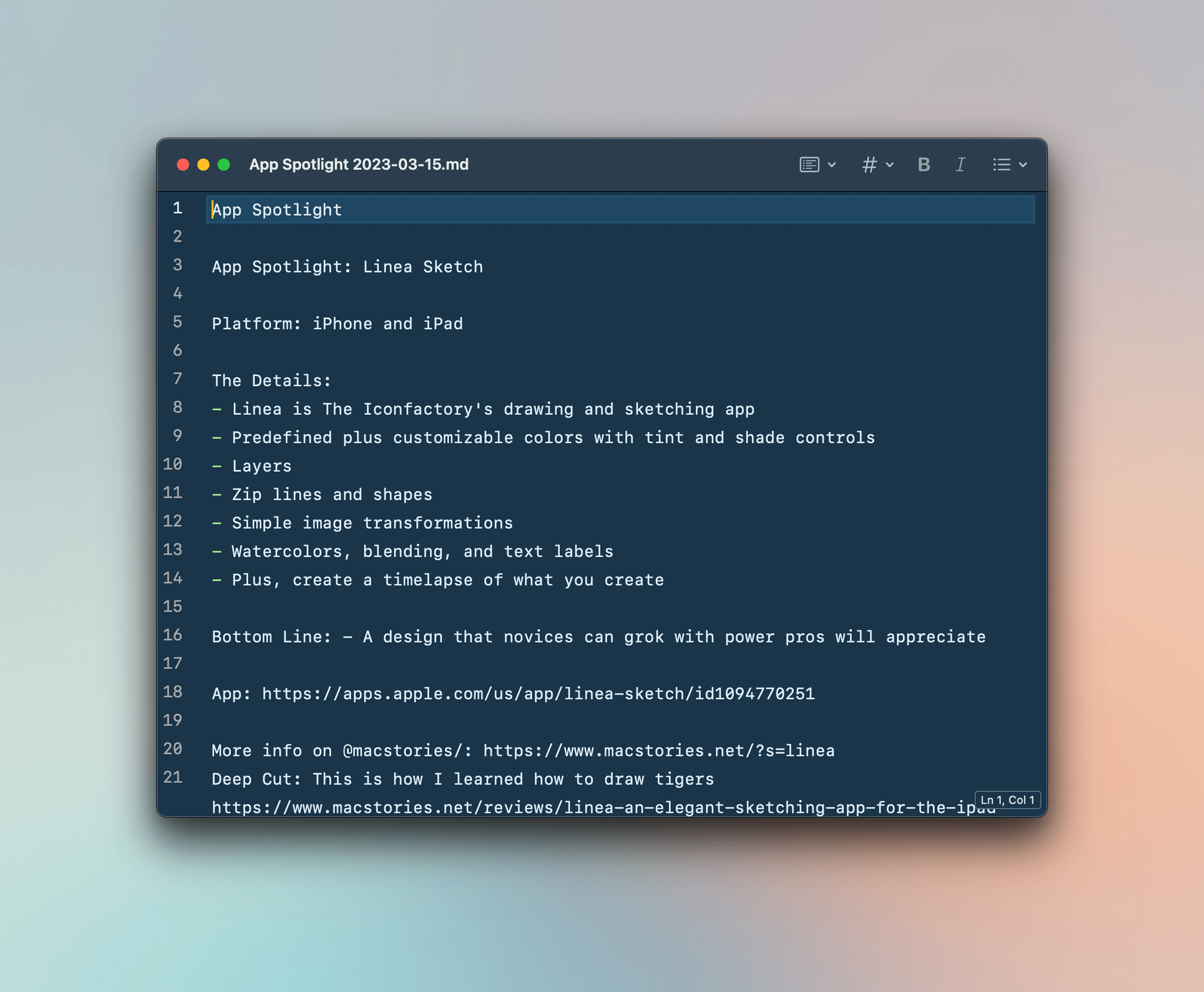
Last Week, on Club MacStories: A Markdown Editor, Why Safari for iOS is So Good, and Apple TV+’s Slow Horses

Because Club MacStories now encompasses more than just newsletters, we’ve created a guide to the past week’s happenings:

MacStories Weekly: Issue 360

Up Next: AV Club, Featuring Slow Horses

AV Club is a monthly event held in the Club MacStories+ Discord community. Club members vote on a movie, TV show, videogame, book, or music to enjoy as a group. It’s like a book club but for all kinds of media.

Join us Thursday at 11 am Eastern US time in the Club MacStories+ Discord community for a live AV Club discussion of the Apple TV+ British spy drama Slow Horses. Federico, Jonathan, and I will record the conversation and release it in the Town Hall podcast feed.