Posts in news

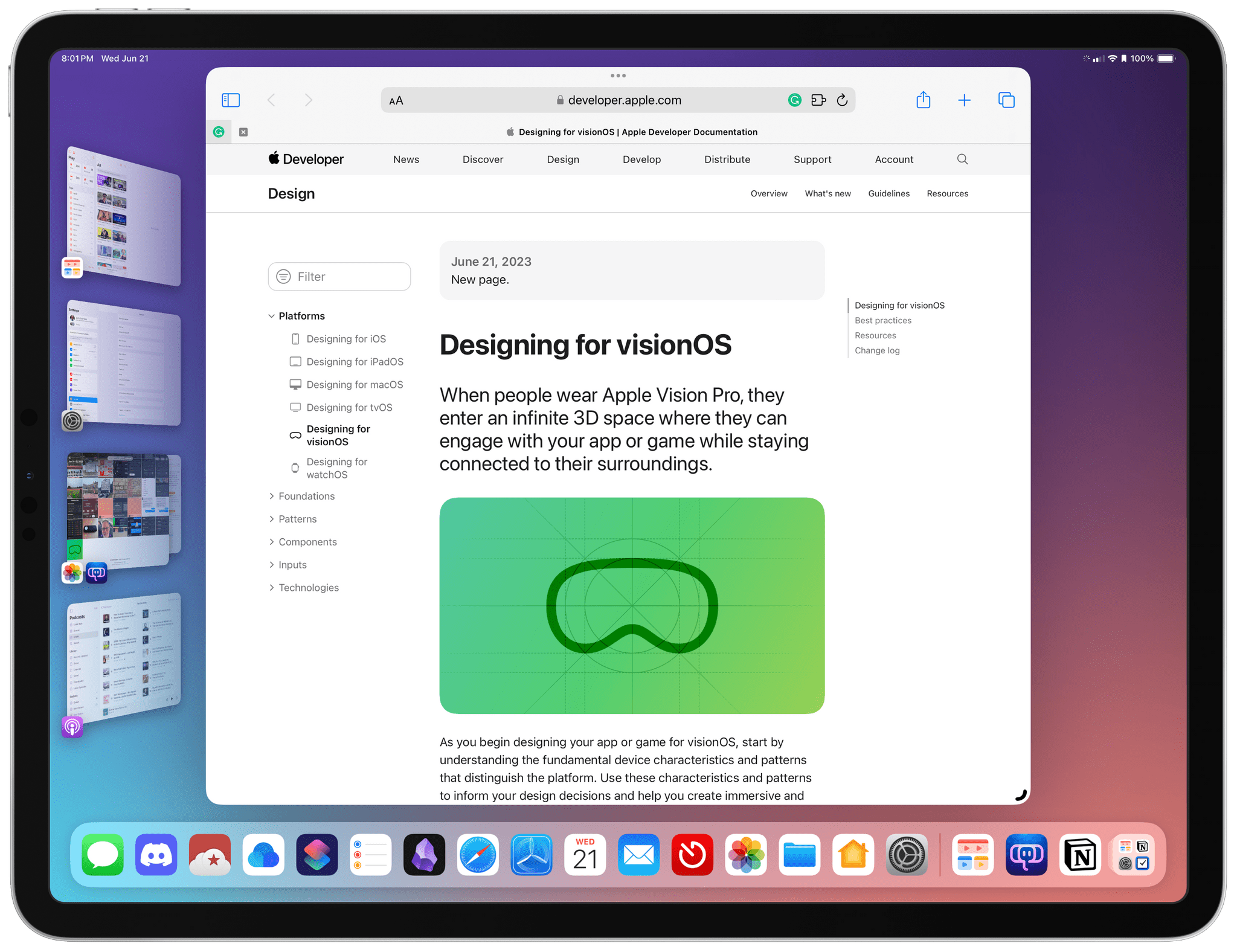
Apple Publishes Updated Human Interface Guidelines for visionOS

In addition to releasing the visionOS SDK and developer tools today, Apple has updated its Human Interface Guidelines and published additional visionOS documentation for developers. The updated HIG begins with an overview of designing for the Apple Vision Pro, covering topics like Passthrough, Spatial Audio, Focus and Gestures, Ergonomics, and Accessibility, advising developers to:

Embrace the unique features of Apple Vision Pro. Take advantage of space, Spatial Audio, and immersion to bring life to your experiences, while integrating passthrough, focus, and gestures in ways that feel at home on the device.

If you’re interested in Apple’s design philosophy for the Vision Pro, the HIG is an excellent plain-English read. For developers who want to dive deeper into the details of building apps, Apple has also published a lot of additional documentation covering the nuts and bolts of building visionOS apps.

Permalink

Apple Podcasts Adds New Subcategories and Refreshes Recommendations

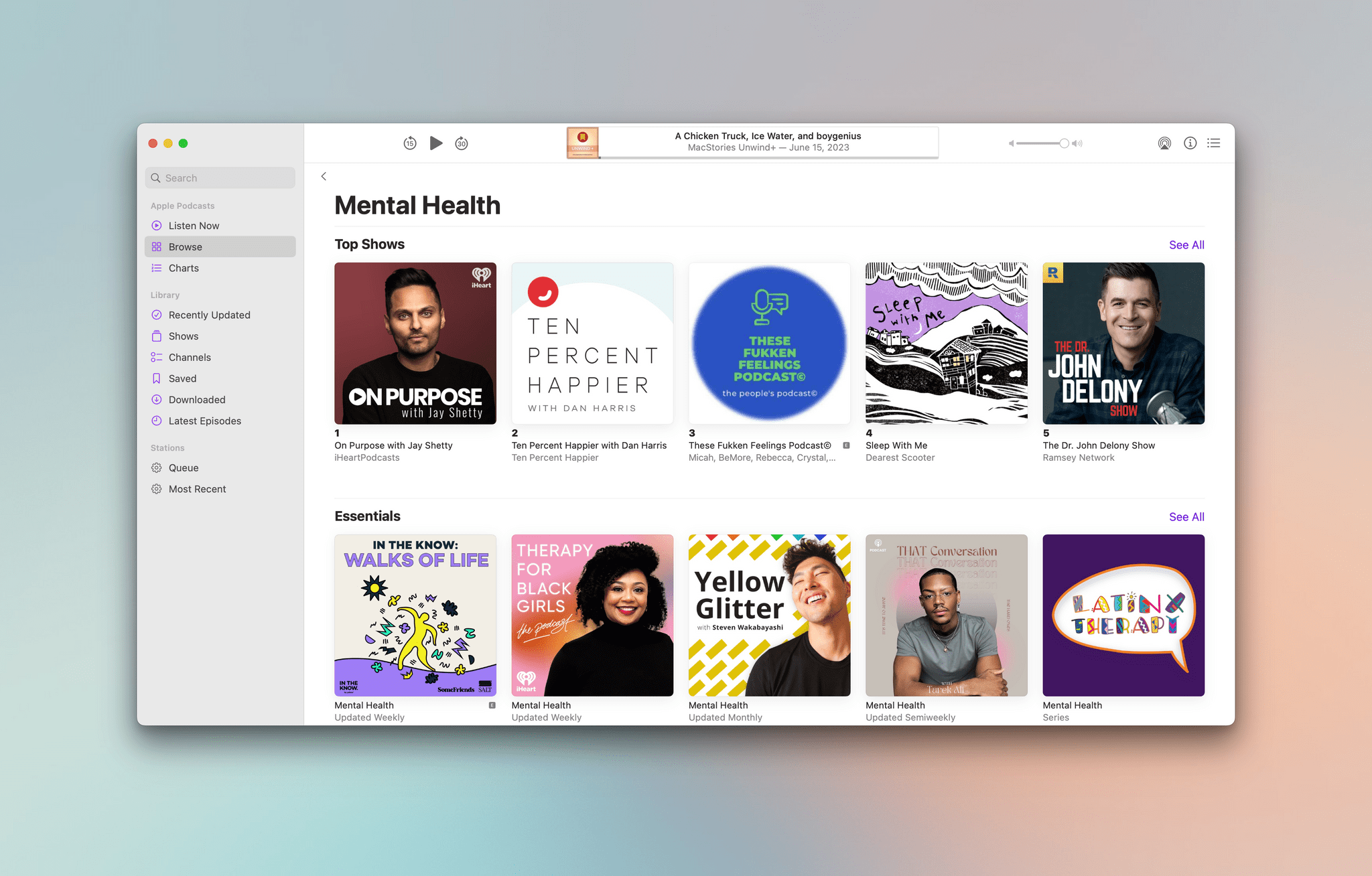
As I wrote earlier today, Apple has a lot of plans for its Podcasts app this fall, but the company is not waiting to roll out all of the changes to the app. Yesterday, Apple Podcasts added the following nine new subcategories to the app’s search tab on iPhone, iPad, Mac, and Apple TV:

The new categories also feature their own charts with top shows and episodes in listeners’ regions.

Alongside the addition of new subcategories, the Apple Podcasts editorial team has updated its recommendations with new Podcasts Essentials and added the ability to find podcasts in more than 20 languages if you live in the US, UK, Canada, or Australia.

It’s great to see Apple Podcasts receiving as much attention as it has and continuing to get updates outside of major OS releases. I’ve been using Apple Podcasts on iOS 17 for the past couple of weeks, and I like what I’ve seen so far a lot.


Apple Releases visionOS SDK and Developer Tools

Source: Apple.

Source: Apple.

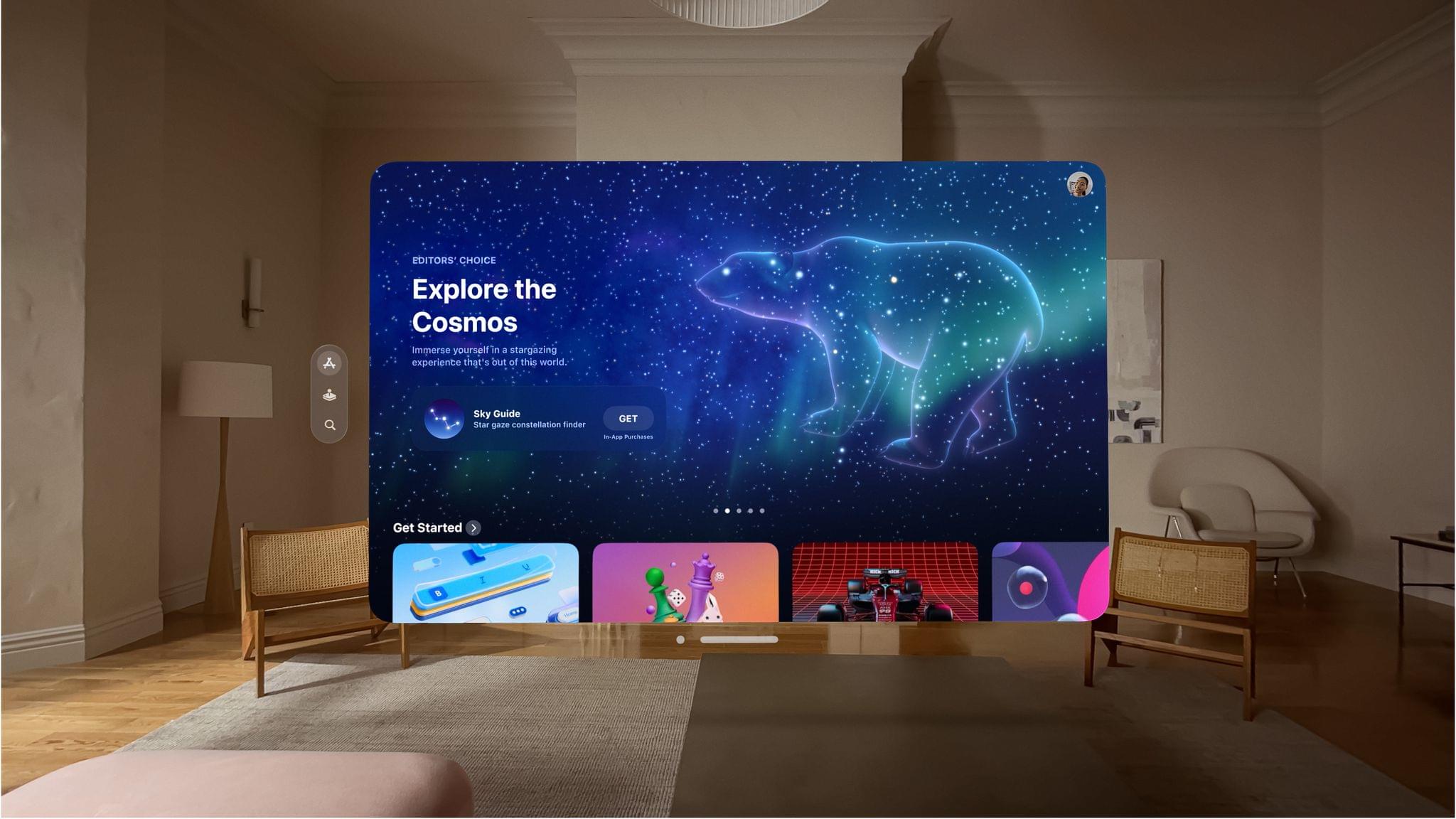
Today, Apple announced the visionOS software development kit that will allow developers to start creating apps for the Apple Vision Pro. In addition to the SDK, an update to Xcode is introducing Reality Composer Pro, which lets developers preview 3D models, animations, images, and sounds. There’s also a new visionOS simulator that can be used to test different room configurations and lighting for visionOS apps.

The developer labs that Apple announced at WWDC will open soon too:

Next month, Apple will open developer labs in Cupertino, London, Munich, Shanghai, Singapore, and Tokyo to provide developers with hands-on experience to test their apps on Apple Vision Pro hardware and get support from Apple engineers.

Developers can also apply for an Apple Vision Pro developer kit, so they can test apps on the device itself. Anyone who has used Unity’s tools to build 3D apps and games will be able to port them to visionOS next month too.

Source: Apple.

Source: Apple.

Among the developers who have tried the visionOS SDK is Algoriddim, whose CEO, Karim Morsey, said:

The djay app on Apple Vision Pro puts a fully featured DJ system right at a user’s fingertips. With a reimagined spatial interface, anyone can mix their favorite music and apply real-time effects using just their eyes and hands. Whether for a beginner or a seasoned professional, djay on Vision Pro transforms the user’s surroundings with stunning environments that automatically react to their mix, enabling them to experience and interact with music in ways never before possible.

It’s great to see Apple getting these tools into the hands of developers so soon after WWDC. Building apps for Apple Vision Pro uses many of the same technologies and tools developers are already familiar with, like Xcode, SwiftUI, RealityKit, ARKit, and TestFlight. However, with excitement for Apple Vision Pro still high, now is the perfect time to get the new visionOS SDK and tools in developers’ hands as they plan for the device’s release next year.


Apple Services Preview: Better Integration, Increased Customization, and Sharing Options

Source: Apple.

Source: Apple.

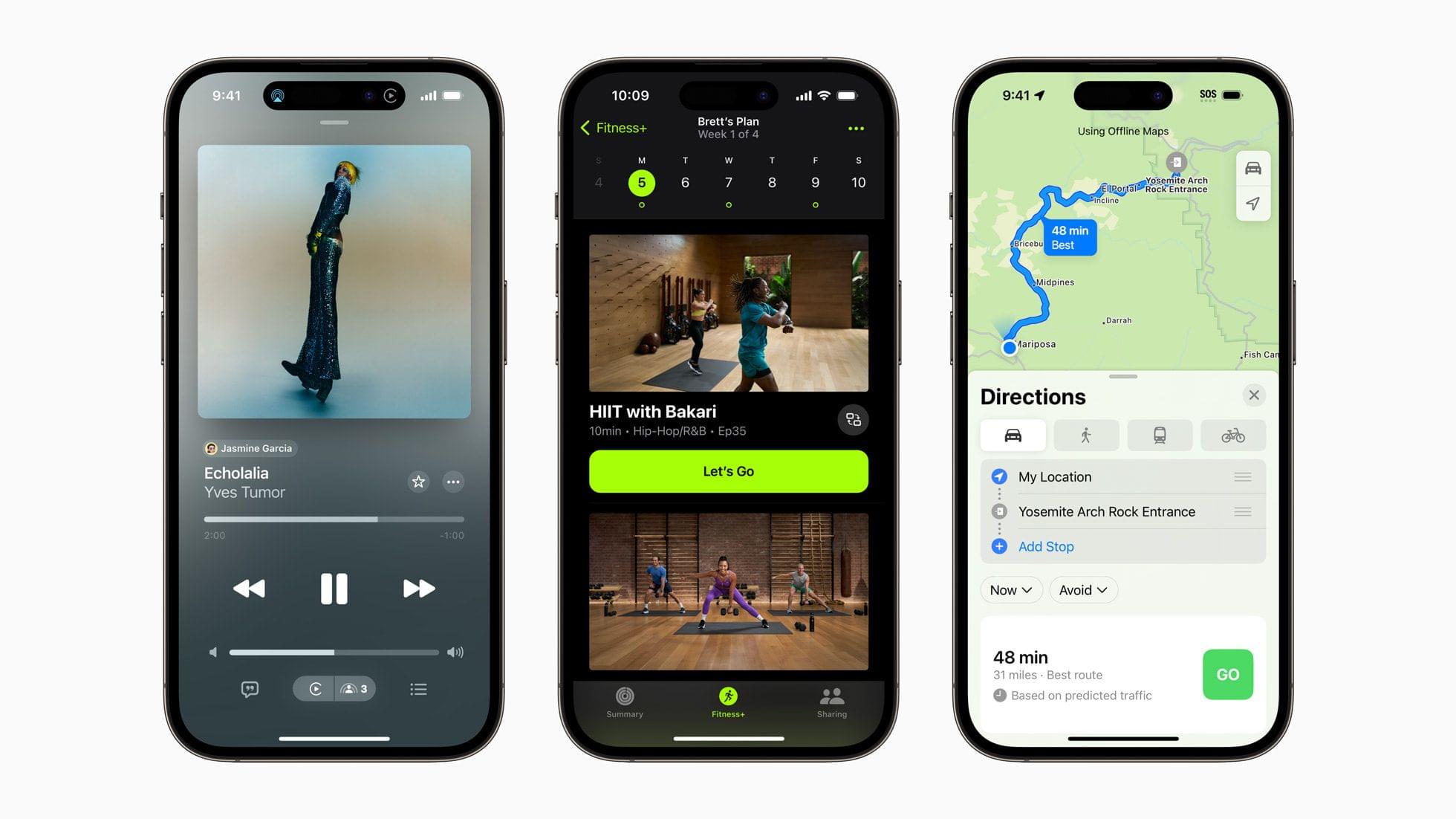
Apple’s services have become an increasingly important part of the company’s product lineup, but they didn’t get a lot of time at WWDC this year. However, that doesn’t mean there aren’t some interesting new features coming with OS releases and beyond. There are a wide variety of updates coming that promise to better integrate services, allow for greater user customization and sharing, plus provide other day-to-day enhancements.

Apple Podcasts

Source: Apple.

Source: Apple.

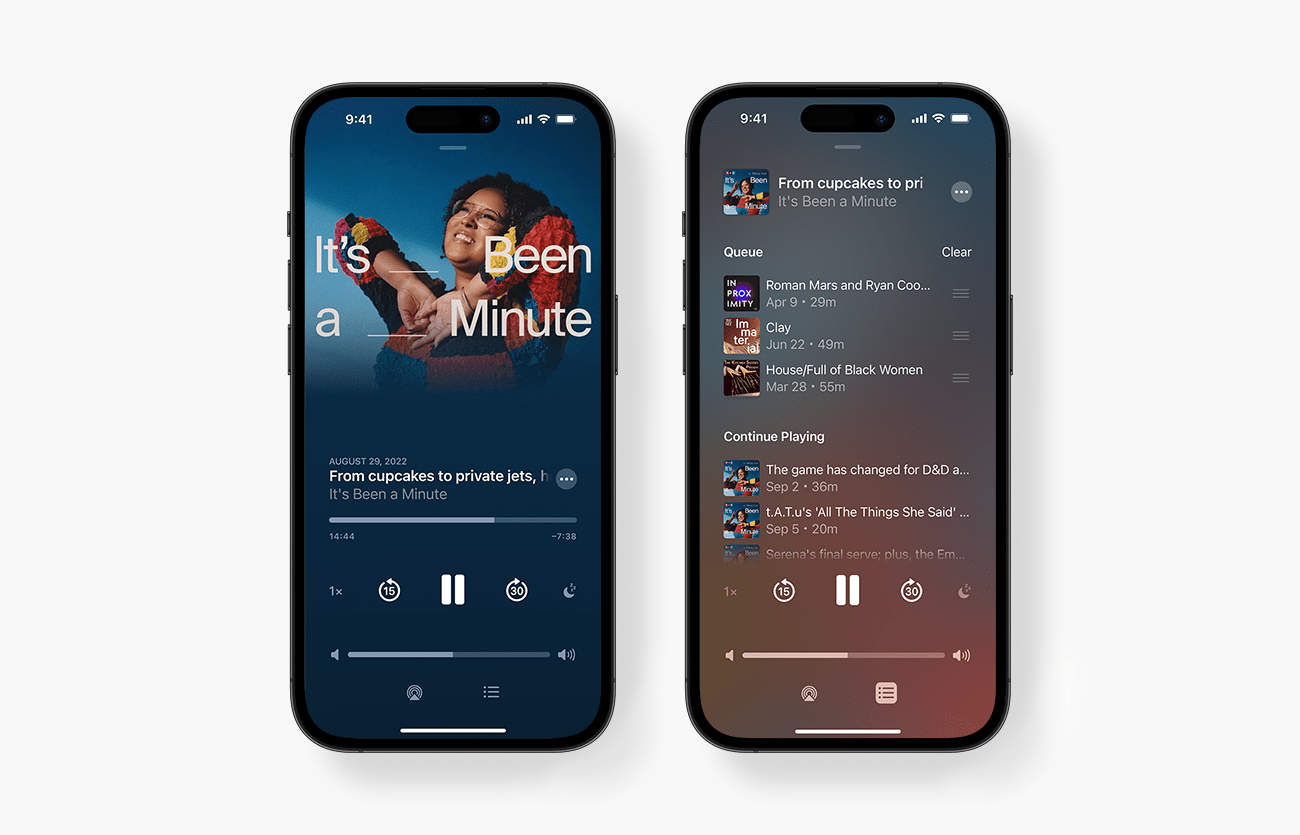
Perhaps the best example of Apple’s approach to services this year is Apple Podcasts, which will add new software features and act as the glue that integrates other services. My favorite upcoming feature is Podcasts’ new queueing system. Episodes of shows can be added to a listening queue from any list of episodes by long-pressing on an episode or using the More menu and choosing ‘Add to Queue,’ which appends the episode to the bottom of your queue.

Tapping the queue button from the Now Playing screen reveals the Playing Next screen, which includes the current episode at the top, along with any upcoming episodes that you’ve queued for playback with drag handles for reordering the list. If you finish everything in your queue, Podcasts reverts to Up Next, the app’s automatically-generated list of suggested next episodes. The Playing Next screen also includes a triangular disclosure button for revealing chapter titles in podcast episodes that include them. Tapping a chapter title skips to that chapter.

Read more


MacStories Unwind: A Chicken Truck, Ice Water, and boygenius

0:00
23:41


This week, John discovers chicken trucks, Federico has some thoughts on American cuisine, and John unwinds post-WWDC with a trip to Wilmington, North Carolina to see boygenius in concert.

MacStories Unwind+

We deliver MacStories Unwind+ to Club MacStories subscribers ad-free and early with high bitrate audio every week.

To learn more about the benefits of a Club MacStories subscription, visit our Plans page.


Apollo To Shut Down June 30th, Leading Many of the Largest Subreddits to Stage a Blackout

By now, most MacStories readers are probably familiar with the story surrounding Reddit’s decision charge exorbitantly high fees for access to its API after years of offering it for free to third-party developers like Christian Selig, the creator of Apollo. Since then, the situation has gone from bad to worse, with Reddit making unsubstantiated allegations of blackmail against Christian. With Reddit unwilling to budge and Apollo facing astronomical costs, Christian made the decision last week to remove Apollo from the App Store on June 30th, eight years after its debut.

If I were in Christian’s shoes, I’m sure I’d make the same hard decision, but that doesn’t make the app’s demise any easier for its users. Apollo is a fantastic app that’s been a favorite of ours and our readers for years. Christian is a genuinely wonderful person too, which makes this even harder to witness. Federico and I had the pleasure of interviewing him on one of the earliest episodes of AppStories, and it was great to finally get to meet him at WWDC in 2022.

But the thing that sets Apollo apart from other apps is the community around it, which is a testament to both Christian and his app. Apollo is a fantastic Reddit client, but it also became a tool for helping others by raising over $80,000 for Christian’s local animal shelter. Apollo has also been a showcase for some of the best icon designers around, helping spread the word about their work through the app’s enormous alternate icon catalog. The upshot of Reddit’s short-sighted business decisions is a loss that transcends the shutdown of a single app, which has been made all the more apparent by the widespread and ongoing Reddit blackout that has seen some of the largest subreddits go dark or read-only, crashing the site earlier today.

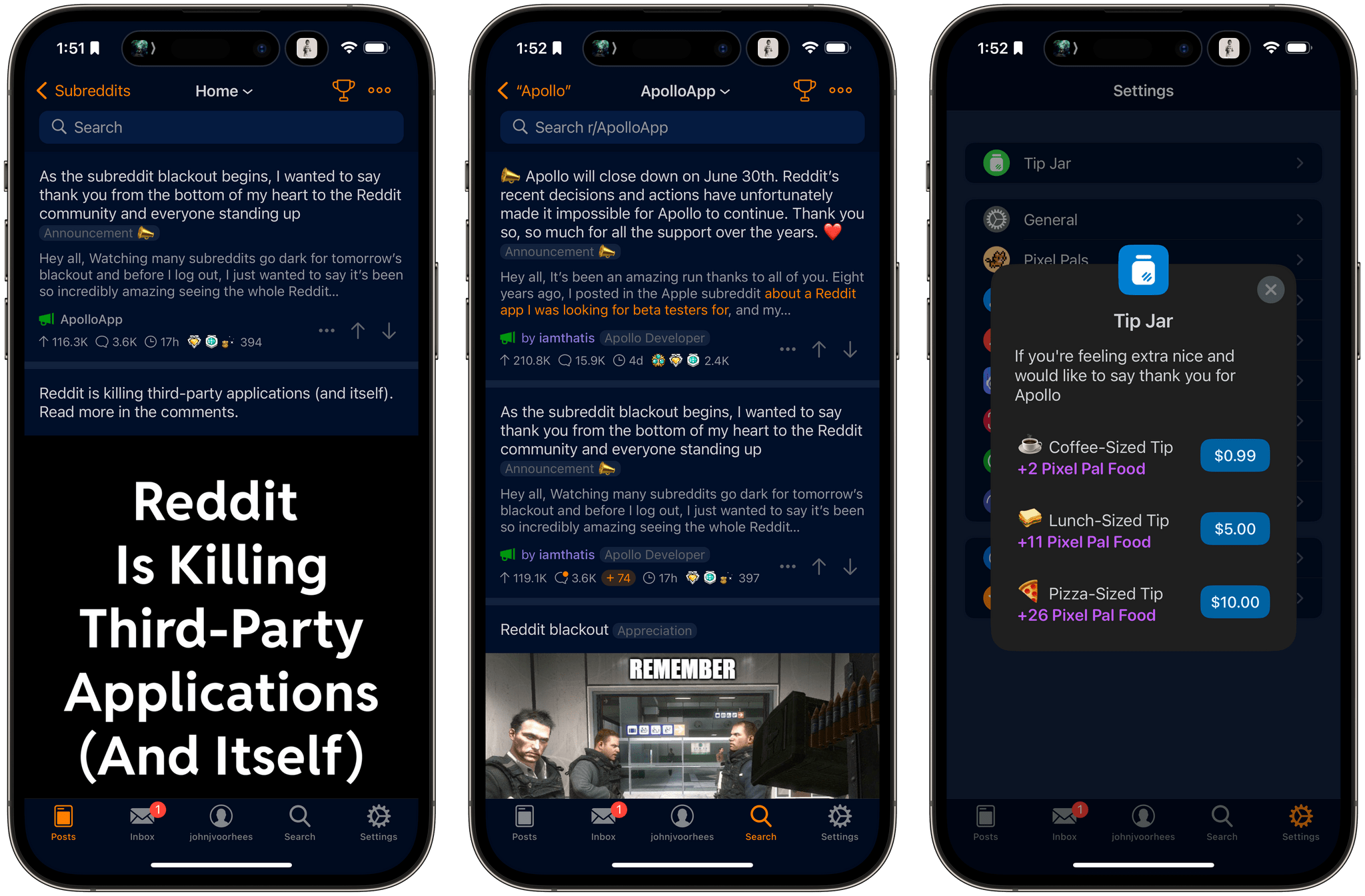
The other reality of shutting down an app like Apollo is that it’s expensive because subscribers will be entitled to a pro-rated refund for the remainder of their subscriptions. Christian is working on an Apollo update to allow users to forego their refund, similar to what Tweetbot and Twitterrific did after Twitter cut off their access to its API. Christian has also re-enabled Apollo’s tip jar. If you’d like to help defray the cost of Apollo’s shutdown, you’ll find tip options of $0.99, $5, and $10 in the app’s settings.


MacStories Unwind: A Decade of WWDC with Myke Hurley

0:00
27:19


This week, John is joined to chat about ocean liners, a decade at WWDC, and the time they met at WWDC in an Irish pub.

  • iMazing – The Powerful Local Tool for iPhone and iPad Management

Links and Show Notes

MacStories Unwind+

We deliver MacStories Unwind+ to Club MacStories subscribers ad-free and early with high bitrate audio every week.

To learn more about the benefits of a Club MacStories subscription, visit our Plans page.


AppStories, Episode 336 – WWDC 2023: Apple Design Awards: The AppStories Interviews

Today on AppStories, Federico and John interview the creators of five apps that were finalists or winners of the 2023 Apple Design Awards: Zach Gage, the creator of Knotwords, Swupnil Sahai, the developer of SwingVision, Philipp Nägelsbach, the publisher of Engling, Leon Sasson of Rise: Energy and Sleep, and Jakob Lykkegaard of Lykke Studios the maker of stitch.

Sponsored by:

  • Setapp – An efficient way to get and distribute apps on macOS, iOS, and web.

We deliver AppStories+ to subscribers with bonus content, ad-free, and at a high bitrate early every week.

To learn more about the benefits included with an AppStories+ subscription, visit our Plans page, or read the AppStories+ FAQ.

Permalink

WWDC 2023: Notes and Reminders to Gain Significant Productivity Features This Fall

Source: Apple.

Source: Apple.

Every WWDC, I look forward to what Apple’s Notes and Reminders teams have in store for the next version of the company’s OSes. Notes debuted with the iPhone itself, and Reminders wasn’t too far behind. All these years later, both apps remain actively developed, and in recent years have significantly extended their capabilities, adding new features that remain approachable for all users but also extend further to meet the needs of people who want something more.

Let’s take a look at the highlights of what both apps have in store for users in the fall.

Notes

Notes will add several new features this fall, including PDF tools, linking, new formatting, and Pages integration.

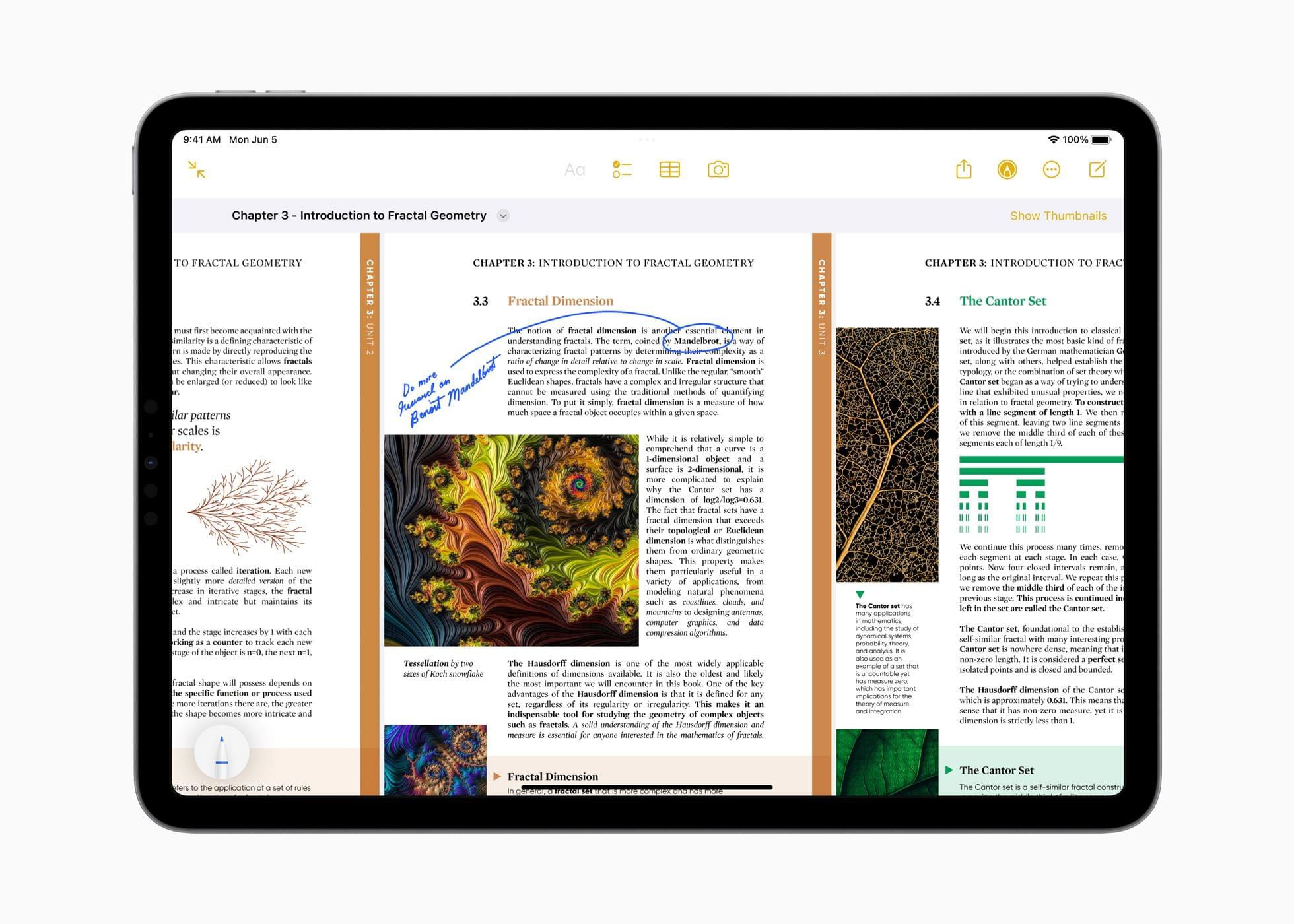
Probably the most extensive set of new features coming to Notes is related to PDF documents. With the update, you’ll be able to read and annotate PDFs and collaborate on documents with others. When you drop a PDF into Notes, it can be navigated by swiping from page to page or by displaying a strip of thumbnails above the current page. All of the markup tools available in Notes can be used to draw and type on a PDF, add shapes to it, or sign it. Notes will be able to detect fields in a PDF, so you can fill out forms with an enhanced version of AutoFill using data from the Contacts app too.

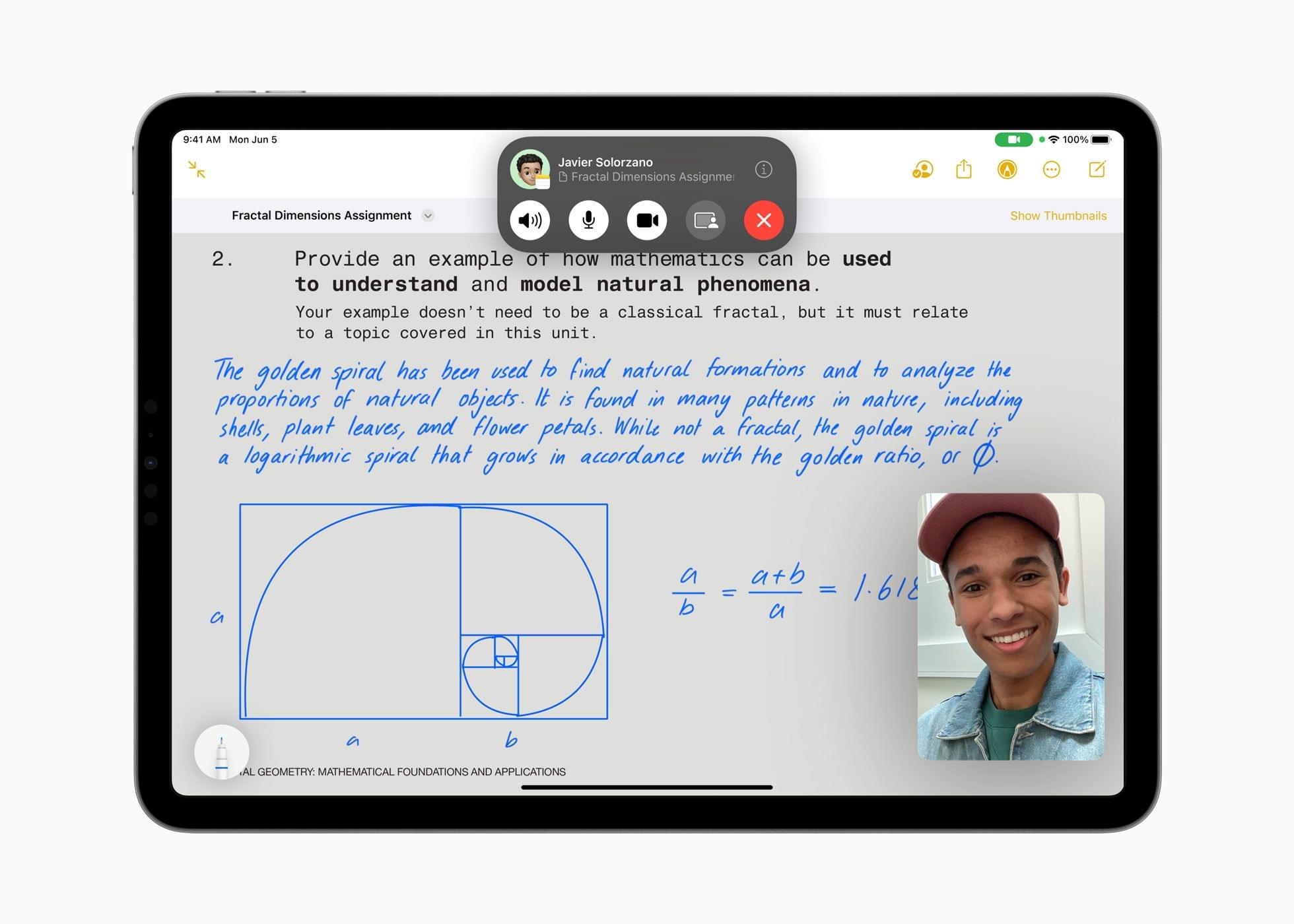
Users will also be able to collaborate in real-time when editing PDFs by sharing a note with others. As you draw, annotate, type on, or add stickers to a shared PDF, Apple says the changes will appear immediately on your collaborator’s device.

Source: Apple.

Source: Apple.

Also coming to Notes are a couple of new ways to add links. You can select text and add a hyperlink to a website, but you can also link to existing notes. I love this feature. It doesn’t automatically add backlinks to the source note the way an app like Obsidian does, but you can do that manually if you’d like, and I expect one-way linking is plenty for most users. With the new internal linking, users will be able to create tables of contents for related notes and split what might otherwise be a long note into linked sections, making the content easier to navigate and read.

Finally, Notes will add Pages compatibility in the fall. If you begin a document in Notes, you’ll be able to open it in Pages to take advantage of Pages’ more extensive set of styling tools. That will allow you to do things like use more fonts, resize graphics incorporate video, and more.

I’m excited about the updates coming to Notes. PDFs are at the heart of a lot of workflows. I don’t use them as frequently as I used to, but students, teachers, lawyers, and many others who depend on PDFs as a core part of their work, should get a much more robust solution for adding them to their note-taking setup with Notes this fall.

I’m also impressed by Notes’ addition of internal linking to other notes. The update should allow for vastly better organization of information in Notes. I’m envisioning it as a solution for our internal documentation needs at MacStories, along with project management and a lot more. I’ve used Notes for that sort of thing before, but once a note reached a certain length, it became hard to manage, especially on smaller devices. With internal linking, I expect that will be a thing of the past.

Read more