

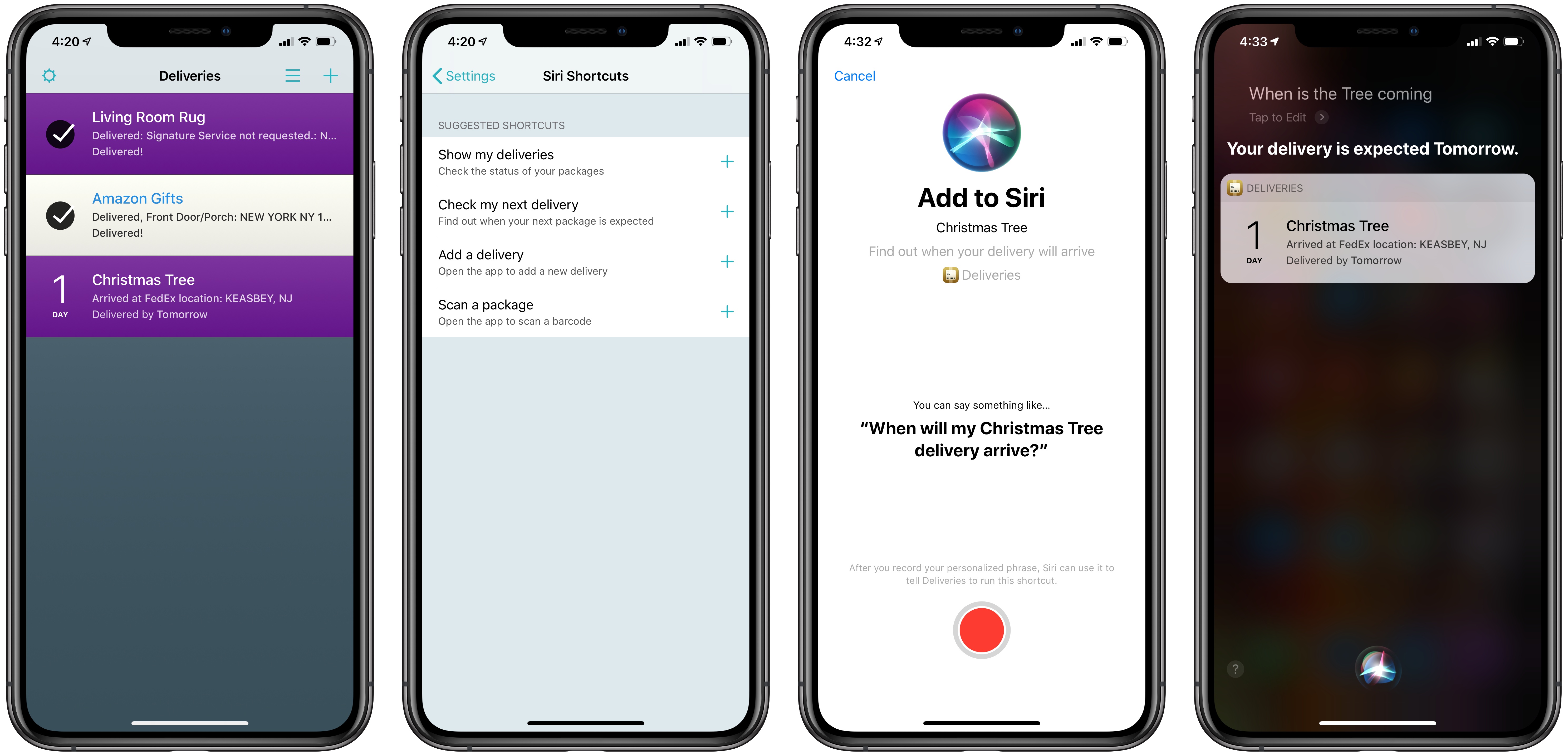
If you’re at all like me, then now is the time of year you receive the most packages. In the midst of the holiday season, the usual assortment of deliveries my wife and I have coming for ourselves are joined by all the gifts we’ve purchased for others. It couldn’t be better timing, then, that my package tracker of choice, Deliveries, has added Siri shortcut support today.
Posts in news
Deliveries, the Package Tracker App, Introduces Siri Shortcuts Support
Popular iOS Podcast Player Castro Sold to Tiny

Big announcement from Supertop’s blog today:
We have some news to share. Tiny has purchased a majority stake in Castro. We are still shareholders and will continue working on the app full time.
The post goes on to explain the reasons for this transfer of ownership.
Castro has reached a size where the demands of running the business have been pulling us in too many different directions. We haven’t been able to focus as much on the core work of designing and building a product. Selling to Tiny gets Castro access to more resources, contacts and expertise. By growing the team we can specialize our roles to be more focused individually and get more done collectively. We can get back to what we’re good at and what we love doing.
Castro underwent a business model transition earlier this year, moving from paid up front with Castro 2 to free with Castro 3 alongside the launch of the Castro Plus subscription option. It sounds like that shift has led to an increased amount of administrative work for Supertop’s development team, which should be alleviated thanks to this acquisition. The post concludes:
We’ve started work on Castro 4. The plan is to improve the design to bring more listeners into the Castro flow. We’re excited, because for the first time in five years of work on Castro, we’ll have the resources to focus exclusively on it as product designers and developers, without contract work to distract us, and with a team around us to handle the administrative tasks.
Castro is one of the best podcast clients on iOS, so I’m thankful that today’s announcement doesn’t spell its end. On the contrary, it sounds like there’s reason to be hopeful about the app’s future in Tiny’s hands. Only time will tell, of course, so I’ll be curious to watch the app’s update cycle over the coming year.
Apple Celebrates the Hour of Code with Today at Apple Sessions and Announces New Curriculum Offerings

As in the past, Apple is marking Computer Science Education Week by participating in the Hour of Code. The company will host special Hour of Code sessions in its retail stores from December 1 - 14 as part of its Today at Apple programming. Apple also announced new curriculum offerings:
The company also introduced Swift Coding Club materials to help teach coding outside of the classroom with Swift, Apple’s easy-to-learn programming language used by professional developers to create world-class apps. And to help prepare and develop students for the workforce, the company unveiled new Advanced Placement curriculum and App Development with Swift certification.
This is the sixth year that Apple has participated in the Hour of Code. Participants from 6 - 12 years old will learn to code with robots, while kids 12 and up will use Swift Playgrounds and the iPad.
The Hour of Code is just a small part of Apple’s Everyone Can Code initiative, which has dramatically expanded in recent years. The program now reaches children from their earliest years in school through college graduates.
My kids have participated in past Hour of Code sessions and had a great experience. They are an excellent introduction to coding for any kid who is curious about programming. I suggest signing up soon if you’re interested though because in past years, the sessions, which should go live soon, have filled quickly.
Google Integrates Assistant App with Siri Shortcuts on iOS
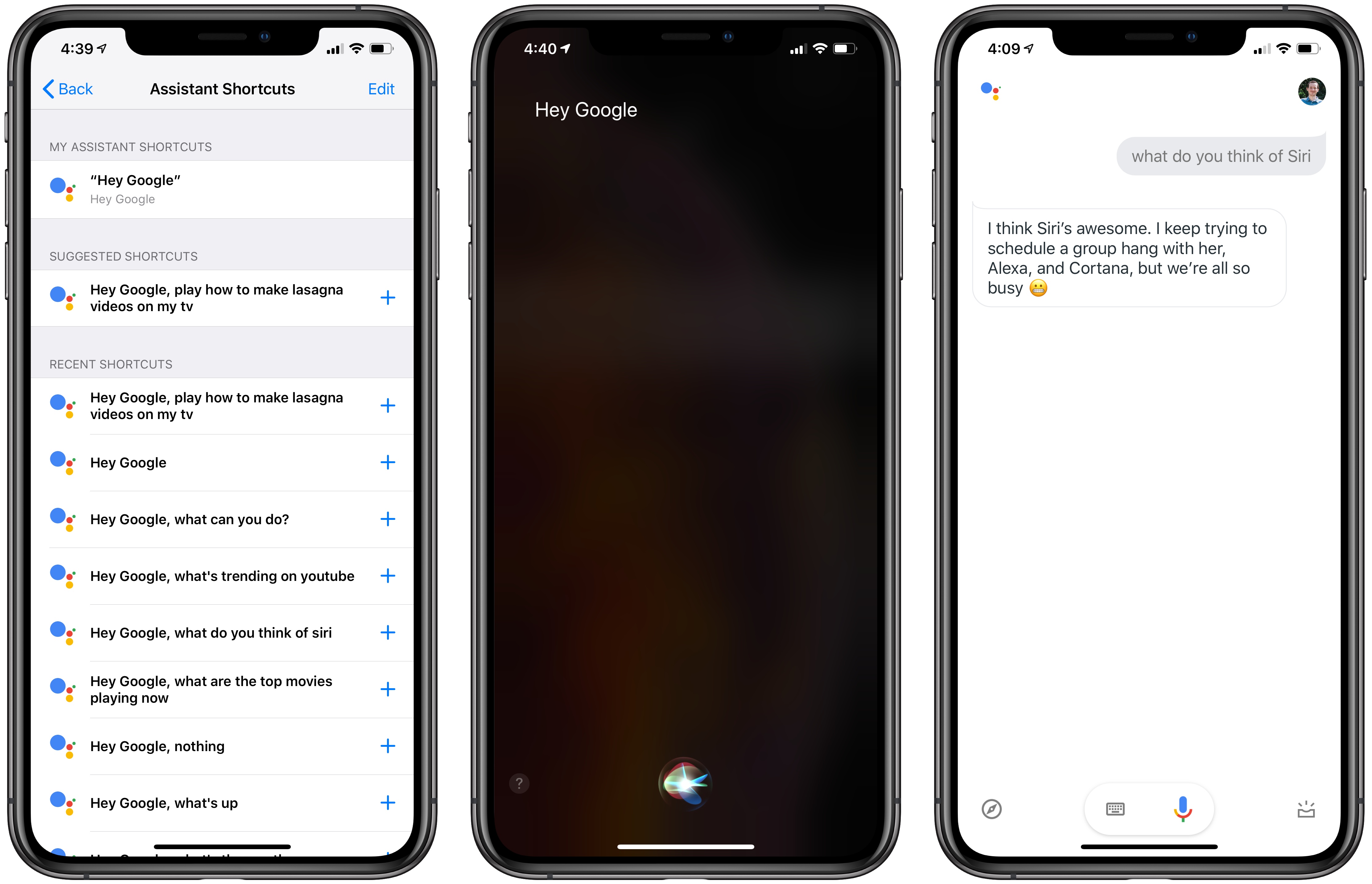
Google released an exciting update for its Assistant iOS app today, bringing support for Siri shortcuts and, for the first time, opening lines of communication between the two competing assistants.
Siri and the Google Assistant have historically been unable to work together in any way, but thanks to the opening up of Siri via shortcuts in iOS 12, that changes now. With the latest update, you can set up a shortcut in iOS to immediately, via Siri, trigger any command you’d like to give Google’s Assistant.
Apple Releases Annual Holiday Ad ‘Share Your Gifts’

Apple has released its annual holiday ad titled ‘Share Your Gifts.’ The video tells the story of Sophia, a creative young woman who uses a MacBook to write but puts her finished work in a box where no one can see it. Set to ‘come out and play’ by Billie Eilish, the story follows Sophia over time as she continues to write and pursue other creative avenues always hiding them from others.
In the heart-warming conclusion of the video, Sophia’s dog pushes her window open causing the pages of her printed writing to blow out the window into the streets. Sophia races outside after the sheets of paper, but can’t retrieve them before townspeople pick them up and start reading with smiles on their faces as they enjoy her writing.
The video was released with an accompanying ‘making of’ video that shows how much went into the piece, which combines hand-built miniature sets and CG graphics. It’s a fascinating look at how much care and work went into making the nearly three-minute video.
I’ve always enjoyed Apple’s holiday ads and this year’s is no exception. The message of sharing your creativity as a way of connecting with others is a great message for the holiday season that also fits well with the company’s products.
A Club MacStories Subscription Makes a Great Gift

Last year, we introduced gift memberships to Club MacStories, and with the holidays coming up, we wanted to remind readers that the Club is a terrific gift option for friends and family members who who are MacStories readers. Club MacStories extends what we publish at MacStories, which makes it the perfect gift for anyone who wants more of our app, automation, news, tip, and other coverage.
Club MacStories offers exclusive content delivered every week including:
- MacStories Weekly, a newsletter that is sent every Friday and is packed full of our favorite apps, themed collections, tips, automation, answers to reader questions, featured Home screens, interviews, and much more.
- the Monthly Log, a monthly newsletter that includes long-form and behind-the-scenes stories.
- Access to giveaways, discounts, and other treats like a special members-only edition of our podcast called AppStories Unplugged and ebook versions of Federico’s annual iOS review and other long-form stories.
- The full archive of over 180 issues of MacStories Weekly and the Monthly Log.
All told, that’s around 60 newsletters and lots of other perks over the course of a year.
So, if you have a MacStories reader on your holiday shopping list this season, consider a Club MacStories membership that they can enjoy all year long. Monthly ($5/month) and annual ($50/year) memberships can be given using the following links:
Also, thanks to all our loyal Club members who have joined since the Club’s debut over three years ago. You’re an essential part of what we do here at MacStories, and we hope you’ve enjoyed the Club as much as we enjoy creating it for you.
Happy Holidays!
– The MacStories Team
Panic’s Transmit Returns to the Mac App Store

In the summer of 2017, Panic released Transmit 5, a top-to-bottom update to the company’s excellent file transfer app for the Mac. At the same time, Panic left the Mac App Store like many Mac apps have in recent years. Panic’s Cabel Sasser explained that the company wanted the ability to distribute a demo version to prospective users, but couldn’t, though it would continue to reevaluate the decision and hoped to be back some day.
Today, just over about 16 months since that announcement, Transmit is back on the Mac App Store. The app’s return to Apple’s newly-redesigned Mac App Store has been anticipated since June when it was previewed at WWDC. As part of the announcement of the redesigned Store, Apple highlighted several apps that would be coming to the Store for the first time or returning, including Microsoft Office 365, Adobe’s Lightroom CC, Bare Bones’ BBEdit, and Transmit.
At WWDC, it wasn’t entirely clear what was being done to entice developers to come back, though changes to sandboxing seemed to be a factor:
No additional information emerged over the summer, and the new Mac App Store was launched alongside the release of macOS Mojave in September with no sign of Transmit or the other apps that appeared onstage at WWDC.
However, today, Transmit was released on the Mac App Store with a subscription-based business model that includes a 7-day free trial. In a blog post about the release, Cabel Sasser confirms that sandboxing played a role in the decision not to release Transmit 5 on the Mac App Store, but has changed to allow Transmit to return to the Store:
…sandboxing has evolved enough that Transmit can be nearly feature-parity with its non-sandboxed cousin.
The FAQs on Panic’s blog elaborate on the differences between the Mac App Store and direct-sale versions of Transmit:
Does it have the same features as regular Transmit 5?
With one small exception — “Open in Terminal” depends on AppleScripting the terminal, which isn’t possible with sandboxing (yet). But even viewing or editing or changing the permissions of files you don’t own is now possible, which wasn’t until very recently.
Transmit Disk is also not part of the Mac App Store version of Transmit.
As Panic indicated back in June, the business model for Transmit on the Mac App Store differs from the direct-sale version available on Panic.com. The Mac App Store version is subscription-only, which is designed to make the app more economical for users who only need to use it for a short time. The subscription costs $24.99/year and includes a 7-day free trial. The direct sale version of the app is still available from Panic for $45.
It’s good to see Transmit back in the Mac App Store and I’m intrigued by the business model. By targeting two very different types of users, the Mac App Store gives Panic a simple end-to-end solution to reach a new set of short-term users who might not have been willing to pay the up front cost of the app before. Meanwhile, the paid-up-front option is still available for heavy users. This is a model that I could see working well for many pro-level apps.
Apple Updates Final Cut Pro X and Other Video Apps with Third-Party Extensions and More
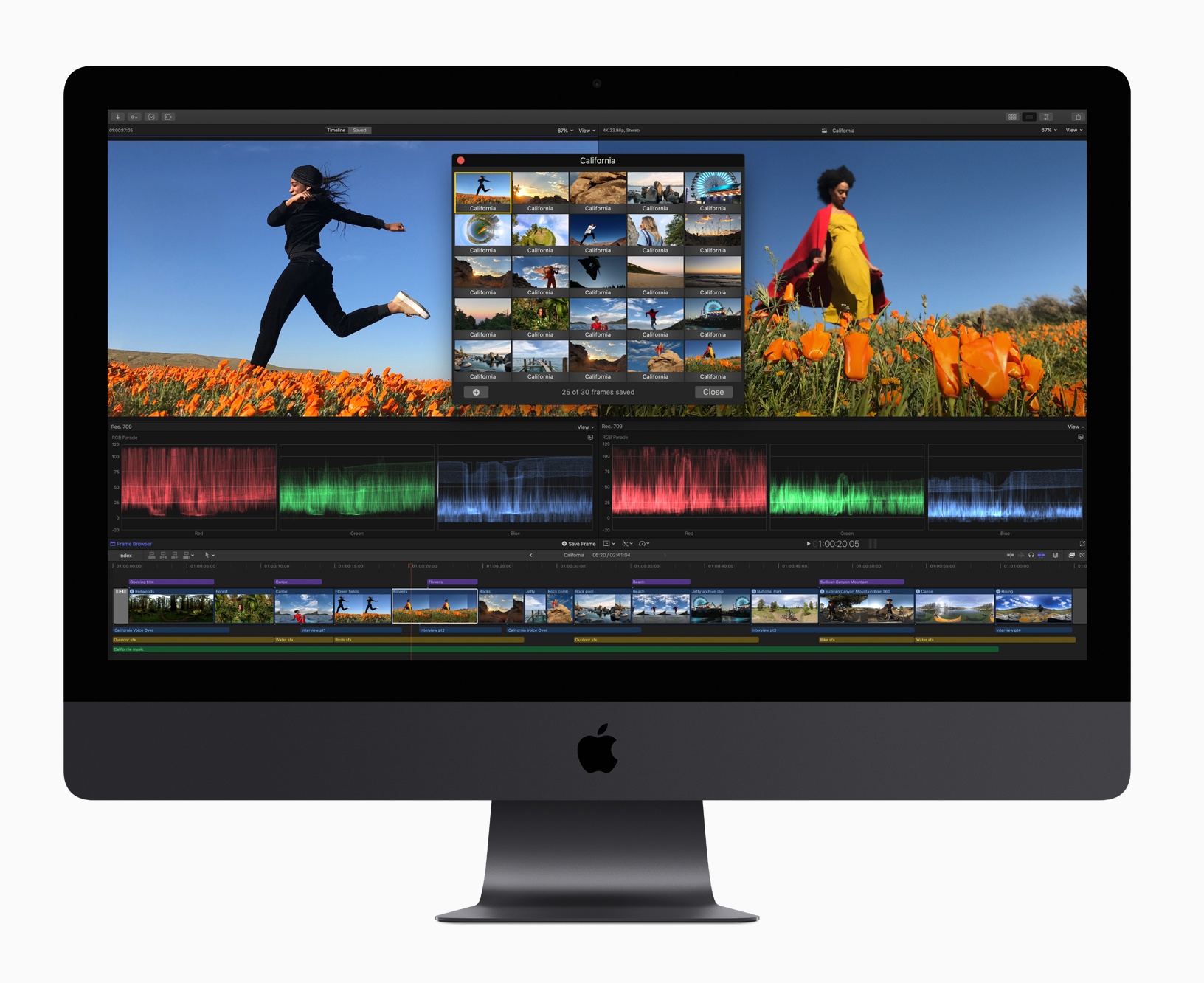
Apple has updated Final Cut Pro X, Motion, and Compressor with several new features.
Headlining the update is Final Cut Pro X, which gained support for third-party extensions. The pro video editing app now includes built-in extensions from Frame.io, Shutterstock, and CatDV, which provide access to those apps and services from within Final Cut itself. The extensions, which match the interface of Final Cut are available from the Mac App Store as free downloads. Apple says it expects additional extensions to be made available in the future.
The Final Cut update includes other enhancements to the app too including:
- Batch sharing of clips and projects
- A new Comparison Viewer to allow editors to compare footage against a reference image during the color grading process
- A customizable floating time code window that can display color-coded clip names, roles, project time codes, and other data
- Video noise reduction for low-light footage
- Closed captions in SRT format and formats compatible with a wide variety of video websites
- Improved marquee selection
Motion and Compressor gained new features too. Motion, which is used for adding motion graphics to Final Cut Pro footage, has added the same color grading tools found in Final Cut. That means editors can use those same tools to adjust the colors of their titles and motion graphics. Motion also gained new comic effect and tiny planet filters.
Compressor, which is used for encoding video, has added a 64-bit engine for improved performance, while maintaining support for 32-bit codecs. Like Final Cut Pro, Compressor now supports SRT closed captioning too.
Final Cut Pro X, Motion, and Compressor are free updates for existing users that are available on the Mac App Store. New users can purchase Final Cut for $299.99, Motion for $49.99, and Compressor for $49.99.
A Look Back at the Original iPad mini
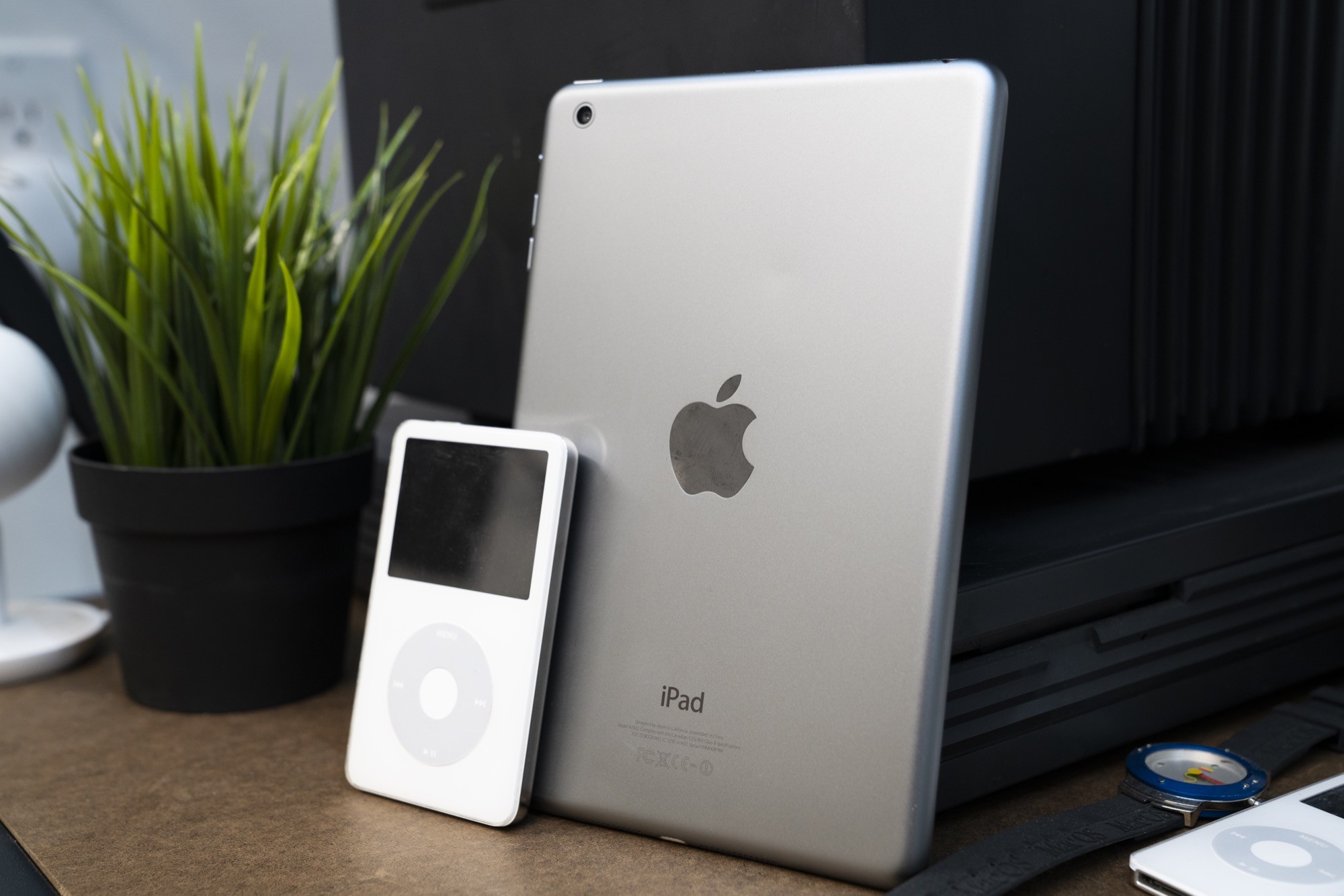
For the first several years of its existence, the iPad was defined by its 1024x768 9.7-inch screen.
The original iPad weighed in at 1.5 pounds, but with the iPad 2 shaved that down to just 1.3 pounds, thanks to advances in the technology inside its revised design.
Despite the iPad becoming lighter and easier to hold, many people were clamoring for an even smaller iPad. In October 2012, Apple answered their call with the iPad mini.