Posts in news

Replay Apple’s November 2020 Presentation and Other Videos

If you didn’t follow the live stream or announcements as they unfolded at the Steve Jobs Theater in Cupertino today, you can replay it on Apple’s Events site and catch the product videos on Apple’s YouTube channel.

The keynote video can be streamed here and on the Apple TV using the Apple Events app. A high-quality version should also be available soon via Apple Podcasts as video and audio podcast episodes. First debuted in September, there is also an American Sign Language version of the event, which is available here.

Apple also posted other product videos on its YouTube channel, which are embedded after the break.

Read more


Apple Announces Availability of New M1-Based Macs and macOS Big Sur

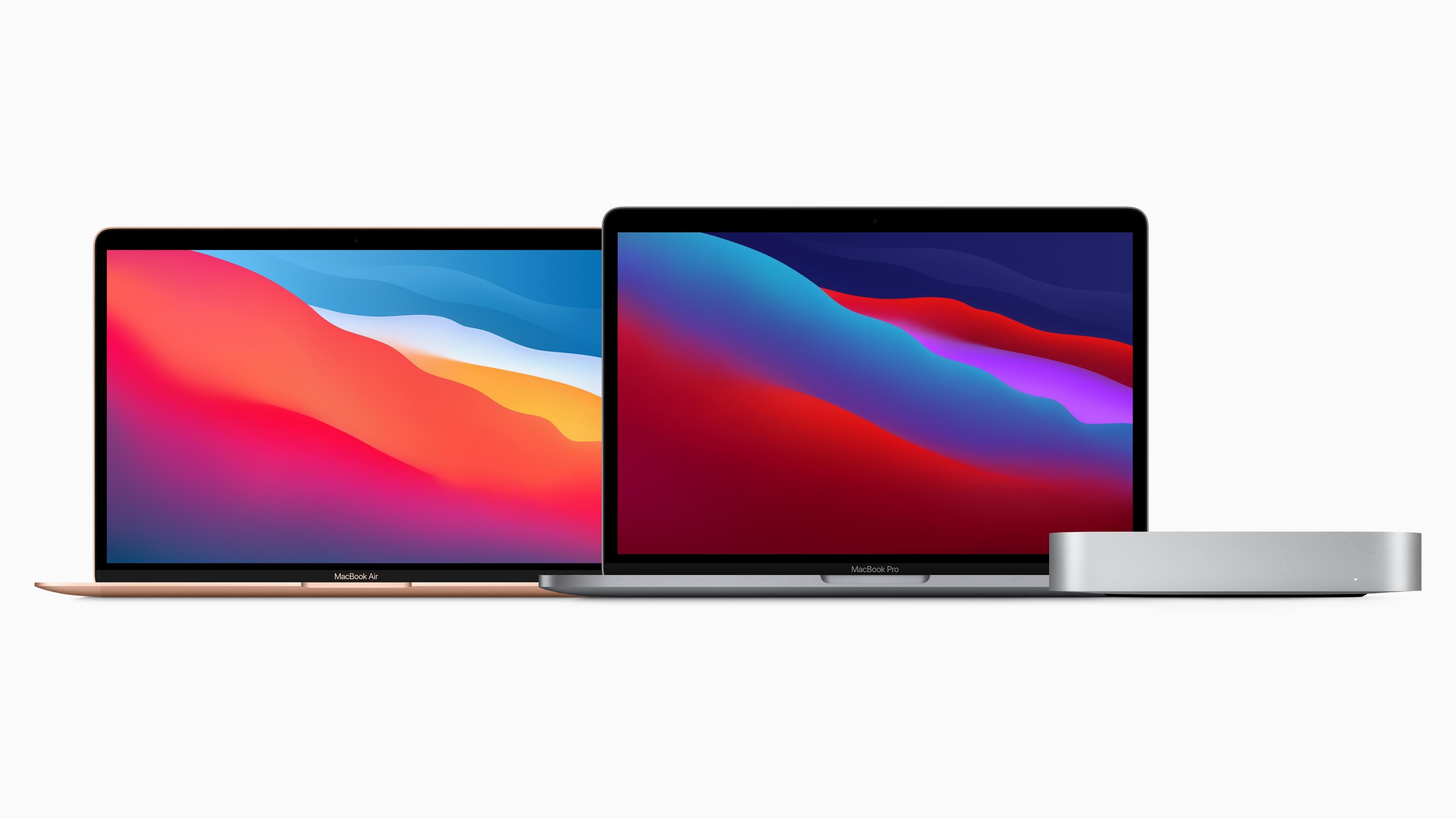
Today Apple announced pre-order and delivery dates for the new MacBook Air, 13” MacBook Pro, and Mac mini, all of which feature the new Apple-designed M1 chip. All three Macs are available for pre-order today with deliveries starting November 17th and 18th.

Apple has also released a second Release Candidate for macOS Big Sur. The company said during its presentation that Big Sur will be available this Thursday, November 12th, which is also when we’ll publish our comprehensive review of Big Sur on MacStories as well as an eBook version for Club MacStories members.


You can follow all of our November event coverage through our November 2020 event hub, or subscribe to the dedicated RSS feed.


iPhone 12 Pro Max and iPhone 12 mini Review Roundup

Source: Apple.

Source: Apple.

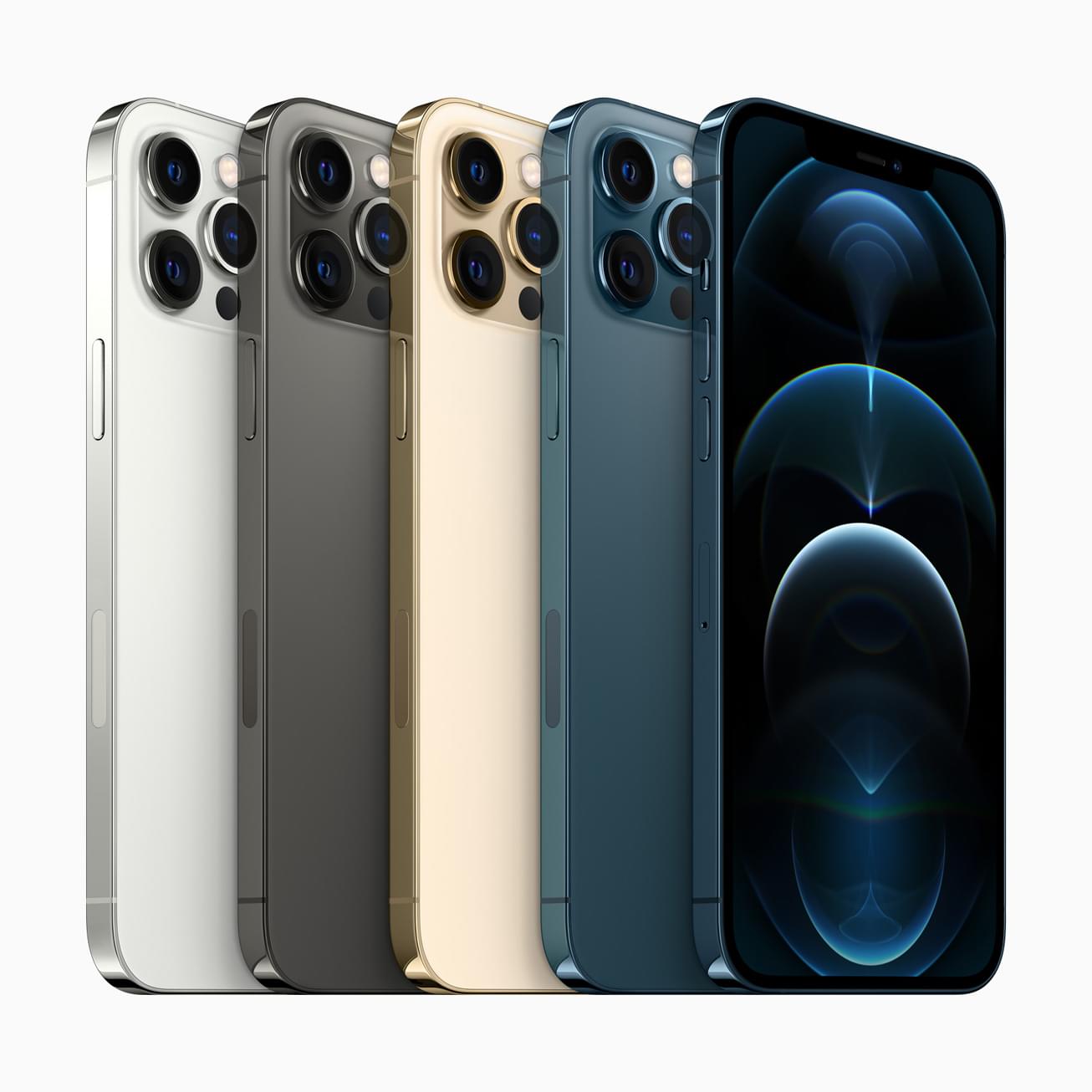
Embargoes have lifted for the first wave of iPhone 12 mini and iPhone 12 Pro Max reviews. Preorders for the new iPhones, which opened on November 6th and won’t begin to arrive on customers’ doorsteps until this Friday, November 13th, but in the meantime, you can read about both new iPhones and watch some excellent video reviews.

As you would expect, the reviews of the Pro Max concentrate on the new camera system while the reviews of the mini focus on the new device’s diminutive size and the implications of that.

Read more


MacStories Unwind: iOS and iPadOS 14.2, Default HomePod Music Services, and Apple Silicon Macs

0:00
29:59


Sponsored by: Shake – Bug Reporting Tool for Your Mobile App

This week on MacStories Unwind:

MacStories

Club MacStories

  • MacStories Weekly
    • MacStories Favorite: Doodle Jump
    • Shortcuts Requests, including a way to archive webpages as images
    • John on what running iPhone and iPad apps on Apple silicon Mac might be like

AppStories

Unwind


Apple Releases iOS and iPadOS 14.2 with New Emoji, Wallpapers, AirPlay 2 Interface, AR Face Detection, and Shazam Toggle for Control Center

Today Apple released the second major revision to iOS and iPadOS 14 since their introduction in September. The previous major update, 14.1, was largely just for iPhone 12 support and bug fixes. iOS and iPadOS 14.2 are packed with quite a few nice new additions to the operating system, and are available to the public as of this morning.

New Emoji and Wallpapers

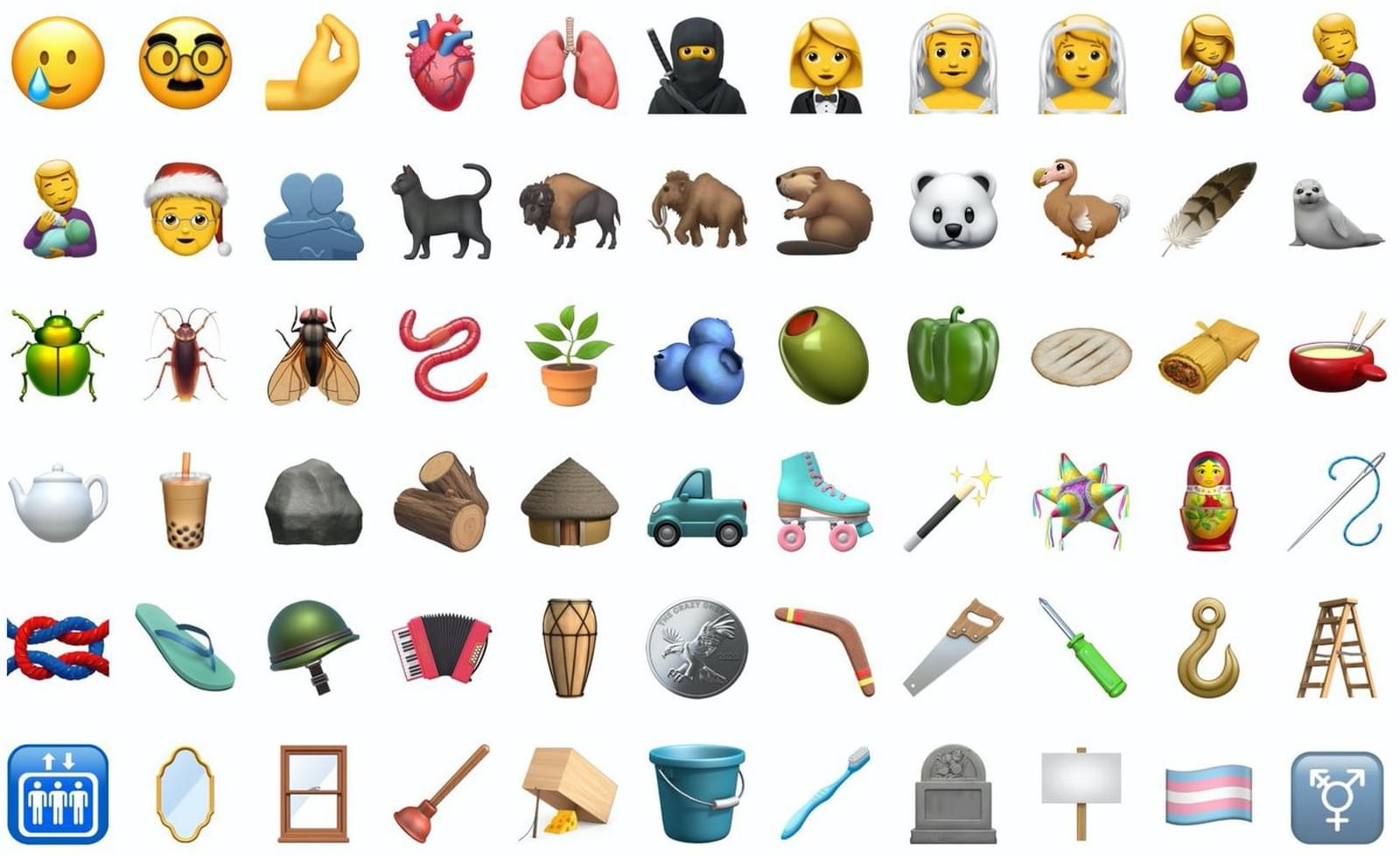
iOS 14.2 packs over 100 new emoji, including a smiling face with a tear1, a ninja, a toothbrush, and a pickup truck. Emojipedia covered the new emoji earlier in the beta cycle, and of course Federico attempted to guess all of their official names on an episode of Connected. My personal favorite is the new mousetrap emoji, which reminds me of the leprechaun traps that my sister and I used to set up the night before St. Patrick’s Day when we were growing up.

Eight new still wallpapers have also been released in today’s update. Some are photos of mountainous regions while others are scenic illustrations. Each new wallpaper includes a variation for light and dark mode.

Read more


Switching Your Default HomePod Music Service to Pandora

Yesterday, Pandora updated its iOS app, allowing it to serve as your default music streaming service on the HomePod. The setup isn’t entirely obvious, but it’s not difficult either, and it’s available in iOS and iPadOS 14.1 and 14.2. Here’s how it works.

Apple first revealed that the HomePod would support third-party music streaming services at WWDC without any explanation of how that would work. However, with the release of Pandora’s update, we now know that the process involves a combination of the third-party app’s settings and Apple’s Home app.

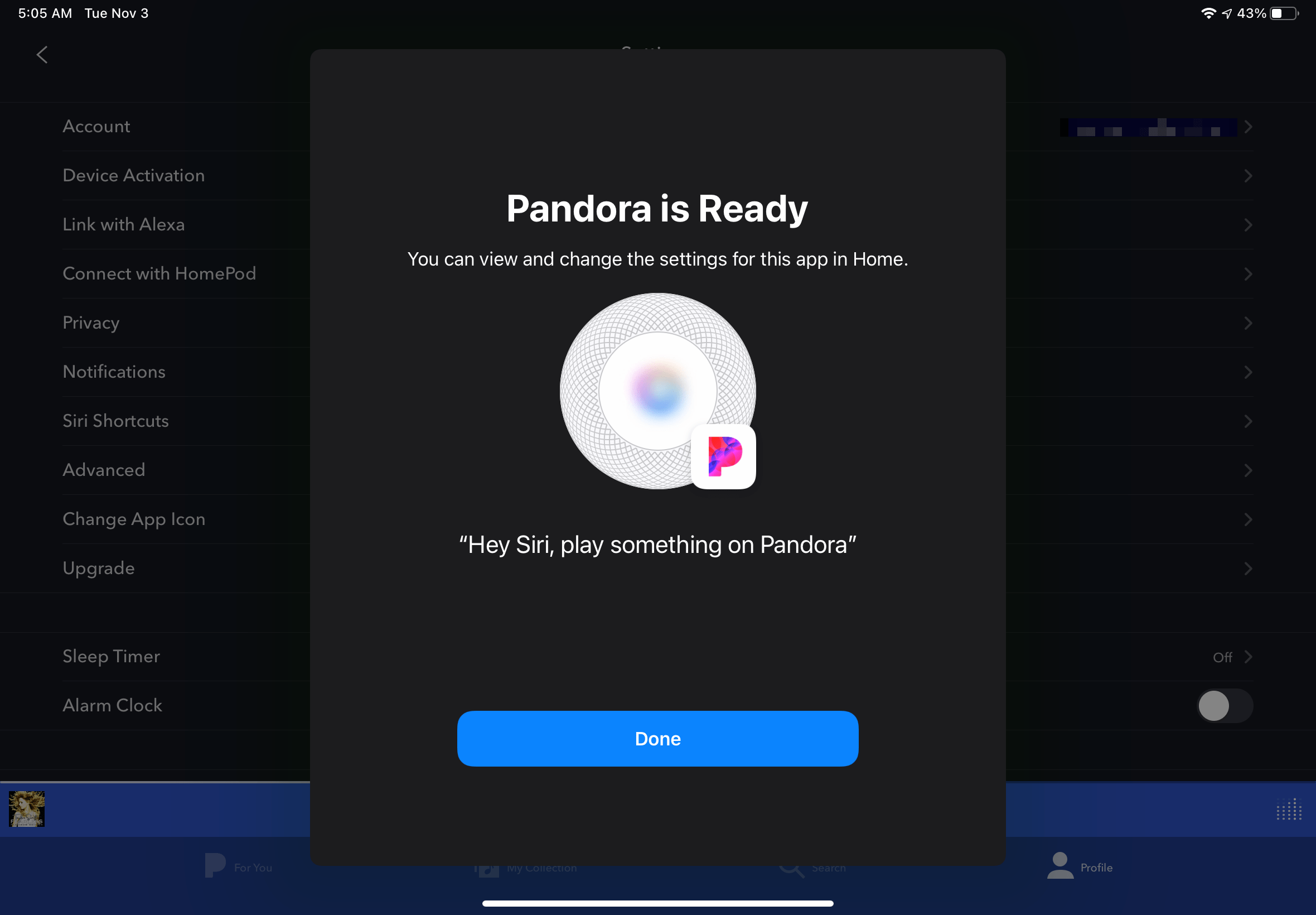
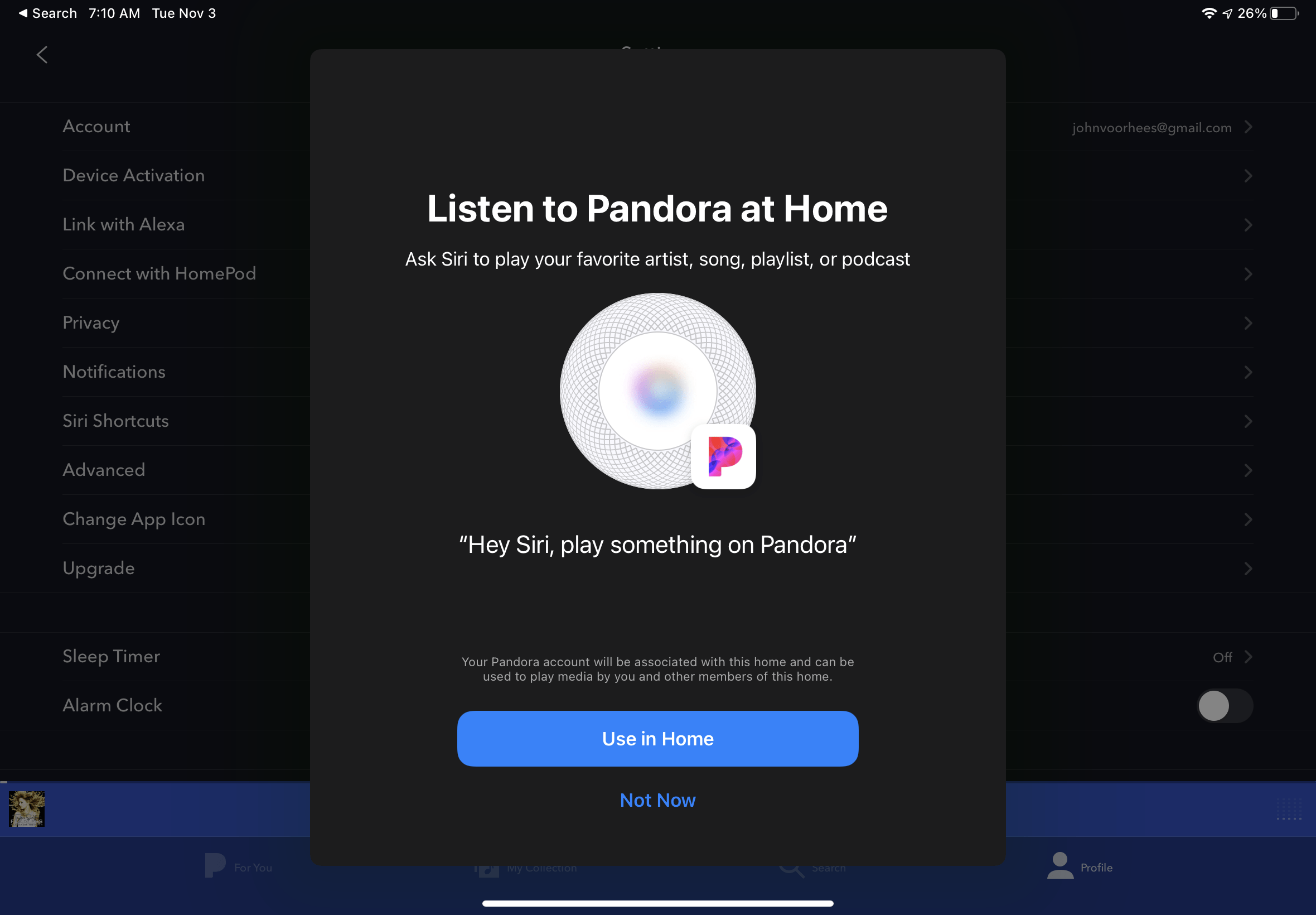
Other third-party music services are sure to follow Pandora’s lead, so even if you’re not a Pandora user, it’s instructive to see how it has implemented HomePod integration. In the Pandora app, tap on the Profile tab, select the gear icon in the top, righthand corner of the screen, and then tap ‘Connect to HomePod’ and then ‘Use in Home’ when prompted. Once you complete these steps, you can ask Siri to play music ‘on Pandora’ from your HomePod.

Tap 'Use in Home' to add Pandora as a HomePod playback option.

Tap ‘Use in Home’ to add Pandora as a HomePod playback option.

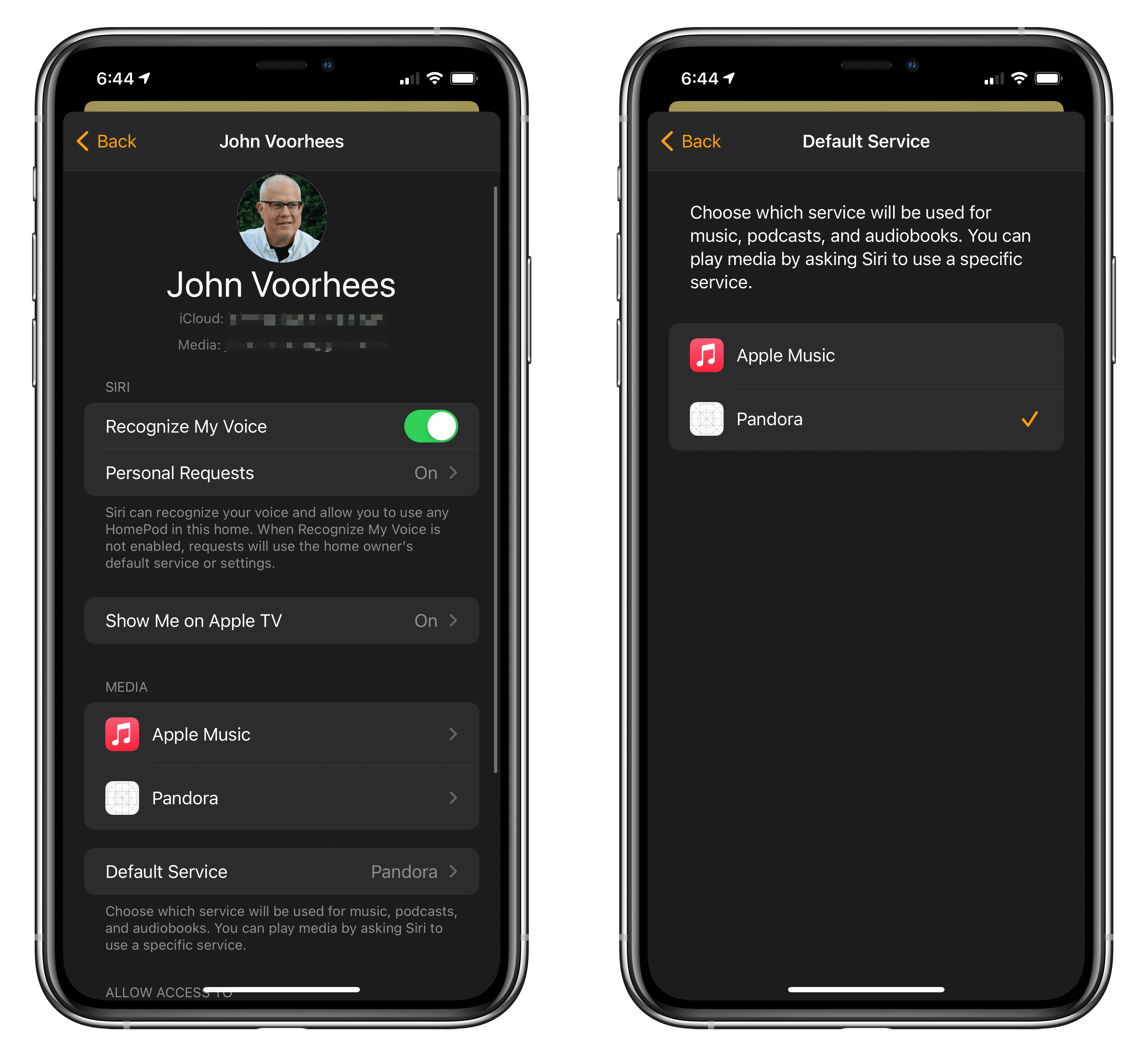
If you want to take things a step further, you can make Pandora your default music service in the Home app. Open Home, and go to Home Settings, which you can reach by tapping the house button at the top of your iPhone or iPad’s screen. Next, tap your profile picture. Here, you’ll see your personal Home settings. If you set things up correctly in Pandora, it will be listed under the Media section of your Home Settings. Tapping on the Pandora entry allows you to toggle Update Listening History on or off and remove Pandora from the Home app. If you have multiple people assigned to your home, only the primary user can manage music streaming services.

Setting up Pandora as my default music streaming service. Note that a bug in iOS 14.2 fails to display app icons properly at times.

Setting up Pandora as my default music streaming service. Note that a bug in iOS 14.2 fails to display app icons properly at times.

To set Pandora as your HomePod’s default music streaming service, tap ‘Preferred Service,’ which is directly below the Media section.1 Here, you’ll find a list of each service available to be set as your default. Pick Pandora, close Home Settings, and you’re finished. Instead of having to request that Siri play music ‘on Pandora,’ all requests to play music will play using Pandora’s service unless you specify a different service. Once Pandora has been added to Home, it remains available on your HomPod, even after its app is deleted from all your devices.

Apple Music and other services will still be available from your HomePod after you switch default services. However, you’ll have to specify the playback service you want to use, even if you’re asking Siri to play a playlist specific to Apple Music or one you created in your Apple Music library. For example, with Pandora set as your default service, to switch to Apple Music, you need to use a command like “Hey Siri, play Taylor Swift on Apple Music.’

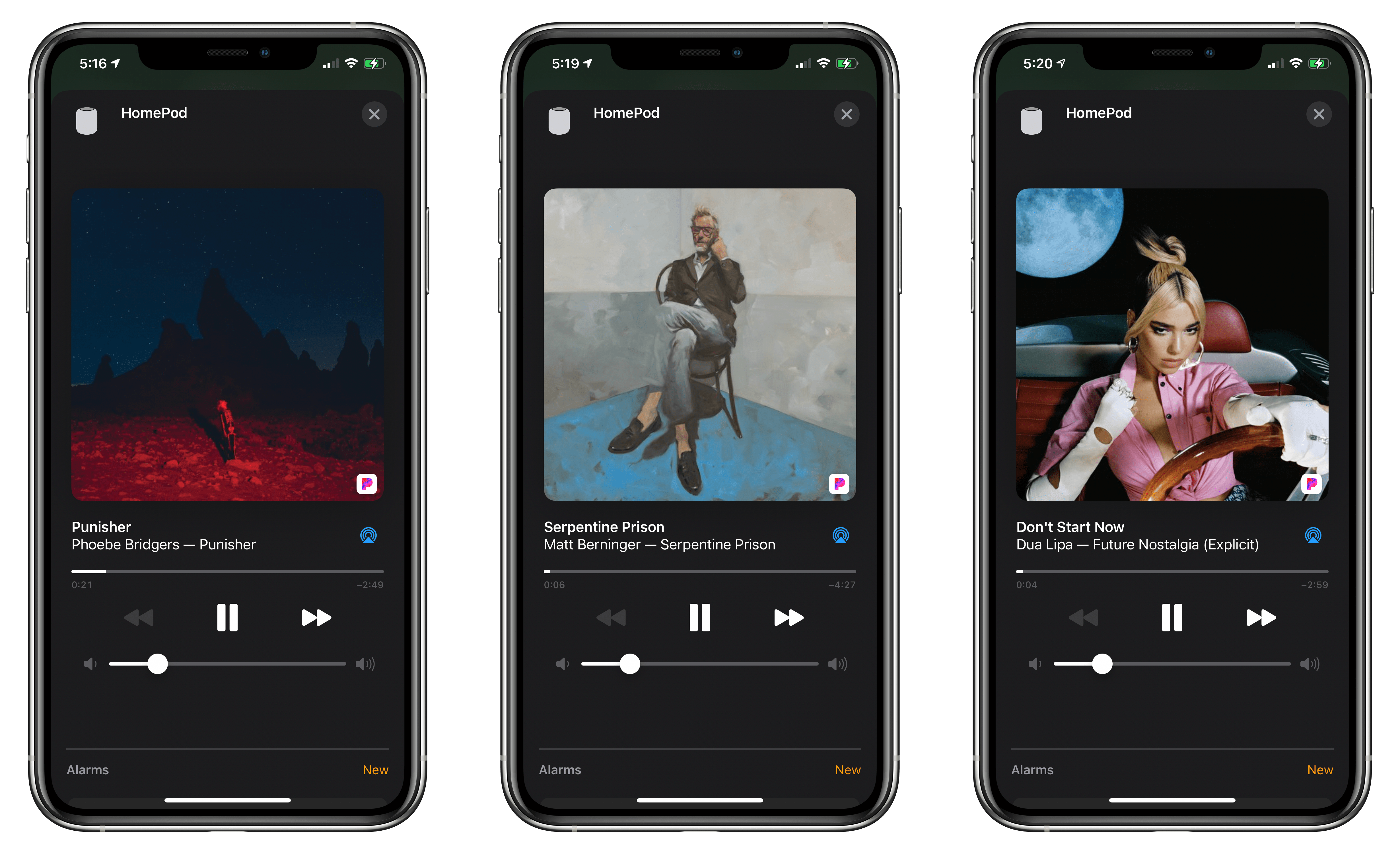
Using Pandora as my default music streaming service for my HomePods.

Using Pandora as my default music streaming service for my HomePods.

Switching to a different music streaming provider worked seamlessly in my testing. Unfortunately, it’s not immediately obvious where to go to find the settings to switch services in the Home app. I suspect a lot of users will look in their HomePod’s settings or the top level of Home Settings, where you go to manage hubs and other categories of HomeKit devices. Still, once you know where to look, the process is simple and a welcome alternative for users who prefer different music streaming services.


  1. In iOS and iPadOS 14.2, the Home app uses the terminology ‘Default Service’ instead of ‘Preferred Service.’ ↩︎

Apple Announces November 10, 2020 Online Media Event

As tweeted by Federico, Apple has announced a media event for November 10, 2020, at 10:00 am Pacific. The event will be held online only.

Based on widespread speculation, Apple is expected to introduce its first Apple silicon Mac, which the company said at WWDC would debut before the end of the year. It’s possible that Apple could also announce long-rumored over-ear headphones and, perhaps, the AirTag location trackers too.

Apple is also likely to announce a release date for macOS 11.0 Big Sur. If Apple’s September Apple Watch and iPad event is any indication, the final 11.0 version of macOS Big Sur could be released to the public soon after the event.


Apple One Subscription Bundles Are Now Available

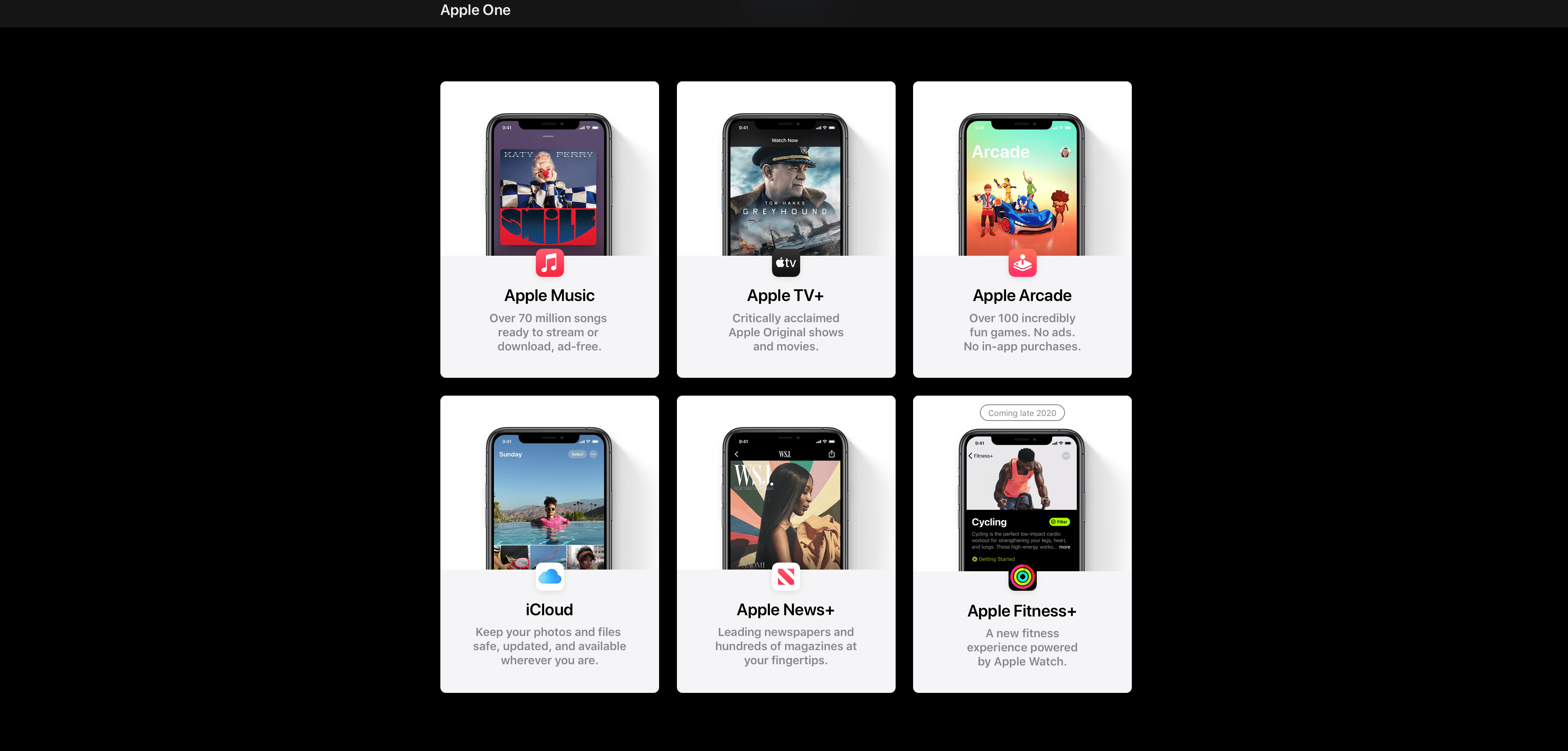
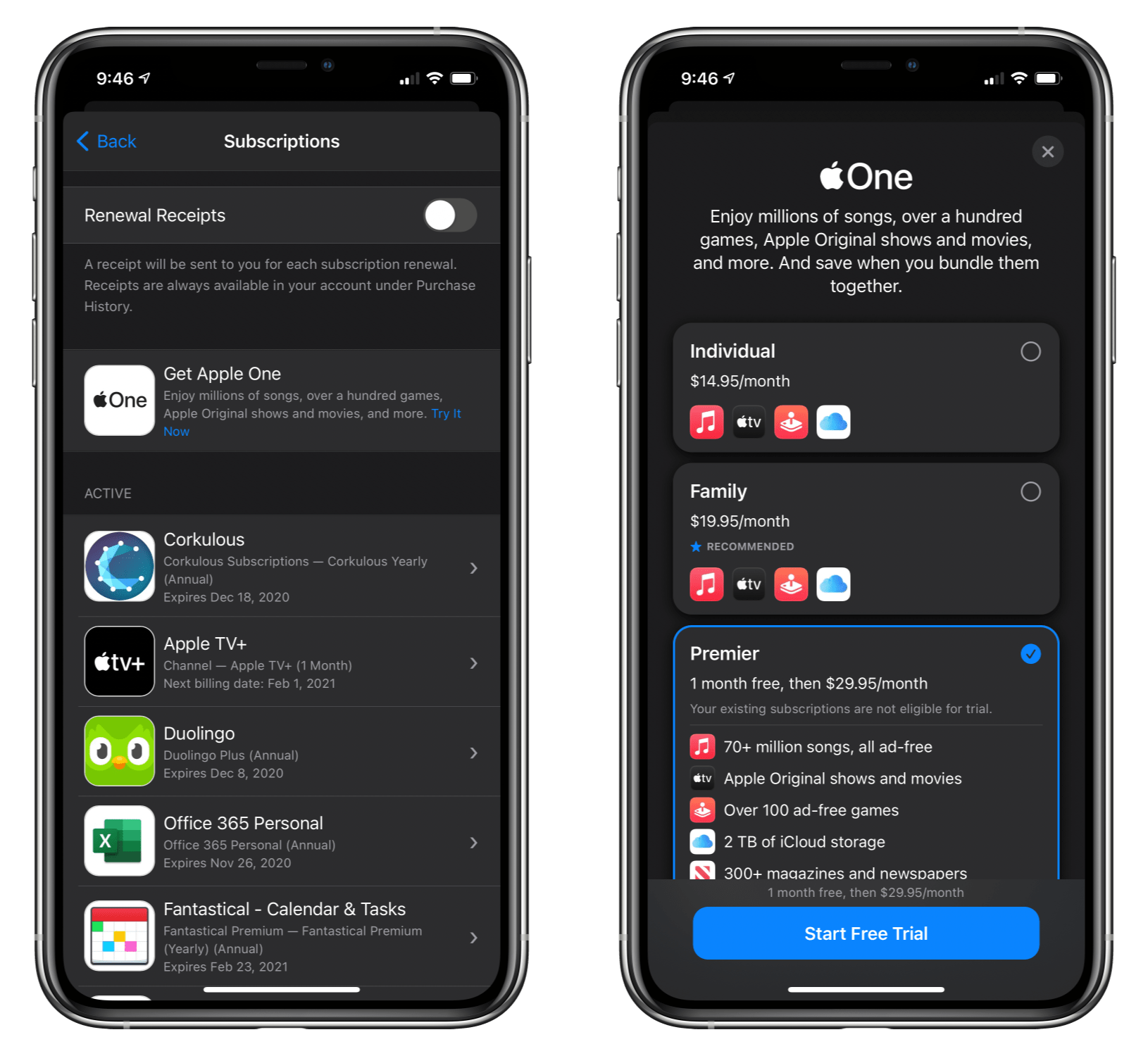
Today, Apple launched its previously-announced Apple One subscription bundles, which offer the following three combinations of services:

  • Individual – Apple Music, Apple TV+, Apple Arcade, and 50GB of iCloud storage for $14.95
  • Family – Apple Music, Apple TV+, Apple Arcade, and 200GB of shared iCloud storage for $19.95 for up to six family members
  • Premier – Apple Music, Apple TV+, Apple Arcade, Fitness+, Apple News+, and 2TB of shared iCloud storage for $29.95 for up to six family members

Compared to paying for each service separately, the Individual plan saves users $6, the Family plan saves $8, and the Premier plan has the greatest savings at $25 but is only available in the US, UK, Canada, and Australia because News+ is limited to those countries. Apple is also offering a 30-day free trial and 3% cash back if you use the Apple Card.

The Apple One bundle signup flow.

The Apple One bundle signup flow.

You can currently sign up for an Apple One bundle by going to the App Store on an iOS or iPadOS device and tapping your profile picture in the top right corner of the screen. Tap on your profile at the top of the next screen and then Subscriptions, where you should find a banner promoting Apple One.

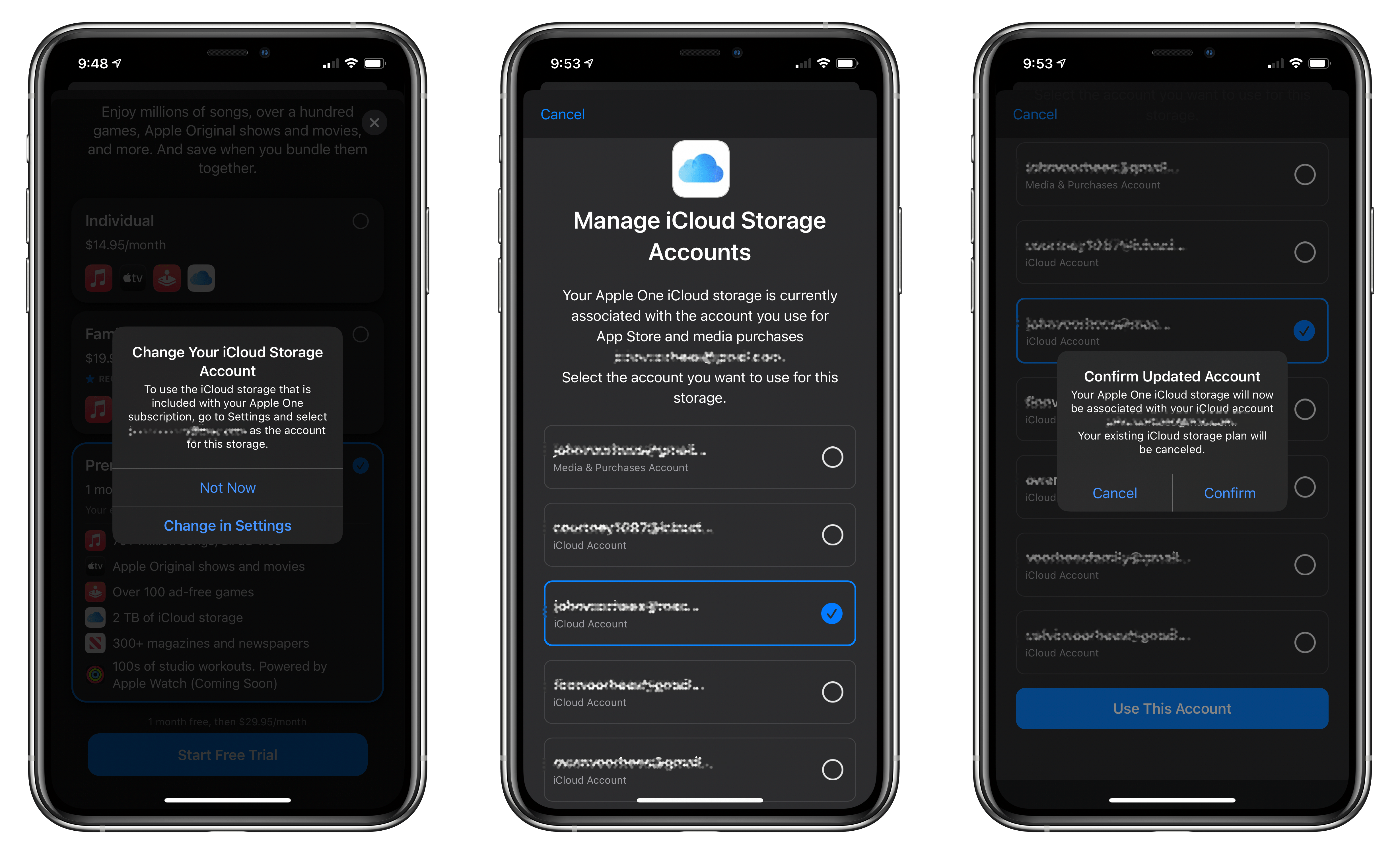
Moving iCloud Storage from one Apple ID to the another.

Moving iCloud Storage from one Apple ID to the another.

If like me, you have separate Apple IDs for iCloud and media purchases, you will be asked to move your storage plan to the Apple ID you use for iCloud, which cancels the old iCloud Storage subscription.

Signing up for the Premier tier was a no-brainer as someone who already paid for 2TB of storage, a Family Apple Music subscription, and Apple Arcade. News+ isn’t something I was willing to pay for separately, but it’s nice to have, and I’m very interested in trying Fitness+ as the weather gets colder here in Chicago, making outdoor walks and runs more difficult.


MacStories Unwind: Shortcuts Corner, HomeKit WiFi Routers, Clips, and Music Widgets

0:00
22:39


Sponsored by: Sketch – The Design Platform Trusted by Over One Million People

This week on MacStories Unwind:

MacStories

Club MacStories

  • MacStories Weekly
    • MacStories Favorite: Pixelmator Pro
    • A new Reeder shortcut
    • Ryan debates purchasing an iPhone 12 mini or Pro
  • MacStories Unplugged
    • This week on Unplugged, our Club podcast, we discuss the upcoming release of Big Sur, Federico makes John nervous by poking around in Disk Utility and ejecting drives while he records, John gets fiber Internet and tests HomeKit mesh WiFi routers, and Federico unwinds post-iOS review.

AppStories

Unwind