This Week's Sponsor:

Clic for Sonos

The native app Sonos should’ve made. No lag, no hassle, just music. Save up to 50%.


Posts in iOS

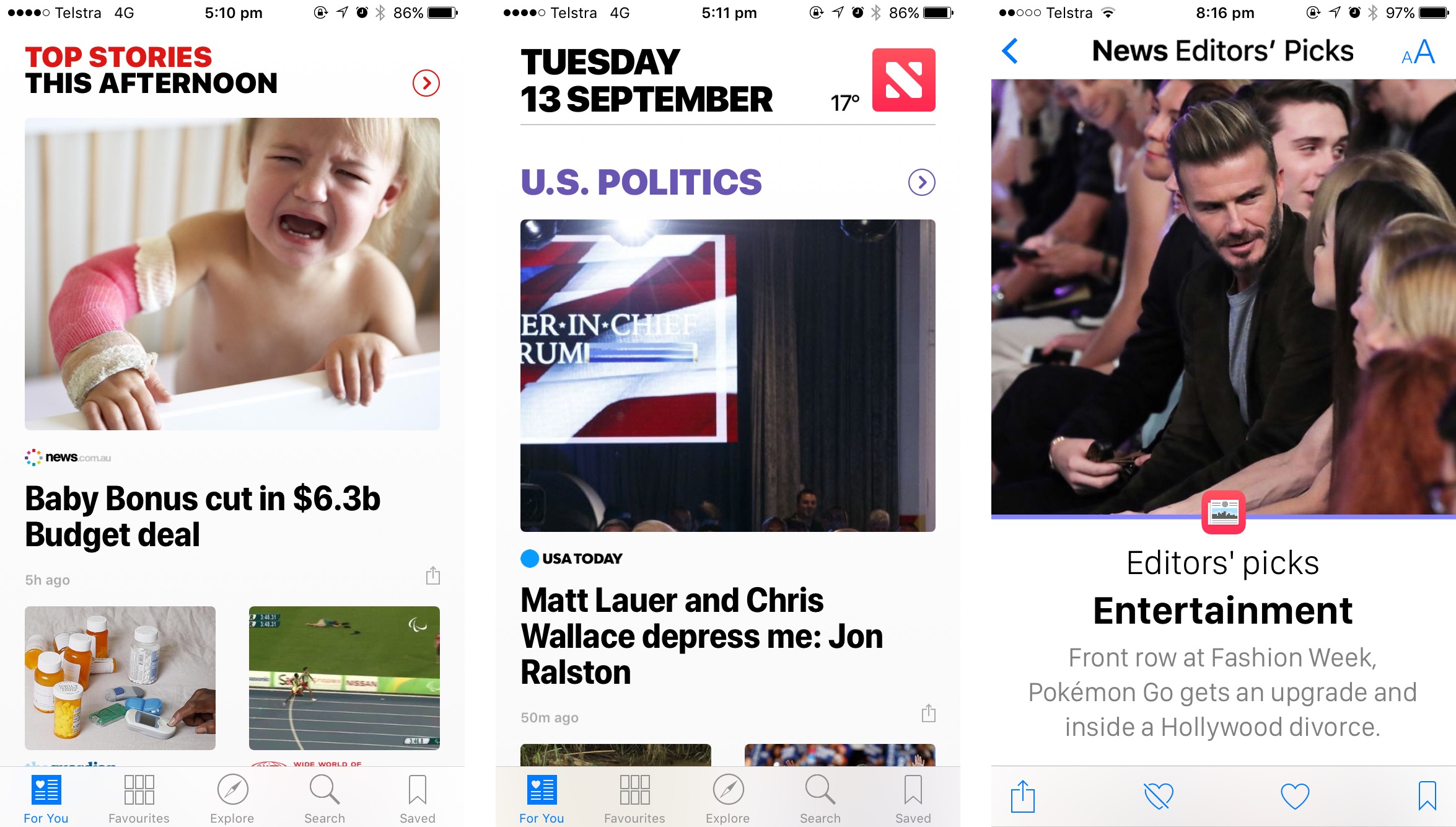
Apple News in iOS 10: Greatly Improved

Apple News: Greatly Improved

Apple News launched last year in iOS 9, and despite my early enthusiasm, I found the experience at launch to be deeply flawed and disappointing. However, in the past twelve months I have been pleasantly surprised by a number of improvements that Apple has made to News. These improvements go a long way in addressing nearly all of my major complaints about News from last year.

Shortly after completing my review last year, I stopped using News regularly – only checking in occasionally. But since installing the iOS 10 beta in late June I decided to give News another go, and this time, I’m finding it both enjoyable and useful.

Read more


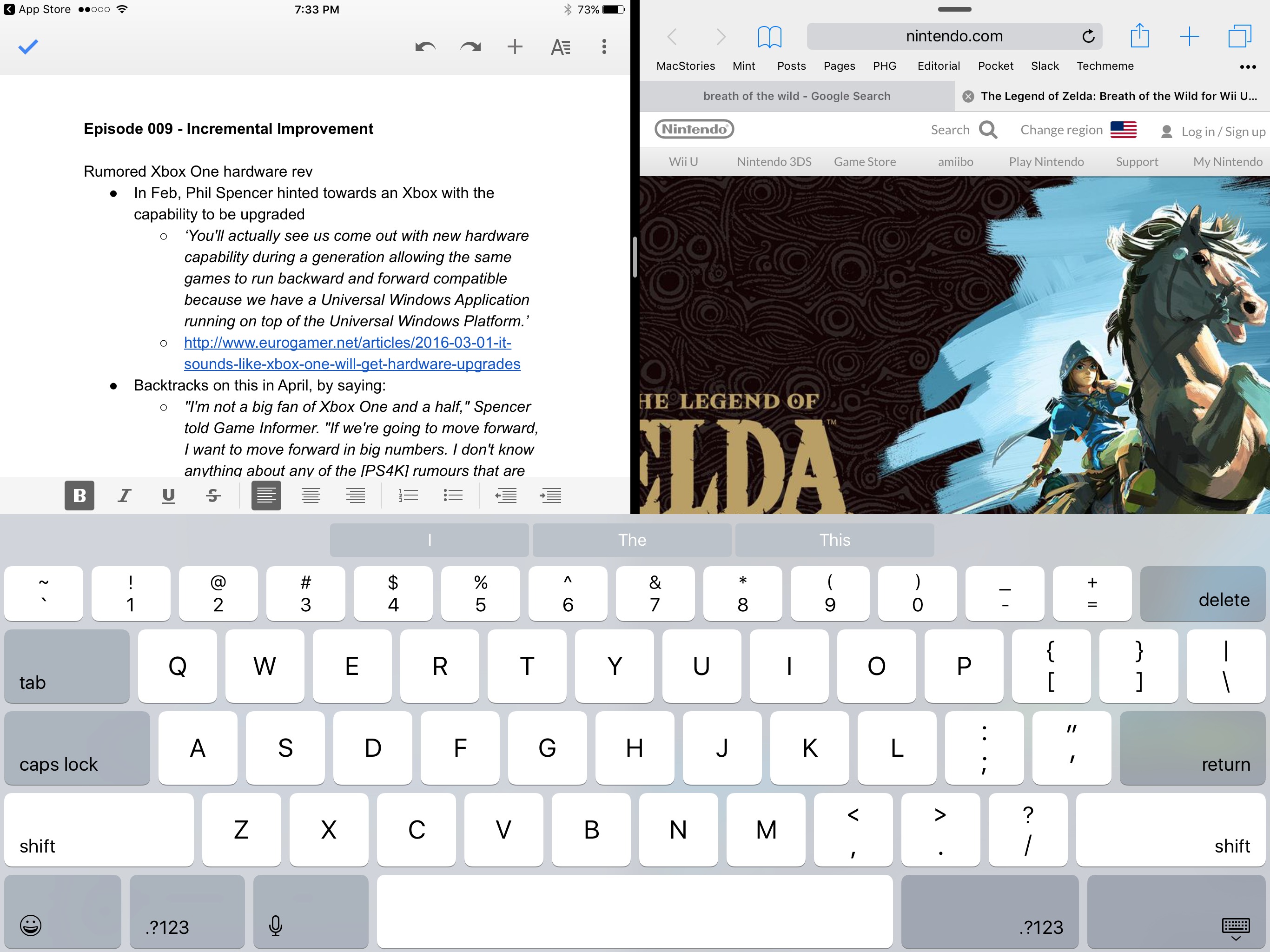
Google Docs and Sheets Add Split-View Support

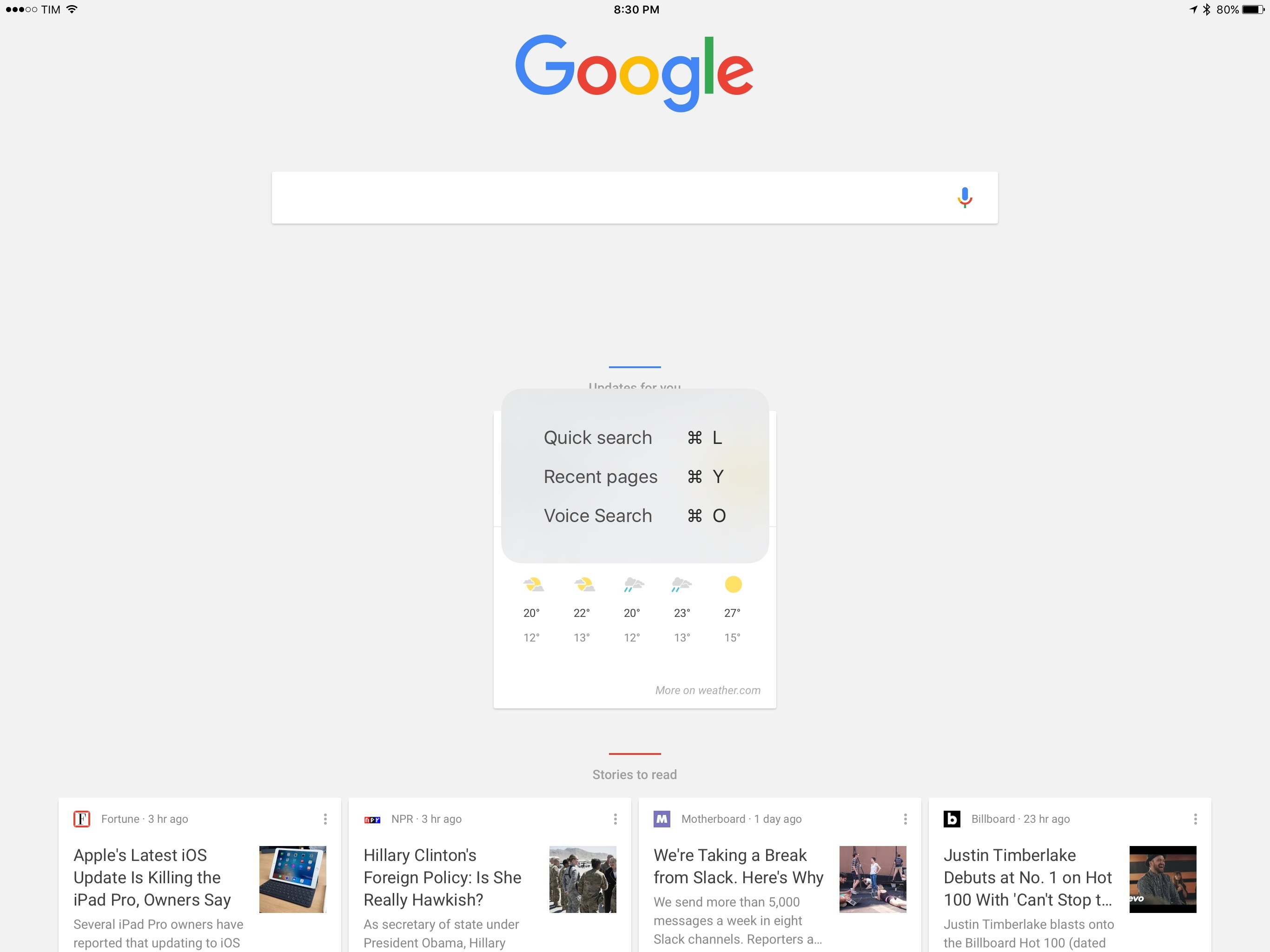
Earlier today, Google Docs and Google Sheets for iOS were updated with Split View support. Google Docs also added the ability to insert images and page breaks in documents. With iOS 9, Apple introduced the ability to run two apps side-by-side on certain models of the iPad. In the ensuing months, Google Docs and Sheets were updated regularly, but Split View remained conspicuously absent. Now, on the eve of the release of iOS 10, users who rely on Google Docs and Sheets can finally write and work on spreadsheets on the iPad alongside another iOS app.

Update: In addition to Docs and Sheets, Google has updated Slides for iOS with Split View support.


Workflow Adds IFTTT Integration

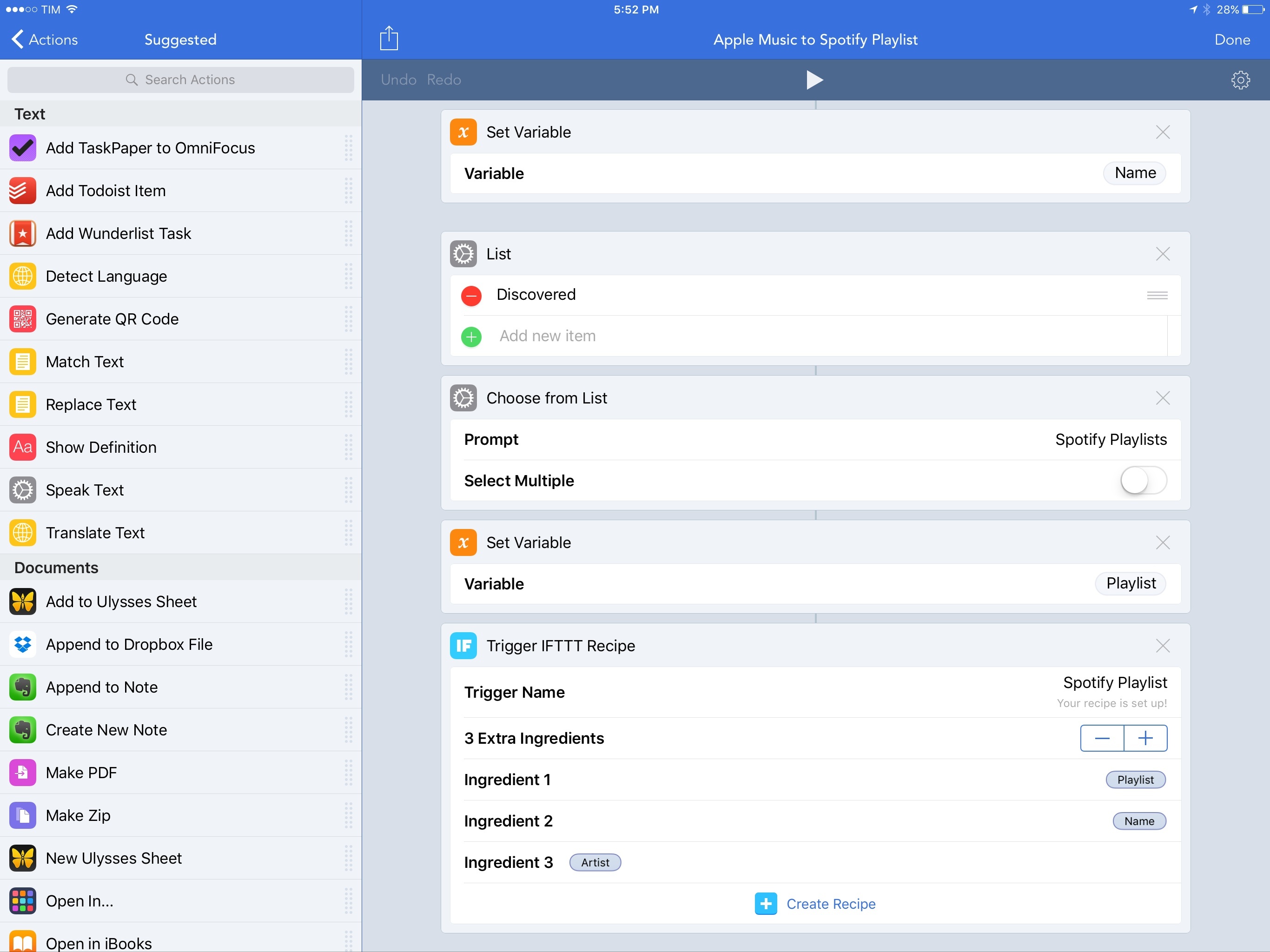
One of the unique traits of Workflow is its integration with native iPhone and iPad apps. By abstracting URL schemes from the process of building workflows that communicate with apps, the Workflow team has been able to offer actions to automate apps such as OmniFocus, Drafts, and Ulysses with support for text, images, and even documents.

Increasingly, however, iOS users who rely on their devices as their primary computers are leveraging web services for their daily tasks. And in the past few years, a different kind of automation – web automation – has complemented (if not replaced altogether) native automation to save time on the iPhone and iPad through web APIs.

The Workflow team knows this, and their latest integration is aimed at extending Workflow to any web service – even if it doesn’t offer an iOS app or a native web action in Workflow. Today, Workflow is launching a new IFTTT integration to trigger web recipes.

By fusing workflow actions with the power of IFTTT’s web API glue, IFTTT support in Workflow promises to take iOS automation further than it’s ever been, drastically altering the scope of Workflow’s capabilities.

Read more


LiquidText 2.0 Brings Support for Multiple Documents

While I don’t work with a lot of PDFs for what I do at MacStories, I’ve had to annotate documents and collect research material in the past, and I’ve been impressed with LiquidText for iPad.

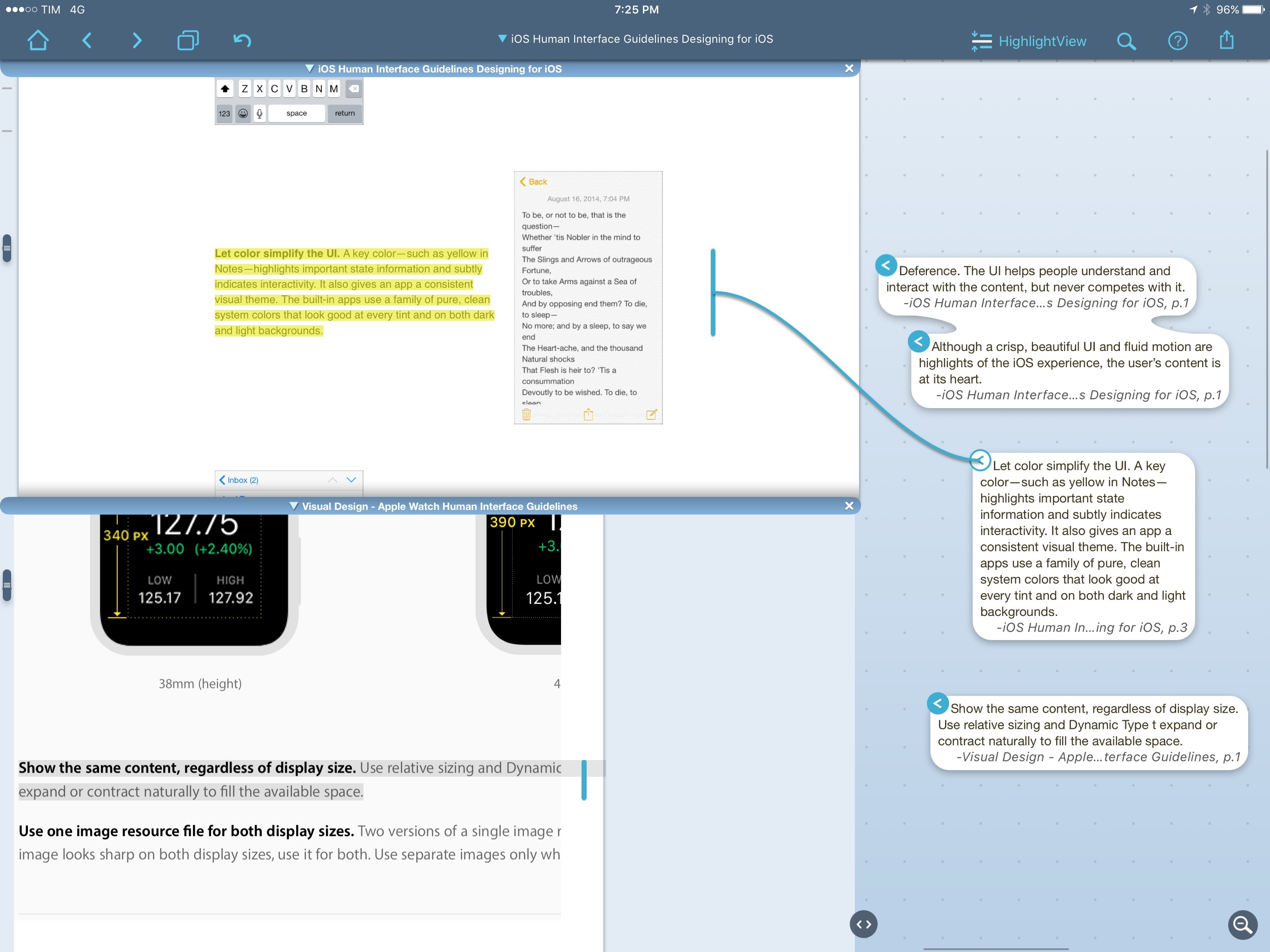
LiquidText is one of the most innovative iPad apps I’ve seen in recent years. The app lets you read and annotate PDF documents, but it looks nothing like a traditional PDF editor. Text can be highlighted and pulled aside with a delightful tap & hold interaction; multiple excerpts can be grouped together in a cluster of bits of text, and you can also add your own notes to the mix. LiquidText is uniquely spatial in the way it lets you organize notes and annotations visually, moving them around, and linking them together. I like, for instance, how you can tap an excerpt in the side panel to see where it links back in the original document. LiquidText is full of interesting, useful features like that.

Today, LiquidText has launched a major 2.0 update that adds the ability to work with multiple documents and easily import webpages in a single LiquidText file. I’ve been playing with the beta, and it’s solid: multiple documents can be opened simultaneously, and you can pull together annotations from different sources in the same space. You can also add notes that reference multiple documents, as well as search for text across all documents at once. I’ve never seen a PDF app for iPad that made annotating and referencing multiple PDF documents this simple and intuitive.

Given the option to import PDF documents and webpages in a single LiquidText file, I think I’m going to give this a shot as I prepare my research for iOS 10 this summer. LiquidText 2.0 can export every excerpt and note as plain text, which I should be able to import in Ulysses to start writing. I haven’t tried importing Apple’s developer documentation webpages in the app yet, but it should be possible. LiquidText’s annotation engine and option to compare files is perfect for that kind of research spread across multiple topics related to each other.

Finally, the upgrade price. LiquidText has always been free (which is crazy if you ask me), but the Multi-Document Pack is a $8.99 In-App Purchase. If you want to support and enjoy one of the most powerful, original iPad apps I’ve tried in years, it’s a no-brainer.


Linky 5.3 Adds ‘Markup’ Feature for Image Annotations

Linky's new Markup mode.

Linky’s new Markup mode.

I’ve been using Linky for a few years now to share images, links, and app deals to Twitter. The app has a powerful share sheet with support for multiple Twitter accounts, and its developer introduced clever additions such as textshots and suggested images when sharing from the web. It’s a solid app that comes in handy every day.

Today, Linky has reached version 5.3, which brings compatibility with Twitter’s accessible image captions (useful for textshots) and a new Markup option to edit and annotate images before sharing them.

Read more


SketchParty TV 4.0 with New Look, Improved Gameplay

When my family gets together, we like to play games. One game has been a mainstay of our gatherings for the last four years: SketchParty TV.

SketchParty TV is a multiplayer game similar to Pictionary which uses an iOS device as the marker and your Apple TV-connected television as the drawing board. If you have a 2nd or 3rd-gen Apple TV, you can use the iOS version with AirPlay Mirroring. For 4th-gen Apple TV owners, there’s a native Apple TV app that connects to the iOS version.

The 4.0 update to SketchParty TV is a big one, with a visual overhaul for iOS 9+, a redesigned canvas, updated scoring system with speed-based rewards, and full support for the Apple Pencil on iPad Pro devices.

The Team Setup interface was always usable, but it got a lot of special attention in this update. In addition to improved word list settings, entry of team members is easier and now you can drag to reorder and even switch between teams.

If you own a compatible iOS device and a 2nd-gen or higher Apple TV, SketchParty is an excellent game for friends and family gatherings. Right now it’s on sale, too, for $5.99 (normally $9.99). Check it out in the iTunes App Store.