Posts in iOS

Field Trips Just Got Cooler: Waypoint EDU

With the ubiquity of the smartphone in increasingly younger classrooms, integrating them into education is fast becoming a requirement for teachers. What better way to tame smartphones in the classroom than to make them part of the learning process?

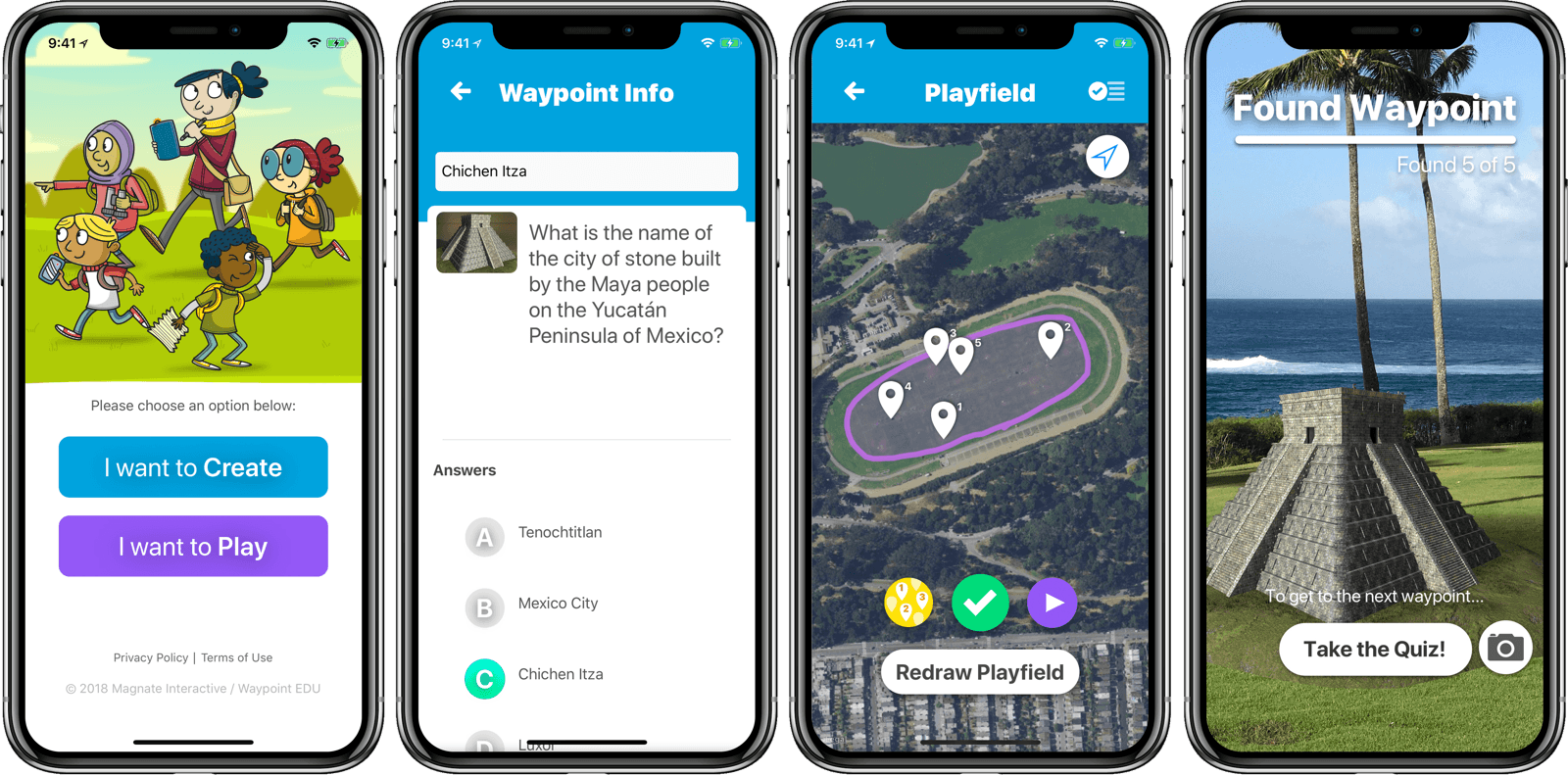
Matthew Braun, developer of SketchParty TV (one of my favorite Apple TV games), released a new app to do just that. Waypoint EDU uses AR to make the phone not only a learning tool, but a truly interactive experience that can take place outdoors. Or anywhere.

From the student perspective, it works like this: students see a waypoint on a map of their current location and move around to find it. A la Pokemon Go, they search by looking through their phones, scanning for an out-of-place object such as a (miniature) colosseum sitting in a park. Once they’ve found the waypoint, they answer a quiz question to reveal the next waypoint. Think augmented reality geocaching.

From the teacher (or parent) side, creating a curriculum is pretty easy. I didn’t get into creating a fully customized one while I was trying it out, but editing the waypoints and related questions is simple. Once you have your curriculum set up, you just pull up the map and draw the playfield with your finger. The waypoints are automatically placed within the playfield, ready for the Hunt to be shared with the students via AirDrop. You can currently add artwork from a library, and the ability to add your own artwork will be a paid feature in a future update.

Waypoint EDU is a free app. Obviously, it has the requirement that everyone in the group has access to an iPhone. In situations where that’s possible, Waypoint EDU seems to me like the future of field trips. Below is a video of Waypoint EDU in action. You can find it on the App Store, and get more info at waypointedu.com.


Installing tvOS Betas Over-the-Air from iOS with iCab and Dropbox

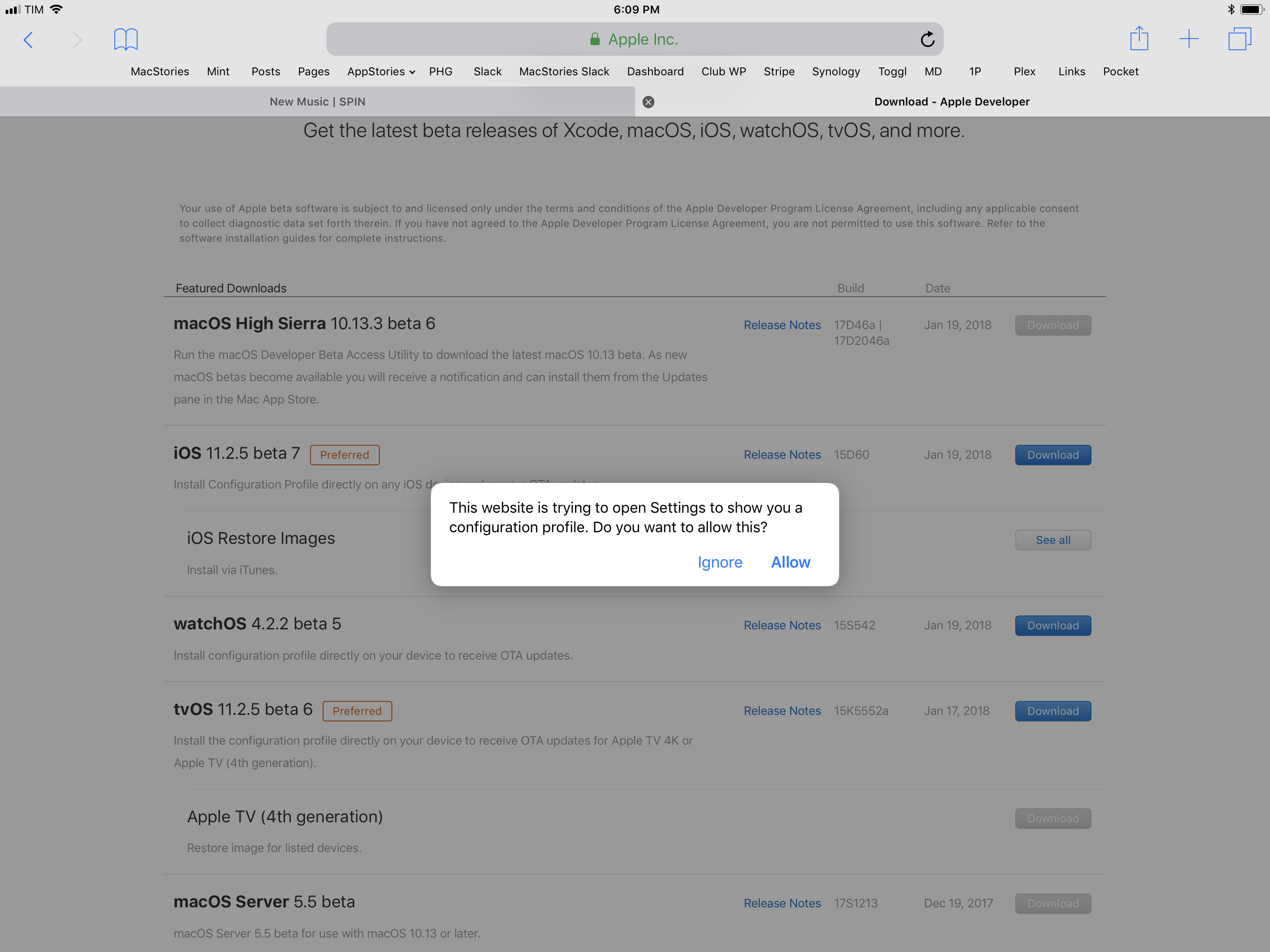
I was trying to update my two Apple TVs (a 4K model and a 4th generation one) to the latest tvOS 11.2.5 beta earlier today to test AirPlay 2 (more on this soon) and, because I remembered there was a way to install tvOS betas without a USB-C cable, I was attempting to download Apple’s tvOS beta configuration profile using Safari on iOS. However, as soon as I tapped the Download button on Apple’s developer website, I got this message instead of a new tab showing the downloaded configuration file:

I don’t know when Apple changed this behavior, but I recalled that Safari wouldn’t try to install tvOS configuration profiles on an iOS device. Without a way to manually fetch the .mobileconfig file and save it to my Dropbox, I was going to unplug my TVs and connect them to my MacBook Pro (which usually sits in the closet until it’s recording day for AppStories or Relay) to finish the process.

Read more


PDF Viewer 2.1 Adopts iOS 11 Document Browser

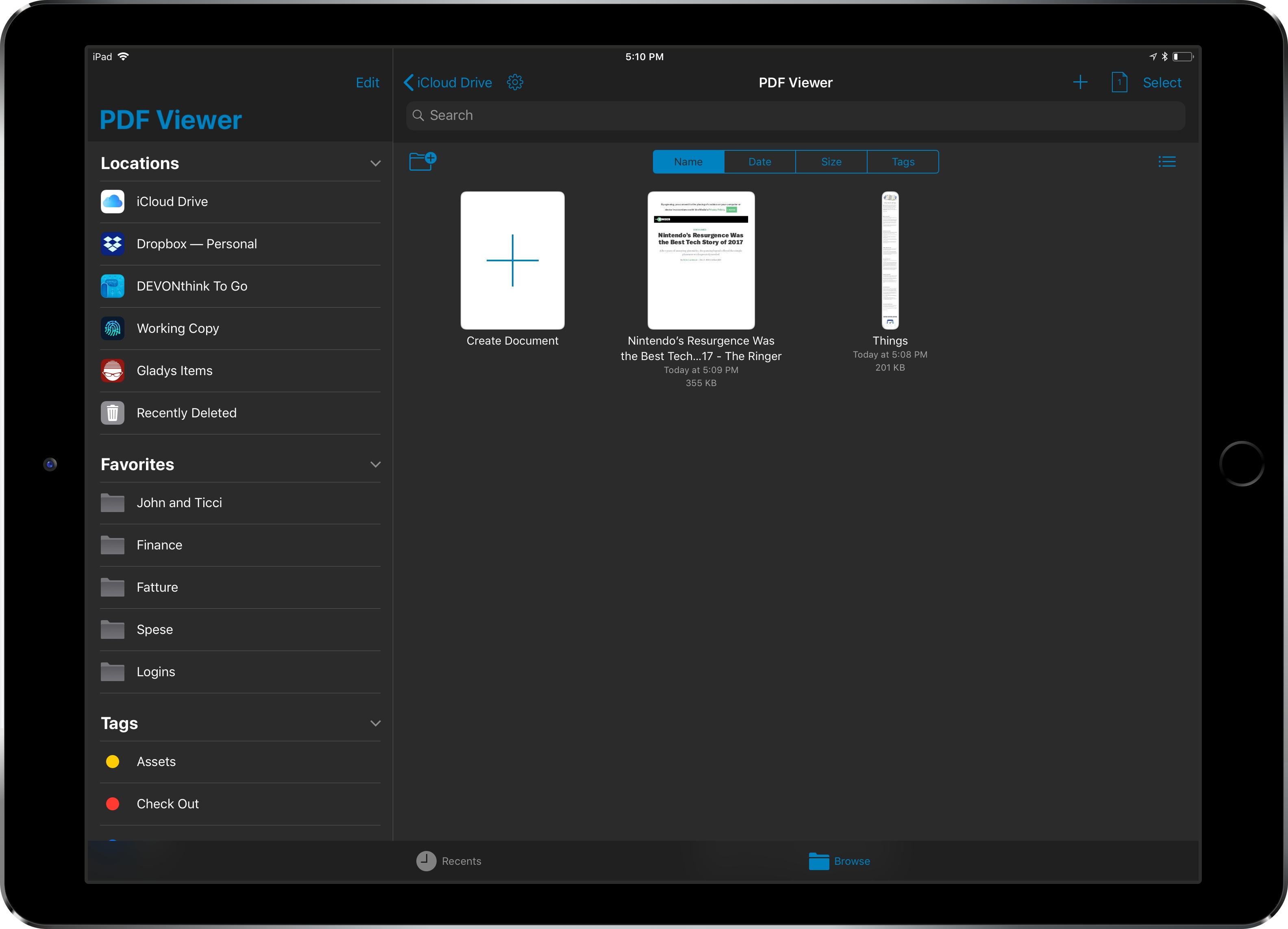
Since the release of iOS 11, I haven’t seen many apps use the system’s new document browser – the built-in Files view that can be embedded in document-based apps as a root view. I covered this feature extensively in my iOS 11 review. Apple’s iWork suite of apps has switched to Files’ document browser, as did MindNode 5, but I’ve struggled to find other examples of high-profile third-party apps abandoning their custom file managers in favor of Apple’s solution. As I argued in September, my guess is that a combination of bugs and lack of deeper customization for the document browser is preventing more apps from embracing it. Which is too bad, as the Files integration brings substantial benefits in the form of drag and drop, iCloud Drive and third-party locations, recents and tags, and more.

PDF Viewer, the powerful PDF editor for iOS we originally reviewed here and here, is adding support for iOS 11’s document browser with version 2.1, launching today on the App Store. After testing a beta of this update for the past week, I’m impressed by how the folks at PSPDFKit have been able to fine-tune the document browser to the app’s needs.

Read more


Bear 1.4 Brings Tag and Note Autocomplete, True Black Theme for iPhone X, and More

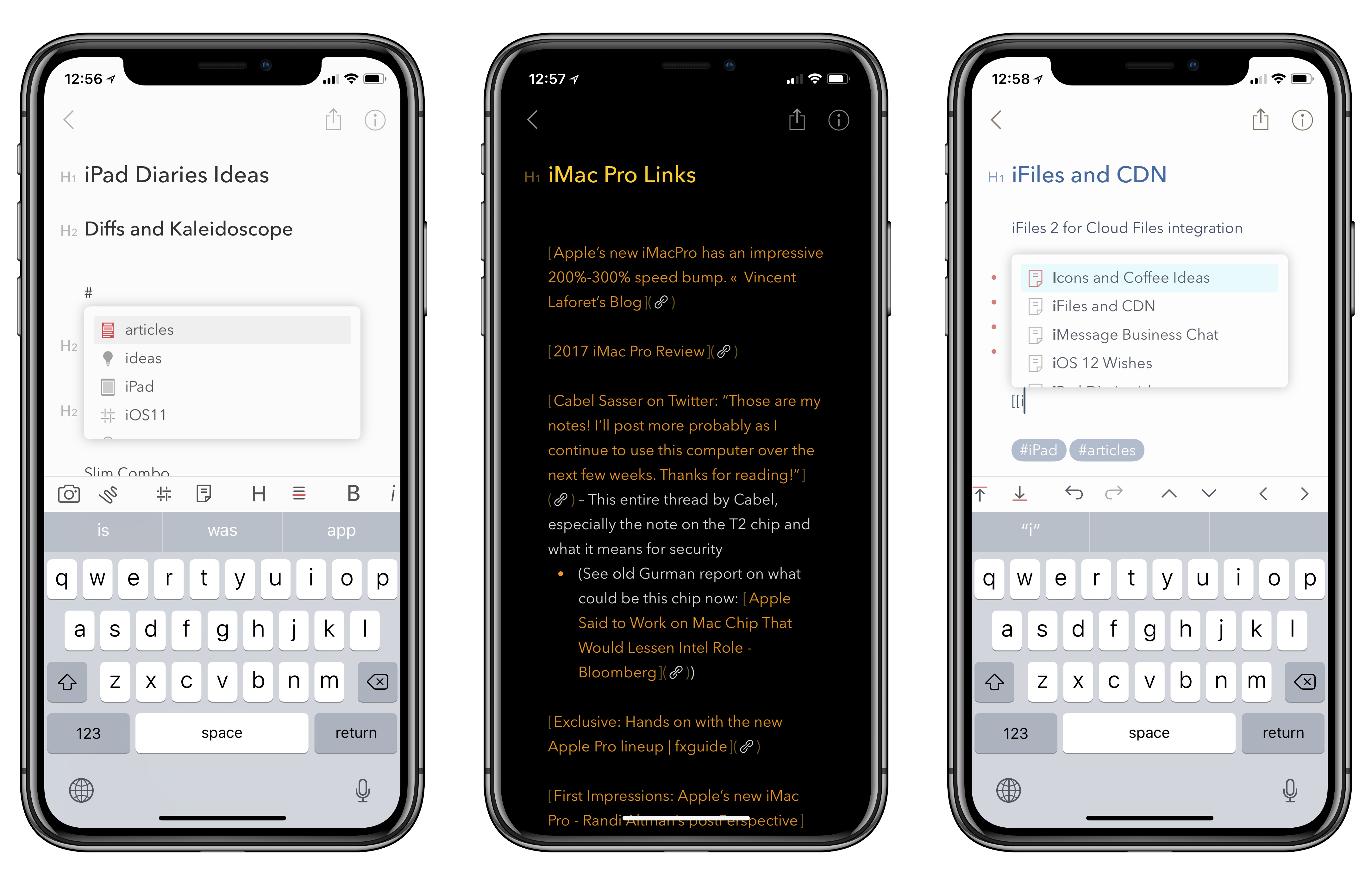
As I noted last month in my iPad Diaries column, I’ve started using Bear in addition to Apple Notes to research articles in Markdown and later convert them to drafts in Ulysses. I was impressed with Shiny Frog’s work on iOS 11 and how they brought advanced drag and drop to Bear, but I’m even more positively surprised by the improvements to tagging they released today as part of Bear’s 1.4 update.

Read more


Gboard Adds Automatic Theme Switching

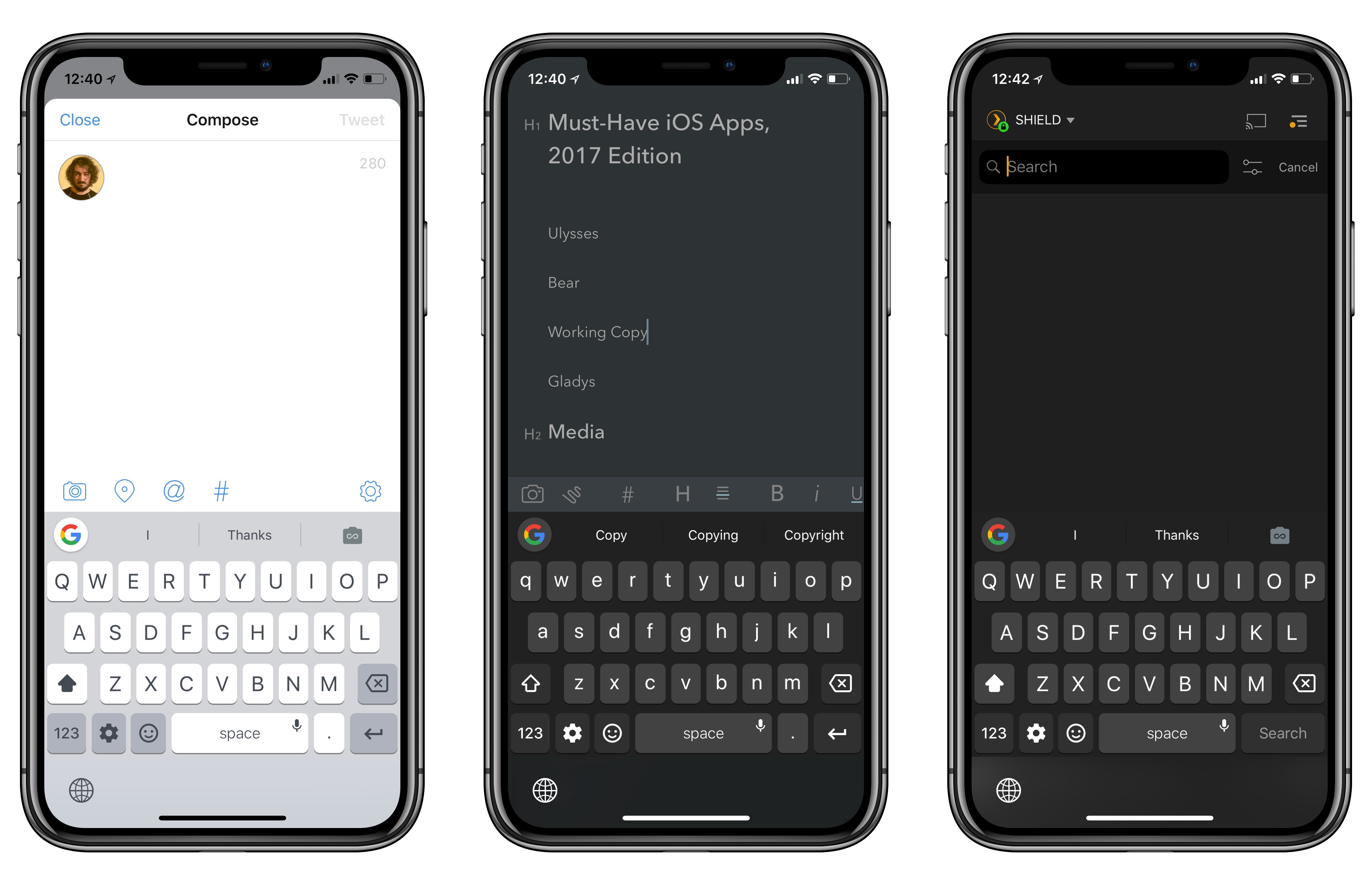
Gboard in Tweetbot, Bear, and Plex.

Gboard in Tweetbot, Bear, and Plex.

I’ve always liked Gboard, Google’s alternative keyboard for iOS. Gboard combines Google’s intelligence (with accurate and personalized autocorrect, emoji and GIF suggestions) with handy features such as glide typing. However, as I mentioned before, I couldn’t use Gboard as my primary keyboard on the iPhone for a variety of reasons: it lacked iOS’ native dictation mode, couldn’t automatically switch light and dark themes depending on the context of the current app, and, worst of all, it didn’t support multi-language typing without manually picking a different keyboard layout.

Siri dictation and simultaneous multi-language support are still missing (the former will likely never be added), but today’s update is an important step towards making Gboard feel more integrated with iOS. Gboard can now switch its default theme between light and dark based on the app you’re using. I’m not sure how Google pulled this off, but I tested Gboard with the dark modes in Apollo, Tweetbot, Copied, and Bear, and the keyboard always used the dark theme instead of the light version. Conversely, in Safari, App Store, and other light-themed apps, Gboard used the light mode instead.

This was one of my complaints about the old Gboard: its default light theme looked garish in dark apps; on the other hand, if you persistently enabled Gboard’s dark theme, then it would look out of place in apps like Messages or Mail. With automatic theme switch, changing Gboard’s default appearance is no longer a concern because it adapts to the app you’re using.

I’ve found a couple of apps where Gboard doesn’t correctly apply the dark theme (Overcast is one of them), but I’m impressed overall; Gboard even switches to the dark theme when you swipe down on the Home screen to open Spotlight. I’d be curious to know which iOS API Google is using to implement this option, and if third-party developers can optimize for Gboard in any way.

iPad Diaries: Working with Drag and Drop – Bear and Gladys

iPad Diaries is a regular series about using the iPad as a primary computer. You can find more installments here and subscribe to the dedicated RSS feed.

In my review of iOS 11, I noted that the impact of drag and drop – arguably, the most powerful addition to the iPad – would be best measured in the following weeks, after developers had the time to update their apps with richer implementations of the framework. I dedicated a large portion of my review to drag and drop as I felt the feature would fundamentally reshape our interactions with iPad apps and the entire OS altogether. However, I knew that wouldn’t happen right away. With iOS 11 having been available for nearly two months now, I think it’s time to reassess the effect of drag and drop on the iPad’s app ecosystem.

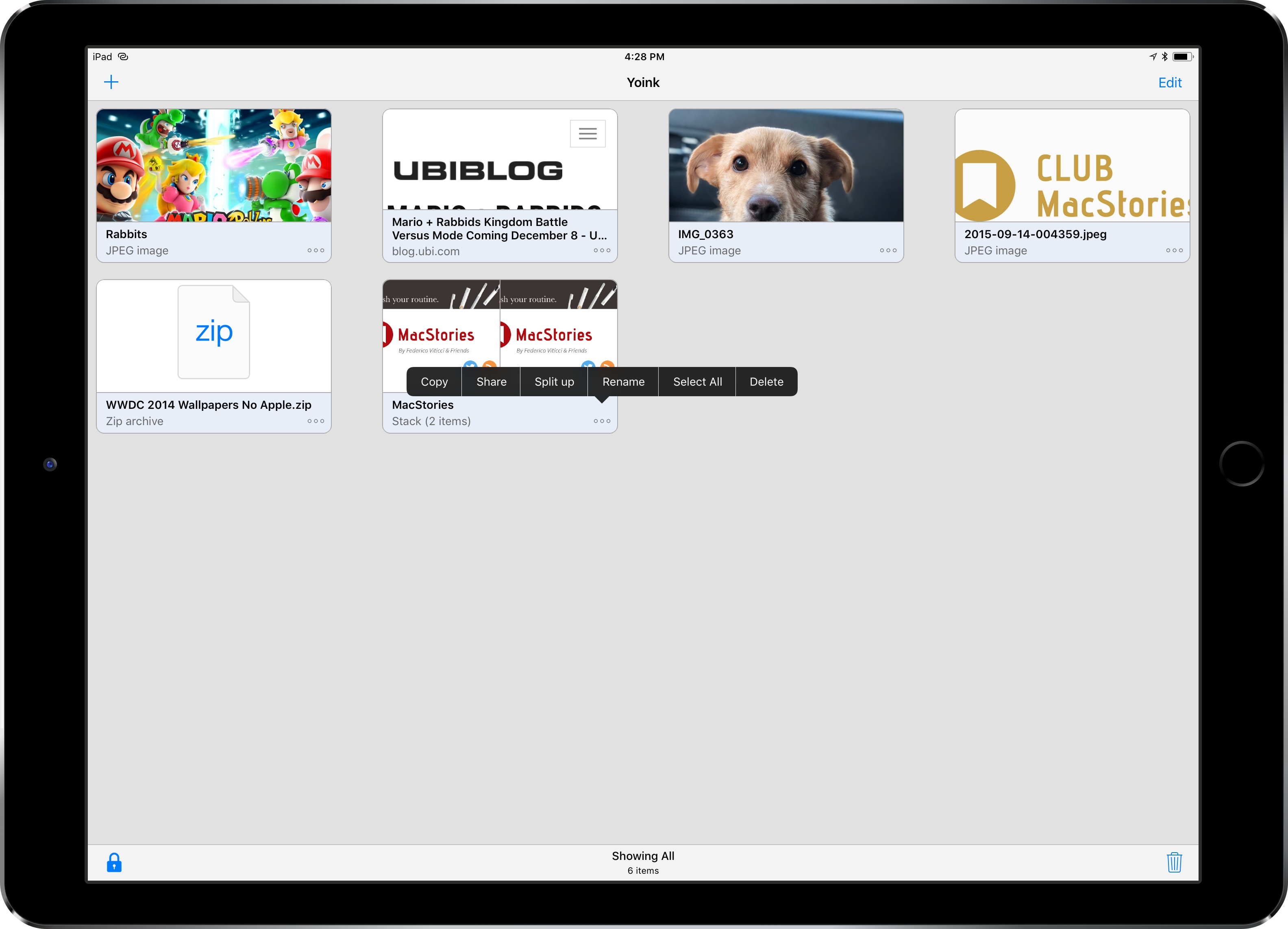
Starting this week, I’m going to take a look at some of the most important tasks I perform on my iPad and how drag and drop is helping me rethink them for my typical workflow. For the comeback of this column, I chose to focus on Bear and Gladys – a note-taking app and a shelf app, respectively – as I’ve been impressed with their developers’ understanding of iOS 11 and intricacies of drag and drop.

When I started researching this mini-series, I assumed that drag and drop hadn’t dramatically affected my favorite third-party apps yet. I was wrong. Drag and drop has started to trickle down into several areas of my daily iPad usage, often with surprising and powerful results.

Read more