Posts in Featured

App Journal, Episode 9: The World In 2012, Infinity Blade II, Stamped, VNC Viewer

App Journal is a new series aimed at showcasing apps we have enjoyed using on our iPhones, iPads, and Macs, but decided not to feature in a standalone, lengthy review here on MacStories. App Journal is a mix of classic reviews, weekly app recommendations, and a diary of our experiences with apps that still deserve a proper mention.

This week’s App Journal doesn’t really have a central theme, except for the fact that all these apps were either released or updated in the past week. This journal is written by Cody, Don and myself (Graham) with Federico taking a break from the App Journal this week.

The Economist: The World in 2012
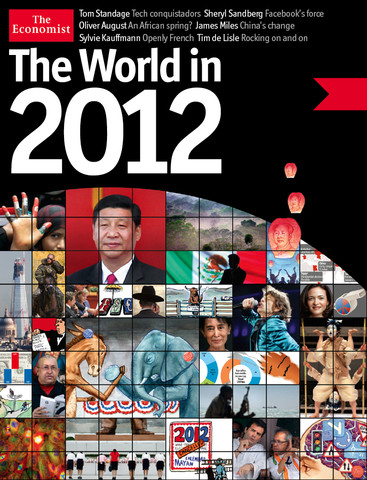
It feels like just yesterday that I was celebrating the start of 2011, and yet we have already entered the final month of the year. Being December also means the start of reflecting upon the year that was, and what next year will hold for us all. As part of that, The Economist is publishing a special ‘The World in 2012’ magazine this month and has also released a companion iPad app which includes some of those articles plus a number of videos and other interactive features.

There isn’t anything amazing about the app, it’s just a standard magazine app for the iPad (in other words mostly just static images that you swipe to and from) but its the content that matters. The Economist is a favourite publication of mine that deals with a whole range of economic, political, social and technological issues in an informed and intelligent manner - this special edition is no different. Some of the feature articles included cover the technological battlefields of 2012 (they believe it could be mobile payments, location and augmented reality), the continued rise of social (particularly for the US 2012 Presidential Election), the ‘Arab Spring’ heading further south and political change in China amongst a few other articles.

Interspersed between the feature articles are these panels which review some of the people to watch in 2012, events that are set to occur in 2012, economic figures for 2012 and what each month of 2012 will bring. Most articles also come accompanied with video as well as a few standalone pieces of video interviews with a range of people from different parts of the world - asking them what they think 2012 will bring.

Even if you’re not a fan of ‘magazines’ for the iPad, this free app from The Economist is well worth the download - it’s got great content that will give you something good to read and watch over breakfast for the next week.

The Economist: The World in 2012 is available for free in the App Store.

By Graham
Read more

Access Extra Content and Perks

Founded in 2015, Club MacStories has delivered exclusive content every week for nearly a decade.

What started with weekly and monthly email newsletters has blossomed into a family of memberships designed for every MacStories fan.

Learn more here and from our Club FAQs.

Club MacStories: Weekly and monthly newsletters via email and the web that are brimming with apps, tips, automation workflows, longform writing, early access to the MacStories Unwind podcast, periodic giveaways, and more;

Club MacStories+: Everything that Club MacStories offers, plus an active Discord community, advanced search and custom RSS features for exploring the Club’s entire back catalog, bonus columns, and dozens of app discounts;

Club Premier: All of the above and AppStories+, an extended version of our flagship podcast that’s delivered early, ad-free, and in high-bitrate audio.

Learn more here and from our Club FAQs.


Small Demons and the Indexing of Steve Jobs

Walter Isaacson’s Steve Jobs biography captures some of the mystique and intrigue of a visionary who was set apart by not only his personality, but his exquisite tastes and passion for excellence. His personal likes — minimal and beautifully designed products — pertained to brands like Mercedes and Braun. His love of Bob Dylan eventually saw the sale of a $199 box set in the iTunes Store. Of course he was a film critic, making business deals during his time at Pixar while providing colorful commentary on the works of Disney.

The book is full of references related to his personal life and Apple’s, from the places he traveled through the development of the iPod and more. All of this documentation — newspaper entries, advertisements, and even the things Steve Jobs interacted with — is being preserved and shared online in a visual browser.

Read more

Access Extra Content and Perks

Founded in 2015, Club MacStories has delivered exclusive content every week for nearly a decade.

What started with weekly and monthly email newsletters has blossomed into a family of memberships designed for every MacStories fan.

Learn more here and from our Club FAQs.

Club MacStories: Weekly and monthly newsletters via email and the web that are brimming with apps, tips, automation workflows, longform writing, early access to the MacStories Unwind podcast, periodic giveaways, and more;

Club MacStories+: Everything that Club MacStories offers, plus an active Discord community, advanced search and custom RSS features for exploring the Club’s entire back catalog, bonus columns, and dozens of app discounts;

Club Premier: All of the above and AppStories+, an extended version of our flagship podcast that’s delivered early, ad-free, and in high-bitrate audio.

Learn more here and from our Club FAQs.


Instacast HD Review: It’s Incredible

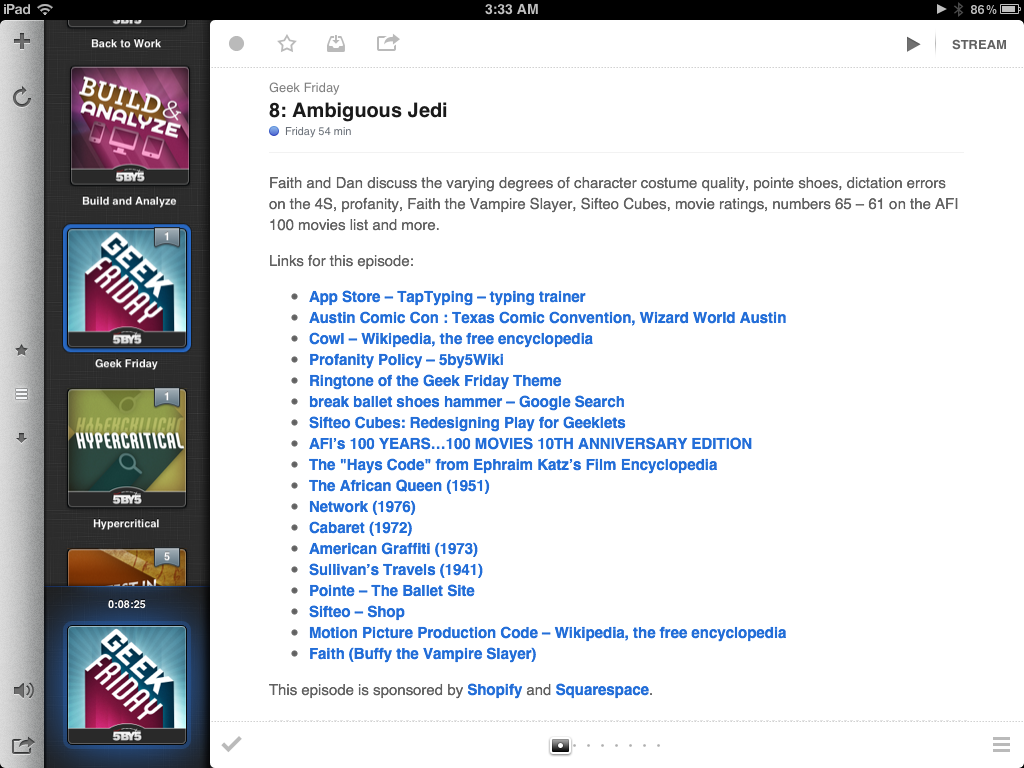
I remember when I first reviewed Instacast for the iPhone back in March, declaring it the Twitter of Podcast apps. While possibly dramatized, what Instacast has done for mobile podcasts is what Loren Britcher did for Twitter apps. The interface, lightweight and smooth, capitalizing on common sense gestures and thoughtful design elements, quickly made Instacast one of my favorite iPhone apps. Instacast is the only non-Apple app that has a spot on my iPhone’s dock. An intelligent conversation, a good laugh, and Geek Friday are always just a tap away.

Instacast got smarter. Sure there were times when enhanced podcasts didn’t work or a wonky update caused weird crashes, but they were fixed and plenty of new features were added. Continuous playback always kept a friendly voice on the loudspeaker. Later, iCloud syncing was added in preparation for future updates. Future updates that of course would finally see Instacast taking on bigger endeavors.

There were lots of days on the couch when I thought about Instacast coming to the iPad. Until recently of course, I hadn’t known what to expect before I was invited to take a look at the first beta. I imagined that Instacast, containing a library of podcasts, would take on a form similar to iTunes. I imagined the interface as a grid, where you would easily scroll through podcast cover-art and see badges revealing the number of unplayed episodes. How silly!

Martin Hering first hinted at the design in September, and I later had the privilege of revealing more of the interface near the end of October. An excited Joshua Schnell and Myke Hurley have also been eager to share the new interface, giving it due praise on the App Orchard and at Macgasm. The hype around Instacast HD for the iPad has been astounding, and for good reason. Instacast HD is incredible.

Read more

Access Extra Content and Perks

Founded in 2015, Club MacStories has delivered exclusive content every week for nearly a decade.

What started with weekly and monthly email newsletters has blossomed into a family of memberships designed for every MacStories fan.

Learn more here and from our Club FAQs.

Club MacStories: Weekly and monthly newsletters via email and the web that are brimming with apps, tips, automation workflows, longform writing, early access to the MacStories Unwind podcast, periodic giveaways, and more;

Club MacStories+: Everything that Club MacStories offers, plus an active Discord community, advanced search and custom RSS features for exploring the Club’s entire back catalog, bonus columns, and dozens of app discounts;

Club Premier: All of the above and AppStories+, an extended version of our flagship podcast that’s delivered early, ad-free, and in high-bitrate audio.

Learn more here and from our Club FAQs.


Apple’s Minor Tweak To iPad App Store Improves Navigation

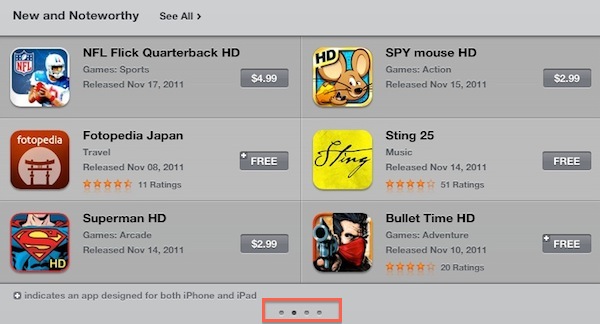
Earlier today Apple rolled out a very minor, yet important change for the App Store’s homepage on the iPad. Previously, “New and Noteworthy” and “Staff Favorites” sections in the iPad App Store could be viewed by hitting an arrow button that scrolled the various pages inside these sections. Now, users can swipe to navigate between pages of apps listed in the sections, with page indicators similar to the iOS’ Home screen available at the bottom to indicate a user’s position.

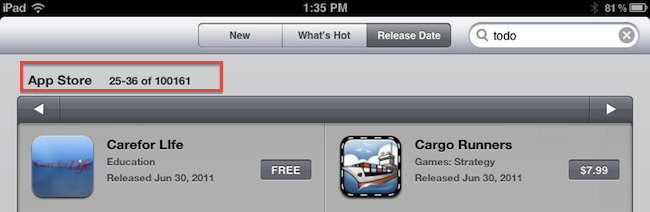
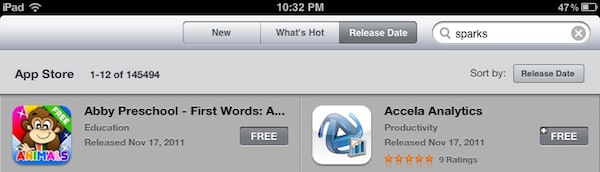
More importantly, this little tweak has been implemented in the “Release Date” tab of the iPad App Store as well. Browsing by release date is very convenient for two reasons: it lets you see every iPad app ever approved, and it displays the total number of available iPad apps in the Store. It used to be that, because of clunky navigation, moving between pages in “Release Date” view was slow, and the iPad would often lose its position after scrolling dozens of pages. With the new swiping method, the whole view is faster, and also appears more reliable at going back and forth between results.

Here’s how “Release Date” used to look:

And here’s how it looks now, with no buttons:

At the moment of writing this Apple is still using button-based navigation in the Purchased area, and we wish changes will eventually make their way there, too.

Today’s update to the iPad App Store (Apple also updates the App Store homepages every Thursday with new Featured apps) is minor, but as the company’s attention to detail often proves, minor tweaks can incredibly improve the user experience.

Access Extra Content and Perks

Founded in 2015, Club MacStories has delivered exclusive content every week for nearly a decade.

What started with weekly and monthly email newsletters has blossomed into a family of memberships designed for every MacStories fan.

Learn more here and from our Club FAQs.

Club MacStories: Weekly and monthly newsletters via email and the web that are brimming with apps, tips, automation workflows, longform writing, early access to the MacStories Unwind podcast, periodic giveaways, and more;

Club MacStories+: Everything that Club MacStories offers, plus an active Discord community, advanced search and custom RSS features for exploring the Club’s entire back catalog, bonus columns, and dozens of app discounts;

Club Premier: All of the above and AppStories+, an extended version of our flagship podcast that’s delivered early, ad-free, and in high-bitrate audio.

Learn more here and from our Club FAQs.


Flipboard Introduces “Flipboard Accounts” To Sync Content Across Devices

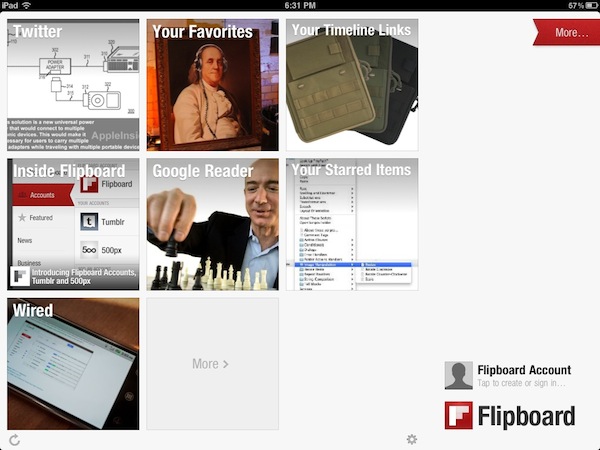
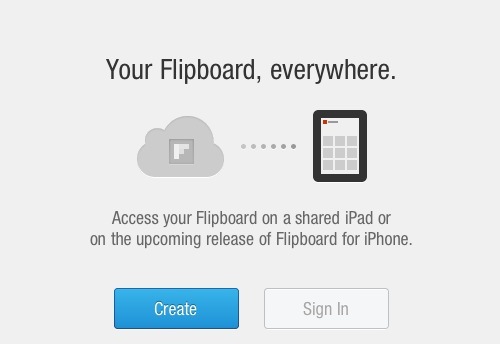
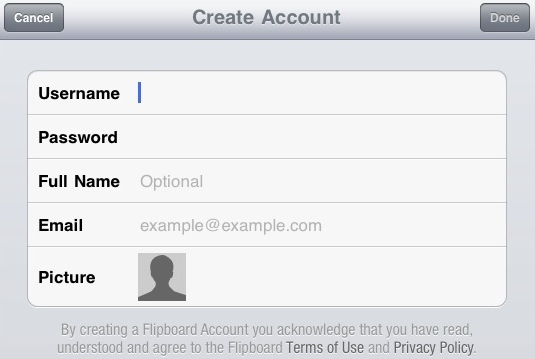
The latest version of Flipboard for iPad, 1.6, is out in the App Store and, alongside support for Tumblr and 500px, it brings a new option to create a “Flipboard Account” and start storing your favorite content in the cloud. With the upcoming release of Flipboard for iPhone, or for those users who share an iPad in the family, accounts will be the easiest way to load a user’s existing sources, subscriptions and social accounts without having to start over every time. The feature is already enabled on the iPad app, and it takes a very few steps to create an account. Enter a username, password, email and real name, and Flipboard will create an account for you. The app is even smart enough to fetch a profile picture from the services you’ve already configured, such as Twitter or Facebook.

Starting today, you can sign up for a Flipboard Account. With Accounts, your reading preferences stay with you no matter how you access Flipboard. For example, families and friends who share an iPad can log into Flipboard and find their favorite sections. And when Flipboard comes to the iPhone, accounts ensure that your Flipboard is configured exactly as you like it, with your favorite reading sources already saved and your social networks connected.

I tested Flipboard’s account management feature, and it worked flawlessly. I was able to create an account, log out after a few minutes and, upon logging into Flipboard again, all my sources and social accounts were pulled from the cloud with no errors, in seconds.

Flipboard has been previously rumored to be considering a web app, and accounts would certainly come in handy to easily load a user’s reading material on any platform. Flipboard for iPhone should be coming out any week now, and the company was reportedly considering deeper integration with TV Shows and Movies as well.

Access Extra Content and Perks

Founded in 2015, Club MacStories has delivered exclusive content every week for nearly a decade.

What started with weekly and monthly email newsletters has blossomed into a family of memberships designed for every MacStories fan.

Learn more here and from our Club FAQs.

Club MacStories: Weekly and monthly newsletters via email and the web that are brimming with apps, tips, automation workflows, longform writing, early access to the MacStories Unwind podcast, periodic giveaways, and more;

Club MacStories+: Everything that Club MacStories offers, plus an active Discord community, advanced search and custom RSS features for exploring the Club’s entire back catalog, bonus columns, and dozens of app discounts;

Club Premier: All of the above and AppStories+, an extended version of our flagship podcast that’s delivered early, ad-free, and in high-bitrate audio.

Learn more here and from our Club FAQs.


Nintendo 3DS From An iOS User’s Perspective

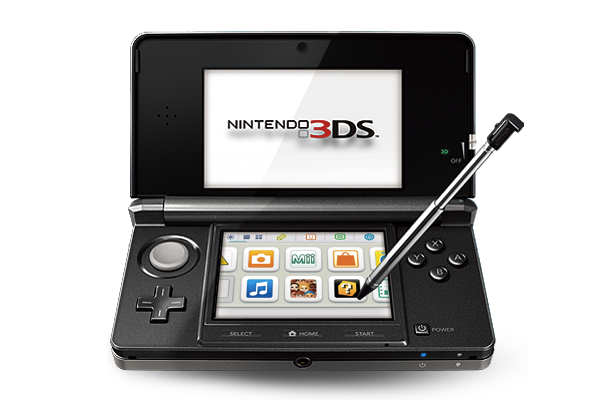
Last week, I bought a Nintendo 3DS with Legend of Zelda: Ocarina of Time 3D. And coming back to “regular” portable console gaming after four years of multitouch iOS gaming felt strange.

As I explained in my Aquaria review yesterday, I started playing with a Super Nintendo Entertainment System when I was six. Actually, my home console gaming experience started with the SNES, but my parents had already bought me a Game Boy. I grew up with Game Boys (classic, Pocket, Color, Advance, and various iterations of the latter), Nintendo’s consoles (SNES, N64, Game Cube, Wii) and Sony’s PlayStation (PSX and PS2). I skipped SEGA’s Dreamcast and Microsoft’s original Xbox, albeit in 2008 I decided, for some reason, to buy an Xbox 360. I basically never touched it. In fact, I’m pretty sure my 360 still has the original Dashboard view – I don’t even know how to update the thing.

I’ve been a “regular” gamer from 1994 to 2007. Four years ago, something happened: as I graduated from high school and got a job, I found to have less time for gaming. Things got even worse after I started MacStories, gaming time-wise. At the same time, whilst my DS and PSP and 360 were catching the dust, I started playing the casual game for iPhone that you can get at $0.99 in the App Store and doesn’t make you fell all guilty about it. After all, it’s just a .99 game that you can play for 20 minutes, not hours. You didn’t spend $60 and 40 hours on a game – I bet a lot of people know the feeling. At least initially, casual iPhone gaming was the cure for ex-gamers that still wanted a quick bite off the digital entertainment scene.

So for nearly four years I bought nothing but iPhone and iPad games. I was quite happy with the results: I could play the latest hit for 30 minutes a day, and say that “I enjoyed it”. I clicked the Buy button on a lot of games: most of them I never finished. But they still gave me the illusion of enjoyment as they were little $0.99 gems I couldn’t feel guilty about. It’s easy to say you’ve “enjoyed” something that costs less than a dollar. So my iTunes library grew larger and full of half-finished, presumably enjoyed iOS games. Read more

Access Extra Content and Perks

Founded in 2015, Club MacStories has delivered exclusive content every week for nearly a decade.

What started with weekly and monthly email newsletters has blossomed into a family of memberships designed for every MacStories fan.

Learn more here and from our Club FAQs.

Club MacStories: Weekly and monthly newsletters via email and the web that are brimming with apps, tips, automation workflows, longform writing, early access to the MacStories Unwind podcast, periodic giveaways, and more;

Club MacStories+: Everything that Club MacStories offers, plus an active Discord community, advanced search and custom RSS features for exploring the Club’s entire back catalog, bonus columns, and dozens of app discounts;

Club Premier: All of the above and AppStories+, an extended version of our flagship podcast that’s delivered early, ad-free, and in high-bitrate audio.

Learn more here and from our Club FAQs.


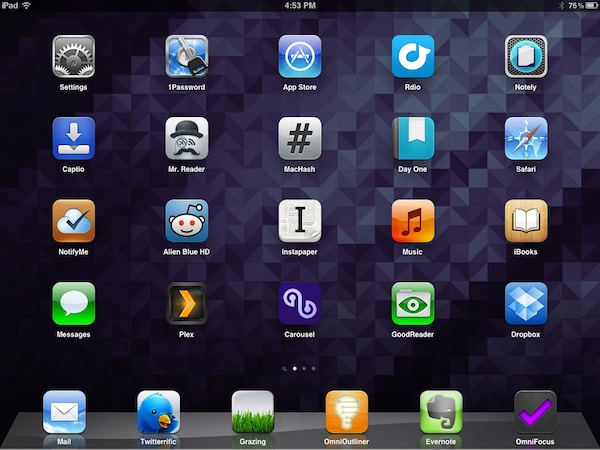
My Must-Have iPad Apps, 2011 Edition

Last year, six months after the release of the original iPad, I published an article called “My Must-Have 20 iPad Apps” in which I collected my favorite iPad applications – the ones I used and enjoyed the most – as of September 2010. Fast forward thirteen months, the iPad’s software ecosystem has matured into something completely different from last year’s “experimentation” stage, when third-party developers, and quite possibly Apple as well, were still trying to figure out how, exactly, the iPad would change our digital lifestyles. Looking back to the iPad 1 and the App Store in 2010, it’s no surprise the list of apps I have today is so much different.

In the past year, Apple has sold millions of iPads and has seen the device being used in far more variegate scenarios than they initially expected. The whole point of the iPad: Year One video presented at the iPad 2’s introduction in March was, in fact, to showcase not only the hardware and software capabilities of the device, admittedly improved over the past months, but to demonstrate how the iPad has entered more markets than “consumer technology” alone. The iPad is being used by pilots, doctors, teachers, parents and artists who have found a whole new dimension through the tablet’s multi-touch screen. If the demographics of the iPad expanded to new segments and usage scenarios, so did the kinds of apps that are available on the App Store.

Once again, Apple itself has set new standards for developers to write their apps against. With iOS 5 and iCloud, released in October, the company is providing third-party app makers with powerful new tools to optimize their software and make it interconnected across devices and platforms. But I believe that there’s been a shift in “iPad development mentality” among developers and users alike that goes way back prior to iCloud’s announcement and launch. Sure, iOS 5 and iCloud will lead towards a future of invisible cloud backups and app connections, but Ambitious iOS Apps started making their way to the App Store before iCloud and all these latest, greatest software updates. It was immediately after the 2010 holiday season and the “second wave” of iPad apps that developers realized the iPad could be so much more. And so they wrote great, innovative, standard-setting apps that shaped the past thirteen months and are helping us transition to the next great revolution – the cloud and the post-PC device.

It’s always been about the apps. And I’m fairly certain that as long as Apple doesn’t focus on hardware specs alone and stands at the intersection of technology and liberal arts, it’ll always be about great software, rather than processors and RAM amounts. And more importantly, it will be about the people creating the apps that we use every day.

So here’s my list of “must-have” apps that have improved my workflow and ultimately made it more fun to use the iPad in the past year. And here’s to another year of iPad. Read more

Access Extra Content and Perks

Founded in 2015, Club MacStories has delivered exclusive content every week for nearly a decade.

What started with weekly and monthly email newsletters has blossomed into a family of memberships designed for every MacStories fan.

Learn more here and from our Club FAQs.

Club MacStories: Weekly and monthly newsletters via email and the web that are brimming with apps, tips, automation workflows, longform writing, early access to the MacStories Unwind podcast, periodic giveaways, and more;

Club MacStories+: Everything that Club MacStories offers, plus an active Discord community, advanced search and custom RSS features for exploring the Club’s entire back catalog, bonus columns, and dozens of app discounts;

Club Premier: All of the above and AppStories+, an extended version of our flagship podcast that’s delivered early, ad-free, and in high-bitrate audio.

Learn more here and from our Club FAQs.


iTunes Match Hands On


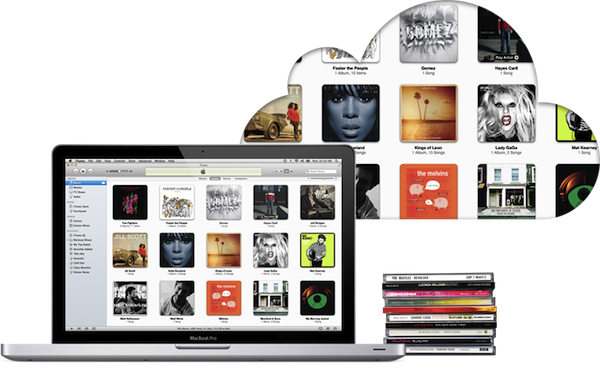
It hardly seems like it has been almost 2 years since Apple acquired LaLa.com back in 2009. Since then there has been no shortage of rumors for how Lala would be utilized until Apple officially announced iTunes Match at this year’s WWDC Keynote. iTunes Match is the future for your iTunes Library. This is an exciting time for Apple fans and music lovers alike as iTunes Match aims to make it as simplistic as possible to move your music into the cloud with native applications you are already accustomed to using, all for a price that rivals every other music storage service currently available.

iTunes Match is just one feature of the new iCloud services currently rolling out. Think of it as an optional extension to your iCloud storage. The basic premise of iTunes Match is that iTunes will collect information about each song on your computer and send the data back to Apple through iTunes. Apple then checks each one of your songs to see if it can find a match between your song and one that is already on the iTunes store. If a match is found, you will be able to listen to the iTunes version. If your music is not matched then iTunes will automatically upload the music to your online music storage.

iTunes Match is available as an automatically renewing subscription of $24.99 per year and allows you to store up to 25,000 songs on Apple’s iCloud servers. On top of that, songs purchased from iTunes do not even count against your 25,000 song limitation. Your music library is accessible from an iOS 5 device, Apple TV, or any computer running the latest version of iTunes 10.5.1. The songs matched by iTunes will not need to be uploaded from your computer and will be accessible to you in 256 kbps AAC file format regardless of your songs’ previous formats. iTunes Match only deals with songs and excludes audiobooks, ringtones, iTunes LPs and iTunes Extras. Read more

Access Extra Content and Perks

Founded in 2015, Club MacStories has delivered exclusive content every week for nearly a decade.

What started with weekly and monthly email newsletters has blossomed into a family of memberships designed for every MacStories fan.

Learn more here and from our Club FAQs.

Club MacStories: Weekly and monthly newsletters via email and the web that are brimming with apps, tips, automation workflows, longform writing, early access to the MacStories Unwind podcast, periodic giveaways, and more;

Club MacStories+: Everything that Club MacStories offers, plus an active Discord community, advanced search and custom RSS features for exploring the Club’s entire back catalog, bonus columns, and dozens of app discounts;

Club Premier: All of the above and AppStories+, an extended version of our flagship podcast that’s delivered early, ad-free, and in high-bitrate audio.

Learn more here and from our Club FAQs.


Apple Launches iTunes Match

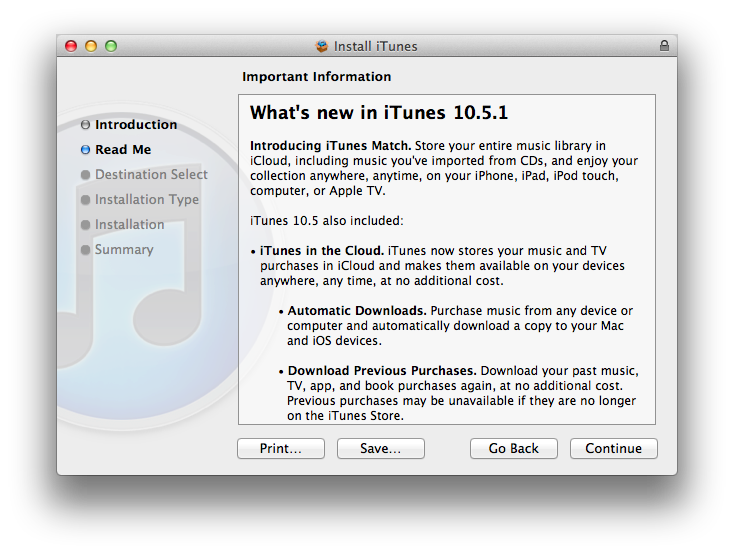
Apple today released iTunes 10.5.1, a software update that enables iTunes Match, a new music service integrated with iTunes in the Cloud that allows customers to “scan & match” their local music libraries, and store their songs and albums in Apple’s cloud. iTunes Match is currently available to U.S. customers only, and it costs $24.99 per year via iTunes subscription; iOS 5.0.1 and iTunes 10.5.1 are required to use iTunes Match.

Unlike other cloud music services, iTunes Match uses a scan technology that enables Apple to match songs in a user’s library with the ones the company already has on the iTunes Store, whilst the ones that aren’t recognized in the scanning process are directly uploaded to Apple’s servers. Because the iTunes Store offers more than 20 million songs, Apple believes most user libraries will be matched in seconds with the catalogue Apple already has, thus avoiding uploading an entire music library, which could take weeks on an average Internet connection. Furthermore, while the songs that aren’t matched with Apple’s iTunes Store are uploaded “as they are” (the exact file that a user has on a computer), matched songs are automatically upgraded to 256-Kbps AAC DRM-free quality, even if the original copy was of lower quality.

iTunes Match isn’t a streaming service like Spotify and Rdio in that it requires users to go through a “scan & match” process before they can start using the service. It is, however, deeply integrated with OS X and iOS 5: on the desktop, iTunes can download and play songs from iTunes Match, and the native Music app on iOS device is capable of downloading any song or album stored in your iCloud account, provided you’ve enabled iTunes Match in the Settings. iTunes Match doesn’t come with a huge catalogue of artists and genres available for streaming right away, but it allows users to scan & match their libraries, and download their songs (matched or not) at any time, on any device, with deep system integration.

At the moment of writing this, iTunes 10.5.1 includes iTunes Match but the service is still mentioned as “beta” within iTunes:

We will have a complete overview of iTunes Match later today on MacStories. iTunes 10.5.1 is available now on Apple’s website or through Software Update.

Access Extra Content and Perks

Founded in 2015, Club MacStories has delivered exclusive content every week for nearly a decade.

What started with weekly and monthly email newsletters has blossomed into a family of memberships designed for every MacStories fan.

Learn more here and from our Club FAQs.

Club MacStories: Weekly and monthly newsletters via email and the web that are brimming with apps, tips, automation workflows, longform writing, early access to the MacStories Unwind podcast, periodic giveaways, and more;

Club MacStories+: Everything that Club MacStories offers, plus an active Discord community, advanced search and custom RSS features for exploring the Club’s entire back catalog, bonus columns, and dozens of app discounts;

Club Premier: All of the above and AppStories+, an extended version of our flagship podcast that’s delivered early, ad-free, and in high-bitrate audio.

Learn more here and from our Club FAQs.