Posts in reviews

Drafts 4.6 Has Nice Refinements and a Few Treats for Power Users

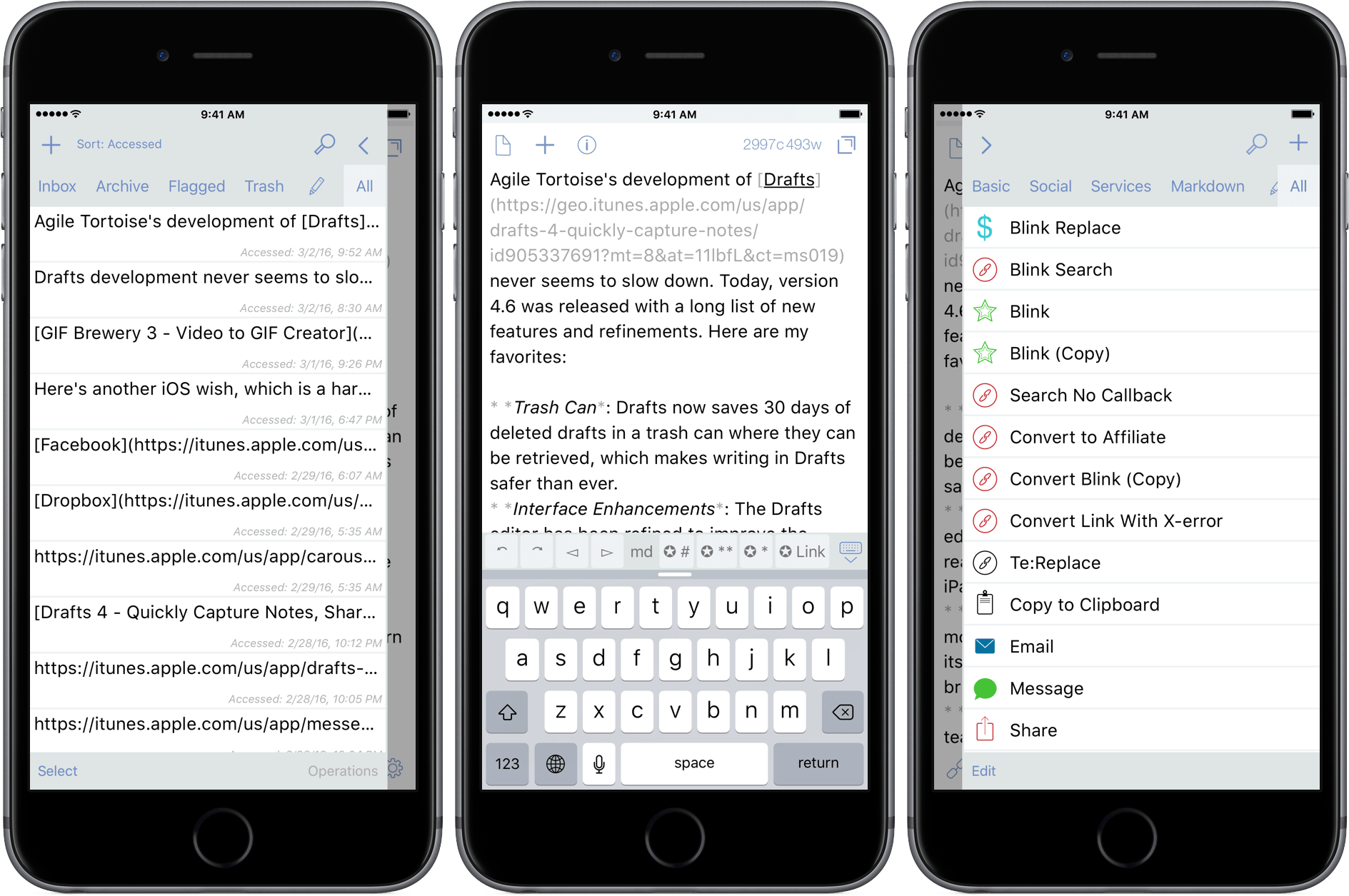
Agile Tortoise’s development of Drafts never seems to slow down. Today, version 4.6 was released with a long list of new features and refinements. Here are my favorites:

  • Trash Can: Drafts now saves 30 days of deleted drafts in a trash can from which they can be restored, which makes writing in Drafts safer than ever.
  • Interface Enhancements: The Drafts editor has been refined to improve the readability of your drafts, especially on the iPad.
  • Automatic Dark Mode: Drafts can now monitor the ambient light in a room, and turn its dark mode on and off according to a brightness threshold that you select.
  • Box Support: Last year the MacStories team started using Box as part of our document collaboration workflow, which makes Box support especially welcome. Much like Drafts’ Dropbox and Google Drive support, you can now create files in Box, and append and prepend to existing Box files.
  • Today Widget: Drafts 4.6 debuts a redesigned Today Widget with a streamlined look.
  • Icons: Drafts has added many action icons, which I like because it makes it even easier to identify my Drafts actions.

There are also some treats in Drafts 4.6 for power users too:

  • Open in Drafts: Instead of opening Safari, you can set a URL action to open URLs in Safari View Controller, which keeps you inside Drafts. The Agile Tortoise blog includes a couple good examples of this that search Google and DuckDuckGo.
  • ‘replaceRange’ URL Scheme Action: When used with an x-success callback parameter in a URL scheme action, ‘replaceRange’ can replace selected text in a draft with the results of a URL scheme call to another app. This is powerful stuff, and means you can do things like send selected text to Agile Tortoise’s dictionary app, Terminology, to look up a synonym, select it, and return it to Drafts, replacing the originally selected text. A similar action works with my app, Blink, where the selected text kicks off a search. After you select an item from the results, Blink sends an affiliate link back to Drafts, replacing the selected text with the link. I have more detail, and a demonstration of the Blink action on squibner.com. Both of these actions work on any iOS device, but the first time I saw them in action with both apps running in Split View on an iPad Pro, I was blown away. Writers will love these actions.
  • Include Action: You can now incorporate one action into another by reference, which makes building actions more modular.

With version 4.6, Drafts continues its steady pace of innovation by continuing to redefine what a text editor can be, which is why it has been one of my go-to text editors for many years now.

Drafts 4.6 is a free update for existing customers, and $9.99 for new users.


Doo Review: A Different Take on the Task Manager Genre

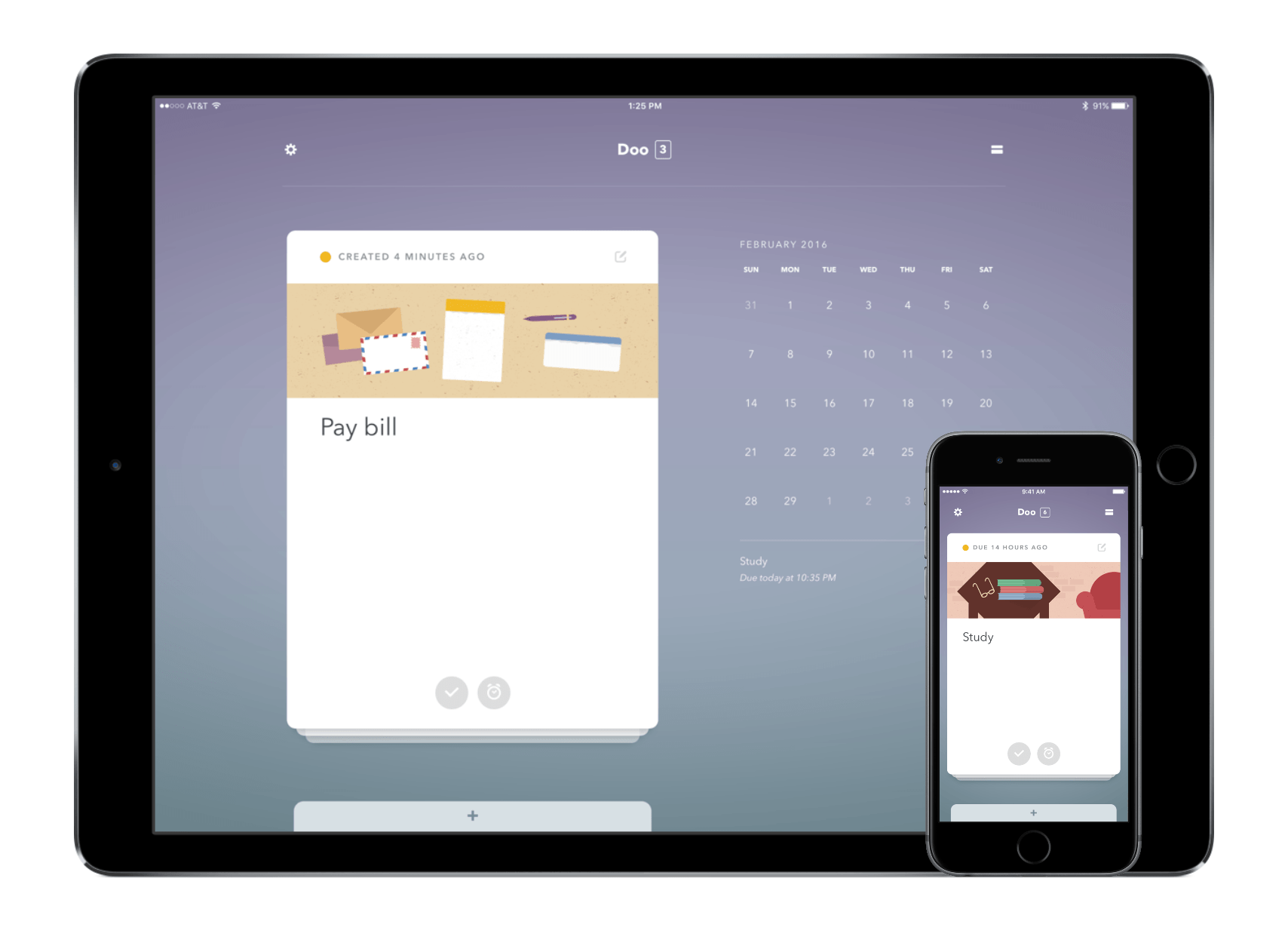
Because we carry our iOS devices with us wherever we go, we’re always looking for an app to help us complete our tasks. The problem, though, is that it’s becoming difficult to choose the right one due to the multitude of task managers in the App Store.

Doo isn’t your traditional to-do list – in fact, it is running in the opposite direction of most of the genre.

Read more


Airfoil Extends and Enhances Audio Streaming

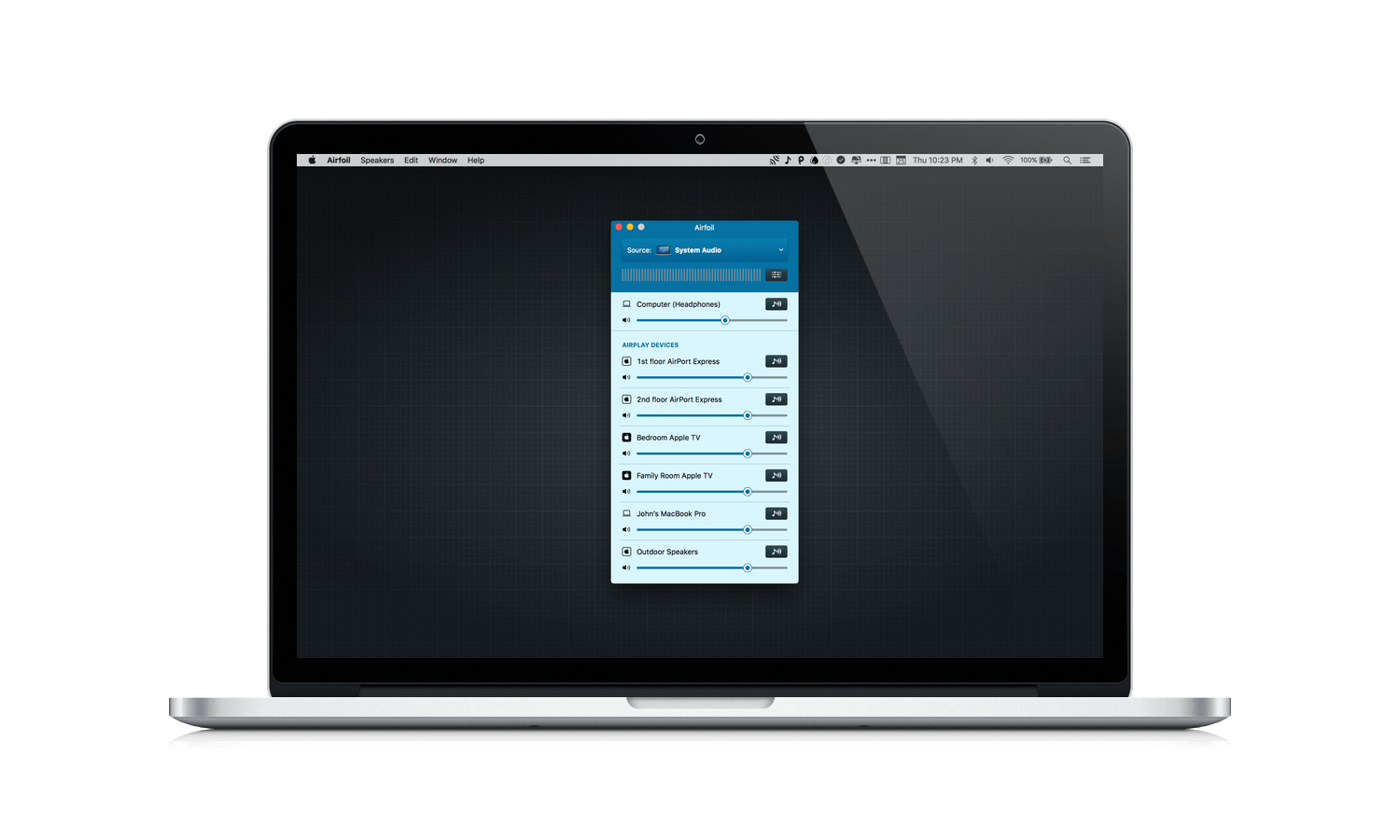
Sometimes apps are hard to ‘get’ because you don’t know you have the problem they intend solve until you try them. Airfoil by Rogue Amoeba was like that for me. Airfoil acts as a hub, routing audio from your Mac to anything connected to your local network. Between technologies like AirPlay and Bluetooth, I initially wondered what purpose Airfoil served. It wasn’t until I got eight devices streaming at once in perfect sync that I started to see some of the interesting possibilities.

Read more


Spark Launches on iPad

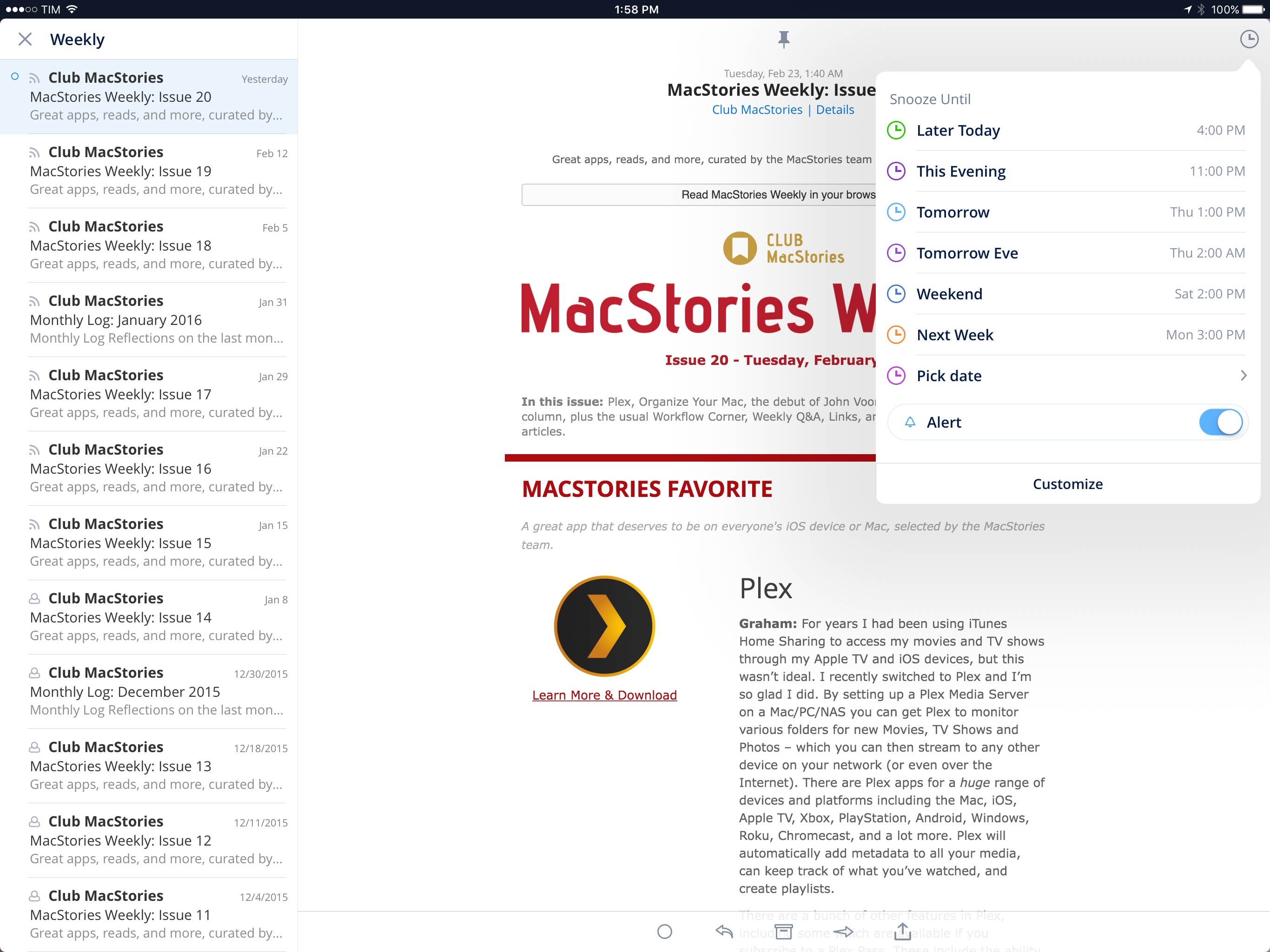
Since my original review in May 2015, Readdle has been steadily improving their email client for iPhone, Spark, with changes that addressed many of my initial complaints. Over the past 10 months, Spark has received support for HTML signatures, the ability to select multiple messages and send multiple attachments; it’s even been updated with customizable swipe gestures and better handling of attachments from cloud services. And in the aftermath of Mailbox’s demise, Readdle (cleverly) rushed to update Spark with full-featured snooze options reminiscent of Dropbox’s email client.

What Spark hasn’t gained over the past year is a clear business model and an iPad version. The good news is that at least one of these omissions is being rectified today with the launch of Spark for iPad, an expansion to the bigger screen that I’ve been testing on my iPad for the past month.

Read more


Twitter’s Fabric App Brings Real-Time Analytics and Crash Reporting to the iPhone

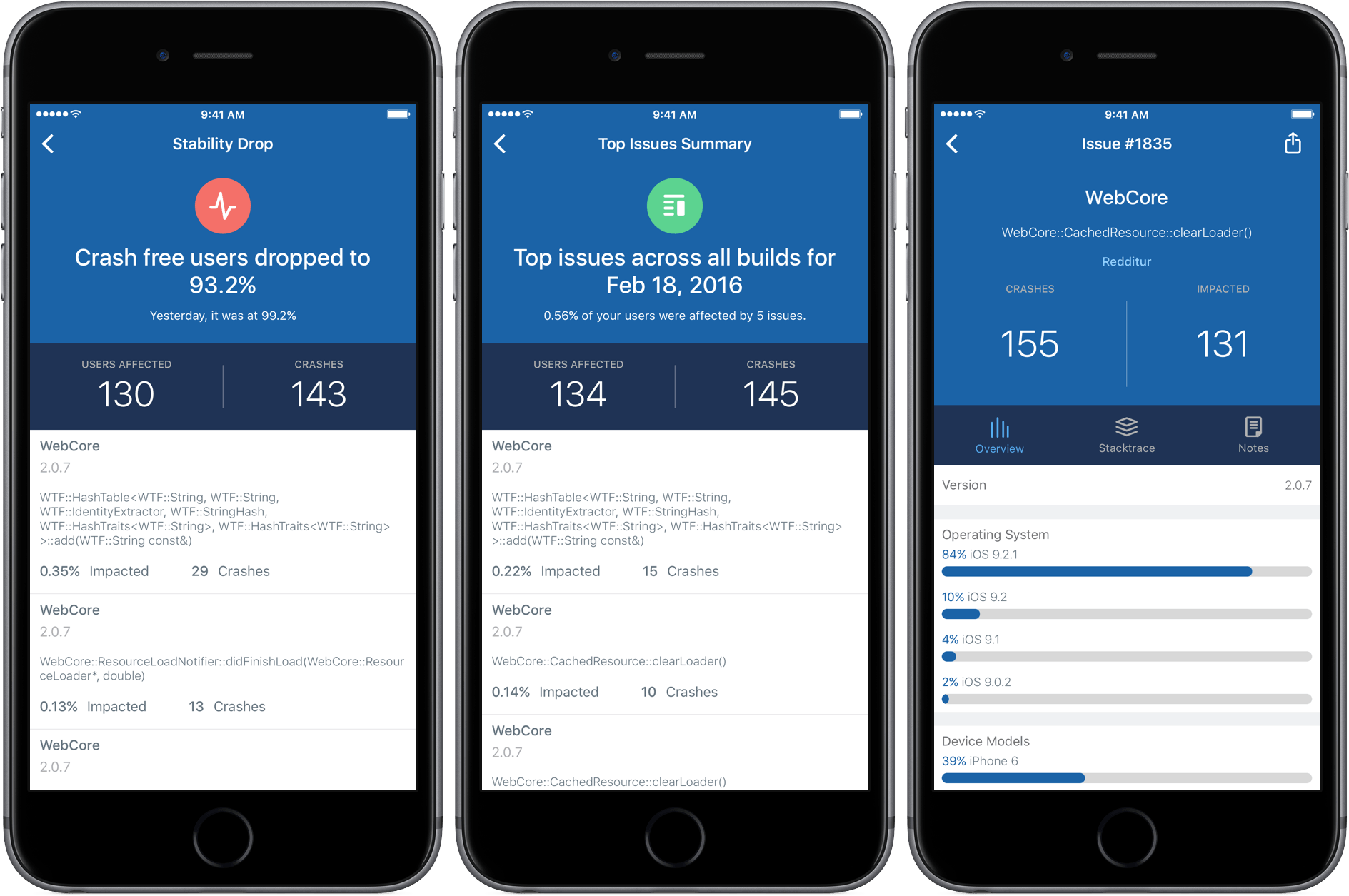
Over the past few years, Twitter has created and acquired an impressive array of mobile developer tools that it offers under the umbrella brand of Fabric. Today, Twitter released an iPhone companion app for Fabric that puts two of its most popular tools in your pocket – analytics and crash reporting. I have been testing Fabric, the iOS app, with two iOS apps provided by Twitter for the last few days and I’m impressed with its ability to sift through, organize, and display large quantities of data in an effective and meaningful way on an iPhone.

Read more


Placeboard: Your Favorite Places in One Location

Among my many bad habits is forgetting to keep frequently-needed information in a convenient place. Whether it’s a phone number or the address of one of my favorite restaurants, I can’t seem to develop a method for storing data I need.

Placeboard is an app that could change that. It’s a storage system for your favorite locations and, with a few smart features, is a great one, too.

Read more


Screenbot Brings Droplr File Sharing to Slack

Yesterday, Droplr released a version of its online file sharing service as a Mac-only integration with Slack called Screenbot. Like Droplr, which I covered in my roundup of Mac and iOS screenshot apps, Screenbot makes it easy to share screenshots, screencasts, the clipboard, and other items.

Screenbot has a free tier that permits you to share a rather anemic 20 items per month. For unlimited sharing, you will need to pay $5 per Slack user, per month, which could get expensive fast if you have a lot of users. Given the amount of time so many teams spend in Slack, Screenbot is a smart move by Droplr, but I am skeptical about whether it is economical, unless you have a big budget and your file sharing needs are simple.

Read more


Monthly: Simple, Quick Budgeting

Monthly is a money-tracking app aimed at helping you budget and manage your expenses.

The above sentence is notably simple – I wanted to write it that way so that you can understand the philosophy behind Monthly before you even launch it. You’ll find that Monthly funnels itself into one area and doesn’t budge; for most apps, the reality behind that fact is a kiss of death. But Monthly, in all of its simplicity and speed, stands on its own as an app that does its one job incredibly well.

Read more